While Five9’s contact center software offers strong AI features and dozens of communication channels in a user-friendly interface, it’s one of the most expensive solutions on the market. Further, some alternatives offer stronger workflows, routing options, and quality management features that Five9 doesn’t provide.
We’ve tested many other contact center platforms to determine the best Five9 alternatives.
Five9 Alternatives At-a-Glance Overview
| Provider | Standout Features | Integrations | Communication Channels | Pricing | Best For |
| Five9 | AI-powered workflow automation, predictive dialer, interaction analytics | Salesforce, Zendesk, Microsoft Dynamics | Voice, Email, Webchat, SMS, Social media, Video | From $119/user/month (Digital), $159 (Core), quote-based for higher tiers | Established 50+ seat outbound contact centers |
| Talkdesk | Visual flow designer, advanced IVR, AI and machine learning capabilities | Salesforce, Slack, Zendesk, Microsoft Teams | Voice, Email, Chat, SMS, Social media, Video | From $85/user/month | Mid-market teams wanting custom routing and per-hour pricing |
| Nextiva | AI-powered contact center, advanced CX analytics, geographic disaster recovery | Salesforce, HubSpot, Zendesk | Voice, Email, Chat, SMS, Video, Social media | From $75/user/month | AI-powered UCaaS+CCaaS bundling for SMBs and mid-market |
| NICE CXone | Workforce management, quality management, analytics and insights | Salesforce, Microsoft Teams, ServiceNow | Voice, Email, Chat, SMS, Social media, Mobile apps | From $110/user/month | Enterprises needing deep WFM, completely automated customer interactions, and extensive intelligent analytics |
| Genesys | Speech-enabled IVR, predictive routing, workforce engagement | Salesforce, Microsoft Dynamics, ServiceNow | Voice, Email, Chat, SMS, Social media | From $75/user/month | Voice-only or digital-only deployments at any scale |
| Dialpad | Voice intelligence, real-time transcription, IVR, ACD | Salesforce, HubSpot, Zendesk, Slack | Voice, Email, Chat, SMS, Video | From $80/user/month | AI-first teams that want every tier to include AI features |
| 8x8 | Skills-based routing, IVR, reporting and analytics | Microsoft Teams, Salesforce, HubSpot | Voice, Email, Chat, SMS, Social media, Messaging apps | Quote-based pricing | Teams that want UCaaS+CCaaS plus internal video collaboration |
| RingCX (RingCentral) | RingSense AI, omnichannel routing across 20+ channels, native UCaaS+CCaaS | Salesforce, Zendesk, HubSpot, Microsoft Teams | Voice, Email, Chat, SMS, Social media, Video | From $65/user/month | Teams that already use RingCentral or want unified UCaaS+CCaaS |
| CloudTalk | Drag-and-drop call flow designer, 160+ international numbers, smart routing | Salesforce, HubSpot, Pipedrive, Zendesk, Intercom | Voice, SMS, WhatsApp | From $19/user/month | SMBs and growing sales teams under 50 agents |
| Aircall | Modern UI, 100+ integrations, power dialer, real-time call monitoring | Salesforce, HubSpot, Zendesk, Pipedrive, Intercom | Voice, SMS | From $30/license/month (3-license minimum) | Sales-focused teams that want fast setup and CRM-tight workflows |
Why Seek a Five9 Alternative?
Five9 is a solid CCaaS provider, but it's definitely not a one-size-fits-all solution that works for every business. Here are a few reasons to consider alternatives:
- Pricing: Five9's pricing is on the higher end compared to competitors like Talkdesk and Dialpad, which both offer budget-friendly options with similar or stronger feature sets
- Flexibility and Customization: While Five9 offers strong call center capabilities, it is not as flexible when it comes to integrations and custom workflows compared to others like NICE CXone and Genesys
- Omnichannel Support: Five9's omnichannel features are improving, but other providers like 8x8 and Talkdesk offer more native integrations for video messaging, chat messaging, and video
- Reliability and Uptime: A few users report occasional call quality issues or outages when using Five9, where other competitors like 8x8 and Genesys offer more reliable service
- Advanced AI and Automation: Five9's AI-powered automation tools are strong, but alternatives offer more advanced machine learning and predictive analytics at a cheaper price point
- 50-Seat Minimum: Five9 requires a minimum of 50 seats on every plan. Organizations with fewer than 50 agents pay for 50 seats regardless of actual usage. At $159/user/month (Core), the minimum monthly cost is $7,950, which prices out most SMBs
- Implementation Timeline: Five9 deployments typically take 6-8 weeks and often require professional services support. Teams that need a working contact center in 2-4 weeks should look elsewhere
- No Built-in UCaaS: Five9 is purely a contact center platform with no native business phone system, video meetings, or team chat. Teams that want to consolidate UCaaS and CCaaS on one platform need an alternative like RingCX, Nextiva, 8x8, or Dialpad
When Five9 is still the right choice: If your contact center has 50+ agents, runs heavy outbound campaigns where predictive dialing accuracy matters, operates in regulated industries that need a 99.999% SLA-backed uptime, and has the budget for $159+/user/month plus add-ons, Five9 remains a solid choice. Its dialer technology and bundled AI features (on the Ultimate tier) genuinely outperform most competitors at the high end of the market.
How We Evaluated These Alternatives
- Pricing and Plans: We examined included features with each offering's different pricing plans to determine overall value
- Integrations: We looked into how many pre-built integrations each platform offered as well as the depth of those integrations
- Security: We researched the security features of each solution such as data encryption, compliance certificates, authentication, etc.
- Reliability: We tested the reliability of each platform by looking for outage information, points of presence, redundancy, uptime SLA, etc.
- Advanced Features: We examined the advanced features of each provider such as AI-powered Agent Assist, automated summaries, AI-enabled insights, etc.
- Communication Channels: We looked at what communication channels were supported by each platform and whether there was a unified agent interface
- Ease of Use: We tested how user friendly each solution was including the mobile app, and whether call flows and automations could be built without code
- Customer Support: We researched the customer support hours, what channels were available, and whether priority support packages were available
Pricing and plans carried the most weight in our evaluation, since cost is the most common reason teams seek a Five9 alternative. Advanced features and communication channels were also heavily weighted, reflecting the importance of AI capabilities and omnichannel coverage of contact center buying decisions. Integrations, ease of use, and reliability factored in next, with security and customer support given extra weight for regulated industries and 24/7 operations.
Best Five9 Alternatives for 2026
- Nextiva: Best for AI, chatbots and self-service, UCaaS+CCaas
- NICE CXone: Best customer journey orchestration
- Genesys: Best for voice-only or digital-only
- Dialpad: Most comprehensive AI features
- 8x8: Best for team collaboration
- Talkdesk: Best for custom routing, workflows, and SLA
- RingCX: Best for unified UCaaS+CCaaS at SMB-friendly pricing
- CloudTalk: Best for SMBs and outbound sales teams under 50 agents
- Aircall: Best for modern sales-focused teams that want fast setup and tight CRM workflows
Nextiva
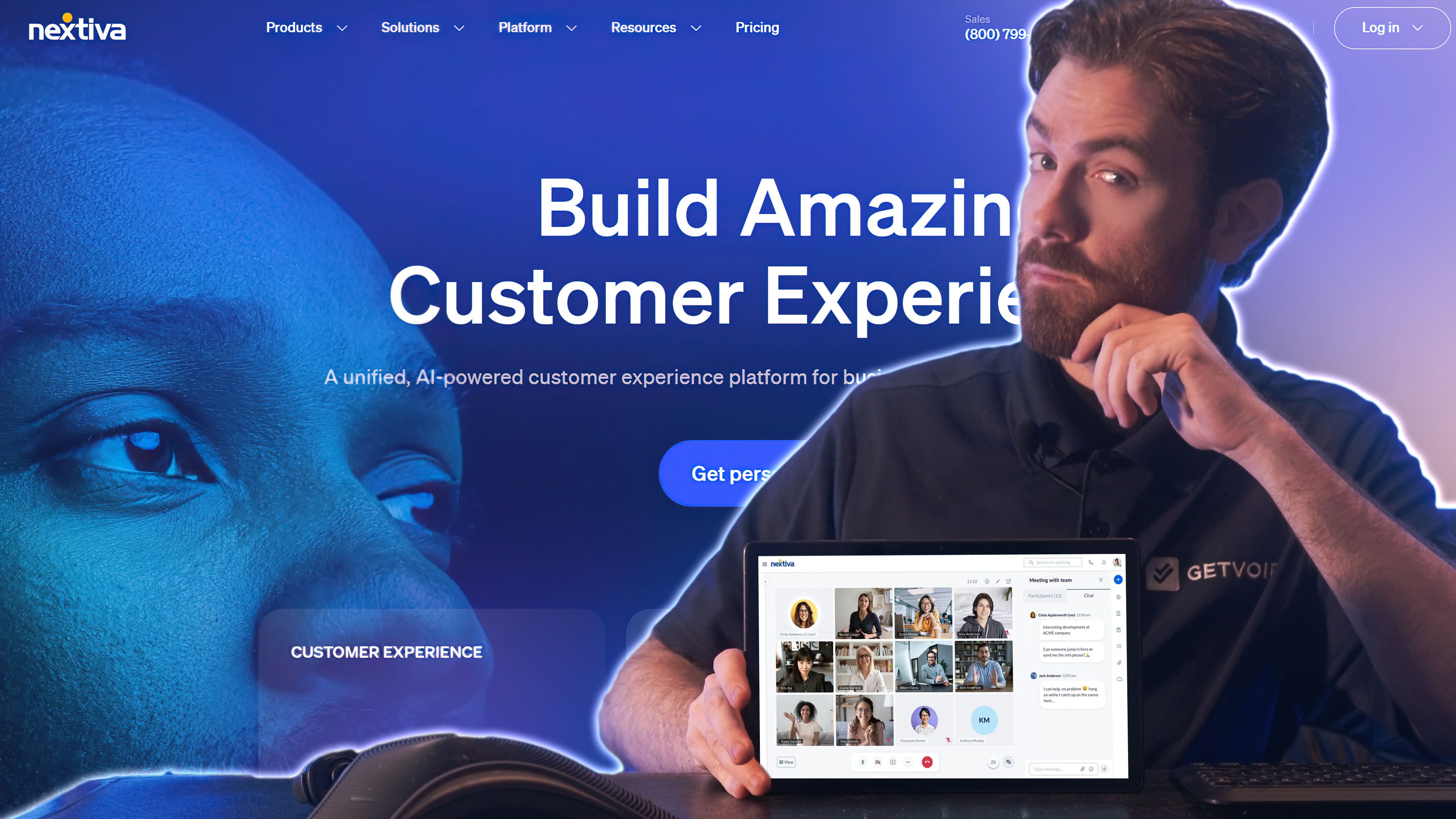
Nextiva’s Customer Experience Suite offers a contact center with proactive outreach, campaign and contact management, and a built-in CRM system. They offer plans for voice-only, digital, or omnichannel contact centers that bundle voice, SMS, email, social messaging, and live chat. Nextiva's sentiment analysis and proactive customer insights offer a deeper understanding for businesses looking to improve customer engagement compared to Five9's.
While Five9 offers strong AI-driven tools, Nextiva's offerings in automation, chatbots, and self-service options are far stronger. Nextiva's virtual agents can take on more complex inquiries to cut agent workloads and offer human-like interactions. It also features a no-code automation building that makes customization of call flows and self-service options easier than Five9's workflow designer.
Nextiva fits best for SMBs and mid-market teams in the 25-200 employee range that want both UCaaS (business phone, video, team chat) and CCaaS (contact center, omnichannel routing, reputation management) on a single platform with a single bill. The HubSpot integration is particularly tight for marketing-and-sales-aligned teams that already use HubSpot CRM, since Nextiva can pull contact records, log calls, and trigger workflows directly. A practical example: a 50-person retail e-commerce team uses Nextiva to handle inbound customer service via chat, voice, and SMS while running outbound campaigns for cart abandonment recovery, all from one agent dashboard.
Nextiva is a Good Five9 Alternative if You Need:
- Voice bots and digital messaging bots: Create automated chatbots and virtual agents for voice and live chat. Embed chatbots into your website or app, to handle rich services like routing, appointment booking, even secure payment processing.
- Custom workflows: Nextiva offers a rich workflow engine to customize bot-to-agent task assignment and automate proactive responses based on triggers. The drag-and-drop designer is user-friendly.
- Intricate routing options: Choose between several different routing options from IVA and IVR menus–list-based, round-robin, least occupied, time-based, skill-based, relationship-based, or AI-based
- Custom surveys: Create forms and surveys across multiple communication channels, including voice, email, SMS, and live chat. Combine these with workflows to automatically elicit customer feedback, viewing this data in the analytics portal.
Nextiva Pros & Cons
Pros
- Feature-rich basic plan: While many alternatives offer minimal features in their lowest pricing tier, Nextiva offers agent scripting, campaign management, auto-dialers, and the full workflow engine
- Payment processing: Nextiva enables payment processing via live chat, which is a unique rich service that many others on this list don’t provide
- Sales use cases: Nextiva offers progressive and predictive outbound dialers to make the sales-calling process more efficient
- UCaaS+CCaaS unification: Single platform for business phone, video, team chat, and contact center; rare among Five9 alternatives
- XBert AI understands customer intent and sentiment, provides seamless AI to human handoffs, and offers interaction summaries
Cons
- High price floor: While Nextiva’s lowest-tier plan offers rich features, it costs about 25% more than voice-only or digital-only call centers from some alternatives
- Few native integrations: While Nextiva integrates with other systems via REST API, it does not include any out-of-the-box integrations–while some other CCaaS platforms offer dozens or hundreds of prebuilt integrations chatbots
Nextiva Pricing
Nextiva offers three Customer Experience plans from $99 to $139 monthly per user when charged annually. The provider does not offer a free trial for their contact center software.
For more information, see our Nextiva pricing guide or read a detailed comparison of Nextiva vs Five9.
NICE CXone
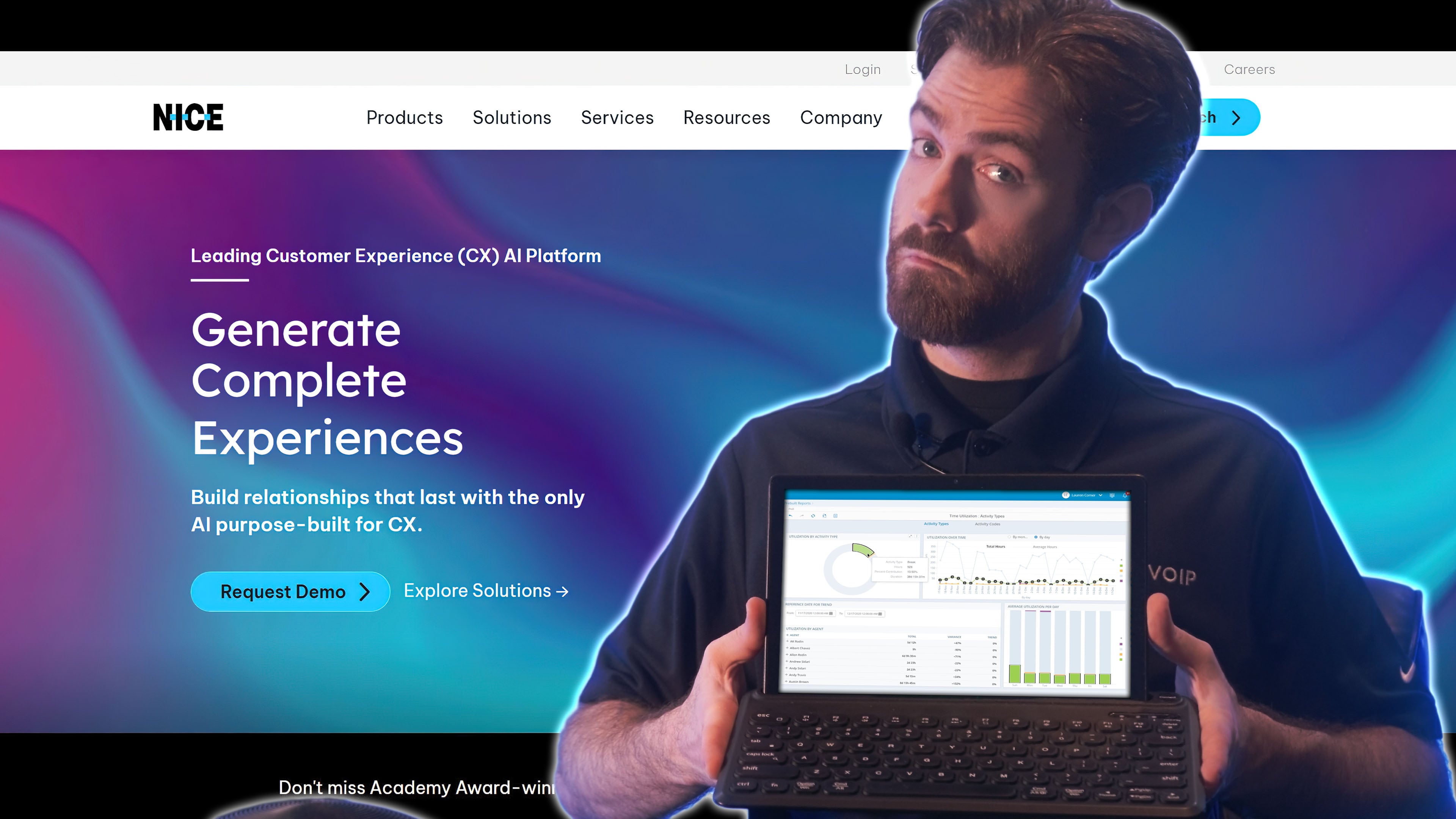
NICE CXone AI-powered call center software that unites dozens of channels: voice, video, email, SMS, collaboration platforms like Slack, streaming sites like YouTube, and social media messaging sites like Facebook Messenger.
While Five9 has great AI features, CXone's features go a bit further when it comes to customer journey orchestration. This is achieved through its deeper analysis of real-time customer behavior to deliver personalized recommendations for next-best actions across different channels. Its AI-driven routing handles transitions between self-service and live agents, giving your customers choices.
NICE CXone's strongest argument over Five9 is its workforce management depth. The platform's WFM module covers forecasting (multi-channel volume predictions across voice, chat, email), automated scheduling with adherence tracking, intraday management for real-time schedule adjustments, and skill-based routing tied directly to scheduling.
For contact centers managing 100+ agents across multiple shifts, this WFM functionality is built in rather than bolted on, which sets CXone apart from Talkdesk and Dialpad. Enterprises in financial services, healthcare, and BPOs that need to manage agent productivity, attendance, and skill development at scale tend to default to NICE for this reason.
NICE CXone is a Good Five9 Alternative if You Need:
- AI-based customer support: CXone’s Enlighten Experience Optimization analyzes historical voice and text interactions, tracking sentiment and frequently mentioned topics, using these to improve automated support.
- Personalization customer journey orchestration: Transition customer conversations seamlessly across over 35 different automated and in-person channels–including voice, email, chat, video, collaboration platforms like Slack, and social media
- Agent omnichannel display: In the agent dashboard, agents can handle dozens of conversations at once. Customer profiles compile contact information, recent notes, and the customer’s multichannel conversation history.
- Supervisor support tools: CXone Supervisor combines a wide bank of manager capabilities–an overview of queue insights and data, live monitoring dashboards, real-time sentiment metrics, skills management tools, and reports
NICE CXone Pros & Cons
Pros
- Easy-to-use omnichannel routing: NICE CXone supports many communication channels, with drag-and-drop tools to connect them and AI enhancements to create a powerful customer experience.
- Customizability: Nice CXone’s collection of over 450 REST APIs provides a framework of diverse functionality, providing your developers with databases and resources to compose tons of aspects of your contact center.
- Rich self-service capabilities: CXone’s multichannel self-service tools–built with a drag-and-drop designer–can offer discounts, facilitate account-management actions, book appointments, and more.
Cons
- Best features are add-ons: Our favorite NICE CXone features, like AI analytics and agent assistance, are reserved as add-ons that will increase the cost
- Lack of AI coaching: Some alternatives, like Dialpad and Talkdesk, offer AI features that evaluate agents and provide feedback. NICE does not offer this functionality.
NICE CXone Pricing
NICE CXone pricing plans range from $71 to $209 monthly per user. The lower-tier plans include a messaging-only contact center, a voice-only call center, and an omnichannel option.
For more information, see our review of NICE CXone pricing or read our head-to-head comparison of Five9 vs NICE CXone.
Genesys Cloud CX
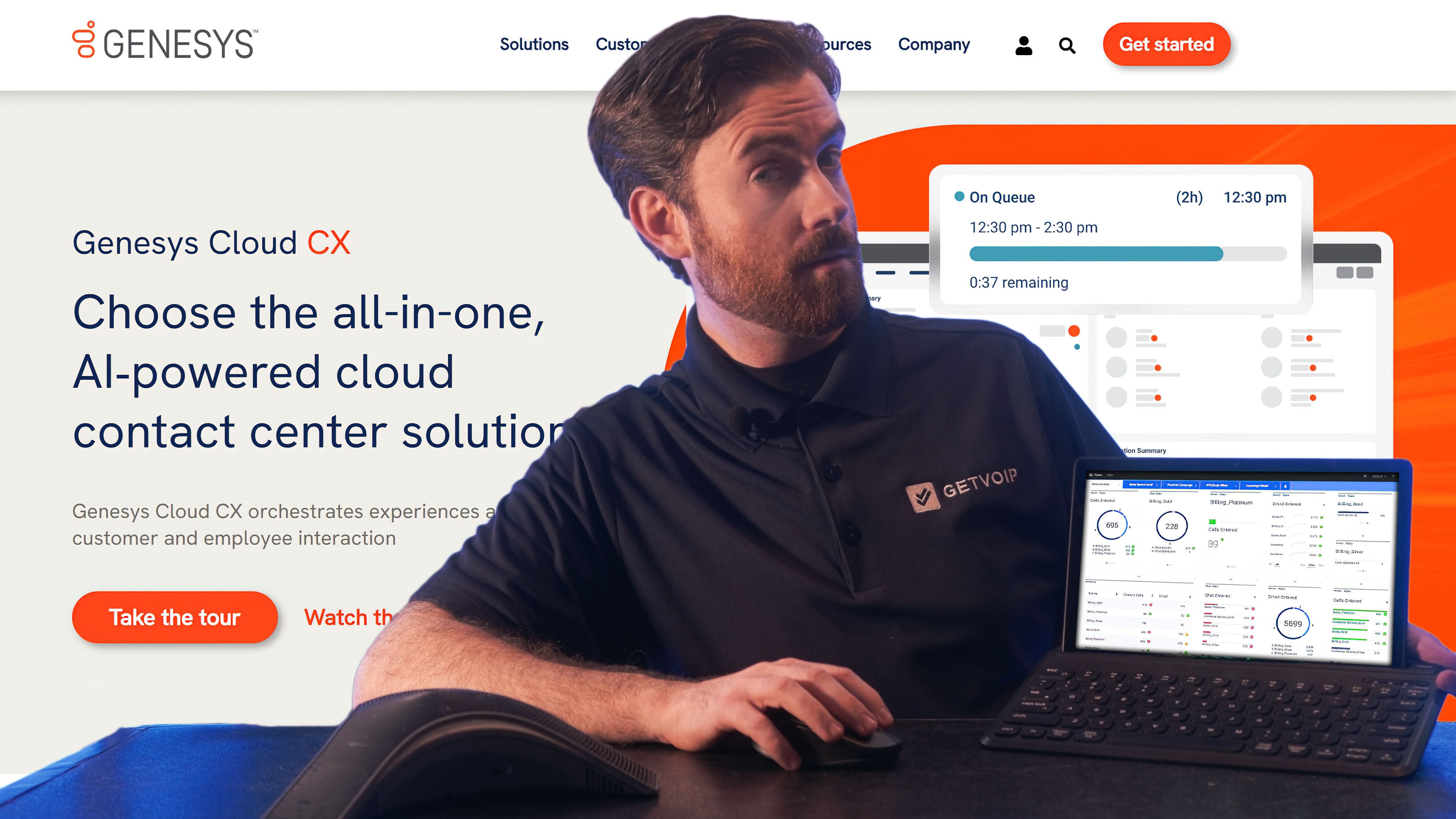
Genesys Cloud CX offers a cloud-based call center software with VoIP telephony, SMS, email, web chat, video meetings with screen sharing, and social media messaging across Facebook, X (formerly Twitter), and Instagram. Compared to Five9, Genesys Cloud CX provides more tailored solutions, allowing businesses to choose between voice, digital, or a full omnichannel experience without paying for unused features. Its AI-driven automation, predictive routing, and real-time analytics optimize customer interactions, whether through self-service chatbots, IVR, or live-agent support.
Both platforms offer workforce management and AI-powered agent assistance, but Genesys Cloud CX's no-code customization tools make it easier to adapt to changing business needs. For companies focused on voice-first or digital-first strategies, Genesys Cloud CX provides a cost-effective, AI-enhanced, and highly flexible alternative to Five9.
Genesys is the only major CCaaS platform that offers digital-only plan options across every tier, including the higher-end CX 2, CX 3, and CX 4 plans (the latter at $240/user/month). For digital-first contact centers (e-commerce support, fintech chat support, telehealth messaging) that don't want to pay for voice infrastructure they won't use, this is a meaningful structural advantage. The Genesys AppFoundry marketplace also provides 350+ pre-built integrations, broader than Five9's CRM-centric integration list.
Genesys is a Good Talkdesk Alternative If You Need:
- Workforce management: Use AI to forecast staffing demands and generate adaptive agent schedules. Automatic call recording and customer insights help supervisors monitor agent performance, with real-time queue insights and KPIs.
- Speech and text analytics: Genesys AI offers complete transcription for all interactions across channels, analyzing these transcripts for customer satisfaction and keyword trends
- AI-driven predictive engagement: Agents have a variety of display- and AI-based tools at their disposal to engage customers. AI tracks customer journeys and identifies ways to engage them proactively–recommended actions, offers, and the best channels to use
- Knowledge management tools: Write articles and build a knowledge base. Answer Q&As, sort articles into categories, and format articles with fonts, bullet-point lists, and images. Customers can search by keyword, and agents and chatbots can share articles in live conversation.
Genesys Pros & Cons
Pros
- Digital and voice-only options: Genesys uniquely offers digital-only plan options–even on higher-tier plans with advanced features–in addition to voice-only and omnichannel options.
- AI tools: Genesys provides a well-rounded suite of AI-based agent-support and routing capabilities.
- Deep customer profiles: Access rich customer profiles with historical data, cross-channel interactions, customer journeys, and predicted outcome scores. Pull data from CRM integrations and other data sources.
Cons
- Complicated UI: I needed a few days to get the hang of the Genesys dashboard, routing menus, and agent support tools. The interface may feel overwhelming for new users.
- Underdeveloped AI in some areas: Some of Genesys’ tools, like live-agent assistance and workforce management, don’t integrate AI as well as competitors do. The AI features seem either non-existent or weak in these areas.
Genesys Cloud CX Pricing
Genesys Cloud CX offers five pricing plans that range from $75 to $155 monthly per user. The provider offers digital-only, voice-only, and omnichannel plans with a 14-day free trial.
To learn more, check out our guide to Genesys pricing.
Dialpad
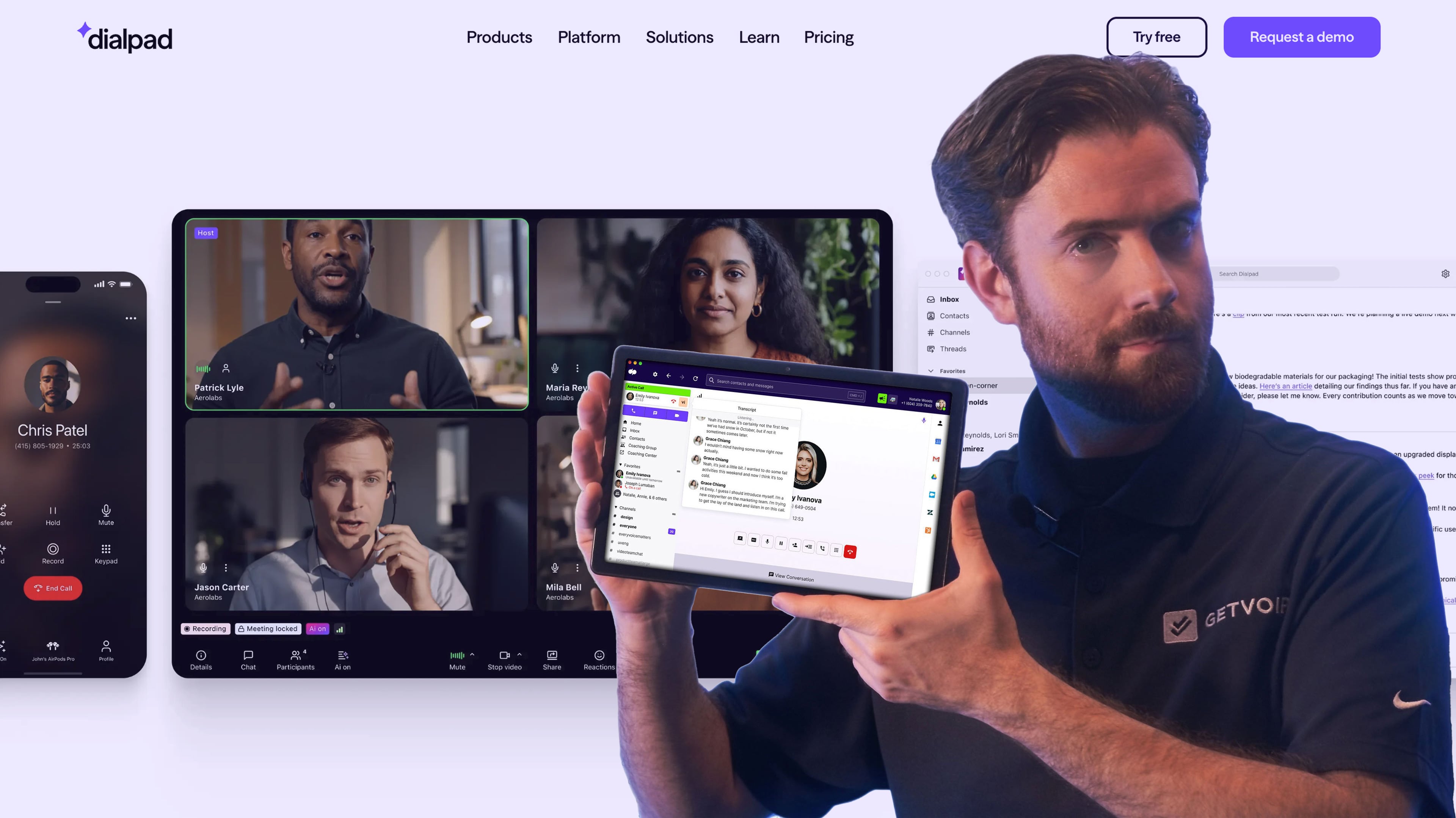
Dialpad’s AI contact center offers an omnichannel dashboard uniting VoIP phone, SMS, social messaging platforms, video conferencing, customer-facing web chat, and internal team chat channels. While Five9 provides AI-powered agent assist and automation, Dialpad Ai goes further with real-time transcription, live sentiment analysis, AI-generated call summaries, and automatic action item detection. These features come natively built in and available on all tiers.
Both platforms support omnichannel engagement and workforce management, but Dialpad's AI-powered voice intelligence and real-time coaching tools provide deeper insights and richer improvement opportunities. With a more comprehensive AI feature set, native speech recognition, and built-in automation, Dialpad is a top choice for businesses looking to maximize efficiency and elevate customer experience above what Five9 currently offers.
Dialpad's defining feature is that AI capabilities are included on every plan rather than reserved for higher tiers or sold as add-ons. Real-time transcription, sentiment analysis, AI summaries, and AI scorecards work the same on the entry-level $80/user/month plan as they do on enterprise tiers. Combined with Dialpad's UCaaS+CCaaS unification (business phone, video, contact center on one platform), this makes the total cost of ownership genuinely lower for AI-first teams compared to Five9, where Genius AI and interaction analytics are gated to the Ultimate tier.
Dialpad is a Good Five9 Alternative if You Need:
- AI-generated customer sentiment: Dialpad identifies customer sentiment and CSAT scores for 100% of your customer interactions, using this information to provide agent feedback and generate predictive analytics.
- Real-time agent feedback: Real-time coacting suggestions include pacing and word-choice feedback, knowledge base information, and canned responses
- Supervisor and coaching assistance: AI scorecards, a feature unique to Dialpad, automatically evaluate each interaction based on predetermined criteria you design. Choose the criteria and scoring system, then AI handles the evaluation.
- Post-call summaries: After each call, Dialpad automates post-call summaries with the recording, transcript, action items, topics, and key moments
Dialpad Pros & Cons
Pros
- Advanced AI tools: Dialpad offers a diverse array of unique AI tools–not just sentiment detection and agent assistance but AI scorecards, sales assistance, auto-generated summaries after calls
- Supervisor support and visibility: The supervisor dashboard provides a live view of queue happenings, seeing conversation participants, live call durations, sentiment scores, and live transcripts. Click on a call to listen in or join the call via audio.
- Video meetings: All Dialpad contact center plans include video meetings for internal or customer-facing use cases. Generate and send invite links and collaborate with features like chat, screen sharing, breakout rooms, and polls.
Cons
- No voice-only or digital-only offerings: Dialpad only offers omnichannel contact center plans starting at $115 monthly, so companies seeking a simple call center can find a more cost-effective alternative
- May be too feature-rich for some: The software includes tons of AI support features, which may feel overwhelming for companies seeing a more basic contact center setup
Dialpad Pricing
Dialpad offers AI contact center plans starting at $115 monthly per user, and AI sales center plans starting at $95 monthly per user. The provider offers a 14-day free trial.
For more information, read our guide to Dialpad pricing.
8x8 Contact Center
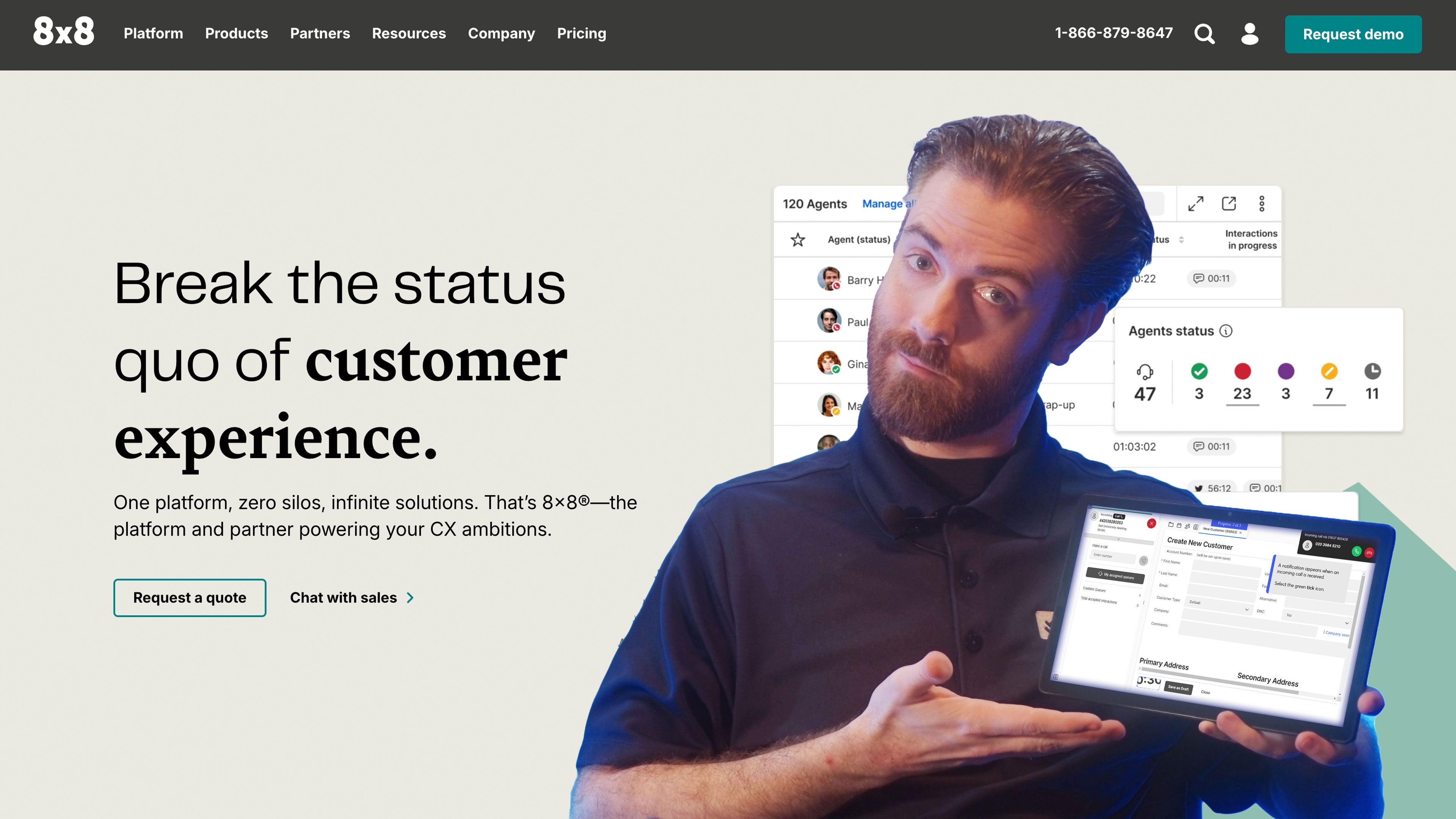
8x8’s cloud contact center bundles voice, web chat, SMS, email, social media messaging, and messaging apps like WhatsApp. While Five9 focuses primarily on contact center operations, 8x8 integrates Unified Communications as a Service (UCaaS) and Contact Center as a Service (CCaaS) into a single platform, enabling agents to collaborate through voice, video, messaging, and file sharing.
Both platforms provide AI-driven analytics and automation, but 8x8's conversation intelligence, native video conferencing, and advanced workforce engagement tools make it ideal for businesses that encourage strong internal collaboration to support customer engagement efforts. With an all-in-one communication suite, AI-powered insights, and strong omnichannel capabilities, 8x8 is a top alternative for companies seeking a more unified and collaborative solution than Five9.
8x8 doesn't publicize pricing on its website anymore, which makes direct comparison harder. Industry estimates and historical data place 8x8's CCaaS pricing between $85 and $140/user/month depending on tier and contract terms, with mid-market deals typically landing in the $100-$120 range. The pricing opacity is a real downside for buyers who want to budget without a sales call. Where 8x8 earns its place on this list is the unification of contact center, business phone, and video conferencing on a single license, which can lower TCO compared to running Five9 alongside a separate UCaaS provider.
8x8 is a Good Five9 Alternative if You Need:
- Omnichannel routing: Build an intelligent, self-service IVR system that utilizes AI, speech recognition, and natural language processing to route inbound customers to the right agent or queue.
- Workforce engagement management: Supervisors can drill down into each conversation with transcripts and audio playback, with the option to make comments.
- Speech analytics: Speech analytics identify sentiment and repeated words, and automated customer services gather detailed feedback
- Trends and business analytics: 8x8’s Analytics tab offers dozens of dashboards and hundreds of KPIs, filterable by agent and historical timeframe. View live queue summaries, agent activity, and other KPIs in statistical, table, or graph form.
8x8 Pros & Cons
Pros
- Easy routing setup: Set up IVR menus and IVA query distribution using a drag-and-drop designer, which makes it easy to customize task flows
- Multichannel team collaboration: 8x8 includes collaborative video meetings and team chat, along with mobile app access that enables teams to communicate from anywhere
- Easy-to-use agent workspace: The omnichannel workspace organizes all active tasks in one dashboard, separating each conversation into a tab. New tasks pop up on an agent’s screen, with the option to accept or reject.
Cons
- Lack of advanced features: One of the simplest omnichannel solutions on our list, 8x8 lacks workforce management and scheduling features, AI agent evaluations, and automated live-agent assistance
- Basic analytics: While 8x8 provides KPIs for queue activity and agent status, it doesn’t offer the same depth as competitors with customer sentiment, keyword usage, and trends
8x8 Pricing
8x8’s CCaaS platform offers three pricing plans, including a voice-only call center and omnichannel options. They don’t publicize pricing information but offer a free trial upon request.
To learn more, check out our 8x8 pricing guide or read our direct comparison of 8x8 vs Five9.
Talkdesk
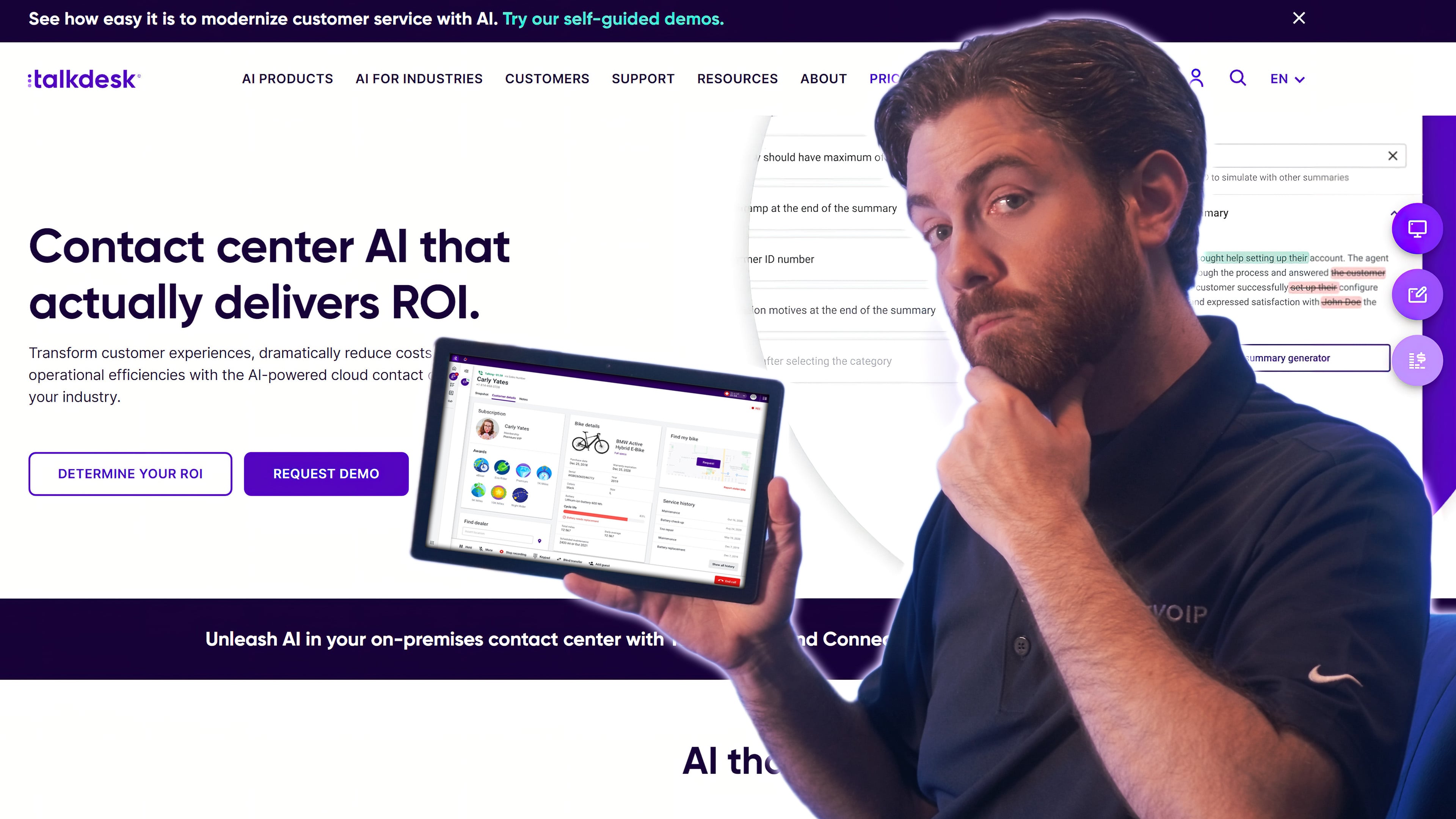
Talkdesk’s contact center software offers voice-only, digital messaging-only, and omnichannel plans with email, live chat, SMS texting, and social media messaging. Like Five9, Talkdesk provides AI-powered agent assist features, real-time transcription, and automated summaries. But Talkdesk's AutoPilot and Agent Assist offer deeper automation and more AI-human collaboration, with a no-code workflow builder that makes customizing IVR flows and call routing easier than Five9's offering.
Both platforms include workforce management (WFM) tools for forecasting, performance tracking, and scheduling, though Talkdesk's tools provide adaptive forecasting and automated scheduling adjustments, things Five9 does not. For businesses seeking a more modern and highly customizable CCaaS solution, Talkdesk delivers strong value at a lower entry price.
Talkdesk offers flexible pricing options, including traditional seat-based/per-user licensing and per-hour concurrent user pricing upon request. This makes it a flexible option on this list for seasonal businesses, BPOs with shifting agent counts, and contact centers that scale up for promotions or campaigns. Talkdesk also publishes industry-specific Experience Cloud editions for healthcare (HIPAA-tailored workflows, patient access tools), financial services (PCI compliance, fraud detection), and retail (e-commerce-specific routing). For regulated industries that need pre-configured compliance frameworks rather than DIY configuration from scratch, these industry editions cut implementation time significantly.
Talkdesk is a Good Five9 Alternative if You Need:
- Low-code customizability: Talkdesk lets you customize your routing flows, IVR menu, IVA and chatbot support, and workflows with a drag-and-drop designer that requires low code or no code
- Quality management: All Talkdesk plans include quality management tools like call recordings, streamlined coaching and evaluations, and a supervisor portal that displays daily call activity and trends. Higher-tier plans add AI-based agent evaluations and screen recording.
- Workflow automations: Use the drag-and-drop designer to link multiple tools into workflows. Synchronize surveys, agent-support scripts, task assignment and status updates, and more.
- Customer feedback: Create custom automated surveys to deploy on any channel. Customer experience analytics, available on the high-tier Elite plan, dig even deeper.
- On-the-go agent tools: Talkdesk uniquely offers a Conversations mobile app that lets agents handle calls from their mobile device
- Custom user dashboard: Talkdesk is one of the only providers on our list that lets you customize the agent interface–choosing which channels, customer data, tasks, and connected apps are displayed in each panel
Talkdesk Pros & Cons
Pros
- Low cost: Talkdesk offers some advanced features at a lower cost than virtual competitors. These features include quality management tools, surveys, and workflow customizations.
- Customizability: Talkdesk lets you customize virtually everything about it–workflows, IVA and IVR, customer journey, and the agent workspace–with minimal or no code
- Choice: The Elite plan lets you choose between Agent Assistance, Customer Experience analytics, Outbound Engagement auto-dialers, and Workforce Management. Teams who want just one of these add-ons will be able to get the functionality much cheaper than with an alternative
Cons
- High-tier plans lack comprehensive features: Since the high-tier plans make you pick between add-ons like Agent Assist and Workforce Management, teams will have to pay extra to have all of these features
- Weak AI capabilities: While Talkdesk has AI-based conversation analysis and agent assistance, Five9 offers stronger AI tools. Five9 AI also provides call summaries and insights
- Less conversational chatbots: I felt that Five9 enabled more lifelike chatbots, capable of providing richer services and communication than Talkdesk chatbots
Talkdesk Pricing
Talkdesk offers four plans ranging from $85 to $145 monthly per user when charged annually, with voice-only and digital-only options. The provider offers a free trial upon request and per-hour pricing.
For more information, see our Talkdesk pricing guide. Also, check out our detailed comparison of Five9 vs Talkdesk.
RingCX
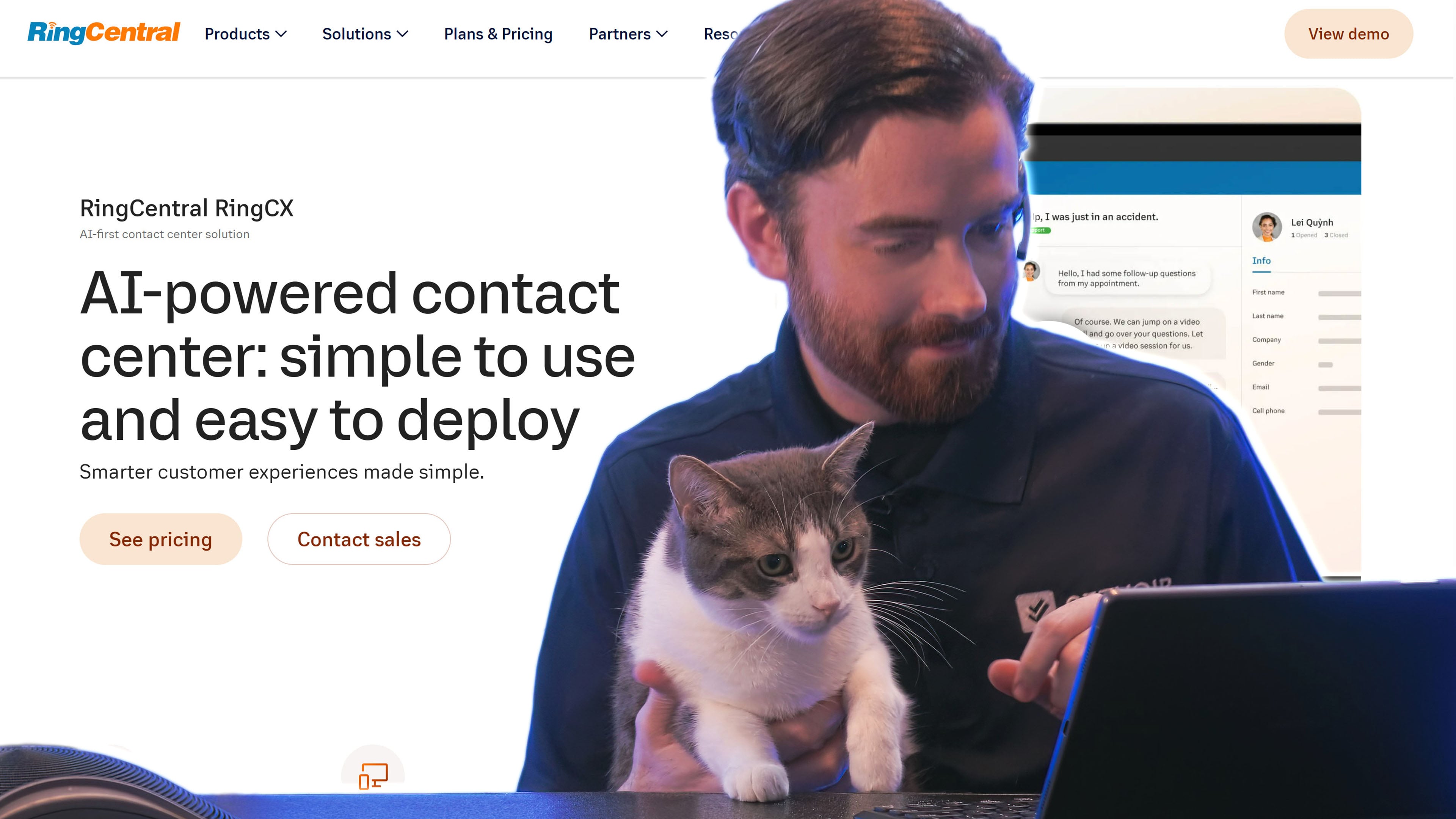
RingCX is RingCentral's AI-powered cloud contact center, designed as a more affordable, modern entry point compared to legacy CCaaS platforms. The platform combines AI technology with omnichannel support across 20+ digital channels (voice, SMS, email, live chat, social media, messaging apps) and integrates natively with RingCentral RingEX for unified UCaaS+CCaaS deployments. Pricing starts at $65/agent/month annually ($75 monthly), which undercuts Five9's Core plan by about 60%.
RingCX delivers genuine AI capabilities at the entry tier rather than reserving them for higher plans. Real-time agent assist, automated call summaries, smart conversation analytics, AI-powered routing, and quality management are included. Outbound dialing modes (predictive, progressive, preview) ship with the standard plan. The integration with Calabrio adds workforce management for scheduling and forecasting on higher tiers. RingCX also includes Interaction Analytics, AI Quality Management, AI Agent Assist, and AI Supervisor Assist.
RingCX is a strong fit for SMBs and mid-market teams (25-500 agents) that already use RingCentral RingEX and want to extend into contact center capabilities without buying a separate platform. Healthcare practices, professional services firms, and growing e-commerce teams that need both a phone system and a contact center on one bill find the unified UCaaS+CCaaS approach simpler to manage than running Five9 alongside Microsoft Teams or another phone provider. A typical scenario: a 50-person legal firm uses RingEX for internal communications and RingCX for client intake, support, and outbound case follow-ups, with shared user directories and a single admin console.
RingCX is a Good Five9 Alternative if You Need:
- UCaaS+CCaaS unification: Single platform for business phone (RingEX), video meetings, team chat, and contact center, with shared user management and unified billing
- Built-in AI at the entry tier: RingCX delivers call summaries, sentiment analysis, real-time agent assistance, and conversation analytics on the standard plan, not as paid add-ons
- Omnichannel coverage: 20+ digital channels including SMS, email, live chat, social media (Facebook, Instagram, X), and messaging apps (WhatsApp, Apple Messages for Business)
- Outbound dialing: Predictive, progressive, and preview dialer modes included in the standard plan, with skills-based routing
RingCX Pros & Cons
Pros
- Competitive pricing: $65/agent/month entry tier is significantly cheaper than Five9 Core ($159) and most other enterprise CCaaS alternatives
- RingEX integration: Native integration with RingCentral RingEX delivers unified user management, shared phone numbers, and a single admin console
- AI included by default: RingSense AI capabilities don't require upgrading to a higher tier or paying separate add-on fees
- No seat minimum: Unlike Five9's 50-seat minimum, RingCX is available to teams of any size
Cons
- Reporting and analytics depth: Some reviewers note that RingCX's analytics dashboard could offer more granular call metrics and customer satisfaction data compared to Five9's interaction analytics
- Limited customization: Interface aesthetics, custom contact fields, and some routing configurations are more restrictive than Five9 or Genesys
- Newer product: RingCX launched in late 2023; the platform is still maturing compared to Five9's 20+ year track record
RingCX Pricing
RingCX starts at $65/agent/month with annual billing ($75 with monthly billing). RingCentral also offers a higher-tier RingCentral Contact Center Enterprise plan with custom pricing for larger deployments. A 14-day free trial is available, and named-agent or concurrent-agent licensing options can be negotiated for larger teams.
To learn more, read our review of RingCentral pricing plans.
CloudTalk
CloudTalk is a cloud-based call center platform built primarily for outbound sales and customer support teams. The platform combines a drag-and-drop call flow designer, smart routing, click-to-call, automated call distribution (ACD), and 160+ international phone numbers in a streamlined interface designed for fast deployment. Pricing starts at $19/user/month (annual) for the Lite plan and scales up to $49/user/month for the Expert plan, with quote-based custom plans for enterprise deployments.
CloudTalk emphasizes simplicity over feature breadth. Most teams can deploy CloudTalk in under a day, port their numbers in 1-2 weeks, and start running outbound campaigns without involving developers. The platform integrates tightly with Salesforce, HubSpot, Pipedrive, Intercom, and Zendesk, with bidirectional sync that pushes call data and recordings into CRM records automatically. AI Conversation Intelligence is available as a $9/user/month add-on for teams that want call summaries, transcripts, and sentiment analysis.
CloudTalk's natural buyer is the SMB or scale-up sales team in the 5-50 agent range that finds Five9's 50-seat minimum and $159 entry price prohibitive. Outbound sales teams running cold outreach campaigns, customer success teams handling renewals, and support teams managing inbound queries from a CRM all fit the platform's design. A common deployment pattern: a 15-person SaaS sales team uses CloudTalk's Power Dialer to call 200+ leads per agent per day, with calls auto-logged in HubSpot and AI-generated summaries pushed to deal records for handoff to account executives.
CloudTalk is a Good Five9 Alternative if You Need:
- Fast deployment: Most teams launch in under a day with no developer involvement; number porting takes 1-2 weeks
- Tight CRM integration: Bidirectional sync with Salesforce, HubSpot, Pipedrive, Intercom, and Zendesk auto-logs calls, recordings, and notes into CRM records
- International coverage: 160+ countries with local numbers, ideal for global sales teams or businesses with international customer bases
- Outbound dialer options: Power Dialer ($15/user/month add-on or included in Expert), Smart Dialer, and Parallel Dialer ($39/user/month add-on) for high-volume outbound campaigns
- Drag-and-drop call flow design: Visual builder for IVR menus, call routing, and workflow automation without code
CloudTalk Pros & Cons
Pros
- SMB-friendly pricing: Lite plan at $19/user/month makes CloudTalk one of the most affordable options on this list, with no seat minimums on Lite or Essential plans
- User-friendly interface: Consistently rated highly for ease of use; minimal learning curve for non-technical teams
- Strong CRM ecosystem: Native integrations with major sales and support platforms, with features designed specifically for outbound sales workflows
Cons
- Limited omnichannel: CloudTalk is primarily a voice and SMS platform; it lacks native email, live chat, and social media channel integration that Five9, Genesys, and 8x8 offer
- No video conferencing: Unlike RingCX, Nextiva, or Dialpad, CloudTalk doesn't include team video or customer video calling
- AI features are paid add-on: AI Conversation Intelligence costs $9/user/month, while platforms like Dialpad include AI on every plan
- Storage caps on lower tiers: Unlimited call recording storage requires the Essential plan or higher
CloudTalk Pricing
CloudTalk offers three plans ranging from $19/user/month to $49/user/month. There’s also a Custom plan with quote-based pricing, so you’ll need to contact their sales team for a quote. A 14-day free trial is available.
AI Conversation Intelligence is available as a $9/user/month add-on, and Power Dialer is $15/user/month.
Aircall
Aircall is a cloud phone system and contact center platform popular with sales and customer support teams that prioritize ease of use, modern UI design, and deep CRM integration. The platform offers click-to-call, IVR, call recording, real-time analytics, power dialer, and AI Assist (call summaries, transcription, sentiment analysis) across two paid plans plus a custom enterprise tier. Pricing starts at $30/license/month (Essentials, annual billing) and $50/license/month (Professional), both requiring a 3-license minimum.
Aircall is engineered around the modern sales and CX team workflow. The platform integrates natively with Salesforce, HubSpot, Pipedrive, Zendesk, Intercom, and 100+ other tools, with click-to-call from CRM records, automatic call logging, and contact context displayed during calls. AI Assist (included on Professional, $9/license/month add-on on Essentials) delivers post-call summaries, key topic detection, talk-to-listen ratios, and CRM auto-logging. Aircall AI Voice Agent is a newer addition that handles autonomous voice interactions with 50 free minutes per account per month.
Aircall fits sales-led organizations and modern CX teams in the 10-100 agent range that want a polished, easy-to-deploy phone system with strong CRM workflows but don't need the enterprise-scale routing, WFM, or compliance frameworks Five9 provides. Common buyers include B2B SaaS sales teams, e-commerce support teams, and recruiting agencies. A practical example: a 20-person SDR team at a Series B SaaS company uses Aircall's Power Dialer integrated with Salesforce to run 100+ daily outbound calls per rep, with all activity auto-synced to opportunity records.
Aircall is a Good Five9 Alternative if You Need:
- Modern UI and fast onboarding: Aircall is consistently rated one of the easiest CCaaS platforms to learn; new users are productive within hours
- CRM-tight workflows: 100+ pre-built integrations with deep, bidirectional sync; click-to-call and auto-logging work directly with Salesforce, HubSpot, and Zendesk
- Power Dialer for outbound sales: Sequential auto-dialing with voicemail drop, call control, and Salesforce integration on the Professional plan
- Smart routing and queue callbacks: Skill-based routing, IVR, and automated queue callbacks so customers don't wait on hold
Aircall Pros & Cons
Pros
- Polished, intuitive interface: One of the cleanest agent dashboards in the CCaaS market
- Deep CRM integrations: Native Salesforce CTI, HubSpot, Pipedrive, and Zendesk integrations with bidirectional data sync
- Fast deployment: Setup takes hours, not weeks; no developer involvement required for standard configurations
- AI Voice Agent: Newer autonomous voice agent capability for handling routine inbound calls
Cons
- License-based pricing with minimums: 3-license minimum on Essentials and Professional plans; Custom plan requires 25 licenses. Pricing is per license, not per active user
- Limited omnichannel: Voice and SMS only; no native email, live chat, or social media channel integration
- Add-on costs add up: Extra phone numbers ($6/month each), Analytics+ ($15/license/month), AI Assist ($9 on Essentials), AI Assist Pro ($49/license/month)
- Storage and analytics limits on Essentials: 1-year call recording storage and 6-month analytics retention; longer retention requires Professional or Analytics+ add-on
- Support tier limits: Essentials and Professional only include 24/5 chat support; phone support and 24/7 coverage require Custom plan
Aircall Pricing
Aircall offers three plans: Essentials ($30/license/month annual, $40 monthly), Professional ($50/license/month annual, $70 monthly), and Custom (quote-based, 25-license minimum). Both Essentials and Professional require a 3-license minimum.
A 7-day free trial is available, and nonprofits get a 50% discount on annual plans.
Which Five9 Alternative Should You Choose?
When selecting a Five9 alternative, choose a contact center software and plan that offers the channels and features you plan to use, with minimal extras you don't need.
Here's a structured decision guide to help you pick:
By company size:
- Solo to 25 agents: CloudTalk ($25-$49/user/month) or Aircall ($30-$50/license/month) deliver core CCaaS functionality without seat minimums
- 25-100 agents: RingCX ($65/agent/month), Talkdesk ($85/user/month), or Nextiva ($99/user/month) hit the sweet spot of features and price
- 100-500 agents: NICE CXone, Genesys Cloud CX, or Dialpad scale to mid-market and enterprise without forcing you onto Five9's pricing
- 500+ agents: NICE CXone or Genesys Cloud CX are the established enterprise options; Five9 itself remains a strong pick at this scale
By use case:
- Outbound sales: CloudTalk, Aircall, or Talkdesk for SMB; Five9 or Talkdesk for high-volume enterprise outbound
- Inbound customer support: RingCX, Nextiva, or Genesys Cloud CX for omnichannel inbound across voice, chat, and email
- UCaaS+CCaaS unified deployment: RingCX, Nextiva, 8x8, or Dialpad bundle business phone, video, and contact center on one platform
- Digital-only or voice-only specialization: Genesys Cloud CX is the only platform on this list that offers digital-only and voice-only plans across every tier
- AI-first deployments: Dialpad (AI included on every tier) or RingCX (RingSense AI built in) deliver more bundled AI value than Five9
- Workforce management at scale: NICE CXone or Genesys Cloud CX for native WFM with forecasting, scheduling, and adherence tracking
By feature priority:
- Live agent support and AI coaching: Dialpad or NICE CXone for real-time AI assistance and scoring
- Workflows and routing: Nextiva or Talkdesk for highly customizable workflow engines
- Internal team collaboration: 8x8 or RingCX for built-in video, chat, and file sharing alongside contact center features
- CRM-tight workflows: Aircall or CloudTalk for sales teams running everything from Salesforce or HubSpot
Stick with Five9 if: You have 50+ agents, run high-volume outbound campaigns where Five9's predictive dialer accuracy genuinely matters, operate in a regulated industry that requires a 99.999% uptime SLA, need 24/7 live support included on every plan, and have the budget to support $159+/user/month plus AI add-ons. Five9 also remains a strong pick for established enterprises with deep Salesforce or ServiceNow integrations that have been in production for years.
Switching considerations: Migrating from Five9 typically takes 4-8 weeks depending on call flow complexity and integration depth. Most alternatives offer free number porting and migration assistance. Run parallel for at least 2 weeks before sunsetting Five9, and budget time for retraining agents on new agent desktop interfaces. Most providers offer free trials (14 days for RingCX, Genesys, and CloudTalk; 7 days for Aircall) that let you validate fit before committing.
FAQs
Yes. Five9 requires a 50-seat minimum on every plan, including the entry-level Digital ($119/user/month) and Core ($159/user/month) tiers. Organizations with fewer than 50 agents pay for 50 seats regardless of actual usage. At Core pricing, the minimum monthly cost is $7,950, which excludes most SMBs. Alternatives without seat minimums include CloudTalk, Aircall (3-license minimum), RingCX, Talkdesk, and Dialpad.
Five9's Digital plan starts at $119/user/month, and Core starts at $159/user/month.
Most alternatives are cheaper at the entry tier: RingCX ($65), NICE CXone ($110), Genesys Cloud CX ($75), Dialpad ($80), Talkdesk ($85), Nextiva ($75).
SMB-focused options like CloudTalk ($25-$49) and Aircall ($30-$50) come in at less than half of Five9's entry pricing.
Enterprise quote-based plans across NICE, Genesys, Talkdesk, and 8x8 typically land in the $100-$250/user/month range, similar to Five9's higher tiers but without the 50-seat minimum.
Migration complexity depends on call flow customization, CRM integration depth, and agent count.
Plan for 4-8 weeks total: 1-2 weeks for number porting, 2-3 weeks for call flow rebuild and integration setup, 1-2 weeks for parallel testing, and 1 week for cutover and training.
Most providers (RingCX, Talkdesk, NICE, Genesys) offer dedicated implementation services for migrations, and free number porting is standard.
The biggest hidden cost is rebuilding custom IVA/IVR workflows from scratch since these don't transfer between platforms. Run parallel for at least 2 weeks before canceling Five9 to avoid service disruption.
Most do: RingCX (14 days), Genesys Cloud CX (14 days), CloudTalk (14 days), Dialpad (14 days), Aircall (7 days), and 8x8 (free trial on request). Talkdesk offers a free trial on request. NICE CXone typically requires a sales-led demo rather than a self-serve trial. Nextiva's contact center plans don't include a free trial. Five9 itself doesn't offer a free trial on any plan, which is one reason teams looking to evaluate before committing often start with alternatives that do.