
Only a little over a third of calls, 37.8% to be precise, of incoming calls are taken in each day by small and medium-sized businesses.[*] Nearly two-thirds of potential customers, existing customers seeking support, and sales opportunities are slipping through organizations’ fingers seemingly with no recourse. That’s where AI phone assistants come in to save the day.
By 2030, the global call market will grow to 500.1 billion. Even then, companies will fumble with the basic ways they should be managing calls.[*] AI phone assistants are here to autonomously handle calls freed from the limits of traditional tools that see themselves being outmoded and outmaneuvered by unprecedented demand. This guide is here to assist you in adopting AI phone assistants to stay competitive and strong.
How We Evaluated These AI Phone Assistants
We looked into the leading AI phone assistants and compared how well each one could handle real business calls. We focused on call accuracy, conversation quality, task completion, integrations, pricing, setup, and how easily the assistant could hand a caller off to a real person when needed.
Here’s what we paid extra attention to:
- Call Handling: We looked at how well each platform answered questions, took messages, booked appointments, qualified callers, routed calls, and handled common requests without human help. We also considered support for inbound and outbound calling, SMS, and other communication channels where available.
- Conversation Quality: We evaluated voice quality, response speed, speech recognition, context retention, interruptions, accents, and how naturally each assistant carried a conversation.
- Routing and Escalation: We checked how assistants handled calls they could not resolve, including transfer rules, department routing, warm transfers, and whether useful caller context was passed along.
- Integrations: We looked at connections with CRMs, calendars, phone systems, knowledge bases, and other business tools needed to complete tasks during a call. We also considered API access, compatibility with existing phone infrastructure, and whether using the assistant required switching to a particular ecosystem.
- Setup and Customization: We compared how easy each platform was to configure, train on business information, customize responses, create call flows, and update as business needs changed.
- Pricing and Value: We examined subscription and per-minute pricing, included usage, overage charges, free trials, additional fees, and how costs scaled with higher call volumes.
- Analytics and Reporting: We reviewed call recordings, transcripts, summaries, conversation outcomes, performance metrics, and other reporting tools available after calls.
- Security and Reliability: We looked into available security and compliance standards, data handling, uptime information, support options, and the quality of technical documentation.
Quick Picks
An AI phone assistant answers, understands, and acts on live calls the way a trained receptionist would, without a menu tree or a headcount. Here are the picks we cover in detail further down:
- Otter.ai: Best for transcription and call documentation
- Retell: Best for developer-built custom voice agents
- Nextiva XBert: Best for multi-channel answering inside UCaaS
- Quo: Best for AI answering built into the phone system
- Convin: Best for call center QA and coaching
- Goodcall: Best for small-business call answering
- Synthflow AI: Best for no-code conversation workflows
- RingCentral AI Receptionist: Best for context-aware front-desk routing
Expect per-minute rates of roughly $0.05 to $0.15, flat small-business plans in the $29 to $99 per month range, and $500 to $5,000 monthly for high-volume subscriptions. We break down each pricing model later in this guide.
Best AI Phone Assistants in 2026
We’ve compiled a versatile list of top AI phone assistants that touch and work with different business needs and models.
| Best For | Starting Price | Key Strength | |
| Otter.ai | Meeting transcription & notes | Free tier available (paid plans from $8.33/user/month) | Real-time transcription accuracy |
| Retell AI | Custom voice agents | $0.07/minute | Developer-friendly API |
| Nextiva XBert | Multi-channel answering inside a UCaaS suite | $99/month (14-day free trial) | Calls, texts, and chat handled by one agent |
| Quo | AI answering built into a business phone system | Included on Quo plans from $15/user/month | Per-call billing with short calls excluded |
| Convin | Call center analytics | Custom pricing (call sales team for details) | Conversation intelligence |
| Goodcall | Small business phone answering | $99/month | Simple setup, no code required |
| Synthflow AI | Conversational AI workflows | $29/month | Visual workflow builder |
| RingCentral AI Receptionist | 24/7 front-desk answering & routing | Standalone or add-on license (see vendor pricing page) | Context-aware routing with call summaries |
Otter.ai
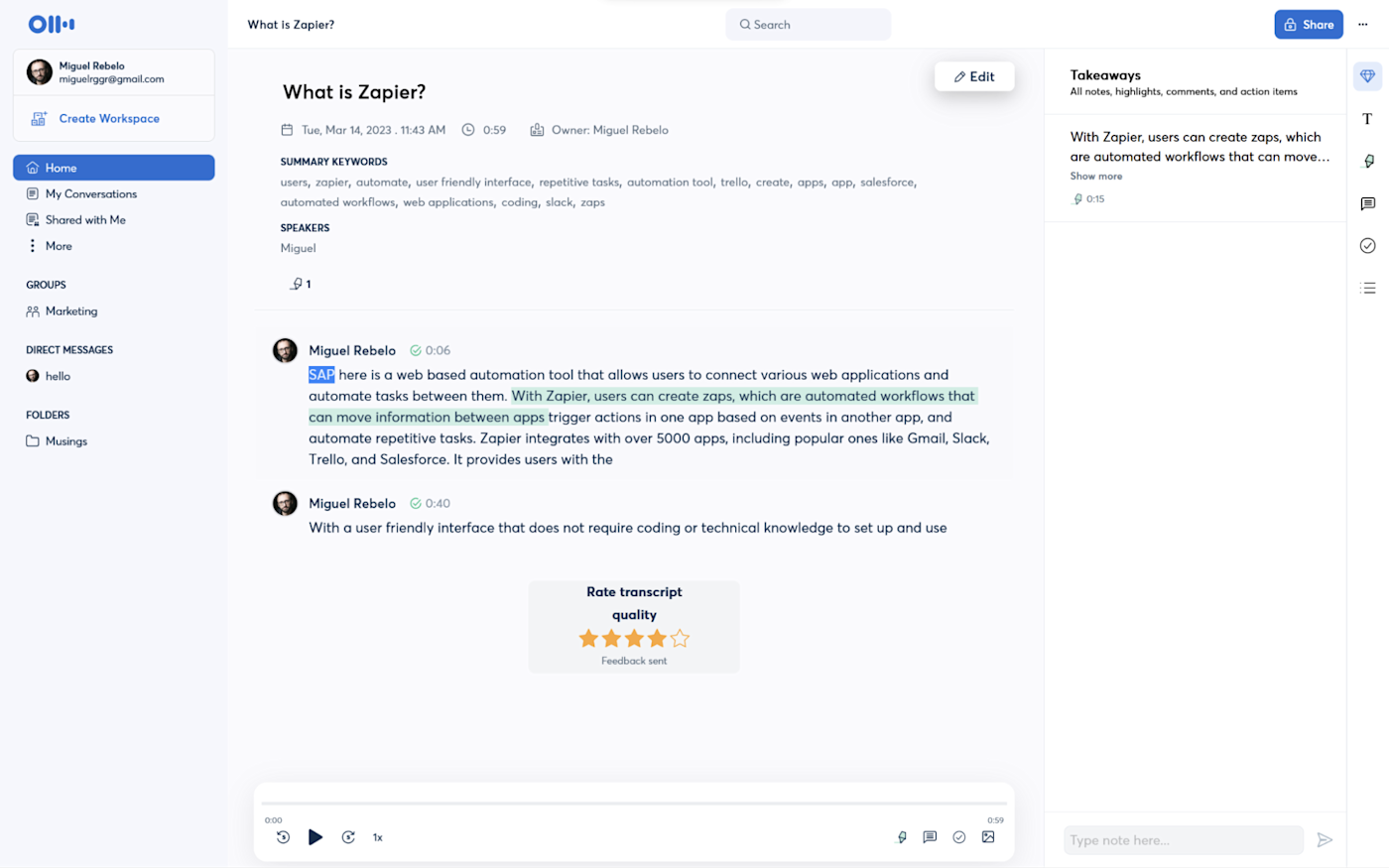
Otter.ai had humble beginnings as a meeting transcription tool. Today, it has morphed into a comprehensive conversational AI powerhouse. While best known for capturing and organizing meeting notes for later use, its phone capabilities are top-tier at real-time transcription, generating accurate summaries, and creating action items during calls.
The platform uses AI to underscore key points, creating structured summaries and even extracting the most actionable items from conversations. This makes it particularly valuable for your sales team, customer service training modules, and situations where accuracy is paramount. Otter integrates with popular meeting platforms and business tools, making conversation data accessible where teams already work.
For businesses, Otter's strongest asset is the ability to formulate searchable records of phone conversations. Teams can quickly find past discussions about specific topics with absolute ease, review what was said or promised to customers, and tackle follow-through on commitments to completion.
Pricing
Otter.ai offers four subscription tiers for its AI meeting transcription service. The Basic plan is free and provides 300 monthly transcription minutes per user with a 30-minute limit per conversation. Paid plans run anywhere from $8.33/user/month to $19.99/user/month.
For power users, the Enterprise plan features custom pricing tailored to organizational requirements. Contact their sales team for detailed Enterprise pricing information.
Key Features
- Real-time transcription with above 95% accuracy across multiple accents and industries
- Automatic speaker identification and timestamps
- AI-generated summary with action items and key topics
- Integration with Zoom, Google Meet, Microsoft Teams, and other platforms
- Searchable conversation archives with keyword highlighting
What We Like
- The transcription quality is exceptional, handling overlapping speech and technical terminology better than most alternatives
- The free tier offers genuine value for small businesses or individuals who don’t need much
- Mobile apps work reliably, and the interface is intuitive even for non-technical users
What We Dislike
- It's primarily a transcription tool, not a complete phone management solution
- You can't build custom conversation flows or integrate complex business logic
- The system doesn't handle calls autonomously and it only documents conversations led by humans
Best For
- Sales teams needing call documentation
- Customer service operations focused on quality assurance and training
- Remote teams who want meeting records
Retell
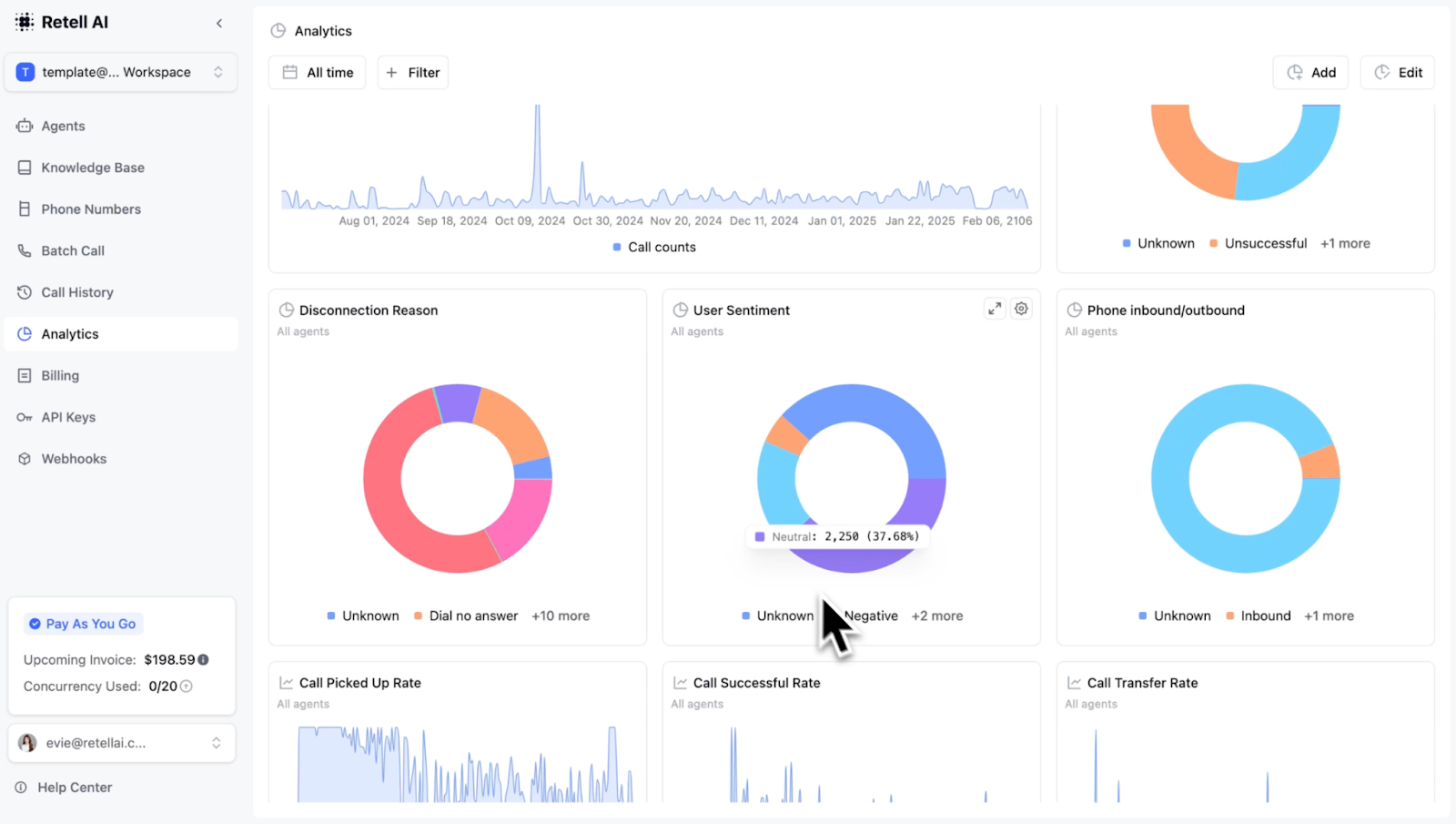
Retell stands out as an API-first platform and choice that’s really ultimately made for developer-first organizations that need to build customized AI phone assistants and have full control. It is not a pre-built solution, Retell merely gives you the infrastructure (think conversation management, speech recognition, voice synthesis) and leaves you the ability to connect your homegrown language models and business acumen.
You have complete control over conversational flow, feature sets, and personality when it comes to the phone assistant you make. Retell supports both outbound and inbound calling. It can even do barge-in handling (where AI jumps to respond when it’s cut off), customized pronunciation, and can swap out AI models mid-call.
It’s a very advanced tool, you can create a custom voice agent that could manage technical support inquiries just by connecting it to your existing product database and setting rules for it to escalate to engineering as needed.
Pricing
Retell offers a pay-as-you-go pricing model that’s self-serve and instant. It costs nothing to start with AI phone assistant calls being charged at a per-minute basis starting at just $0.07 per minute. You will need to bring your own language model and pay for those services separately if you take up a DIY approach.
For companies that anticipate huge call volumes (over $3000/month), there’s an enterprise plan that is custom priced and has discounted pricing based on volume. On this plan, they can even custom-build and scale an AI phone assistant for you. But anticipate shelling out more cash for that level of support. They offer a limited demo.
Key Features
- RESTful API for building custom voice agents with full control over behavior
- Multiple voice options with adjustable tone, speed, and personality
- Real-time conversation data and webhooks for system integration
- Support for interruptions, context switching, and complex conversation flows
- Built-in telephony handling with support for inbound/outbound calls
What We Like
- The developer experience is excellent with clear documentation, helpful examples, and responsive support
- Usage-based pricing aligns costs with value
- You can create precisely the voice experience your business needs rather than adapting to a vendor's vision
What We Dislike
- Requires technical expertise which means your non-developers can't use it effectively or to its most effective form
- You're responsible for building and maintaining the conversation logic as there’s no pre-built conditioning
- No pre-built templates mean starting from scratch for common use cases, which means more time used up for setting it up
Best For
- Development teams building custom applications
- SaaS companies adding voice features to their products
- Businesses with unique workflows that require tailored voice interactions
Nextiva XBert
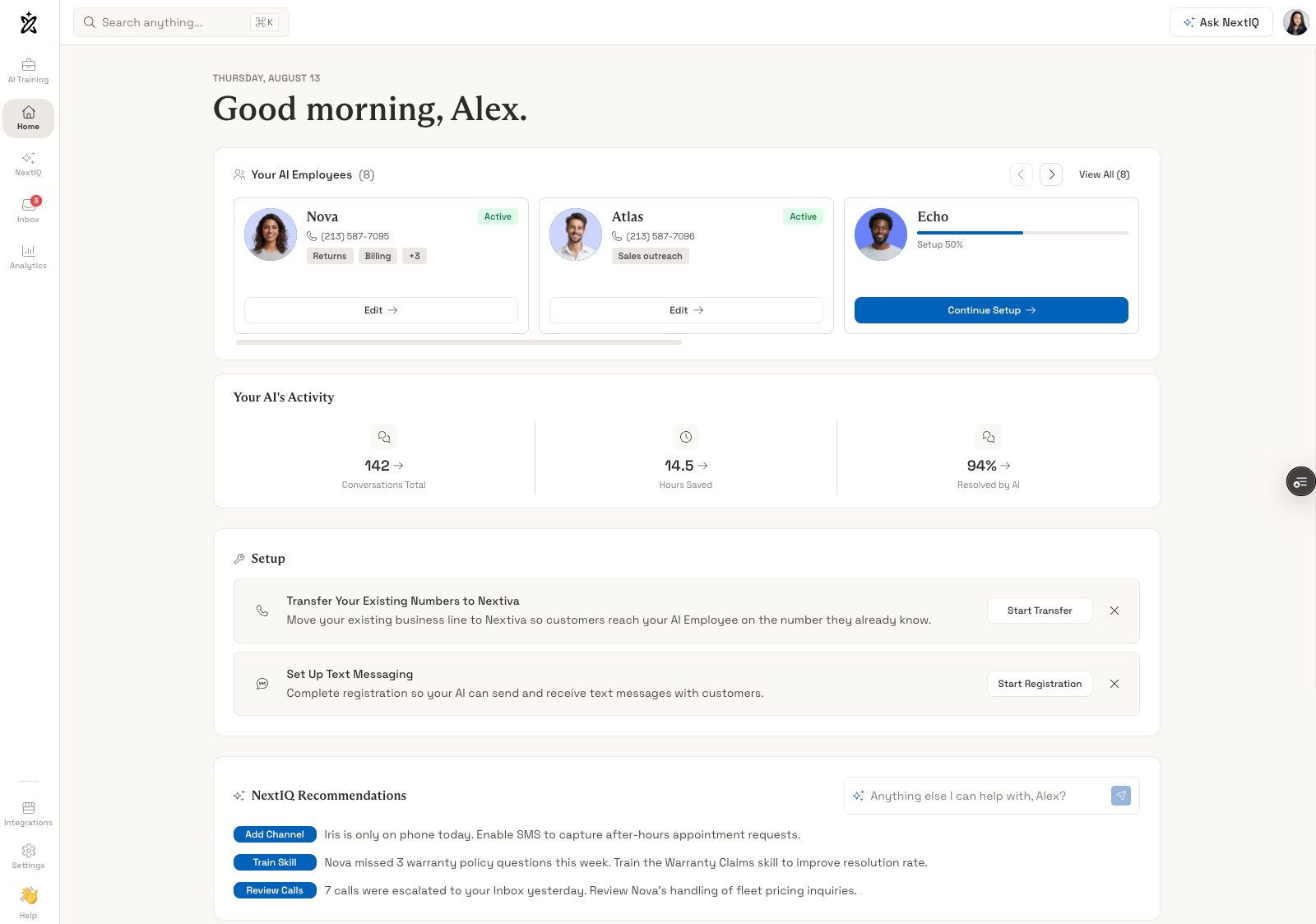
Nextiva XBert is an AI agent that sits inside Nextiva’s unified communications platform and covers calls, texts, and website chat with one set of instructions. Callers get the same answers whichever channel they choose, which suits businesses whose inquiries arrive in all three.
The agent trains on your website and FAQ knowledge bases, books appointments, and sends reminders so no-shows drop. When a conversation needs a person, it performs a warm transfer and passes along the context it gathered, rather than dumping the caller cold on a colleague.
Integrations cover Salesforce, HubSpot, Outlook, and Google calendars, and a mobile admin app lets owners adjust the agent, review conversations, and check activity from a phone. That combination fits owner-operators who are rarely at a desk.
Pricing
Nextiva publishes a starting price of $99 per month for XBert, with a 14-day free trial to test it against your own call patterns. Pricing scales with the plan and the communication features bundled alongside it.
XBert is only offered as part of the broader Nextiva suite and Nextiva UCaaS plans range from $15-$75 monthly, per user. Businesses already paying for Nextiva voice will find the incremental cost easier to justify than teams buying the whole stack for the AI alone.
Key Features
- Multi-channel handling across phone calls, text messages, and web chat
- Knowledge base training from website content and FAQ pages
- Appointment scheduling with automated reminders
- Warm transfers that pass conversation context to the agent taking over
- CRM and calendar integrations including Salesforce, HubSpot, Outlook, and Google
- Mobile admin app for configuration and conversation review
What We Like
- One agent covering voice, SMS, and chat keeps answers consistent across channels
- Published pricing and a 14-day trial make evaluation straightforward
- Warm transfers with context reduce the repetition callers hate most
What We Dislike
- It is bundled into a broader UCaaS suite rather than sold as a standalone voice-agent API
- Developers looking for programmatic control will find the platform too closed
- Value drops if you have no interest in replacing your current phone system
Best For
- Small and midsize businesses consolidating phone, text, and chat with one vendor
- Service companies that live on appointments and reminders
- Owners who manage the phones from a mobile device
Quo
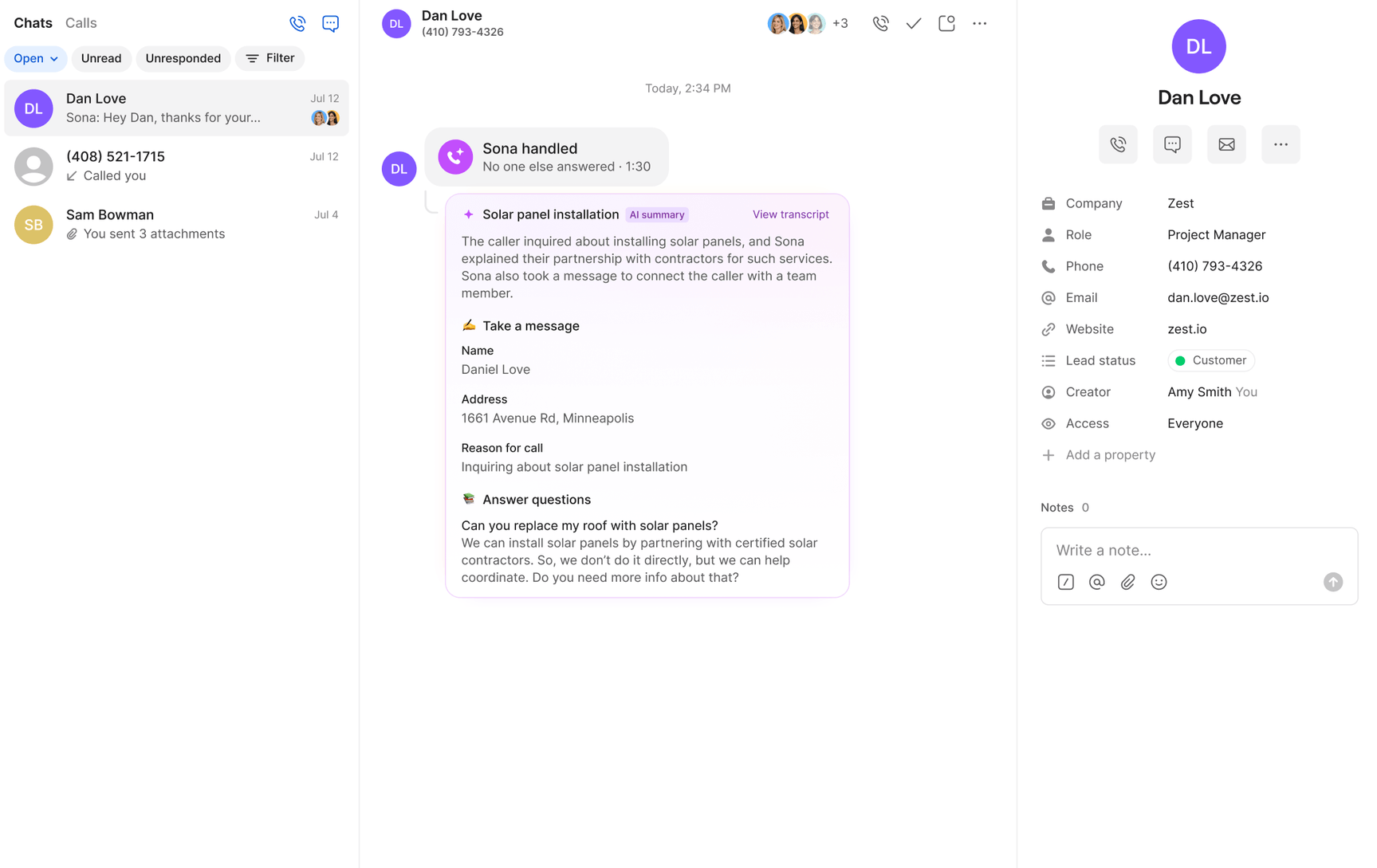
Quo builds its AI assistant Sona directly into its business phone system instead of offering it as a standalone product. Sona can be added to existing call flows through Quo's drag-and-drop builder, and calls it handles appear in the same shared inbox the team already uses.
Sona also uses a different pricing model from most AI answering platforms. Quo charges per call instead of per minute, and calls under 15 seconds are excluded from usage. The per-call rate decreases as call volume increases.
For appointment requests, Sona collects the caller's details and sends a booking link by text while the call is still active. Follow-up confirmations stay in the same message thread. Quo also offers native integrations with HubSpot, Salesforce, Pipedrive, Jobber, and Clio.
Pricing
Quo costs $15, $23, or $35 per user per month with annual billing. Monthly billing raises those prices to $19, $33, and $47.
Sona is included with every plan, with 1,000 credits, equivalent to 10 calls, included each month. Additional credit packages cost $25, $49, $99, or $199 per month and cover between 40 and 600 calls. The effective overage rate decreases from $1.00 to $0.45 per call at higher tiers.
A seven-day free trial is available.
Key Features
- AI assistant built directly into Quo's call flow builder
- Per-call billing, with calls under 15 seconds excluded from usage
- Mid-call SMS for sending booking links and confirmations
- Custom conversation workflows for tasks such as lead qualification and scheduling
- Native integrations with HubSpot, Salesforce, Pipedrive, Jobber, and Clio
What We Like
- Per-call pricing can be more predictable for businesses with longer inbound conversations
- Sona is included on every Quo plan instead of requiring a separate AI subscription
- AI-handled calls, transcripts, and summaries appear in the same shared inbox as other customer conversations
What We Dislike
- Sona currently supports only English, Spanish, and French
- It only works with Quo, so businesses using another phone provider cannot add Sona on top of their existing system
- Appointment booking relies on texted booking links instead of writing directly to a calendar
Best For
- Small teams that want AI answering built into their existing phone system
- Home service businesses, salons, and law firms handling after-hours calls and lead intake
- Businesses with frequent spam calls or a high volume of short inbound calls
Convin
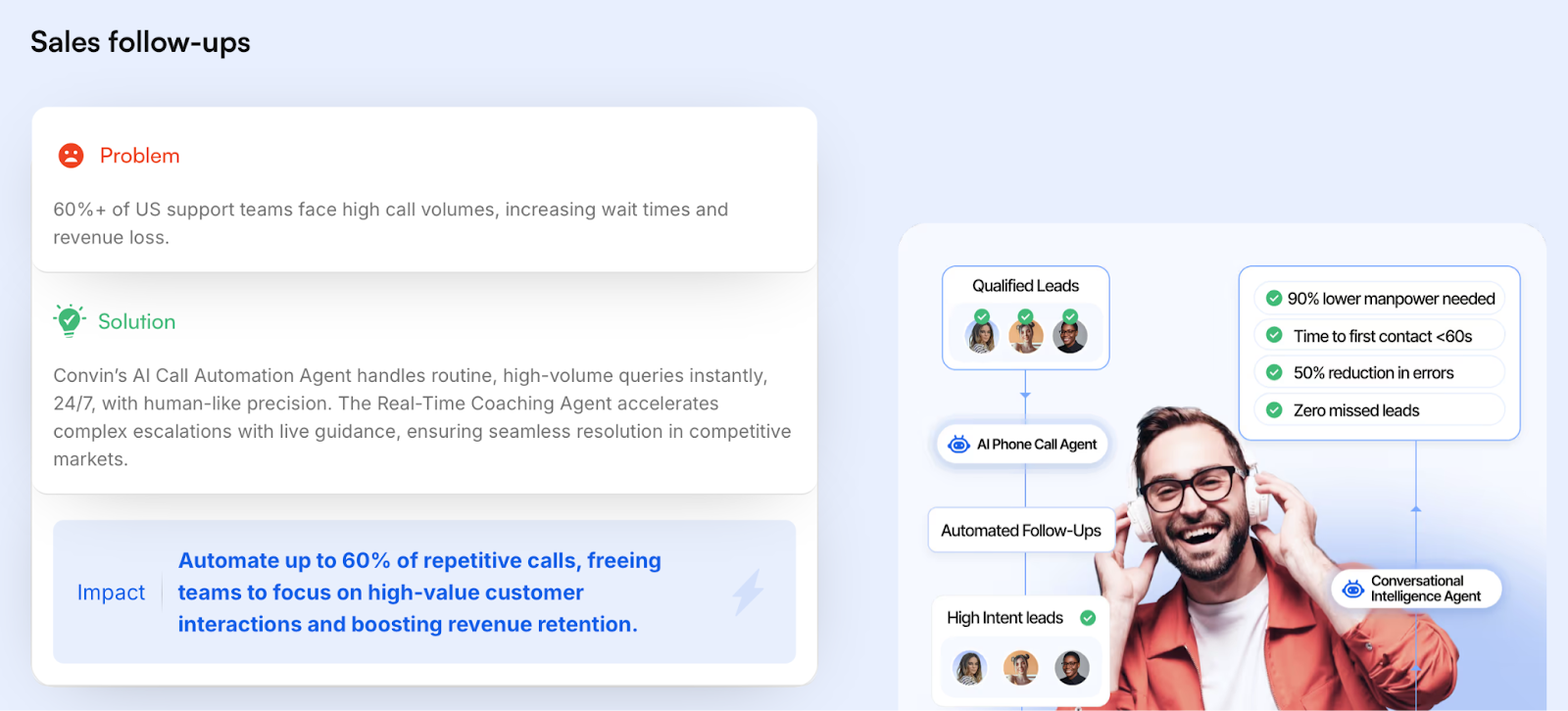
Convin is known best for its dedication and excellence when it comes to conversation intelligence and quality assurance in the call center space. The platform records, transcribes, and analyzes phone conversations to uncover real coaching opportunities, root out pesky compliance issues, and underscore process improvements.
The system leapfrogs basic analytics to provide actionable insights and means for your team to actually improve. It discovers the most common objections customers want to speak on, tracks how agents navigate through difficult situations, and then measures adherence to scripts.
All the while also forming correlations on conversation patterns and outcomes. Managers use these insights to coach agents more effectively and refine processes. Convin also includes automated quality assurance that evaluates 100% of calls rather than the small samples that managers can review manually.
Pricing
Convin uses custom pricing based on your specific requirements including call volume, agent count, and feature selection. The platform does not publicly list pricing tiers or starting costs.
To receive pricing information for Convin's conversation intelligence platform, you must contact their sales team directly for a customized quote tailored to your contact center's needs and scale.
Key Features
- Automated conversation analysis with custom scoring rubrics
- Agent performance tracking with specific coaching recommendations
- Compliance monitoring that flags violations automatically
- Sentiment analysis to identify customer frustration or satisfaction
- Integration with major call center platforms and CRMs
What We Like
- The coaching insights are specific and actionable rather than vague scores
- Managers save significant time versus manually reviewing calls
- The compliance features help catch issues before they become problems
What We Dislike
- Convin has a big slant that’s more analytics-focused rather than a full-service phone assistant
- The system doesn't handle calls autonomously, you will need to manually take on some of the work yourself
- Custom pricing makes it difficult to evaluate cost-effectiveness without a sales conversation
Best For
- Call centers with large agent teams
- Compliance-sensitive industries requiring call monitoring
- Businesses focused on improving agent performance
Goodcall
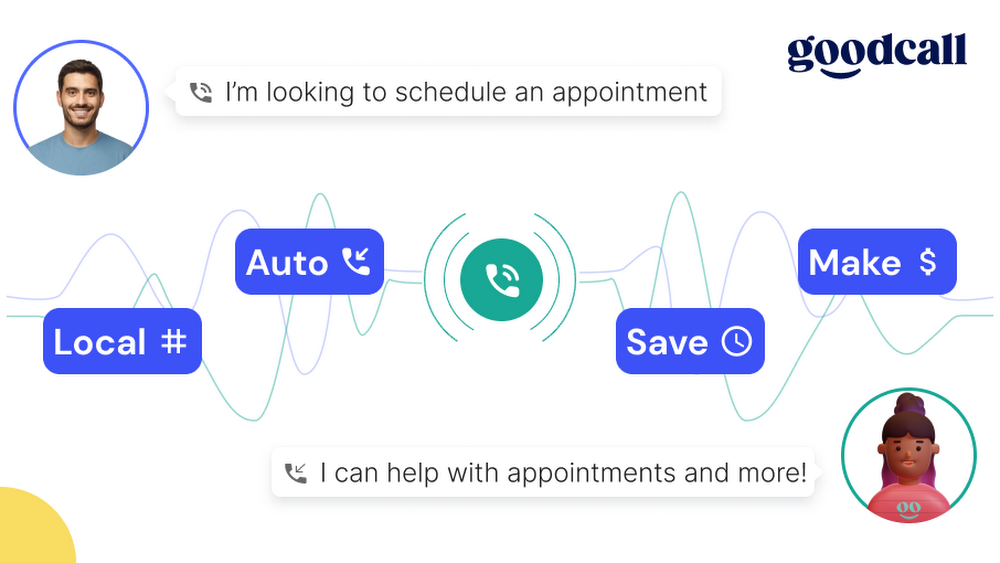
Goodcall offers a straightforward AI phone answering service designed for small businesses. The focus is on simplicity first and foremost. It will answer calls, take messages, book appointments, and answer common questions without complex configuration or the need to tweak things.
The service provides a phone number that forwards to your business line. When you can't answer, Goodcall picks up and handles the conversation. It follows scripts you define, but with enough flexibility to handle natural conversation. Callers can schedule appointments, leave messages, or get answers to frequently asked questions.
Goodcall targets businesses like plumbers, contractors, medical offices, and other service providers who miss calls while working and are usually out in the field. The assistant ensures every call gets answered professionally, even when you're busy, after hours, or on weekends.
Pricing
Goodcall operates on a per-agent subscription model with three tiers based on unique customer interactions per month. The Starter plan costs $66/agent/month and includes 100 unique customers, 1 form, 1 logic flow, and 7-day call history. Plans run up to $208/agent/month going up to 500 unique customers a month.
All plans include unlimited call minutes and AI tokens with no per-minute charges. Unique customers exceeding plan limits incur $0.50 per additional customer. Annual billing provides a 30% discount on all plans. Goodcall does not publicly list enterprise or volume pricing options.
Key Features
- Instant setup with no technical configuration required
- Appointment booking that syncs with Google Calendar and other systems
- Message taking with text/email delivery to your phone
- Customizable responses to common questions
- Bilingual support (English and Spanish)
What We Like
- The flat monthly rate provides predictable costs regardless of call volume
- Setup is genuinely simple, some say they managed to get their systems running in under an hour
- The focus on small business needs makes it more accessible than enterprise platforms
What We Dislike
- Customization is limited compared to more sophisticated platforms
- It won't handle complex workflows or deep system integrations
- The conversation capabilities are basic; don't expect the nuance of enterprise solutions
Best For
- Small service businesses that miss calls
- Solo practitioners who need professional call answering
- Businesses wanting 24/7 coverage without hiring staff
Synthflow AI
Synthflow specializes in conversational AI for customer service, offering advanced natural language capabilities and extensive customization options. Their unique selling point is voice cloning technology that can replicate your actual voice or create custom brand voices, ensuring complete brand consistency across all customer interactions while having the most natural-sounding conversations in the market.
The platform’s API-first architecture makes it seamless for any business system that needs connectivity, making it a boon for tech-forward companies that want to integrate with their existing tech stacks. The higher degree of customization and tech buy-in does make this less a plug-and-play and more a long-term investment.
But the payoff is clear: an AI voice assistant that can be fine-tuned to your exact business process, brand expectations, and customer interaction standards. Synthflow is part of the cutting edge of the AI phone assistant world, making it a truly different customer experience for businesses that want to leap into optimization.
Pricing
Synthflow bases pricing on anticipated monthly usage minutes. Plans start at $29 per month for small-scale use with limited minutes and concurrent calls. Mid-tier plans range from $375 to $750 monthly with thousands of minutes included and lower per-minute rates. High-volume plans provide 6,000 minutes for $1,250 per month.
Enterprise customers can negotiate custom pricing that includes compliance features, SLAs, SIP trunking, and volume discounts. The platform charges approximately $0.13 per minute, with additional fees for workflow usage and concurrent call capacity. They offer a free trial for up to 14 days.
Key Features
- Visual workflow builder for designing conversation flows without coding
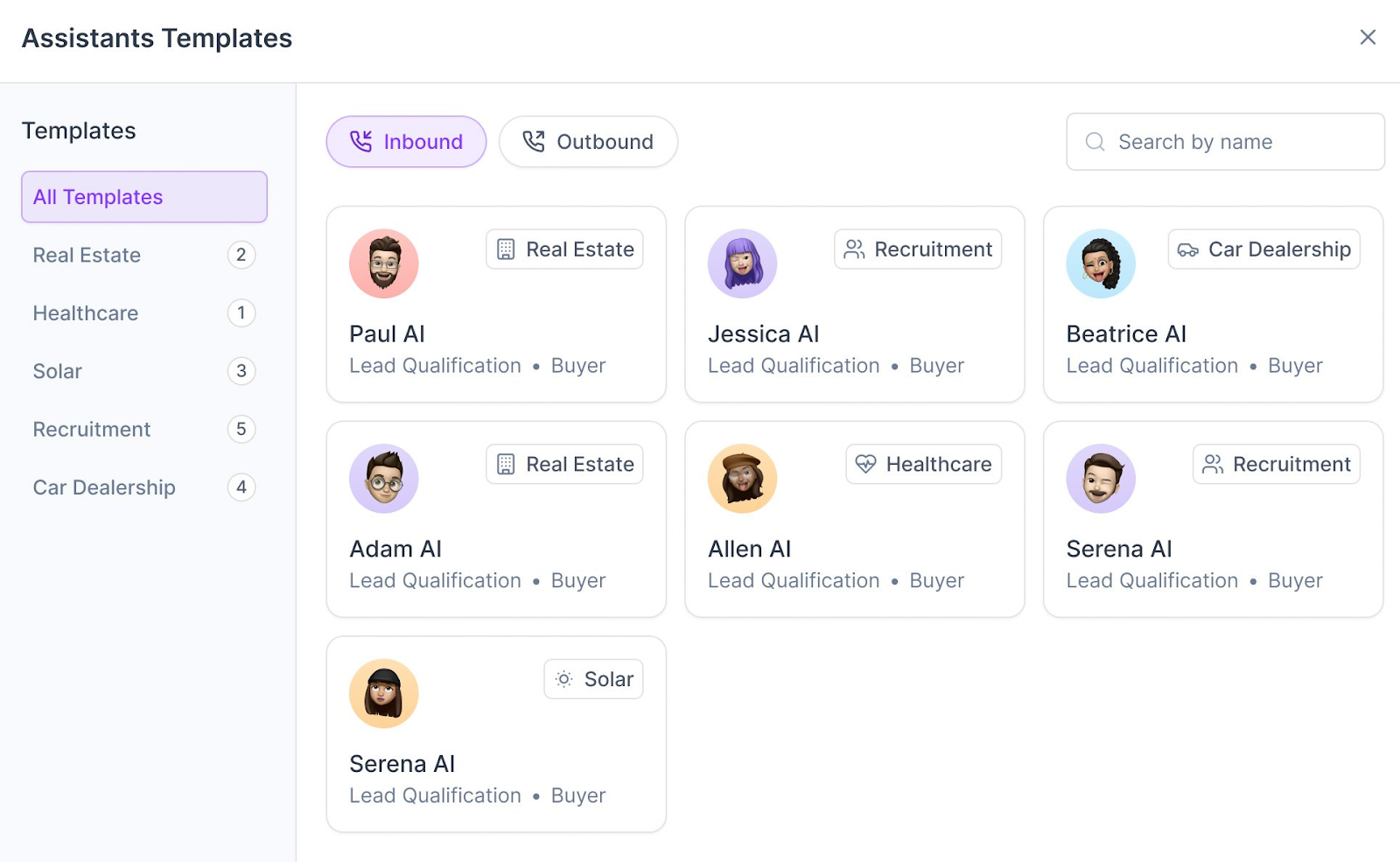
- Template library for common business use cases
- API integrations with popular business tools and custom services
- Inbound and outbound calling capabilities
- Call analytics dashboard with conversation recordings and transcripts
What We Like
- The visual interface makes it accessible to business users while still offering power for complex workflows
- Templates accelerate deployment for standard use cases making it essentially a "plug-and-play" pick
- The ability to connect to APIs enables substantial customization without developer resources
What We Dislike
- The workflow paradigm can feel limiting for very complex conversational experiences that don't fit linear flows
- Per-minute pricing on lower tiers may create cost concerns for high-volume users
- Some advanced features require jumping to enterprise tiers
Best For
- Businesses wanting customization without hiring developers
- Operations teams comfortable with workflow tools like Zapier
- Companies with specific conversation flows that need visual design
RingCentral AI Receptionist
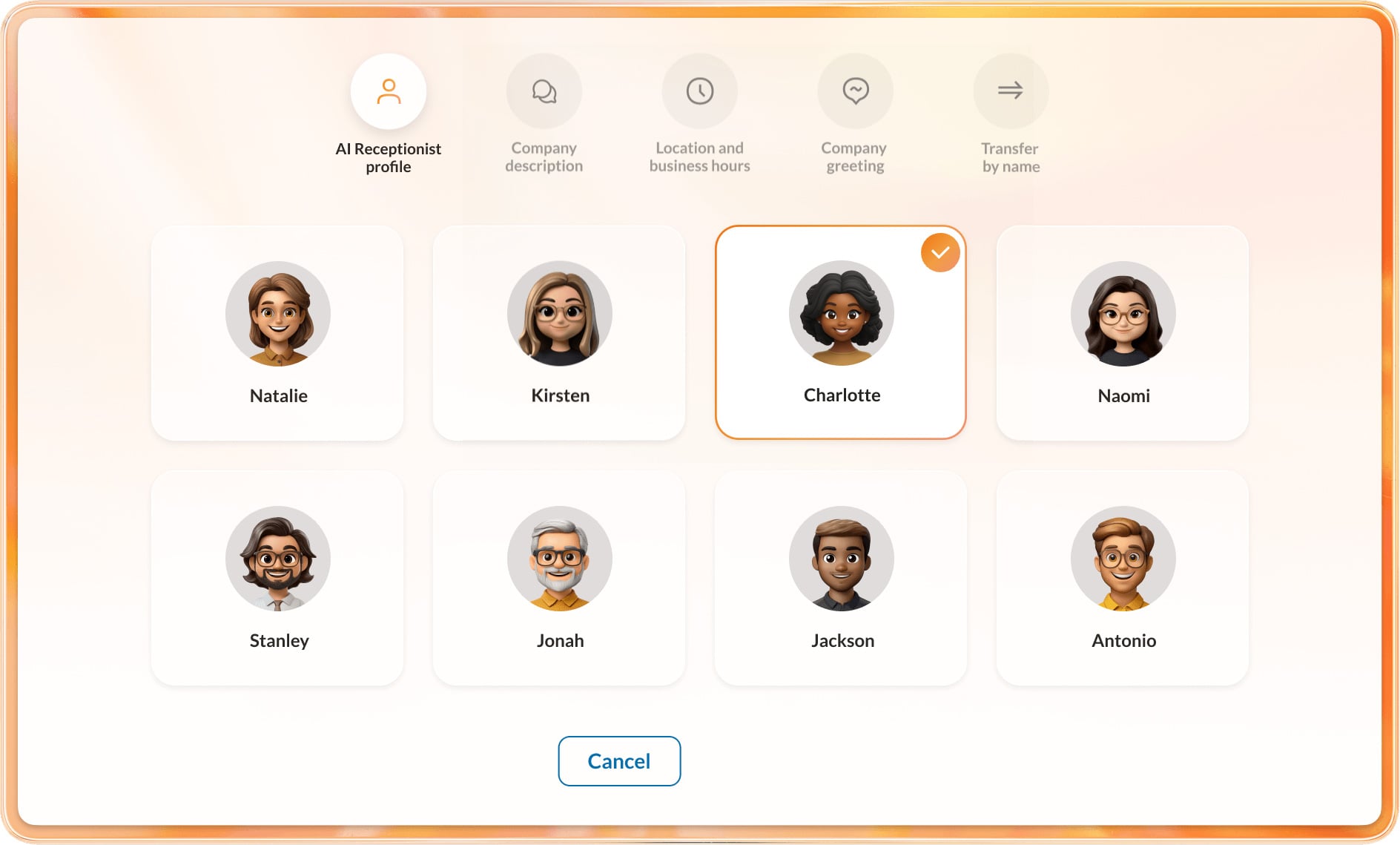
RingCentral AI Receptionist is a front-desk agent that answers every inbound call and text around the clock, then decides what to do with it. It handles common questions on its own and hands off the rest, so callers never land in voicemail during a busy stretch or after hours.
Routing is the strongest part of the product. The assistant recognizes a person’s name, a location, or a keyword like "billing" and connects the caller to the right destination, passing a written summary of the conversation to whoever picks up. Staff know why the phone is ringing before they say hello.
Setup leans on automation as well. The assistant trains itself from your website and FAQ pages, then fills gaps with information you add manually. It connects to Salesforce, HubSpot, and Zoho, along with common calendar tools, and can switch languages mid-call when a caller shifts.
Pricing
RingCentral sells AI Receptionist as a standalone product at $49/month or as an add-on license for existing RingCentral phone customers ($39/month with 100 minutes included) in the U.S. and Canada. Rates are published on the vendor’s pricing page and vary by number of users and features.
Key Features
- 24/7 answering for inbound calls plus automated SMS responses
- Context-aware routing by name, location, or keyword with call summaries on transfer
- Automatic setup trained from your business website and FAQ content
- CRM integrations with Salesforce, HubSpot, and Zoho, plus calendar connections
- Multilingual conversations with mid-call language switching
What We Like
- Call summaries delivered at the moment of transfer save agents the usual re-questioning
- Auto-training from your existing web content cuts configuration down to minutes
- Licensed pricing avoids the per-minute surprises that come with usage-based platforms
What We Dislike
- It is an inbound front-desk product layered onto an existing phone system, not a standalone voice platform
- Outbound campaigns and complex custom workflows fall outside its scope
- Availability is limited to the U.S. and Canada
Best For
- Businesses already on RingCentral that want an AI layer without switching systems
- Multi-location operations that need callers routed by site or department
- Teams that want written call context handed to agents on every transfer
What Is an AI Phone Assistant?
An AI phone assistant is software that uses artificial intelligence to handle phone calls and voice-based tasks automatically. These systems use voice recognition and natural language processing to understand context, respond naturally, and complete actions. Unlike traditional IVR systems that rely on rigid menu options and scripted responses, AI phone assistants adapt to caller needs in real-time.
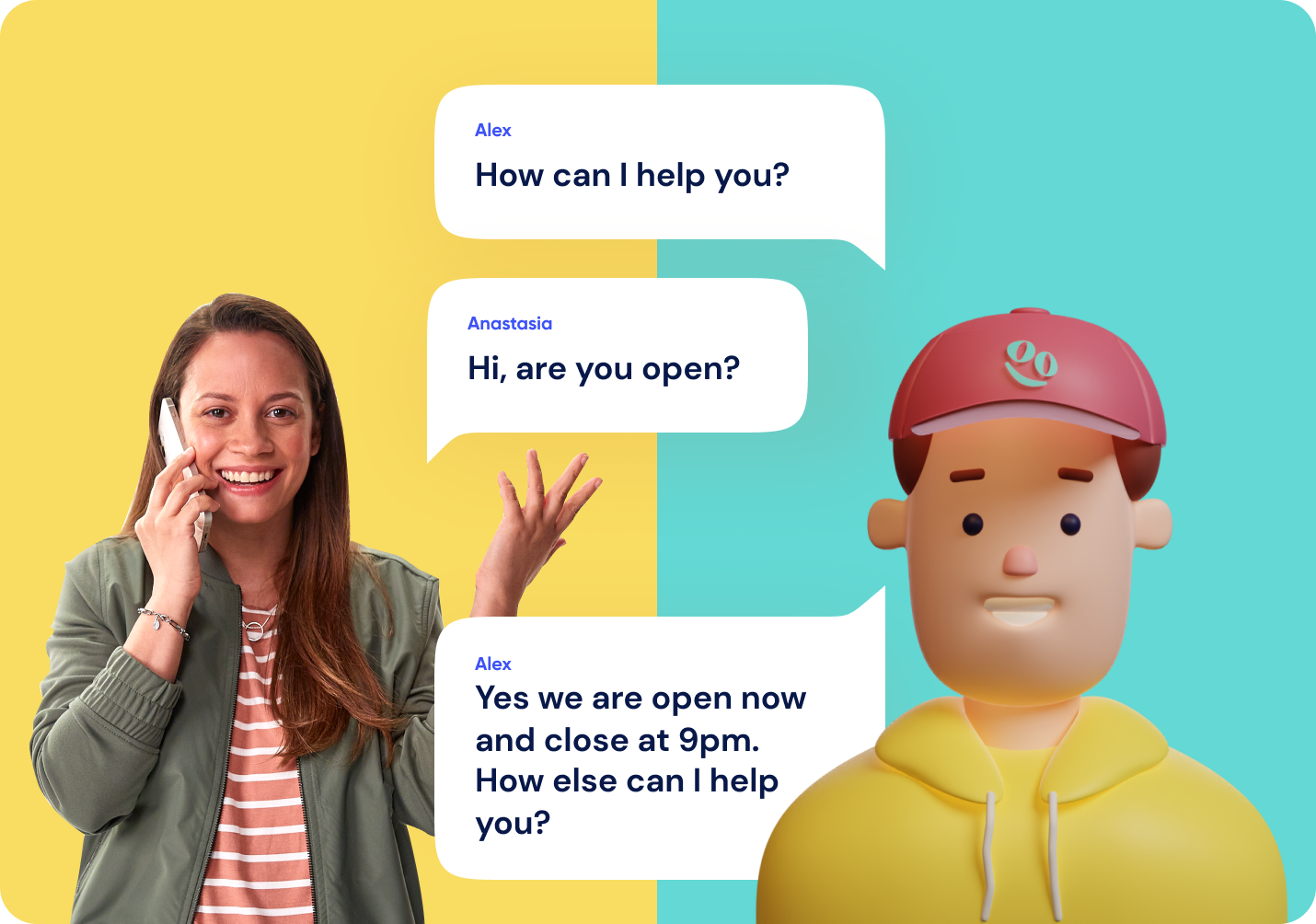
AI phone assistants can answer questions, schedule appointments, qualify leads, and even handle advanced receptionist tasks through AI-powered call handling that adapts to each caller in real time. They operate 24/7 across inbound and outbound calls, handling everything from simple inquiries about business hours to complex multi-step workflows.
AI Phone Assistant vs. IVR, Auto Attendant & Answering Service
Most buyers arrive at this category because a phone tree is losing them callers. Here is how the four common options compare on the factors that decide the purchase:
| AI Phone Assistant | IVR / Auto Attendant | Human Receptionist | Answering Service | |
| Caller input | Natural speech, full sentences, interruptions allowed | Menu presses or a short list of spoken keywords | Natural speech | Natural speech |
| Task completion | Books appointments, updates the CRM, sends SMS follow-ups | Routes and plays messages only | Handles nearly anything within its authority | Takes messages, some booking on request |
| 24/7 coverage | Yes | Yes, but only for routing | Business hours only | Yes, often at premium after-hours rates |
| Concurrency during spikes | Dozens of simultaneous calls with no queue | Unlimited routing, no resolution | One call at a time | Limited by the vendor’s staffing |
| Maintenance effort | Periodic transcript review and knowledge base updates | Manual re-recording and menu rebuilds | Training and scheduling | Script updates with the vendor |
| Typical cost basis | Per minute, per call, or flat monthly | Bundled with the phone system | Salary plus benefits | Per minute or per message |
A human front desk still earns its keep when calls involve negotiation, judgment calls on refunds or exceptions, or in-person greeting duties that come bundled with the role. Regulated intake, high-value accounts, and escalations also benefit from a person who can bend policy.
In practice, most teams we speak with run a hybrid: the assistant covers overflow, after-hours, and routine questions, and staff take the calls where a decision or a relationship is on the line.
How AI Phone Assistants Work
AI phone assistants operate through a sophisticated pipeline. Think of these as four interlocked stages: speech recognition, natural language processing, response generation, and system integrations. These stages allow AI phone assistants to interact with and serve your customers.
Speech Recognition
Speech recognition is the first step in any AI phone call, converting spoken language into text that the system can analyze. The process happens in real-time as the caller speaks, enabling immediate response without noticeable delays.
- Audio capture: Recording the caller's voice in real-time
- Sound wave analysis: Breaking speech into distinct phonemes and sound patterns
- Transcription: Converting audio into accurate text using machine learning models
- Quality handling: Filtering background noise and accommodating various accents
Modern speech recognition systems process this in milliseconds with minimal latency, ensuring natural conversation flow.
Natural Language Processing
Natural language processing determines what the caller is actually saying and the meaning behind their chosen words. The system has to be more than mere keyword matching, instead employing rich techniques like those below to fully understand caller's intent, sentiment, and context. Think of it as the cornerstone of conversational AI.
- Intent classification: Identifying whether the caller is posing a question, filing a proper complaint, requesting assistance or service, or engaging in transitional small talk
- Entity extraction: Parsing out specific information like dates, names, account numbers, or product references
- Sentiment analysis: Spot checking for frustration, satisfaction, or other critical emotional cues
- Context tracking: Maintaining awareness of the full conversation to understand follow-up questions and references
This comprehension layer ensures the system responds appropriately rather than just matching keywords to scripted answers. It adds a more human touch to the conversation by emulating and reflecting back expected etiquette and tone.
Real-Time Response Generation
With the caller's intent understood, the system generates an appropriate response. This isn't about retrieving pre-written scripts but dynamically creating natural language that addresses the specific situation. Response generation happens in milliseconds to maintain natural conversation pacing.
Possible responses include answering a question based on the company knowledge base, routing the call to a specific department or agent, performing a specific task such as appointment booking, or asking for more information. The step-by-step process looks like this:
- Response planning: Determining what information to include and how to structure it
- Language generation: Crafting conversational phrasing that sounds natural
- Personalization: Adapting tone and detail level based on the caller's needs and communication style
- Timing optimization: Generating responses in milliseconds to maintain natural pacing
The entire cycle, whether it's the start phase of speech input to the end result that is the response, completes fast enough that conversations feel fluid rather than artificially stunted or stilted.
Integrations
AI phone assistants must link up to existing and popular business systems to ascertain and harness the information it needs to help callers. These integrations are activated through APIs that grant the assistant access to key data points like query databases, updated records, and workflows. With time, they can even update said records or trigger new workflows.
- CRM systems: Pulling up customer history, previous interactions, and account details
- Calendar platforms: Enabling appointment booking, rescheduling, and availability checks
- Knowledge bases: Accessing product information, policies, and troubleshooting guides
- Workflow tools: Creating tickets, sending follow-up emails, or escalating issues to human agents
These connections accelerate the assistant, allowing it to become a conversational interface and a tool that can actually accomplish tasks on the caller's behalf.
Core Features of AI Phone Assistants
The greatest AI phone assistants share commonalities in features that make them stronger than older phone systems. These features work together to create experiences that feel responsive and intelligent rather than robotic and frustrating.
24/7 Availability
AI phone assistants never need sleep, take breaks, or call in sick. 77% of customers expect immediate answers when contacting a company, with 21% wanting instant ticket resolution.[*] Round-the-clock availability meets these expectations without the expense of full-time night shift coverage.
Intelligent Call Automation
AI phone assistants handle the full spectrum of call management tasks without predefined scripts. They answer common questions using information from your knowledge base, process simple requests, collect caller information, and determine next steps based on the conversation.
Smart Routing
When calls do need the undeniable human touch, AI assistants route them wisely based on the conversational cues and the contents of what is being said. Instead of asking callers to press numbers for departments, the system understands what they need and connects them to the right person. It can consider factors like agent expertise, current availability, customer priority, and issue complexity.
Multilingual Support
Quality AI phone assistants know how to parse and work with multiple languages seamlessly. To do so, they must first detect the caller's language automatically then make the switch to it. Additionally, some just allow callers to select their preferred language at the start of the call.
Personalization
Modern AI phone assistants customize conversations based on who's calling. When integrated with your CRM, they recognize returning customers by phone number and pull up relevant history. The system can reference past purchases, previous support issues, or account preferences without the caller needing to explain their relationship with your business.
Real-Time Agent Assistance
AI phone assistants don't just handle calls independently in that they also very much support human agents during conversations. Real-time assistance includes live transcription of ongoing calls for future references, searching for relevant knowledge base articles, suggesting responses, and flagging compliance issues some people will just miss.
Analytics and Reporting
Every conversation generates data that helps improve operations. AI phone assistants track metrics like call volume patterns, common questions, resolution rates, sentiment trends, and agent performance.
Messaging and Notifications
Conversations rarely end when the caller hangs up, and the better assistants handle the follow-through automatically.
- Post-call SMS: The assistant texts booking confirmations, quotes, intake forms, or the link the caller asked for while the conversation is still fresh
- Inbound text and chat handling: Some platforms answer SMS and website chat using the same knowledge base that powers voice, so answers stay consistent across channels
- Owner notifications: Call summaries, transcripts, and next steps get pushed by text or email so whoever owns the callback can triage in seconds
Two questions to ask on the demo call: is SMS included in the plan or metered separately, and does the assistant actually reply to inbound texts or only send outbound messages? Those details separate a genuine multichannel product from a voice-only tool with notifications bolted on.
How to Choose an AI Phone Assistant
Selecting an AI phone assistant requires evaluating factors specific to your business context. A sole proprietor's more modest needs differ substantially from those of a multi-site call center. Focus on these spotlighted elements as you work towards finding your best choice.
Accuracy and Responsiveness
Test the system's speech recognition and comprehension capabilities with scenarios that happen daily from your business perspective. Pay attention to how well it handles industry terminology, background noise, and various accents. Check whether responses sound natural and contextually appropriate rather than generic or obviously automated.
Speech recognition and comprehension quality directly impact customer experience. Test systems with real scenarios from your business before committing.
- Conduct live testing: Run the system through 20-30 typical customer interactions from your business. Include complex requests, multi-step questions, and the edge cases you encounter regularly
- Benchmark accuracy: Aim for over 95% transcription accuracy in your specific environment. Anything below 90% will annoy and spook callers and require frequent human intervention
- Test domain vocabulary: Verify the system correctly recognizes industry-specific terms. Medical terminology, legal jargon, technical product names, and company-specific language often trip up generic models
- Simulate your conditions: Test with background noise levels matching your actual environment, whether that's a busy office, call center, or quiet home workspace
- Evaluate accent handling: If you serve diverse demographics, test with callers who have the accents your business encounters most frequently.
- Measure response time: Natural conversation requires responses within 1-2 seconds. Delays of at least 3 seconds make interactions feel robotic and frustrate callers
Our advice is to also collect recordings of test calls to assess whether responses sound contextually appropriate rather than generic. The system should handle follow-up questions without losing context.
Integration Requirements
An AI phone assistant that can't access your business data becomes a glorified FAQ bot. Take time to evaluate integration capabilities thoroughly.
- Identify critical systems: List each and every platform the assistant needs to access (think your CRM and scheduling software to ticketing systems, payment processors, inventory databases, and knowledge bases)
- Check pre-built connectors: Verify that native integrations exist for your specific platforms. Salesforce and HubSpot are different animals, as are Calendly and Acuity. Generic CRM support doesn't mean your particular CRM is properly accommodated
- Evaluate sync speed: Integration delays of more than a few seconds will disrupt conversation flow. The assistant should pull customer records and update systems without noticeable lag
- Assess API flexibility: If you need custom integrations, confirm the platform offers robust API access. Ask whether you'll need dedicated developers or if no-code and low-code options exist
- Test data flow: During trials, verify that data syncs in both directions, not just one while the other becomes outdated. The assistant should both retrieve information and update records in real-time
It is paramount to collect any documentation on integration setup time and complexity. Some "integrations" require extensive custom development despite being advertised as plug-and-play.
Customization and Control
Your AI phone assistant represents your brand during every call. Generic responses and rigid conversation flows undermine that representation.
- Conversation design: Evaluate how much actual control you have over dialogue flows. How exactly can you define how the assistant handles specific scenarios? Determine if you are just limited to adjusting a few parameters and not much else
- Response customization: Check whether you can modify tone, vocabulary, and phrasing to match your brand voice. Some platforms allow detailed customization while others offer only basic templates.
- Escalation logic: Define clear rules for when calls should transfer to humans. You should control triggers like specific keywords, sentiment detection thresholds, request complexity, or customer value.
- Behavior rules: Verify you can set business logic the assistant must follow, such as approval limits, data access permissions, action authorizations, or compliance requirements.
- Update process: Understand how quickly you can modify the assistant's behavior. Real-time updates enable rapid iteration, while systems requiring vendor intervention create bottlenecks.
Be sure to request a demo where you customize a conversation flow for your specific business scenario. This reveals whether customization is just bells and whistles meant to distract from fundamental flaws or an actual flexible asset.
Privacy and Security
Phone conversations often contain extremely personal information such as payment details, data related to health, or confidential business matters. Security failures create legal liability and eliminate your customer's sense of trust or respect for your dealings.
- Compliance verification: Confirm the platform meets specific regulatory requirements for your industry (that would be HIPAA for healthcare, PCI DSS for payment processing, GDPR for EU customers, CCPA for California residents, and so on and so forth)
- Data storage location: Verify where conversation data, recordings, and transcripts are stored. Some industries require data to remain in specific geographic regions
- Retention policies: Understand how long the vendor stores call data and whether you can configure retention periods. Some compliance frameworks require deletion after specific timeframes
- Encryption standards: Confirm that data is encrypted both in transit (during calls) and at rest (in storage). Ask specifically about encryption protocols used.
- Breach notification: Understand the vendor's obligations and timeline for notifying you of security incidents
Most importantly, you should be able to request security documentation, relevant compliance certificates, and recent audit reports. We found that the most reputable vendors maintain SOC 2 Type II certification at a bare minimum, often offering higher standards (albeit at higher price points).
Ecosystem Limitations
Some AI phone assistant platforms only function within specific phone systems or business tool ecosystems. Compatibility constraints can lock you into vendors or force unnecessarily expensive infrastructure changes.
- Phone system requirements: Verify the assistant works with your current phone infrastructure, whether that's VoIP providers, PBX systems, or carrier services
- Switching costs: If the assistant requires changing phone systems, calculate the full cost including new hardware, number porting, staff retraining, and service disruption
- Multi-channel support: Determine whether the assistant works across phone, web chat, SMS, and other channels you use. Channel-specific solutions create fragmented customer experiences
- Vendor lock-in risk: Assess how difficult it would be to switch providers later. Can you export conversation data, custom configurations, and integrations, or would you essentially start from scratch?
Pricing Considerations
AI phone assistant pricing will vary based on numerous factors not limited to how vendors structure payment, constitute what exactly is usage, and what features are said to be standard. Understanding total cost (down to the studs of add-ons) prevents budget surprises down the road.
- Pricing models: Per-minute pricing typically runs $0.05-$0.15 per minute and works best for unpredictable call volumes, though it can get expensive with long calls. Per-call pricing offers a flat rate per conversation regardless of length (typically $0.50-$2 per call) and provides predictability for businesses with established call patterns. Monthly subscriptions provide fixed fees for unlimited or high-volume usage (typically $500 to $5000 monthly) and prove economical for high call volumes. Some vendors offer hybrid models that combine base subscriptions with per-usage fees above thresholds
- Hidden costs: Watch out for setup and onboarding fees, which can jump to five figures easily for implementation, training, and customization. Integration development costs add up if your systems are not natively supported. Premium features like sentiment analysis, multilingual support, or complex workflow automation add to the costs. Dedicated account management typically requires high tiers. Make sure you understand overage charges for exceeding plan limits
- Cost calculation: Project your annual cost based on realistic usage. If you handle 10,000 calls monthly each roughly at 5 minutes, you're looking at 50,000 minutes. At $0.10 per minute, that becomes $5,000 monthly or $60,000 annually, which makes a $3,000 per month unlimited plan feel more like a bargain
- Free trials: Look for trials that match your actual usage patterns. Do not be fooled by a short 100 minute trial when you're looking at 5000 minutes or more a month, you'll need a trial that can stretch that far to see how well it handles your everyday needs
- Contract terms: Note minimum commitments, cancellation policies, and price escalation clauses
Our biggest piece of advice is to audit and get hard numbers. We mean detailed pricing documentation showing all fees. Calculate your total cost across 12 months including setup, monthly fees, estimated usage charges, and required add-ons to get your actual spend.
How to Set Up an AI Phone Assistant
Deployment is usually faster than buyers expect, but the order of operations matters. Here is the sequence we recommend:
- 1. Train the assistant: Most platforms auto-ingest your website, FAQ pages, and uploaded documents, which means stale hours, outdated pricing, or a missing service page become the assistant’s answers. Audit that content before you point the crawler at it
- 2. Connect the line: Conditional call forwarding from your existing carrier sends only unanswered or after-hours calls to the assistant and keeps your current number live, so there is no downtime. Porting the number gives the platform full control but introduces a cutover window, so save it for after testing
- 3. Configure the basics: Set the greeting, business hours, escalation numbers, and the intake questions the assistant must ask on every call, including how it handles a caller who insists on a human
- 4. Test with live calls: Run 20 to 30 real scenarios yourself, including edge cases and interruptions, before routing all traffic. Listen to recordings rather than reading transcripts only
- 5. Review weekly: Scan transcripts for questions the assistant fumbled, then patch the knowledge base. Accuracy improves fastest in the first month
Timelines depend on the deployment type. A self-serve answering service can go live the same day, often within an hour of forwarding your number. A mid-market rollout with CRM and calendar integrations typically takes one to three weeks. Enterprise deployments with custom workflows, compliance review, and telephony changes commonly run one to three months.