

The Health Insurance Portability and Accountability Act (HIPAA) offers valuable protection to patients and consumers, keeping their personal health information secure.
Healthcare providers must follow certain guidelines to protect this data, as a failure to do so may result in heavy fines, loss of medical licensing, and even imprisonment.
A major component of HIPAA compliance is the technology health organizations use, including electronic health records, data-collecting diagnostic devices, and even business phone service.
This article outlines HIPAA Compliant VoIP, including patient privacy requirements, potential consequences for violations, and the top HIPAA-compliant phone system providers.
HIPAA Compliant VoIP at a Glance
- A VoIP system is only HIPAA compliant when the provider signs a Business Associate Agreement (BAA) and the system is configured correctly.
- The core safeguards are TLS/SRTP encryption, unique logins with multi-factor authentication (MFA), and audit logs.
- HIPAA penalties are tiered by culpability, from unknowing violations up to willful neglect.
- Verify any vendor with the evaluation checklist below before you buy.
- Our shortlisted providers (Nextiva, RingCentral, Zoom, Vonage, and Dialpad) all offer HIPAA support.
What is a HIPAA-Compliant VoIP Phone System?
A HIPAA-compliant VoIP phone system follows HIPAA guidelines to protect customer data, including voice messages, recorded calls, stored files, and chat or SMS records.
HIPAA impacts all businesses and organizations that come in contact with a patient’s personal health information (PHI) or electronic protected health information (ePHI). Any company that handles the sensitive healthcare information of a covered entity must use a HIPAA compliant VoIP provider.
Types of companies that typically must meet HIPAA-compliance standards include:
- Healthcare providers and vendors
- Pharmacies
- Doctors
- Billing companies
- Technology companies in the healthcare industry
- Law firms and attorneys
- Insurance companies
- Electronic health record platforms
- Managed service providers
- IT providers
There is no official “HIPAA certified” stamp because HHS does not certify phone systems or recognize private HIPAA certifications.
Compliance is a shared responsibility: the vendor must provide appropriate safeguards, while your practice has to configure and use the system correctly, such as assigning unique user accounts and controlling access to call recordings. If the vendor handles PHI on your behalf, you also need a Business Associate Agreement (BAA).
A vendor calling its product “HIPAA compliant” does not, by itself, establish that your use of the system complies with HIPAA.
HIPAA Compliant VoIP Requirements
To be HIPAA-compliant, a VoIP phone system must meet both physical and network security measures to keep protected health information private and secure.
While there are numerous rules and regulations to follow, any technology used to house or transmit patient data must:
- Maintain and ensure confidentiality, integrity, and availability of PHI and ePHI
- Identify and safeguard against threats to the security and integrity of patients’ information
- Protect against reasonably impermissible uses or disclosures
- Ensure workers (direct employees, contractors, and subcontractors) comply with the HIPAA guidelines
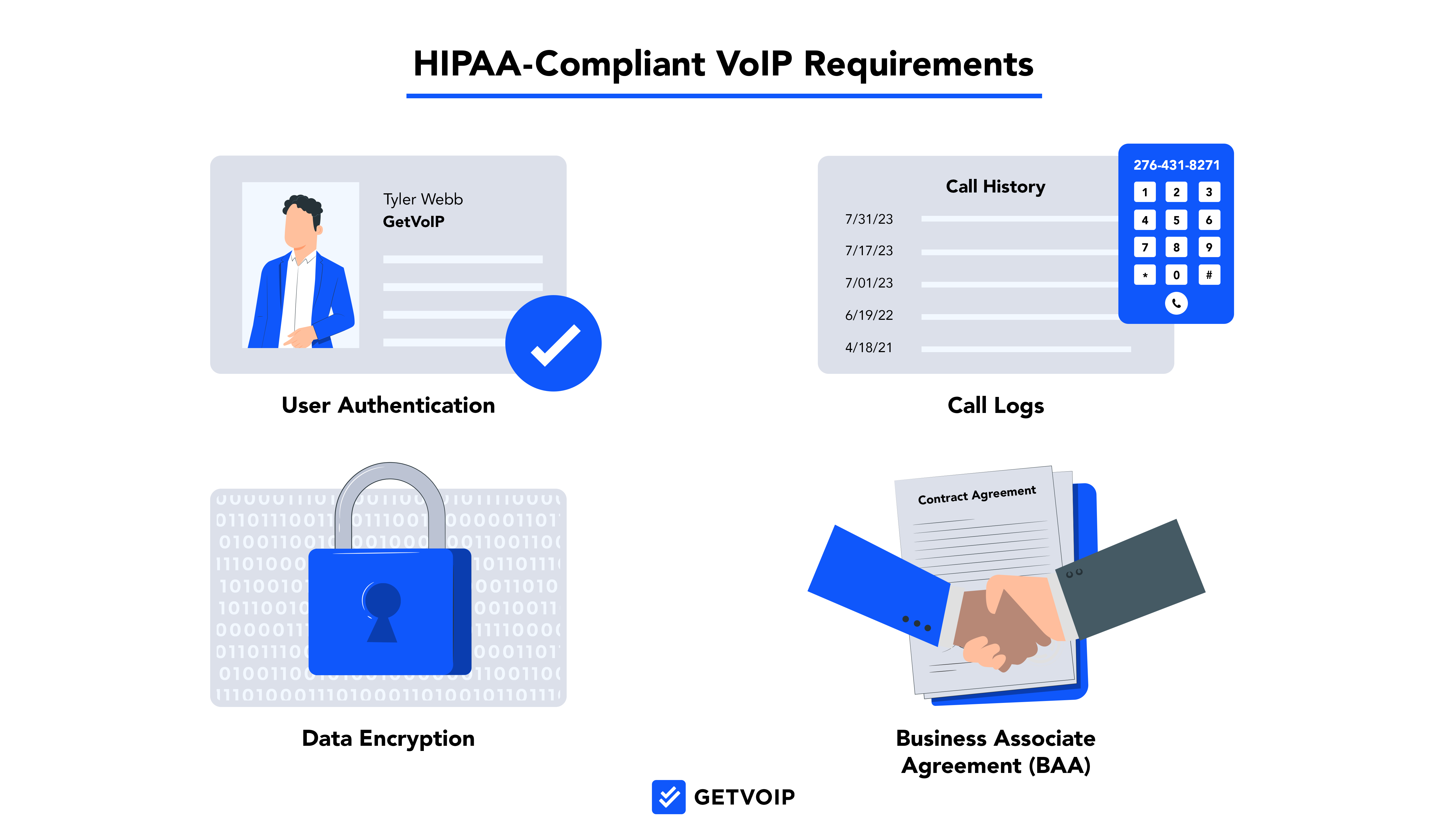
To stay compliant with HIPAA laws, VoIP systems must meet these four main requirements of the HITECH (Health Information Technology for Economic and Clinical Health) Act:
1. Access Controls and Authentication
Only authorized users should have access to ePHI, including call recordings and voicemails. Every phone line should have a unique user ID, and role-based access control limits each employee to the patient data their job requires. Multi-factor authentication (MFA) adds a second layer of protection against stolen passwords.
2. Encryption
Patient data must be encrypted in transit and at rest. VoIP systems should use transport layer security (TLS) to protect call signaling and Secure Real-Time Transport Protocol (SRTP) to protect the voice stream itself. Stored recordings, voicemails, and messages should also be encrypted at rest.
3. Audit Logs, Backup, and Recovery
To meet HIPAA requirements, VoIP phone systems must keep audit logs that show who accessed what data and when. This includes call metadata and administrative functions performed in the system. VoIP data also needs to be backed up securely and recoverable when outages or cyberattacks occur.
4. Business Associate Agreement (BAA)
All VoIP providers working with companies that collect health information must enter into a HIPAA Business Associate Agreement (BAA). This acts as a contract that sets compliance obligations.
To find answers to specific questions, get information on HIPAA audits, and see tips on how to prevent unauthorized access via access controls, consult the US Department of Health & Human Services HIPAA compliance web portal.
A VoIP BAA should spell out:
- Permitted uses of PHI: What the provider may and may not do with patient data
- Required safeguards: The administrative, physical, and technical protections the provider must maintain
- Breach reporting: How and when the provider notifies the covered entity of a breach
- Subcontractor flow-down: A requirement that any subcontractor handling PHI sign its own BAA
- Termination terms: Return or deletion of PHI when the contract ends
Carriers that only have transient access to data, known as conduits, do not need a BAA, but any provider that stores voicemails or call recordings does.
Not meeting these standards can lead to six- and seven-figure fines from the US Department of Health and Human Services (HHS) for failing to secure digital communications. For each violation type, the annual maximum penalty is now $1,919,173 per calendar year.[*]
Consequences of Using a Non-HIPAA Compliant VoIP Service
HIPAA imposes direct penalties on organizations and healthcare professionals that do not comply with the outlined regulations. These penalties range from small fines to potential imprisonment, although business leaders should not worry they will go to jail for a violation if they’ve made a good-faith effort. The harshest penalties are reserved for organizations that willingly and knowingly broke the rules.
HIPAA Violation Tiers
The law breaks penalties into four tiers based on the egregiousness of the violation.
- First Tier: The company did not know or could not have reasonably known about a data breach. Fines range from $1,000 to $50,000 per incident with a maximum fine of $1.5 million per year.
- Second Tier: The company would have known about the breach by exercising reasonable diligence. They are not believed, though, to have acted with neglect. Fines range from $1,000 to $50,000 per incident with a maximum fine of $1.5 million per year.
- Third Tier: The company acted with willful neglect but was able to correct issues within 30 days of the breach. Fines range from $10,000 to $50,000 per incident with a maximum fine of $1.5 million per year.
- Fourth Tier: The company acted with willful negligence and failed to remedy the problem in a timely manner. Fines start at $50,000 per incident with a maximum fine of $1.5 million per year.
Potential criminal charges may be made if the Department of Health and Human Services (HHS) determines there was deliberate malicious intent. HHS would work with the Department of Justice to assign criminal penalties to egregious violators.
Tarnished Reputation
The penalties from the federal government can hurt an organization financially, but HIPAA violations have other consequences.
Companies that find themselves not following HIPAA privacy standards hurt their overall business reputation, leading to the potential loss of current clients or the inability to attract new customers.
How to Evaluate HIPAA Compliance in VoIP Providers
Do not assume compliance when shopping for a VoIP solution for your healthcare organization or practice, verify the provider delivers. Below is a quick checklist of key questions you should ask providers:
Do you sign a Business Associate Agreement (BAA)?
HIPAA requires this if your provider is touching anything PHI. No BAA = no compliance = no deal.
Are calls encrypted in transit and at rest?
Be sure to see if they use TLS (Transport Layer Security) and SRTP (Secure Real-Time Transport Protocol). Ask what encryption standards are used for call recordings and voicemail. Not all standards are built equally.
Where is call data stored, and is it secure?
Data must be stored in HIPAA-compliant, geographically appropriate data centers (with preference towards the US, especially for domestic users). Be sure to inquire about physical safeguards and access controls at the facilities.
What access controls are in place for system users?
Consider role-based permissions, single sign-on (SSO), and multi-factor authentication (MFA).
Can we audit and monitor user access and system activity?
What visibility is there when it comes to who accesses PHI? Will you know when and what actions are taken by users? Real-time audit logs and reporting tools are non-negotiable.
What is your response plan when data breaches occur?
The vendor must inform you formally when a breach occurs, this notification process must be aligned with HIPAA’s own timelines. How often do they test or update these response protocols?
Are staff trained on HIPAA and data handling?
Employees at your vendor need to have regular compliance training, their policies need to be documented, accessible, and updated at a regular rate.
Are third-parties involved and ready to comply?
If any third-parties are used, ask that they also sign BAAs and comply with HIPAA standards.
Red Flags That Signal Non-Compliant Vendors
Here are few red flags that signal a non-compliant and risky vendor:
- The vendor avoids or refuses to sign a BAA
- No mention of encryption protocols or outdated security documentation
- Data stored in offshore data centers without any known regulatory protections
- No access to detailed usage reports or audit logs
- Sales rep make claims of “HIPAA-ready” without any proof or documentation
- Provider does not know if they handle PHI or assumes a BAA is not necessary
What are the Best HIPAA-Compliant VoIP Providers?
Below, we’ve outlined today’s best HIPAA-compliant VoIP providers:
Nextiva
HIPAA & BAA terms: Nextiva signs a full BAA with healthcare customers.
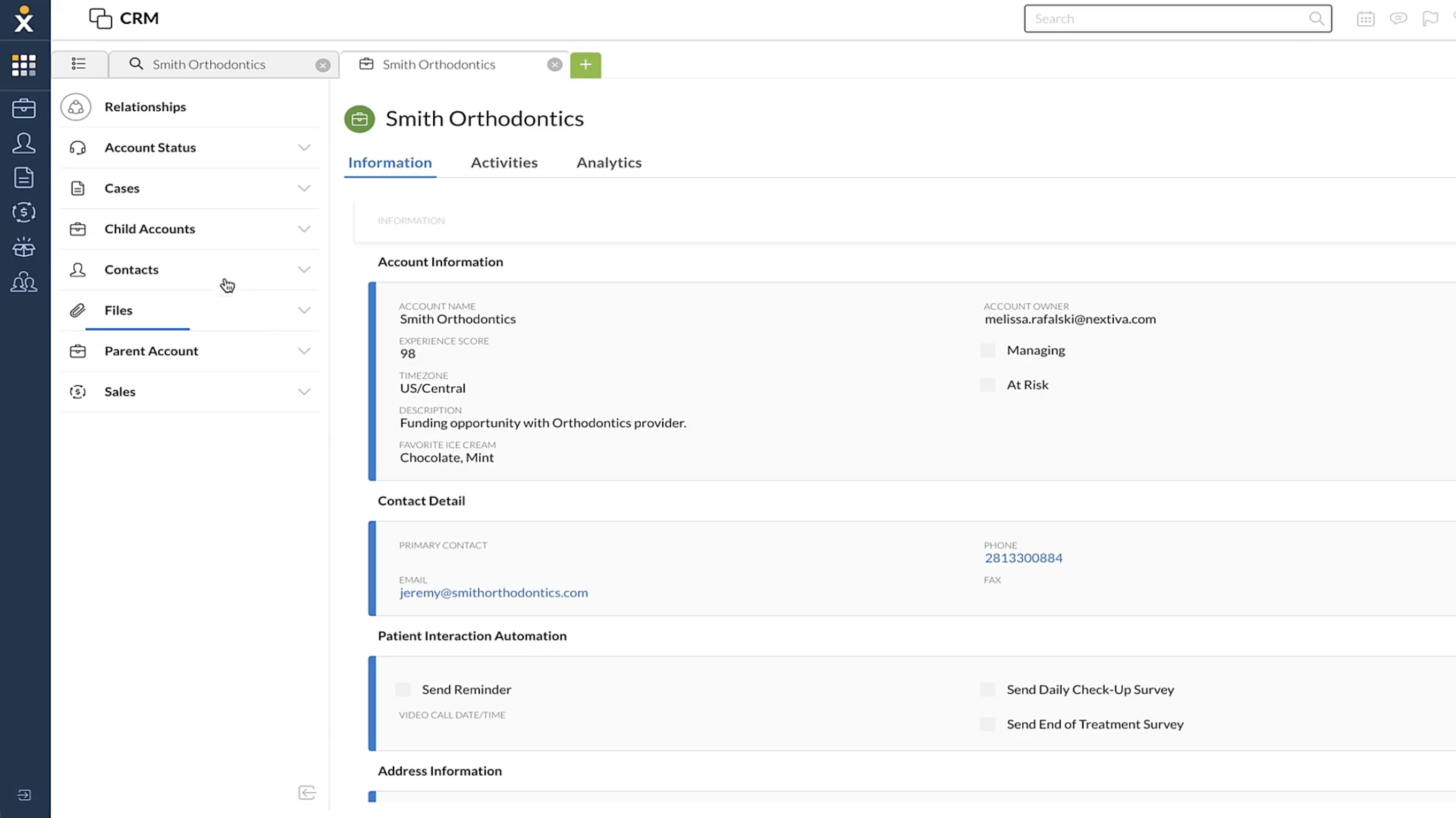
Nextiva combines business calling, SMS, team chat, and video conferencing in one platform. For healthcare organizations, the main advantage is that staff can handle several communication channels without moving between separate systems, while features such as call history, voicemail transcription, and routing help manage day-to-day patient calls.
It is a fairly broad business communications platform rather than a healthcare-specific product, which makes it a better fit for practices that want standard UCaaS features alongside HIPAA support rather than specialized clinical workflows.
Nextiva Pricing
Nextiva pricing offers three UCaaS plans that range from $15 to $75 when charged annually. The Core plan includes VoIP calling, SMS, team chat, and video meetings. Higher-tier plans add call center features like queuing, toll-free numbers, and advanced reporting.
Check out our Nextiva pricing review to learn more.
Key Features
- Video conferencing: Scheduled/on-demand video meetings with collaboration features like screen sharing, team chat, and built-in calendaring and invite options
- Team chat rooms: (3 concurrent team rooms per account) Team-specific chat messaging with file sharing and storage, message threading, emojis, and one-click video or conference calls
- Call records and voicemail: Full call history with voicemail playback and transcription–plus forwarding to the user’s SMS or email inbox
Nextiva Pros
- Easy-to-use app interface on desktop and mobile
- Each plan includes at least 1,500 monthly toll-free minutes
- All plans include team chat
Nextiva Cons
- Each plan includes a monthly SMS limit
- Video meetings capped at 45 minutes–fairly short
- G.711 codec somewhat outdated, limits call quality
RingCentral
HIPAA & BAA terms: RingCentral signs a BAA on its RingEX plans.
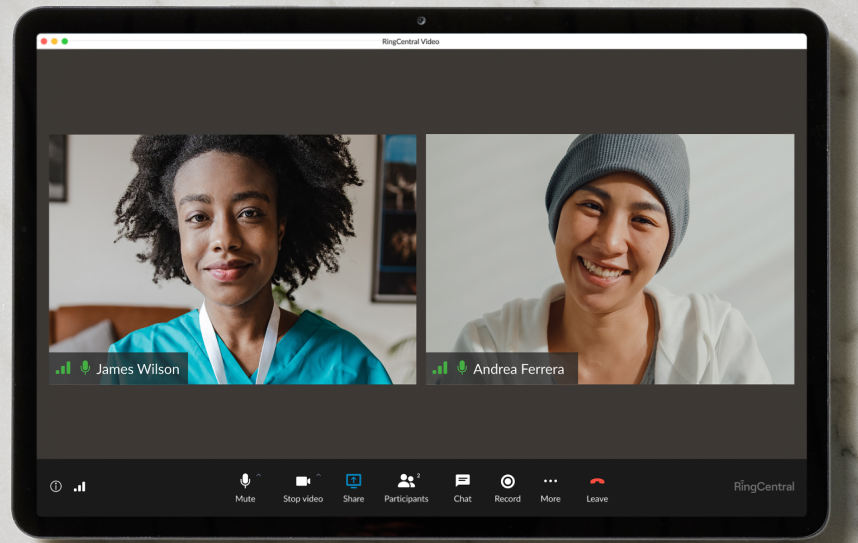
RingEX is RingCentral’s unified communications platform, combining business calling, SMS, team messaging, video meetings, and fax in one system. For healthcare organizations, the appeal is less about specialized clinical features and more about having a mature communications platform that can cover front-desk calling, internal collaboration, remote staff, and patient communications without stitching together several separate tools.
RingCentral makes a BAA available to paying covered-entity customers using its services to handle PHI.
RingEX also has a broad integration ecosystem, including healthcare platforms and EHR systems such as Epic, Cerner, Athenahealth, and eClinicalWorks. That makes it a stronger fit for larger practices and healthcare organizations that need their phone system to sit alongside an existing clinical software stack, rather than operate as a standalone communications tool.
RingEX Pricing
RingCentral offers three RingEX plans that range from $20 to $35 monthly per user. The $20 plan starts with unlimited calling in the US, team chat, video conferencing, and IVR. The higher-tier plans add call monitoring, call recording, CRM integrations, and real-time business analytics.
Read our RingCentral pricing review for more information.
Key Features
- Integrations: 300+ integrated apps (more than any provider in this post) including security apps that further protect HIPAA-compliant data
- Collaboration: Team chat messaging with task-assignment tools, file sharing, file storage, and recording storage
- Call Queueing: Unlimited hold queues for inbound callers, advanced ACD and call queueing rules, multi-level call routing system
RingCentral Pros
- App plans include all core channels
- High-level collaboration tools
- $25 is a great value for the features on the Advanced plan
RingCentral Cons
- Very restrictive monthly SMS limits
- Advanced features can have a steep learning curve for new users
Zoom
HIPAA & BAA terms: A BAA is available on paid plans, and HIPAA mode must be turned on.
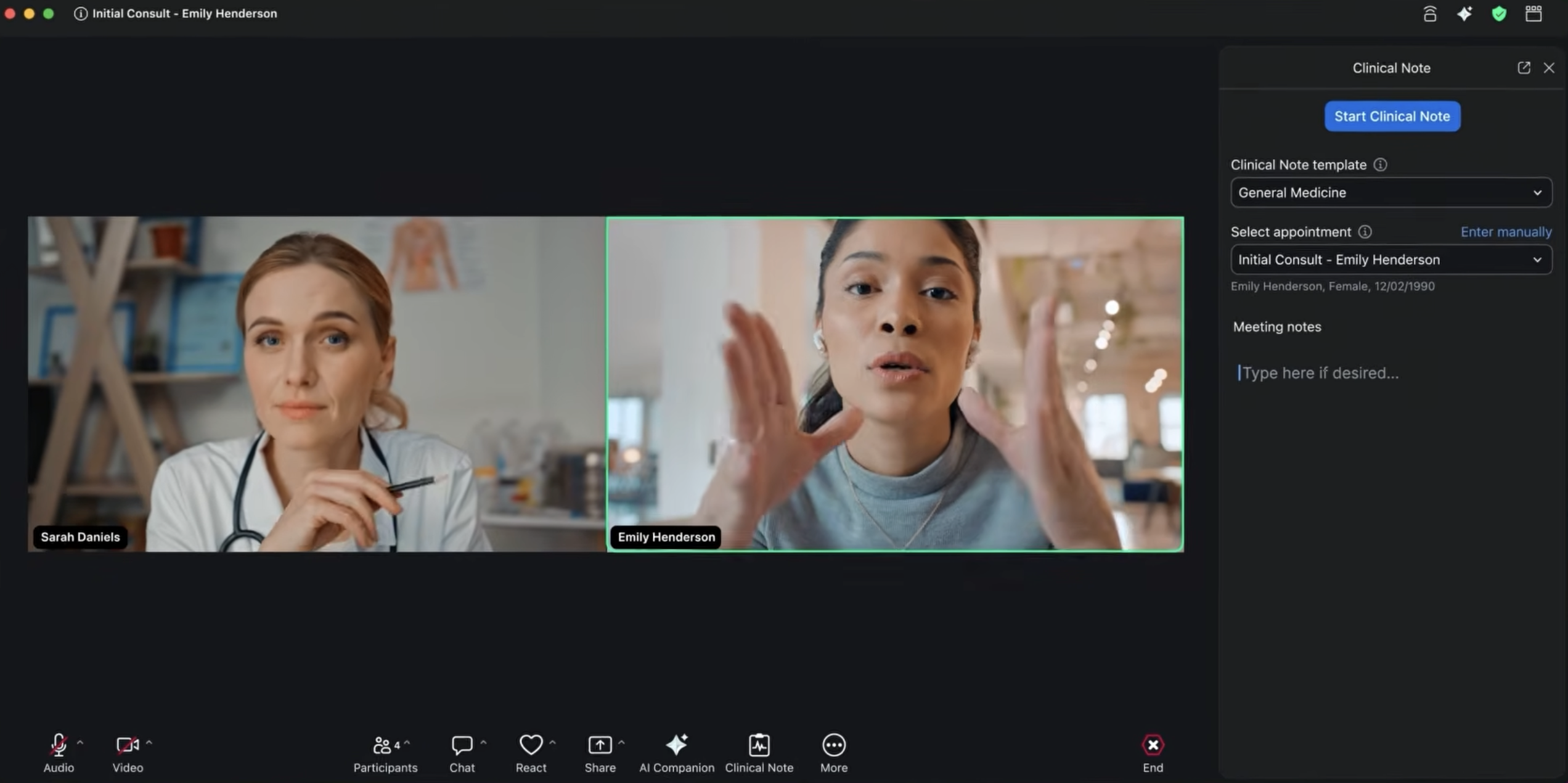
Zoom Phone adds business calling to the broader Zoom platform, with SMS, team chat, voicemail transcription, IVR, call routing, and call monitoring. For healthcare organizations already using Zoom Meetings or other Zoom products, keeping phone service in the same ecosystem can simplify administration and reduce the number of communication tools staff need to manage.
Its strength is the wider Zoom environment rather than healthcare-specific functionality. Practices mainly looking for a familiar phone system with strong calling and collaboration features may find that useful, while organizations with more specialized healthcare workflows may need additional tools around it.
Zoom Phone Pricing
Zoom Workplace offers one free plan and three paid tiers, ranging from $14.16 to $18.33+ per user per month. The free Basic plan includes 40-minute meetings for up to 100 participants, along with local recording, screen sharing, breakout rooms, collaborative notes, and team chat. Paid plans expand functionality with features like longer meetings, AI Companion, cloud storage, transcription, Scheduler, and live support.
Custom pricing is available for large teams (250 or more users). Read our full Zoom pricing breakdown to explore which plan best fits your needs.
Key Features
- Call monitoring: Supervisors can silently monitor agent phone calls and conversations, whisper private guidance, barge into live conversations, or take over the call entirely
- Auto attendants: All Zoom Phone plans include unlimited multi-layer auto attendants to create IVR menus that route inbound callers
- Call queuing and ACD: Create call groups and a queueing system to organize inbound callers when agents are busy
Zoom Phone Pros
- Unique pricing options, including a non-US-based domestic plan
- Highly affordable plans
- Integrates seamlessly with Zoom’s other products
Zoom Phone Cons
- Lacks a built-in analytics feature
- Does not include Zoom Meetings as a native offering
- US-based plans only offer DID numbers based in the US
Vonage
HIPAA & BAA terms: Request a BAA through your account manager. It may carry an extra fee.
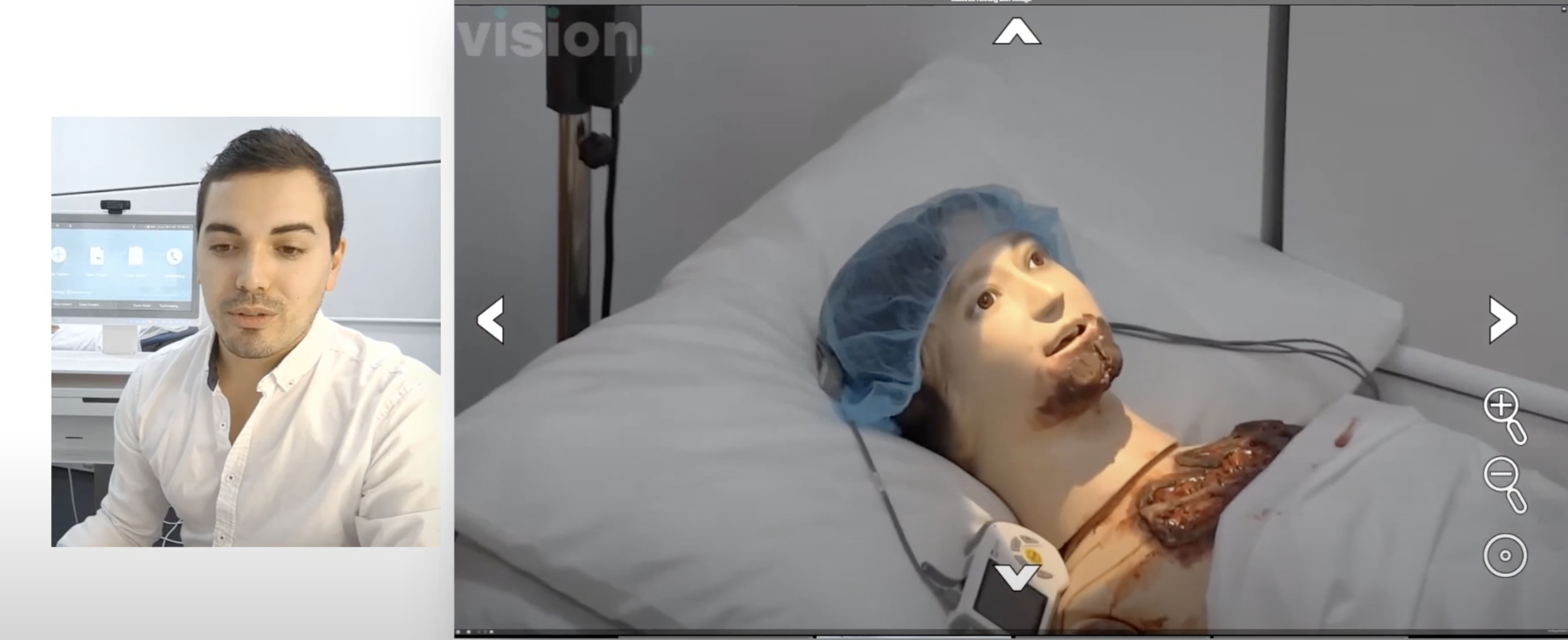
Vonage combines business calling, SMS, team chat, and video conferencing, with additional options for communications APIs. That makes it more flexible than a basic office phone system, particularly for healthcare organizations that want to connect communications with other software or build custom workflows around calling and messaging.
It also supports integrations with healthcare platforms, which can make it a better fit for organizations with a more complex technology stack. Smaller practices that mainly need straightforward calling and messaging may not get as much value from that flexibility.
Vonage Pricing
Vonage Business Communication pricing offers three plans from about $14 to $28 monthly per user. The basic Mobile plan includes desktop and mobile apps with VoIP calling, SMS, basic IVR, and voicemail. Higher-tier plans add team messaging, video, and ring groups.
To learn more, see our Vonage pricing review.
Key Features
- Video meetings: Host 100 meeting participants in HIPAA-compliant Vonage Meetings, access in-meeting collaboration features like speaker view, waiting rooms, meeting lock, participant chat, and whiteboarding
- International business numbers: Choose international phone numbers in dozens of countries
- Phone dashboard: Administrators and supervisors can monitor the real-time activity status of all account phone lines
Vonage Pros
- Easy-to-use desktop app
- Video meetings include a well-rounded variety of collaboration features
- App includes all the important call controls
Vonage Cons
- Some basic features, like call queues, are only available as an add-on
- Lacks analytics
- More expensive than most alternatives
Dialpad
HIPAA & BAA terms: Dialpad offers a BAA to eligible healthcare customers on higher tiers. Some AI features are switched off in HIPAA mode.
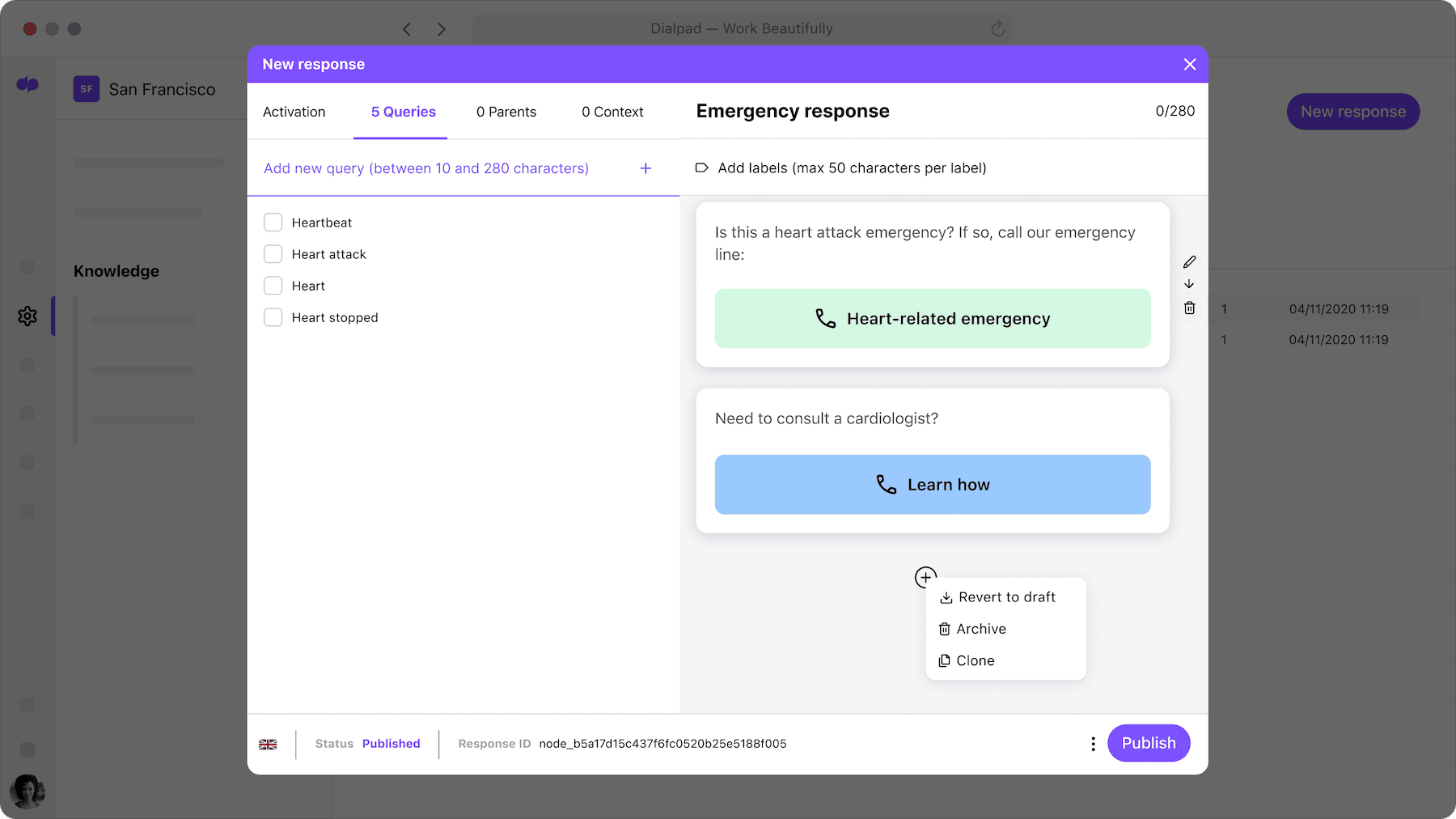
Dialpad offers a small-business UCaaS platform with VoIP services, SMS, team chat, and 10-participant video meetings. The phone system includes several advanced features like real-time call transcription, AI-based live support, and analytics–plus regular features like IVR, call queues, and ring groups. For healthcare teams, that can be useful for organizations that want more visibility into calls and agent activity rather than just a basic business phone system.
Dialpad’s products are HIPAA compliant with SOC2 Type 2 security certification, automatic failover protection, and proactive call logs and monitoring.
Dialpad Pricing
Dialpad has three paid plans starting at $15 per user, per month. All plans include unlimited calling and texting in the U.S. and Canada, voicemail transcription, real-time AI call transcriptions, and productivity integrations. Higher tiers add CRM integrations, global number support, advanced analytics, and enterprise-grade admin tools.
Custom pricing is available for large teams with advanced needs. Explore our full Dialpad pricing breakdown to compare features across plans.
Key Features
- AI Tools: Dialpad utilized artificial intelligence for several dynamic real-time tools. Live call transcription provides running captions for agents, and AI suggestions offer canned responses and feedback to guide agent interactions. Video meetings have live transcription and automated post-call summaries.
- Video conferencing: While Dialpad AI video meetings only support 10 users, they include many collaboration tools–custom layouts and backgrounds, hold music, custom meeting room URLs, chat, recording, drawing, and timers
- Analytics: Real-time and historical metrics for all call center activity–including call center KPIs like agent performance, call volume, and customer satisfaction
Dialpad Pros
- Affordable plans
- One-of-a-kind AI tools
- User-friendly interface
Dialpad Cons
- 10-participant capacity on video meetings
- Advanced features can be overwhelming for new users
8x8
HIPAA & BAA terms: 8x8 provides BAA coverage on higher-tier plans.
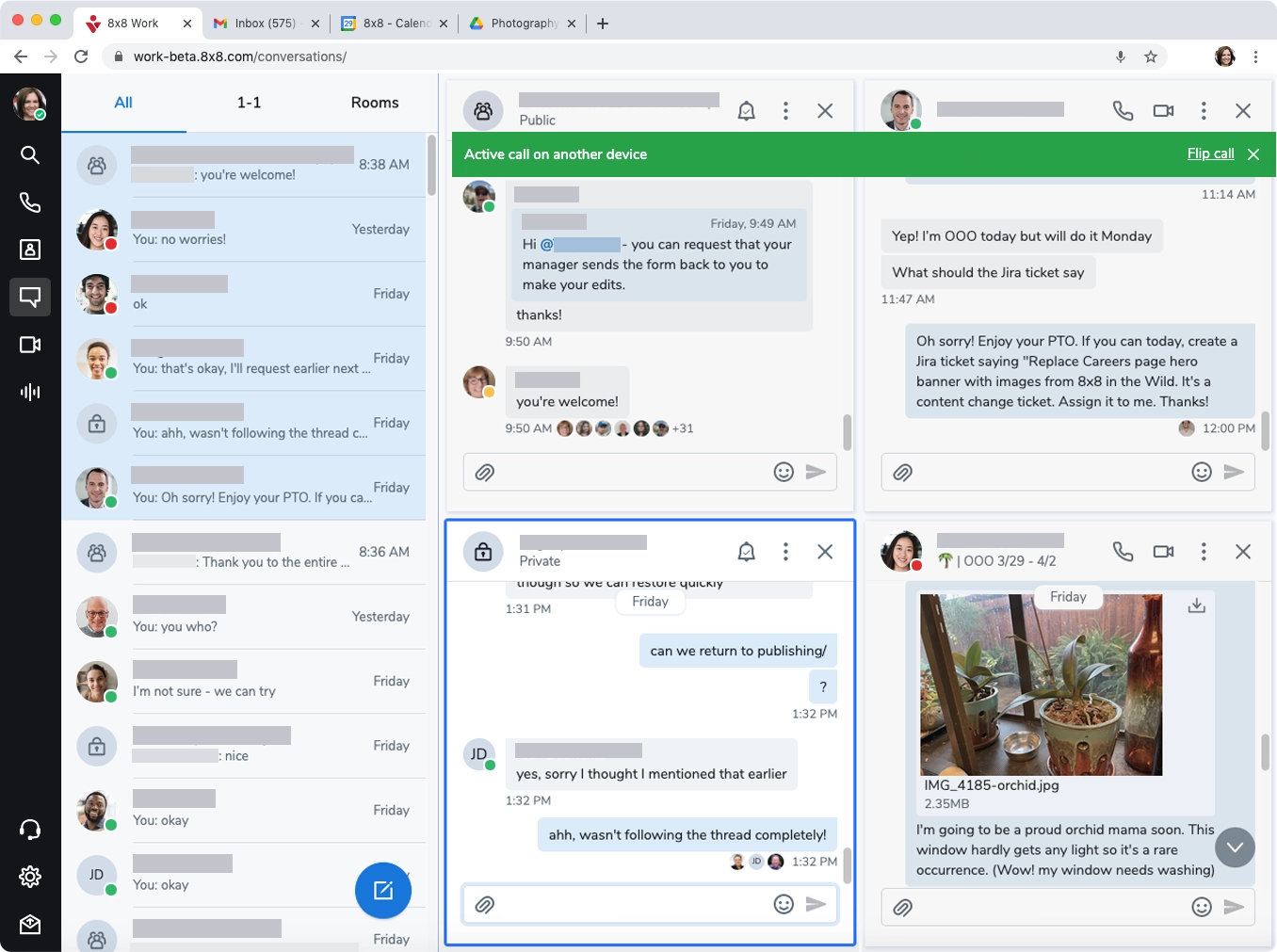
8x8 offers a cloud phone system with desktop and mobile apps, so healthcare staff can make and take calls from the office or on the go. Because BAA coverage is limited to higher tiers, plan selection matters for healthcare organizations: a practice cannot route PHI through 8x8 services that are not covered by its BAA.
The system is particularly well suited to organizations operating across multiple locations. A regional group with clinics in several cities, or an organization with staff in more than one country, can run everyone on a single system instead of stitching together local carriers with separate contracts and compliance paperwork.
That same breadth makes it a weaker match for a single-location practice. A small office may not need multi-country support, and moving to a higher tier specifically for BAA coverage can make 8x8 harder to justify.
8x8 Pricing
8x8 pricing is quote-only. Contact the sales team for a custom quote, and confirm which tier includes the BAA before signing. When you request the quote, ask for three things in writing:
- The specific plan name that includes the BAA
- The per-user cost for that tier, not the entry tier
- Whether BAA coverage extends to every location and every app your staff will use
Key Features
- Desktop and mobile apps: Staff can make and take calls from a computer or smartphone, which suits clinicians who split time between exam rooms, home, and other facilities
- Multi-location support: Manage phone service for several offices from one platform, with one admin view instead of a separate setup per clinic
- International reach: Supports operations across multiple countries, useful for organizations with overseas billing, telehealth, or administrative teams
8x8 Pros
- Strong fit for multi-location and international organizations
- Desktop and mobile apps included, so remote and on-call staff stay on the same system
- One vendor and one BAA to manage across many sites
8x8 Cons
- BAA limited to higher tiers, which raises the cost of compliant use
- No published pricing, so quotes are required to compare costs
- More platform than a small, single-office practice typically needs
RingRx
HIPAA & BAA terms: RingRx offers a standard BAA on all plans and lets customers request one after starting a free trial.
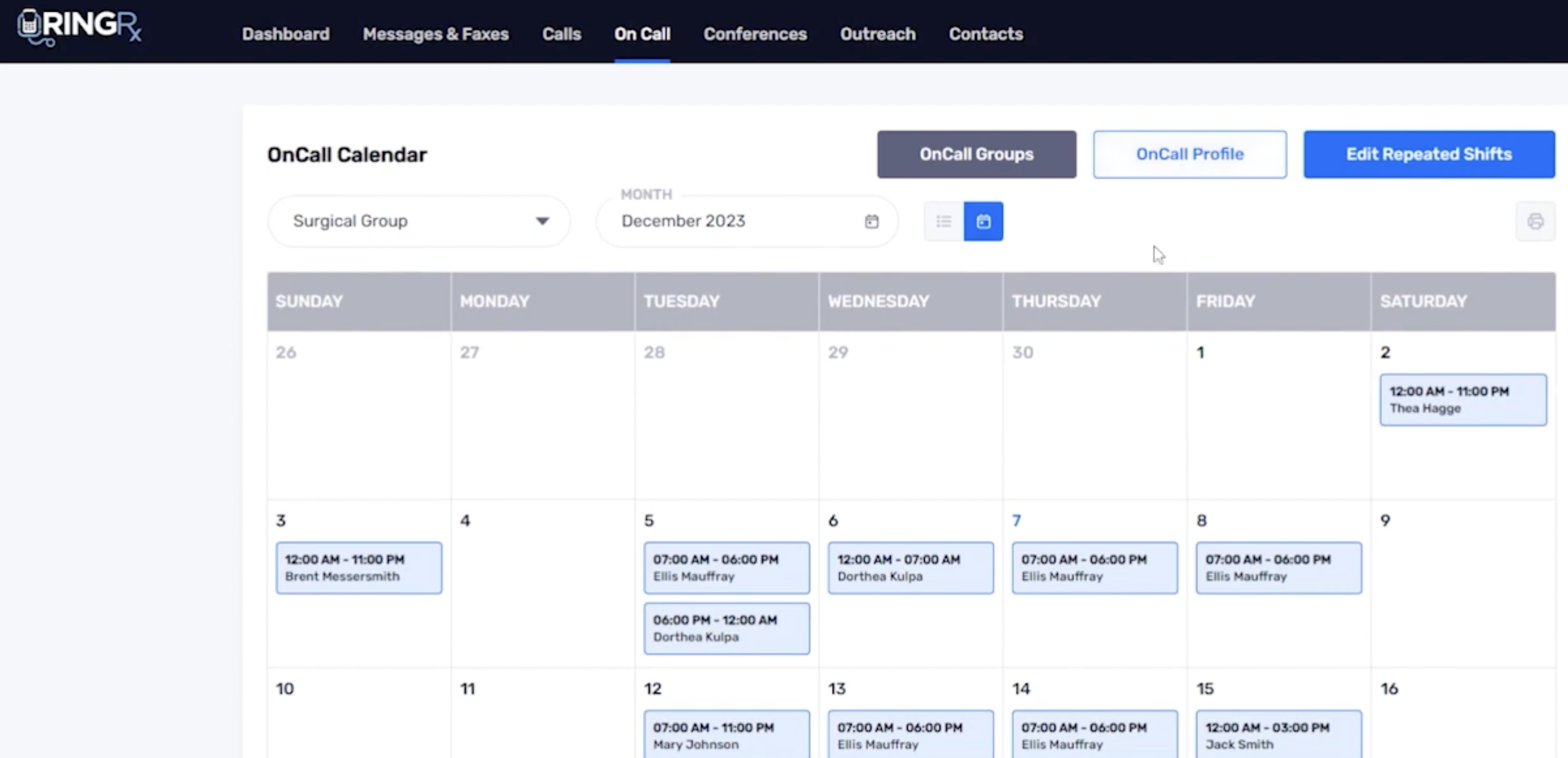
RingRx is a healthcare-focused communications platform that combines voice, texting, video, and fax in one system. Its feature set maps closely to the way medical practices communicate, with tools for patient and team texting, web and machine faxing, on-call routing, and access audit logs.
Fax is a particularly useful part of the package for practices that still exchange records, referrals, and other documents with hospitals, labs, and outside providers. RingRx also offers an Outreach add-on for automated appointment reminders and other patient communications through voice, SMS, and email.
Key Features
- Voice calling: A cloud phone system designed for healthcare workflows such as front-desk scheduling, provider callbacks, and after-hours routing
- Text and video: Secure messaging and video alongside calling, so staff can move a conversation from phone to text or a video visit without switching vendors
- Fax: Built-in fax support for practices that still exchange records by fax with hospitals, labs, and referring offices
RingRx Pros
- Purpose-built for healthcare, so features map to clinic workflows out of the box
- Straightforward BAA process handled during onboarding
- Voice, text, video, and fax in one platform, reducing the number of vendors and BAAs to track
RingRx Cons
- No patient texting reminders, so appointment reminder campaigns need a separate system
- No outbound automation for recalls, follow-ups, or bulk patient outreach
- Less suited to large, multi-country organizations than broader enterprise platforms
Make Sure Your Business VoIP System is HIPAA Compliant
HIPAA compliance is essential for any business that interacts with healthcare data.
The federal government has prioritized protecting patients at all costs, imposing stiff penalties for those that fail to follow the law. While the VoIP industry has largely adjusted to HIPAA needs, it’s important to make sure that your VoIP provider and business practices support HIPAA compliance regulations.
FAQs
While there is no specific list, any organization that handles individual patient health data in any form should ensure they meet all HIPAA compliance requirements.
VoIP phones do not automatically meet HIPAA compliance requirements. Businesses that must ensure they use HIPAA-compliant technology should specifically ask a VoIP provider if their solution meets the HIPAA standard.
VoIP systems must meet four primary requirements to be in compliance: The ability to authenticate users, encrypt data, log calls, and enter into a business associate agreement (BAA) with customers.