

GoTo Connect is one of today’s popular VoIP providers and UCaaS platforms. Their plans include key communication channels, routing and queueing features, call analytics, and a large unlimited calling area.
This article outlines GoTo Connect’s pricing and plans, describing each plan in detail with key features, pros and cons, and alternative providers.
- What is GoTo Connect?
- Pricing & Plans Overview
- Features
- Pros and Cons
- GoTo Connect Alternatives
- Who It's Best For
What is GoTo Connect?
GoTo Connect is a UCaaS and CCaaS VoIP phone system with HD-voice calling, SMS texting, team chat messaging, and video conferencing with up to 250 participants.
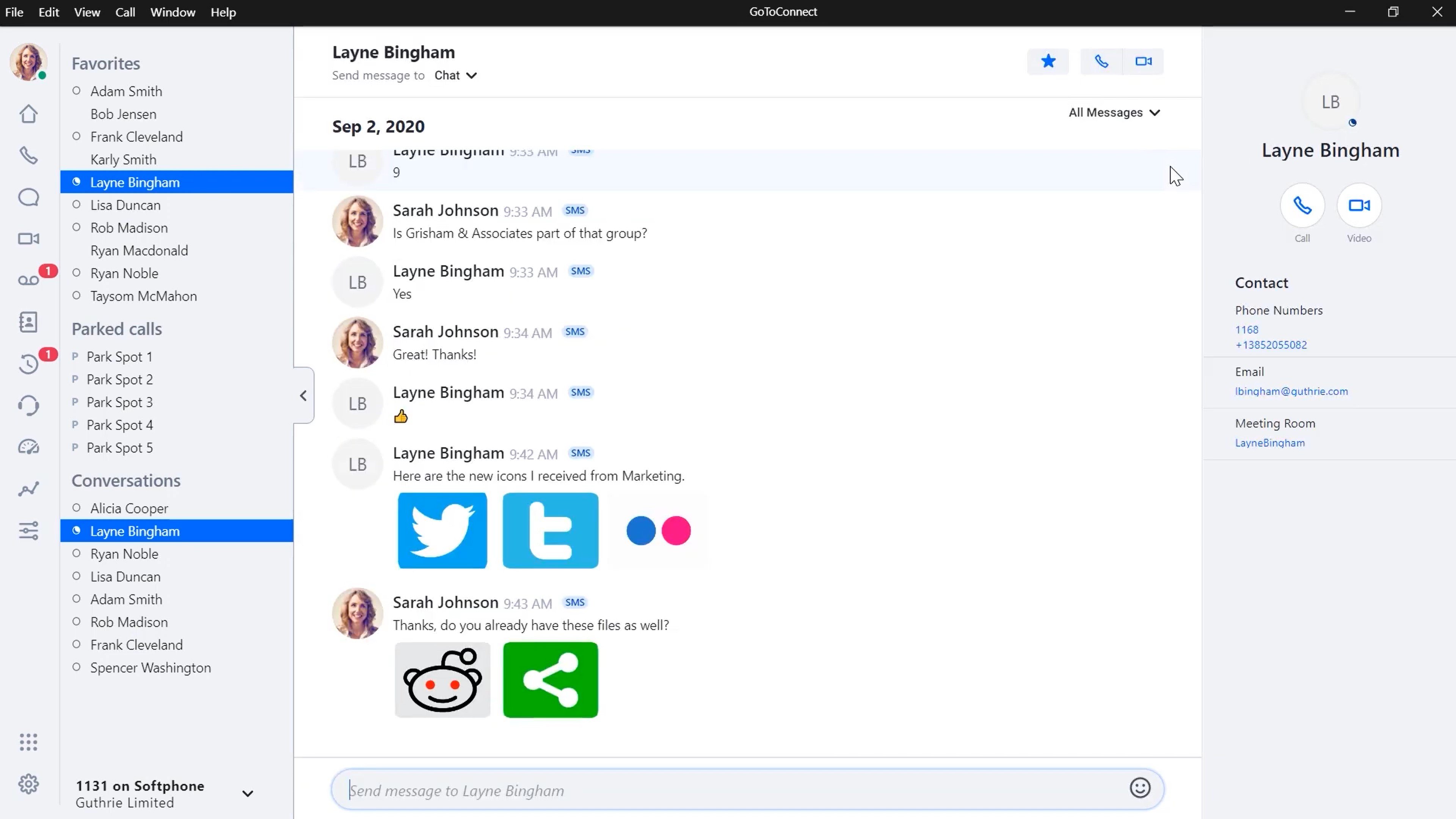
The cloud-based phone system includes call queues, ring groups, real-time analytics, call center monitoring, and routing features like IVR menus and custom ring orders. Use GoTo Connect for collaboration, with team chat features like file sharing, and video conferencing tools like screen sharing and drawing.
GoTo Connect also provides US-based virtual phone numbers, with a massive unlimited calling area spanning 50 countries.
GoTo Connect Pricing Plans
GoTo Connect offers 1 UCaaS plan and 2 tiered CCaaS pricing plans, which vary in communication channels, supported features, and integrations. All GoTo Connect pricing plans include unlimited calling in over 50 countries as well as a 99.999% uptime guarantee. Unfortunately, GoTo Connect no longer publicly lists its pricing and every plan is quote-based. In the past, GoTo Connect pricing has started at $27 per user, per month, but this did not include the unlimited international calling which GoTo Connect now includes in every plan.
| Plan | Price | Key Features | Best For |
| Phone System | Quote-based pricing tiers |
|
Medium and large teams seeking a phone system with multichannel collaboration and international calling |
| Customer Experience (CX) | Quote-based pricing tiers |
|
Companies focused on improving customer experience and relationships |
| Contact Center | Quote-based pricing tiers |
|
Companies with advanced routing and outbound campaign needs |
Phone System Plan
The Phone System plan supports teams of all sizes, with uncapped feature use, unlimited users, and a massive unlimited calling area. A scalable option, the plan supports video meetings with up to 250 participants and no time limit.
The Phone System plan supports as many auto attendants, call queues, and ring groups as you want–plus other phone-system features like call recording, real-time analytics, and voicemail-to-email.
Perhaps most notably, it offers a 50-country unlimited calling area.
The Phone System plan makes the best fit for teams of any size that want a UCaaS platform with unlimited global calling, routing, and queueing–but not contact center features.
Key Features:
- 50-country unlimited calling area
- 150 participants in video meetings, with no time limit
- Unlimited auto attendants, call queues, ring groups
- Call recording
- Real-time analytics
- Popular integrations like Salesforce and Zoho
- 1000 shared toll-free minutes
GoTo Connect Plans for Call Centers
In addition to the two UCaaS plans, GoTo Connect offers two CCaaS plans, with unique capabilities for an additional cost.
Customer Experience (CX)
The customer engagement add-on includes a variety of capabilities for you to create and schedule multichannel campaigns for customer service and sales use cases.
Engage customers with the following features:
- Shared contacts: The whole team can share any contacts and notes, for increased communication and context
- Customer history: When any user takes over a customer conversation on any channel, they can see the customer's communication history
- Campaign scheduling: Create and schedule SMS campaigns, using automated templates, calendars, and built-in customer opt-out
- Multichannel inbox: All of a customer's digital communications–SMS, social media, surveys, and web chat–compile in one inbox, making it much easier for agents to gain a context of the conversation history
- Surveys: Create customize SMS and web-based surveys, with custom questions and response styles to gather customer input at critical points–like after interactions or appointments. Track survey responses in your analytics tab
- Attendant Console: A consolidated hub where receptionists and agents can route calls to different agents, departments, and voicemail boxes and view details on calls, queues, users, ring groups, etc.
Contact Center
The contact center add-on turns your UCaaS application into a contact center with the following added features:
- Contact center analytics dashboards: Agent-specific and queue-specific dashboards with new stats like live talk time, wait time, and the percentage outcomes of each call. These dashboards help supervisors identify performance trends and boost center performance.
- Sales and support features: Intelligent routing tools like skills-based routing, real-time agent feedback, and an outbound dialer for automated sales sequences
- Call campaign: Supervisors create and manage outbound queues with skill-based, role assignment, and intelligent routing capabilities
- Ring strategy: Admins design advanced call flows for incoming calls with options like ring all, round robin, least recent, fewest calls, etc.
- Monitor and coach agents: Supervisors can listen silently to agent calls, speak to the agent without the caller hearing them, or turn the call into a three-way conference call enabling supervisors to offer real time assistance. Also includes performance analytics and chat monitoring
GoTo Connect Features
Here are the key features that are included in GoTo Connect's Phone System and Customer Experience pricing tiers:
- Phone system
- Team Messaging and SMS Texting
- Video Conferencing
- Reporting and Analytics
- Integrations
Phone System
GoTo Connect’s business phone system includes routing features, call queuing, and analytics. Make calls via softphone or desk phone from the GoTo Connect app–on desktop, browser, or iOS and Android mobile devices. Flip between devices while live on call.
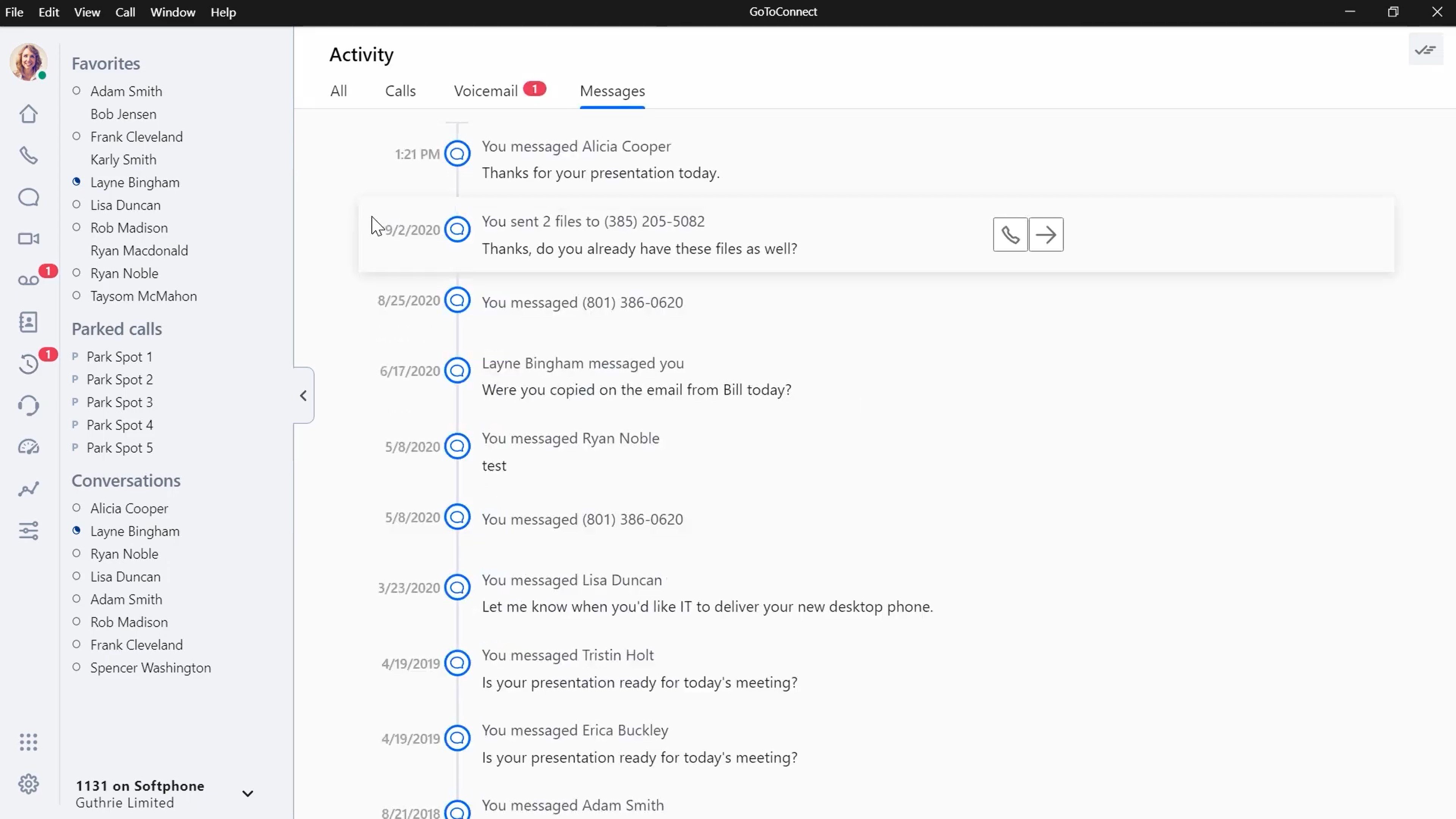
Purchase local, vanity, and toll-free numbers throughout the United States, or use number porting for those you already have. Each number includes unlimited extensions.
GoTo offers unlimited calling within the US and Canada as well as within a 50-country area.
Popular Destinations in the Unlimited Calling Area:
- China
- France
- Spain
- Australia
- UK
- Italy
GoTo’s UCaaS plan includes routing and queuing features, while the CX and Contact Center plans add contact center features: call center monitoring, supervision, and analytics tools.
GoTo Connect Phone System Features:
- Smart call routing: A drag-and-drop call-flow and dial-plan editor that links together many phone system features and functions–voicemail, dialing, user groups, set language, request password, modify caller ID, business hours, and more
- Unlimited ring groups: Group agents to receive calls simultaneously, with a custom ring order
- Unlimited call queues: Create call-holding queues, for particular departments, ring groups, or users. Agents can view queued calls and choose which to answer.
- Custom ring order: Choose how agents receive calls within a queue or ring group–simultaneous ring or custom order
- Call parking: Any agent can park a call in the communal parking lot, where other agents can view and retrieve it
- Unlimited auto attendants: Create self-service IVR routing menus that navigate inbound callers to the appropriate agent, user, or voicemail
- Real-time analytics: A visual overview of live queue metrics–the number of available agents, active and waiting calls, average and longest queue time, average speed of answer, and more
- Voicemail to email: Read voicemails and their transcriptions in the app’s virtual voicemail box, and forward the voicemail audio and transcription to email
- Call recording: Record calls automatically, on demand, or for particular numbers and users
Team Messaging and SMS Texting
GoTo Connect users can send SMS text messages to any phone number, or send internal chats to team members.
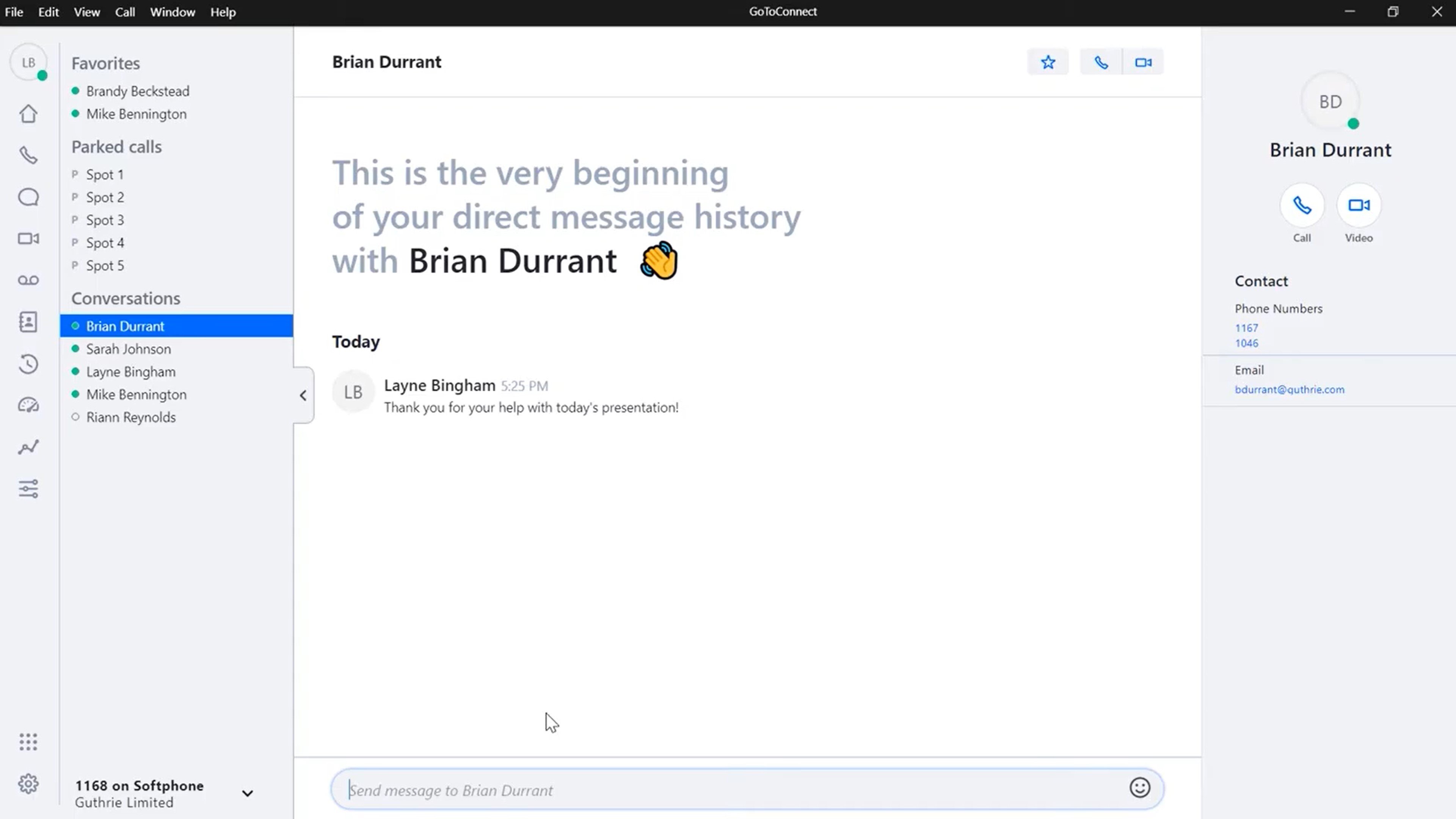
The app’s Messages tab organizes all of a user’s internal and customer-facing conversations in the left-hand menu for easy access–with a dial pad, search bar, and text box. Internal team chat and SMS support emojis and file sharing.
Internal Team Chat
Send chat messages to any internal contact. Clicking a contact’s name from the left-hand menu opens up the conversation history, alongside contact details and one-click buttons to jump into a phone call or video meeting. Even group chats can jump into a conference call or video conference.
SMS Texting
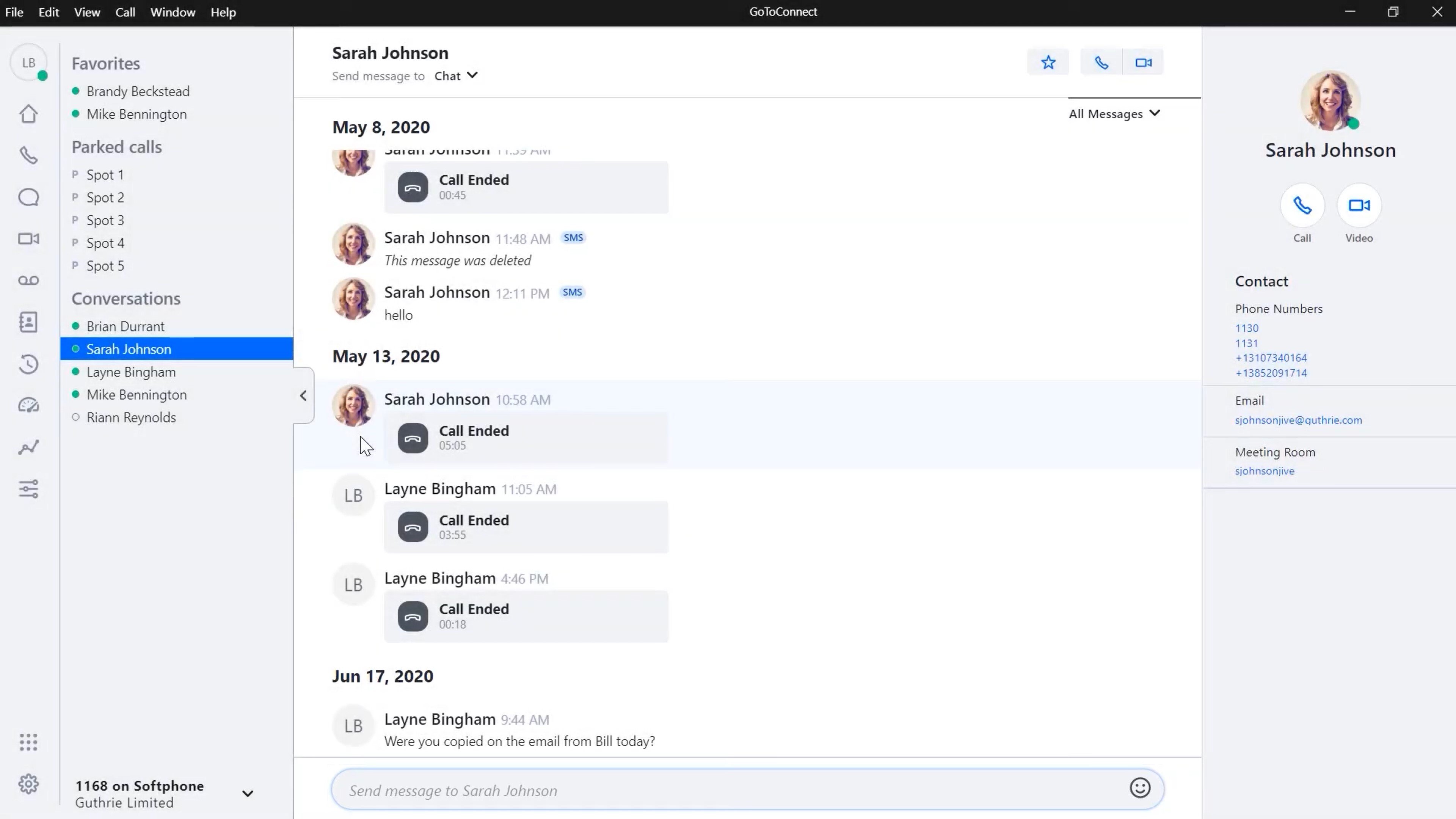
Send SMS text messages to any US or Canada phone number. Dialing or clicking a contact’s name displays the multichannel contact history–including all calls and messages sent–alongside contact details and a one-click button to initiate a call. Enter multiple numbers or contacts to create a group chat.
Video Conferencing
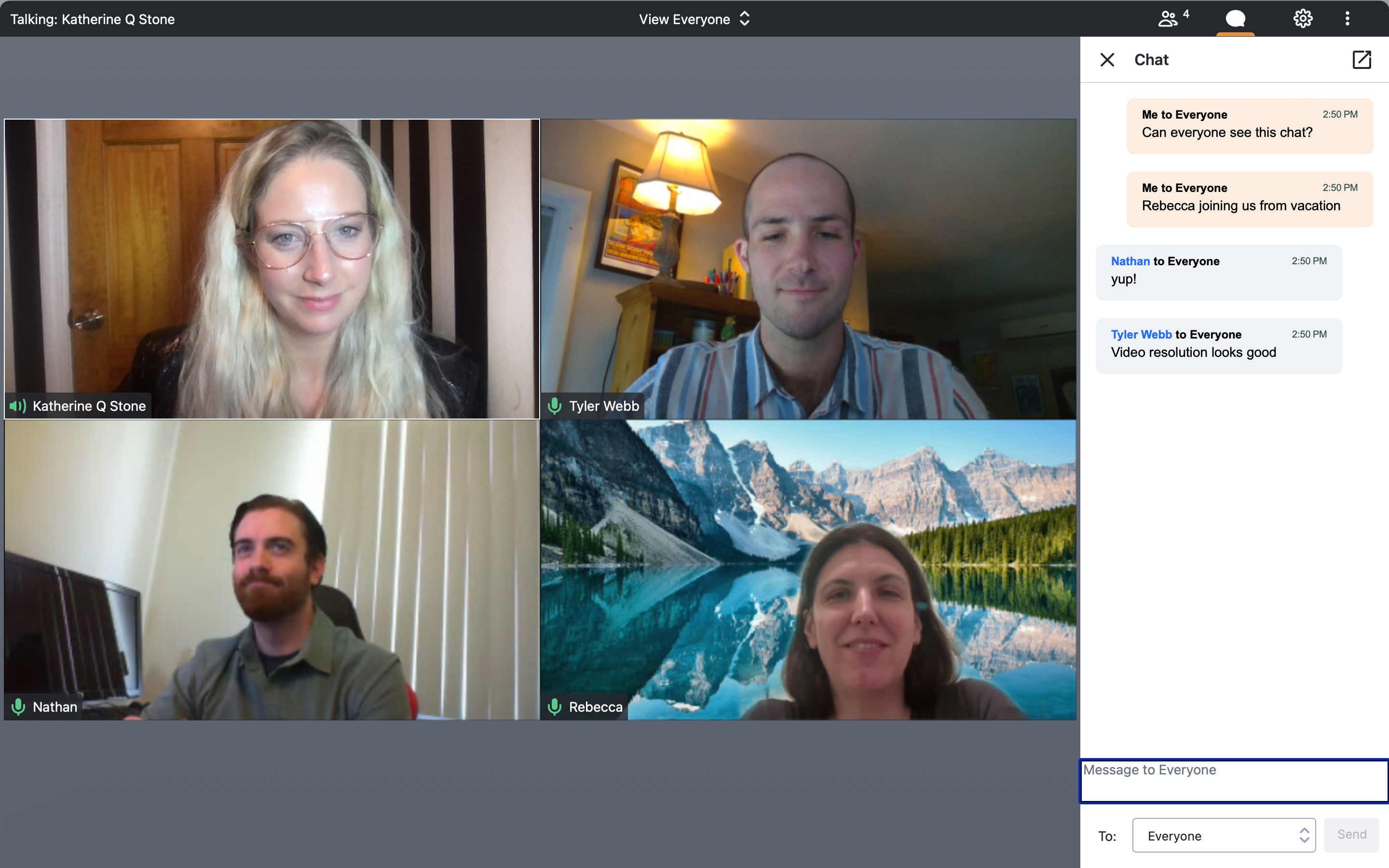
Create, schedule, and join video meetings on any device, with up to 250 participants and unlimited time duration.
Join HD-video meetings from the Video tab, or jump into meetings directly from chat conversations. Schedule meetings via integrated calendar apps like Google Calendar and Microsoft Outlook, and invite participants directly within the GoTo Connect app. Each GoTo meeting generates a unique invite code, and participants can join meetings via any web browser, with no download required.
GoTo Connect Video Collaboration Tools:
- Screen sharing: Any user can share their screen, a particular window, or an application–even on the mobile app
- Drawing: Annotation tools for meeting participants to draw or mark up the screen, including shared screens and presentations. Tools include a pointer, pen, highlighter, spotlight, text, shapes, and a variety of colors.
- Breakout rooms: Split the meeting’s participants into smaller rooms, with custom or randomized grouping
- Meeting transcription: Transcribe all meetings live, and access the transcriptions afterward to review and share. Transcriptions can be searched by keyword.
- Meeting recording: Users sort by recorded and non-recorded meetings and are able to preview, edit, delete, and download recorded files
Reporting and Analytics
Supervisors and administrators have access to wallboards and dashboards displaying activity, queue, and usage metrics. Reports, statistics, and visuals show KPIs across channels and agents, viewable in real-time or over custom historical timeframes.
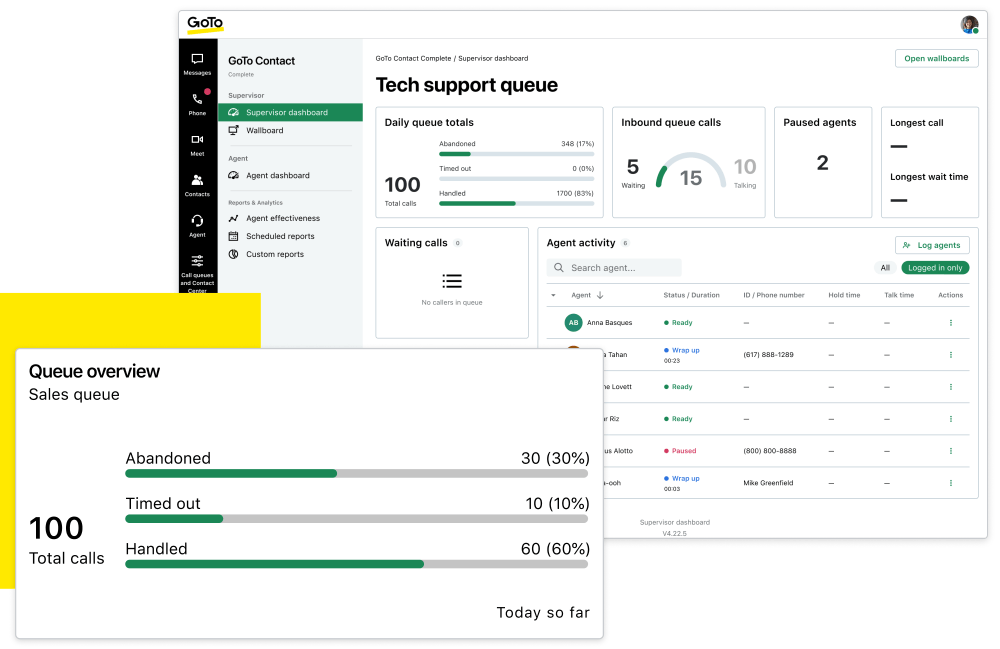
The Phone System plan includes real-time analytics and hold time reports, while the CX plan includes the Supervisor Dashboard and live queue reports.
GoTo Connect Reports and Analytics:
- Queue Caller board: Visualizes call traffic and busy times by date, day of the month, and weekday. KPIs include average time in queue, total number of calls per day and hour, average call duration, caller summary and details, and more.
- Resolved Conversations board: Displays which channels–SMS, web chat, or social media–bring in the most customer conversations. Sort by agent and chat type.
- Agent Performance dashboard: Shows key statistics for each agent, including total calls answered, calls resolved, calls transferred, pause time, total talk time, average call duration, percentage of calls answered, and more
- Supervisor dashboard: Live queue-performance monitoring for any agent, department or queue. Get a real-time overview of active calls, calls in queue, agent activity, statistics like average handle time and answer time, and more.
Integrations
GoTo Connect offers over 60 integrations with popular apps, for use cases including collaboration, customer support, events, sales, scheduling, and more. The Phone System plan only includes integrations with Outlook and Google Workspace, the CX plan adds popular integrations like Salesforce and Zoho, and the Contact Center plan supports premium integrations like Microsoft Teams and InformaCast.
Popular GoTo Connect Integrations:
- Salesforce: Use GoTo Connect click-to-call directly from Salesforce
- Zendesk: Utilize GoTo Connect features within Zendesk, including incoming call notifications, caller record auto-population, automatic ticket creation, and more
- Slack: Receive and listen to voicemail notifications in Slack with callback options, receive SMS in Slack, and log in and out of call queues with Slack
- Google: Click to call and inbound screen-pop notifications in Google Chrome
GoTo Connect Pros and Cons
While GoTo Connect outmatches all competitors with its wide unlimited calling area, its team chat lacks some useful collaboration features such as calendaring, live document co-authoring, and task management.
Pros
- 50-country unlimited calling area
- Includes all core channels
- Drawing tools in video meetings
Cons
- Team chat lacks some collaboration features–task assignment, calendar sharing, etc.
- Current lack of transparency in pricing and higher than average pricing in the past
- No domestic-only unlimited calling plans
GoTo Connect Alternatives to Consider
Here are some of the top GoTo Connect alternatives.
Nextiva
Nextiva is a business communications platform with VoIP service, team chat, SMS, and video conferencing with up to 250 participants. The NextivaONE app includes chat collaboration features like task assignment and document sharing. Nextiva plans include unlimited calling across the US and Canada.
Dialpad
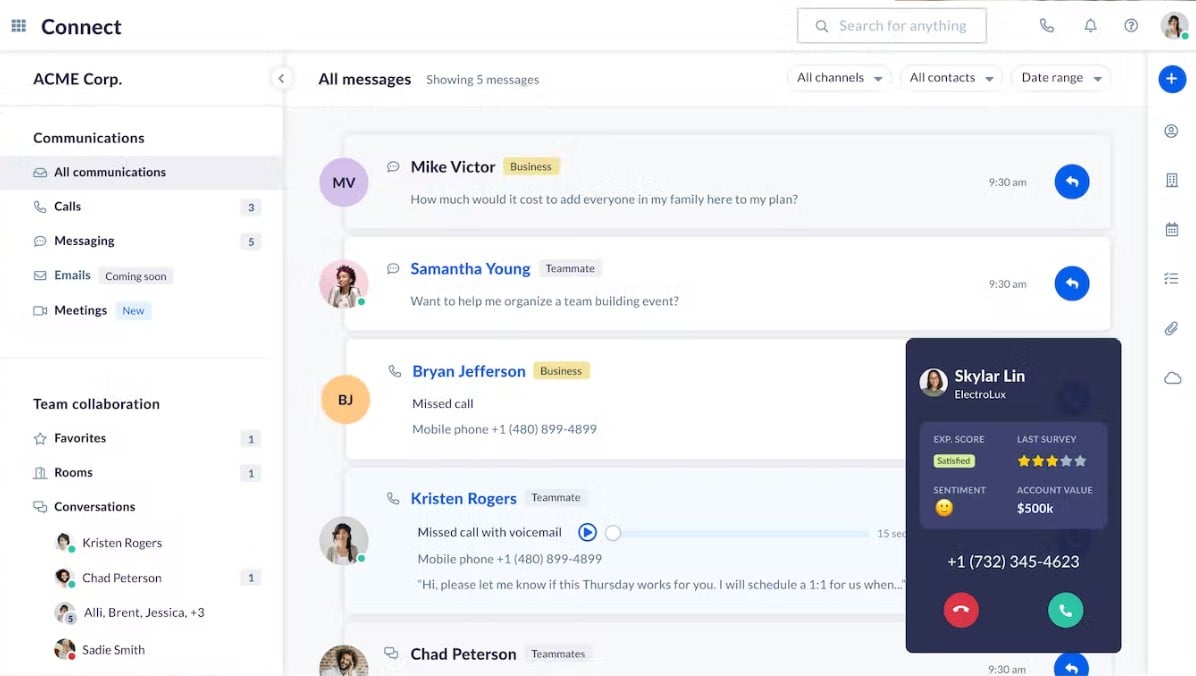
Dialpad is a small-team-focused UCaaS platform with VoIP, SMS, team chat, and video conferencing with up to 150 participants. The Dialpad app boasts AI support, including live video transcription, speech coaching, and auto-generated video meeting summaries. Dialpad plans support unlimited calling in the US and Canada.
RingCentral
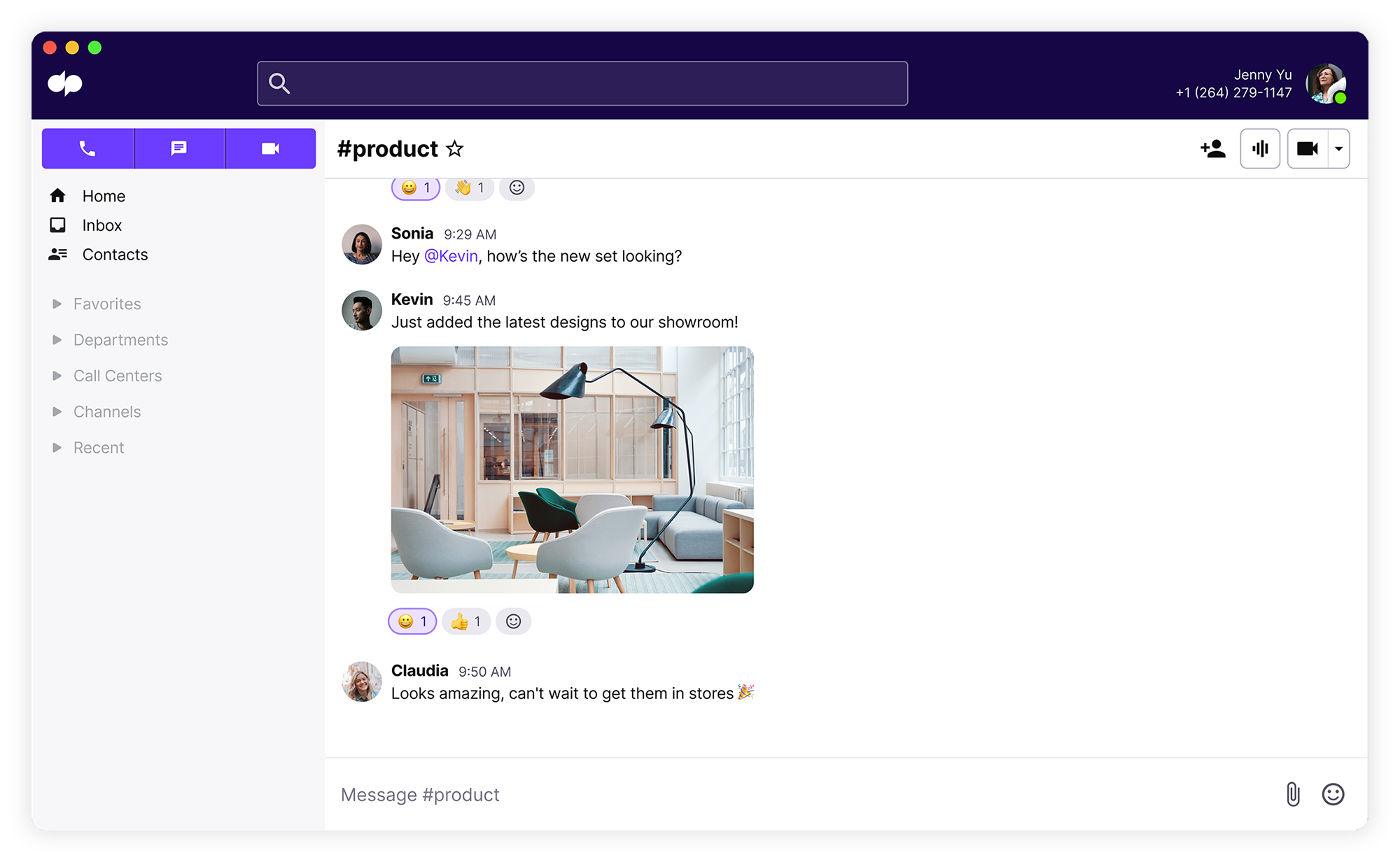
RingCentral offers an all-in-one UCaaS platform including VoIP, SMS, team chat, and video conferencing with up to 200 participants. Plans include a team collaboration interface rich with features like custom message formatting, file sharing, and task assignment. RingCentral offers DID numbers in up to 100 countries, with unlimited calling inside the US and Canada.
Vonage
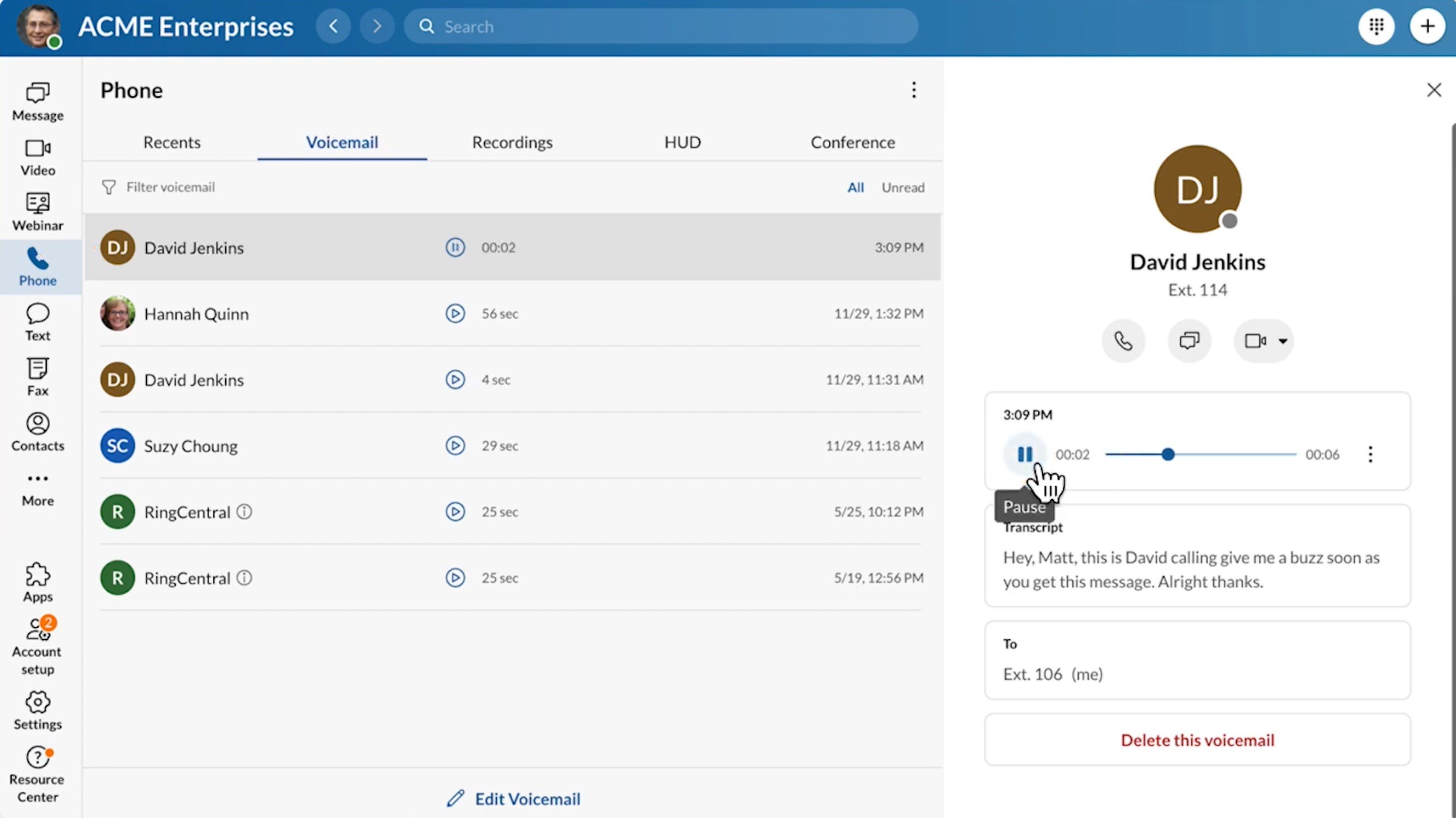
Vonage’s unified communications platform includes VoIP, SMS, team chat, and video meetings with up to 100 participants. Vonage plans include routing features like call groups and auto attendants, but basic team chat and video collaboration options. Vonage’s unlimited calling area includes the USA and Canada, and Mexico.
Quo (formerly OpenPhone)
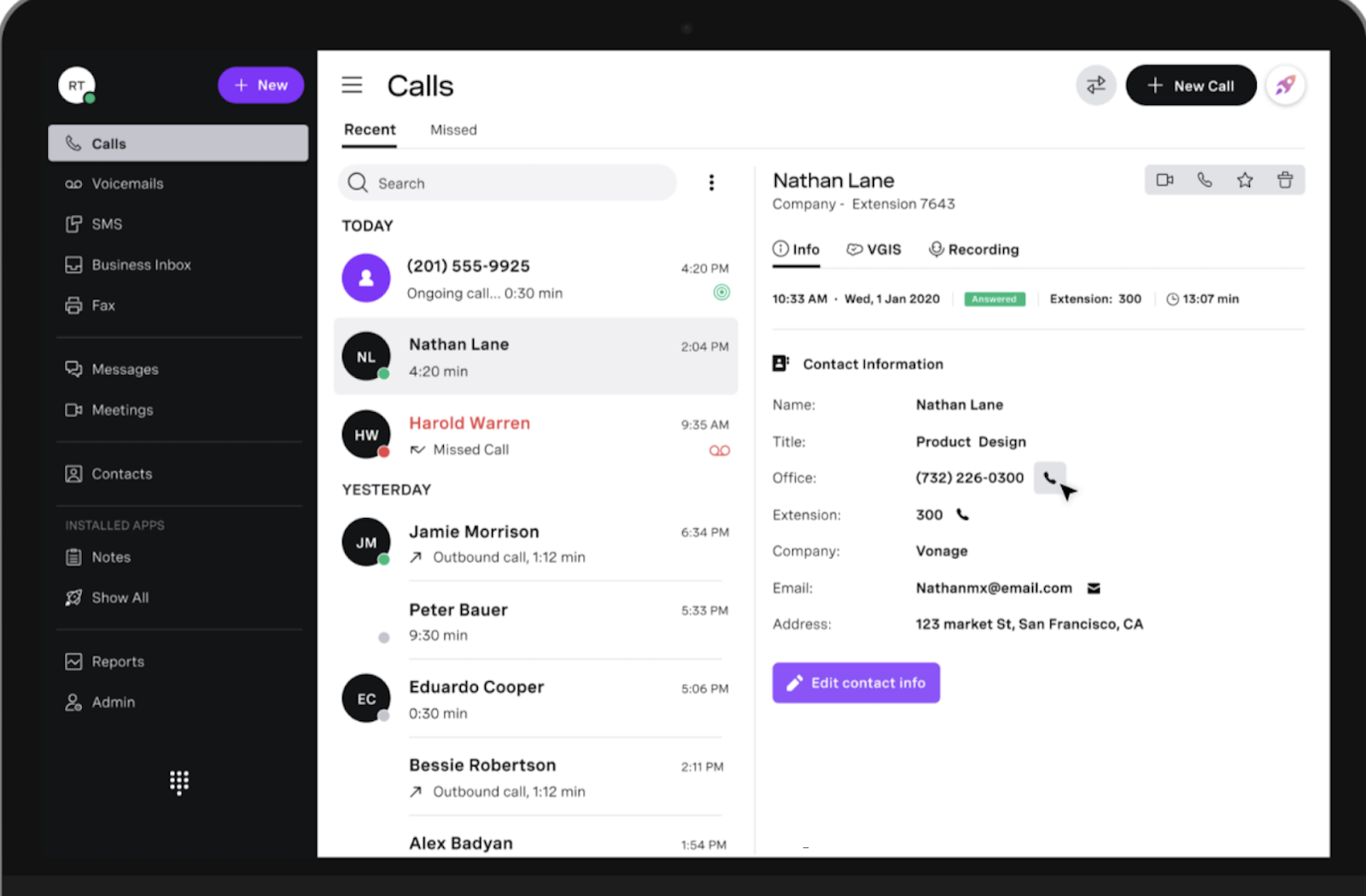
Quo (formerly OpenPhone) is a cloud phone system and collaboration platform with VoIP calling, SMS, and team chat. Plans include flexible number assignment, allowing multiple team members to easily share and jump between phone numbers–even simultaneously making calls and sending messages from the same number. The unlimited calling area includes the US and Canada.

Ooma Office
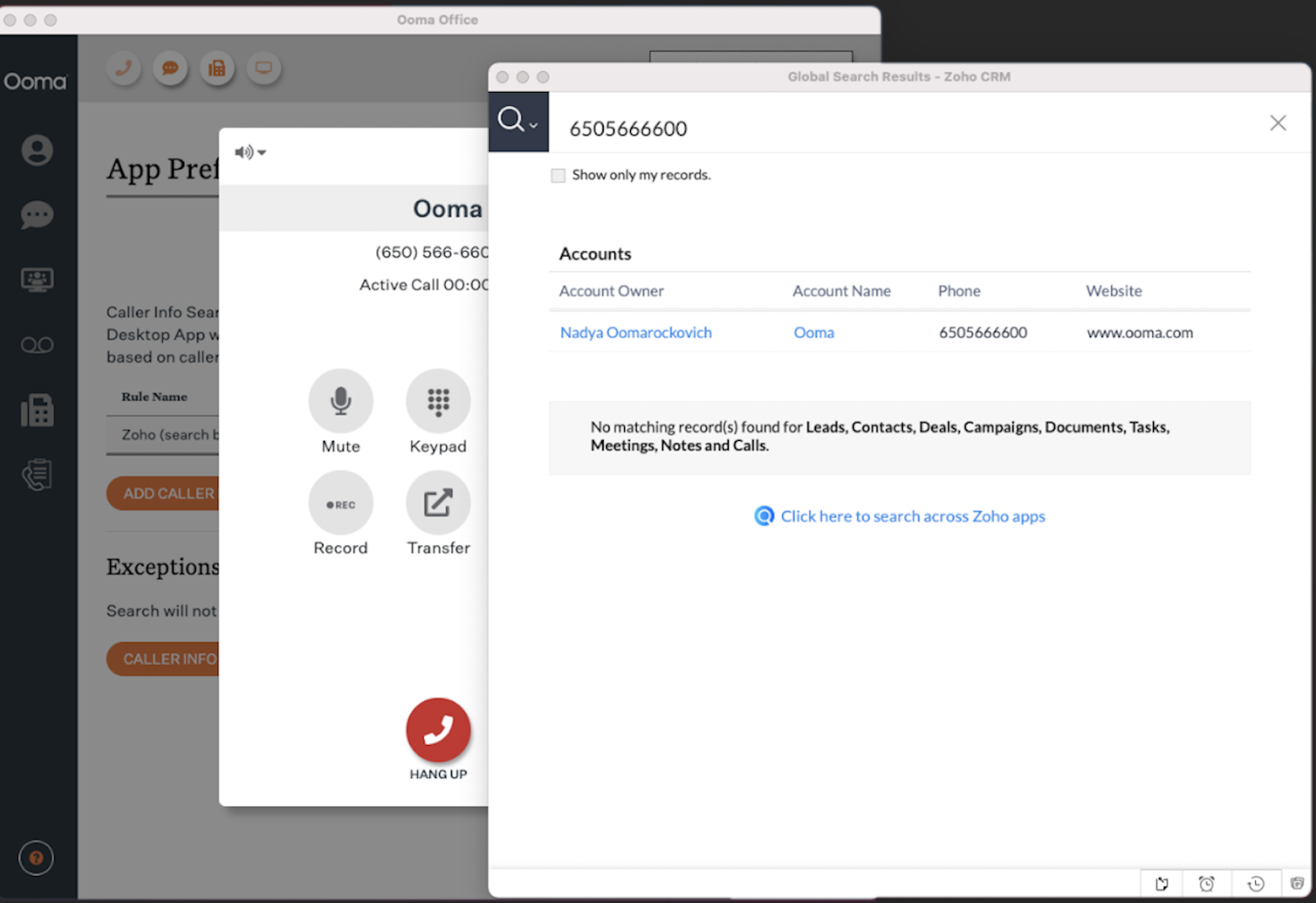
Ooma Office is a virtual PBX phone system with VoIP, SMS texting, and video conferencing. Ooma’s plans include routing features like auto attendants and ring groups, call queues, and call analytics. The provider’s unlimited calling area covers the US, Canada, Puerto Rico, and Mexico.
Who is GoTo Connect Best For?
GoTo Connect is best for US-based companies with high international call volumes. While the phone system does not outmatch competitors in team-chat collaboration features, GoTo strongly outperforms competitors with its 50-country international calling area.
Further, GoTo Connect’s phone system offers options for teams of all sizes. Medium-sized teams might prefer the Phone System plan with queueing and routing features, while large or spread-out teams may prefer the Customer Experience plan that adds web chat and advanced reporting tools.

