Best Video Conferencing Software in 2026

How We Evaluate and Test Video Conferencing Providers
- Video and Audio Quality: Sound and video quality are the most important aspects of video meetings. We test video and audio quality on desktop and mobile devices, try out available views and filters, and ensure globally redundant HD video and audio are included for all users.
- Team Collaboration Functionality: In addition to standard video conferencing capabilities, providers had to include other team collaboration capabilities to be considered for this list (whiteboarding, in-meeting/persistent chat, document co-editing, file sharing+storage, screen sharing, etc.)
- Ease of Use: We installed and configured each video conferencing application on our computers, evaluating overall ease of use, platform intuitiveness, dashboard and video customization options, and essential capabilities like screen sharing, report generation, and the ability to add meeting co-hosts.
- Security and Reliability: To be considered for this list, providers must demonstrate compliance with internationally recognized security and privacy standards such as HIPAA, PCI, and GDPR. Providers must also provide data encryption, custom recording/data retention periods, single sign-on, multi-factor authentication, and more.
- Customer Support: We test how easy it is to contact provider customer support. Are the business hours restrictive? How long does it take to reach a live rep? Is customer support available across voice and digital channels? Is 24/7 support available on all or some plans? We also test self-service options, like chatbots and online knowledge bases, to see how helpful they really are
- Price and Value: Price is always a factor when implementing a new service. We look at the pricing structure of each provider, what is offered at each price point, and how that compares to other similarly priced providers. We also consider flexible pricing options (per-user, mix-and-match, etc.) available discounts, contract lengths, add-on feature costs, and more.
- Available Features: Finally we look at the included and add-on features to ensure the platform offers essential video conferencing features (recording, in-meeting chat, transcription, meeting lock, etc.) while also considering whether the provider offers anything unique and innovative (avatars, AI-generated meeting summaries, meeting highlights, etc.)
The shift to a remote, global workforce has had a big impact on business communication technology like UCaaS, VoIP, and web conferencing platforms. Given that the global video conferencing market is expected to grow to over 24 billion by 2033, the dramatic increase in both the number of providers and the innovative features they offer isn’t a surprise.[*]
Finding the right video calling tool for your team is critical, as businesses depend on open employee collaboration for efficient internal and external communication.
After testing the most popular video conferencing platforms, I’ve chosen my top six. In the paragraphs below, I’ll explain why each provider stands out from the competition, what I liked and disliked, and some of my favorite features.
Overview of Best Video Conferencing Apps
After testing out over a dozen of the most popular platforms, I’ve chosen my six favorite platforms for businesses of all types. Here is a quick overview to get started:
| Provider | Pricing | Key Features | Best For |
| Dialpad | Video conferencing through Dialpad Connect with plans starting at $15 per user/month |
|
Teams of less than 100 that need AI-powered features like transcription, automated summaries, and insights |
| Microsoft Teams | 3 paid plans from $4 to $23.50 per user/month |
|
Large businesses and enterprises that are already using Microsoft 365 |
| RingCentral | A free version, one paid plan for $30 per organizer/month, and a webinar solution for $99 per user/month |
|
Companies in the healthcare or financial industry that need a high level of security |
| WebEx | A free version and three paid plans from $12 to $22.50+ per user/month |
|
Global teams that need the ability to scale |
| GoTo Meeting | Three paid plans from $12 to $16+ per user/month (no free version) |
|
Small teams looking to have more efficient meetings and those already using GoTo products |
| Google Meet | Free plan and three paid plans from $7 to $22 per month/user plus quote-based enterprise plans |
|
Remote teams that are already using other Google products (Gmail, Drive, etc.) |
My Favorite Platform for Usability - Dialpad
What I liked:
- Included with all Dialpad Connect plans
- High level of security with AES 256-bit data encryption, granular permission levels, SSO, and HIPAA compliance
- 24/7 live customer support via phone and multilingual web chat
What I disliked:
- Participants are capped at 150 without the large meeting add-on and meeting duration is limited to 5 hours
- No breakout rooms
Dialpad is a business communication and collaboration provider that offers unified communications, contact center software, and auto dialing products.
Dialpad’s video meeting solution, AI Meetings, has come a long way in recent years thanks to the company’s research and development into artificial intelligence and natural language processing.
Dialpad does offer a free version of its video conferencing platform, but it is limited in participant capacity, duration, and features. For companies that rely on consistent video communication, it’s worth it to splurge for the paid plan.
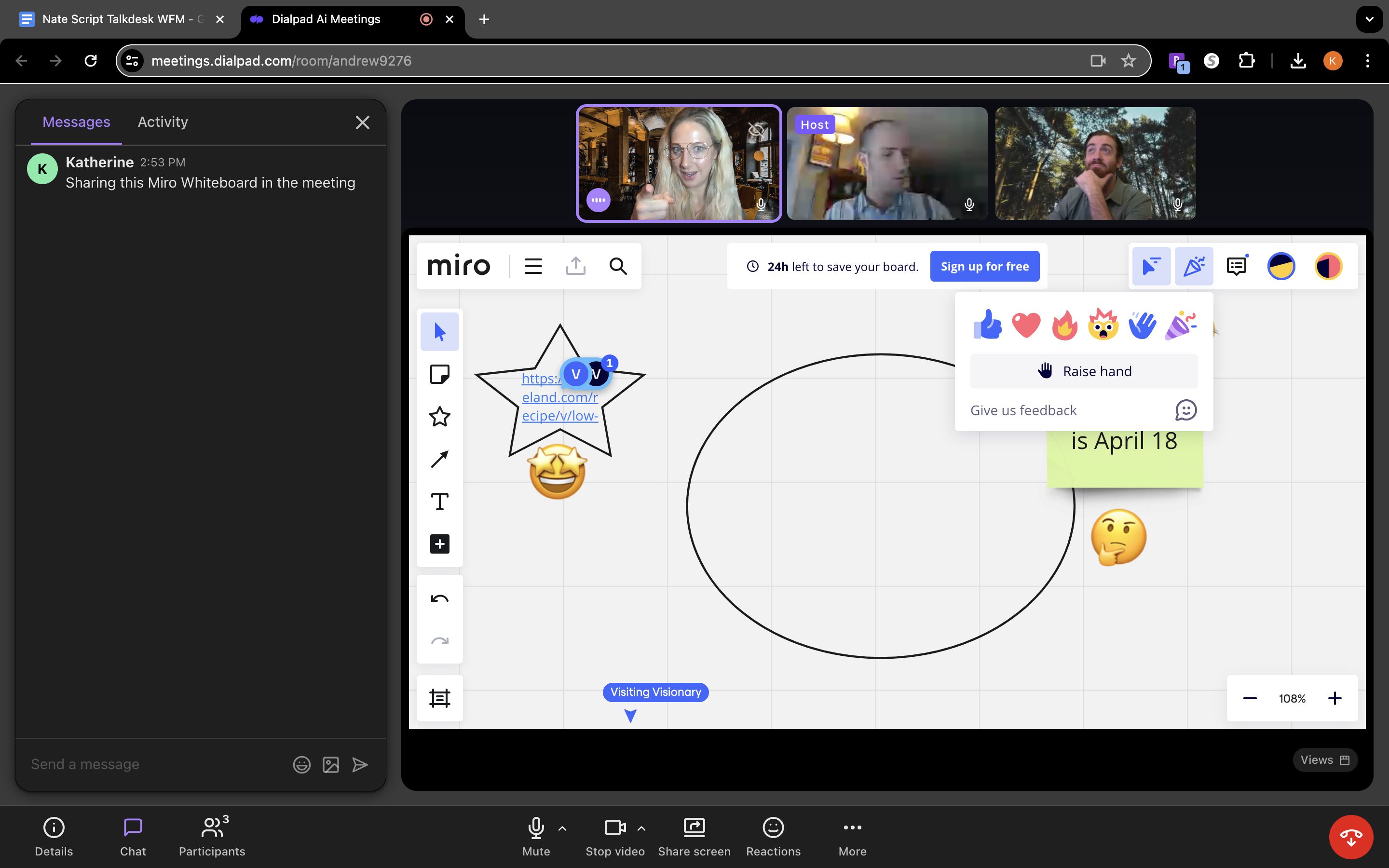
What I first noticed about Dialpad’s platform was the clean and clear sound and the stability of the video. Dialpad leverages AI to adjust video resolution based on the available bandwidth. This means that even if some participants don’t have a great internet connection, their videos won’t freeze up. The audio was clear thanks to built-in background noise reduction, which is included in both the free and paid version.
I loved how minimalistic and intuitive Dialpad’s organizer interface is, while still offering a number of customizations and controls like the ability to mute participants, limit screen sharing, and admit/reject participants from the waiting room.
Standout Features
I was most impressed with the following features offered by Dialpad:
- Multiple Video Layouts: I really enjoyed experimenting with Dialpad’s video layouts: Spotlight (focuses on who’s speaking or screen sharing), Grid (displays contact cards for participants/organizers on a first-come-first-displayed basis), Dynamic (ordered by most recent speaker), and Filmstrip (displays contact cards and screen share). The options let each user find what works best for them, and users can also pin videos
- Live Meeting Transcriptions: I found it very easy to access Dialpad’s real-time meeting transcription, I just clicked the “Ai Notes” button on the bottom bar which then opened a side panel containing an ongoing transcript. Participants who join late can also scroll up to see what they missed. While the transcripts are not perfect, they are accurate enough to get the gist of any meeting
- Custom Action Items: Clicking the Ai Notes button also allowed me to see action items, interesting questions, and other moments that Dialpad Ai picked up on and captured in real-time
- Meeting Analytics Dashboard: I found the analytics dashboard to be very user-friendly without a lot of unnecessary metrics. I was able to quickly see an overview of the total conferences, minutes, and participants, along with unique participants and average meeting duration data
- International and Toll-Free Dial-in Numbers: Dialpad includes international dial-in numbers in some paid plans. Toll-free dial-in numbers can be purchased as an add-on
My Favorite Platform for SMBs - GoTo Meeting
What I liked:
- 24/7 phone and web support for all users
- Integrates with Slack, Google Calendar, and Salesforce
- Breakout rooms included in every plan
What I disliked:
- AI features and unlimited cloud recording are only included in the higher priced Business Plan
- In order to access most calling features, users must purchase a GoTo Connect plan instead
GoTo Meeting is a smart and secure video conferencing platform. It’s built to work seamlessly with other GoTo products like GoTo Connect and GoTo Webinar, but it easily works as a standalone video meetings solution.
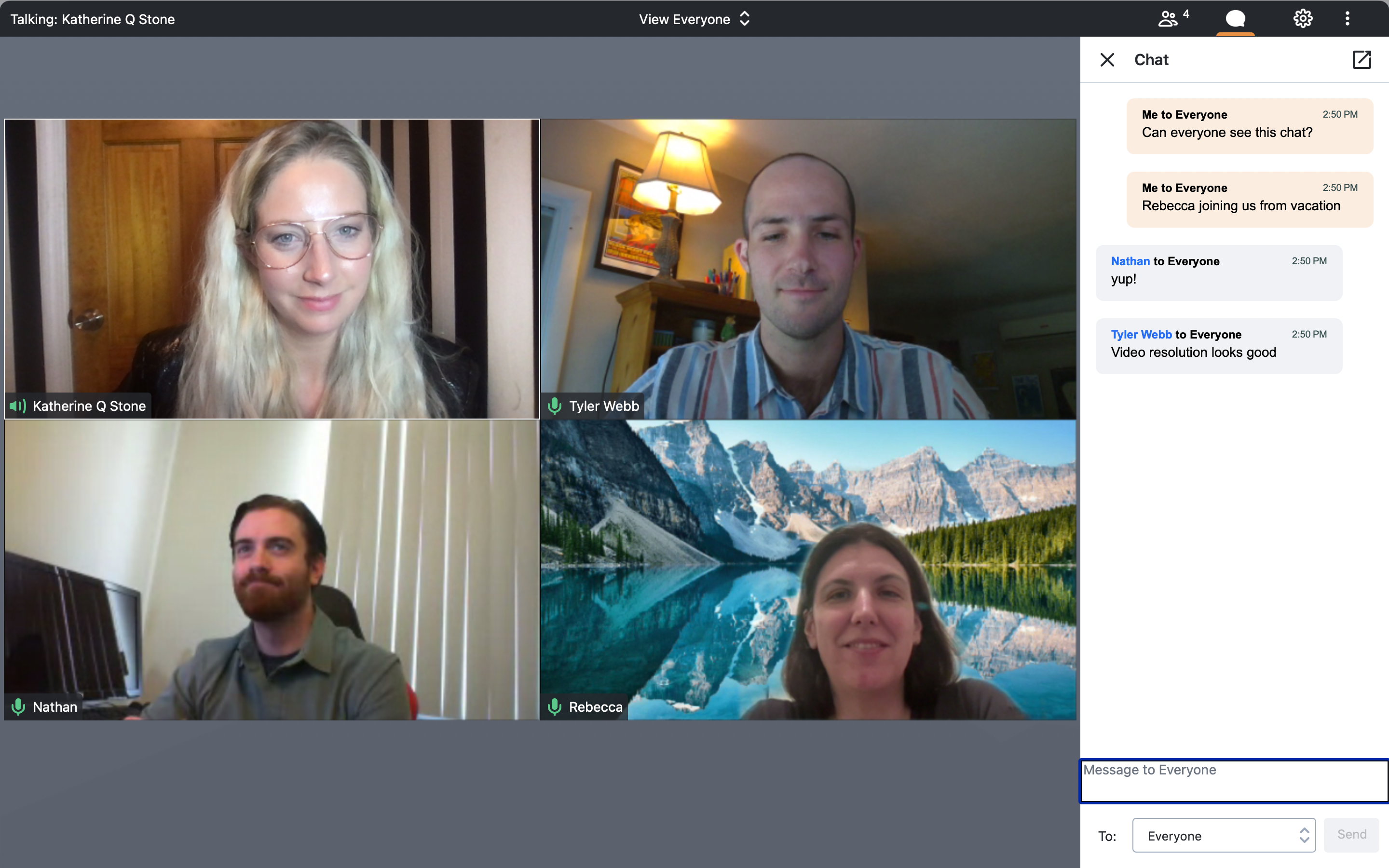
I found GoTo Meeting to be very easy to use- especially the mobile app. GoTo Meeting does not offer a free version, and for that reason is best for companies that are having regular video meetings with clients and/or employees.
GoTo Meeting includes a number of features that helped our team have more productive meetings, such as a smart assistant, drawing tools, and a PDF creator.
I was most impressed with GoTo Meeting’s “commuter mode” feature. Commuter mode is available only on the mobile app and lets you listen to a video meeting without video, but with enhanced mic capabilities. It’s a simple idea, makes a lot of sense, and is extremely practical.
Due to its affordable pricing structure, 24/7 customer support, and variety of features, I would recommend GoTo Meeting for SMBs that have frequent video meetings and need flexibility and efficiency.
Standout Features
- Keyboard and Mouse Sharing: This tool enables the host to take over both keyboard and mouse control for participants
- Slide to PDF: This feature automatically collects any slides that were shared during the meeting, puts them in chronological order and converts it into a PDF
- Smart Assistant: ML-powered tool that automatically detects highlights and action items from meetings. Note that it is not very thorough yet as it is still in infancy stages and users should check for accuracy
- Note Taking: The scheduling organizer can take notes right on the platform during the meeting and notes can be saved and shared
- Breakout Rooms: You can have up to 50 breakout rooms on GoTo Meeting and participants can be assigned randomly by the app or manually
My Favorite Platform for Healthcare Professionals - RingCentral
What I liked:
- Robust free plan with video recording and AI-powered live transcription
- One of the only video conferencing platforms that offers end-to-end encryption
- Easy to scale up to RingCentral Webinar
What I disliked:
- Participants limited to 300 unless you get a Webinar subscription
- The large list of features results in a steep learning curve
- Polling is only available on RingCentral Webinar & Events, and Town Halls
RingCentral is a UCaaS and CCaaS provider known for its highly secure, feature-rich platforms. RingCentral includes video conferencing in all of its unified communications (RingEx) plans, but it can also be purchased as a standalone product.
The best part? RingCentral has a free version.
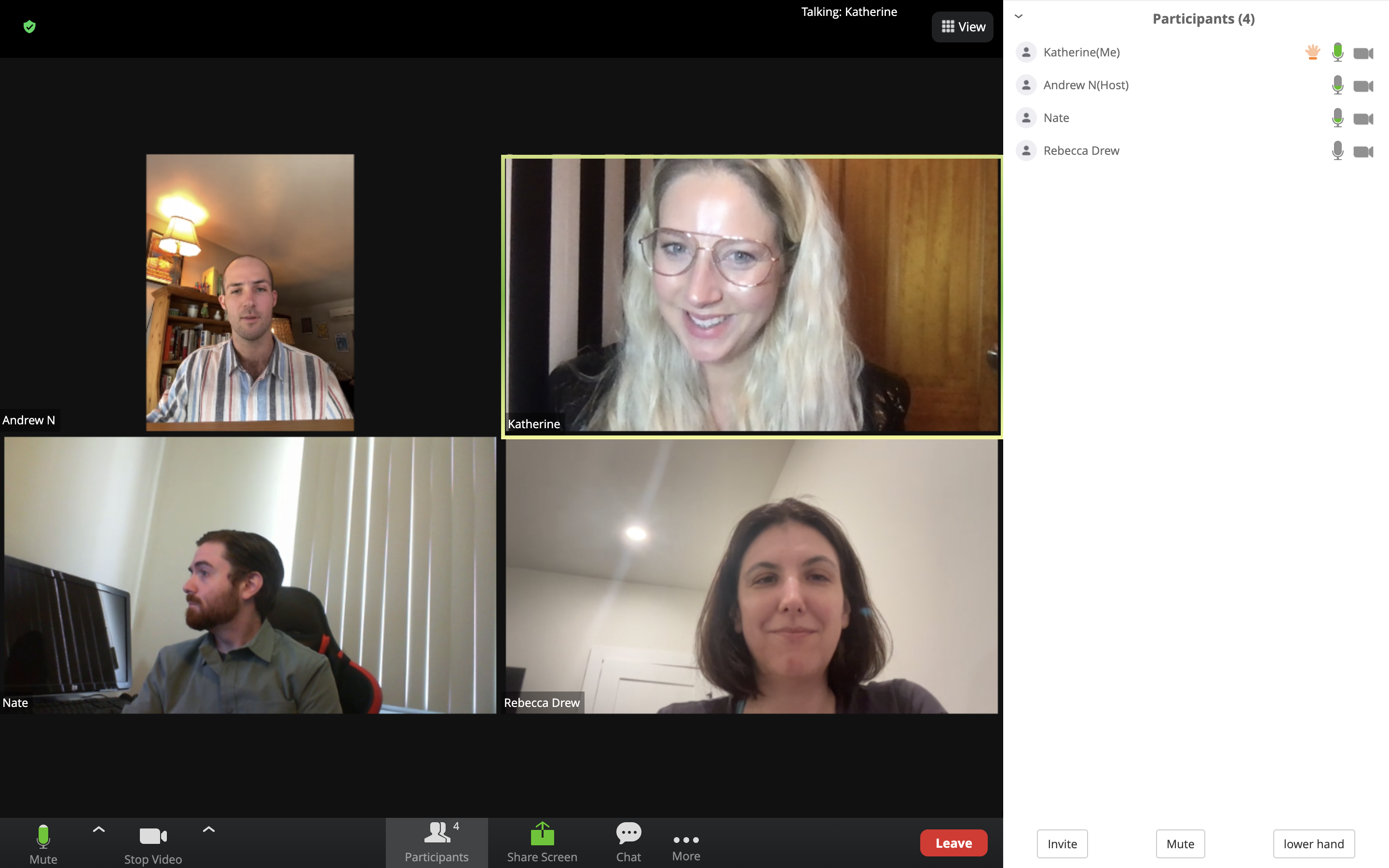
The first thing I noticed about RingCentral’s video conferencing platform was the crystal clear video and audio quality. RingCentral includes HD video and AI-powered noise cancellation in all plans. There are a variety of customizations you can make to your video, such as virtual backgrounds (including animated backgrounds), AI-powered appearance enhancement, “mirror my video”, etc.
As with all of its products, RingCentral Video includes a vast number of features, and many of them are included in the free version, making it the most robust free video conferencing platform on my list.
My favorite feature is the Call Me/Call Out feature, which allows the meeting host to connect participants by having RingCentral call them directly. All the participant has to do is answer a video call to be automatically connected to the meeting. It is a simple but unique tool and could be especially helpful when meeting with people outside the organization who may be less tech-savvy.
Another thing that I love about RingCentral is how secure it is. It is one of the only video conferencing providers to offer not just encryption, but end-to-end encryption. Additionally, RingCentral offers single sign-on, user safety controls like waiting room and remote desktop control, and HIPAA compliance. It is for this reason that I recommend RingCentral for healthcare providers who regularly deal with sensitive information.
Standout Features
- Team messaging: Team messaging is included in both free and paid versions. You can share images and files, assign tasks, and storage allowances vary by plan
- AI Meeting Insights: This tool automatically generates video “highlight reels”, searchable text summaries, and topic lists for video meetings. As with all AI tools, it isn’t perfect, but will become more attuned to your company’s specific needs and priorities over time
- Whiteboard: RingCentral whiteboard provides a large space to write, draw, and add graphics during a video meeting. Our team loved the “mini map” feature which lets you see a thumbnail size version of the entire canvas, as well as the “bring everyone to me” button which lets you quickly find teammates on the whiteboard
- Collaborative Notes: This feature allows video participants to simultaneously take private notes, assign action items, and insert images from the meeting window. Notes can be shared and collaborated on post-meeting
- Analytics: RingCentral provides adoption and usage pattern reporting for video as well as quality monitoring data
My Favorite Platform for Webinars - Cisco WebEx
What I liked:
- Closed captioning in multiple languages
- End-to-end encryption available
- Ability to join overlapping meetings
What I disliked:
- 40-minute time limit on meetings in the free version
- Real-time translation is only available as an add-on for $30 per license/month
- Post-meeting transcripts and voice commands are only available in English
WebEx by Cisco is an AI-powered video meeting platform that offers users the option to purchase cloud calling through WebEx Suite and webinar functionality through WebEx Webinars. I chose WebEx as a top solution because of its vast number of innovative features, its high level of security, and its engaging user interface that makes meetings more fun.
I was very impressed with the free version of WebEx which includes several advanced features such as screen sharing, unlimited whiteboard, local recording, and end-to-end encryption.
One of my favorite WebEx features is video messaging. This tool allowed our team to create and share short video messages with each other. This worked out great for our team because we are located in different time zones and can’t always meet live.
Another thing I appreciated about WebEx, especially for global teams, is that their closed captions tool is available in four languages (English, French, German, and Spanish).
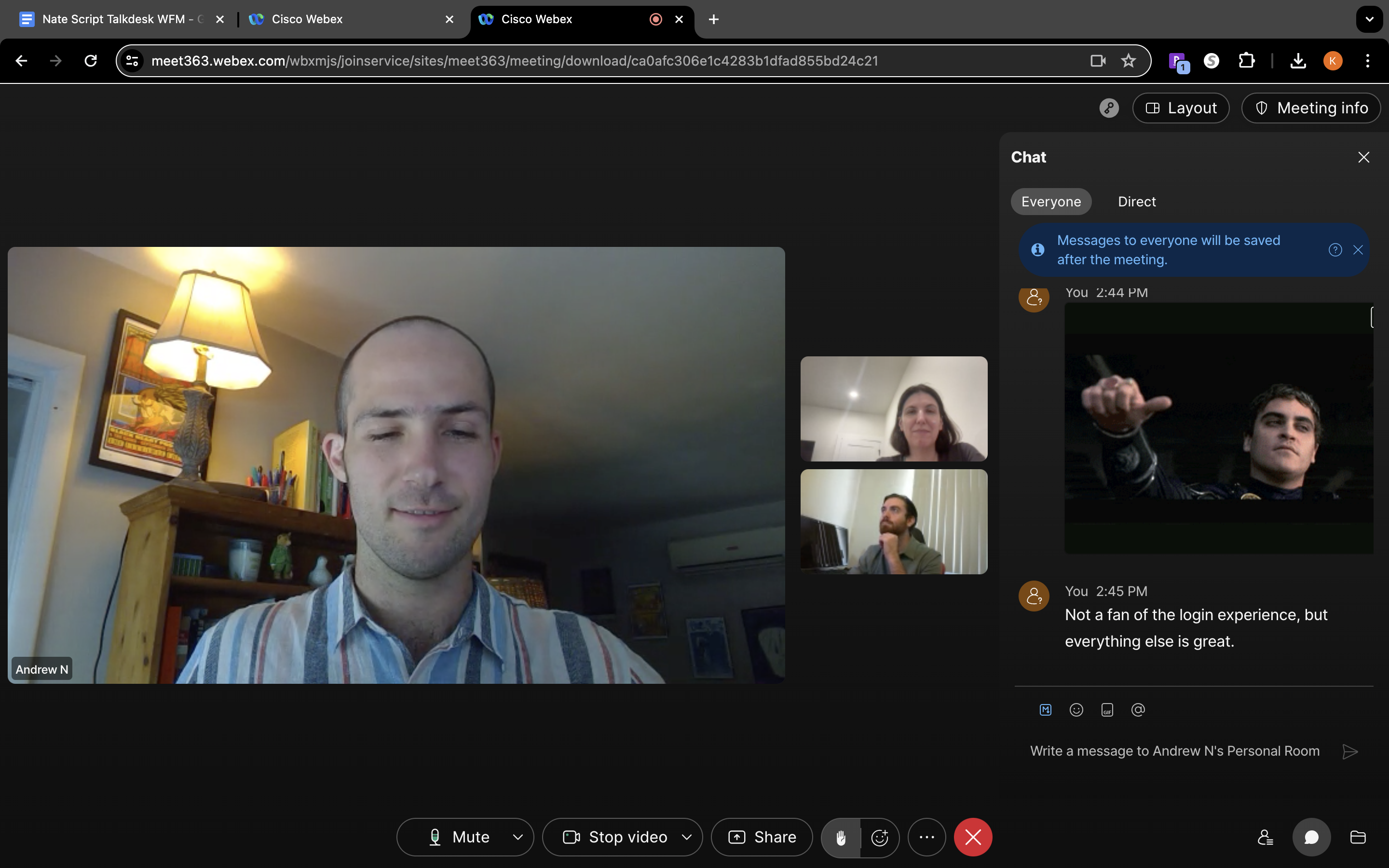
Despite Cisco’s many features, I found the user interface extremely easy to navigate. The quality of the video and sound is high. You can choose from four different video layouts (grid, stack, side-by-side, and full screen). In the grid view, you can view up to 81 participants at the same time, and in the full-screen view, you can float and scale panels freely or move them to other monitors.
Participants are limited to 200 for WebEx Meet, but you can always add on WebEx Webinars and host events for up to 500 video panelists and up to 1,000 attendees.
Standout Features
- WebEx Meeting Assist: Intelligent virtual assistant that transcribes meetings in real time, creates summaries, and captures highlights. You can program the assistant to automatically highlight certain keywords, and you can manually highlight parts of the transcript using voice commands. All meeting participants can view the highlights in real time on a right-hand sidebar
- Private and Public Chat: WebEx Meet users can send private messages during meetings or message everyone in the meeting. Hosts can also define chat privileges for participants. Public chat messages will appear in the recording player while direct chats cannot be accessed after the meeting
- Polling and Q&A: WebEx hosts can create a poll or questionnaire during a meeting by opening up the polling panel and creating either multiple-choice or short-answer questions
- Gesture controls: Allows participants to send reactions without clicking on a reaction but simply making a gesture (thumbs up, thumbs down, raising hand, or clapping hands) in front of the camera until WebEx recognizes the gesture
My Favorite Platform for Enterprises - Microsoft Teams
What I liked:
- Up to 300 participants for all plans
- Pricing starts at only $4 per user month for up to 300 participants and 30 hour meeting duration
- Transcriptions are highly accurate
What I disliked:
- Presenters must be appointed as breakout room managers in order to moderate breakout rooms
- End-to-End Encryption is only available in limited circumstances and plans
Microsoft Teams is a unified team communication and collaboration platform with video conferencing, whiteboard, team chat, and email functionality. Teams is designed to work perfectly with other Microsoft products, and users with the Business Basic and Business Standard plan have built-in access to Outlook, Word, Excel, PowerPoint, and other popular Microsoft apps. You can also add on Microsoft CoPilot, which is a generative AI assistant.
Teams not only offers a free plan, but has an inexpensive “Essentials plan” for $4 per user/month. Unlike the free version offered by Dialpad, the Essentials plan allows for video meetings of up to 30 hours in duration. It also comes with 10GB of cloud storage and several advanced features including recording, transcripts, live captions, and polling.
I picked Microsoft Teams for this list because of its many helpful features and integrations. The user interface is easy to navigate, especially if you are familiar with Microsoft products. You can easily schedule video meetings directly from Microsoft Outlook and collaborate on projects in Microsoft SharePoint.
I was most impressed by Team’s employee chat space. It can be used to share text, audio, and even video conversations in public channels, or to have one-on-one conversations. You can set up different channels for different departments or projects. Admins specify who has access to which channels and how much control each user has. The team chat space is accessed easily from the Teams mobile app, and can be used with relatively low bandwidth which is helpful for teams that are on the go.
Standout Features
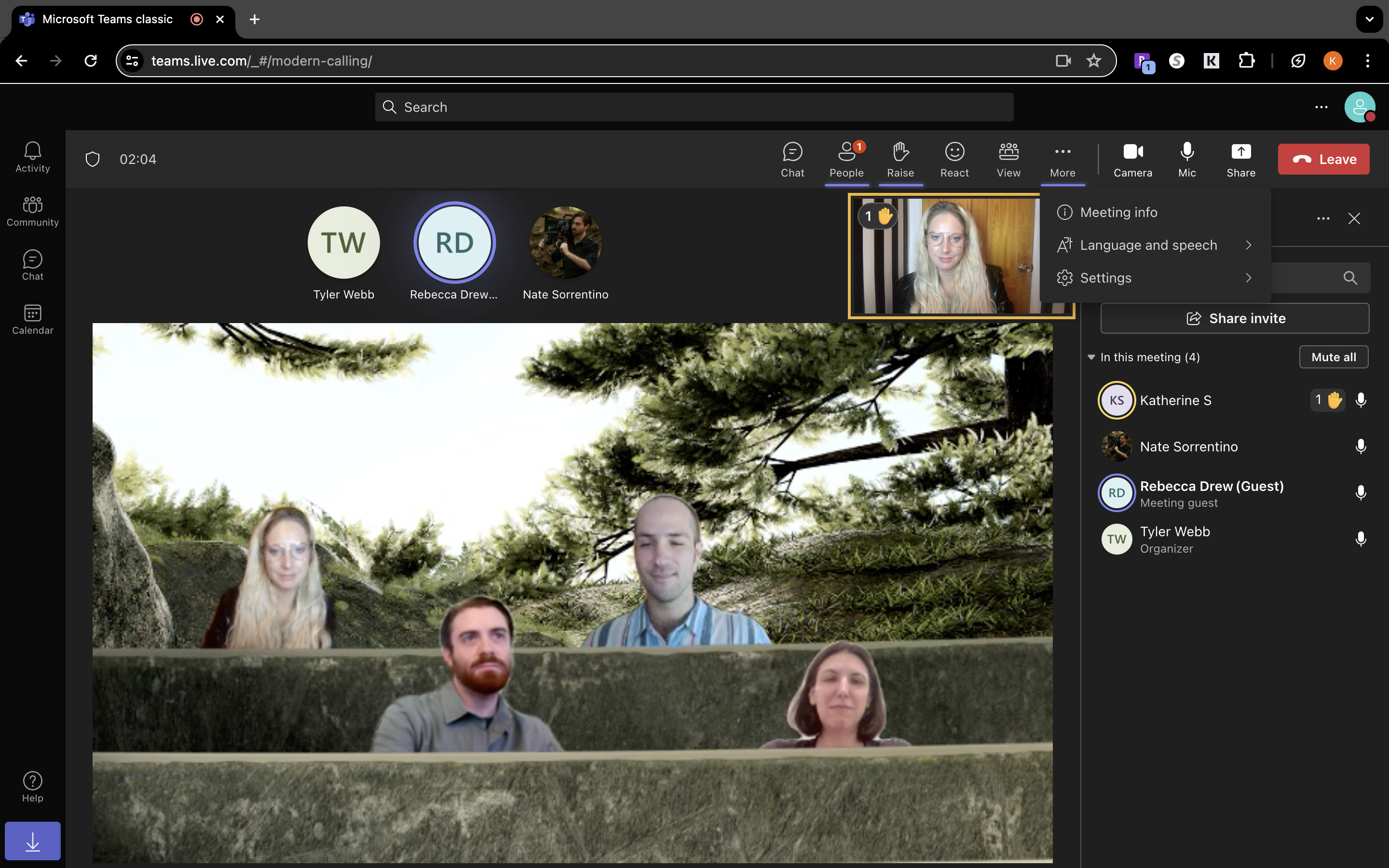
- Immersive Space: Creates the visual of a three-dimensional (3D) space with video participants together in the space to help virtual meetings feel more like face-to-face connections. Participants can create and customize an avatar to interact with other avatars in the immersive space (like a video game)
- Together Mode: Similar to Immersive Space, Together mode uses AI-mapping technology to crop participants’ faces and shoulders and then place their images into a virtual shared environment, such as an auditorium, meeting room, or coffee shop.
- CoPilot: Copilot can be used in real time during or after a meeting to summarize key discussion points, answer specific questions, identify unresolved issues, suggest action items, and schedule follow-ups and task assignments
- Whiteboard: Microsoft’s whiteboard comes with 60 templates and plenty of tools to express your thoughts like sticky notes, highlighters, colorful ink, image upload, etc. During meetings, you can see up to 6 video tiles as well as the whiteboard. My favorite feature is the laser pointer, which lets you draw attention to anywhere on the whiteboard
My Favorite Platform for Remote Teams - Google Meet
What I liked:
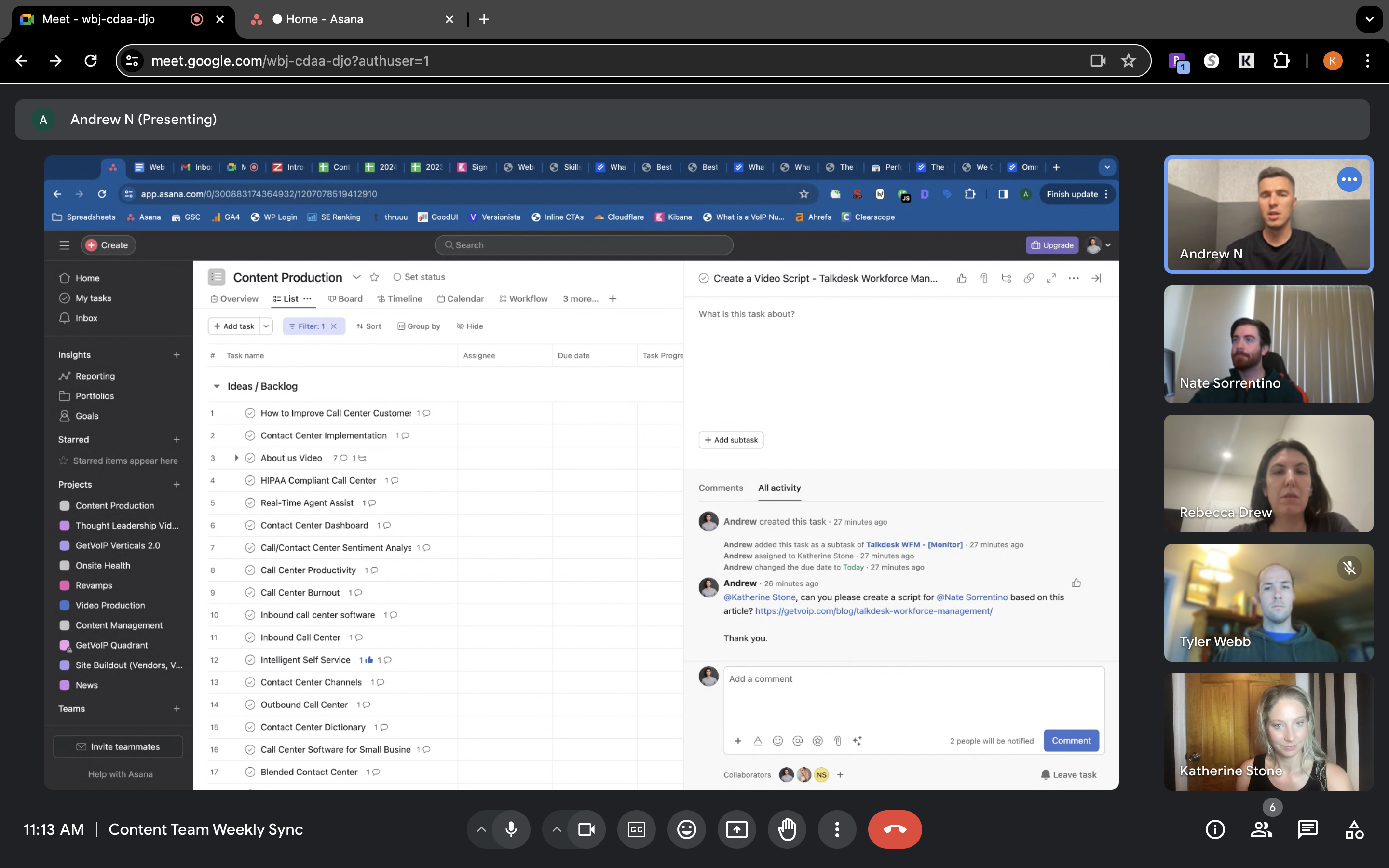
- Up to 1,000 participants and 24 hours duration for meetings
- User-friendly interface that integrates with collaborative content creation tools like Docs, Sheets, Slides, etc.
- 2-step verification and endpoint management for all paid plans
What I disliked:
- While standard customer support is included, faster response times and additional support cost extra
- Generative AI is features and availability varies by plan
- Advanced video features such as transcripts and automated summaries are only available on paid plans
Google Meet is a video conferencing platform provided by the tech giant Google. Google Meet has a free version that can be used by anyone, but it is also included in Google Workspace packages.
I was impressed with Google Meet’s free version, which includes a generous 60-minute meeting duration limit and 100 participant cap. The free version also includes unlimited 1:1 meetings lasting up to 24 hours and features such as hand raising, emoji reactions, and host controls to mute or turn off video for participants. For small remote teams, the free version of Google Meet may be sufficient to keep lines of communication open.
For businesses that need larger meetings, other collaboration tools, or advanced features like breakout rooms, recording, and attendance tracking, I would recommend a Google Workspace subscription. Starting at $7 per user/month, it is still an affordable option and includes a business Gmail account, team messaging, shared calendars, and shared drives for your team.
Google Workspace includes Gemini, Google’s generative AI tool, with availability varying by plan.
I found Google Meet’s interface to be simple, but intuitive. Quality is high for both video and audio, but noise cancellation is only included in upper-tier pricing plans. The convenient mobile app and the user-friendly platform make it perfect for remote teams that often switch devices during live meetings.
Standout Features
- Gemini: Built-in generative AI can take notes during meetings and provide translated captions, while eligible plans also include recording and noise cancellation
- Google Meet app: Google Meet’s mobile app supports high-quality video calls but can no longer be used to exchange video messages with teammates
- Meet from a Document: I was able to easily start a Google Meet video meeting directly from a collaborative Google Doc. Google also allows users to join and start meetings from Sheets or Slides just by clicking the Meet icon in the top right-hand corner.
Which Web Conferencing Software Provider Should You Choose?
Choosing a web conferencing solution for your business is an important decision. If you pick one that doesn’t meld easily with the way your team works, you could end up wasting valuable time. Additionally, there are lots of options to choose from.
The providers I’ve listed here have similar user interfaces and video quality, but they each have unique strengths and weaknesses. My advice is to start by thinking about what your business needs most from a video conferencing platform.
First, think about meeting size and your budget. This may help you immediately eliminate certain providers. When considering your budget, pay attention to additional costs such as premium support packages and add-on features.
Next, consider what features you need to prioritize. For example, if you need advanced security features, RingCentral would be a good choice. If you have a global team and need multilingual captioning, Microsoft Teams might be a better fit.
Finally, consider the apps that your team is already using, as well as how your employees use video meetings in general. If your team is already using Google products like Drive and mainly uses video conferencing to stay on the same page, Google Meet would be perfect. On the other hand, if your team needs more hands-on collaboration, WebEx would be a better choice.
Whatever provider you decide to use, I would recommend testing it out with your team first via a free trial or a free version if there is one. If not, you can almost always request a demo from the provider.
What to Know When Considering Web Conferencing Software
Web conferencing can save your business money on meetings and conferences when you have staff operating both in-house and in different parts of the world. It’s important to know the level of interaction between attendees you want your meetings to have.
Once you know that, you can find the conferencing solution that best caters to the needs of your business. If you’re a small business looking to connect between remote team members, our interactive buyers guide to the best web conferencing software is built for that.
Use our QuoteMatch Tool to get started with Conferencing Software
Bottom line quotes from award-winning providers:
How many employees will use the software?
This will help us match you to providers designed for your company's size.
GetVoIP's comparison guides made it easy to summarize services and make an informed and cost-effective decision.