

If you’re ready to upgrade your business phone system, and looking for a provider that’s affordable, scalable, and easy to use, Ooma Office might be the perfect fit.
With its clean and simple interface, competitive standard feature set, and monthly pricing starting at $20 per user, Ooma is an excellent option for small businesses that are switching to VoIP for the first time. Its recent acquisitions of FluentStream and Phone.com have positioned Ooma to actively expand in the business communication space in the coming years.
In this complete review of Ooma Office, we’ll outline available Ooma features, pricing and plans, user experience, and the types of businesses Ooma Office is right for.
What Is Ooma Office?
Ooma Office is a basic small business VoIP phone system for remote/blended teams of 25 or less.
Business owners looking to cut down on monthly communication costs and get access to features to help streamline business processes–not overhaul them completely–will appreciate Ooma Office’s ease of use, cost-effectiveness, HD voice call quality, and over 50 standard call management features.
Ooma is a beginner-friendly cloud phone system, especially popular among newer businesses or those making the switch from analog phones (landlines) to VoIP for the first time.
Ooma Office Pricing
Ooma Office offers three plans: the Essentials Plan for $19.95/user/month, the Pro Plan for $24.95/user/month, and the Pro Plus Plan for $29.95/user/month. Unlike most cloud phone providers, Ooma Office does not require a contract.
Each plan comes with a free local or toll-free business phone number, 50+ standard VoIP features, and unlimited calling in the United States, Canada, and Mexico. The Pro Plan adds on advanced analytics and voicemail transcription, while the Pro Plus plan offers larger video conferences with advanced features and higher text limits.
For more information, please see our Ooma Office pricing guide.
Ooma Office: Top Features
Ooma Office is available on desktop computers via a downloadable softphone application, on Apple iOS and Android mobile devices like tablets and cell phones, and in your web browser with the Ooma Chrome Extension.
All Ooma Office plans include unlimited calling in the US, Canada, Puerto Rico, and Mexico as well as basic call logs and call handling. Here are some other notable features included in all Ooma Office plans:
- Toll-free calling: All plans include one toll-free number and up to 500 minutes of incoming call time per month
- User management portal: Each user has access to their own separate login and dashboard to manage extension preferences
- Virtual receptionist: Auto attendant with voice-to-text greeting, call routing, business hours, and menu options capabilities
- Multi-site administration: Ooma allows companies to manage multiple sites under one ban of glass with bulk user import and a 15 minute set up
Advanced features available only on Ooma Office Pro and Ooma Office Pro Plus Plans include:
- SMS/Text messaging: Up to 250 or 1,000 messages per month depending on the plan, bulk SMS packages also available
- Video Conferencing: Up to 25 or 100 participants depending on the plan with screen sharing, video recording, and whiteboard
- Caller Info Match: Displays detailed caller background information, pulling data from the company CRM, social media, and the web
- Call analytics: Visual analytics for calls, faxes, and messages, with performance metrics and leaderboards
- Call queueing: Route incoming calls to the next ready queue member in the order they are received
Below, we’ll take a look at some of the top Ooma Office features in more detail.
Virtual Receptionist
Ooma’s Virtual Receptionist is an auto attendant tool that automatically directs inbound calls to the right department or agent via a pre-recorded menu option, eliminating the need for callers to speak with a live agent.
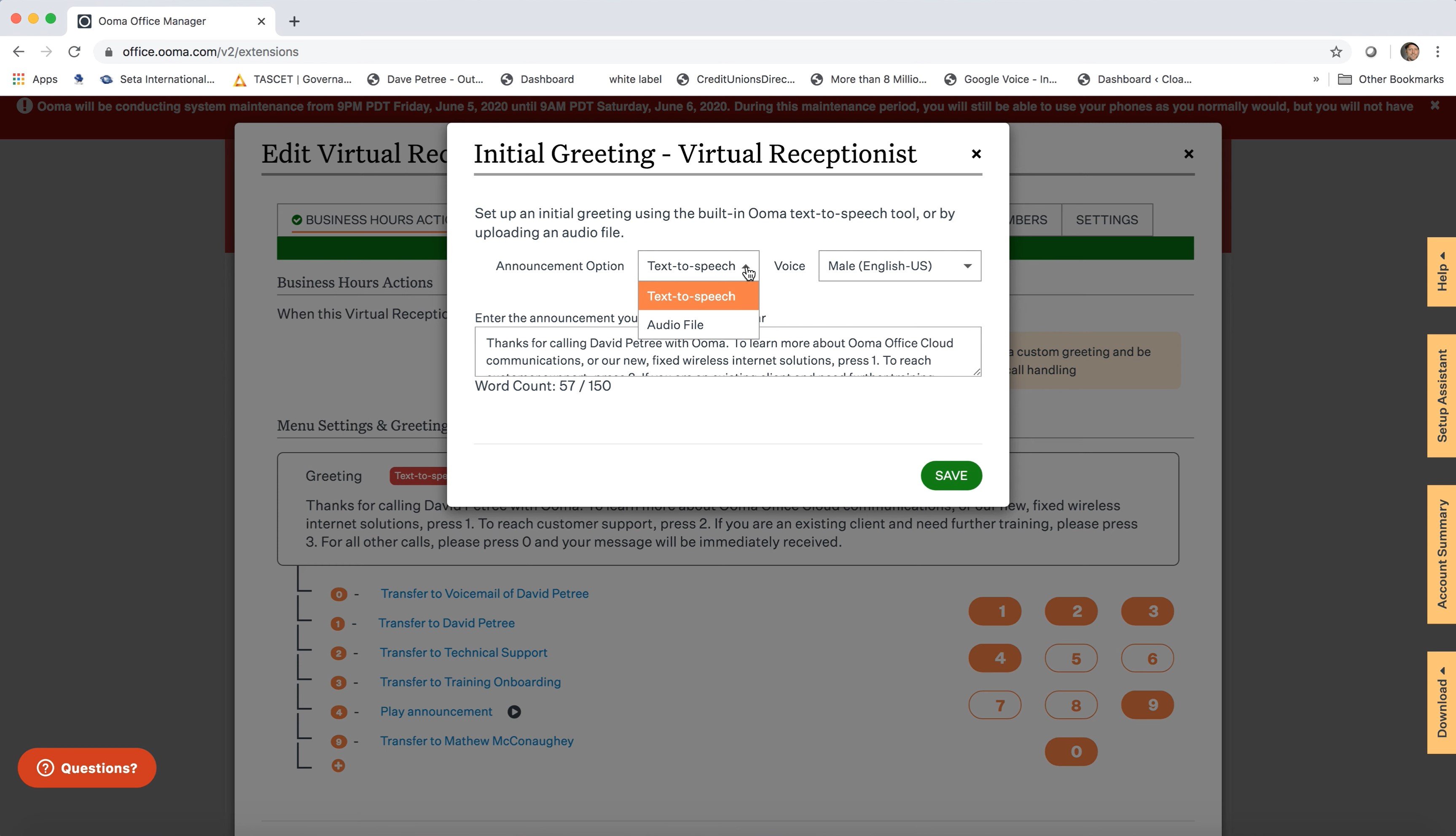
Callers can either speak their responses to multi-level IVR menu prompts and greetings into the phone to have their calls directed using Natural Language Processing, (NLP) or respond via touchtone.
Users can build a multi-level routing system with menus and submenus and create a schedule that sends calls to different places depending on the day and time. Pro Plus subscribers can create up to 5 different schedules, plus a separate holiday schedule.
The Ooma Virtual Receptionist assists callers with things like:
- Directing calls to the proper agent, department, ring group, voice mailbox, or extension
- Finding an agent via a dial-by-name directory
- Getting information about business hours, locations, holiday schedules, and more via custom pre-recorded messages
- Selecting their preferred language (English, Spanish, French available)
- After-hours assistance
Ooma Meetings
Ooma Meetings is an online video conferencing tool for up to 100 participants to meet in real-time, face-to-face, for a maximum of 12 hours. Meetings are available only on the Ooma Pro and Pro Plus plans, with the Pro plan allowing for a maximum of 25 participants.
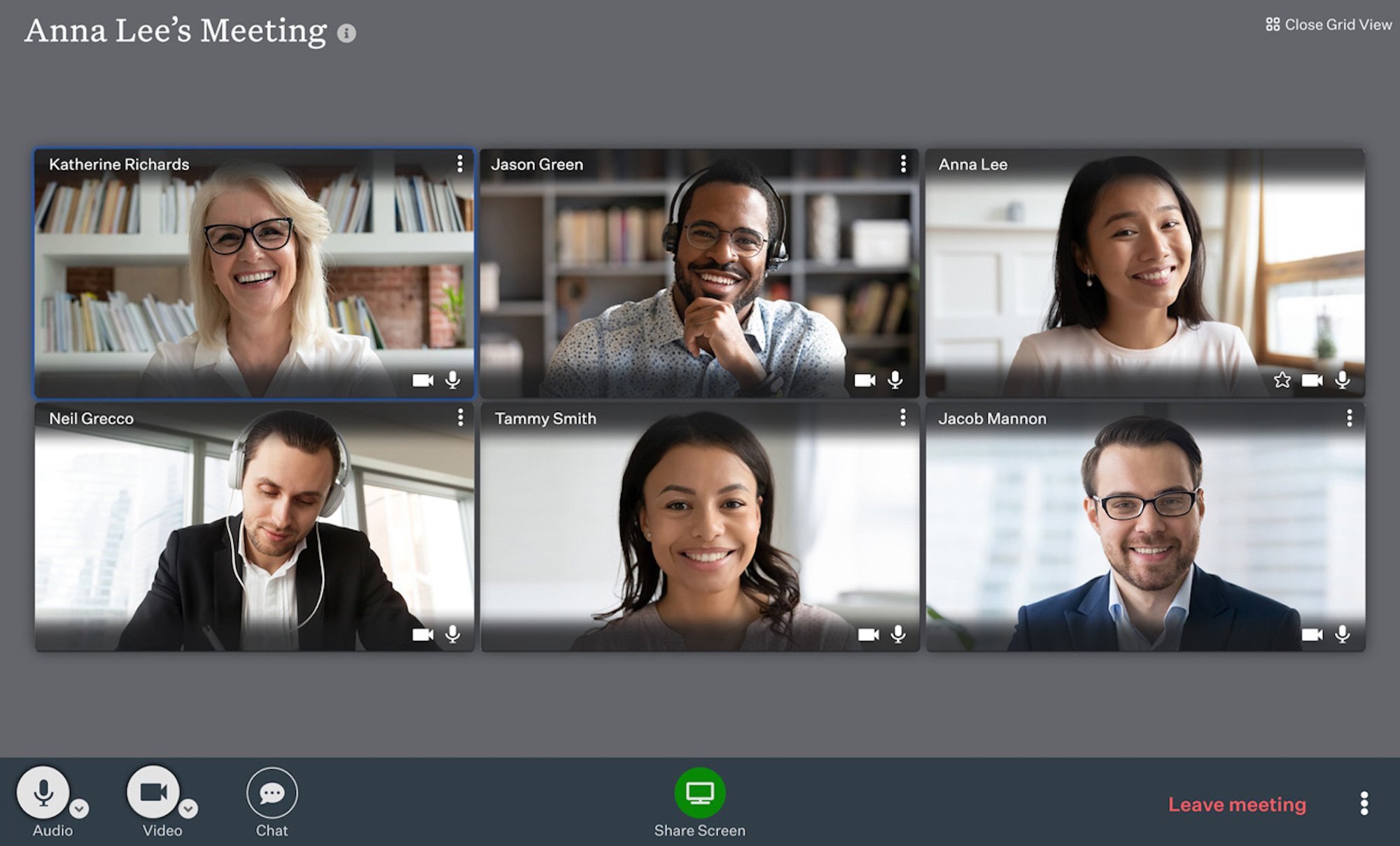
Users can schedule an upcoming web conference or meet instantly within the Meetings Dashboard, as well as invite additional participants with a shareable meeting link. One-time and recurring meetings are available, and the Meeting search bar makes finding meeting links quick and easy.
For simpler scheduling, Meetings integrates with Google and Outlook Calendar apps. Dial-in and mobile app access are also available.
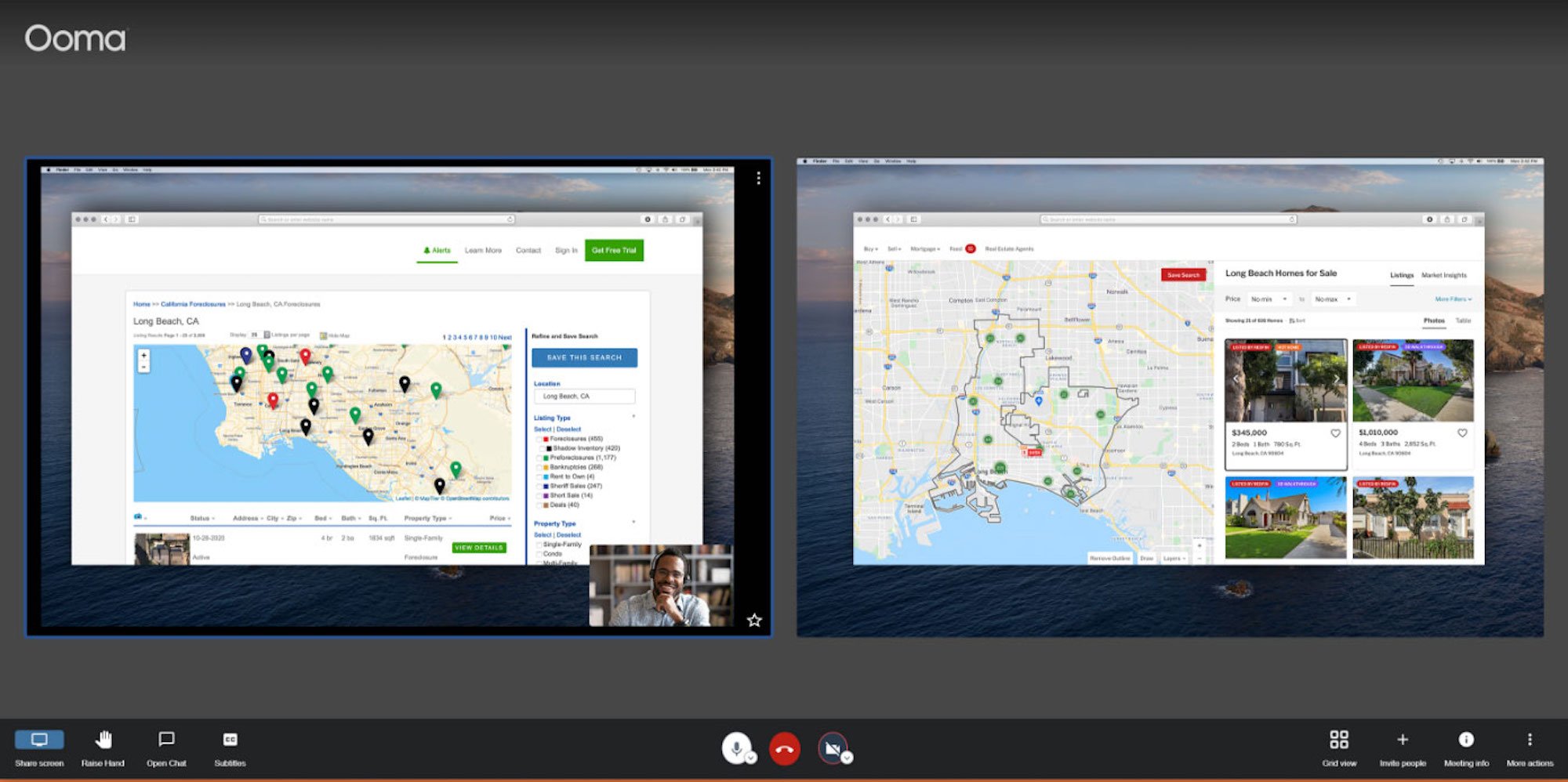
Ooma’s video calling tool is unique in that, in addition to the whole screen, web browser tab, and application sharing, it allows simultaneous screen sharing between two or more meeting attendees. This is especially ideal for sharing side-by-side design options, showing multiple slide presentations, collaborating on notes, reviewing client account information, and more.
Additional Ooma Meetings functionality includes:
- In-meeting chat
- Personal meeting rooms with unique user IDs
- View meeting logs via meeting type and date
- Active in-meeting invitations for additional participants
- Pin/unpin users
- Meeting participant list
- Virtual hand raising
- Video backgrounds (blur, upload custom photos, etc.)
- Grid and Active Speaker views
- Mute/unmute and remove participants, make participants hosts
- In-meeting chat (meeting-wide and private messages)
- Speaker statistics
- Remote control
Advanced Ring Groups
Ooma Office ring groups let admins create groups of agents based on skillset schedule, or other custom criteria.
When an incoming call arrives, all the phone numbers within each ring group will simultaneously ring, increasing first call resolution rates and reducing hold times.
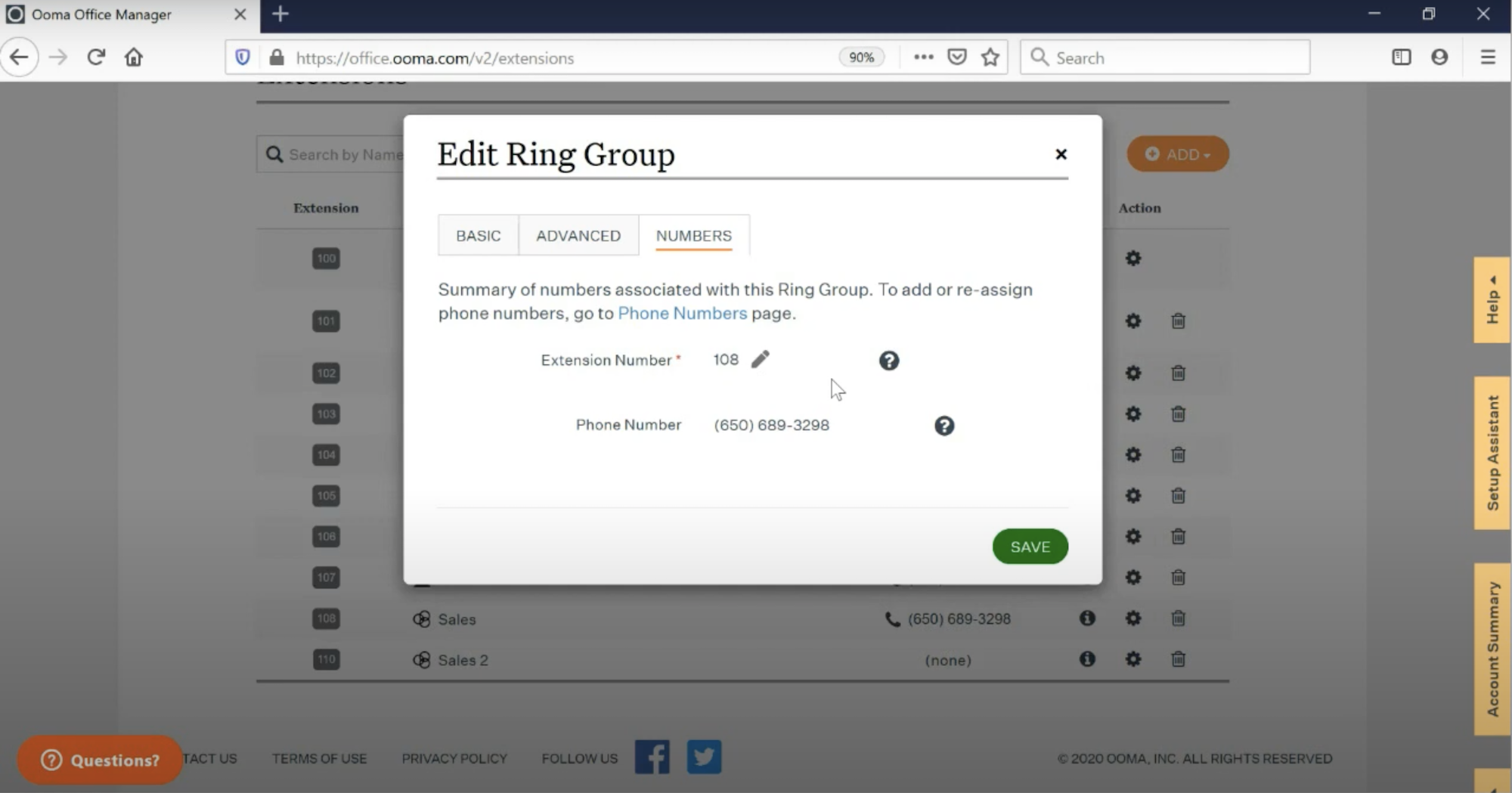
In addition to simultaneous ringing, admins can opt for sequential ringing or hybrid ring groups, which ring multiple ring groups sequentially until the call is answered.
Admins can update or reorder ring groups at any time, set maximum ring times before the call is forwarded to the next agent or sent to voicemail, set call forwarding and transfer rules for ring groups, and add new extensions to the group.
Call Recording
Ooma Office offers persistent and on-demand call recording for all Pro and Pro Plus users.
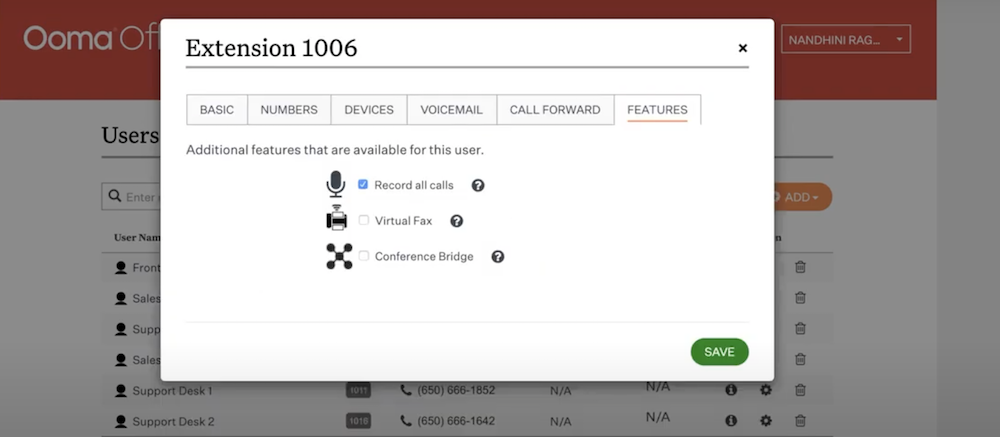
Admins can review recordings in the Call Log dashboard via the playback feature, or download them to analyze in more detail later. Recordings are stored in the Call Log dashboard in the desktop app for up to 30 days.
Users can also stop and start recordings on a live call at any time.
The downside here is that, as of this writing, Ooma Office does not offer call recording transcriptions.
Enhanced Call Blocking
Though all Ooma Office plans allow users to block specific phone numbers, the Pro and Enterprise plans offer Enhanced Call Blocking.
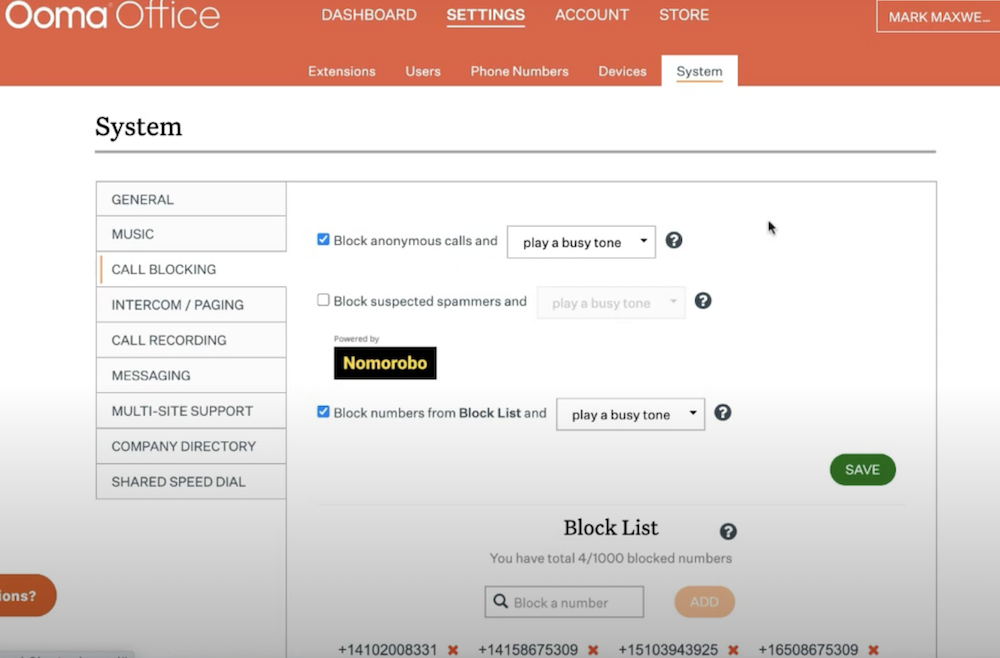
All users are able to block up to 100 numbers, and anyone on the blocked list will hear a busy signal when they attempt to reach the business. Users can add and remove blocked numbers at any time, and any calls from these numbers will not appear in the call log.
Pro and Enterprise users can automatically block calls from anonymous phone numbers, enable contacts-only calling, or automatically block numbers on the Community Blacklist (known spam numbers.)
Caller Info Match
Caller Info Match is an Ooma Office Pro and Enterprise plan feature best described as a combination between Caller ID and CRM Call Pops.
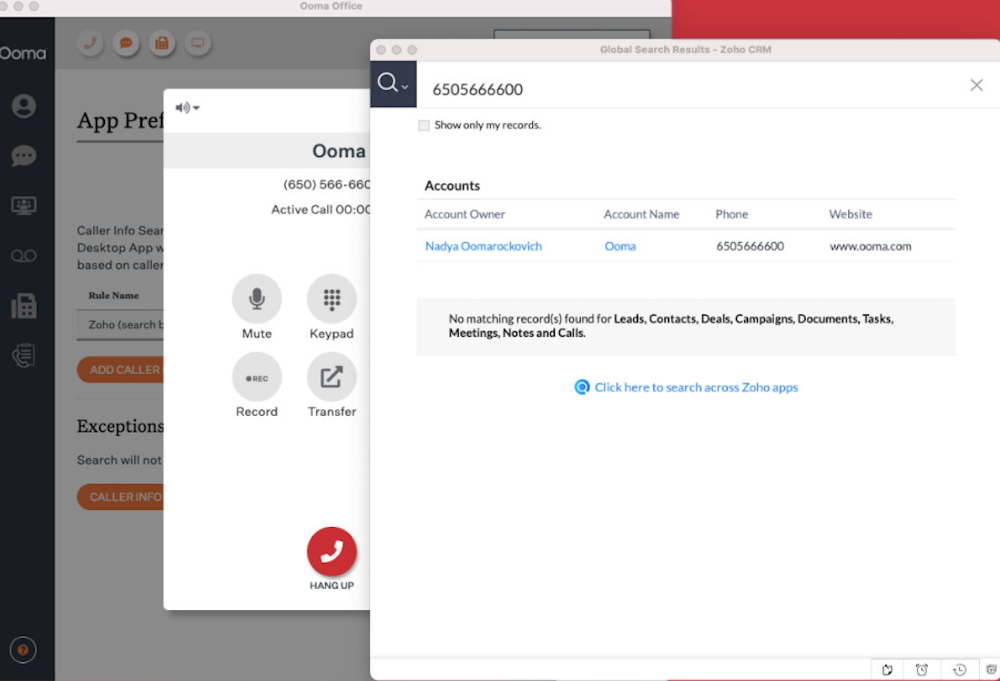
In addition to displaying caller names, users can opt to integrate their CRM systems into their Ooma business phone service so that customer information automatically pops up when engaging in business communications with customers.
Caller Info Match also lets users automatically pull public information from websites like Facebook, LinkedIn, and Google that possibly relate to the caller.
Text Messaging
SMS business text messaging allows all Ooma Office users to send and receive text messages via the mobile app (Office Pro users can also text with the desktop app.)
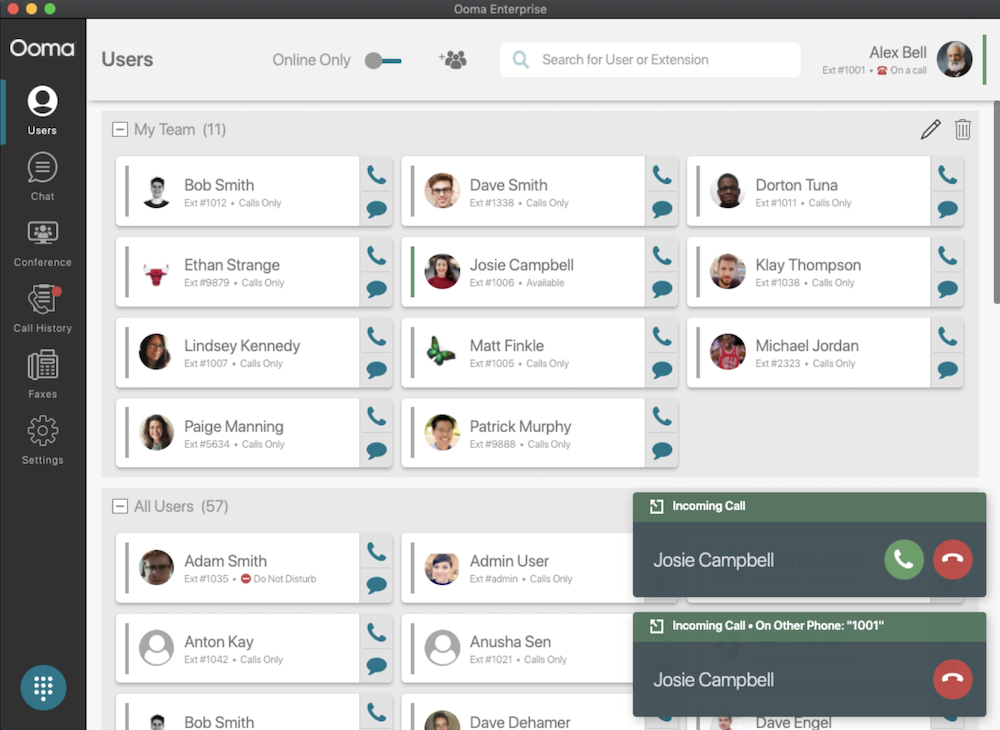
This provides an alternative multichannel method of contacting customers. Setting up appointments, confirming information from your customers, and answering questions is a much simpler process with texting.
As of this writing, Ooma Office text messages have a 2,048 character limit for outbound messages, but users can send and receive as many messages as they’d like. Additionally, Ooma Office does not offer SMS shortcodes, nor can users text to/from Ooma Office toll-free phone numbers.
Ooma Office: User Experience
Ooma Office is great for small businesses that want a simple platform that is quick to set up and easy to use. It's also one of the few VoIP providers to include unlimited calling to Mexico and Puerto Rico in addition to the US and Canada. On the other hand, Ooma lacks many advanced and AI-powered features than enterprise communications platforms often include.
Ooma Office Pros
- All plans come with a free local phone number with unlimited calling, and a free toll-free number with 500 inbound minutes/month
- Does not require a contract, so users can cancel plans any time
- Ooms offers compatible and affordable Yealink desk phone and Ooma IP phones, and base station equipment, all of which includes a 30-day money-back guarantee
- Fast setup process (under 1 hour for most), user-friendly, low learning curve, convenient mobile phone app
- Ooma recently added a Zapier integration, enabling no-code automation with over 8,000 apps
Ooma Office Cons
- Essentials Plan doesn’t include call recording, voicemail transcription, or integration with essential third-party tools like Google Workspace and Microsoft365
- Find Me, Follow Me (a standard feature for most providers) is only available on the most expensive Ooma Office Plan
- Does not offer 24/7 customer phone support on any plan, and chat support, though allegedly available 24/7, is not live and requires a form submission
- Salesforce integration is only available on the most expensive Ooma Office plan
- Video conferencing participant limit is low, and not available on the Essentials plan
Who Should Use Ooma Office?
Ooma Office is best for newer or smaller businesses that need a basic and affordable cloud phone system that offers all the key features team members need to streamline workflows and improve the customer experience. Ooma is also a good fit for:
- Businesses switching from a landline system: Ooma Office users don’t want to pay for advanced capabilities they don’t need across multiple channels they either won’t use or already have a preferred software for
- Companies with physical locations: Businesses using brick-and-mortar locations to sell their products and services often don't need advanced tools like AI Receptionist or Agent Assist. However, they do have some customers that frequently reach out via the office phone number
- Independent work environments: While teams using Ooma may have a bi-weekly video meeting or check-in, they don’t work in heavily collaborative environments
- Companies with multiple locations: Multi-site management means that supervisors can easily track communication at multiple locations at a glance.
- Non-technical teams: Ooma Office can be set up in just 15 minutes, no IT knowledge needed. Non-technical teams can easily and quickly build the auto attendant menus as well
If your business needs a different business VoIP provider, check out our post on top Ooma alternatives.
Ooma Office FAQs
Below, we’ve answered frequently asked questions about Ooma Office.

