

Avaya and RingCentral are two of the most well-known names in the cloud business communications space, both with over 20 years of experience and an impressive array of products to choose from.
Avaya OneCloud and RingCentral RingEX are the providers’ available Unified Communications tools, allowing businesses to access additional cloud communication channels like SMS texting, team chat messaging, and video calling directly within their VoIP phone system interface.
UCaaS streamlines internal communication by eliminating app switching, and, thanks to included team collaboration features, boosts productivity. Even better, small business owners report operating costs savings of 30-50% after switching to UCaaS.
In order to reap these benefits and others, like simple third-party software integrations and improved team flexibility, choosing the right platform is key. This direct comparison of Avaya vs RingCentral UCaaS cloud solutions examines features, pricing, the overall user experience, and more.
- At A Glance
- How We Compared
- Pricing
- Direct Comparison
- Pros and Cons
- Which One is Right For Me
- Who is the Winner?
- FAQs
Avaya vs RingCentral: At a Glance
Comparing Avaya vs RingCentral UCaaS solutions may seem counterintuitive at first, given that the companies formed a partnership in 2020 to help premise-based Avaya users transition to the cloud. This partnership also led to the creation of Avaya Cloud Office, a public cloud phone app built using RingCentral’s technology as a foundation.
Cloud Office is just one part of Avaya OneCloud UCaaS offering, so while there are some commonalities between Ayava and RingCentral, their bundled Unified Communications solutions are quite different.
To illustrate these differences, we’ve created the below summary table of Avaya OneCloud UCaaS and RingCentral RingEX.
| Avaya | RingCentral RingEX | |
| Pricing | Cloud Office: 3 Paid Plans from $20-$35/user per month | 3 Paid Plans for $20-$35/user per month |
| Integrations | 300+ integrations | 300+ integrations |
| Video Conferencing | Standard plan or higher | Standard plan or higher |
| Uptime | 99.999% SLA | 99.999% SLA |
| Support | 24/7 on all plans | 24/7 (Standard plan or higher) |
| Encryption | End-to-end encryption | End-to-end encryption |
| Compatible Hardware | Avaya | Yealink, Cisco, Poly, Unify |
| Best For | Enterprise companies looking for a bespoke implementation and extensive first-party hardware options. | Businesses who want an all-in-one platform that can scale affordably, offer a breadth of integrations and offer more native features than most competitors. |
How We Compared Avaya vs RingCentral
We used the criteria below to compare Avaya to RingCentral:
- Calling Features: We looked at the telephony features of each provider to determine which platform had better functionality
- Auto-Attendant: We set up and tested the auto-attendants in both solutions to see which one got the most done with the least amount of setup time
- Analytics: We compared the analytics dashboards and report templates from each provider to see which platform provided more insights
- Integrations: We browsed through the integration gallery of each platform to see which solution had the best compatibility with third-party tools
- Scalability: We calculated the costs of every plan to see which of the two providers would be more cost-effective to scale your business with
- Call Quality: We reviewed uptime SLAs and customer reviews to see which platform had superior calling quality
- Security: We looked at the security protocols of both solutions to see which company your data would be safest with
- Hardware: We checked the hardware compatibility of both providers to see which option would offer the most freedom in terms of desk phones and other equipment
- Cross-Platform Compatibility: We compared cross-platform compatibility and the user experience for mobile apps to see which provider was the ideal choice for smartphone users
- Ease of Use: We compared the account setup and implementation flow for both solutions to see which platform was easier to use from the get-go
- Customer Support: We compared the customer satisfaction from both support teams to see which provider was quicker at resolving issues
- Pricing: We looked at the subscription plans of each provider to evaluate both the overall cost as well as the value for the service
Avaya vs RingCentral: Pricing and Plans
Both platforms use tiered subscription models that seem to be identical on the surface but act so differently in practice. Avaya Cloud Office offers three plans starting at $20 per user per month, going up to $35 on the most premium tier. RingCentral mirrors this exact pricing structure with plans at $20 to $35 per user monthly when billed annually.
The similarity ends at the price tags. Avaya distributes features across tiers in ways that force most businesses toward higher plans, while RingCentral imposes tight usage caps even on premium tiers. Both platforms require add-ons for capabilities like additional phone numbers and conference rooms, with volume discounts available for 100+ users. Each offers a 14-day free trial, though RingCentral excludes SMS from trial use.
Avaya Pricing
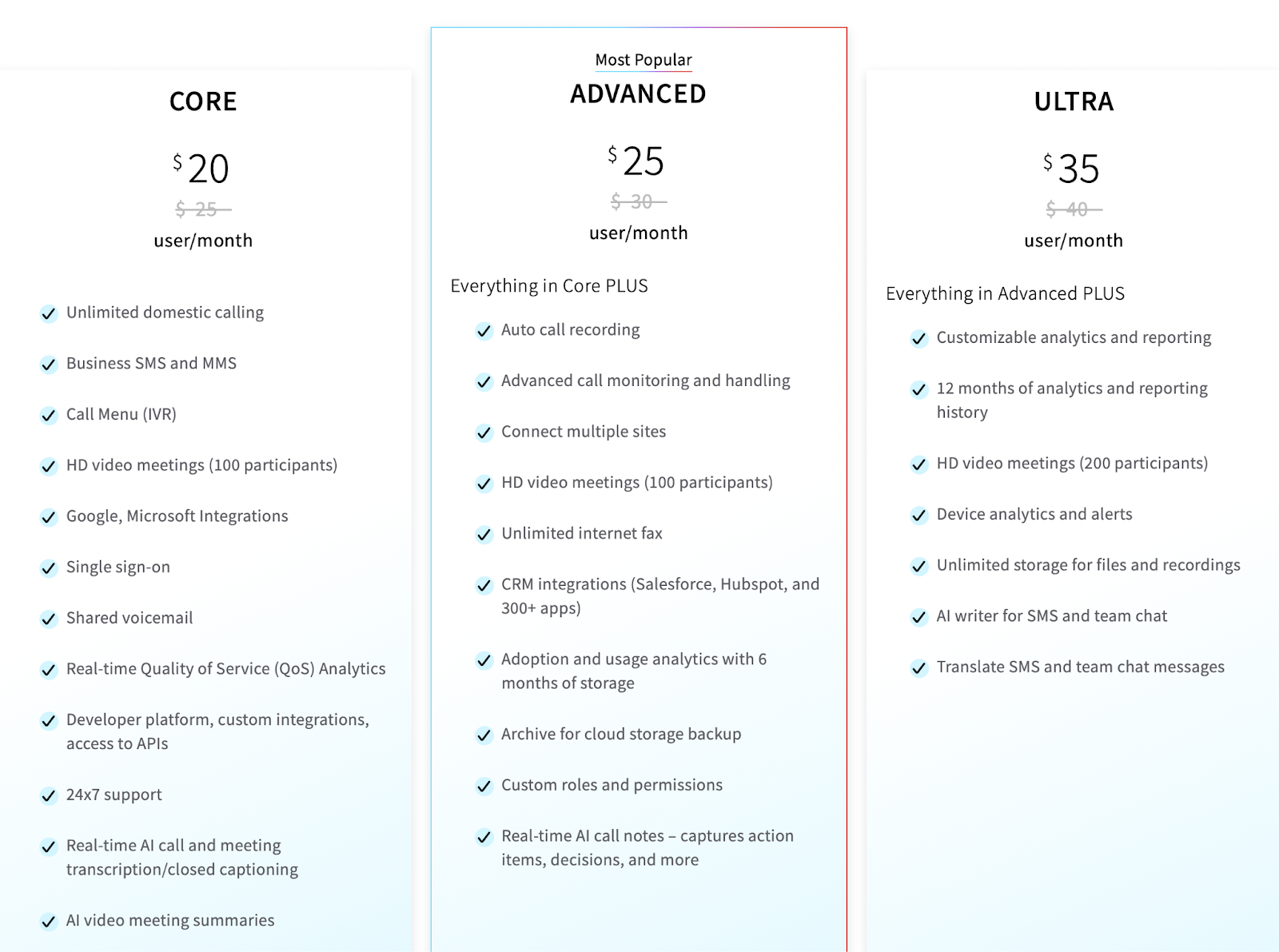
Avaya Cloud Office structures its three tiers around forcing upgrades rather than serving distinct business needs. The Core plan at $20 per user per month deliberately lacks automatic call recording, CRM integrations, and advanced analytics to push businesses toward the $25 Advanced tier. A company using 50 users on Core would pay $1,000 monthly but still need the Advanced plan at $1,250 to access basic call monitoring features like whisper and barge.
The real cost accumulates through add-ons that should be standard. Additional phone numbers start at $4.99 per user monthly, international numbers at $5.99, and conference room licenses at $49 per room. Volume discounts for those with over 100 users help larger enterprises, but smaller teams often find themselves paying for premium tiers plus multiple add-ons just to achieve baseline functionality.
RingCentral Pricing
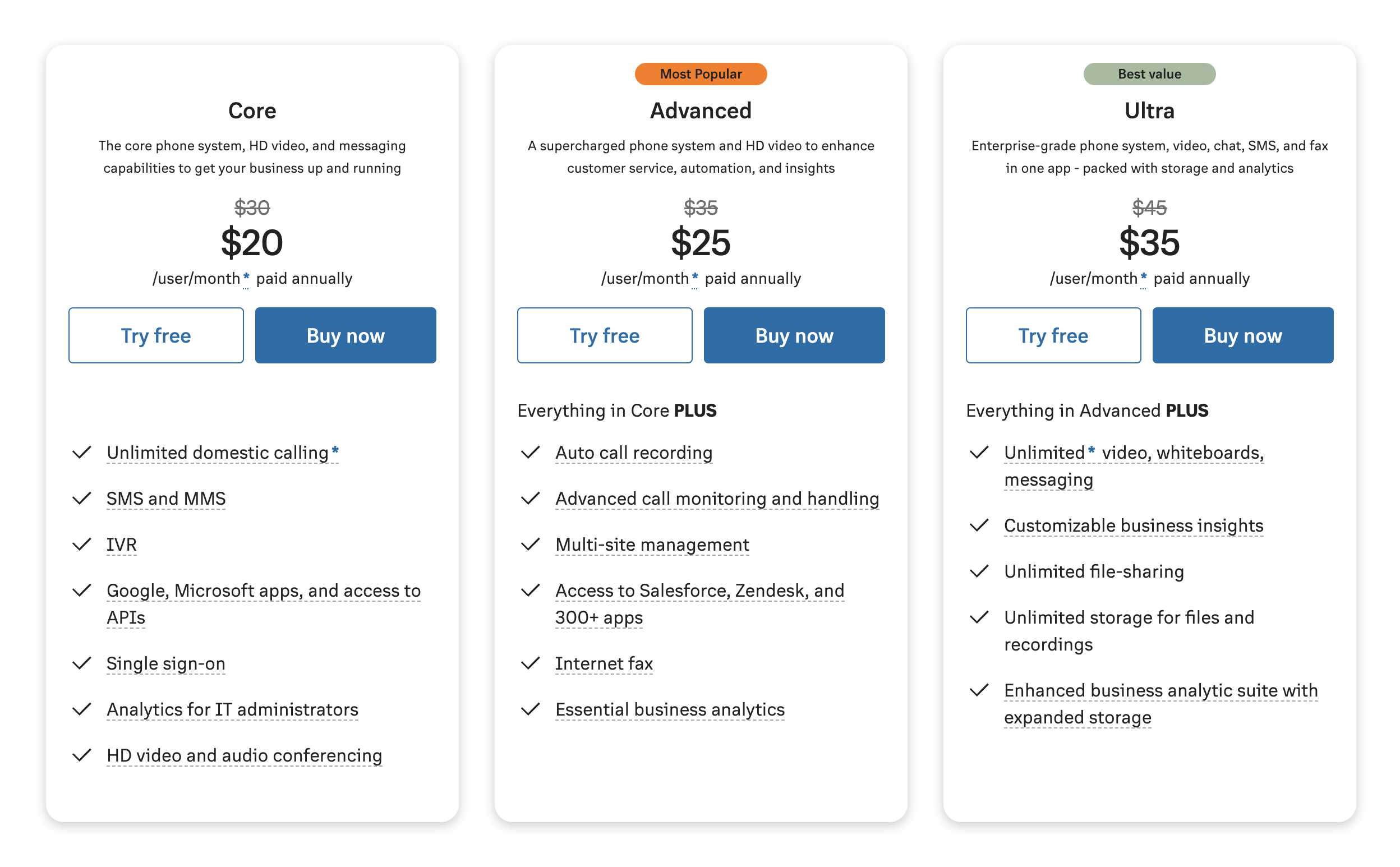
RingCentral bases pricing on annual commitments with month-to-month options that increase costs anywhere from 33-50%. The Core plan at $20 per user per month annually includes unlimited domestic calling, but caps texts at 25 per user monthly and toll-free minutes at 100 total. Most businesses immediately discover they need the Advanced plan at $25 per user per month to access automatic call recording and meaningful CRM integrations.
The Ultra plan at $35 per user per month annually provides unlimited SMS and advanced analytics, but still caps toll-free minutes at 10,000 monthly with overage charges. Premium AI capabilities like AI Receptionist start at $60 per user monthly, while contact center functionality through RingCX begins at $65 per agent. Enterprise customers can negotiate custom pricing with volume discounts, though the base subscription rarely covers actual business needs without additional purchases.
Avaya vs RingCentral: Direct Comparison
We've compared top Avaya and RingCentral features, declaring a winner for each category.
Call Management Features
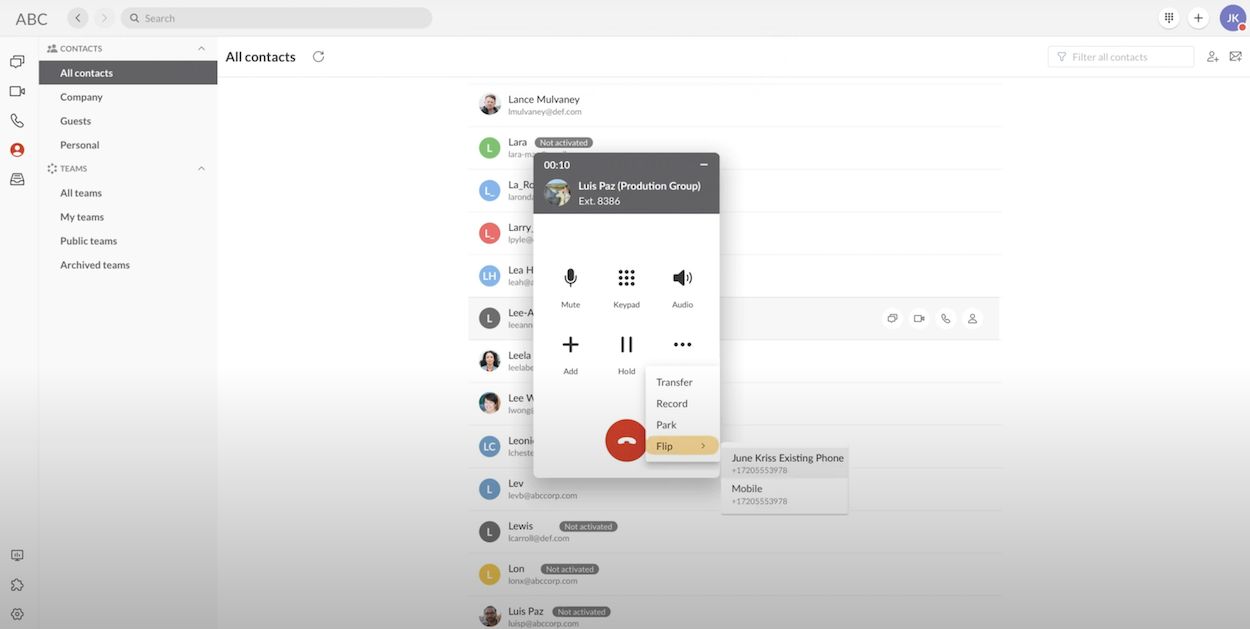
Depending on the plan you choose, Avaya customers benefit from a variety of call management features like:
- Automatic call recording
- Unlimited audio conferencing
- Video meetings with 100-200 participants and screen sharing
- Business and toll-free phone numbers
- Hot desking between devices
- Visual voicemail
- Call log reports
- 8-digit extensions with site codes
Avaya UCaaS platform customers can also make unlimited calls within the United States and Canada.
RingCentral also has its fair share of call management features, but there are five that stand out:
- Answering rules: Inbound call routing strategies by time, data, or caller ID
- Call screening: In addition to standard screening, RingCentral offers unique audio and virtual call center queues to let you know when a call forwarded to your smartphone is coming from your business number
- Call log management: All inbound or outbound call/fax reports on your RingCentral account can be easily accessed and customized to suit your specific needs.
- Advanced call forwarding: Call forwarding to any landline, smartphone, or ring group (simultaneous and sequential ring groups available)
- Smartphone calling features: Use your company number to make calls through your smartphone through either 3G, VoIP, or WiFi
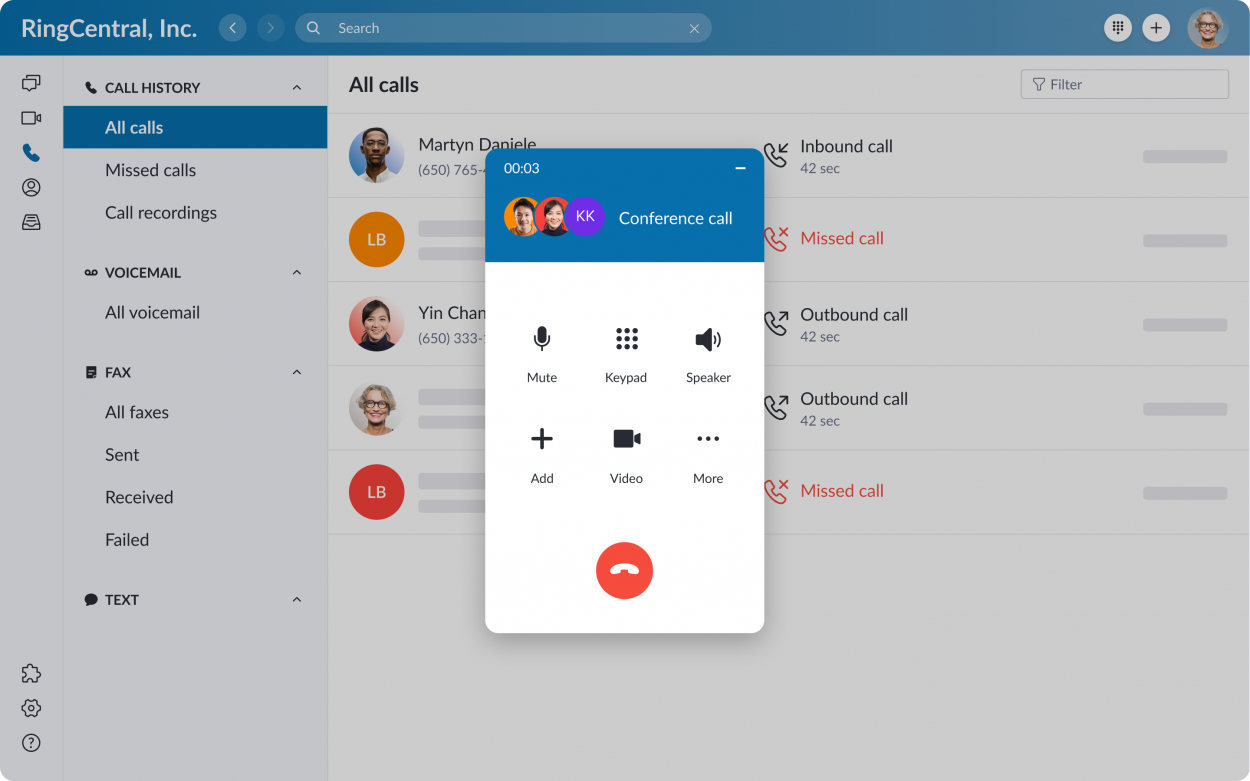
Users can also create local, toll-free, and vanity numbers for your RingCentral account based on their needs. Lastly, visual call delegation makes it easy for assistants to manage calls on behalf of executives during high-volume periods.
Winner: It’s a tie, since both platforms have a diverse set of calling features and the buying decision can go either way depending on which features you need.
Analytics
Avaya documentation doesn’t dive too deep into their analytics features, but certain features from RingCentral do carry over. We’d recommend that Avaya Cloud Office customers get the Shadow All In One Analytics integration to improve the analytics experience.
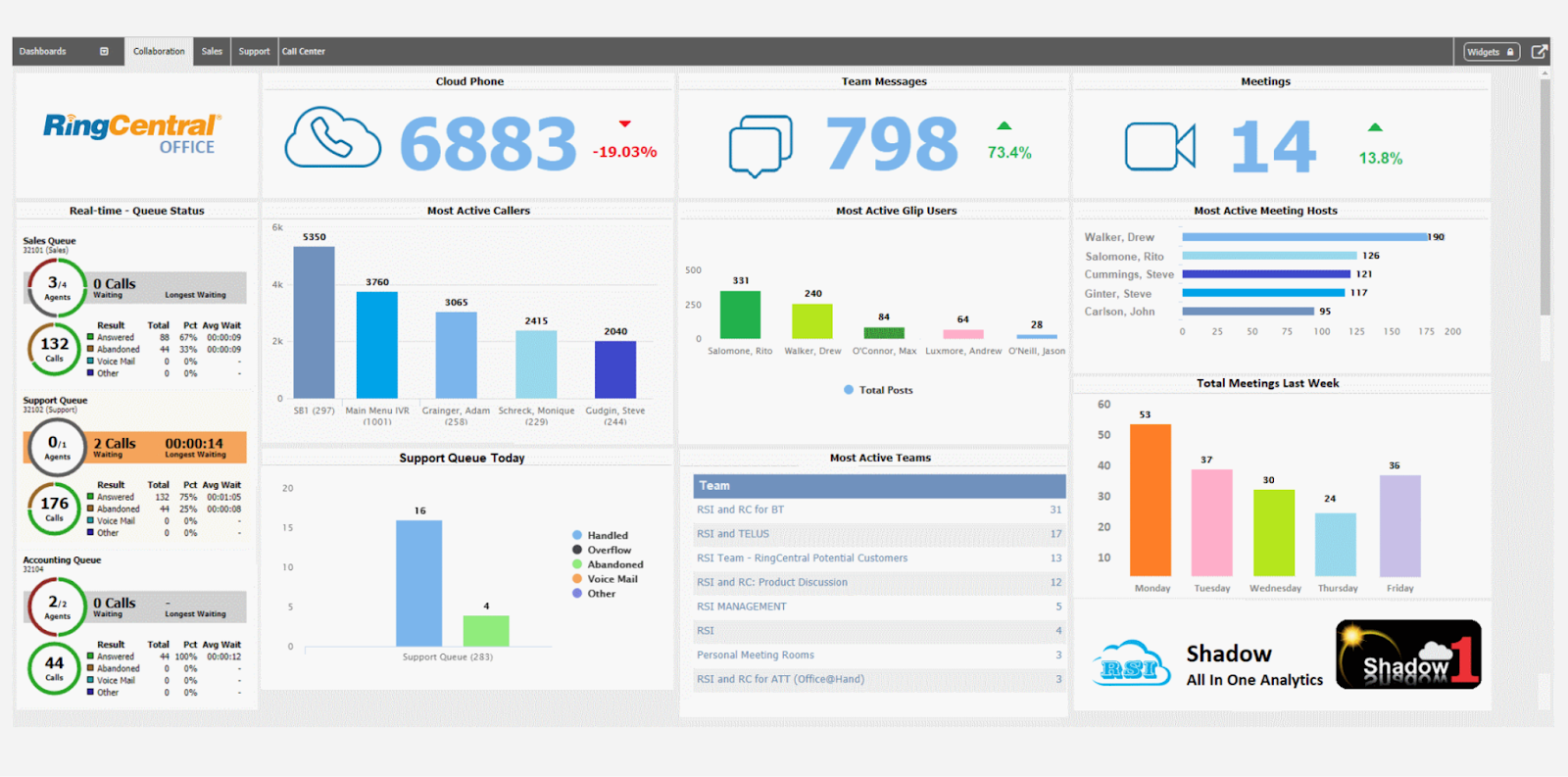
This makes it easy to measure the performance of each agent and visualize data in real-time. You can use historical data to create trend lines, use the live wallboard, or customize your own dashboard.
You can also generate cradle-to-grave reports that highlight missed calls, long durations, and excessive costs — or summarize IVR routing performance. You can then pinpoint this activity on an agent, extension, mailbox, hunt group, or corporate level.
There are hundreds of pre-made report templates to choose from depending on the KPIs that matter most for your business. Overall, Shadow certainly helps fill in some of the gaps in Avaya’s analytics infrastructure.
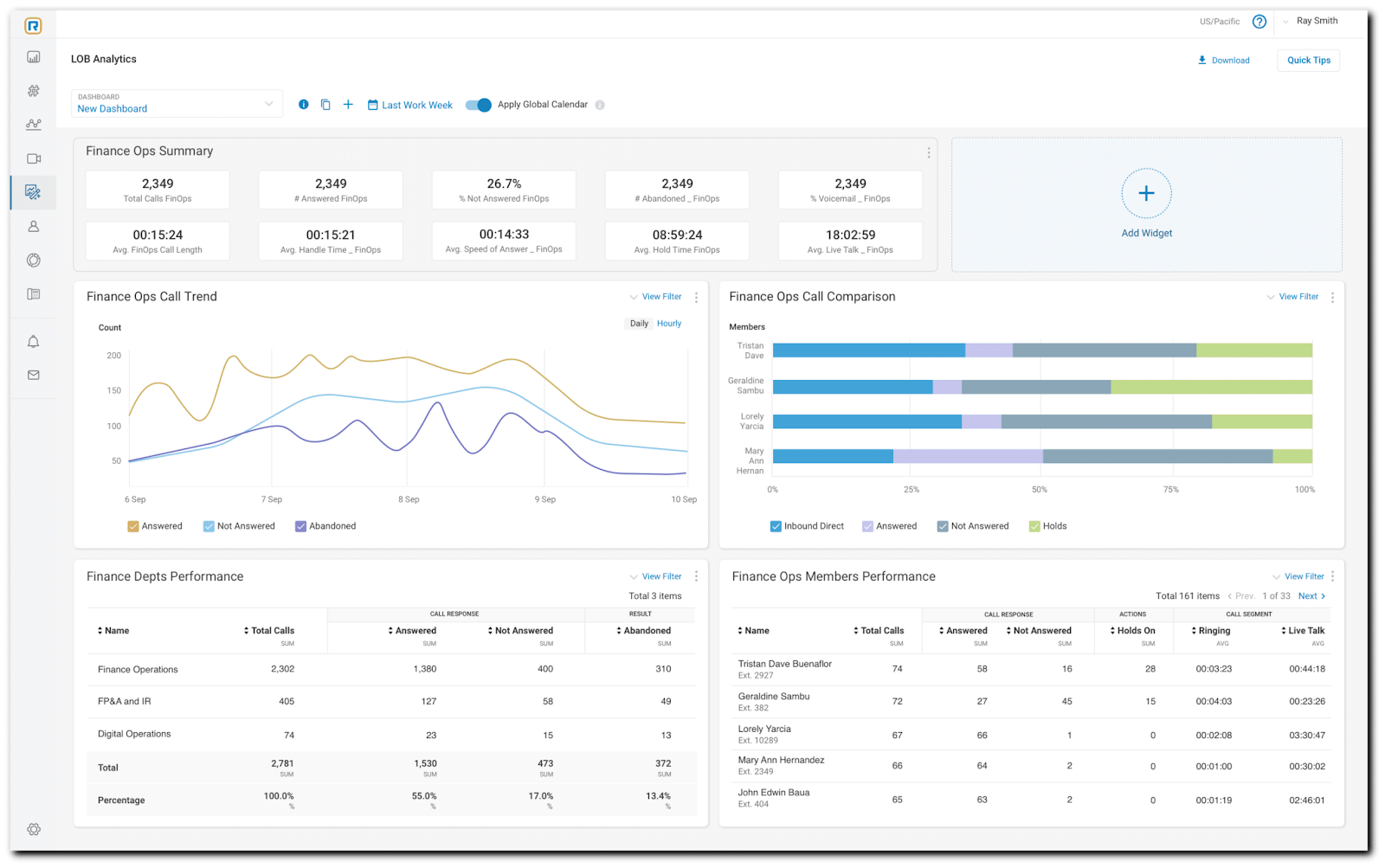
If you don’t want to rely on a third-party integration then you might prefer RingCentral’s native analytics capabilities. You can access 30+ prebuilt KPIs (key performance indicators) or enable real-time notifications to help you proactively deal with possible issues.
Admins can also look at the platform adoption analytics for each department so you know which teams in your company are getting the most value out of RingCentral. A few specific metrics that you can track with RingCentral include:
- Average handle time (AHT): The average amount of time between an agent first accepting the call and the customer hanging up.
- Average time in queue: How much time customers spend in the call queue before connecting to an agent.
- Call hold time: The amount of time callers are left on hold.
- First-call resolution (FCR): The percentage of tickets that are solved on the first call without a necessary follow-up.
- Call abandonment rates: The ratio of callers who disconnect before they’re able to connect to an agent.
- Escalation rate: The percentage of calls that are escalated to a supervisor or manager.
- Customer satisfaction (CSAT): The overarching satisfaction level of customers during and after a call with an agent.
Winner: RingCentral gets the win due to its robust native analytics and clean UI for real-time reporting, but those who don’t mind using third-party integrations can still benefit from Avaya.
Integrations
According to the RingCentral website, a total of 145 integrations from the RingCentral App Gallery can be used with Avaya. These include Google Workspace, Microsoft Teams, Zoho Desk, and Okta.
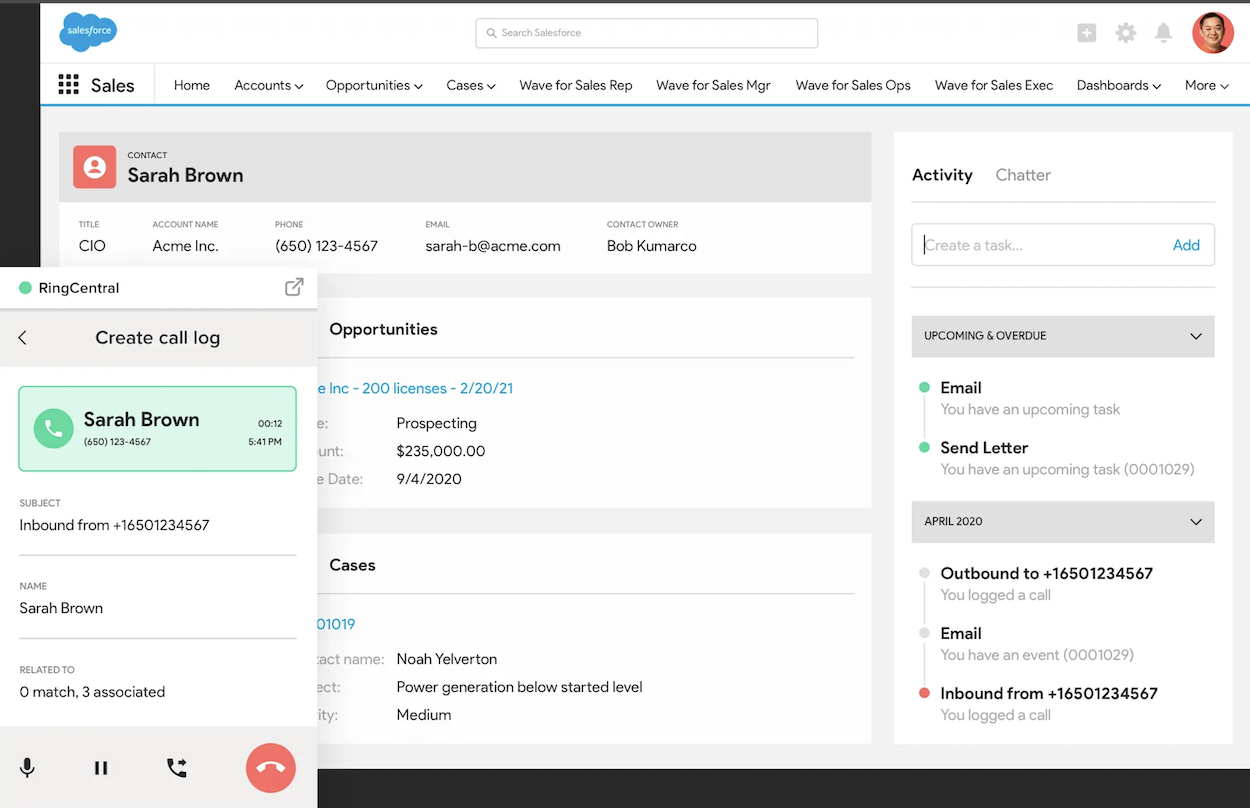
On the CRM software side, Avaya’s integration compatibility includes HubSpot, Salesforce, Copper, Bullhorn, SugarCRM, amoCRM, Redtail CRM, 1CRM, FIVE CRM, and quite a few others so you shouldn’t have to worry about integrating your sales process with Avaya. Note that both RingCentral and Ayaya’s CRM integrations unlock on their Advanced tiers.
Avaya OneCloud doesn’t beat RingCentral when it comes to the raw number of third-party apps though since RingCentral App Gallery has over 300 integrations to choose from. This means RingCentral customers are paying less while getting a larger catalog of apps to choose from.
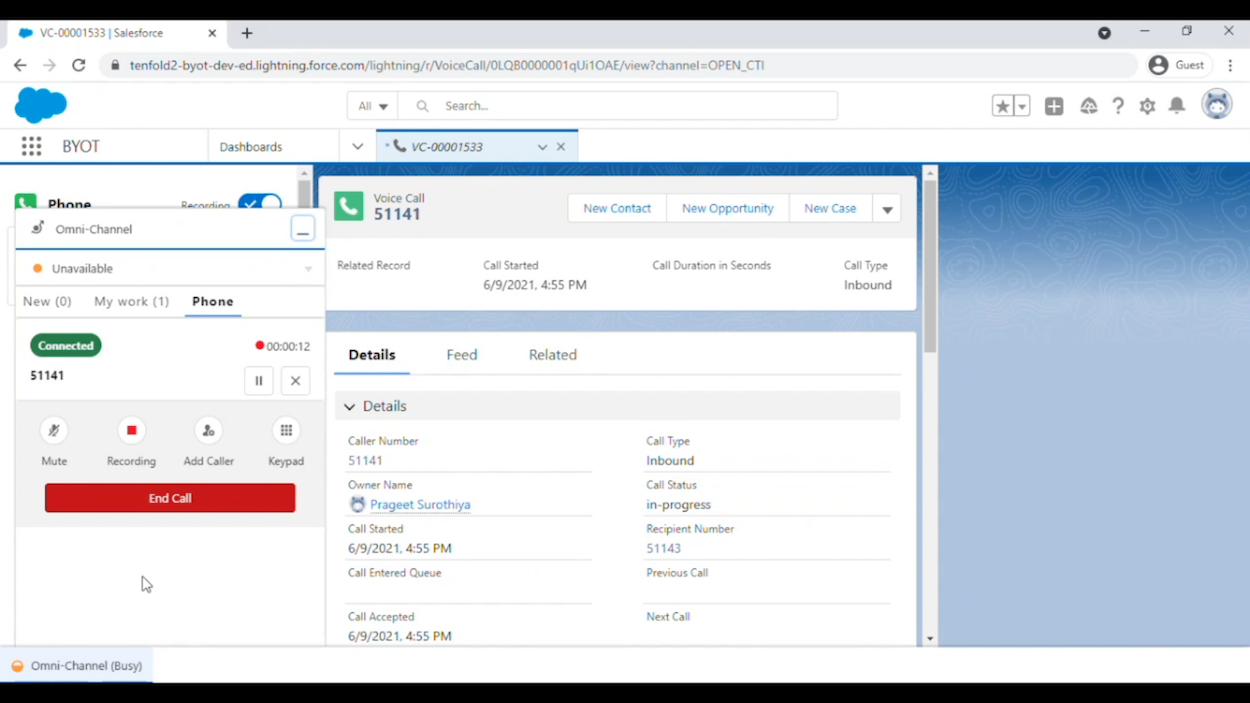
Winner: RingCentral is the clear winner with 300+ prebuilt integrations and APIs/SDKs that let you build your own apps.
Call Quality
Avaya offers HD audio quality on all its plans which means calls should be crisp and clear as long as you have a fast connection. When testing the solution with slower internet speeds, there were occasions where the voice would start to cut out or get choppy.
RingCentral is known for its impeccable call quality but a few proactive measures can improve its consistency as well. Using a DSL or fiber-optic connection with at least 90Kbps and using one of RingCentral’s recommended routers can drastically improve the user experience.
Winner: It’s a tie, since both providers offer excellent call quality and the calling experience will also be impacted by the hardware/connection available at your workplace.
Security
Those who are familiar with RingCentral will likely know that they have long stood at the top when it comes to VoIP security. With its SOC 2+ report, SOC 3 report, C5 attestation, and HITRUST certification, the platform holds the unmatched trust of auditors.
Avaya does have a native SSO solution so they are putting some effort into security. They also offer packages like Avaya OneCloud Private and Avaya OneCloud for Governments but we honestly think that airtight security should be a given for modern UCaaS, not an add-on.
Winner: RingCentral is victorious on the security front due to its remarkable two-decade track record and impeccable reputation amongst third-party auditors.
Hardware
Before partnering up with RingCentral to introduce OneCloud, Avaya was already known as the industry-leading equipment vendor when it came to VoIP and UCaaS technology. Whether it’s all-in-one huddle rooms like the CU360 or audio conference units that you’d find in the B-Series, Avaya’s hardware compatibility is second to none.
While RingCentral has expansive compatibility with dozens of desk phones from ALE, Avaya, Cisco, Mitel, Polycom, Unify, and Yealink, it simply can’t compete with Avaya’s hardware options considering telecommunications equipment is where the latter got its start. Avaya also integrates with virtual assistants like Alexa which is a nice bonus.
Winner: Avaya gets the victory for its diverse hardware catalog but those simply looking for desk phone compatibility would be well-served with RingCentral too.
Cross-Platform Compatibility
The Avaya Cloud Office app for iOS and Android has a clean, intuitive UI that is consistent with the interface on the desktop version.
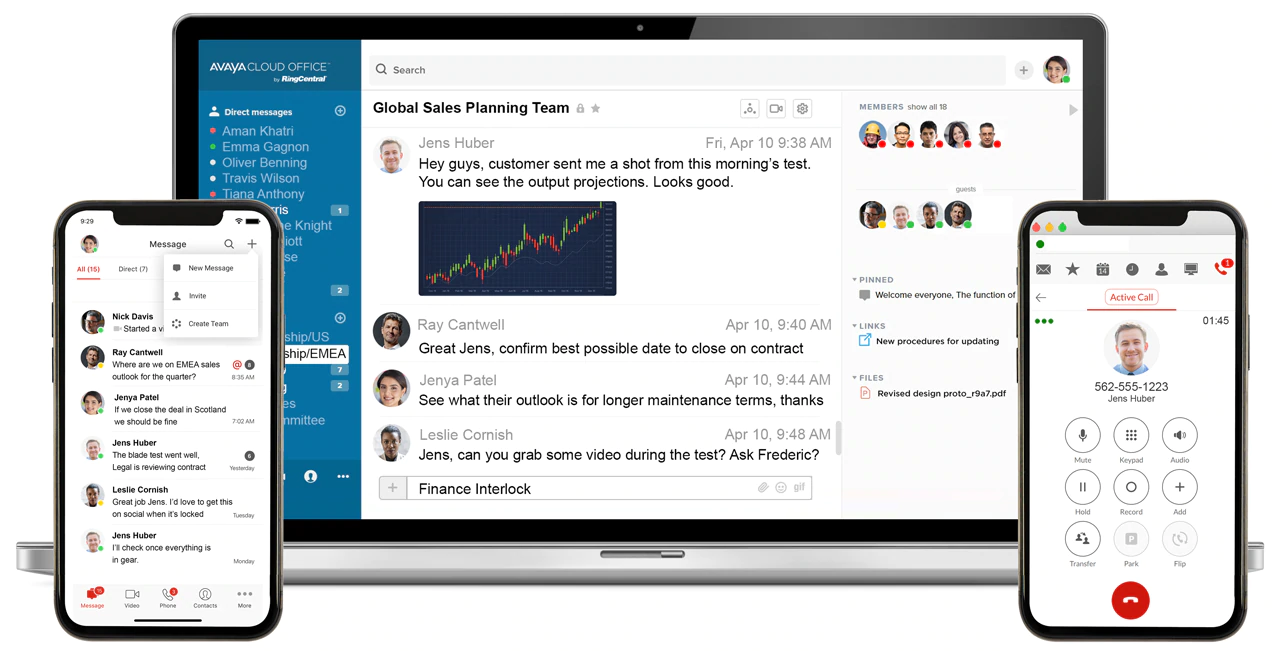
You’ll also be able to use all the core features of Avaya’s platform like file sharing, task management, and video conferencing which means you’ll be able to get the same value while on the go.
On the other hand, RingCentral is considered one of the prime examples of communications solutions on mobile done right.
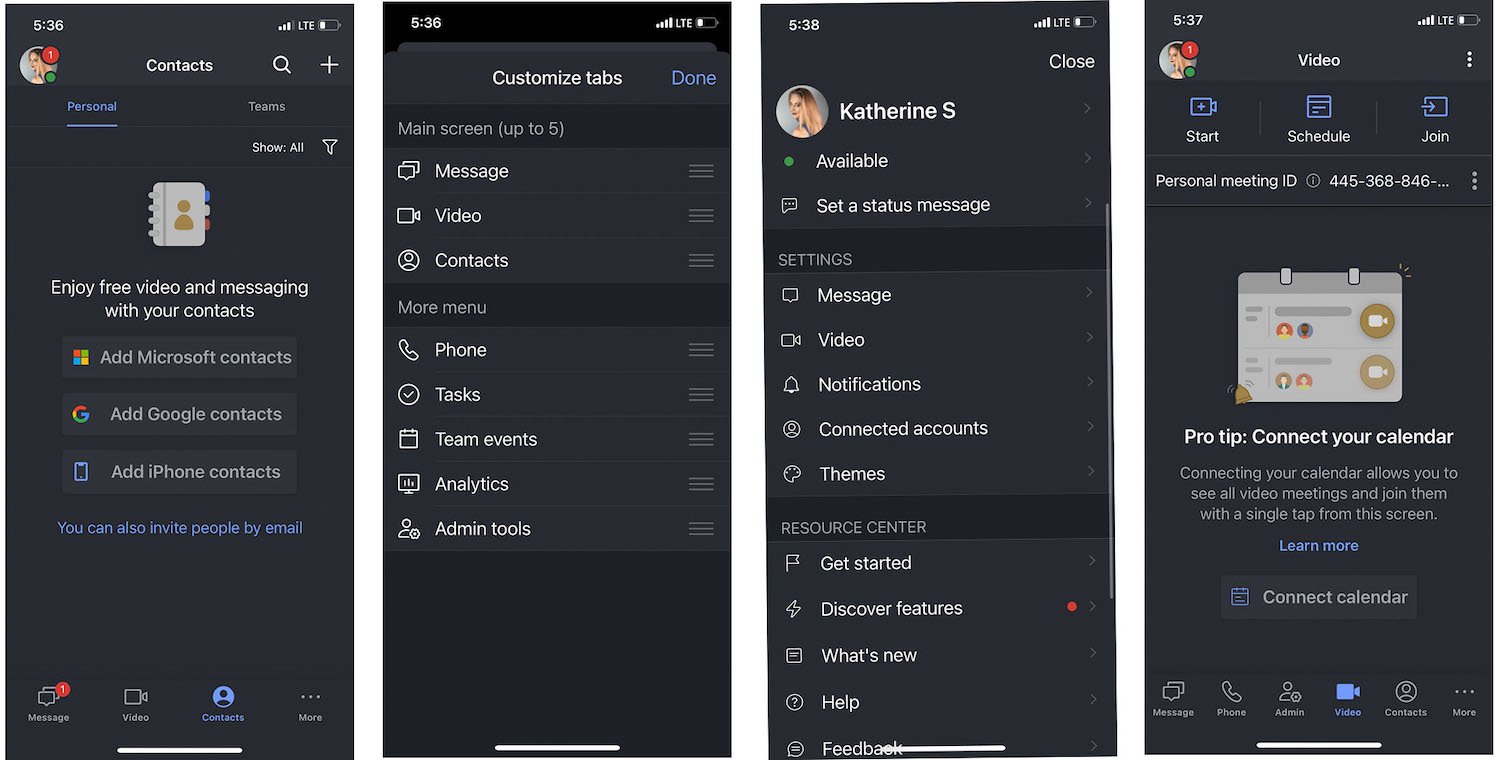
Their apps are fast, reliable, and feature a modern UI that makes the solution incredibly easy to use.
Winner: the mobile experience is a tie with both platforms offering a modern and intuitive app that’s consistent with the value you’d find on their desktop software.
Ease of Use
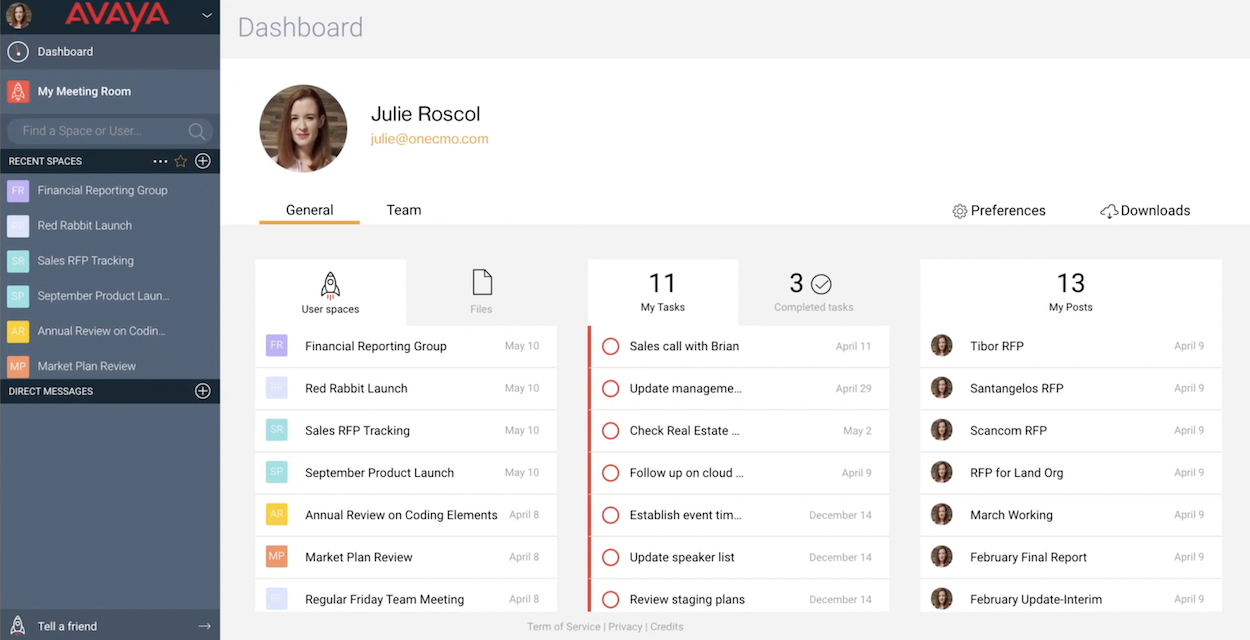
Avaya may take a bit longer to implement in your company compared to RingCentral but, once it’s there, you’re sure to have a positive experience thanks to its user-friendly features and helpful support representatives.
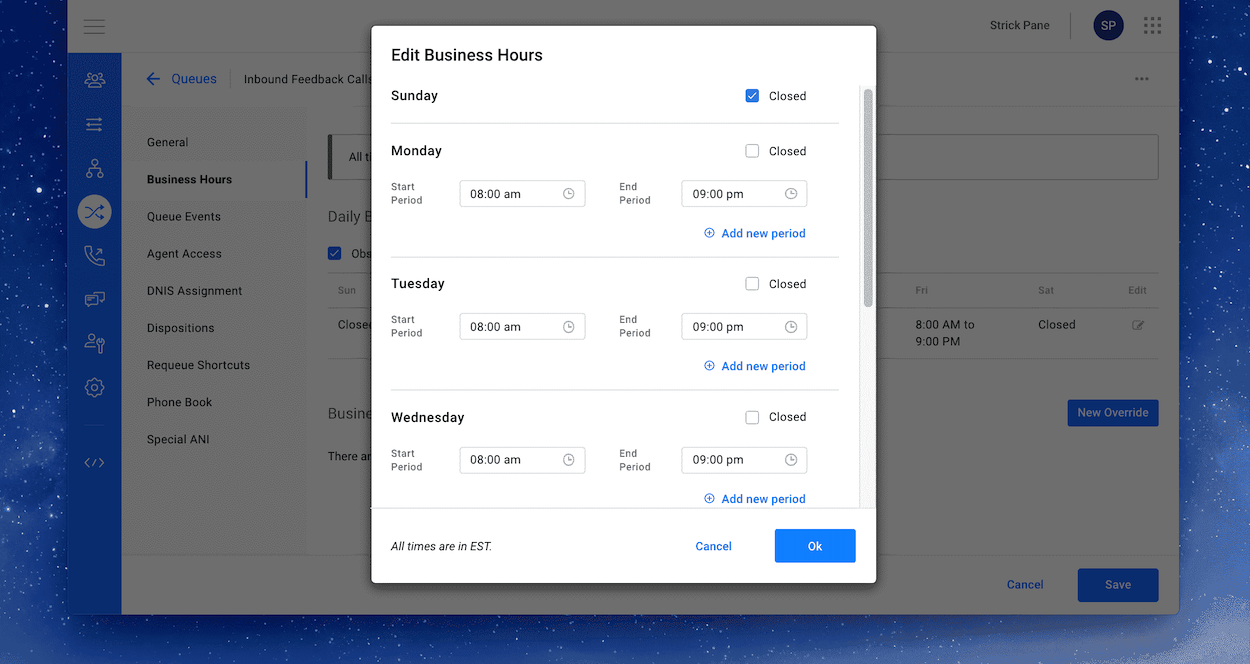
Similarly, RingCentral offers a solid experience and covers all its bases thanks to the extensive gallery of native features on the platform. The user experience always feels intuitive regardless of which platform you’re on.
Winner: another tie as both platforms are very easy to use, just note the difference in setup time before making your final decision.
Customer Support
| Avaya Support Channels | RingCentral Support Channels | |
| Live Chat | Yes (customers only) | Yes |
| No | No | |
| Phone | Yes | Yes |
| Knowledge Base | Yes | Yes |
When it comes to customer service and support, Avaya and RingCentral match up pretty evenly in terms of channel coverage. That being said, Avaya only lets paying customers access their live chat while RingCentral’s world-class support team is available to anyone.
Avaya also has a pretty stressful verification process for those who want support which further adds to the inaccessibility of their support team. It’s a shame as well since user reviews from enterprise customers speak highly of the support quality.
Winner: RingCentral gets a clear win for offering live chat to non-customers.
Avaya vs RingCentral: Pros and Cons
Avaya clearly excels when it comes to its enterprise-grade reliability, killer call quality, and deep integration with legacy infrastructure which makes it an instant hit with larger organizations with existing telecommunications investments. RingCentral competes with a cleaner user experience and extensive third-party integrations and unified communications tools. Still, we found tight usage limits, aggressive upselling on tiers, and spotty customer support make it a possible non-starter for growing teams.
Avaya Pros
- Enterprise Reliability: Avaya delivers five-nines (99.999%) uptime with carrier grade quality, handling high call volumes without degradation and displayed top-tier robust disaster recovery capabilities. Avaya excels in worlds like healthcare and financial services where downtime cannot happen
- Legacy System Integration: Seamless integration with existing PBX systems, PSTN infrastructure, and enterprise telephony hardware allows businesses to modernize at their own pace. It even supports hybrid deployments that blend cloud and on-premises systems seamlessly and better than other vendors can
- Advanced Call Management: Sophisticated call routing with skills-based distribution, extensive call analytics including quality monitoring and call recording with compliance features, and granular admin controls for multi-site organizations. Call center features like ACD queues and supervisor monitoring come standard on higher tiers
Avaya Cons
- Dated Interface: The user interface feels antiquated and looks drab with clunky navigation that requires multiple clicks for basic tasks. The mobile app is stunted compared to the desktop version, and the admin portal's design makes configuration a chore even for the tech-savvy
- Fragmented Feature Set: Core functionality is spread across multiple products in Avaya's portfolio rather than unified in a single platform. Businesses will find out they need Avaya Spaces for team collaboration, separate contact center solutions, and third-party integrations to get the full package and that may annoy those needing all-in-one solutions
- Add-On Dependency: Essential features like additional phone numbers, international calling, advanced analytics, and video conferencing rooms require separate add-on purchases that quickly inflate costs beyond the base subscription. The pricing becomes difficult to predict as business needs evolve.
RingCentral Pros
- Unified Communications: RingCentral combines voice, video, team messaging, and file sharing in a single intuitive platform that eliminates the need for multiple communication tools. Wherever your team is (desktop, mobile, web), they have coverage and access
- Intuitive User Experience: Clean and simple interface with a low learning curve that makes Avaya's look prehistoric. Even includes real-time presence indicators that show availability, and smart features like visual voicemail transcription. The mobile app delivers full functionality on iOS and Android, making it so remote work is a breeze and on par everywhere
- Integration Ecosystem: RingCentral boasts over 300 native integrations. It supports CRM platforms like Salesforce and HubSpot, productivity tools (think Microsoft 365 and Google Workspace) and business apps like Slack and Zendesk. The API platform allows developers to add functionality to custom solutions if the list doesn't cover what they need
RingCentral Cons
- Usage Limitations: Even premium tiers impose restrictive caps on SMS messages, toll-free minutes, and video meeting participants that force businesses into constant overage monitoring. The 25 SMS limit per user on the Core plan makes it essentially unusable for customer-facing teams
- Aggressive Upselling: RingCentral's sales approach pushes AI features, contact center modules, and premium add-ons aggressively, with account managers frequently pitching upgrades. The base subscription rarely covers actual business needs without additional purchases that weren't disclosed during initial sales conversations
- Inconsistent Support: Customer support quality swings from great to bad depending on plan tier. Lower-tier customers experience long wait times and undertrained agents. Technical issues often require escalation through multiple support levels before reaching someone with the know-how even arrives
Which Provider is Right for Your Business?
The below tables offer insight into who should or shouldn’t consider each platform.
Avaya Is Best For
- Businesses that want a hands-off implementation process
- Existing Avaya customers looking for a UCaaS add-on
- Teams who want native SSO functionality
- Enterprise companies who want a highly-personalized experience
Avaya Is Not Right For
- Teams who want to get a platform up and running quickly on their own
- High-growth companies looking for a solution that can affordably scale alongside them
- Users who don’t want to jump through hoops just to reach a live chat support agent
- SMBs that want a simple, affordable communications solution
RingCentral Is Best For
- Companies looking for a feature-rich platform
- SMBs seeking a cost-effective, scalable solution
- Businesses needing access to a large array of third-party integrations
- Users who want high-quality live chat support
RingCentral Is Not Right For
- Companies that want a simple solution
- Individuals looking for affordable solo subscription
- Businesses who see integrations as an added hassle
- Users who prefer receiving support via email
Avaya vs RingCentral: Which is the Winner?
That said, if you already have an Avaya contract and are trying to choose between OneCloud and RingCentral RingEX, you’d likely be best off going with the former. After all, OneCloud is optimized to work with existing Avaya hardware.
It also reduces the friction since you won’t have to set up an account with an entirely new company but can instead add the cloud-hosted software plan to your existing contract and get things set up that much faster.
For more information, check out our overview pages of the top Business VoIP providers and contact center software.
FAQs
Below, we've answered some of the top FAQs about RingCentral and Avaya.

