
Jump to ↓
- How We Tested
- At a Glance Overview
- Top Providers
- What is SIP Trunking?
- How it Works
- Setup and Infrastructure
- Key Features
- SIP vs VoIP
- Pros and Cons
- How Much Does It Saves
- How to Choose
- FAQs
How We Tested and Compared These Providers
To compare leading SIP trunking providers, we used the following criteria:
- Pricing: What is the total value and potential scalability of each provider’s offering? How does each provider fare when it comes to international calling rates, toll-free minutes, SMS texting, etc?
- Platform Security+Reliability: Does each provider offer a 99.9% minimum uptime and security standards like end-to-end encryption? Do providers adhere to regulatory requirements like HIPAA and GDPR (if applicable)?
- Integrations: Which third-party CRM, team collaboration, and business communication software integrates with the platform? Are APIs developer-friendly?
- Ease of Use: Just how intuitive is each provider to use? What is the learning curve for newer users? Does the provider offer end user training?
- Customer Support: Which support channels are available, how accessible are they, and what is the quality of each provider’s customer support? Are premium support options and 24/7 support offered?
SIP Trunking Providers: At a Glance
| Provider | Pricing | Standout Features | Pros | Cons | Best For |
| Twilio | Pay-as-you-go (from $0.013/min US) | Global coverage (100+ countries), HIPAA-compliant, flexible APIs | Scalable, developer-friendly, strong documentation | Complex for non-devs, higher international rates | Tech-savvy teams needing custom and scalable SIP trunking |
| Nextiva | From $14.95/user/month | Unlimited US calling, 24/7 support, CRM integrations | User-friendly, great support, predictable pricing | Weak international coverage, limited advanced options | SMBs seeking no-fuss SIP trunking with basic call tools |
| Vonage | From $19.99/line/month | Advanced routing, Microsoft Teams integration, high concurrency | Strong integrations, high uptime, scalable | Add-on costs, setup may be tricky for non-tech users | Mobile-first orgs & teams needing advanced routing |
| Alliance Phones | From $20/channel/month | Simple plans, dedicated account managers, 24/7 support | Affordable, personal support, easy setup | Lacks advanced features, not suited for large enterprises | Budget-conscious SMBs with straightforward SIP needs |
| 8x8 | Custom pricing (starts ~$12/user) | International calling to 48+ countries, analytics, 70+ integrations | Global reach, powerful analytics, enterprise-grade features | Overkill for small orgs, learning curve | Enterprises & multinationals with global communication needs |
| Plivo | Pay-as-you-go (from $0.012/min US) | Developer-friendly APIs, 220+ country support, carrier-grade quality | Affordable, flexible, developer-focused | Limited support, not beginner-friendly | Startups and dev teams needing low-cost programmable voice |
| Avoxi | From $14.99/user/month | Global SIP trunking, international voice coverage, straightforward APIs | Easy setup, responsive and knowledgeable support | Limited advanced programmability, smaller integration ecosystem | Mid-sized and enterprise businesses needing reliable international SIP trunking |
SIP Trunking Providers: Compared and Reviewed
Below are overviews of the best SIP trunking providers we’ve selected, as well as pricing information, standout features, pros and cons, and who we think each provider is “best for.” Note that each provider offers a unique take on SIP trunking, whether it be through specific features or price points tailored to different business needs.
Twilio
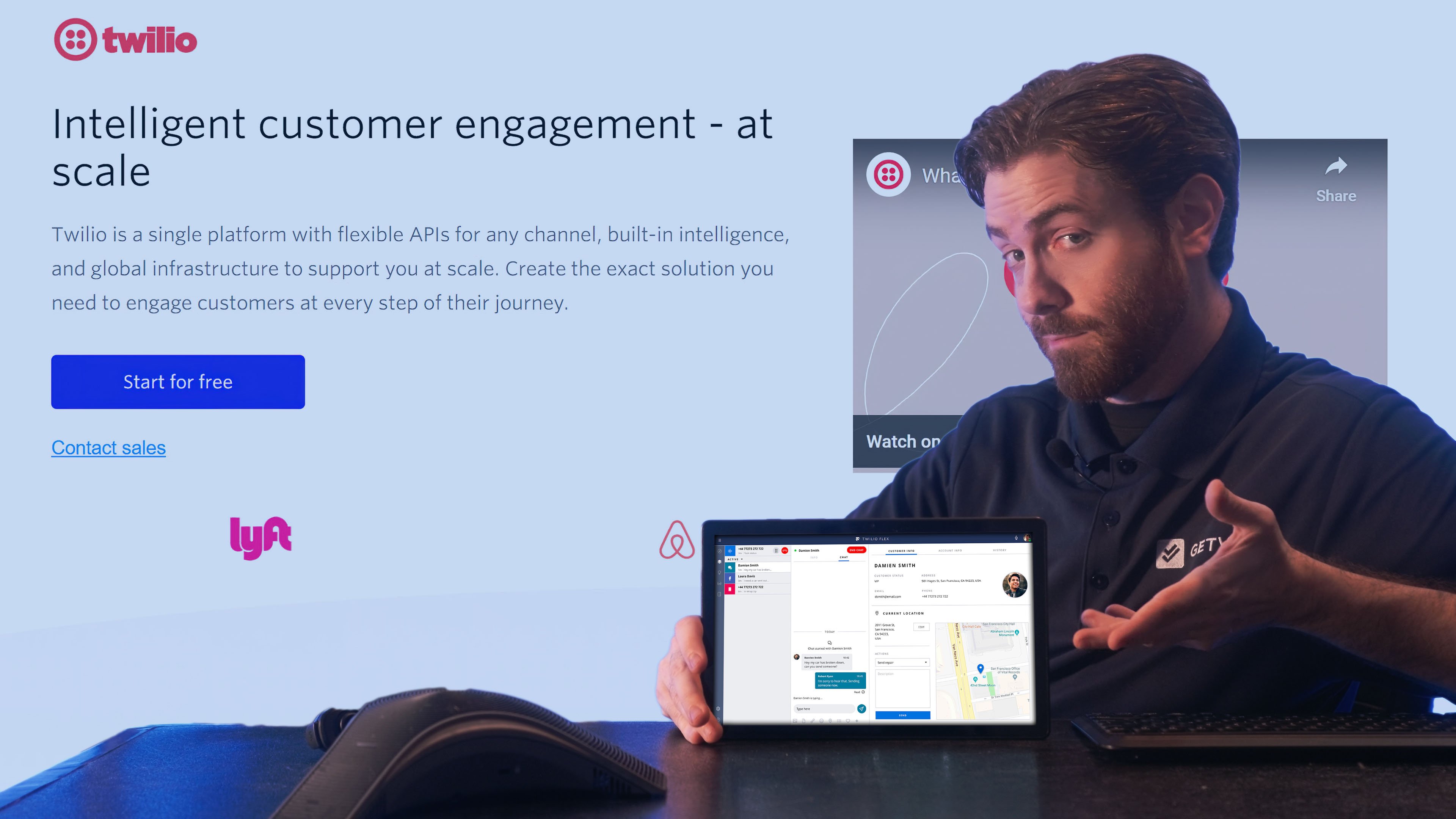
Twilio is a cloud communication-based platform with robust SIP trunking solutions. Operating a network spanning over 100+ countries, Twilio provides scalable and reliable service. The provider offers customizable RESTful APIs and SDKs that allow developers to build custom voice apps with control over call flows, routing logic, and more. This also prioritizes integration with existing systems to enhance small business and enterprise communications.
Twilio also boasts advanced security and compliance capabilities. Thanks to end-to-end encryption and specific security regulations like HIPAA compliance, users can rely on it when handling sensitive data over voice calls made via SIP trunking. On top of that, Twilio offers a user-friendly dashboard and detailed analytics to help businesses monitor and optimize their communication strategies.
What We Like
- Developer-friendly APIs: Twilio's optimized RESTful APIs provide granular control over the entire SIP trunking process, whether its call routing or real-time modifications. We formulated custom call flows and found the API documentation top-notch, with code examples in an array of languages that made integration a snap
- Global connectivity: Twilio supports over 100 countries, which is more than ideal for businesses with international reach. The network stability and call quality were crisp across different regions and we found there was programmable redundancy options
- Enterprise-grade security: We appreciate the robust encryption and compliance features, particularly for businesses handling sensitive data. The HIPAA compliance and programmable security controls give healthcare organizations and similar enterprises peace of mind
What We Don't Like
- Setup complexity: For non-technical users, the initial setup process can be complicated. We found that businesses without dedicated IT staff may struggle with API configuration and require external help
- International call costs: While domestic US calls are competitively priced, international calling rates are higher compared to competitors. Businesses making frequent international calls may find costs add up quickly
- Steeper learning curve: The platform's extensive feature set and breadth of customization, while massive, can be overwhelming for users fresh to SIP trunking or without technical backgrounds
Cost
Twilio offers pay-as-you-go pricing, so rates will vary by destination and length of calls. For example, US outbound calls start at just $0.014 per minute. Volume discounts are also available.
Best For
- Developer-heavy organizations requiring extensive API customization and programmatic call control
- Tech-savvy businesses building custom communication applications or integrating voice into existing platforms
- Companies needing enterprise-grade security with HIPAA compliance for sensitive communications
- Global enterprises with teams distributed across 100+ countries requiring consistent voice quality
Nextiva
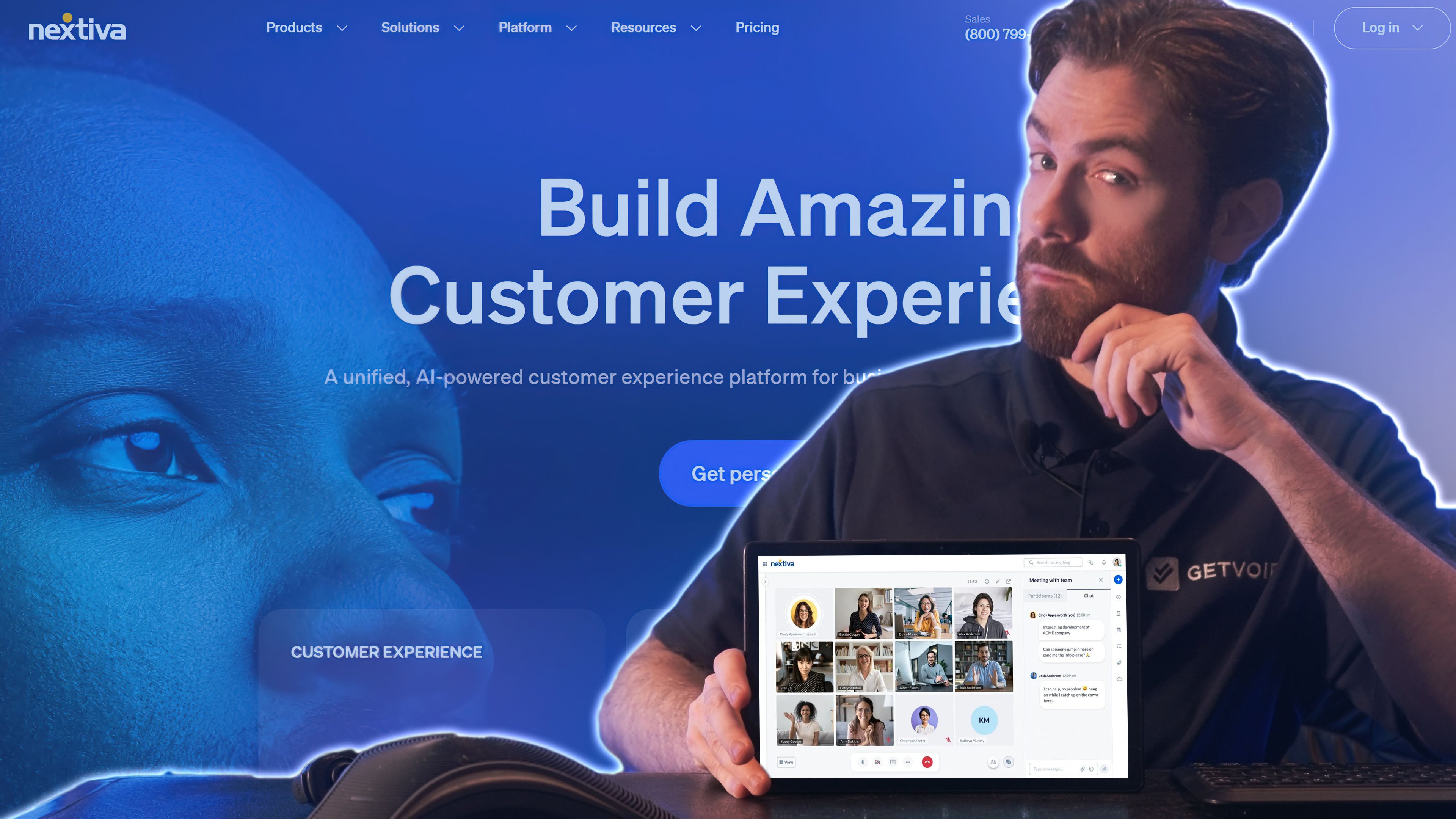
Nextiva is an all-in-one communication solution that also provides reliable SIP trunking services. Nextiva is for businesses that want a one-stop solution that unifies all communication into one interface. Nextiva includes inbound and outbound voice calling, advanced call routing, supervisor dashboards, and AI-powered voicemail transcription.
Nextiva’s commitment to the user experience means even users who are not the most tech-savvy can manage their platform. Nextiva’s rugged infrastructure applies to its SIP trunking to provide clear call quality and 99.999% uptime, businesses of all sizes can capitalize on that. This provider also exists on the cutting edge to offer newer features and innovations like review and social media management–though most features are geared to digital-first users.
What We Like
- User-friendly interface: From our first login, Nextiva just felt so incredibly intuitive. The interface is clean and forthright, making it almost too easy for team members of all levels of tech-savvy to use effectively without requiring oversight
- Unlimited domestic calling: We appreciate the unlimited US calling included in all plans, which makes budgeting straightforward and cuts out concerns about minute overages for businesses with high domestic call volumes
- Comprehensive customer support: Nextiva's 24/7 customer support was there for us with prompt and helpful assistance. No one had to wait long for help, and representatives were knowledgeable about both basic and advanced features
What We Don't Like
- Limited international coverage: Businesses with significant international calling needs will find Nextiva's global reach lacking compared to competitors. Coverage is weaker in many regions outside North America
- Customization constraints: While the platform handles standard business needs well, we found the API and customization options less advanced than developer-focused platforms like Twilio or Plivo
- Feature limitations: Some new features like social media management felt more geared toward digital users and sort of feel unneeded for all businesses using SIP trunking
- Steeper learning curve: Nextiva might leave users biting off more than they can chew with an extensive feature set that can feel overwhelming for users fresh to SIP trunking or without technical backgrounds
Cost
Nextiva is a subscription-based service that starts at just $15 per user monthly, though volume-based discounts exist.
Best For
- Small to medium-sized businesses prioritizing ease of use over advanced programmability
- Companies with primarily domestic US calling needs seeking unlimited usage plans
- Organizations with non-technical staff requiring intuitive interfaces and minimal setup complexity
- Businesses valuing predictable subscription pricing and 24/7 customer support
Vonage
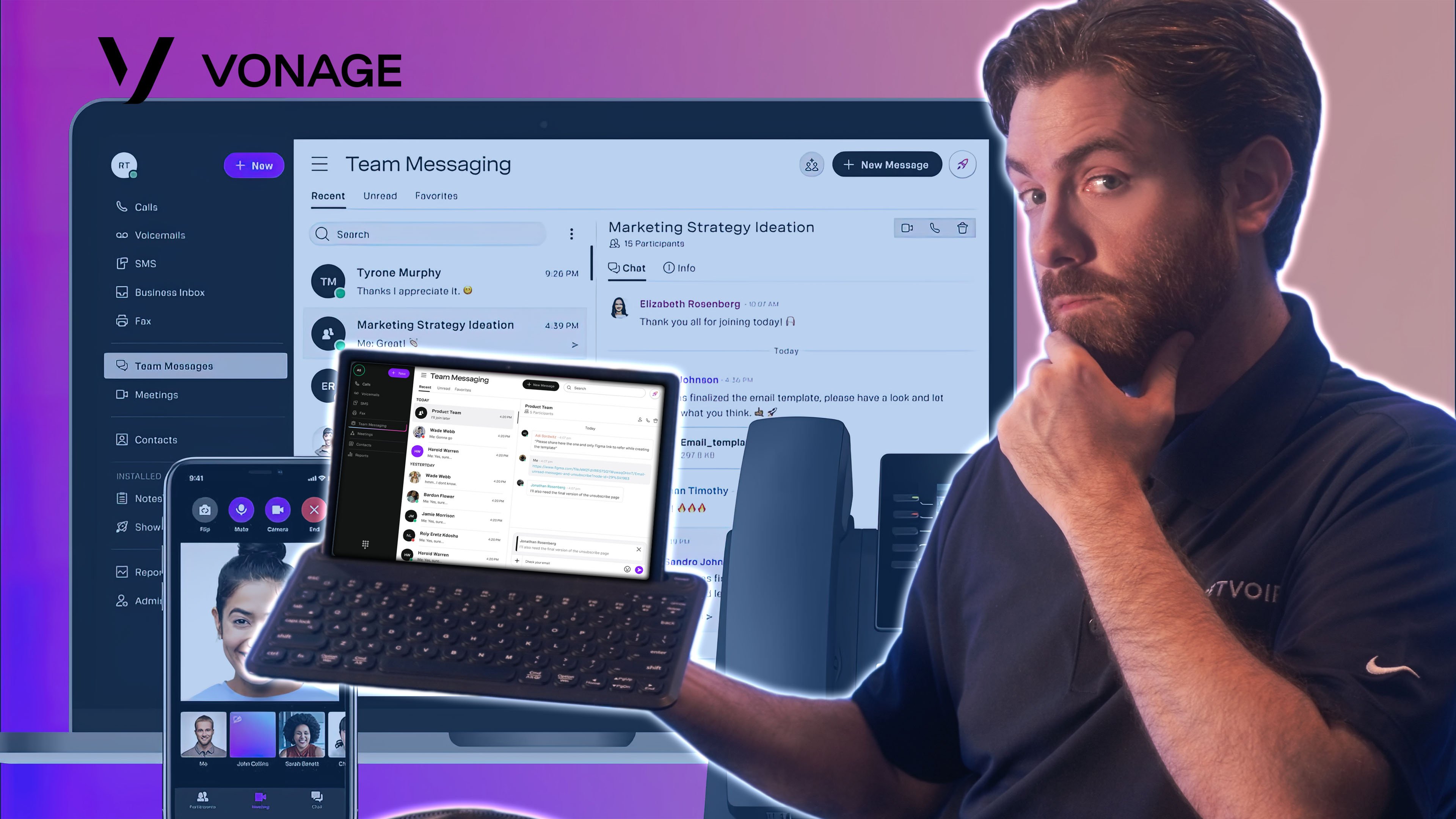
Vonage offers SIP trunking as part of its comprehensive VoIP services. Vonage is a known entity when it comes to giving businesses scalable tools and individual add-on features that enhance the existing communication infrastructure. Vonage’s SIP trunking services are crafted to support businesses at all levels and sizes, startups to large enterprises.
What makes Vonage stand out, beyond its reliability and low learning curve, is how it seamlessly integrates with 25+ third party apps (including CRMs, collaboration tools, call center solutions, marketing platforms, and more) to save businesses training time and expenditures. Users looking for advanced features like real-time analytics for performance tracking or advanced call routing options will be satisfied. Like its competitors, Vonage also offers international calling with consistent quality of service.
What We Like
- API flexibility and integrations: The Communications APIs provide stellar access for custom implementations. We're impressed by how smoothly Vonage connects with existing business tools, and the Microsoft Teams integration works flawlessly for managing calls directly within Teams
- Advanced call routing: The routing options are sophisticated and customizable through both the interface and API. We set up complex call flows with time-based routing, skill-based distribution, and failover scenarios programmatically without issues
- World-class uptime: During our testing period, we experienced zero downtime. The consistent service quality and high call concurrency limits ensure businesses can handle peak call volumes without degradation
What We Don't Like
- Higher-tier pricing: While the base plan is reasonably priced, accessing advanced API features requires upgrading to more expensive plans. Costs can escalate quickly for businesses needing premium functionality
- Setup complexity: Less technically inclined users may find the initial configuration challenging. We encountered some confusion during setup that required consultation with support documentation
- International calling fees: Additional charges for international calls can add up, making the total cost less predictable for businesses with global communication needs
Cost
Vonage starts at just $13.99 per line monthly, though additional fees apply for international calls.
Best For
- Mobile-first businesses requiring scalable SIP trunking with API-driven customization
- Companies seeking deep Microsoft Teams integration for unified communications
- Organizations needing sophisticated programmable call routing and high concurrency limits
- Growing businesses that value API flexibility and extensive third-party integrations
Alliance Phones
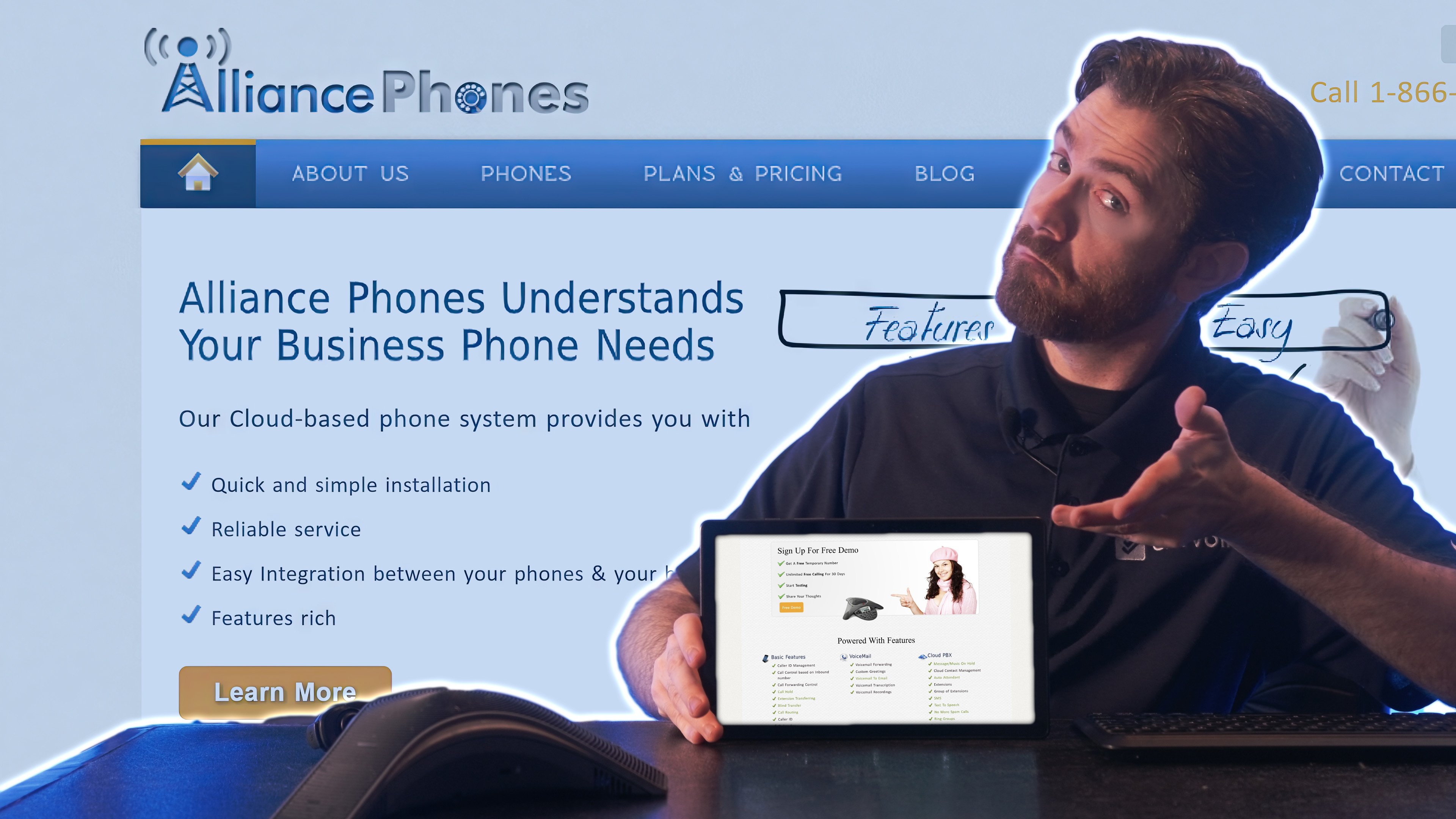
Alliance Phones differs from the other providers due to its specialized focus on small and medium-sized businesses. The SIP trunking services provided prioritize simplicity and cost-effective voice calling, so businesses that want something that just “gets the job done” should look into Alliance Phones and their services.
Alliance Phones also highlights the importance of personalized services, offering dedicated account managers to ensure customers get the specific and tailored help they need at all times. The provider offers quick SIP Trunking setups and cuts down technical hurdles for users. Likewise, the pricing plans are transparent, and Alliance Phones provides stellar customer support 24/7 via phone, email, or support tickets.
What We Like
- Transparent pricing: The pricing structure keeps it simple with no hidden fees. We knew exactly what we'd pay each month while long-term commitment discounts provide real savings for businesses planning to stay
- Personalized support: Having a dedicated account manager made a significant difference in our experience. Questions were answered quickly and account manager reach out to ensure users are actually maximizing the service
- Quick setup: We had our SIP trunking operational within hours, not days. The no-frills setup process eliminates technical hurdles and gets businesses up and running fast without requiring developer intervention
What We Don't Like
- Limited advanced features: Businesses needing sophisticated call analytics, complex routing, API integration, or extensive customization will find Alliance Phones lacking. The feature set covers basics well but doesn't extend much beyond that
- Not for large enterprises: The infrastructure and feature set are not primetime-ready for large-scale operations. Companies with high call volumes or complex organizational needs will not be happy with them
- Fewer integration options: Compared to competitors, Alliance Phones offers limited third-party integrations and no API access, which is a dealbreaker for businesses heavily invested in specific software ecosystems
Cost
Plans start at just $20 per channel monthly, though long-term commitments come with decent discounts.
Best For
- Budget-conscious SMBs seeking reliable voice calling without technical complexity
- Companies preferring personalized account management over self-service portals
- Organizations with straightforward calling needs that don't require API customization
- Businesses prioritizing quick deployment and transparent pricing over advanced features
8x8
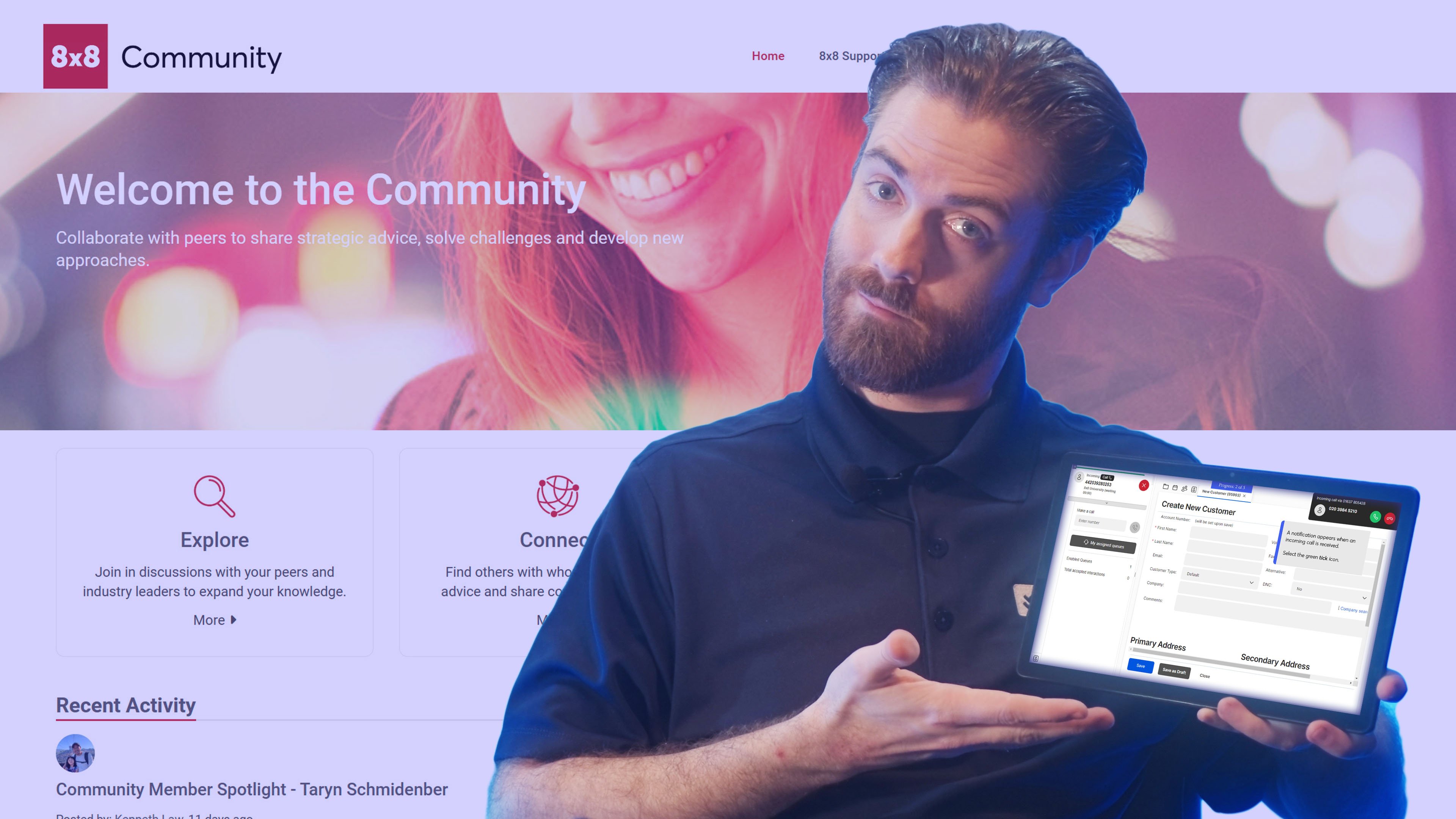
8x8 is a cloud-based communication platform with feature-rich SIP trunking services. The solution is noted for its global reach and enterprise-grade set of functionalities, larger corporations including multinationals use it. Higher-end plans include unlimited international calling to up to 48 countries with competitive metered calling to over 200 destinations. 8x8’s Secure Pay feature enables contact centers to simply and securely handle payments without any agent involvement directly from their dial pads. 8x8’s SIP trunking services are built to accommodate high call volumes and integrate with most existing communication tools. However, 8x8 might be overkill for smaller companies who want something “plug and play.”
8x8’s key asset when it comes to SIP trunking is its ability to provide analytics and reporting in regards to users calls and communications performance. 8x8 also offers comprehensive security features and measures and a wide range of compliance certifications to ensure its users meet regulatory requirements.
What We Like
- Global reach and API capabilities: The international calling capabilities are exceptional with programmable routing options. We made calls to dozens of countries with consistent quality and leveraged the APIs to build custom call distribution logic for our multinational operations
- Robust analytics: The reporting and analytics tools are among the most comprehensive we've tested, with API access to real-time data. We created detailed reports on call performance and patterns that provided valuable insights for optimization
- Security and compliance: We appreciate the extensive security measures and wide range of compliance certifications. The API-level security controls allow businesses in regulated industries to implement custom compliance workflows
What We Don't Like
- Feature overload: The extensive functionality can be overwhelming, particularly for smaller companies. Many features including advanced API capabilities may go unused, making the investment feel excessive for businesses with simpler needs
- Learning curve too high: New users will need time to become proficient with both the interface and API. We found the platform less intuitive than simpler alternatives, requiring more training for team members
- Overkill for small businesses: While powerful, 8x8 is designed for enterprise needs with developer resources. Small companies looking for plug-and-play solutions will find the platform more complex and expensive than necessary
Cost
Custom pricing is determined by your business needs, though packages start at about $12 per user per month at its most basic configuration.
Best For
- Large enterprises and multinational corporations requiring global SIP trunking with API programmability
- Organizations needing unlimited international calling to 48+ countries with custom routing logic
- Companies in regulated industries requiring extensive compliance certifications and security controls
- Businesses with dedicated development teams to leverage advanced API capabilities and integrations
Plivo
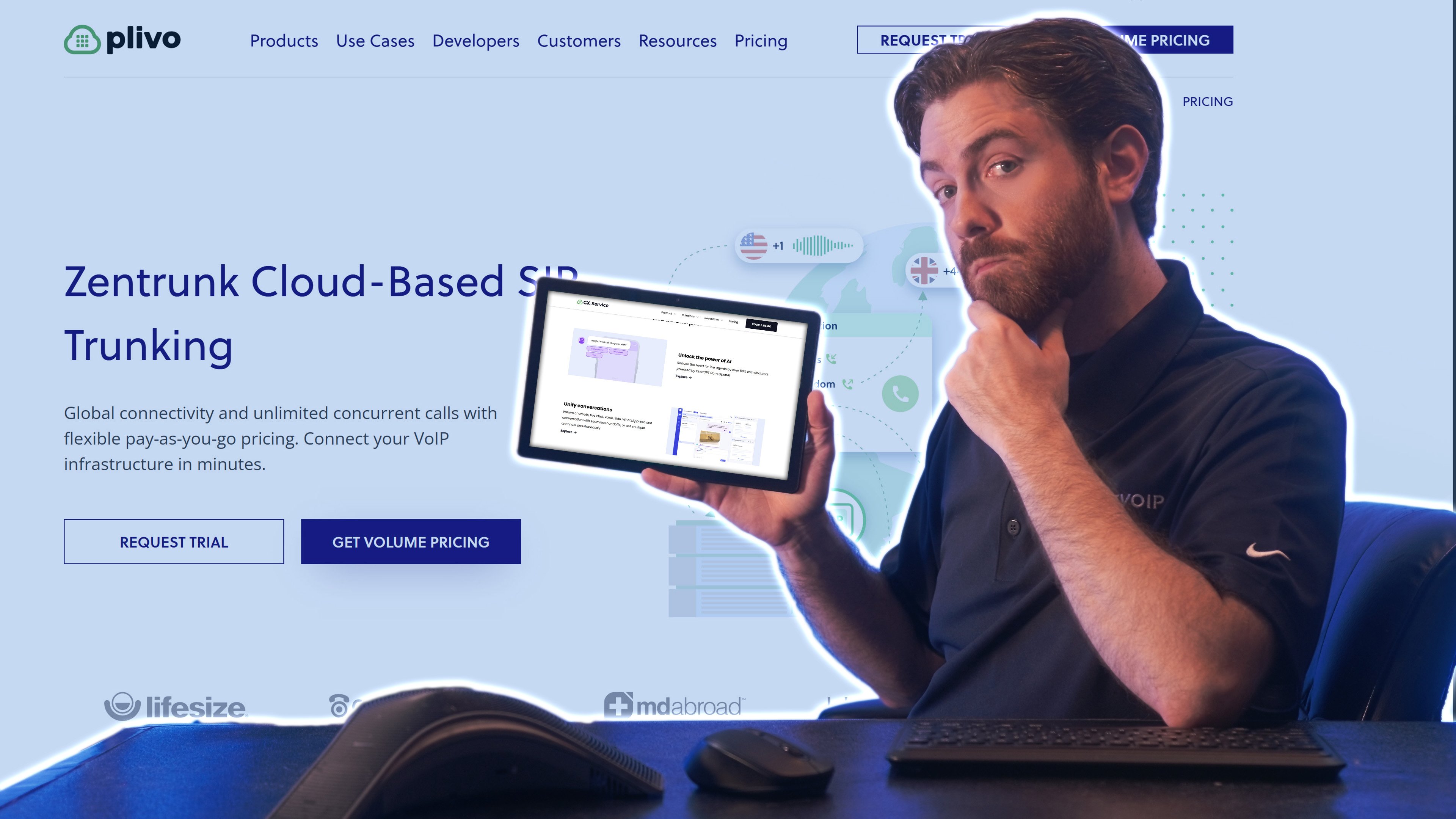
Plivo offers SIP trunking services built to accommodate both businesses and developers. It is an affordable alternative to Twilio in that it offers a similar degree of flexibility and features but with a slant on simplicity and scalability. Plivo’s carrier-grade network keeps calls high-quality and its APIs allow developers to integrate SIP trunking into custom applications.
Plivo’s price plans are straightforward and offers outbound calling to 220+ countries. Startups and growing businesses should take advantage of Plivo’s offerings. The company offers solid support and documentation for developers looking to customize and tinker with solutions.
What We Like
- Developer-centric API design: The RESTful APIs are truly just well-designed with clear documentation and code samples. Developers can create custom applications leveraging Plivo's SIP trunking capabilities. API structure just feels intuitive with SDKs available in Python, Node.js, PHP, Ruby, and Java
- Cost-effectiveness: At $0.012 per minute for domestic US outbound calls, Plivo offers some of the lower rates without sacrificing API functionality or call quality. The pay-as-you-go model and its billing controls helps businesses manage costs
- Carrier-grade reliability: Despite the lower price point, call quality rivals pricy competitors. The network infrastructure handles high volumes without quality degradation, and API-driven failover options ensure you don't miss a beat
What We Don't Like
- Limited customer support: Support options are more restricted compared to competitors. You will need to lean on API documentation and developer forums rather than direct assistance from support
- Complexity for non-developers: While excellent for technical users, non-developers may struggle with the API-first approach. The platform assumes programming knowledge that not all businesses possess for basic setup and configuration
- Support responsiveness: When we did need support assistance, response times were slower than we'd prefer, sometimes taking hours rather than minutes to receive answers
Cost
Pay-as-you-go model with domestic US outbound calls starting at just $0.012 per minute.
Best For
- Startups and growing businesses with in-house development teams requiring API-first solutions
- Developers building custom communication applications needing affordable yet powerful APIs
- Companies seeking Twilio-like programmability and flexibility at lower price points
- Organizations requiring carrier-grade quality with full programmatic control over call routing and handling
Avoxi
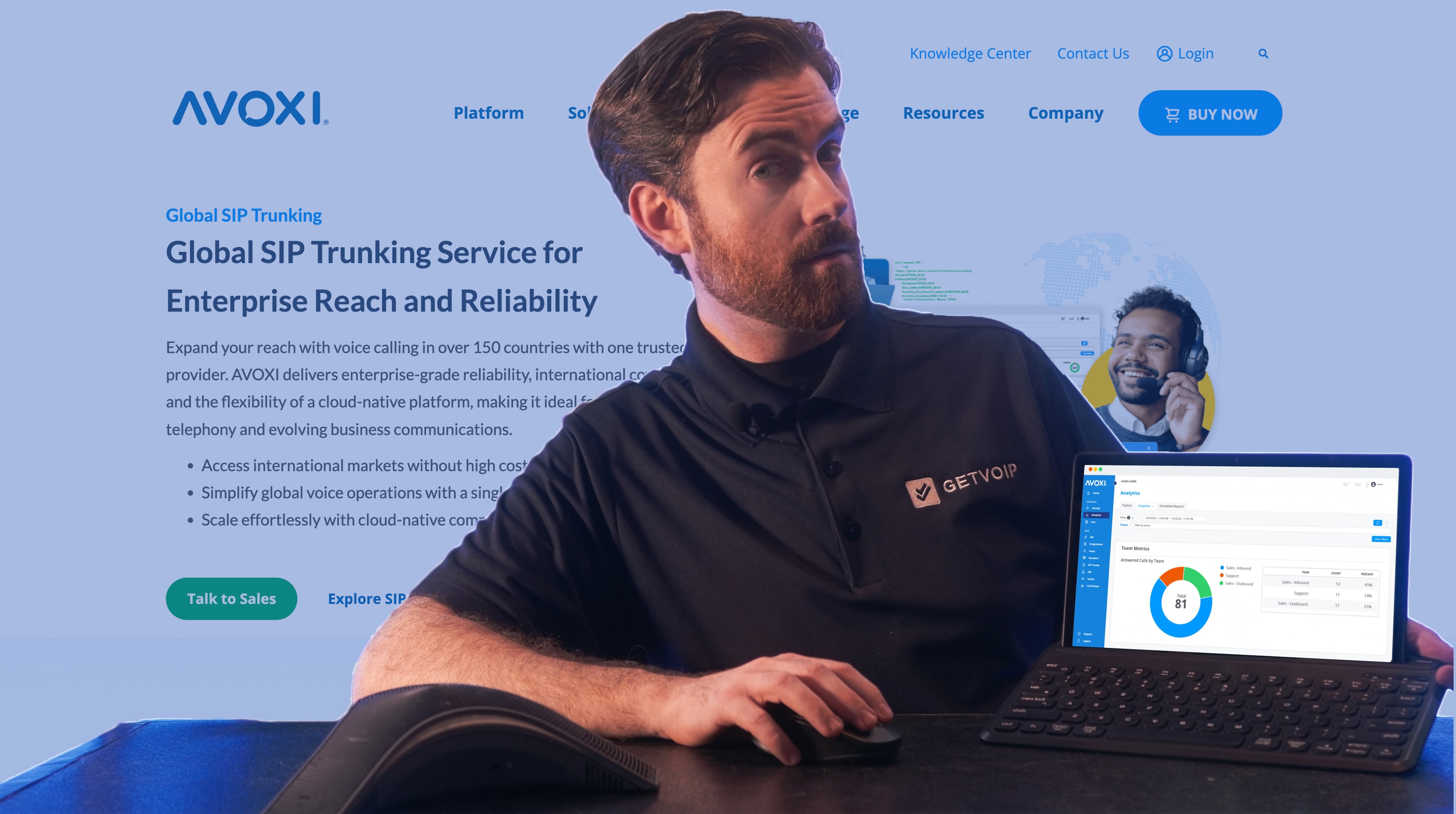
AVOXI is a strong player that offers a cloud-based SIP trunking service solution aimed mostly for businesses who operate on a global scale with an innate need for communication with enterprise-level reliability. The platform is particularly calibrated towards those who need international voice connectivity with straightforward APIs for integration. This just makes it a boon for companies with distributed teams or international customers.
Overall, AVOXI offers up world-class SIP trunking with clean and crisp voice services across multiple continents. The platform does not let up when it comes to delivering consistent call quality, API access for basic integration schemas, and empathetic customer support for businesses of all sizes seeking reliable international services.
What We Like
- International focus: AVOXI excels at providing reliable international SIP trunking with consistent quality across regions. We made calls to numerous countries and experienced excellent clarity and minimal latency throughout our testing
- Straightforward implementation: The setup process is more streamlined than many enterprise-focused competitors, with API documentation covering common integration scenarios. We had our SIP trunking configured and operational quickly with minimal technical complexity
- Responsive support: Customer service representatives were knowledgeable and responsive. We received prompt assistance when questions arose about both basic configuration and API integration, with genuine expertise in SIP trunking implementations
What We Don't Like
- Limited advanced features: While solid for core SIP trunking needs, AVOXI doesn't offer as extensive API capabilities as platforms like Twilio or Plivo. Businesses seeking complex programmable workflows, AI-powered features, or advanced automation may find the platform lacking
- Smaller integration ecosystem: The number of pre-built integrations with third-party tools is more limited compared to larger platforms like 8x8 or Vonage. Custom API integration work may be required for some business applications
- Pricing transparency: While competitive, detailed pricing information requires contacting sales. Businesses preferring self-service pricing research may find this frustrating
Cost
AVOXI offers three different plans starting at just $14.99 per user per month. Contact their sales team for specific quotes tailored to larger organizations desiring discounts.
Best For
- Businesses with significant international calling requirements across multiple continents
- Companies seeking reliable global voice connectivity without excessive API complexity
- Organizations prioritizing responsive customer support and streamlined implementation
- Mid-sized enterprises needing consistent international call quality with basic API integration capabilities
What Is SIP Trunking?
SIP Trunking is a communications technology that enables users to make and receive phone calls and transmit other digital media over the Internet for real-time interactions. SIP Trunking supports cloud-based communications like voice over IP (VoIP) telephony, SMS texting, video conferencing, and messaging.
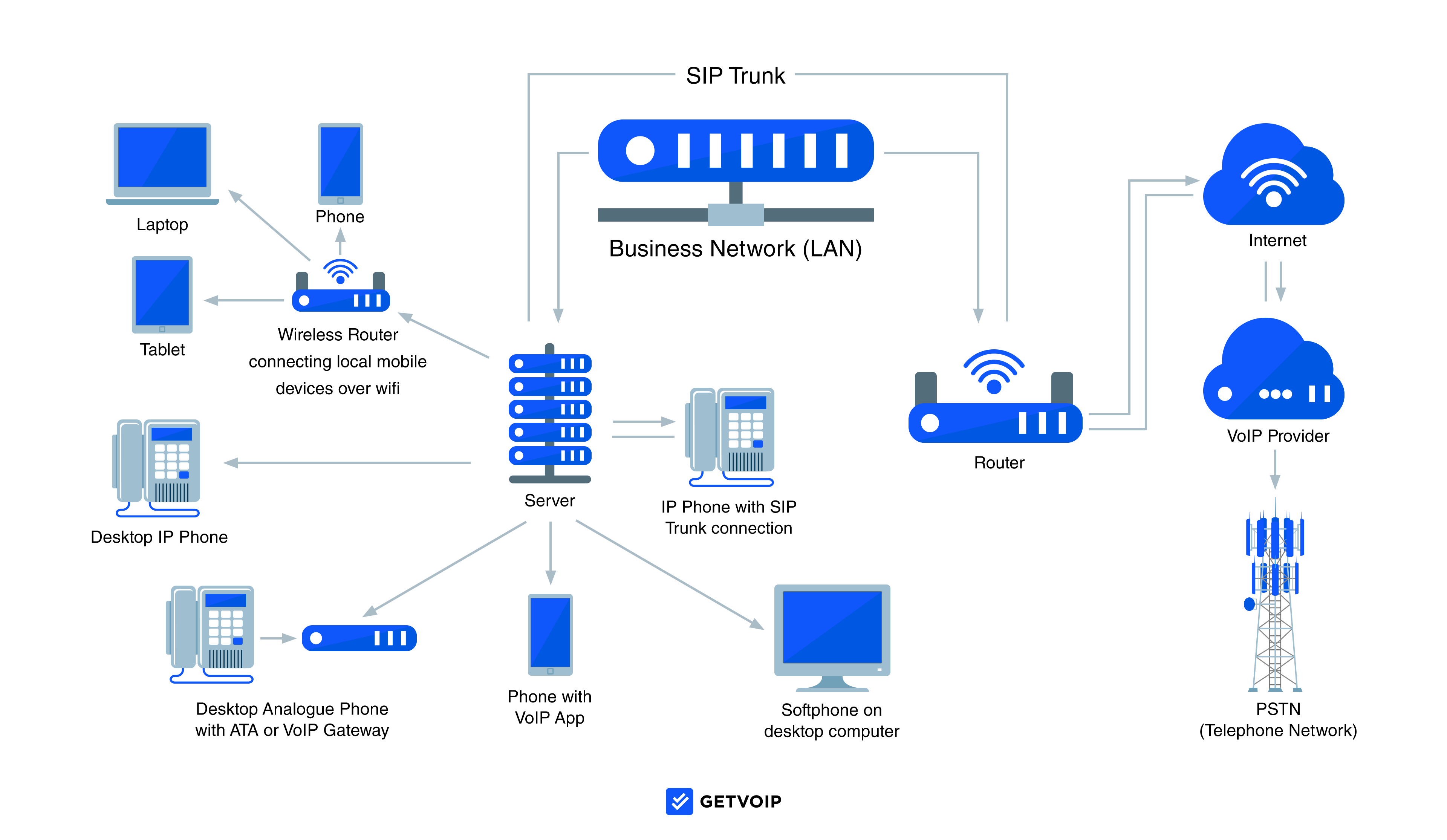
SIP Trunking uses Session Initiation Protocol (SIP) to establish a connection between endpoints, allowing users to stream data back and forth. A SIP Trunk is a single virtual phone line, not a physical device.
Businesses, residences, and individual users can use SIP Trunking from their choice of several endpoints: mobile applications, desktop-based softphones, or an on-premise phone system with physical VoIP and SIP-compatible phones.
SIP Trunking services are offered by SIP Trunking providers as well as some CPaaS providers, call center software vendors, and residential phone service providers.
How SIP Trunking Works
SIP Trunking uses the Session Initiation Protocol (SIP) to establish a live connection between internet endpoints so that users can stream VoIP calls, video conferencing, and messaging. Instead of traditional copper phone lines, SIP Trunking uses virtual SIP channels to connect users’ devices, called “endpoints”.
SIP provides instructions that help each endpoint coordinate a secure real-time media session. The protocol conveys each user’s IP address, the codecs used, and the types of data that will be streamed–such as audio and video packets.
SIP endpoint devices–like a VoIP phone, mobile app, or computer softphone–take the user’s analog (video or audio) signal and convert it into digital data, transmitting this data to all the other endpoints in the session. Each endpoint has a virtual SIP proxy server, which receives the data, securely converts it back to an analog signal, and delivers it to the end user.
SIP Trunking Setup and Infrastructure
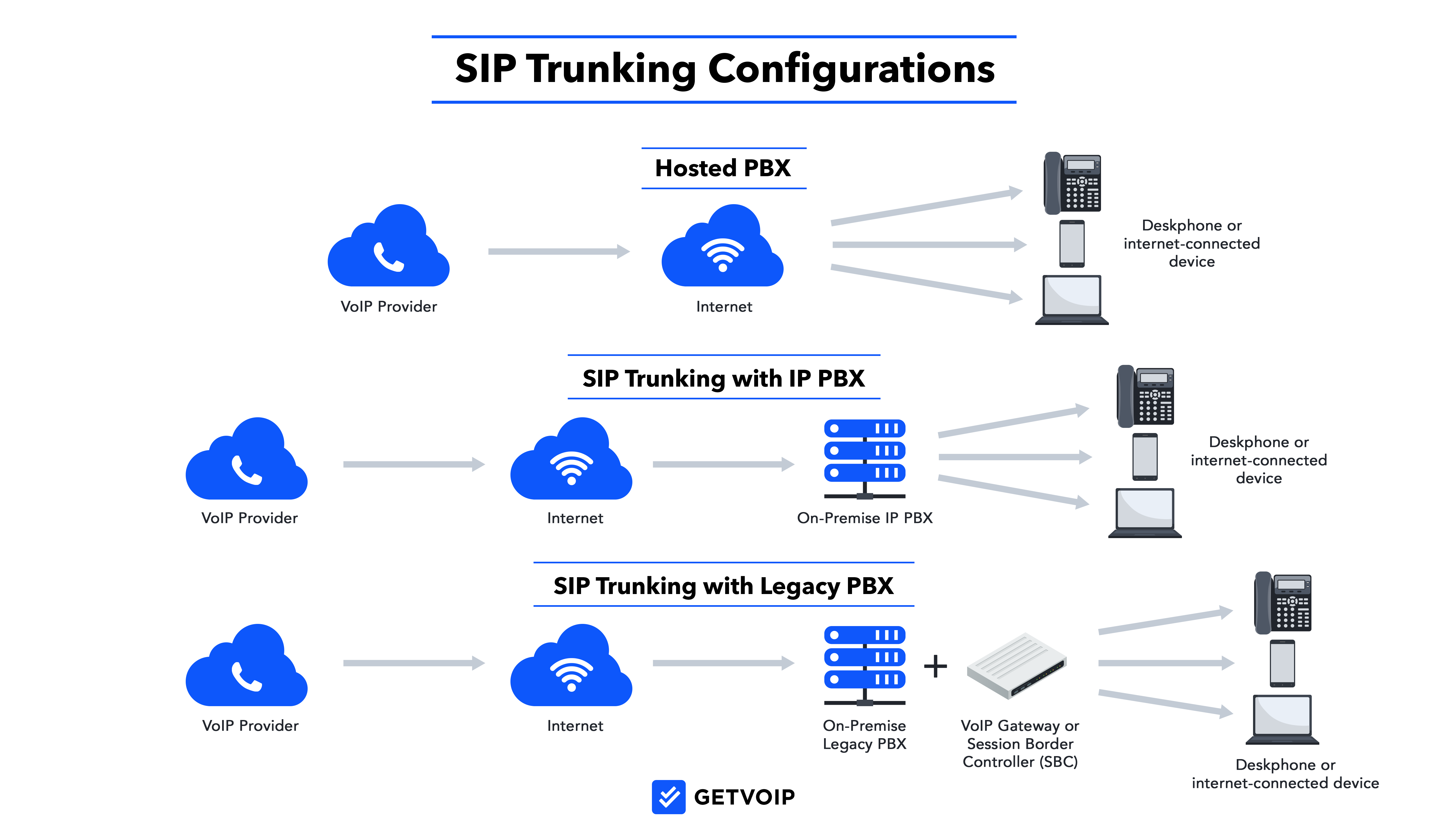
Companies that want to use SIP Trunking for their business phone system have three main setup options: a cloud-hosted VoIP phone system, an on-premise system using an IP PBX, or converting your landline phone system into a VoIP-compatible system.
Cloud-Hosted SIP Provider
With a cloud-hosted PBX system, your VoIP provider hosts the SIP equipment and phone system in their data centers. As the end user, you don’t have to purchase any hardware–you only need an internet connection and a SIP-compatible device like a computer, mobile smartphone, or a VoIP phone.
Hosted SIP providers offer business VoIP software that users access through the internet. This software can include multiple communication channels like voice, SMS texting, video conferencing, and chat messaging. Multichannel UCaaS setups are becoming a popular option for businesses, with an expected 13.9% annual growth rate through 2032. Many hosted SIP providers also bundle advanced features in their software, such as routing capabilities like IVR and call queues, call analytics, and call monitoring.
An entirely hosted, cloud-based SIP Trunking infrastructure provides a cost-effective, low-maintenance option for companies seeking a virtual business phone system.
SIP Trunking with an On-site IP PBX
An onsite IP PBX system is a physical device that enables users in your office building to make VoIP calls using SIP. The IP PBX system includes a preset number of phone jacks, each connecting to one VoIP phone in your office building.
On-site IP PBX requires you to maintain the hardware, cables, and VoIP phones. It also limits scalability, since you can only run SIP lines to a predetermined number of users in the office. Still, this setup infrastructure provides greater control and privacy than using a hosted solution.
You can also purchase a virtual IP PBX server, which provides the same functionality as a physical IP PBX, but over the cloud. Virtual IP PBX software works well for remote companies with staff across the globe, who still want to provision SIP Trunking for all employees.
SIP Trunking with Legacy PBX
While legacy PBX systems typically make calls over the PSTN via copper-cable PRIs, you can use SIP Trunking to connect your legacy PBX to the Internet and facilitate VoIP.
This infrastructure requires you to purchase a session border controller (SBC) and analog telephone adapters (ATA), connecting these to your legacy PBX system. Then, on-premise users can use regular landline phones to transmit SIP data over the Internet.
SIP Trunking with a legacy PBX system is the most painstaking and inconvenient infrastructure since it requires the most hardware and maintenance. Further, this outdated option provides limited options for the features and communication channels you can integrate with your SIP Trunking system.
Key SIP Trunking Features
SIP trunking services provide necessary features that help businesses enhance their current communication systems. The following features come together to allow companies cut costs while making calls over the internet:
- HD Call Quality: Ensures crystal-clear voice communication essential for conducting professional interactions and ensuring customers are satisfied and heard when making inquiries or complaints.
- Redundancy and Failover Mechanisms: These provide backup routes to guarantee and maintain service continuity and uninterrupted communication when outages occur.
- Failover Routing: Automatically reroutes calls to alternative systems and numbers to cut down on downtime.
- Concurrent Call Support: Enables multiple calls to happen simultaneously, high call volumes are handled without compromising call or service quality.
- Integration with PBX Systems: Seamlessly connect with existing Private Branch Exchange (PBX) systems. Allows businesses to continue using their existing infrastructure, now empowered with SIP trunking capabilities.
- 911 Support: Ensures emergency calls are routed with accurate location data, helping businesses meet legal and safety requirements.
- Encryption & Security (TLS/SRTP): Protects voice data with protocols like TLS and SRTP, reducing the risk of eavesdropping or data breaches.
- Global DID Coverage: Gives businesses direct inward dialing numbers from multiple countries to lend them global presence without physical offices.
- Real-Time Call Analytics: Get instant insights into call quality, usage trends, and system performance to support better decision-making and fast troubleshooting.
SIP vs VoIP: What’s The Difference?
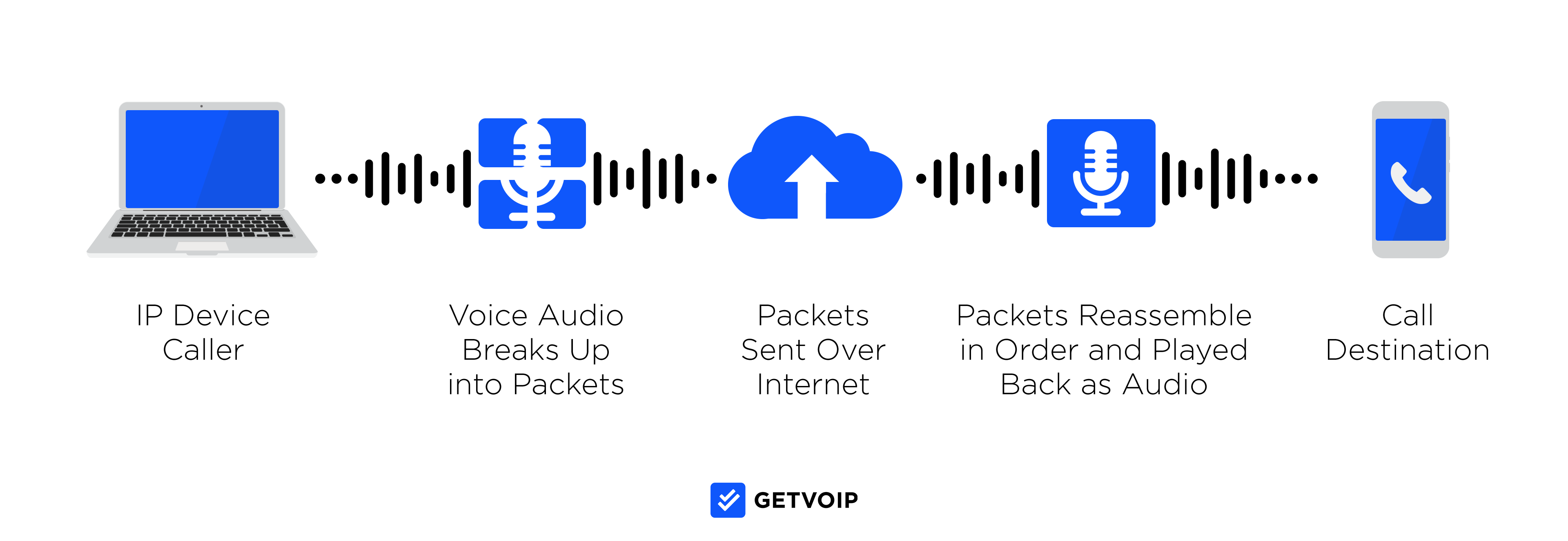
SIP is an internet-based protocol that enables real-time media transmission, while VoIP is internet-based voice calling. Put simply, SIP enables VoIP calling. The two technologies work together, with VoIP using SIP.
SIP supports other real-time media communications besides VoIP. SIP also supports video, messaging, and other types of data transmission. The SIP protocol works harmoniously with other protocols, like real-time transport protocol (RTP) to enable VoIP. VoIP is one of the most popular software trends in the telecommunications space, with an anticipated 21.1% annual growth rate through 2031.
Voice over the Internet Protocol (VoIP) refers specifically to voice calls made over the Internet. VoIP calls rely on multiple protocols, SIP being one of them. Usually, VoIP utilizes SIP to establish calls, before using RTP for live data streaming during the call.
To learn more, read our detailed comparison of SIP vs VoIP.
SIP Trunking Pros and Cons
SIP Trunking offers many business benefits over a legacy phone system. A SIP Trunking phone system is cheaper, easier to manage, more scalable, offers better features and channels, and supports remote work. These benefits are one of the main reasons why the SIP Trunking market is expected to maintain a 10% annual growth rate through 2033.
On the other hand, SIP Trunking may require an upfront investment as you purchase new equipment or begin a new hosted software subscription. The process of choosing a provider and setting up the SIP Trunking system can also be frustrating, depending on your infrastructure.
Let’s take a closer look at the pros and cons of using SIP trunking for your business phone system:
Pros
- Easy setup and management: A SIP Trunking solution, whether entirely cloud-based or using a physical IP PBX system, is much easier to manage than a legacy phone system. With Hosted SIP, you simply pay a monthly subscription and access the software app. With an on-site IP PBX system, you only need to manage the IP PBX equipment and your physical VoIP phones.
- Cost savings: Compared to a legacy phone system, a SIP solution leads to major savings almost immediately due to reduced maintenance expenses. Further, many of today’s SIP Trunking providers offer Elastic SIP Trunking, where companies can pay by the active-call minute, rather than by the phone line.
- Expanded phone number offerings: SIP Trunk providers offer virtual phone numbers in up to 100 countries around the globe, including toll-free and vanity numbers. Companies can establish a local presence in new areas, connecting with customers anywhere.
- Metrics and insights: SIP Trunking solutions integrate with APIs like analytics, call tracking software, and other AI-based tools. These connected features provide insights about your customers, user behavior, and call activity patterns.
- Advanced features: SIP Trunking software integrates with advanced API-based features like call recording, call transcription, and routing capabilities like IVR menus. These features unlock new use cases for customer service and sales.
Cons
- Technical frustrations: Depending on the infrastructure your company uses, you may run into frustrations with equipment setup and management. Physical IP PBX systems still require maintenance from a knowledgeable IT staff, and connecting API-based features to your SIP system depends on your programmer’s proficiency.
- Internet-dependent uptime: SIP Trunking requires a stable internet connection to enable phone calls. For some phone systems, this may mean that the phone system goes down if the office’s power goes out, or if the router malfunctions. Further, having too many users on one network may overload bandwidth and worsen call quality.
- Choosing a provider: Each SIP Trunking provider is different. Providers offer distinct pricing plans, compatibility options, and phone number availability. Depending on the equipment and infrastructure you have in place, and the features and phone numbers you want, you may need to consult with several vendors or purchase new equipment to set up a SIP Trunking system.
How Much Does SIP Trunking Actually Save?
SIP trunking can reduce your telecom expenditures by anywhere from 30-60% against what you would spend on traditional landline services.[*] Though actual savings always depend on your business size, use cases, and provider. We’ve assembled a quick table comparing SIP trunking and traditional PSTN systems.
| SIP Trunking | Traditional PSTN | |
| Monthly Line/Channel | $15–$30 per channel | $40–$60 per line |
| Per-Minute (US) | Often included, but can be $0.005–$0.02/min | $0.02–$0.10/min |
| International Rates | $0.01–$0.05/min (varies by country) | $0.05–$1.00+/min (much higher for mobile) |
| Setup Fees | $0–$200 (often waived or bundled) | $50–$200 per line |
| Hardware Costs | SIP-enabled PBX or SBC (~$300–$1,500 upfront) | Traditional PBX ($1,000+ per site) |
| E911 & Compliance Fees | $1–$3/month per number | $1–$5/month per line |
| Scalability | Pay-as-you-grow and add channels as needed | Fixed lines and expensive to scale |
Monthly Costs vs. Traditional PSTN
On average, businesses can expect to pay $10-25 per month per SIP channel, with some providers quoting up to $30 for unmetered plans that include domestic and local calling over the continental US and Canada. PSTN lines (think T1, analog, etc.) will run companies anywhere from $40-60 per line per month.
Per-channel and Per-minute Rates (US and International)
A SIP channel is a conduit for concurrent calls with providers often offering both metered and unlimited calling. Metered plans tend to range from $0.01 to $0.03 per minute versus unlimited plans with bundle channels into a flat rate, typically $20-40 per trunk.
For US domestic calling, termination rates for SIP start anywhere from $0.005-0.02 per minute, based on routing and provider. International rates are significantly lower via SIP, for countries like Canada, Mexico, and Western Europe, typical rates were $0.01-0.05 per minute. In contrast, PSTN international calls were $0.05 to over $1 per minute particularly when calling mobile phones.
Hidden Costs
While SIP trunking eliminates legacy fees, you have to consider some upfront costs. Setup or activation fees can go up to $150 per trunk, based on provider and whether configuration was bundled. Traditional PBXs however may cost upwards well into the thousands, where SIP may cost you fractionally with minimal maintenance.
E911 services usually run $1-3 per number per month and providers may have to add additional fees per line in regulatory or recovery charges. Direct Inward Dial (DID) numbers also run up costs anywhere from $1-5 per month plus per-minute charges.
How to Choose the Right SIP Trunking Provider
Your company’s SIP Trunking needs will vary depending on the equipment you currently have, the channels and phone system features you want, and your users’ locations. Depending on the provider you choose, the setup process will involve different steps. In this section, we’ll provide a quick outline, as well as a more detailed breakdown below.
A quick overview of how to set up your SIP system:
- Determine if you want to repurpose any of your current hardware, like a landline PBX system or IP PBX
- Compare providers and determine what additional equipment you may need
- Work with your provider to purchase phone numbers and set up your account, IP, and routing information with SIP.
Here’s a more detailed breakdown of setting up your SIP Trunking infrastructure:
1. Determine Business Communication Goals
Before choosing a SIP provider and the equipment required, list the business goals you want to achieve with your SIP Trunking phone system. With more complex and multifaceted business needs, you will likely be better off with a hosted SIP Trunking solution or VoIP phone system.
Consider the following:
- Channels: Do you want voice calling only, or do you also want UCaaS capabilities like SMS texting, video conferencing, and internal team messaging? If you want multiple communication channels, you’re better off using an IP PBX system or a hosted solution for Trunking, rather than converting a legacy PBX infrastructure.
- Phone number needs: Do you only need phone numbers in your local area code, domestic numbers, or do you want international numbers? Do you want toll-free and vanity numbers? This answer will affect which provider you choose since each provider has unique phone number offerings.
- Routing: What are your routing needs for inbound calls? Do you plan to use an IVR menu, or simply route inbound calls to any available user? If your team has complicated routing needs and wants IVR, you may be better off opting for a virtual or IP PBX-based SIP Trunking solution, rather than converting to a legacy PBX system.
- Use cases: Do you plan to use your phone system for customer support, sales, or basic customer-facing communication? This answer will affect the routing tools, analytics, and sales campaign features you may want.
- Call volume: How many calls do you expect to make per day? During a standard business day, how many team members may simultaneously handle a phone call? These answers will determine if Elastic or Regular SIP Trunking offers more efficient pricing for your call volume.
2. Take Inventory of Your Current Setup
Consider the communications infrastructure you currently have in place, and which equipment you can repurpose for your SIP Trunking system. You may be able to reuse routers, VoIP phones, IP PBX systems, computers, and session border controllers (SBC) with most SIP providers.
You may also be able to repurpose a legacy PBX system for SIP Trunking, but this setup often requires additional hardware, like an analog telephone adapter (ATA) and SBC. These tools link your PSTN connection to the internet, enabling SIP. Converting a legacy landline system to SIP Trunking can be expensive and leave you with high-maintenance equipment. In most cases, you’re better off abandoning your legacy PSTN equipment and opting for a virtual SIP Trunking infrastructure, either with a physical IP PBX box or a hosted software setup.
3. Compare Providers
Once you’ve determined what equipment you may be able to repurpose, begin researching SIP Trunk providers, such as those on our list. Look for a system that accommodates your equipment and your business goals, while requiring minimal additional hardware.
Work with each provider to determine what your setup process may look like. Tell them the equipment you need, how many SIP Trunks or virtual lines you’ll require, and your communication goals. Get an idea of what your system would cost with each provider, and which VoIP or UCaaS capabilities each setup would provide.
When comparing SIP Trunk providers, consider the following:
- Pricing: Determine the cost of each SIP trunk (virtual phone line) with each provider. Many providers offer regular SIP Trunking charged monthly per line, and Elastic SIP Trunking that is charged per minute.
- Compatibility with your current setup: Speak with each provider, telling them about your current equipment. Determine if the provider’s offerings accommodate your equipment, if you’d need to purchase more hardware, and if your staff is up to the task. Many providers offer additional hardware and can assist with setup.
- Feature availability: Ask about the features that each provider’s SIP Trunking solution supports. Determine how easily you can set up features like a routing system with phone extensions, IVR menu, voicemail, call recording, and analytics.
- Phone number offerings: Learn about each provider’s phone number offerings, determining if they offer toll-free numbers, local numbers in your desired area codes, or international DID phone numbers.
4. Determine What Additional Equipment You May Need
When choosing a provider, be sure to communicate the details of your current infrastructure to get an in-depth picture of how your SIP Trunking setup process will look.
Ask your provider what additional hardware you may need:
- IP PBX systems–physical hardware or virtual
- VoIP phones and cables
- Analog telephone adapter (ATA) if converting a landline system
- Session border controller (SBC)
If choosing a software-based system or using an IP PBX, ask your provider if the setup requires any programming knowledge or an on-site developer. If you feel unprepared for any of these steps, ask if the provider offers any assistance with setup.
5. Work With Your Provider to Install SIP Trunking System
Since there’s so much variability between each company’s SIP Trunking setup needs, most SIP Trunking providers offer individualized installation support.
Establish a contact from your provider, who can walk you through each step of the process:
- Purchasing and installing hardware
- Purchasing and setting up SIP trunks
- Purchasing and registering phone numbers and assigning them to users
- Customizing extensions, routing, call controls, and IVR menus
- Customizing programming and code for any APIs, additional features, or integrations required
- Assisting agents or supervisors with using the new VoIP system’s interface and features
Although setting up SIP Trunking can feel overwhelming, a SIP system is generally low-maintenance once you get it set up. SIP Trunking providers offer 24/7 support over phone and email, to ensure your new system runs smoothly.
FAQs
Below, we’ve answered a few of the most frequently asked questions about SIP Trunking.
Though the exact number of simultaneous phone calls a SIP Trunk can handle depends on the specific provider, each SIP Trunk can manage at least 20 simultaneous calls.
Remember that each SIP Trunk is actually a bundle of phone lines and channels that all operate via a single SIP connection. Though technically, there’s no limit to the number of channels available per SIP Trunk, consider how call quality may suffer if a Trunk is split into too many channels.
To operate a SIP Trunk, you'll need:
- An Internet connection
- A bandwidth speed of at least 27 kbps per call
- A SIP-enabled network configuration
- An IP-enabled PBX system or a SIP Gateway to convert a non-IP PBX system to a SIP-friendly system
SIP is a type of protocol that gives users access to VoIP communications, but not all VoIP communications tools are empowered with SIP. This is because SIP, unlike VoIP, is not limited to managing voice calling alone.
In addition to VoIP voice calling, SIP enables additional communication channels like video calling, SMS texting, and instant chat messaging.
SIP protocol works by initiating, maintaining, and ending any real-time IP communication, whether that communication takes place via a VoIP voice call, video meeting, or instant chat messaging session.
SIP is a signaling protocol, meaning its only jobs are to:
- Send/receive SIP-powered communications to/from devices
- Control/manage interactive communication session