

With affordable pricing, intuitive user interfaces, and scalability, Quo and Dialpad are two of the most popular VoIP phone systems for startups and SMBs.
While both solutions include essential business phone features like IVR and call recording, each platform has unique strengths and possible drawbacks.
This Quo vs Dialpad comparison breaks down pricing, top features, intergrations, and other key details so you can choose the best fit for your business.
Our Quick Verdict
- Pick Quo if your team is small, mostly calls and texts customers, and wants shared inboxes at a low cost.
- Pick Dialpad if your team needs built-in video meetings, real-time AI coaching, and room to scale into a full contact center.
Quo vs Dialpad at a Glance
Quo is built for small companies and offers some of the lowest prices in the VoIP space. However, it is somewhat limited in available features.
Quick facts about Quo:
- Offers international calling and messaging at per-minute or per-message rates that vary by country
- Additional phone numbers can be purchased for $5/month
- 7-day free trial
Dialpad is more expensive than Quo, but offers a much more secure and feature-rich platform.
Quick facts about Dialpad:
- One of the only UCaaS providers to offer a 100% uptime SLA
- All plans include video conferencing and team messaging
- All plans include built-in AI and analytics
| Quo | Dialpad | |
| Pricing | $15-$23+ per user/month | $15-$25+ per user/month |
| Key Features |
|
|
| Available Communication Channels |
|
|
| Integrations | 15 integrations including Slack, Zapier, and Hubspot | Over 10 integrations including Salesforce, ServiceNow and Google Workspace |
| Customer Support Options |
|
|
| Alternatives to consider | ||
| Best For | Small businesses and startups that only need basic voice and messaging functionality | SMBs and remote teams that need an affordable solution with productivity and customer service tools |
What is Quo?
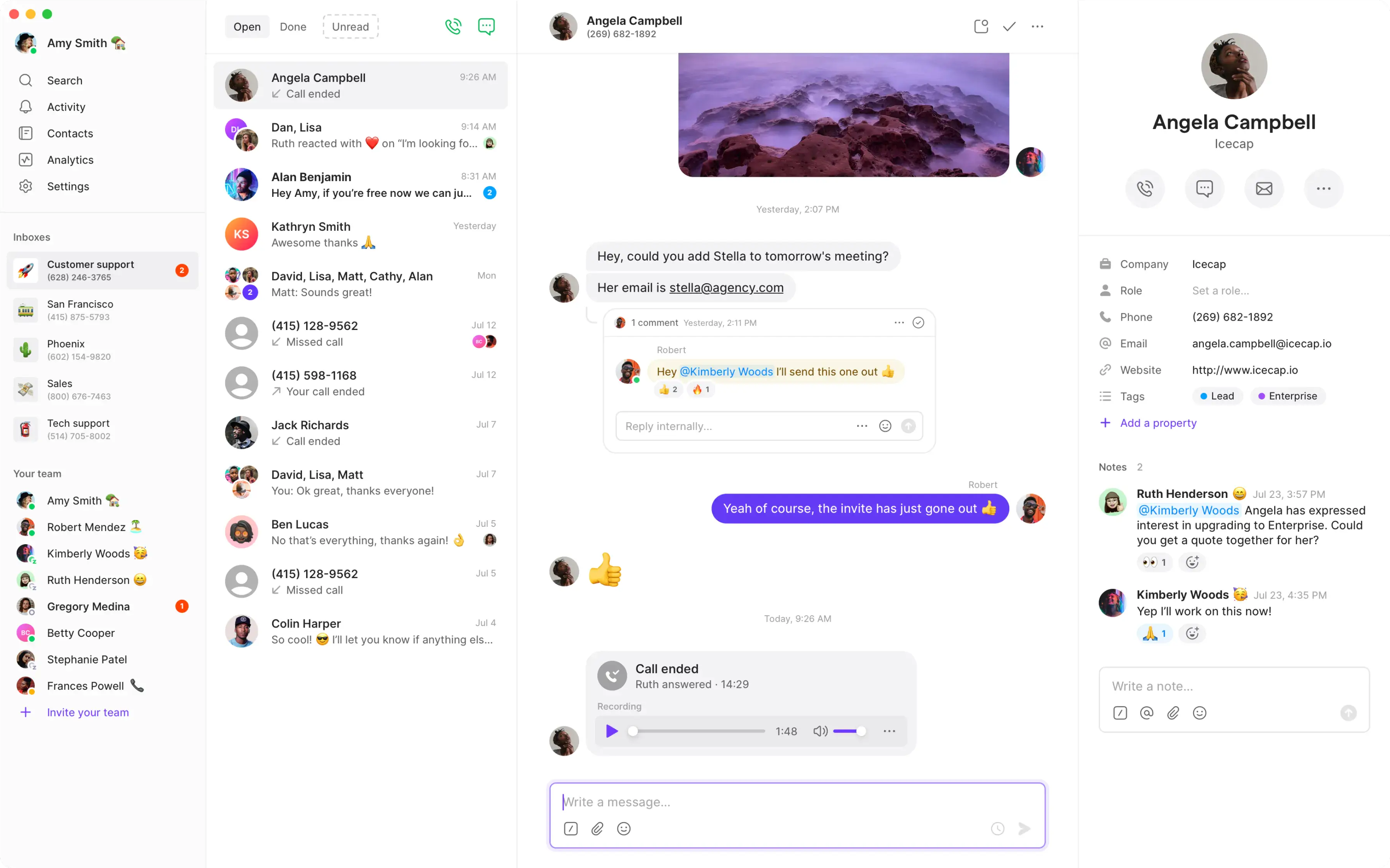
Quo (formerly OpenPhone) is a cloud-based business phone system that offers affordable telephony and messaging services. Its communication platform includes basic call center features such as call routing and call forwarding.
Voice and text conversations are organized into digital “workspaces.”
Each Quo business phone number has its own designated workspace, so companies can assign a separate phone number to different departments. Team members can then view all interactions within their department, including both text messages or phone call recordings.
Employees can also collaborate on conversations and share a universal contact list.
The 2025 rebrand from OpenPhone to Quo came alongside $105 million in growth financing. The product itself is otherwise the same. Throughout this comparison, we refer to it as Quo.
What is Dialpad?
Dialpad is a cloud based unified communications and contact center software provider that focuses on offering affordable plans for small businesses with a focus on cutting edge artificial intelligence (AI) features.
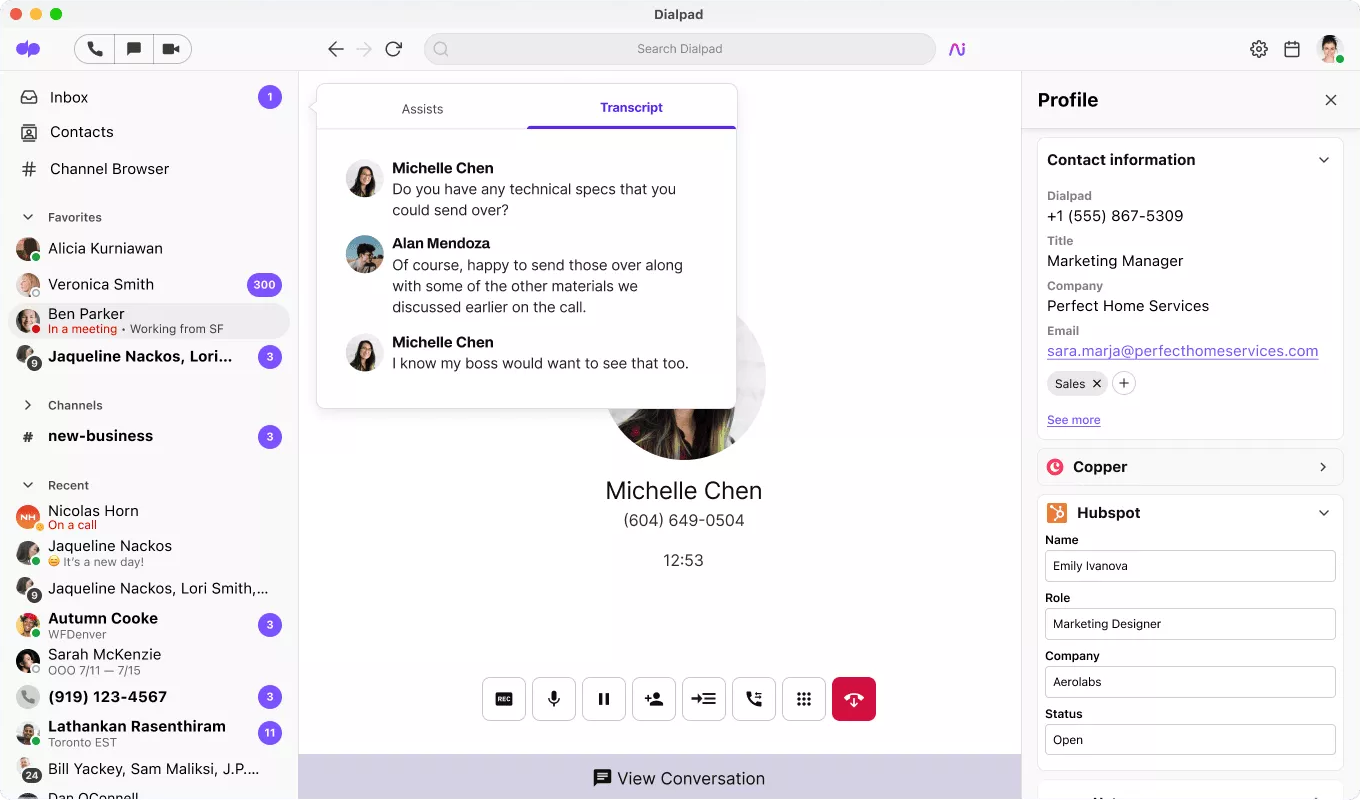
Dialpad’s platform includes voice, messaging, and video services, and uses natural language processing to offer features such as live transcription and agent assist.
Quo vs Dialpad: Pricing Overview
Quo offers three bundled featured plans outlined below:
- Starter Plan ($15 per user/mo. annually, $19 per user/mo. monthly): Includes unlimited calling and messaging in the U.S. and Canada, one phone number per user, business hours, voicemail-to-text, and call recording. Starter users cannot transfer calls or set up phone menus. Customer support is via email only.
- Business Plan ($23 per user/mo. annually, $33 per user/mo. monthly): Adds on features such as group calling, call transfers, advanced IVR auto attendant phone menus, round-robin call distribution, analytics, and CRM integrations like HubSpot and Salesforce.
- Scale Plan ($47 per user/mo. annually, $35 per user/mo. monthly): Additional features include advanced analytics, audit log, priority support, and dedicated onboarding.
Dialpad offers three bundled pricing plans outlined below:
- Standard Plan ($15 per user/mo. annually, $27 per user/mo. monthly): Includes unlimited calling, messaging, SMS, and MMS. Features include file sharing, video meetings with up to 150 participants, visual voicemail, and auto attendant.
- Pro Plan ($25 per user/mo. annually): Includes 24/7 live customer support, advanced third party integrations (Zapier, Microsoft Teams, HubSpot, Slack, etc.), international SMS, and the option to add on local or international phone numbers.
- Enterprise Plan (Custom Pricing): Has a 100-user minimum and adds on features such as SSO, extensions, a dedicated support manager, and unlimited departments/ring groups.
Quo vs Dialpad: Feature Comparison
Voice Calling
Quo calling is reliable and includes a number of useful features like shared contacts with contact notes, phone menus, and user groups.
Each paid user can port in an existing number or choose a new local or toll-free number.
Additional numbers can also be purchased without adding users.
Quo also offers international calling at per-minute rates that vary by country.
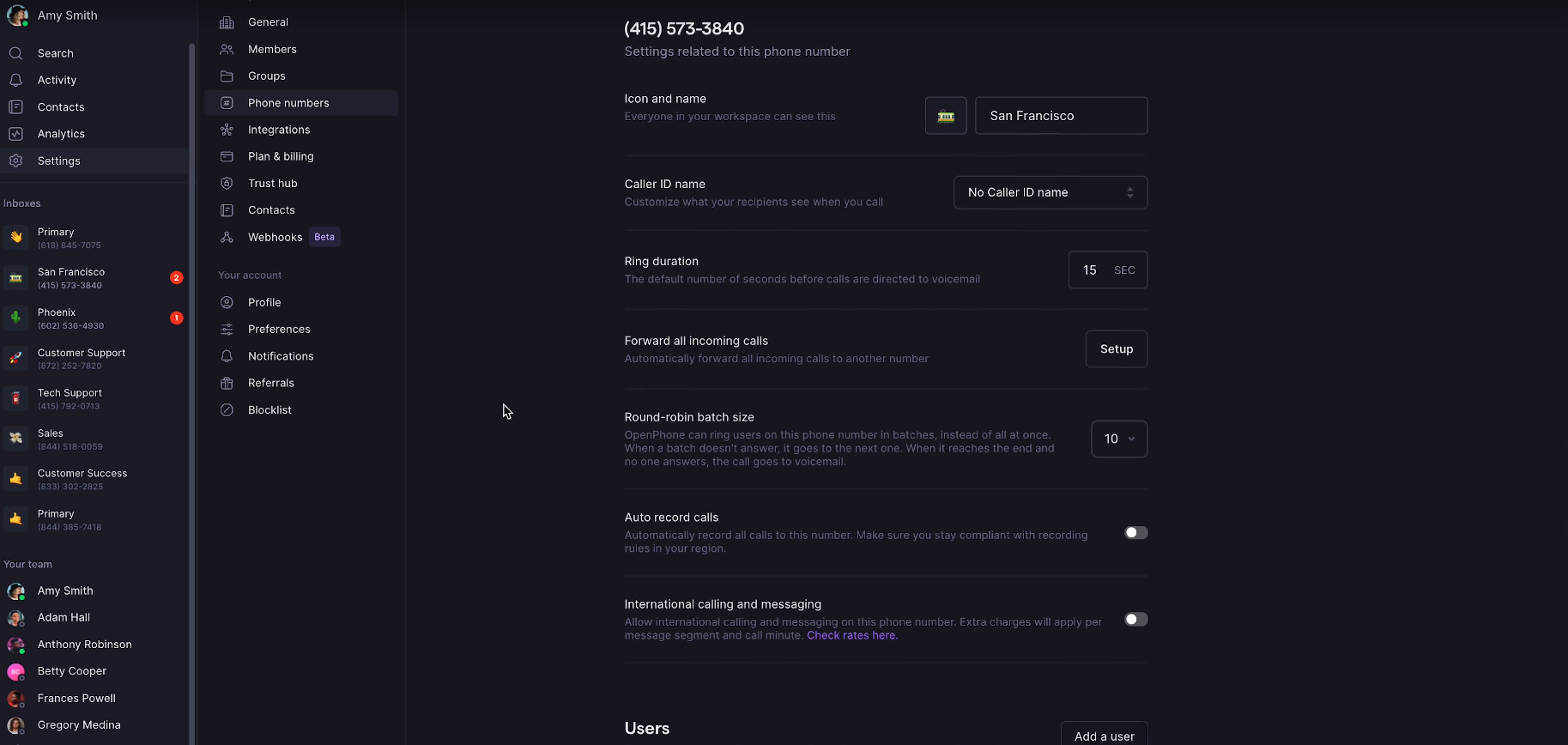
Quo calling features include:
- Business hours
- Shared contacts
- Voicemail-to-text
- Call recording
- Phone menus
- Group calling
- Call transfers
- Round robin
Dialpad includes unlimited calling in the U.S. and Canada along with toll-free number support in all pricing plans.
Pro and Enterprise plan users can also receive local number support in 70+ countries.
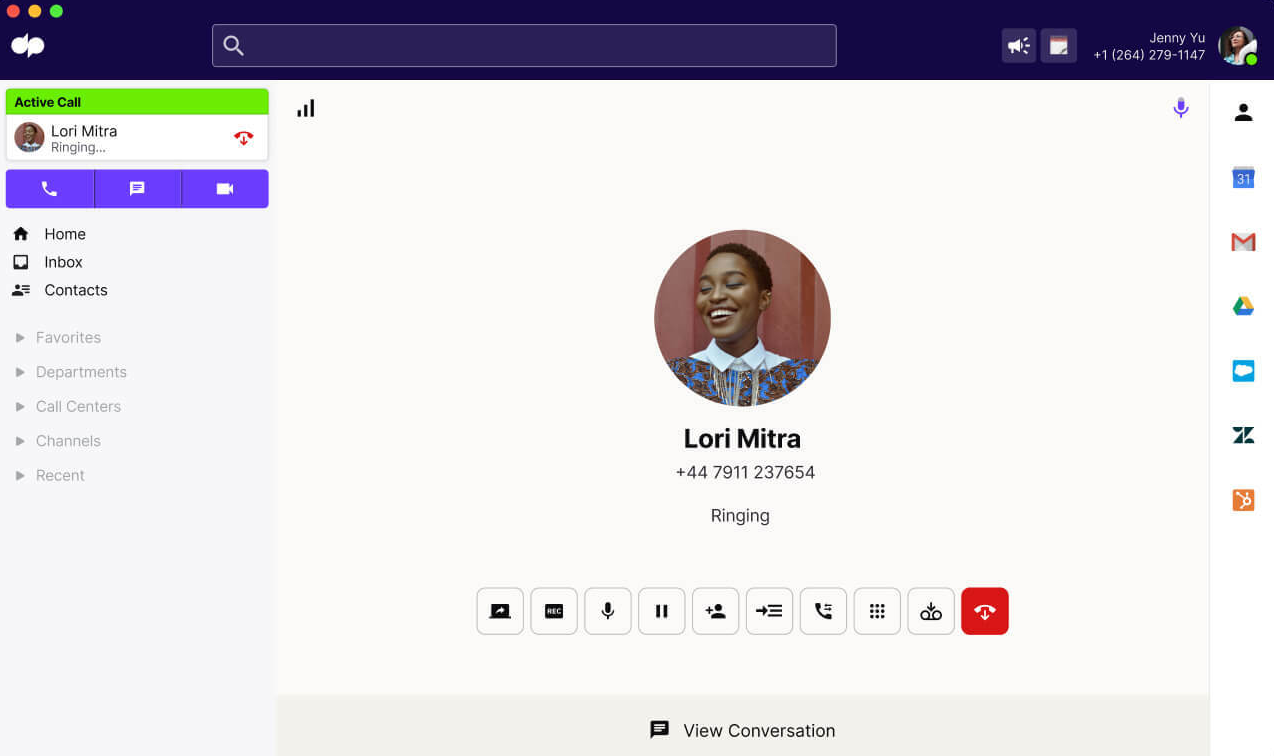
Dialpad gives users several ways to make a call — from the main dialer, search, or chat and from an iOS, Android, or desk phone. During incoming calls, users can place callers on hold, mute the microphone, add callers, and share their screen.
Dialpad's IVR workflow allows users to guide callers through a personalized call flow, directing them to the correct information and contact. IVR features include menu prompts, collection of DTMF input, and evaluation of variables with company criteria and logic decisions.
Additional Dialpad calling features include:
- Visual voicemail
- Hold queues
- Call recording
- Automatic spam detection
- Switch between devices
- Business hours
Messaging
Quo includes unlimited SMS/MMS messaging on all plans. Users can send and receive texts on any device including desktop computers, iPhones, and Android devices. Quo messaging supports all types of files including videos, GIFs, and PDFs.
Text messages are viewed in the phone number inbox along with call recordings and voicemails that are made/received by the same Quo number. This keeps messages organized and allows team members to collaborate on text message communication.
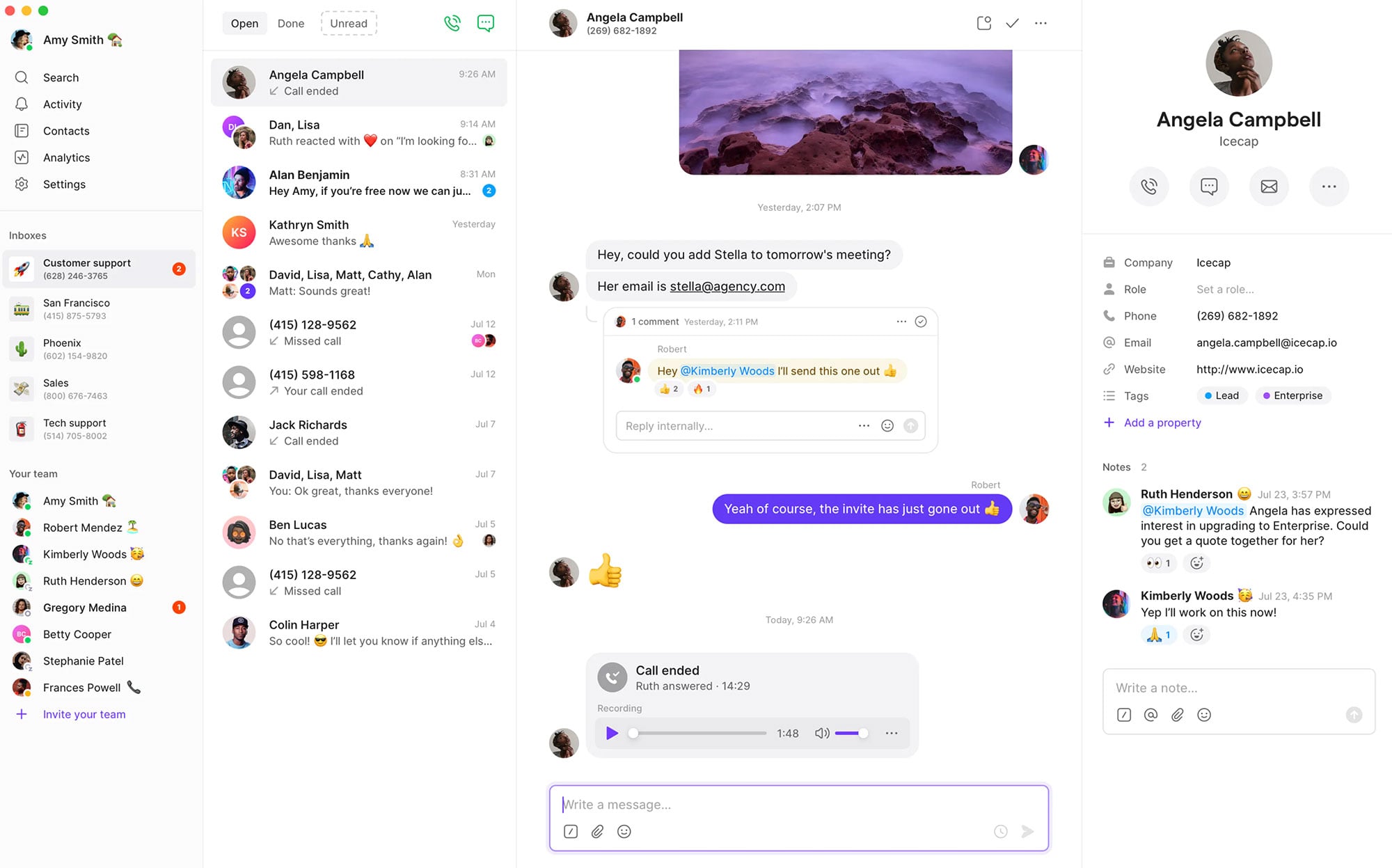
Quo messaging features include:
- Auto replies
- Schedule messages (users can schedule texts to go out at a certain time)
- Snippets (canned responses that team members can use to save time when answering common questions)
- Incoming message alerts
Dialpad includes both business text messaging and topic-based team messaging functionality on its platform. Dialpad users send SMS, MMS and/or group text messages and internal instant messages on the same interface with either the desktop or mobile app.
When users send business SMS messages texts from the Dialpad app, they can choose which caller ID to display. Business texting can also be used to send out links to Dialpad video meetings.
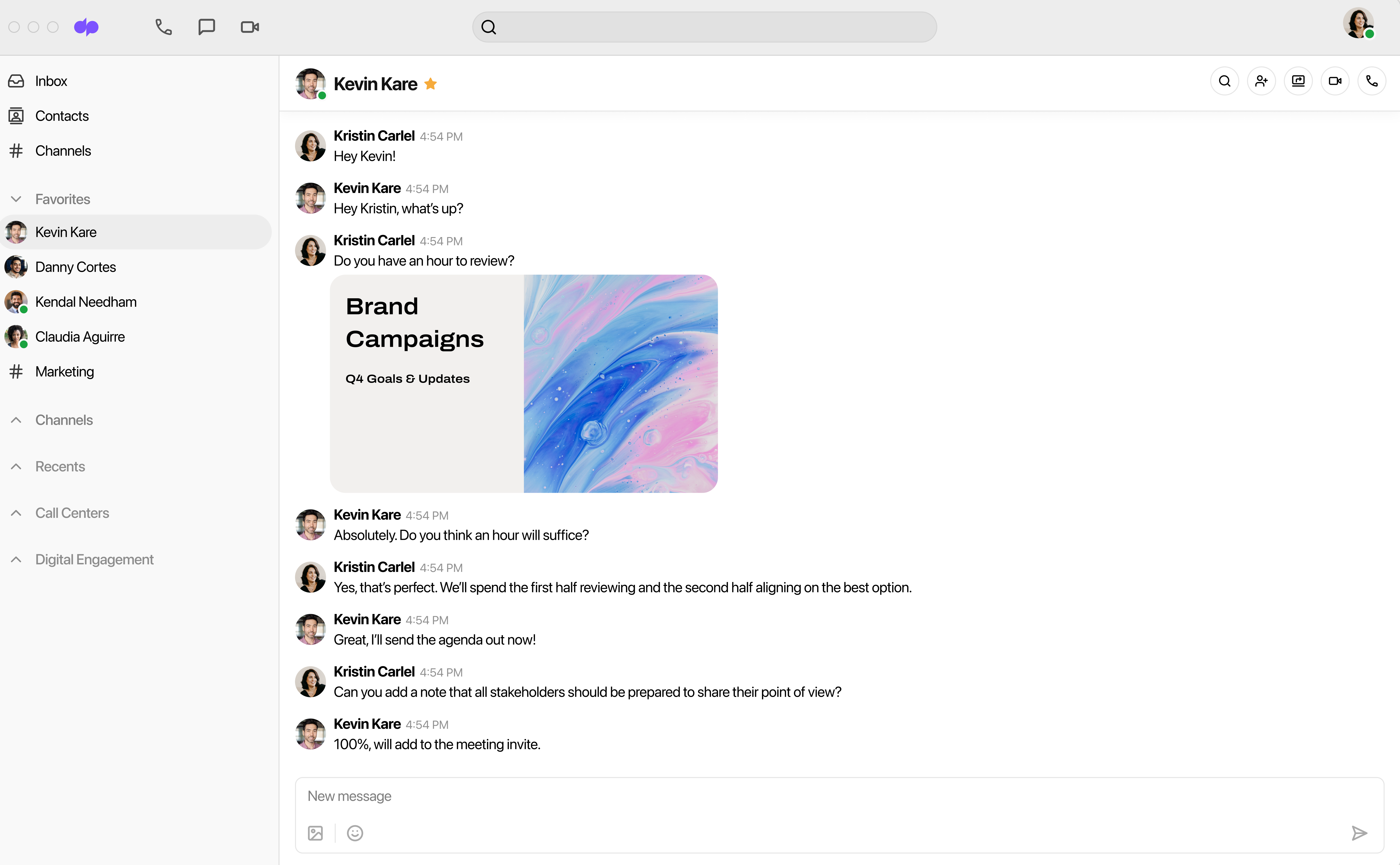
Dialpad messaging features include:
- International SMS (Pro and Enterprise plan)
- Audio chat rooms
- File sharing
- Search and filter capabilities
- Message data export
Conferencing
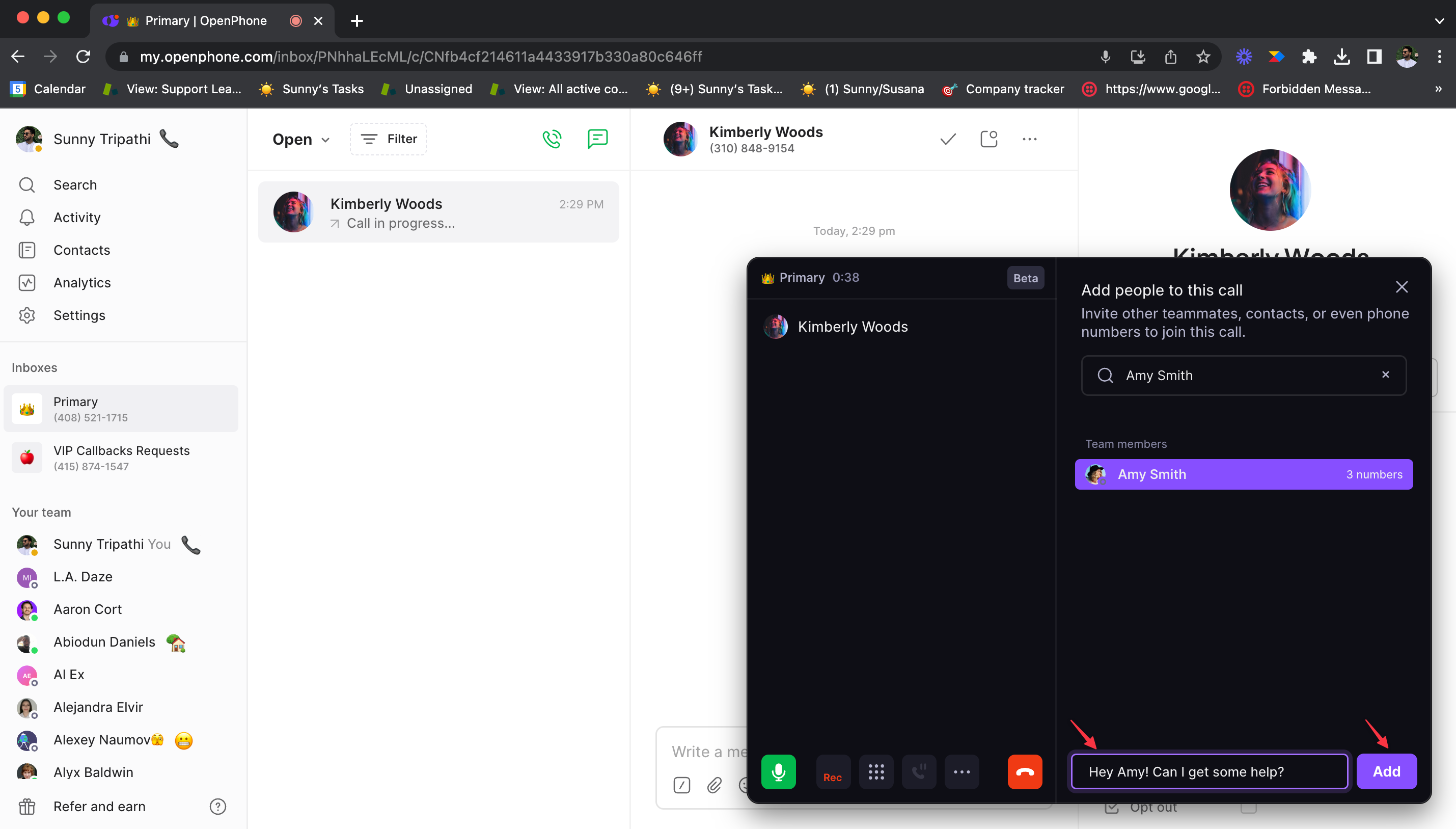
Quo offers a group calling feature to Business and Scale users. A group call can be started on the web, desktop or mobile app. Users can add people during a call by typing in a name or phone number.
When adding a workspace teammate to a group call, users can send a message along with the invitation to the conference call. Invitees receive a pop up screen with the option to accept or reject the group call. The group call initiator can see people who have been added and remove them by clicking next to the person’s name.
All Dialpad plans include a three way calling feature, which enables users to to manage when a third participant enters and leaves the call without a conference bridge.
Additionally, Dialpad users can host HD quality video and audio web conferences from a Mac, PC, Android or iPhone. Dialpad conferences are transcribed in real time, with Dialpad AI picking out keywords and terms to track how frequently they come up.
Dialpad AI also automatically generates a call summary, powered by ChatGPT. Dialpad conferences are limited to 150 video participants and 5 hours of duration in all plans.
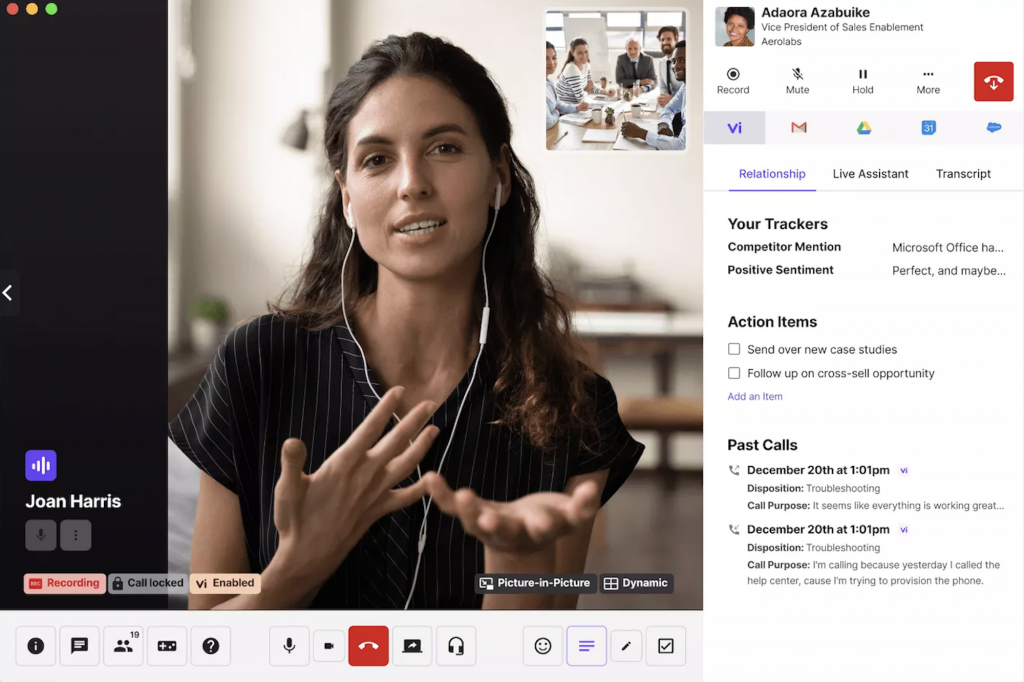
Dialpad video meetings features include:
- Audio recordings
- In-meeting chat
- Waiting room
- Personal meeting ID
- Whiteboarding
- Desktop and mobile screen sharing
Analytics & Reporting
Quo analytics are available on Business and Scale plans and provide an in-depth look at all the phone numbers used by the company. Analytics can only be accessed on the Web and desktop apps at this time.
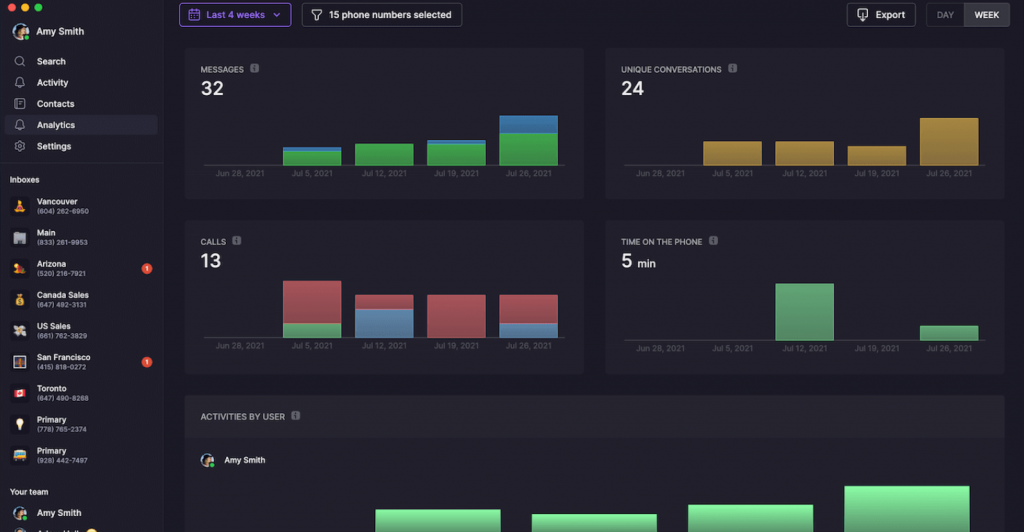
The Quo analytics dashboard displays the following key metrics as totals and on a per-user basis:
- Outgoing and incoming messages
- Outbound and inbound calls
- Number of unique conversations
- Time spent on calls
There is also a heatmap showing the busiest days and times of the week.
Owners and admins can view analytics for every phone number, while members can only view numbers they are assigned to.
Data can be filtered, exported and emailed to admins. Data exports contain 24 data points, including call duration and call statuses.
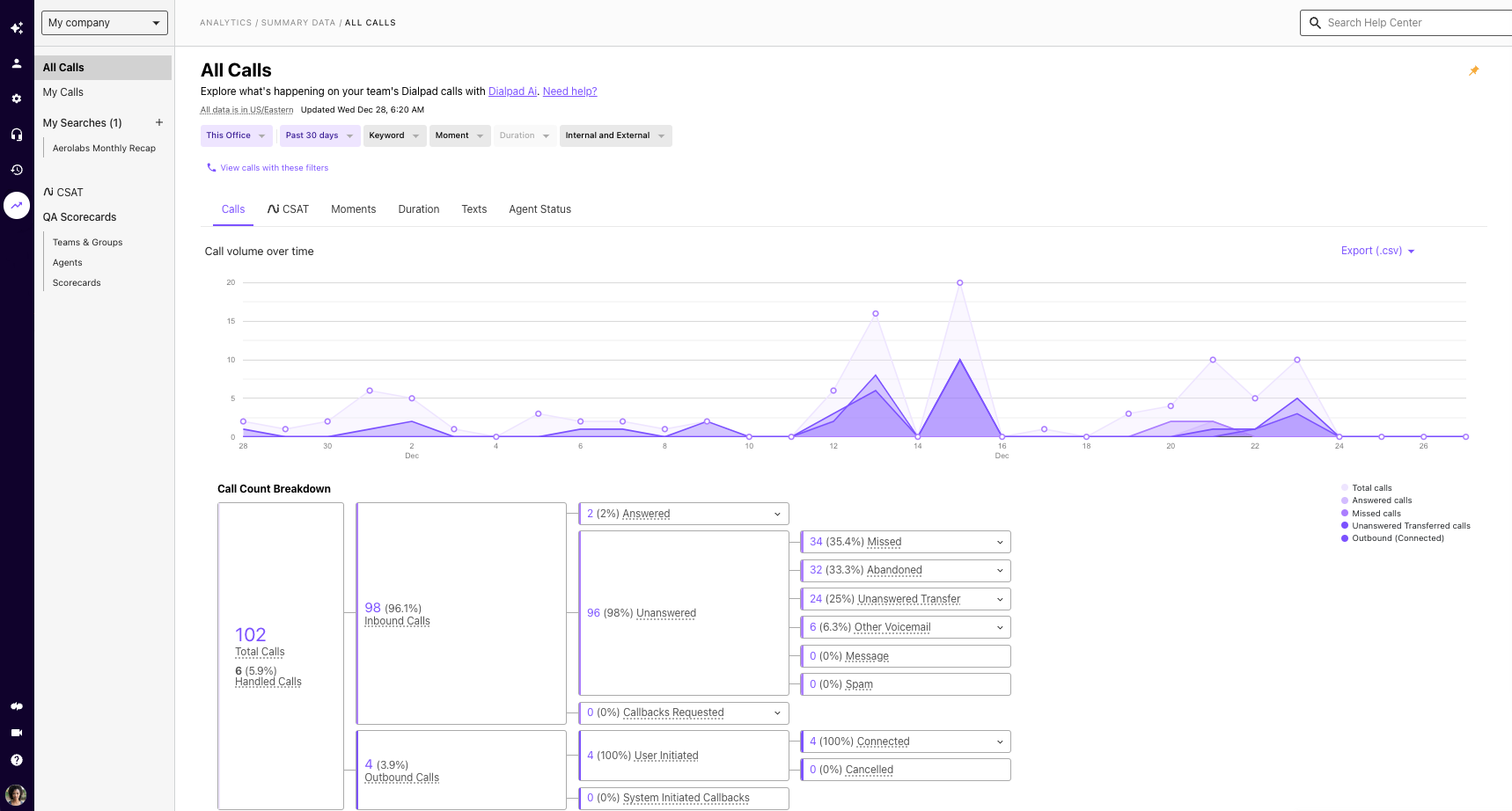
Dialpad includes historical reporting and real time analytics in every plan.
Built-in dashboards display metrics such as ongoing calls, average speed to answer, and agent availability, while leaderboards track call volume, moments, and sentiment. Heatmaps are used to show call volume patterns and average speed to answer.
AI Features
Quo’s Sona AI voice agent picks up calls after hours or when your team is busy, answers common questions, and captures caller details for follow-up. A limited number of AI-handled calls are included free each month, with additional usage billed separately.
Quo also generates AI call summaries and transcripts so teammates can review a conversation without replaying the recording. Summaries are available on the Business and Scale plans, while automatic AI call tags for sorting conversations are reserved for higher tiers.
Quo AI features include:
- Sona AI voice agent for after-hours and overflow calls
- AI call summaries
- Call transcripts
- AI call tags
Dialpad’s AI works during the call itself. Real-time transcription is included on all plans, and Live Coach Cards appear on screen with talking points or answers when specific keywords come up in conversation. After each call, Dialpad AI generates a post-call summary with action items.
Dialpad also offers an AI agent that can handle routine caller requests. Its more advanced contact center AI tools, such as AI-powered agent assist and QA scoring at scale, are sold as a separate contact center product.
Dialpad AI features include:
- Real-time call transcription
- Live Coach Cards
- Post-call summaries and action items
- AI agent for routine inquiries
Dialpad’s AI supports reps during live calls, while Quo’s AI focuses on answering calls when the team is unavailable.
Integrations
Quo offers 15 native collaboration and CRM integrations with third-party apps, including:
- Slack
- Zapier
- Google Contacts
- HubSpot (Business+Scale Plans only)
- Salesforce (Business+Scale Plans only)
- Pipedrive
- Attio
- Zoho
- Quo also offers webhooks, and users can integrate email accounts.
Dialpad integrates with more than 10 third-party apps, including:
- Google Workspace
- Salesforce (Pro+Enterprise Plans only)
- HubSpot (Pro+Enterprise Plans only)
- Zoho (Pro+Enterprise Plans only)
- Microsoft Teams (Pro+Enterprise Plans only)
- Open APIs & webhooks (Pro+Enterprise Plans only)
- Zendesk (Pro+Enterprise Plans only)
Quo vs Dialpad Pros & Cons
Here’s a look at what users like and dislike about Dialpad and OpePhone.
OpenPhone Pros
- Extremely affordable
- Minimalistic and user-friendly interface
- Digital workspaces enable companies to assign each department its own phone number
OpenPhone Cons
- Does not offer video conferencing
- Advanced features and integrations are extremely limited
- No live phone support
Dialpad Pros
- Advanced security features (Single Sign-On, 100% uptime SLA, HIPAA compliance)
- Built-in AI tools like live speech coaching included in all plans
- Real-time analytics included in all plans
Dialpad Cons
- Video conferencing platform has a limit of 10 participants on all plans
- Limited integrations compared to competitors
- Standard plan users do not have access to live phone customer support
Who Should Use Quo?
Quo is ideal for small businesses and startups that only need essential business communication system features and want to keep VoIP service costs consistently low.
The simple user interface is perfect for teams without an in-house IT department. The collaborative phone number inboxes are a great feature for remote teams and businesses with a designated support number for customers.
Who Should Use Dialpad?
Dialpad is best for SMBs and teams that can benefit from its many AI-powered features. Remote teams can benefit from Dialpad’s collaboration features such as video meetings and team messaging while support teams may find Dialpad’s transcription and note taking tools helpful for improving the customer experience.
Dialpad is also an excellent choice for businesses that will need to scale, as it offers an enterprise solution as well as products for sales teams and contact centers.
FAQs
Yes, Quo is a business VoIP provider and does not offer residential VoIP.
Yes, Dialpad is GDPR compliant.
Quo offers lower prices than Dialpad, while Dialpad offers higher levels of security and reliability along with advanced features such as video conferencing.