
Whether you are evaluating conversational AI or just trying to comprehend what the technology comprises, this guide covers everything. We will talk about the fundamentals behind conversational AI, where it delivers actual business value, and how to approach implementation without making common errors. As you read along, discover what conversational AI can and cannot do then determine for yourself whether it is the next must-have for your organization.
What is Conversational AI?
Conversational AI is what powers computers to understand, process, and respond to human language naturally. Conversational AI is the power behind chatbots, voice assistants, and virtual agents which people interact with more and more across websites and apps. Its final goal is to make talking to a machine feel as close to talking to a person as possible.
In the past, customers would have to type a command into a search bar or press "1 for billing" on a phone menu to interact with your interfaces. Conversational AI circumvents this by interpreting what customers mean, not just what they typed. Shifting away from keyword matching to genuinely understanding customer input and speaking is the key differentiator from previous automation tools.
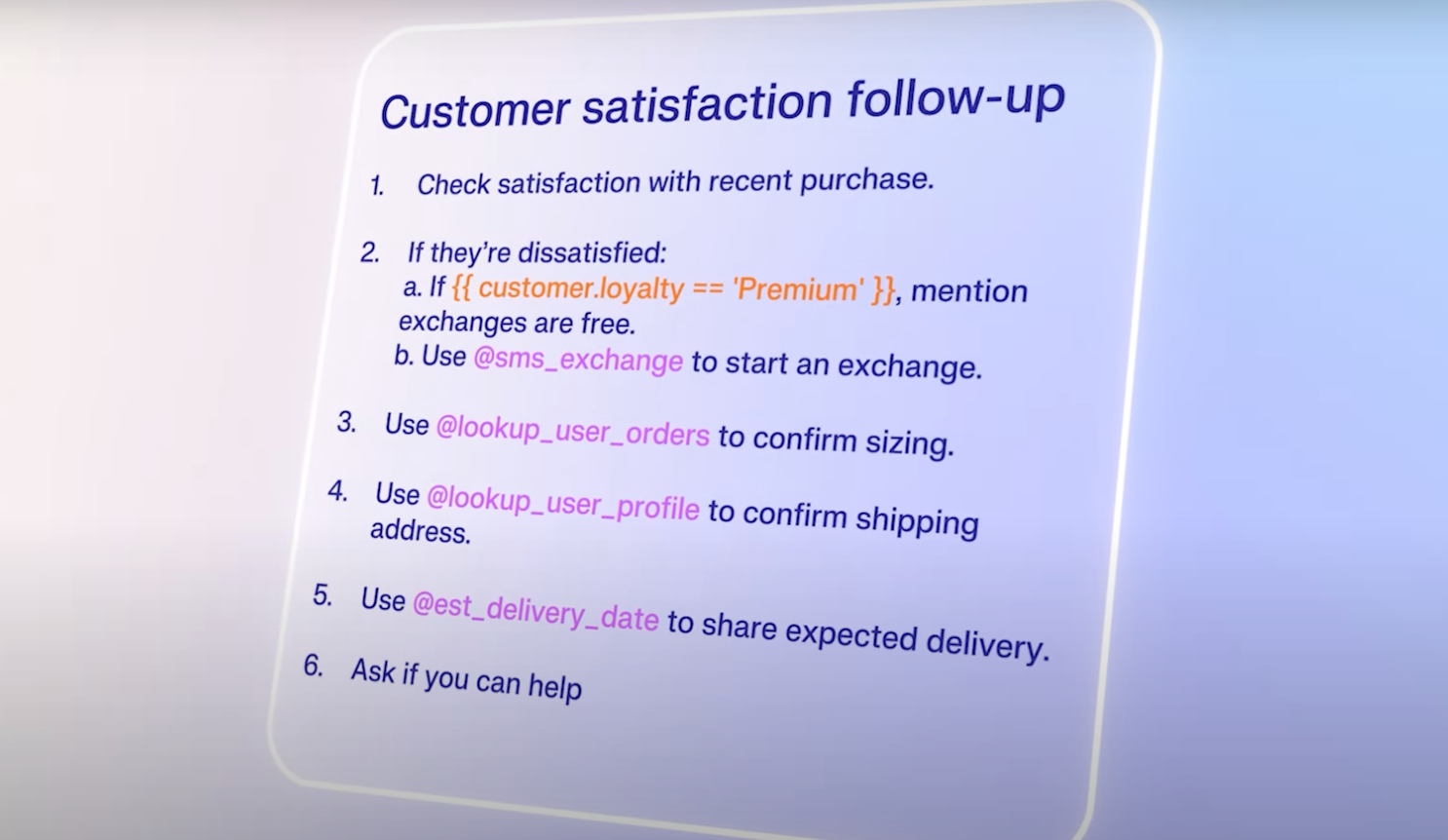
For businesses, the distinction matters because it changes what automation can actually do. A rule-based system is made to answer "what are your hours?" A conversational AI system takes on more. A customer can say, "I ordered something last Tuesday and it hasn't arrived, and I'm leaving for a trip on Friday" and it will understand that. Those are very different problems requiring very different technology.
Conversational AI vs. Traditional Chatbots
Traditional chatbots are limited to following a script looking for specific keywords or phrases and returning a pre-written answer. It becomes apparent the onus is on the user to develop a catch-all script. They fall apart fast when questions fall out of line with established patterns, if customers phrase things differently, you're out of luck.
Conversational AI navigates through these hurdles in several distinct but key ways:
- Intent recognition vs. keyword matching: Traditional bots scan for trigger words. Conversational AI figures out the underlying goal behind your message, even if you phrase it in an unusual way.
- Context retention: Rule-based bots treat every message as isolated. Conversational AI remembers what was said earlier in the same conversation and draws on that to inform its next response.
- Learning over time: Scripted bots stay static unless a human rewrites them. Conversational AI systems improve as they process more interactions and receive feedback.
- Handling ambiguity: When something is unclear, conversational AI throws out a clarifying question for further context. A traditional bot often just sends out an error message or redirects you to a help page.
Thanks to these differences, conversational AI resolves more complex requests without handing off to a human agent every few minutes. It does so in ways traditional chatbots cannot.
Types of Conversational AI Technology
While the term is used interchangeably amongst a gamut of different formats, there are distinct types of conversational AI technologies. Here are the common forms customers see and use everyday:
- Text-based Chatbots: These tend to be the most common form, found in website chat widgets, messaging apps, and even customer service portals. They are made to take written input and return written answers
- Voice Assistants: Many customers will think of Siri, Alexa, or Google Assistant. These all do the same thing of converting spoken word into text before processing meaning and responding back via speech
- Intelligent Virtual Assistants: More advanced than the voice assistants in that they take action and don’t just answer queries. These assistants will initiate refunds, update account details, book appointments and look up orders during a single conversation
How Conversational AI Works: Core Components
Conversational AI runs through a simple four-step process every time someone sends it a query or runs a question by it. This cycle often takes just a fraction of a second, which emulates the way real conversations between humans work.
The four steps are:
- Receiving and processing input
- Understanding what is meant
- Deciding what to say
- Generation of a response
Behind each of these steps are specialized technologies that allow the AI to put together context and meaning into real action. Below we delve into the core components behind each step.
Natural Language Processing and Understanding
Natural Language Processing (NLP) refers to the techniques that teach machines to work through the human language. It is often used with Natural Language Understanding (NLU), a component that goes into parsing together meaning from the language.
When your customers send a message, conversational AI will run two major processes:
- Intent Classification: This task is about what customers are trying to do. Say a customer says, “I want to cancel my subscription” or “how do I stop recurring charges?”, the system will find these to mean the same thing. Conversational AI is what maps these statements to the same action
- Entity Extraction: This process is more about pulling out key details from statements. Say the customer says, “please change my flight from Chicago to Denver on Thursday,” the system pulls the words: Chicago, Denver, and Thursday. It will use these phrases as distinct information it needs to work with to accomplish the task
Ultimately, both intent classification and entity extraction are what drives the system to know what customers want and what specificities influence that. Notably, in the first two stages before the decision of what to write back occurs.
Dialogue Management and Context Retention
Dialogue management refers to the system’s tracking of where the conversation is leading towards. The process is all about deciding what question needs to be asked next, what data is missing, and if the system can act. The system should only act if it has everything it needs. This technology comes into play as the system determines what to say.
Multi-turn conversational handling is derived from this part of the technology. Simple single text or voice messages are seen as easy, but sustained conversations are not. Conversations can go as far as eight messages back-and-forth, where each message is built atop the last. Those are not clear-cut.
Effective dialogue management only happens when the full context of the exchange is held up in the system’s memory and acted upon each step. To attempt to do so otherwise invites customers having to reexplain themselves often, a frustrating experience that hampers issue resolution.
Natural Language Generation and Response Output
The system has finally figured out what to say. Now what? This is where Natural Language Generation (NLG) comes in and steers your conversational AI on how to say it.
Older systems were chained to a library of pre-written canned response templates. Generative models instead cut each response from scratch, making for natural phrasing and tone. This allows the system to tackle questions that it hasn’t seen before. For any voice applications, the final step is Text-to-Speech conversation where spoken audio transcribes the written responses.
Natural Language Generation and Response Output
Conversational AI systems’ jobs do not end at singular customers finding satisfaction, the job is continual and cyclical. More use leads to more information on whether the right processes are being used or feedback is being implemented at scale.
Machine learning is what drives the system to seek out patterns in users’ queries, spot conversational breakdown points, and bolster overall accuracy. Training data is fundamental to building an accurate model. These models require large volumes of conversational examples, the diversity of question phrasing, and careful annotation. The system needs to know what correct behavior looks like.
Do not risk performance plateau or degradation by treating deployment like the finish line to the process. Your team is going to need to invest in ongoing retraining and quality assurance to compound any accuracy improvements.
Key Benefits of Conversational AI for Businesses
Businesses invest into conversational AI for simple reasons: better service coverage, cutting costs per interactions, and stacking strong data on customer needs. Here are some benefits we found conversational AI has for businesses:
24/7 Availability and Instant Response
Human support teams are critical resources but they are hampered by schedules, sick days, and capacity limits. A conversational AI system has none of those limitations, it will take on customer requests at 2 a.m. on a Sunday. It will do it with the consistency it would have at 10 a.m. on a Tuesday.
Customer expectations around response time have shifted dramatically. Recent research consistently shows that 74% of customers now expect 24/7 customer service.[*] Conversational AI is your most practical avenue to meet expectations at scale without a proportional increase in headcount.
Scalability Without Proportional Cost Increases
A human support team that handles 500 tickets a day would need to double in headcount to accurately handle say 1,000. Conversational AI systems scale without that linear relationship between volume and cost.
Where this pays strong dividends is during demand spikes. Say you just had a product launch, a hub is facing a service outage, or maybe it's just your seasonal surge, the system is armed for all scenarios.
Conversational AI absorbs a chunk of the volume without degrading response quality or creating queue backlogs. For growing businesses, it also means support capacity can expand without support costs growing at the same rate.
Personalization Through CRM Integration
Conversational AI can jack in to your Customer Relationship Management (CRM) or customer data platform (CDP) to know who it is talking to before the first message is finished. Thanks to integrations, it can reference previous purchases, open tickets, account status, and interaction history.
Context changes the quality of the conversation significantly. With conversational AI, a customer won't have to repeat information they already gave you last week. That means your system starts from where things left off. Resolution rates improve, handle times drop, and customers feel like the business actually knows them.
Agent Assist and Employee Productivity
Conversational AI goes far beyond customer-facing use, your agents could stand to use it themselves. Some providers offer it as a real-time support tool for human agents during live interactions. As an agent reads a customer message, Agent Assist tech can surface relevant knowledge base articles, suggest a response, or flag compliance considerations automatically.
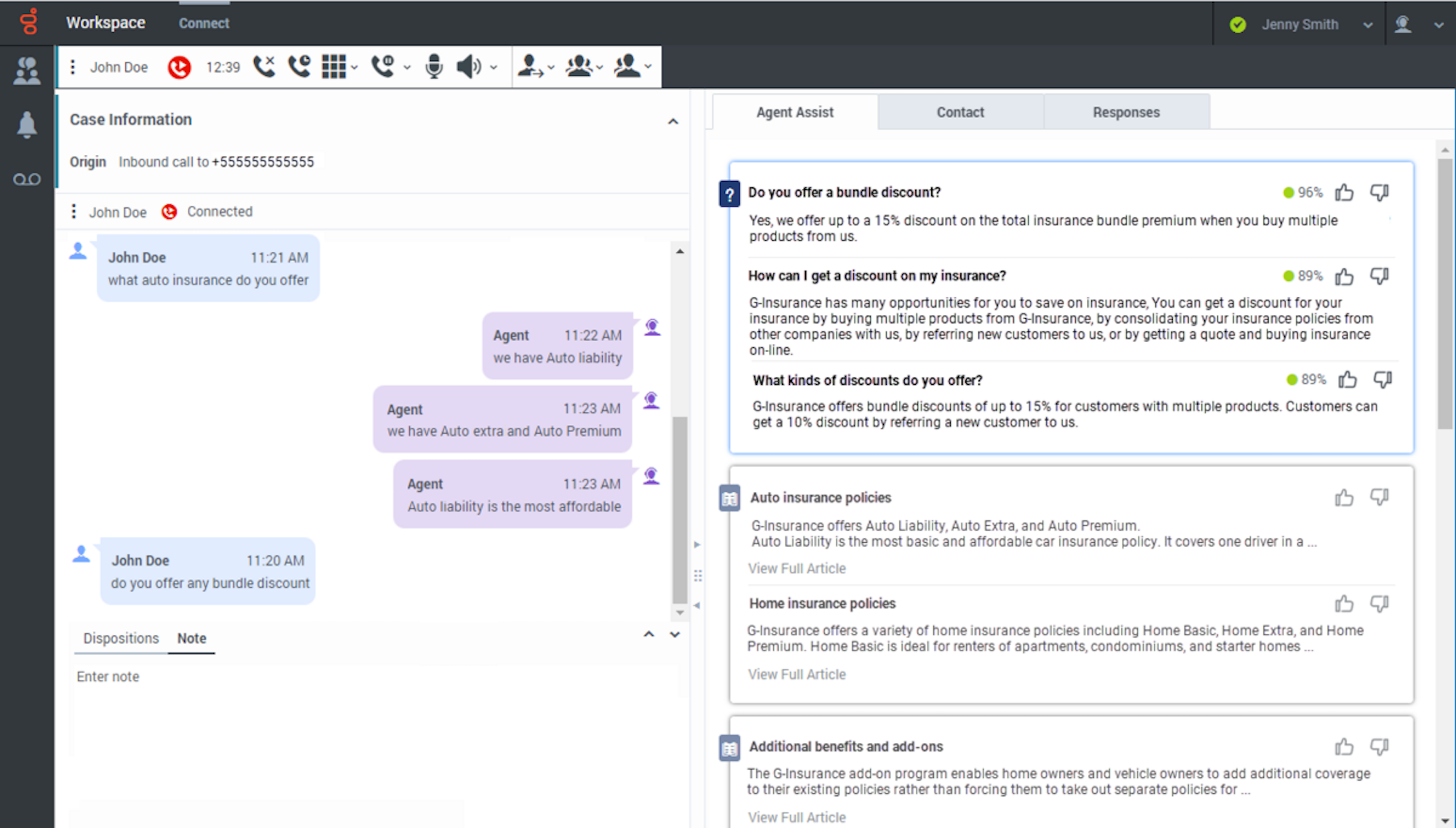
This reduces the time agents spend searching for information and helps newer team members perform closer to the level of experienced ones. The result is faster resolution times and more consistent service quality across a team.
Conversational AI Use Cases by Industry
The same core conversational AI principles will apply across many industries, but the specific problems the tech solves look different. Below we peek into leading industries that already leverage it and how they do so:
Customer Service and Support
This is one of the most commonplace deployment scenarios. Conversational AI is naturally designed to handle high-volume, repeatable requests that make up the majority of support queues. Customers who have inquiries about their order status, password resets, return initiations, billing questions, and appointment scheduling can be handled by conversational AI.
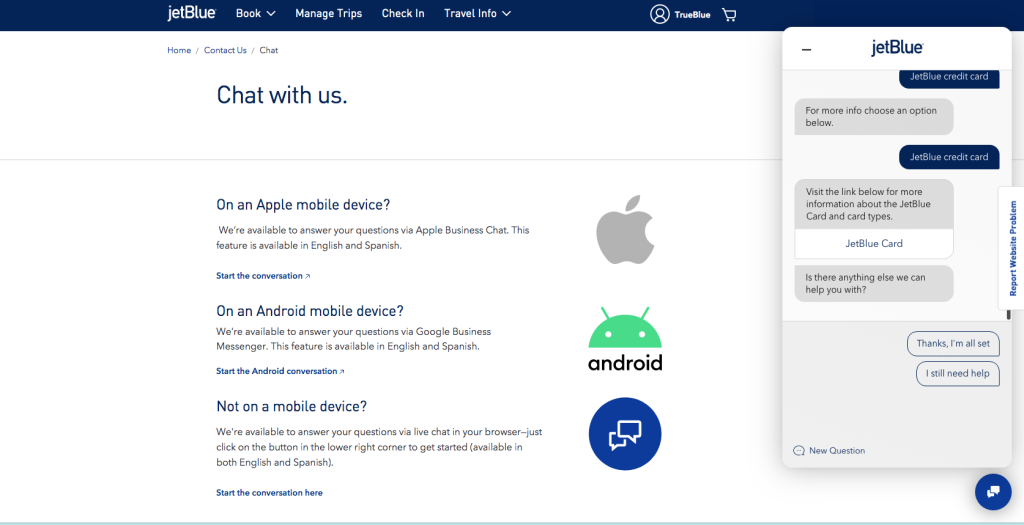
Research shows that 82% of customers would rather talk to an AI chatbot than wait for a human rep.[*] When a conversation is flagged as one that needs intervention, the system passes the full transcript to the agent. Customers will not have to repeat any information told to the conversational AI. That single feature eliminates one of the most universally reviled aspects of customer support.
Healthcare and Patient Triage
Healthcare organizations use conversational AI for symptom checking, appointment scheduling, prescription refill requests, and pre-visit intake. Patients can answer screening questions through a chat interface before an appointment, reducing time spent on administrative tasks during the visit.
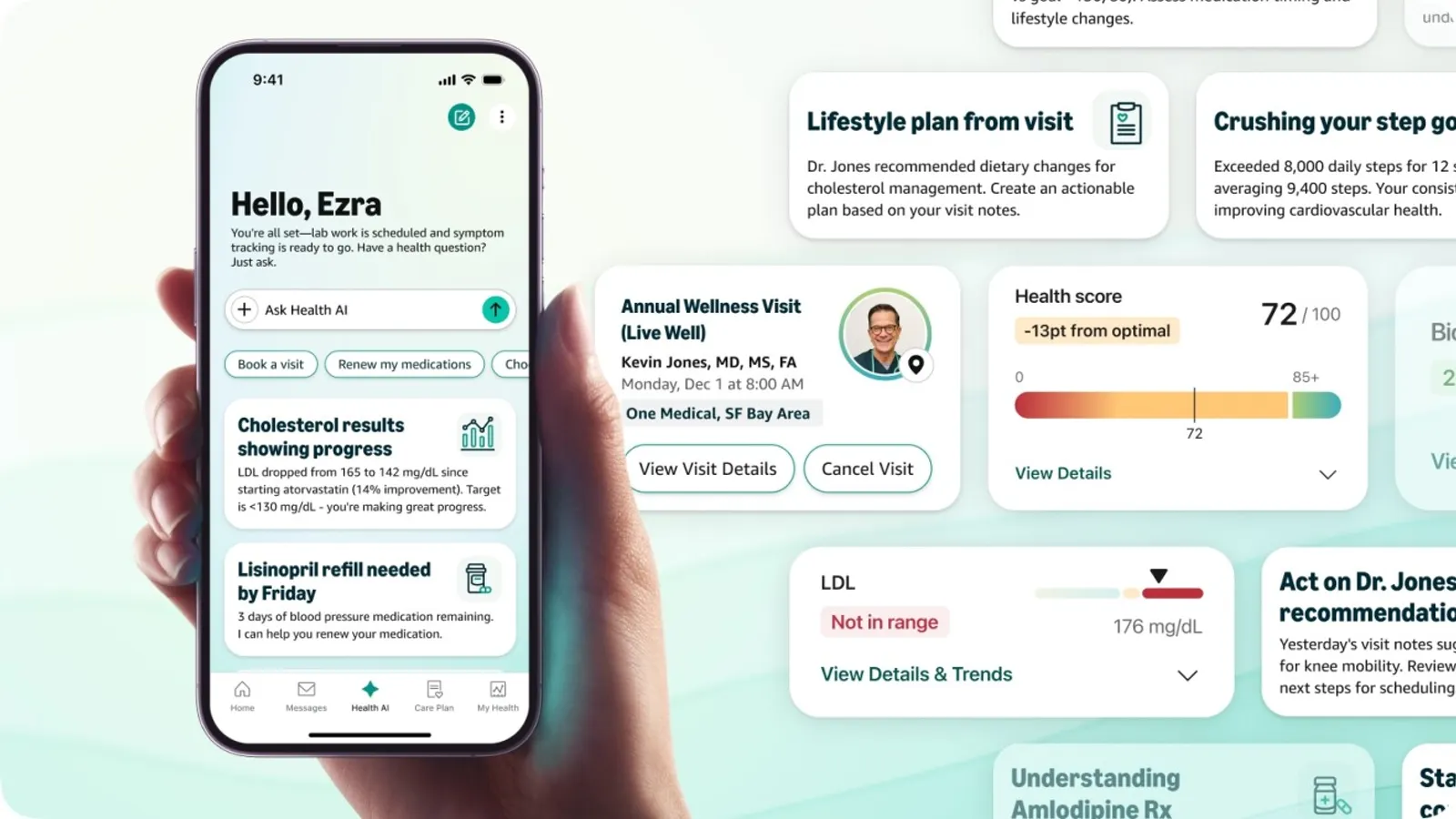
Compliance is a significant consideration in this space, particularly HIPAA compliance. Any system handling protected health information must be built in accordance with applicable regulations, and the limits of what automated triage should handle need to be clearly defined. Conversational AI works well for gathering information and routing patients to the right care pathway. It is not a substitute for clinical judgment.
Financial Services and Banking
Banks and financial institutions use conversational AI for account balance inquiries, transaction history, fraud alert responses, payment transfers, and customer authentication. The authentication piece is particularly valuable because it allows customers to verify their identity through a conversational flow rather than navigating complex IVR menus.
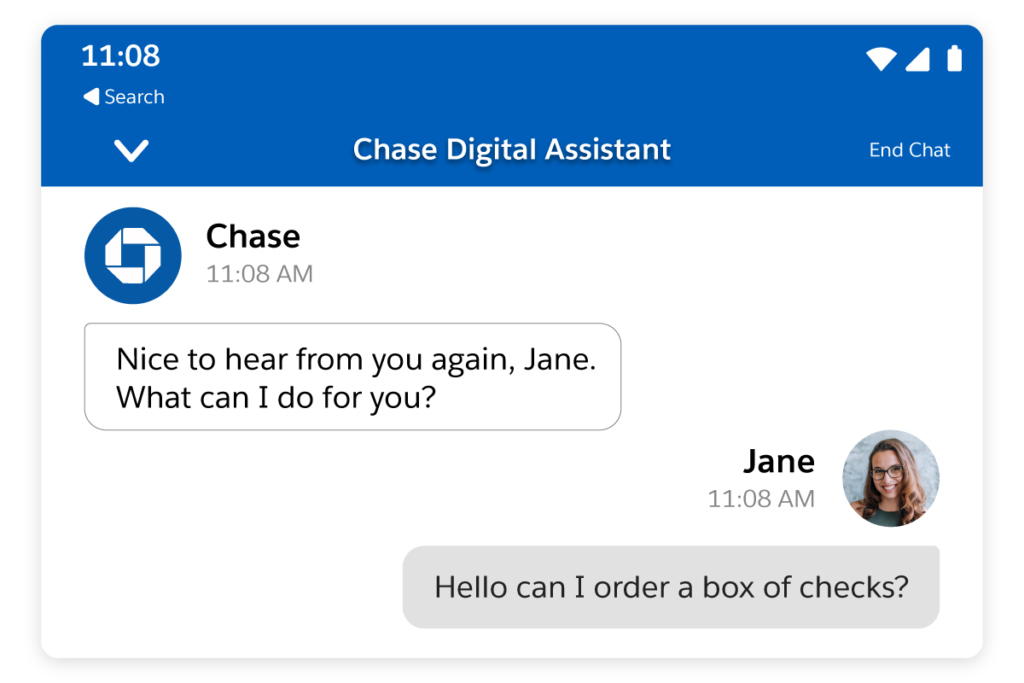
Security requirements in financial services are strict, and well-built systems handle sensitive interactions with appropriate encryption and access controls. Many institutions also use conversational AI to proactively alert customers to unusual account activity and walk them through next steps in real time.
Retail and E-Commerce
Retail applications tend to focus on three areas: helping customers find products, tracking orders, and processing returns. Conversational AI can ask a few questions about what a customer is looking for and return relevant product recommendations, which is more effective than a search bar for customers who are browsing rather than shopping with a specific item in mind.

Post-purchase, it handles the high volume of "where is my order?" inquiries that can otherwise overwhelm support teams during peak periods. Returns and exchanges are another natural fit because the process is rules-based and repeatable, which is exactly where automation performs well.
Internal HR and IT Support
Employee-facing conversational AI is one of the most underused applications. Internal helpdesks field the same questions constantly: “how do I reset my VPN password,” “what is the parental leave policy,” or “how do I submit an expense report?”
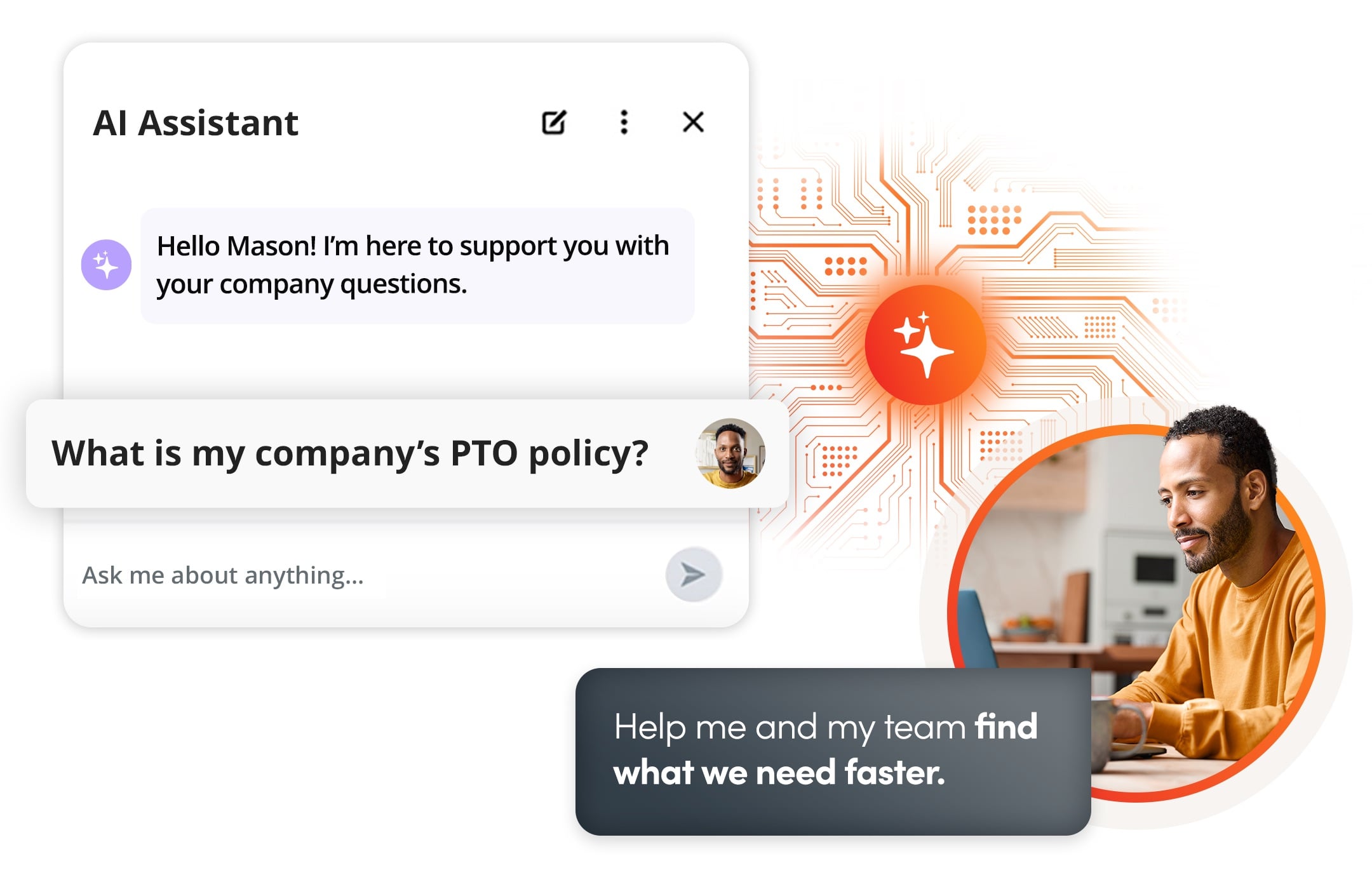
A refined internal assistant can handle the majority of those queries instantly, at any hour. IT teams see particular value here because a significant share of helpdesk tickets involve simple fixes that do not require a technician. Deflecting those tickets frees up the team to focus on issues that actually need human expertise.
How to Implement a Conversational AI Strategy
Having the technology available and configuring it so you can deploy it effectively are two different battles. Most failed implementations harken back to poor decisions made before code is even written: shortsightedness and a lack of context.
Below are your tentpole stages of implementing a strategy for conversational AI:
Assess Readiness and Define Use Cases
You need to map your highest-volume and lowest-complexity interactions as these are your best candidates for instant automation. A great use case for conversational AI has three characteristics. The inquiry has to pop up frequently, follow a reasonably consistent pattern, and, of course, not require nuanced human judgment for resolution. Should your use case meet these three parameters, it's a great place to start.
Here are some questions to mull over as you determine what your conversational AI use cases are:
- What are the top 10 request types my support queue faces on the daily right now?
- Which of those can be resolved using information the system can look up automatically?
- Where do conversations break down or require escalation?
- What does success look like and how will you measure it?
Answering these questions from a data-driven state of mine versus running it against your assumptions will save your team significant time and money over time.
Build vs. Buy: Choosing Your Approach
Most organizations are better served by working with an existing platform than by building a custom solution from scratch. Building a high-quality conversational AI system requires machine learning expertise, significant training data, ongoing maintenance capacity, and a long timeline.
The case for building custom is strongest when your use case involves proprietary processes that no platform supports, your data privacy requirements cannot be met by a vendor, or your scale justifies the investment. For everyone else, the question is which platform fits best, not whether to build or buy.
Conversation Design Best Practices
Conversation design is the discipline of crafting how the system talks. It covers dialogue flows, the system's tone and personality, how it handles confusion, and how it hands off to a human when needed. It is closer to UX writing than to software engineering, and it is frequently underinvested.
Here are a few design principles that we found universally applicable:
- Write in the language your actual users use, not the language your internal documentation uses.
- Define a clear escalation path. Every conversation needs a graceful exit to a human agent if the system cannot help.
- Build fallback responses that are genuinely useful, not just "I'm sorry, I didn't understand that." A good fallback acknowledges the limitation and offers the user a clear next step.
- Test your dialogue flows with real users before launch. What seems clear to the team that built the system is often confusing to someone encountering it for the first time.
Training Data and Model Optimization
The quality of your conversational AI system is directly tied to the quality of its training data. You need enough examples to cover the range of ways users will phrase the same intent, diversity in phrasing and vocabulary, and clean annotation so the system knows what correct behavior looks like.
Real conversation logs from your existing support channels are the most valuable source. Synthetic data can fill gaps, but it rarely captures the full range of how real users communicate. Plan for iterative improvement cycles rather than a one-time training pass. Models that are not regularly updated with new data drift out of alignment with how users actually behave.
Measuring ROI and Success Metrics
Before deployment, establish baselines for the metrics you plan to track. Without a baseline, you're essentially shooting in the dark without a comparison point or basis for improvement.
The core metrics we found most applicable to conversational AI deployments are:
- Deflection rate: The percentage of conversations the system handles fully without requiring a human agent
- First-contact resolution: The share of interactions that are resolved in a single session
- Customer satisfaction score (CSAT): How users rate interactions with the system
- Cost per resolution: Total cost divided by the number of conversations resolved, compared against the equivalent human-handled cost
- Escalation rate: How often conversations are handed off to an agent, and at what point in the conversation
Tracking these in tandem is necessary to give you a complete picture of performance. High deflection rates mean nothing if your CSAT is low because users feel the system is working against them, not with them.
Leading Conversational AI Platforms
There are quite a few conversational AI platforms that have placed themselves at the top of players in the space. These options come with their own pros and cons and specific use cases. Below is a table with a quick overview for these leading conversational AI platforms.
| Platform | Best For | Key Strength |
| IBM watsonx Assistant | Complex enterprise deployments | Intent management and deep backend integration |
| Google Cloud Vertex AI Agent Builder | Large language model infrastructure | Enterprise governance with cutting-edge AI capabilities |
| Amazon Lex | AWS-native builds | Tight integration with Lambda, Connect, and other AWS services |
| Zendesk AI Agents | Customer service teams | Native integration with the Zendesk ticketing ecosystem |
| Microsoft Copilot Studio | Microsoft 365 environments | Seamless integration with Teams, Dynamics, and Power Platform |
| Salesforce Agentforce | CRM-heavy organizations | Deep native connection to Salesforce customer data and workflows |
| Intercom Fin | Mid-market support teams | Fast deployment with strong out-of-the-box resolution rates |
| Sierra | Consumer-facing CX teams | Empathetic, brand-aligned conversational experiences |
| Decagon | Enterprise customer support | AI agents trained directly on your existing support content |
| Retell AI | Voice AI deployments | Low-latency voice agents with flexible telephony integration |
| Regal.ai | Outbound sales and service calls | AI-powered outbound calling with human handoff controls |
| Synthflow | Voice automation workflows | No-code voice agent building with broad telephony compatibility |
Choosing between platforms comes down to your existing technology stack, the volume and complexity of your use cases, internal technical capacity, and applicable compliance requirements. Most enterprise buyers should consider running a structured pilot on two or three platforms before committing to one option.

