
Summary: GoTo Meeting is a simplified and user-friendly video conferencing platform with great performance and affordable pricing for small to mid-sized businesses. Webex is better for large organizations that need top-of-line security, AI features, integrations, and the best collaboration tools.
Both are established video conferencing solutions that work for your remote meetings, webinars, and team collaboration efforts.
GoTo Meetings gets the fundamentals down reliably with an intuitive interface for all tech skill levels. Webex, backed by Cisco, is an enterprise-level solution for unified collaboration with a comprehensive feature set.
Which of these will work best for your business’ video conferencing needs? Our full GoTo Meeting vs Webex comparison touches on pricing, features, plans, the user experience, and more.
Webex vs. GoToMeeting: At a Glance
Webex has everything big organizations look for with advanced security, AI-powered features, and collaboration. It is an enterprise solution that delivers top performance.
GoTo Meeting is a great value for those who just want something plug-and-play or run a small to mid-sized business. They offer reliable video conferencing without any interruptions.
To aid you in deciding, we've created this summary table for both providers to give you a general comparison:
| Webex | GoTo Meeting | |
| Pricing | 3 Paid Plans for $0-$25/month, Enterprise pricing available via sales | 3 Paid Plans for $12-$19/month |
| Maximum Participants | Up to 1,000 participants | Up to 250 participants |
| Meeting Duration | 40 minutes (free), unlimited (paid plans) | Unlimited on all paid plans |
| Recording | Local and cloud recording on paid plans | Cloud recording on all paid plans |
| Security | End-to-end encryption, AES 256-bit, SSO, FedRAMP authorized | AES 256-bit encryption, SSO |
| AI Features | Real-time transcription, noise cancellation, gesture recognition, meeting summaries | Meeting transcription |
| Compatible Devices | Web, desktop (Windows/Mac/Linux), mobile (iOS/Android), room systems | Web, desktop (Windows/Mac), mobile (iOS/Android) |
| Best For | Enterprises needing advanced security, AI features, and comprehensive collaboration tools | Small to mid-sized businesses wanting simple, reliable video conferencing |
How We Compared Webex vs GoTo Meeting
The following criteria made up how we looked into Webex vs. GoTo Meeting:
- Video and Audio Quality: We evaluated the clarity, reliability, and performance of video and audio across different network conditions and device types
- Meeting Capacity: We looked into maximum participants each platform supported and how performance goes with larger meetings
- Screen Sharing and Collaboration: We compared what screen sharing capabilities, whiteboarding, annotation, and other features each one had
- Recording and Transcription: We evaluated recording options, storage capabilities, and transcription accuracy for both platforms
- Integrations: We compared available integrations and compatibility with major business tools and calendar systems
- Webinar Capabilities: We evaluated features specifically designed for large-scale presentations and webinars
- Security: We saw which encryption standards, compliance certifications, access controls, and data protection measures each adhered to
- Mobile Experience: We tested their mobile apps on iOS and Android to evaluate how well they performed
- AI-Powered Features: We examined what AI features each had things like virtual backgrounds and automated meeting summaries
- Ease of Use: We assessed the setup process, interface intuitiveness, and learning curve for both hosts and participants
- Customer Support: We reviewed available support channels, response times, and overall user satisfaction with technical assistance
- Pricing: We compared plans, evaluated overall value, and assessed pricing transparency and scalability
Webex vs GoTo Meeting: Direct Comparison
We’ve filtered our findings into a few major categories on how they measure up to each other:
Video and Audio Quality
Summary: Both Webex and GoTo Meeting deliver excellent HD video and audio, but Webex has advanced audio processing and better performance on shakier networks.
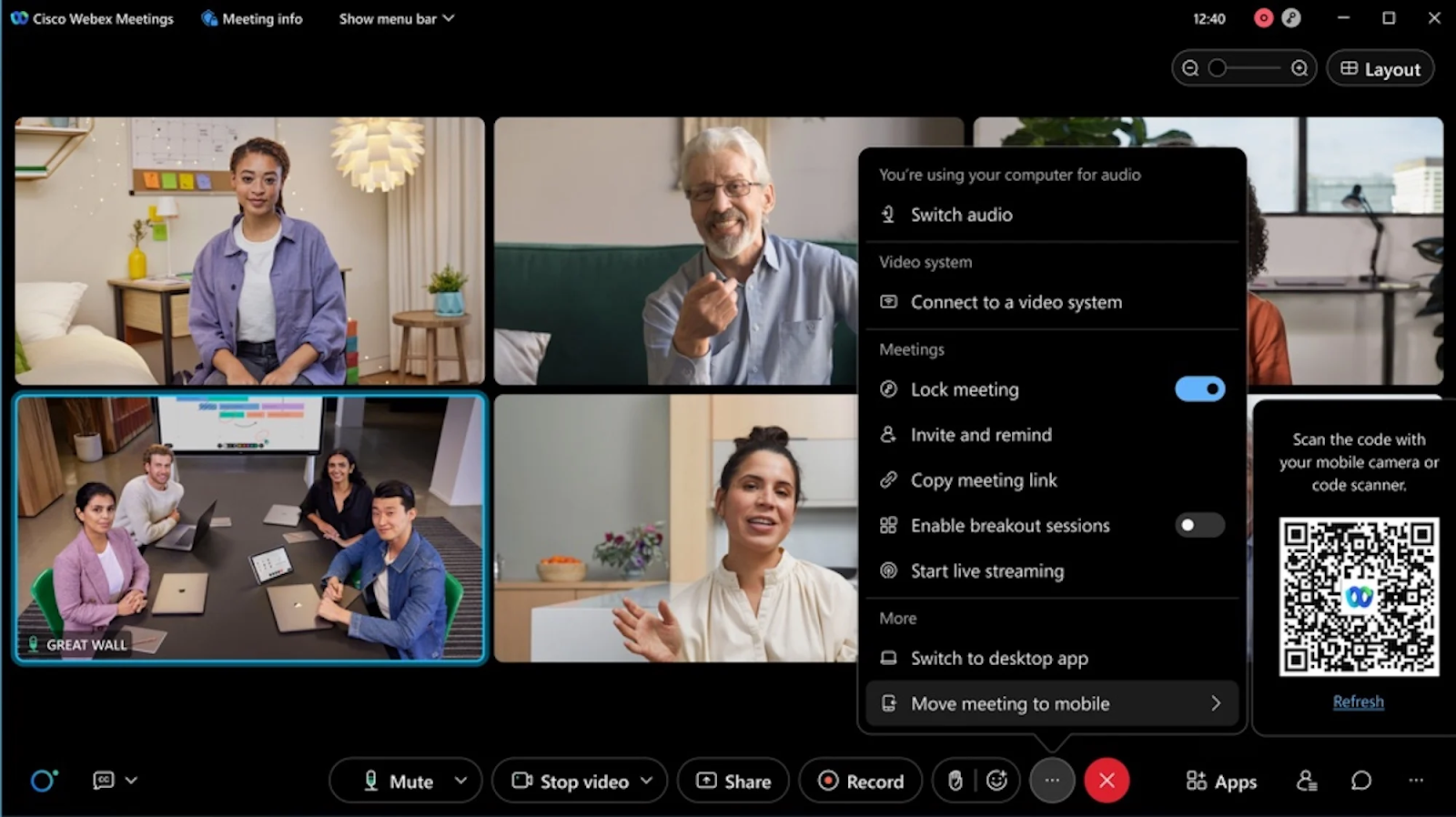
Webex supports clear video up to 1080p with crisp audio thanks to its AI noise cancellation. Its advantage is the adaptive bitrate technology that adjusts quality based on available bandwidth, making for smooth performance even when network conditions are poor. On the audio side, it has background noise suppression that cleans up keyboard typing and pets and household sounds quite well.
GoTo Meeting also provides HD video quality and clear audio on stable internet connections. Most users say it has satisfactory video and audio performance for typical business meetings. However, the noise cancellation is not comparable with Webex's AI-powered solution. We also found the platform may struggle more on unstable network conditions.
Winner: Webex wins here thanks to superior audio processing, AI noise cancellation, and stronger performance across all network conditions.
Meeting Capacity
Summary: Webex supports significantly larger meetings with up to 1,000 participants compared to GoTo Meeting's maximum of 250 participants.
Webex wins on meeting capacity. Small team meetings of 10 to large enterprise gatherings with support for up to 1,000 participants on premium plans. For even larger events, Webex Events can accommodate up to 100,000 attendees, making it suitable for company town halls, product launches, and big webinars.
Meanwhile, GoTo Meeting supports up to 250 participants on its highest plan, which does fine for most small to mid-sized business needs. For businesses that may need to hold meetings that exceed 250 participants, GoTo offers a separate product called GoTo Webinar. But by then, you're talking about a different product and even more money spent.
Winner: Webex, no contest, for up to 1,000 participants and the ability to scale to massive events through Webex Events.
Screen Sharing and Collaboration
Summary: Both platforms do screen sharing, but Webex has a superior whiteboard system, real-time annotation, and seamless app sharing.
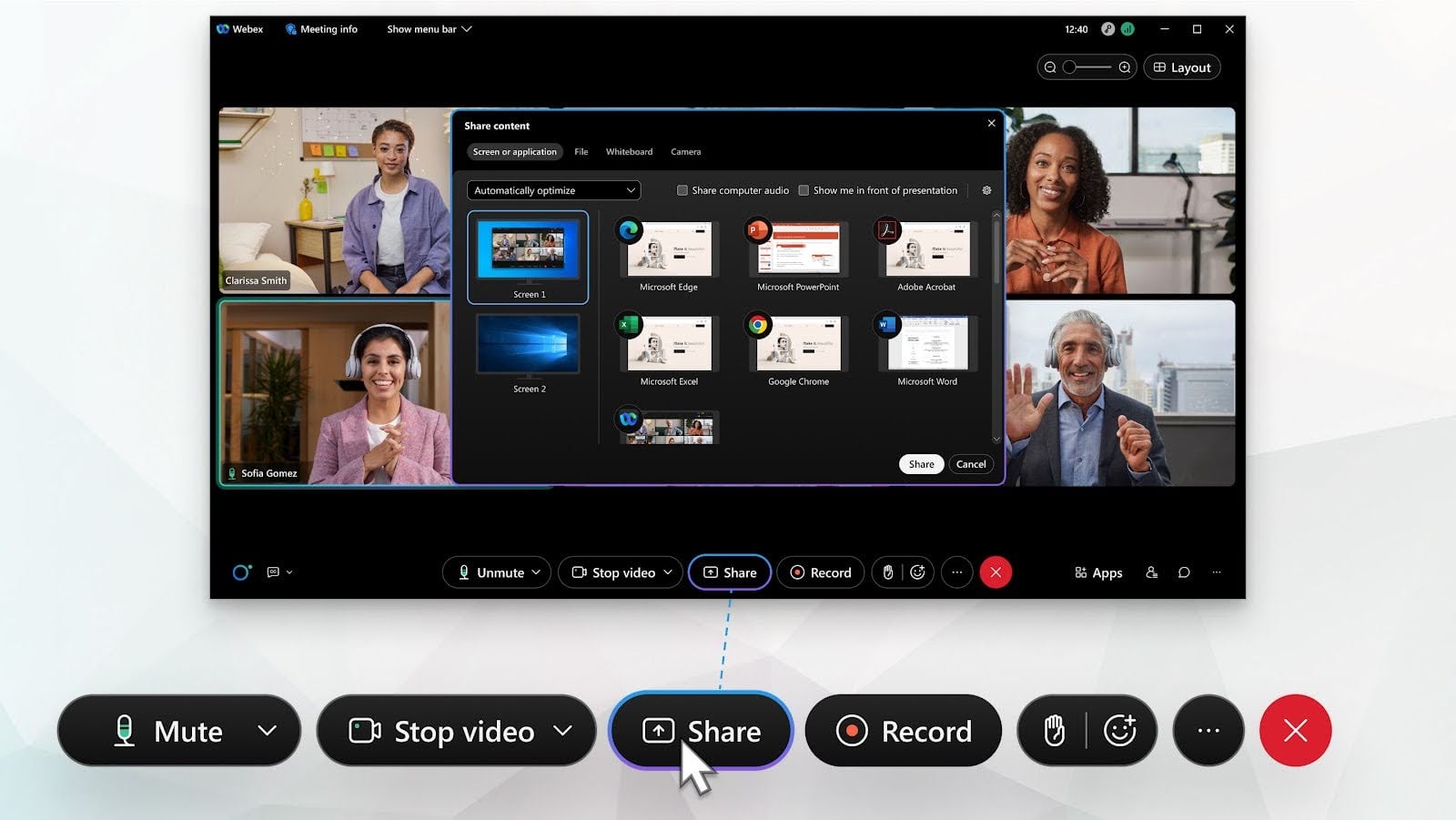
Webex offers a range of screen sharing options including full desktop, certain applications, or chosen browser tabs. The platform includes a digital whiteboard that lets collaborators create using drawing tools, shapes, and templates. Boards are all saved and shareable after meetings. To add even more value, there are real-time annotations on shared screens, remote control compatibility, and clean integration with Microsoft Office and Google Workspace.
GoTo Meeting provides easy but simple screen sharing with options to share your entire screen or specific applications. The platform only includes basic drawing tools and a basic whiteboard feature. While functional and clean, the collaboration tools lack the power Webex's offerings have.
Winner: Webex wins with its advanced collaboration tools, a superior whiteboard, and better integration with other tools your business might be using.
Recording and Transcription
Summary: Webex offers better recording with both local and cloud storage plus AI-powered transcriptions. GoTo Meeting provides cloud recording with basic transcription, but that's it.
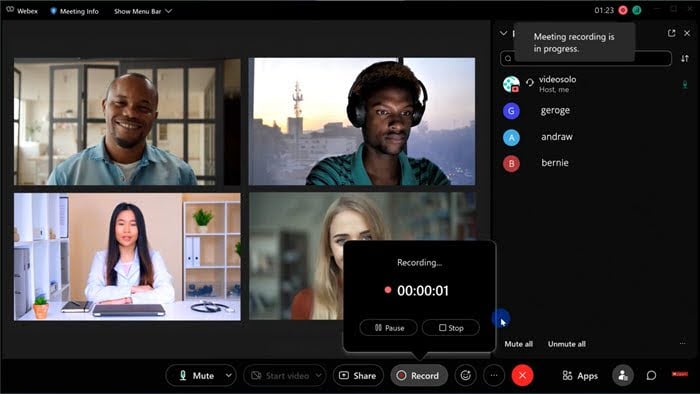
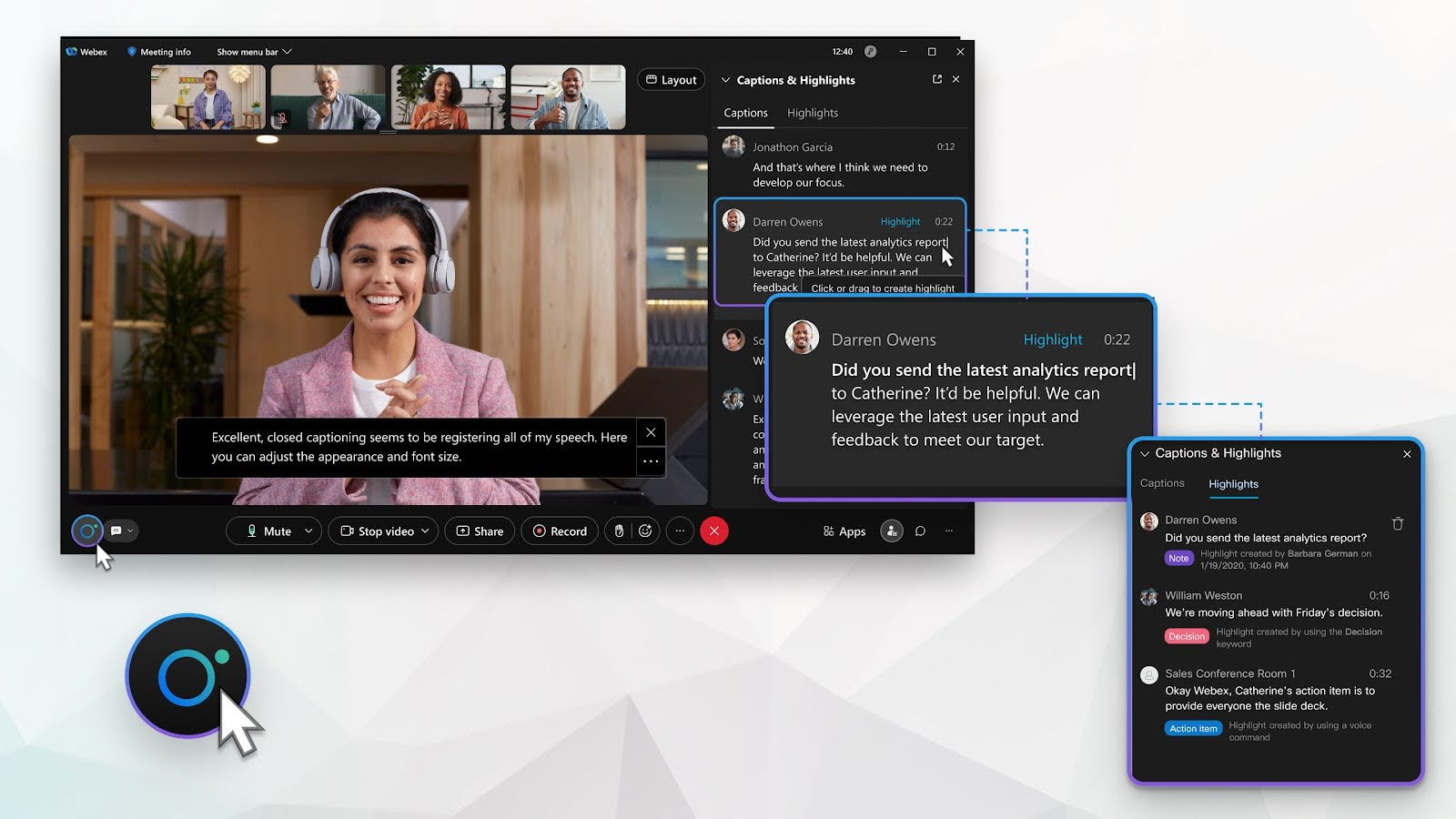
Webex lets you record meetings to your local computer or to the cloud. Cloud recordings contain automatic AI-powered transcription we found highly accurate and even searchable. You can parse through recordings by clicking on specific words in the transcript. Webex even generated meeting highlights and action items automatically, making it easy for us to review key moments without watching the entire recording.
GoTo Meeting provides cloud recording on all paid plans with generous storage limits. Transcription is available, though it is nowhere close to Webex's AI-powered solutions and struggles with technical terminology and accents.
Winner: Webex wins with more recording options, industry-grade AI-powered transcription, and by taking action items without asking.
AI-Powered Features
Summary: Webex is a leader in AI capabilities with gesture recognition, generated summaries, and other features. GoTo Meeting offers limited AI capabilities.
Webex weaves AI all throughout improving meeting quality and productivity. Real-time noise cancellation filters out background sounds, while gesture recognition interprets hand movements as meeting reactions automatically.
Webex Assistant offers real-time transcription during meetings, post-meeting summaries with action items, and the ability to search across any meeting content. AI also works behind the scenes through virtual backgrounds with automatic person segmentation, low-light compensation, and automatic framing.
GoTo Meeting offers basic AI features including meeting transcription and virtual backgrounds. The platform recently added noise suppression, though it's not as advanced as Webex's implementation. There's no gesture recognition, no automated meeting summaries, and fewer intelligent enhancements to video and audio quality.
Winner: Webex embraces AI more than GoTo Meeting. GoTo Meeting barely offers any real AI features.
Integrations
Summary: Webex offers integrations with more than a thousand apps and tools. GoTo Meeting covers the basic productivity apps but has a tiny ecosystem.
Webex integrates with major platforms like the usual suspects: Microsoft 365, Google Workspace, Slack, Microsoft Teams, Salesforce, ServiceNow, and many more. The integration marketplace features over 1,000 apps and services. It also boasts an extensive APIs for custom integrations. The platform is built for Cisco's collaboration hardware ecosystem and room systems from major hardware players like Poly and Logitech.
GoTo Meeting integrates with the biggest business tools including Microsoft 365, Google Calendar, Salesforce, Slack, and HubSpot. For most small businesses, the integration options cover the bases, though the total number of available integrations is dwarfed by Webex's offering.
Winner: Webex wins with a better range of integrations and better support for room systems and hardware.
Security
Summary: Webex offers superior security including end-to-end encryption, more compliance certifications, and FedRAMP authorization for government use.
Webex implements end-to-end encryption and even uses AES 256-bit encryption for data in transit and at rest. It is FedRAMP authorized, HIPAA compliant, and holds certifications including ISO 27001 and SOC 2. It’s a key advantage for regulated industries looking for a secure platform. The platform also supports SSO, MFA, and integrates with identity providers like Okta and Azure AD.
GoTo Meeting provides AES 256-bit encryption and basic security features including waiting rooms alongside meeting passwords and locks. The platform is HIPAA compliant and SOC 2 certified. However, beyond that it's under-equipped compared to Webex.
Winner: Webex wins with end-to-end encryption, FedRAMP authorization, more certifications, and better security controls.
Ease of Use
Summary: GoTo Meeting offers a cleaner and easier interface with a shorter learning curve. Webex has many more features but can feel intimidating.
GoTo Meeting is designed for ease of use with a clean, uncluttered interface that makes core functions immediately accessible. The setup process is quick, and the platform doesn't overwhelm users with excessive options or complex menus. Most users can start hosting meetings with minimal training.
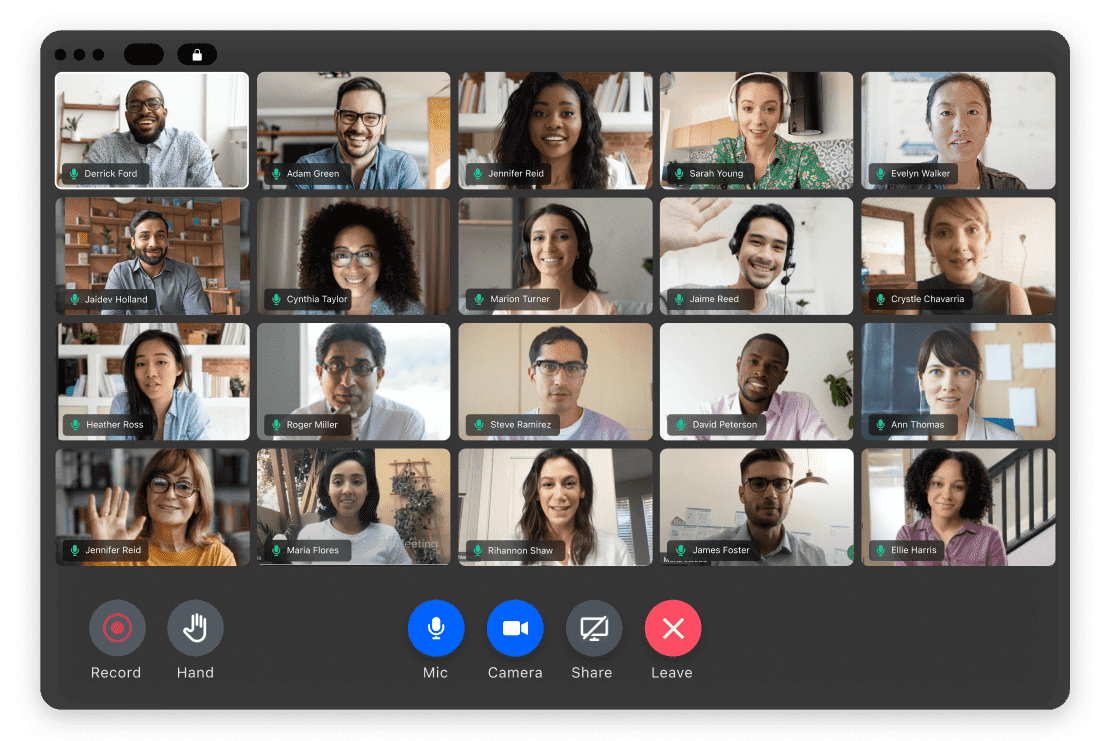
Webex has become more user-friendly but the features it includes can be hard to find. Basic meeting functions are quick to access, but advanced features like breakout rooms or Q&A require some digging around. The breadth of features means there is more to learn and some users may overlook features because they’re hard to find.
Winner: GoTo Meeting takes the win with a simpler interface and shorter learning curve.
Webinar Capabilities
Summary: Webex offers more robust webinar features with support for massive audiences, advanced engagement tools, and better analytics, while GoTo Meeting requires a separate product for full webinar functionality.
Webex Webinars (included in higher-tier plans or as an add-on) supports up to 100,000 attendees with features perfect for large-scale presentations. The platform provides registration pages, email reminders, moderated Q&A, polling, and compiles post-webinar analytics.
GoTo Meeting isn't designed for webinars. It has a 250 participants maximum capacity and lacks webinar-specific features like registration pages and post-event analytics. You'll need to buy GoTo Webinar which is a different product with its own pricing.
Winner: Webex wins with built-in webinar capabilities that support massive audiences and comprehensive presentation features.
Customer Support
Summary: Webex provides far more resources and better support for enterprise customers with dedicated account teams. GoTo Meetings offers rudimentary options.
| GoTo Meeting Support Channels | Webex Support Channels | |
| Live Chat | Yes | Yes |
| Yes | Yes | |
| Phone | Yes (business hours) | Yes (24/7 for enterprise) |
| Knowledge Base | Yes | Yes |
Webex offers support based on your plan level. Paid plans include snappy email and chat support, while enterprise customers receive 24/7 phone support, dedicated account managers, and active monitoring. The knowledge base has detailed articles, video tutorials, and troubleshooting guides.
GoTo Meeting comes with phone and email support during business hours for all paid plans. The support team was responsive and helpful but some may want the dedicated account management Webex offers to enterprise customers on higher plans.
Winner: Webex has far more support options, 24/7 availability for enterprise customers, and dedicated account management. GoTo Meeting has basic support but that's about it.
Webex vs GoTo Meeting: Pricing and Plans
Webex provides three pricing tiers from free to $25 monthly per user with annual billing discounts available. The free plan includes meetings up to 40 minutes with up to 100 participants. Month-to-month pricing is available at higher rates. Add-ons include Webex Events for large-scale webinars, cloud storage upgrades, and advanced analytics. Enterprise pricing is available for those looking for volume discounts.
For more information, see our Webex pricing guide.
GoTo Meeting offers three pricing plans ranging from $12 to $19 monthly per user with discounts if billed annually. All paid plans include unlimited meeting duration and cloud recording. Add-ons include dial-in audio conferencing and transcription credits.
For more information, see our GoTo Meeting pricing guide.
Pros and Cons of GoTo Meeting and Webex
Here are some of the things that users noted that they liked and disliked about GoTo Meeting and Webex.
GoTo Meeting Pros
- Simple, intuitive interface with minimal learning curve
- Reliable performance with consistent video and audio quality
- Affordable pricing for small to mid-sized teams
- Straightforward setup and meeting management
GoTo Meeting Cons
- Limited to 250 participants maximum
- Fewer AI-powered features compared to competitors
- Smaller integration ecosystem
- Requires separate product (GoTo Webinar) for full webinar capabilities
Webex Pros
- Advanced AI features including noise cancellation, gesture recognition, and automated summaries
- End-to-end encryption and FedRAMP authorization for superior security
- Supports up to 1,000 participants with webinar capabilities for 100,000 attendees
- Extensive integration ecosystem with 1,000 and counting apps
Webex Cons
- More complex interface with steeper learning curve
- Can feel like feature overload for users needing basic video calling
- Higher pricing for advanced features
- Free plan limited to 40-minute meetings
Which Provider is Right for Your Business?
The below tables offer insight into who should or shouldn't consider each platform.
GoTo Meeting Is Best For
- Small to mid-sized businesses wanting simple, reliable video conferencing
- Teams that prioritize ease of use over advanced features
- Organizations with up to 250 participants in meetings
- Budget-conscious businesses seeking affordable plans
GoTo Meeting Is Not Right For
- Enterprises needing meetings with more than 250 participants
- Organizations requiring end-to-end encryption or FedRAMP compliance
- Teams that want advanced AI-powered features
- Companies needing extensive third-party integrations
Webex Is Best For
- Large enterprises requiring advanced security and compliance
- Organizations needing to host large meetings or webinars
- Teams that want comprehensive AI-powered features
- Businesses requiring extensive integrations with enterprise tools
Webex Is Not Right For
- Very small teams wanting the simplest possible solution
- Organizations uncomfortable with a steeper learning curve
- Businesses that only need basic video calling without advanced features
- Teams that prioritize simplicity over comprehensive capabilities
Webex vs GoTo Meeting: Which is the Winner?
GoTo Meeting and Webex both provide quality video conferencing, but the true winner depends on what you're looking for.
If you want simple and plain video conferencing with an intuitive interface and pricing, then GoTo Meeting is it. It offers excellent value for smaller to mid-size businesses.
Though if your organization needs advanced security and AI features or conducts constantly large meetings, you'll find Webex worth the investment.
To learn how additional video conferencing platforms like Zoom, Microsoft Teams, Google Meet, RingCentral Video, and more compare, review our comparisons of all the top video conferencing solutions.

