
Summary: NICE CXone is a cloud contact center software built to handle customer experiences across both voice and digital channels. NICE CXone offers five pricing plans ranging from $110 to $249 monthly, per user as well as pay-per-session industry packages starting at $0.25 per session. Add-ons like AI Agents, pre-built CRMs, and gamification can drive up the price considerably.
Despite having a strong set of features like AI-powered customer self-service and employee support tools, NICE CXone might not meet all your business needs. Some users dislike its cluttered interface, lack of comprehensive collaboration tools, and high cost. Newer or smaller businesses may prefer a more affordable CCaaS solution with fewer features and a simpler user experience.
I evaluated and tested other cloud contact center software systems that do what NICE CXone can do, at different scales and prices. Here are our recommended NICE CXone alternatives.
Why Companies Look for NICE CXone Alternatives
Before we take a look at the best alternatives to NICE CXone, here are some of the drawbacks to NICE CXone that might have one looking for a better solution:
- Pricing complexity: NICE CXone is not the most expensive, nor the cheapest CCaaS platform, but it's pricing structure can be confusing due to the fact that several features are paid add-ons such as proactive AI Agents, customer portals, and gamification
- Interface clutter: NICE CXone has acquired several products and expanded many features over the years which has resulted in a platform with many capabilities, but a UI that can feel overwhelming
- Time-to-value: The complexity of the platform — particularly for call flow scripting, WFM configuration, and Quality Management setup — means that getting to a production-ready deployment with optimized workflows takes significant time and expertise
- Recent Cognigy acquisition: NICE CXone purchased Cognigy (a conversational AI platform) for $955M in 2025. The plan is that Cognigy will control the front-end conversational layer while NICE CXone handles routing, workforce tools, analytics, and desktop automation, but it is not clear yet how smoothly the integration will work
- CXone Mpower rebrand: CXone rebranded in late 2024 to CXone Mpower. Mpower is the existing CXone platform with NICE's Enlighten AI layer, repackaged and renamed to signal a focus on AI. It makes sense for the CCaaS market but created confusion for existing customers and prospects researching training materials
- Gap between conversation handling and backend workflow completion: NICE currently excels at everything that happens during customer interactions such as routing and agent guidance, but the post-interaction operational work still depends on back-office systems. NICE is working to close this gap with the Cognigy acquisition, but this is still early in the deployment
If any of these drawbacks resonated, you will want to looking for a NICE CXone alternative that offers transparent and straightforward pricing, a user-friendly interface with templates and tutorials, and consistent, measurable results. White papers are helpful to see if a provider is able to positively impact the bottom line, and of course, user reviews are extremely helpful.
NICE CXone Alternatives At A Glance
| Provider | Pricing | Key Features | Best For |
| Five9 | 5 plans from $119/user per month and up | Five9 Dialer, workflow automation, AI-powered virtual agents, omnichannel support, and quality management tools | Large enterprises looking for AI-driven efficiency and the ability to scale from voice-only or digital-only channels to an omnichannel contact center with built-in WFM and QM |
| Nextiva | 3 plans from $75/agent per month | Self-service tools, journey orchestration, voice/SMS/chat integration, Nextiva AI, and Nextiva WFM IVR with call routing | Digital-first teams looking for flexible pricing like concurrent, usage-based, and monthly/annual billing |
| Talkdesk | 3 plans from $85-$165 per user/month, and industry experience clouds from $225 per user/month | AI-powered tools, industry-specific Experience Clouds, proactive outbound engagement, Talkdesk Feedback, omnichannel capabilities, and real-time analytics | SMBs seeking scalable, user-friendly platforms with omnichannel support and advanced Voice of the Customer tools |
| Genesys | 5 plans starting at $75-$240 per user per month | AI-driven analytics, workforce engagement, and unified customer experience tools | Organizations needing advanced analytics and workforce management to optimize agent schedules |
| RingCentral | Plans start at $65-$145 per user/month | RingCentral AI, native WFM, knowledge management, integrated voice/video/SMS, team collaboration tools, and flexible APIs | Teams focused on unified communications and collaboration across channels alongside real-time agent coaching |
| Dialpad | Dialpad Support has 3 plans from $80-$150/user per month | AI-driven features like real-time transcription, sentiment analysis, and CRM integrations | Sales teams and small businesses needing AI-enhanced productivity tools |
| 8x8 | Quote-based | Team lead analytics, workforce engagement management, AI-enabled self-service | Enterprises that need a combined UCaaS and CCaaS solution |
| Sprinklr | Quote-based | AI agents, task automation, reply recommendations, real-time agent guidance powered by AI | Companies that need a strong omnichannel solution with 30+ channels |
| Avaya | $15-$35/user/month for Avaya Cloud Office, other platforms like Infinity are quote-based | AI-agnostic orchestration, no-code workflow creation, data unification | Avaya Infinity is a strong CCaaS solution for businesses already using Avaya's infrastructure |
| Amazon Connect | pay-as-you-go plans starting at $0.010 per message sent/recieved | Agentic AI teammates for research, insights, and automation, skills-based routing, real-time analytics | AWS native companies and SMBs that need a flexible pay-as-you-go model |
Best NICE CXone Alternatives
- Five9 - Best customer service and feature set for increasing agent efficiency
- Nextiva - Best for self-service and journey orchestration
- Talkdesk - Best for small to mid-size blended call centers
- Genesys - Best for inbound calling with many digital channels
- RingCentral - Best for collaborative contact centers + video
- Dialpad - Best for AI features, and sales teams
- 8x8 - Best for large global teams that need advanced analytics
- Sprinklr - Best for SMBs that need an omnichannel solution
- Avaya - Best for companies using other Avaya platforms and hardware
- Amazon Connect - Best for companies that need a flexible and customizable solution
Five9: Best for Increasing Agent Efficiency
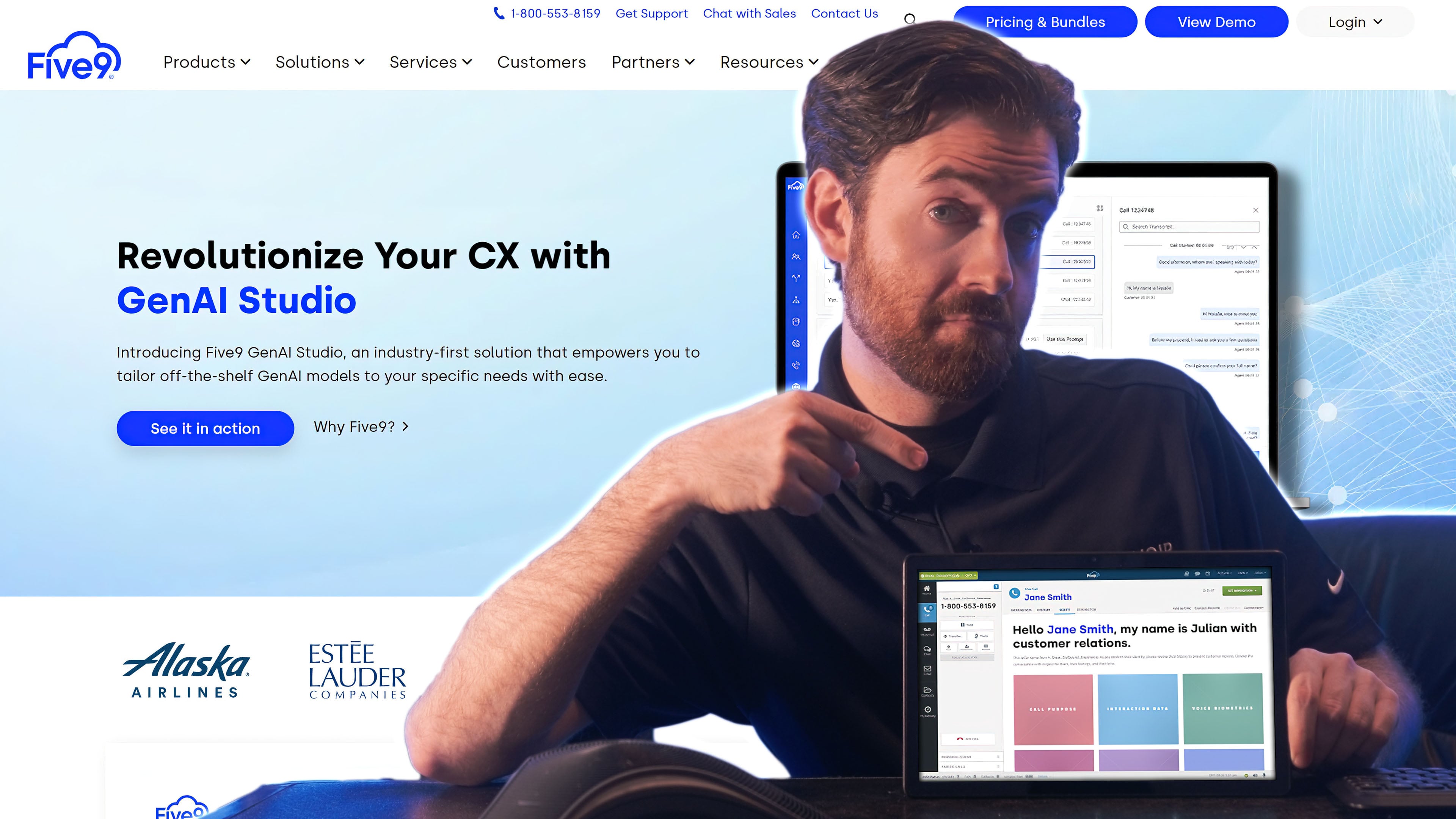
Five9 is a comprehensive cloud contact center solution recognized as a leader in Gartner’s Magic Quadrant, thanks to its innovative use of artificial intelligence (AI) within customer engagement. The platform’s advanced conversational AI tools ensure seamless omnichannel communication across voice, chat, SMS, email, and social media.
Five9 offers more outbound auto dialing modes than NICE CXOne, and unlike NICE, also includes customer-agent video calling. Five9 particularly shines with its workflow automations, allowing users to craft complex, multi-event triggers based on existing business rules. Agents can automate customer follow-ups or order-confirmations via SMS, or notify supervisors about key developments via Slack.
Five9’s workforce engagement tools include real-time analytics, quality monitoring, and agent coaching to support team members before, during, and after calls. Five9’s platform is ideal for businesses aiming to scale operations while maintaining personalized customer interactions, making it a strong contender for enterprises looking to invest in long-term AI-driven solutions.
Five9 is a Good Alternative if You Need:
- Workflow automation: Five9’s intuitive platform allows users to create low code/no code workflow automations connecting customer data across the cloud.
- High quality customer support: Five9 offers world class 24/7 customer service to all users.
- To build a customer self-service system: Five9 includes a number of tools for self-service such as voicebots, chatbots, and intelligent virtual agents (IVAs).
- Omnichannel communication: Platform streamlines numerous communications channels, uniting VoIP calling, SMS, Whatsapp, text messaging, etc.
- Digital-first IVAs: Users can build intelligent virtual agents that serve as self-service chatbots or voicebots.
- Call center quality monitoring: Supervisors can silently monitor live calls, offer agents “whisper coaching”, or barge in on calls. The QM status of each agent is color-coded and visible to other supervisors.
- Call and screen recording: Includes synchronized voice/screen playback and digital channel transcription.
Price
Five9 offers four pricing plans designed to cater to various business needs, but it does have a higher starting price point than NICE CXone.
- The Core/Digital Plan starts at $119 per user/month and includes essential features like voice or digital channel functionality, call recording, auto dialing, agent desktop, and workflow automation.
- The $169 per user/month Premium plan adds quality management tools for improved agent performance.
- For $199 per user/month, the Optimum plan includes advanced workforce management features, making it ideal for scaling operations.
- Finally, the Ultimate plan, at $229 per user/month, provides interaction analytics for in-depth insights into customer interactions.
To learn more, check out our Five9 pricing guide.
Five9 Pros and Cons
Pros
- Auto dialing capabilities: Five9 includes a preview, predictive, power, progressive, and TCPA dialer with all plans
- Automations: Five9 automations enable users to automate almost any repetitive task from follow-ups to after contact work.
- AI-powered agent assist: Five9’s Agent Assist provides agents with real-time guidance cards, checklists, reminders, tips, and more.
Cons
- Price wall for WEM: Workforce engagement tools are only included in upper level pricing plans
- Video conferencing: Five9 does not offer a native video conferencing platform
- Expensive: Five9 pricing starts at $149 per user/month, but that plan only includes the essentials–advanced features are only offered as add-ons
Nextiva: Best for Customer Self-Service and Journey Orchestration
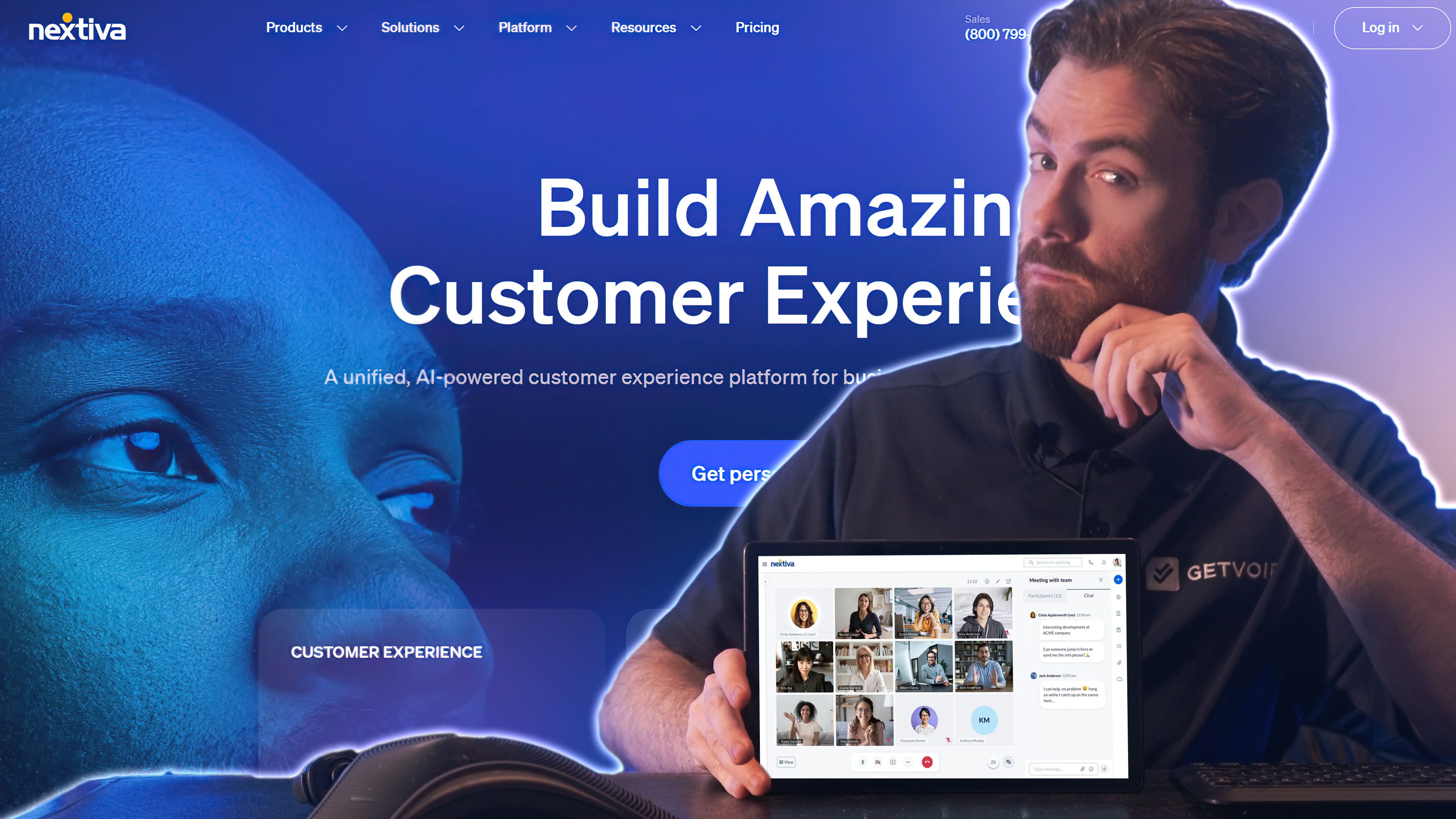
Nextiva is a versatile contact center solution that rivals NICE CXone by offering voice-only, digital-only, and omnichannel plans tailored to a wide range of business needs. Nextiva is an acclaimed solution and has quite the reputation within the industry, having carrier-grade five nines (99.999%) uptime compared to NICE’s 99.99%.
Its omnichannel plans handle voice, SMS, live chat, email, and social media messaging to create a unified communication platform. Unlike NICE CXone, Nextiva emphasizes user-friendly tools such as a drag-and-drop workflow engine for routing and bot design, making it accessible for teams with users with different technical learning curves.
Core features include interactive voice response (IVR), automated chatbots, and an autodialer, which streamline outbound sales and customer service operations. Nextiva’s platform also supports secure payment processing and advanced analytics to track customer experiences and uncover customer behavior trends. Supervisors benefit from tools like screen recording and automated workforce scheduling, enhancing team efficiency and performance monitoring.
Nextiva is a Good Alternative if You Need:
- Sales efficiency: Nextiva includes progressive and predictive dialers that use AI to automate outbound calls, making sales agents more efficient
- A built-in CRM system: Nextiva includes built-in list and campaign management for leads and sales, plus a built-in CRM system with a unified customer history
- Voice-only or digital-only: Choose between voice-only or digital-only on Nextiva’s lowest-tier Core plan
- Routing workflows: Use the drag-and-drop designer to customize how IVR systems and virtual agents route calls to queues or agents
- Customer self-service: Design advanced IVR systems and chatbots that use conversational AI to answer FAQs, schedule appointments, and more
- Agent supervision: Nextiva supports supervisors with agent screen recording and AI-assisted workforce scheduling
- Customer insights and conversation analysis: Analyze call transcripts and interactions for advanced customer experience metrics
Price
Nextiva offers three contact center pricing plans and has a lower entry price point than NICE CXone.
- The Essential plan, at $75 per user/month, provides a voice or digital-only solution with features like auto-dialers, CRM integration, agent scripting, IVR, chatbots, and a workflow engine.
- The Professional plan upgrades to an omnichannel contact center with secure payment assistance, screen sharing, advanced AI bots, and real-time supervisor support.
- The Premium plan includes workforce scheduling, quality monitoring, advanced customer experience (CX) analytics, and performance management tools.
Nextiva does not offer a trial period, but does provide demos on-demand to showcase the capabilities it has. NICE, on the other hand, has a trial period for customers to evaluate fit and functionality.
For more information, check out our review of Nextiva pricing.
Nextiva Pros and Cons
Pros
- Intelligent call routing: Nextiva offers several different styles of intelligent task routing: skills-based routing, relationship-based routing, longest-idle, or based on a list
- Multiple ways to get customer insights: Gain customer feedback through advanced customer experience analytics or custom surveys, which you can administer on any channel
- Rich services: Agents and bots can provide unique services like secure payment processing, speaking in multiple languages, booking reservations, insurance enrollment, and appointment scheduling
Cons
- No native integrations: While some alternatives support dozens of integrations with third-party platforms, Nextiva only offers CRM integrations as a paid add-on
- Pricy: Nextiva’s cheapest plan is $99 monthly per user, while some alternatives offer low-tier plans in the $70 range
Talkdesk: Best for Small to Mid-Size Blended Call Centers
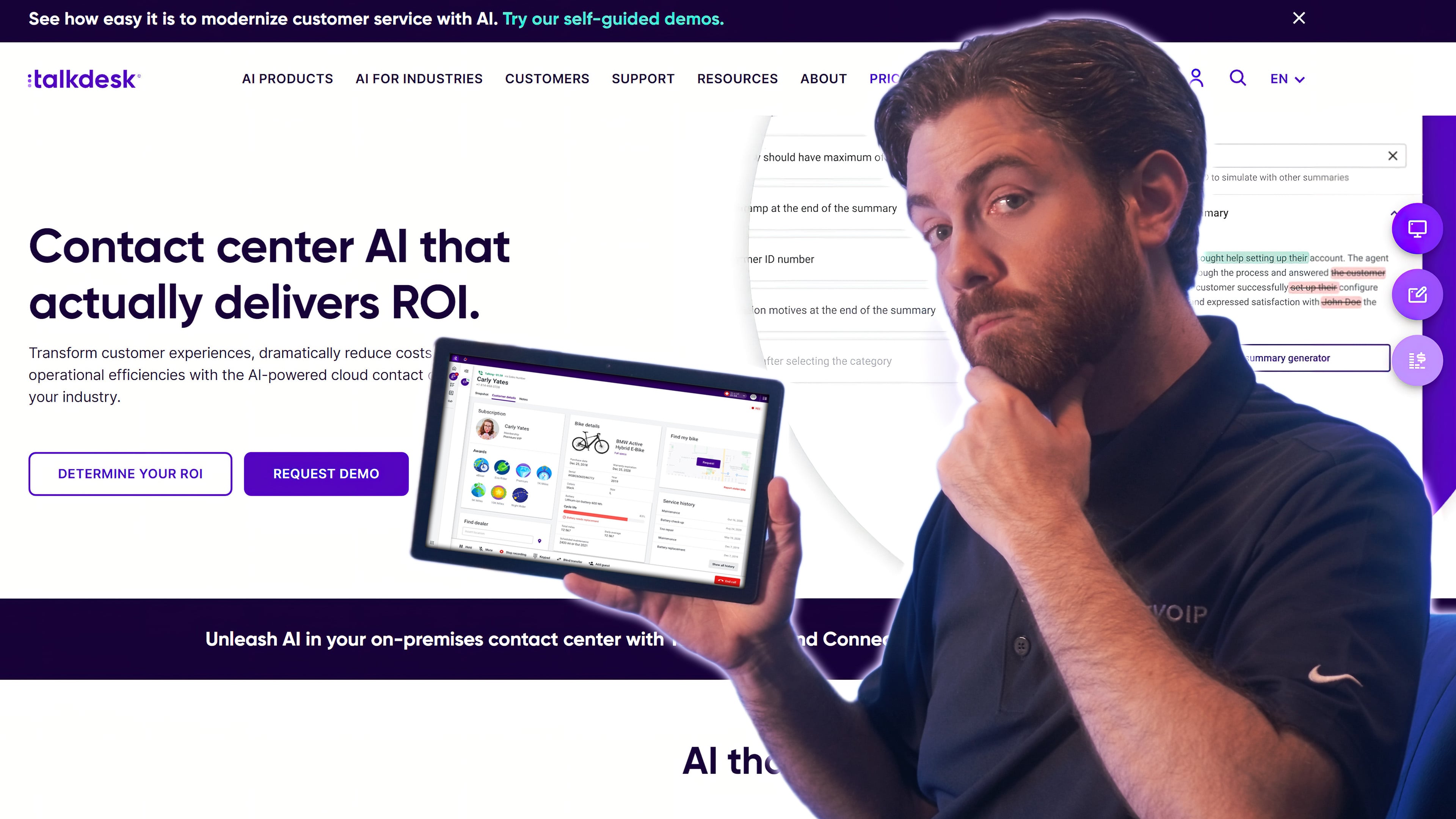
Talkdesk is a cloud-based call center software provider which employs intelligent routing, real-time analytics, and robust workforce management (WFM) capabilities in a way that sets it apart from competitors.
When compared to NICE CXone, Talkdesk sets itself apart by offering industry-specific solutions tailored to unique operational needs. For example, in the financial services sector, Talkdesk offers specialized packages for both banking and insurance. These packages include pre-built workflows and integrations designed to meet regulatory and operational demands, such as secure data handling and compliance.
Industry-specific virtual agents leverage AI to field common customer inquiries efficiently, reducing agent workload. Optional add-ons, including advanced WFM tools and customer experience analytics, allow businesses to optimize agent scheduling and gain deeper insights into customer interactions, making Talkdesk an ideal choice for targeted industries.
Talkdesk is a Good Alternative if You Need:
- A small call center solution: Talkdesk is more affordable than NICE CXone with a “voice only” option, making it a better choice for small businesses
- High-quality customer support: Talkdesk customers have praised the provider for its onboarding support, ticket tracking, and customer-agent communication
- A highly secure platform: Talkdesk has more than 30 security certifications including HIPAA, GDPR, and the industry’s only ISO 22301 Business Continuity certification
- Generative AI-powered analytics: Managers use generative AI to draw insights from customer interactions
- Real-time dashboards: Users create custom dashboards that compare performance with SLAs and key metrics
- Mobile app: Agents can handle outbound and inbound calls from mobile devices with Talkdesk Conversations mobile app for Android and iOS
- IVR call routing: Route calls based on caller data, IVR selection, business hours, agent skills, etc.
Price
Talkdesk provides four different pricing plans. The CX Cloud and Digital Essential plans both start at $85 per user/month and offer inbound, outbound, and hybrid voice capabilities with IVR and API access. The CX Cloud Elevate plan, at $115 per user/month, expands functionality with chat, email, and SMS channels, plus screen recording and quality management tools. For $145 per user/month, the CX Cloud Elite plan includes advanced features like custom reporting and the choice of workforce management (WFM), customer experience analytics, agent assist, or proactive outbound engagement.
To learn more, see our Talkdesk pricing guide.
Talkdesk Pros and Cons
Pros
- Affordable: Starting at $75 per month/user, Talkdesk is one of the more affordable CCaaS providers
- Integrations: Over 70 out-of-the-box integrations included for all users
- Onboarding support: Talkdesk offers high quality onboarding support to all users
Cons
- Limited availability of mobile app: Mobile app is only available for the Elevate pricing plan and up
- Limited availability of advanced AI features: AI-powered WEM tools and analytics are only available to Elite plan users–and they must choose between WEM or customer experience analytics
- Uptime SLA: Although Talkdesk offers advanced reliability features such as FedRAMP and 100% uptime SLA, they are only included with upper tier pricing plans
Genesys: Best for Inbound Calling with Various Digital Channels
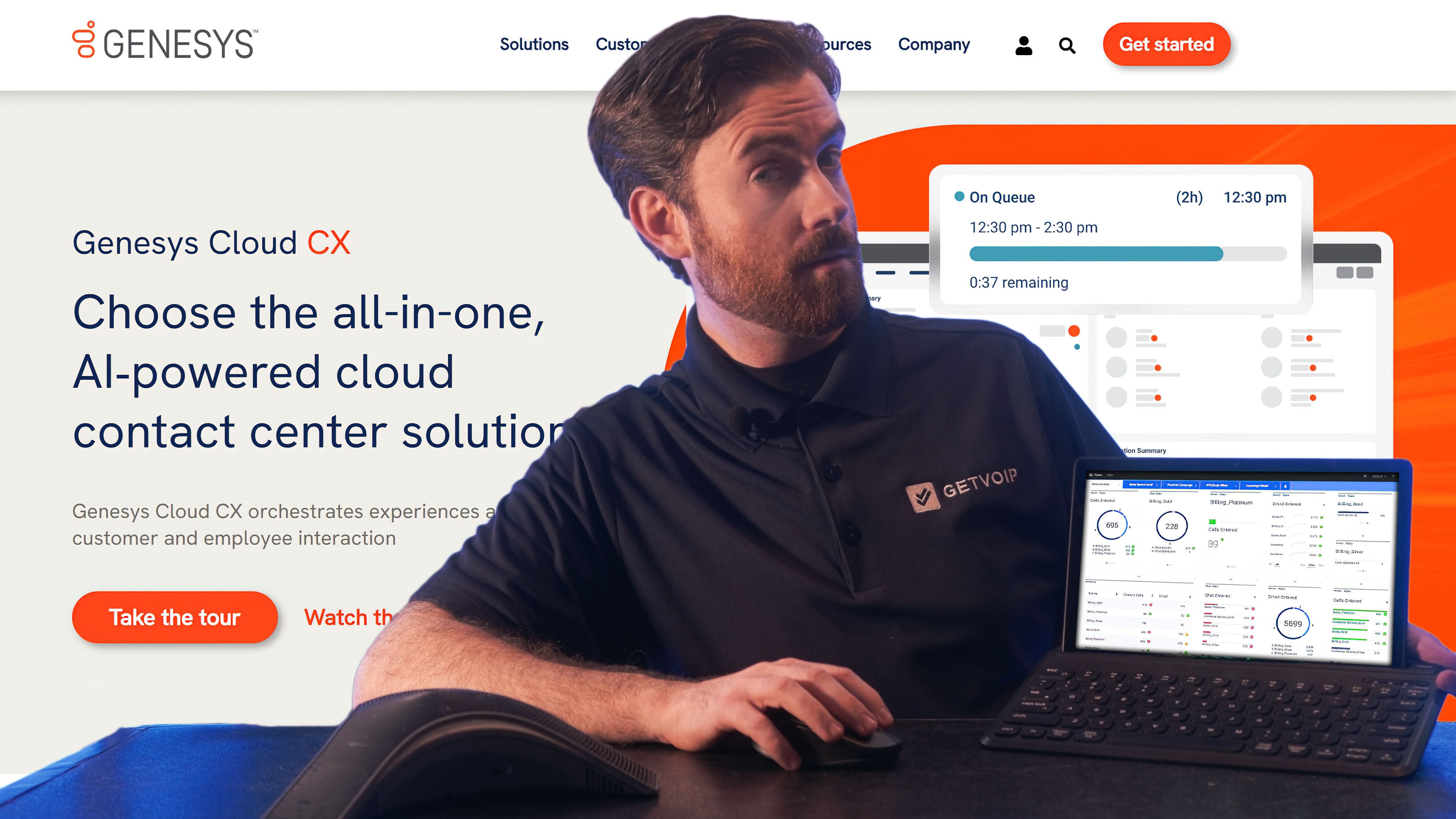
Genesys is a cloud-based CCaaS provider offering flexible voice, digital, and hybrid CX solutions for businesses of all sizes. Genesys and its platform enable businesses to craft personalized customer experiences through a blend of self-service tools, omnichannel engagement, and AI-powered automation.
Compared to NICE CXone, Genesys stands out through its intuitive features like predictive routing and performance monitoring. Predictive routing matches customers to the best available agents using data-driven insights, while dynamic dashboards provide real-time performance monitoring.
For small and medium-sized businesses (SMBs), Genesys remains competitive thanks to its cost-effective pricing, simple implementation process, and clean, user-friendly interface. On top of that, 24/7 customer support guarantees businesses assistance at all times. Genesys is a reliable choice for SMBs that want to enhance customer satisfaction while ensuring operational efficiency.
Genesys is a Good Alternative if You Need:
- To improve customer service: Genesys includes a number of tools for customer service including AI-powered chatbots, knowledge management, co-browsing and screen share
- Fast and easy adoption without IT assistance: Genesys has an intuitive interface that makes it simple and quick to build routing flows, create voice bots, and connect with customers across channels
- To motivate agents: Genesys includes several WFM and WEM tools to motivate and improve employee performance such as gamification and automated workflows for after-call work, time-off approvals, and trades
- SMS and social media messaging: Communicate with customers on any digital channel with automations, asynchronous conversations, and unified agent dashboards
- Virtual assistants and predictive engagement: AI-powered assistants reach out to every customer and respond to questions using natural language processing
- Work forecasting and scheduling: Create call volume forecasts in minutes and generate, adjust, and publish work schedules accordingly
- Live chat: Create a web chat system for customers with quick reply and file sharing capabilities
Price
Genesys offers three CCaaS pricing plans, though the CX 2 and CX 3 plans offer both digital and voice for an additional fee. The Genesys Cloud CX 1 plan starts at $75 per user/month, making it more affordable than NICE. The Genesys Cloud CX 1 plan provides inbound and outbound voice calling, Interactive Voice Response (IVR), and both real-time and historical reporting. The Genesys Cloud CX 2 plan, priced at $95 per user/month for digital-only or $115 per user/month for digital and voice, adds features like SMS, messaging, and digital outbound campaigns. For $135 per user/month for digital-only or $155 per user/month for digital and voice, the Genesys Cloud CX 3 plan includes advanced workforce engagement tools such as forecasting, scheduling, and gamification.
For more information, read our Genesys pricing guide.
Genesys Pros and Cons
Pros
- Flexibility in pricing plans: At each pricing tier, users can choose whether they want just voice, or both digital and voice channels
- Affordable (especially for voice only): Genesys offers a very affordable bare bones plan without digital channels that only includes essential CCaaS features such as voicemail and smart IVR routing
- User-friendly interface: Supervisors are able to setup call flows, update agent queues/skills, build bots, etc. without IT assistance
Cons
- Limited WEM availability: WEM tools only included in upper tier pricing plans
- Some hidden fees: Users must purchase the Genesys AI Experience as an add-on ($40/mo.) to access predictive engagement, digital and voice bots, agent assist, predictive routing, etc.
- Security/reliability: Although Genesys has multiple security compliance certifications, it does not offer advanced security features such as E2EE or an uptime SLA
RingCentral: Best For Collaborative Contact Centers
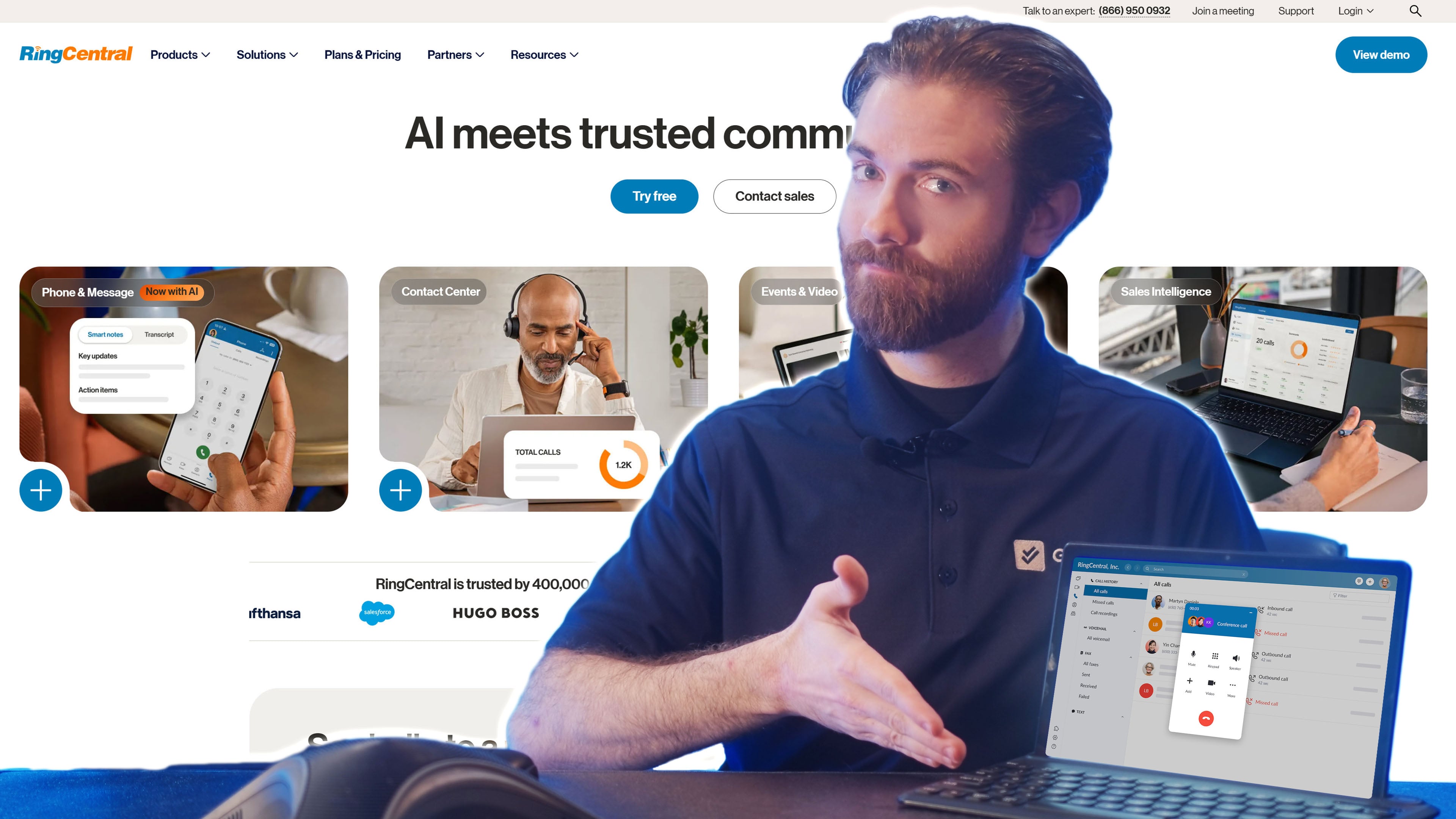
RingCentral Contact Center is a cloud-based solution that combines a powerful phone system with advanced contact center features, making it a compelling alternative to NICE CXone. It offers AI-powered tools like speech analytics, which provide deep insights into customer interactions to improve service quality and agent performance. The platform integrates seamlessly with popular CRMs and business applications, streamlining workflows and enabling more personalized customer experiences.
RingCentral’s robust video conferencing capabilities, included as part of the broader platform, set it apart from NICE. These features include video recording for training or compliance, waiting rooms for better meeting control, AI-powered live transcription for note-taking, and noise cancellation to ensure clear communication. This makes RingCentral ideal for teams prioritizing unified communications and collaboration.
RingCentral is a Good Alternative if You Need:
- Scalability: RingCentral has an affordable contact center solution with limited analytics, but users can scale up to add users and advanced features quickly and easily
- Workforce engagement: WEM tools can be purchased as an add-on by any RingCentral user and are included in upper tier pricing plans
- Video conferencing: RingCentral includes its native enterprise-grade video conferencing platform for all contact center users
- Feedback and coaching: RingCentral includes built-in supervisor tools including call monitoring, whisper, and barge
- AI-powered keyword tracking: Admins can create custom concept or key phrase trackers in addition to built-in trackers for common sales categories
- Auto dialing: RingCentral Contact Center offers preview, predictive, and progressive auto dialers as an add-on
- Real-time AI agent assist: Leverages AI and NLP to offer agents suggested replies or automate tasks while they are communicating with customers
Price
RingCentral offers two pricing plans. The RingCX plan starts at $65 per user/month and includes unlimited domestic inbound and manual outbound minutes, video capabilities, over 20 digital channels, IVR, call recording, and post-call speech analytics.
This makes it a more affordable option than NICE CXone. For businesses requiring more advanced features, the RingCentral Contact Center plan, available with custom pricing, supports over 30 digital channels and includes additional tools like on-screen and digital recording, journey analytics, and comprehensive customer engagement.
Learn more by reading our RingCentral pricing guide.
RingCentral Pros and Cons
Pros
- Reliable and secure: RingCentral offers a 99.999% uptime guarantee along with advanced security features such as data encryption and multi-factor authentication
- Affordable option for SMBs: RingCentral offers a starter contact center plan at just $65 per user/mo., one of the lowest prices in the industry
- Integrations: RingCentral has one of the largest integration ecosystems in the SaaS space with over 300 integrations
Cons
- WEM features: Some of RingCentral’s WEM features (real-time agent assist, advanced surveys, etc.) are only available as add-ons
- Customer support: Some RingCentral users complain that customer support is difficult to reach and resolutions are slow
- Steep learning curve: RingCentral’s platform is highly customizable, but along with many options comes a steep learning curve and a lengthy onboarding process
Dialpad AI Contact Center: Best For Workforce Management, Engagement, and Hybrid Sales Teams
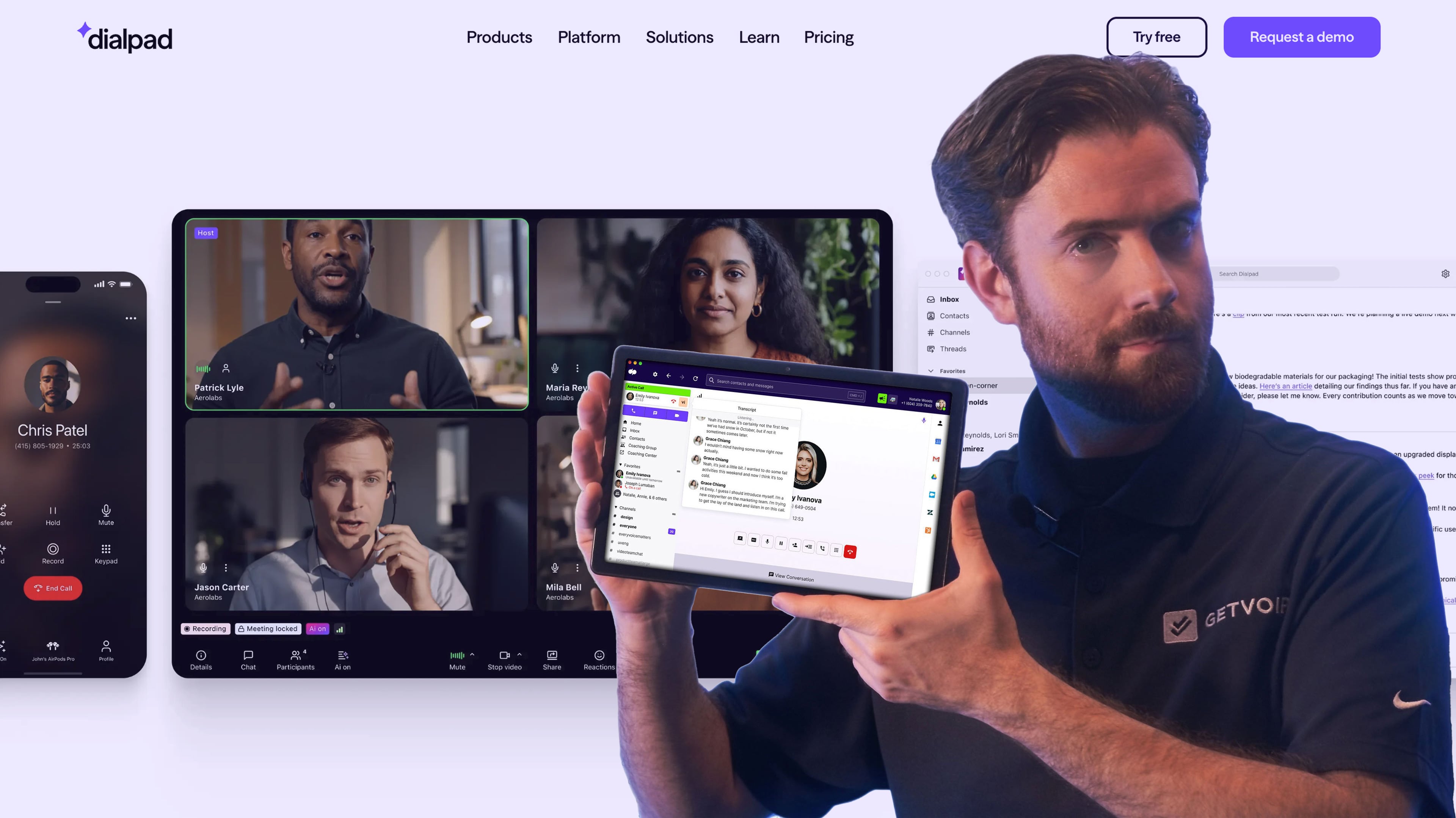
Dialpad AI Contact Center is a virtual omnichannel contact center platform that takes customer interactions across different channels, like WhatsApp, Facebook Messenger, and Apple Business Chat, then makes them all accessible via a unified interface. Unlike NICE CXone, Dialpad goes all in on AI, employing both machine learning (ML) and natural language processing (NLP) technologies to enhance both agent performance and customer satisfaction.
Dialpad’s AI-powered tools include live caller sentiment analysis, which provides real-time insights into customer emotions to help agents tailor their responses effectively during calls. Additionally, Dialpad offers real-time analytics and flexible call routing to optimize workflows and connect customers to the appropriate agents quickly. Dialpad is a strong choice for businesses seeking innovative, AI-driven solutions to their customer engagement needs.
Dialpad is a Good Alternative if You Need:
- A helpdesk solution: Dialpad includes several tools to help agents provide helpdesk support such as AI-powered popup cards
- Reliability: All Dialpad AI Contact Center plans come with a 99.9% uptime SLA
- Flexibility and scalability: All Dialpad Contact Center users have the option to add digital channels and/or advanced features like live assist, AI scorecards, etc.
- Automated voicemail and callback: Allows customers to specify which number they want to be called back on and at what time
- Real-time speech analysis: Analyzes ongoing calls tracking for customer sentiment, keywords, challenging questions, etc.
- Custom wallboards: Displays real-time data and insights in an intuitive dashboard with gamification and goal setting capabilities
- Video meetings: Robust video conferencing platform with screen sharing, meeting lock, waiting room, etc. Up to 150 participants with 5-hour meeting duration
Price
Dialpad AI Contact Center offers three pricing tiers. The Essentials Plan, at $80 per user/month, includes core features like IVR, automatic call distribution (ACD), call recording, and video meetings, with options to add advanced tools.
The Advanced Plan, priced at $115 per user/month, enhances functionality with real-time live assist, custom moments, and a digital virtual agent.
At $150 per user/month, the Premium Plan provides access to all digital channels, AI-driven scorecards, and AI-powered customer satisfaction (CSAT) tools.
NICE CXone is slightly cheaper and provides greater scalability than Dialpad. Still, Dialpad lets businesses choose the features that best align with their operational and customer engagement goals.
Find more information in our Dialpad pricing guide.
Dialpad Pros and Cons
Pros
- Customer service: All plans include live customer support and premium support is available as an add-on
- Agent assistance: Includes numerous tools to increase agent efficiency such as automated post call work, call scripting, and live coaching capabilities
- DialpadGPT: Contact Center users have access to proprietary generative AI that creates content based on large datasets
Cons
- Digital channels: Dialpad only includes digital channels in the highest pricing tier (other users can purchase digital channels together or separately as an add-on)
- Lack of customizations: Dialpad does not allow for as many customization options as competitors
- Lack of self service functionality: Dialpad does not offer features like chatbots and voicebots
8x8: Best for large global teams that need advanced analytics
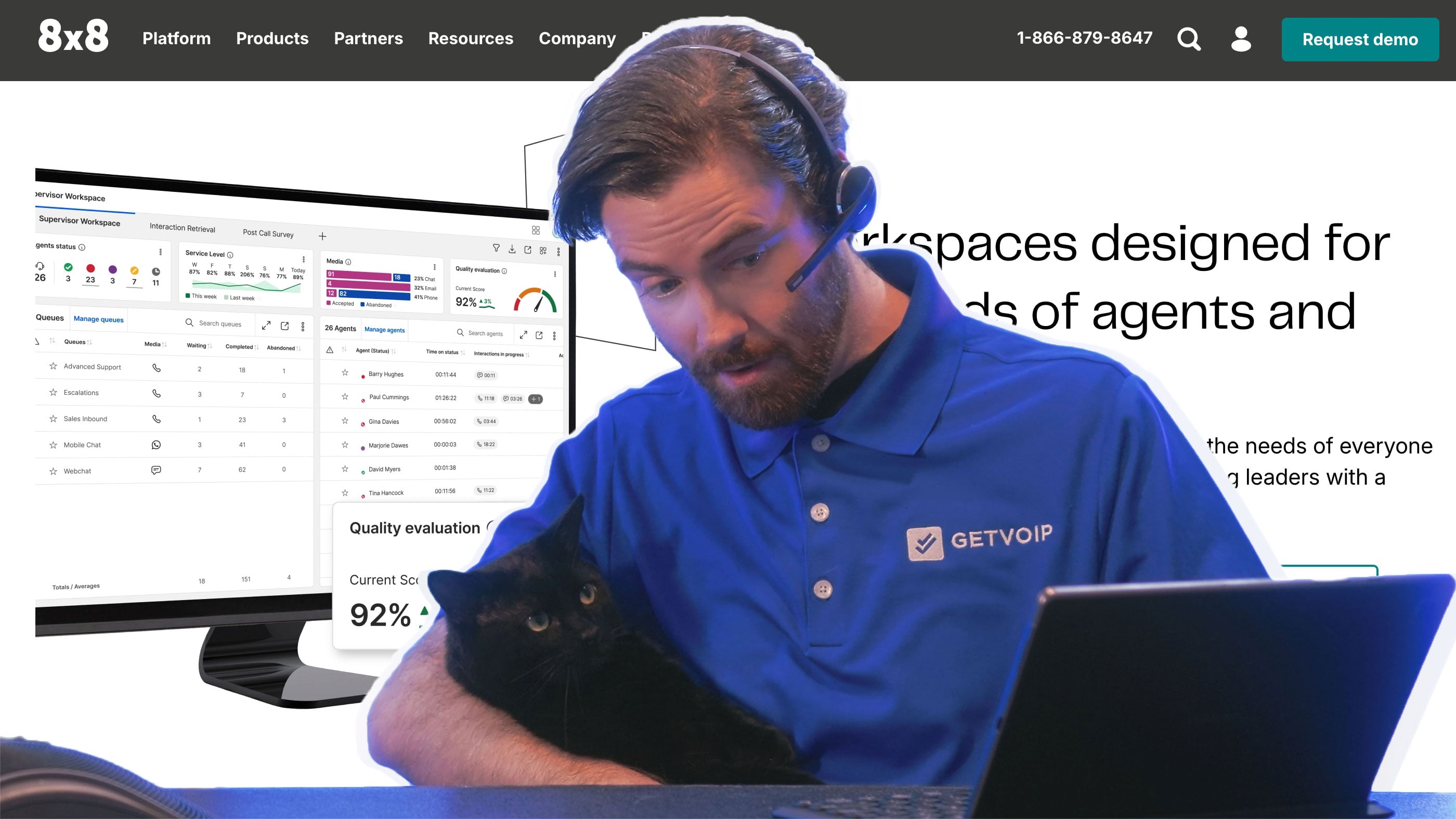
8x8 combines UCaaS features such as a business phone system and video conferencing capabilities, with CCaaS features like high volume messaging and AI-enabled self-service. Unlike NICE CXone, which requires businesses to purchase add-ons and integrations for a complete UCaaS/CCaaS platform, 8x8 includes everything under one pane of glass.
8x8 also offers a robust video conferencing platform for up to 500 participants with breakout rooms, virtual backgrounds, and real-time subtitles. Video conferencing is included for all 8x8 users as is global coverage in 50+ countries.
8x8 also includes many AI-driven tools including automated summaries and transcipts that flow directly into CRMs and anlytics tools to streamline record keeping.
8x8 is a Good Alternative if You Need
- Team Collaboration: 8x8 includes video conferencing, team chat, and whiteboard in all plans while NICE CXone requires third party apps
- International Presence: Unlimited calling in 55 countries plus DID numbers in over 100 countries make 8x8 a superior choice for global teams
- Consolidated UCaaS and CCaaS: 8x8 focuses on contact center tools but bakes UCaaS into every plan, while NICE CXone does not
- Microsoft Teams integration: 8x8 has a deep pre-built Teams integration, while NICE CXone charges extra for pre-built CRMs
- AI-powered Insights: 8x8 is comparable to NICE CXone as far as analytics, offering advanced queue management, system analytics, and team leads analytics
- Self-service tools: 8x8 offers a number of self service tools including conversational AI. Users build self-service workflows using a no-code graphical interface
Price
8x8 no longer lists its prices publicly and all plans are custom and quote-based. 8x8 customers can choose from a UCaaS plan, which also includes CCaaS capabilities like high-volume messaging and global coverage, and two CCaaS plans (both also include UCaaS capabilities).
8x8 Contact Center includes omnichannel routing, workforce engagement, and contact center analytics. 8x8 Engage adds on conversational intelligence and advanced queue management. Communication APIs are also available. 8x8 for Microsoft Teams is an add on.
For more information, please see our 8x8 pricing guide.
8x8 Pros and Cons
Pros
- Global coverage: Unlimited calling in 55 countries included in all plans whereas NICE CXone users have to pay extra
- CRM integrations: Pre-built CRM integrations are included and a deep integration with MS Teams is offered whereas NICE charges extra
- UCaaS and CCaaS: UCaaS baked into the platform whereas NICE users have to purchase add-ons and integrations to get both
Cons
- Steep learning curve: Some users found NICE CXone easier to set up and use compared to 8x8
- Lack of transparency in pricing: 8x8 has only custom quote-based plans and does not list prices publicly, while NICE CXone does
- Interaction analytics: 8x8 does not offer VoC and interaction analytics while NICE CXone does
Sprinklr: Best for SMBs That Need An Omnichannel Solution
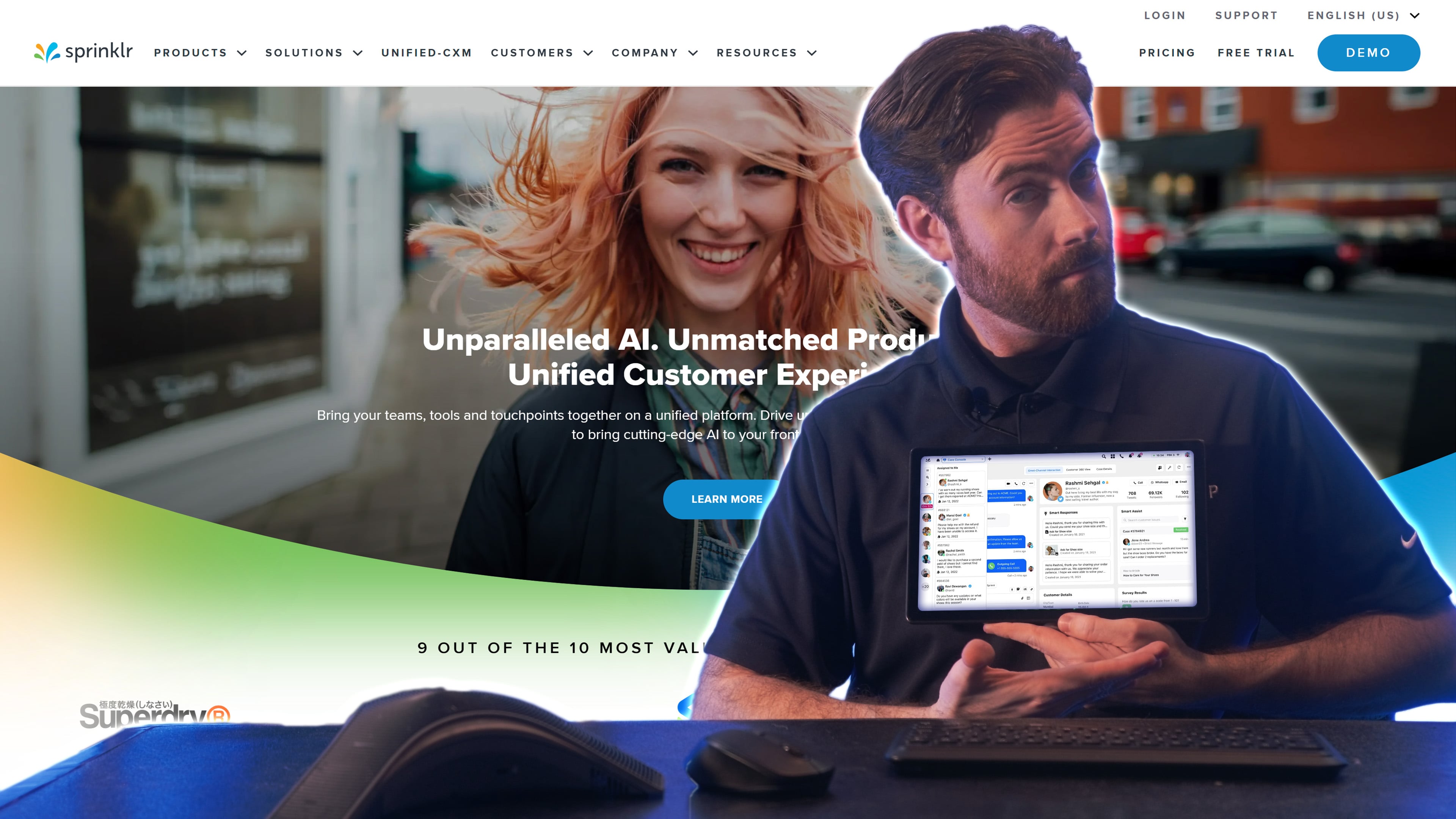
Sprinklr is primarily an enterprise customer experience management (CXM) platform that grew into CCaaS from its roots in social media and digital channel management. Sprinklr has its own native AI, providing real-time, context aware assistance to agents, automated resolutions, and social listening insights across 30+ channels including voice, text, and social media.
While NICE is stronger in traditional call center features and telephony, Sprinklr excels at unifying channels such as email and social messaging, providing a clean interface for easier governance.
Sprinklr AI Agents work with human agents by automatically classifying incoming queries by intent, urgency and sentiment, auto-prioritizing critical issues, and handling simple processes, or routing queries to the best-suited agent.
Sprinklr is a Good Alternative if You Need
- Digital channel representation: Sprinklr offers over 30 different communication channels such as email, WhatsApp, Facebook Messenger, etc.
- Unification of digital and voice channels: Sprinklr unites all communication channels under one pane of glass for easy viewing and management
- Agent supervision and coaching: Spriklr AI offers real-time context driven guidance to agents while providing constant monitoring of interactions with insights for supervisors
- More personalized CX: Sprinklr's AI Agents and CoPilot for agents makes it easy to offer more customization in every interaction
- Social media management/Social listening: Sprinklr automatically analyzes public conversations over social media in real time — allowing companies to respond with speed and accuracy
- Livechat: Sprinklr enables companies to embed livechat onto their website with AI-powered prompts, product recomendations, and checkout journey
Price
Sprinklr does not list its prices publicly, and all plans are custom and quote-based. Sprinklr is estimated to cost about $300 to $500 per seat, per month, which is considerably more than NICE CXone.
To learn more, read our detailed review of Sprinkl pricing.
Sprinklr Pros and Cons
Pros
- AI Driven: Sprinklr contains 750+ prebuilt AI models, 60+ out-of-the-box industry-specific models, and generative AI integration for personalized experiences
- Continuity across conversations: Users manage conversations with zero loss of context, maintaining continuity across all digital channels and complexity of cases
- Social media management: Recognized as a Forrester leader in social media management with a plethora of social listening tools and insights
Cons
- Cost: Unlike NICE CXone, Sprinklr is not transparent with pricing, and the cost is higher than CCaaS platforms
- Limited CCaaS: Lacks video conferencing and voice features are limited compared to NICE CXone
- Automation limitations: AI-powered automations work best on the conversation layer while operational workflows remain largely manual
Avaya: Best for Companies Using other Avaya Platforms and Hardware
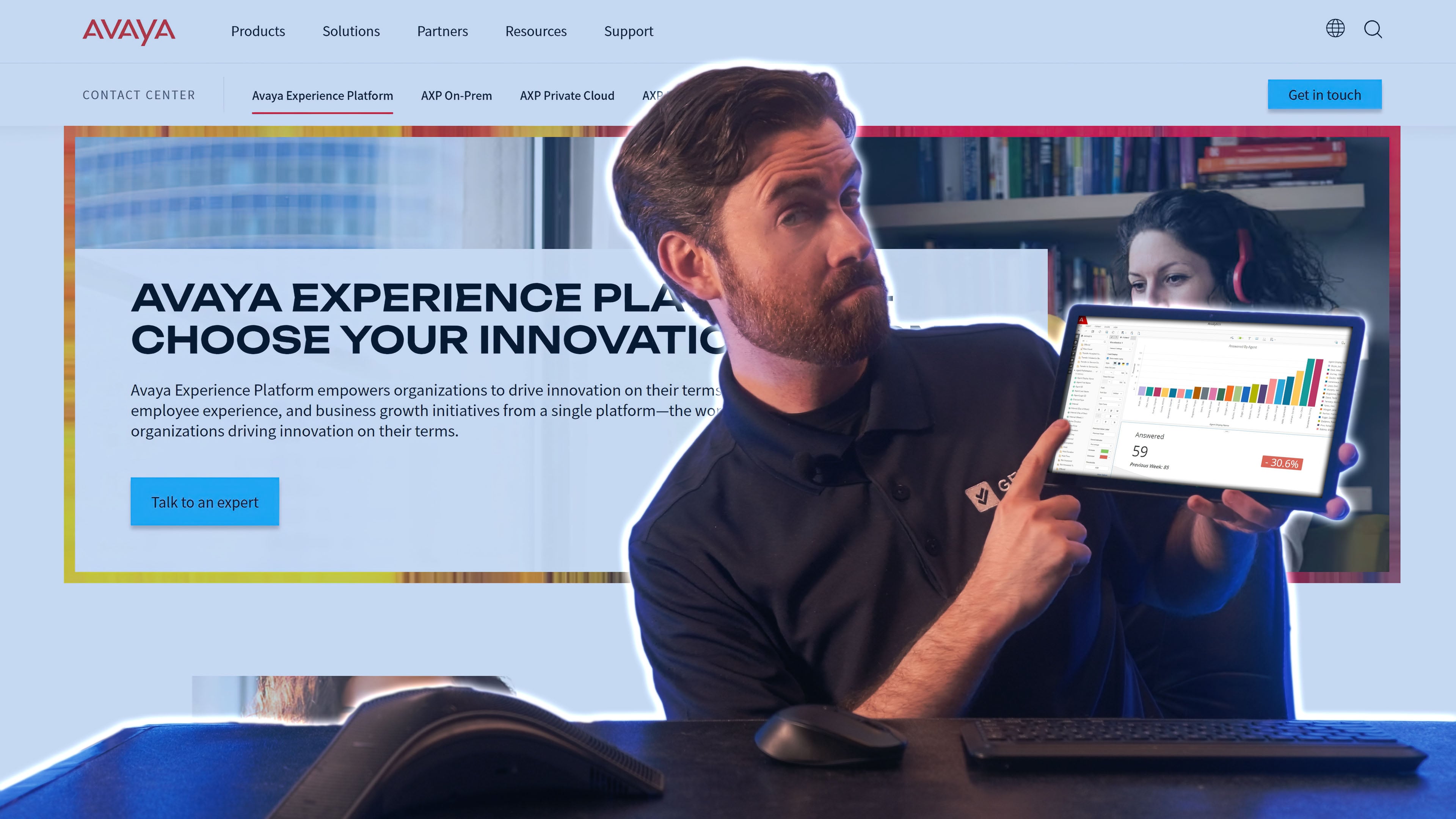
Avaya is a legacy telephony giant that has recently undergone a financial restructuring and repositioned itself as a flexible CCaaS platform, offering cloud-based and hybrid models.
While NICE CXone does not emphasize hybrid or legacy offerings, Avaya has a strong on-premise infrastructure making it a better fit for companies that aren't ready for a full transition to the cloud. On the other hand, Avaya does not has as many modern cloud-based features as NICE.
Avaya's CCaaS solution, Avaya Infinity, focuses on unifying experiences and eliminating data silos by combining real-time context streams and databricks with VoC feedback in order to offer dynamic intelligence across channels.
Avaya is a Good Alternative if You Need:
- A hybrid telephony solution: Avaya offers on-premise, cloud-based, and hybrid solutions with a solid infrastructure to support legacy systems
- A CCaaS platform that works with Avaya phones: For companies already using Avaya hardware, software, and integrations, Avaya Infinity is a perfect option to avoid a full "rip and replace"
- Regulatory flexibility: Highly regulated industries such as finance, governement, and healthcare, can benefit from Avaya's highly secure on-premise options while still enjoying the benefits of cloud-based features
- Companies that need phased migration: Avaya's flexible platform is one of the few CCaaS providers that can adequately support a phased migration from legacy to the cloud
- BYO LLM: Avaya's AI agnostic model enables users to manage multiple models, balance costs with performance, and implement guardrails
- A voice-based UCaaS system: Avaya Cloud Office is suitable for small call centers that need voice, video, SMS, and IVR capabilities, but not advanced omnichannel support
Price
Avaya Cloud Office offers three UCaaS plans ranging from $20-$35 monthly, per user. All plans include unlimited domestic calling, IVR, single sign-on, video meetings for 100 participants, and real-time AI call and meeting transcription/closed captioning.
The Advanced plan adds on real-time AI call notes along with 300+ CRM integrations. The Ultra plan adds on customizable analytics and reporting, an AI writer, and AI-powered translation.
Avaya Infinity is a CCaaS platform that is closer to what NICE CXone offers. Infinity users are able to orchestrate workflows and task automations from end to end. Avaya does not list pricing publicly for its Infinity platform.
Avaya Pros and Cons
Pros
- Flexible deployment: Avaya supports cloud, hybrid, and on-premises deployments
- Customizable: Avaya gives users control over data residency and allows for bring your own LLM with AI management capabilities and guardrails
- Integrates seamlessly with other Avaya products: Enterprises deeply embedded in Avaya's ecosystem (phones, infrastructure, integrations) can avoid a full rip-and-replace
Cons
- Limited innovation pace: Avaya offers some AI-powered tools such as transcription and summaries, but it does not have native AI and is not innovating as fast as many fully cloud-native vendors
- Lacking WFM/WEM capabilities: While NICE CXone excels i workforce engagement Avaya does not offer WEM tools
- Implementation complexity: Implementation and deployment can be more complex with higher upfront costs especially with on-premise or hybrid solutions
Amazon Connect: Best For Companies That Need A Flexible And Customizable Solution
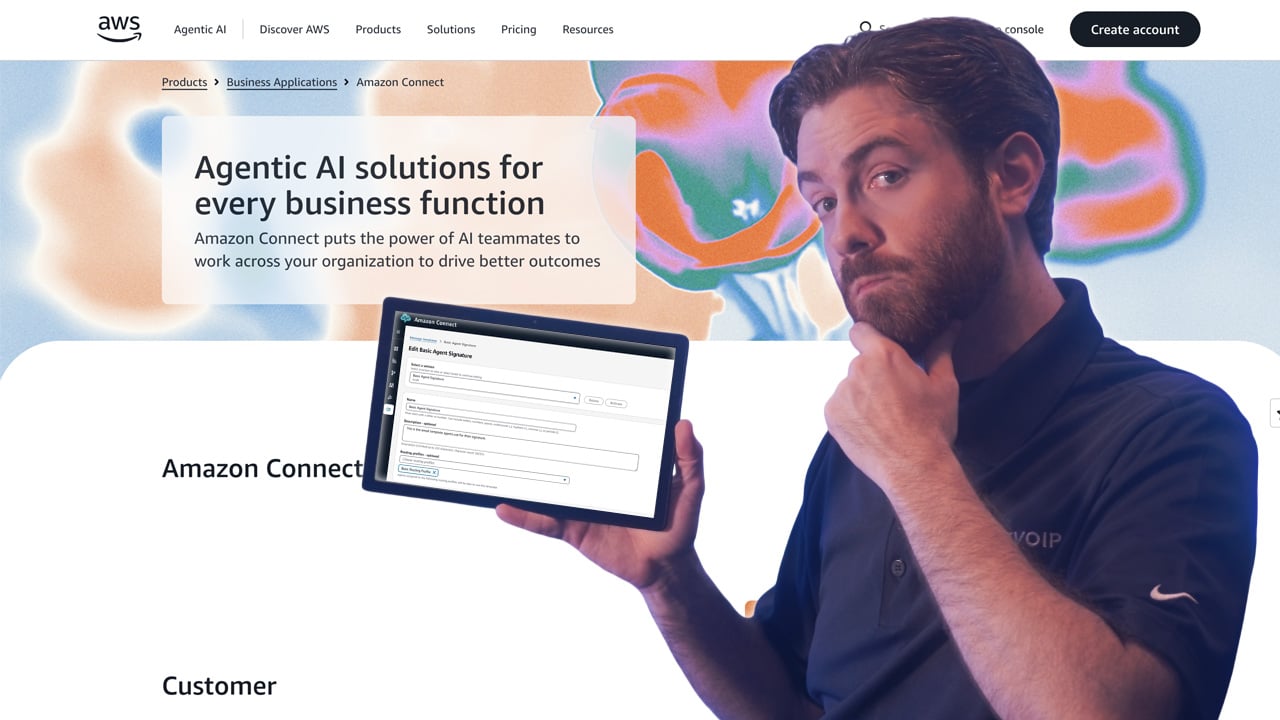
Amazon Connect is AWS's cloud-native contact center service. It is developer friendly, enabling users to set up chat experiences, call flows, and in-app, web, and video calling capabilities. The platform is easier to scale thanNICE CXone thanks to the pay-per-usage model, especially for those already using the broader AWS ecosystem.
Developers can set up their own interactive chat bot in Amazon Connect using Amazon Lex and Lamda. Some Amazon templates are supported such as time picker and list picker. Admins can also set up customer profiles, which allows for customer authentication.
Amazon Connect AI Agents provide real-time guidance to agents based on company data and documents as well as the AI's analysis of customer calls including sentiment analysis. AI agents also have the ability to either recommend actions to human agents, or take those actions themselves.
Amazon Connect Testing and Simulation capabilities enable companies to simulate contact center experiences, including self-service interactions and post-contact activities such as automated surveys.
Amazon Connect is a Good Alternative if You Need:
- Flexible pricing: Amazon Connect's pay-as-you-go pricing model is ideal for low volume contact centers as well as seasonal and variable industries
- Customizability: Amazon Connect is meant for developers who have control over nearly every aspect of the customer journey with the ability to test outcomes
- Self-service tools: Amazon Connect users can build completely custom AI-powered chatbots and other self-service tools
- Agent coaching: Connect AI agents automatically provide agents with immediate, real-time generative responses along with links to relevant documents and articles and recommended actions. Agents can also query a Connect AI agent directly using natural language or keywords
- AI agents: Amazon Connect AI agents directly engage with customers over voice and chat channels, solve customer issues autonomously, answer questions, and take actions on behalf of customers
- Task management: To improve productivity, Amazon Connect users set up task channels, create task templates, and allow agents to create and manage tasks with preset rules.
Price
Amazon Connect has a pay-as-you-go pricing model and charges $0.010 per chat message sent or received, $0.038 per voice minute, $0.080 per email sent or received, and $0.014 per SMS or 3P message sent or received. This includes agentic AI self-service, pre-built AI Agents, Agent Assist, predictive insights, and post contact summaries.
For more information, please see our Amazon pricing guide.
Amazon Connect Pros and Cons
Pros
- Flexible, affordable pricing: No per-seat licensing or upfront costs. You pay for minutes used and services consumed
- Integration with the broader AWS: Build custom workflows using Lambda, Lex, Step Functions, and other AWS services
- AI Agents: Build custom, intelligent AI Agents to guide human reps, interact with customers, and resolve issues
Cons
- Less turnkey than NICE: More flexibility means more engineering required and some functions require a trained developer to implement
- WFM/WEM is limited: Amazon Connect only started offering native WFM capabilities in 2022, and they still lack the complex multi-skill scheduling, advanced adherence tracking, and gamification tools that NICE offers
- Quality management: While NICE offers pre-built quality management workflows, Amazon Connect users must build these workflows manually
Which NICE CXone Alternative Should You Choose?
The best NICE CXone alternative for your company is the one that provides the features and channels to meet your business needs, without wasting money on advanced features you won’t use.
Here’s a quick breakdown of our top choices:
- If you need automated customer self-service: Five9 and Nextiva make customer service more efficient with self-service tools and intelligent bots
- If you need agent assistance and coaching: Dialpad and RingCentral use AI for live-agent support and supervisor assistance
-
If you need voice-only at the lowest cost: Genesys CX 1 or Avaya offer affordable pricing with advanced voice features such as skills-based routing and call recording
-
If you need industry-specific compliance: Talkdesk Experience Clouds offer pre-built workflows and integrations for healthcare, finance, and retail industries
-
If you're an AWS-native: Amazon Connect will offer the most value within an ecosystem that you and your staff is already familiar with
-
If you need omnichannel social: Sprinklr's platform unifies interactions in 30+ channels all under one roof for easy management
-
If you want UCaaS+CCaaS in one platform: 8x8 is a full service phone system with video conferencing, team chat, and contact center capabilities
Who Should Stay With NICE CXone?
Despite everything I've said about the alternatives to NICE CXone, there are plenty of reasons to stay with NICE CXone if you are already using them. For example, if you have 500+ seats, deep WFM configuration, custom Studio call flows, and QM programs built over years — the switching cost would be enormous. Here are some other scenarios that justify staying with NICE:
- WFM is a core value driver: NICE's WFM is among the deepest and most mature in the market. No one has more years of iteration on this than they do
- Heavily regulated industries: The platform's compliance-ready workflows and data governance tooling are enterprise-grade and make it easy for regulated industries like healthcare and finance to automate compliance
- Omnichannel organizations: CXone's unified data model and consistent cross-channel analytics are hard to replicate quickly on other platforms.
- Companies mid-implementation or early in a multi-year contract: In this situation switching would compound the time-to-value problem rather than solving it. The right move is usually to push NICE on what's not working rather than restart the clock elsewhere