Nextiva is a popular cloud communications and customer experience software provider with scalable solutions for businesses of any size. Nextiva offers two main products: a sales and customer experience management platform for SMBs, and an AI-powered omnichannel contact center for enterprises.
The all-in-one Customer Communications solution for small teams includes voice and digital communication channels, unified communications, team collaboration, and AI-powered workflow automation. The Contact Center adds Nextiva AI, Nextiva WEM, advanced CX analytics, intelligent omnichannel routing, built-in CRM, and customer engagement tools.
This guide to Nextiva pricing and plans outlines how much Nextiva products cost, highlights their top features, and helps you pick the right solution for your team.
Nextiva Small Business Pricing
Nextiva's business phone service offers 3 scalable plans starting at $15–$75/month per user with annual pricing. For monthly billed plans, pricing starts at $23/user/month. Nextiva backs new accounts with a 30-day Money-back Guarantee. Add-ons include advanced CRM and API integrations, XBert AI, plus AI call transcription and automated call summaries for the Core and Engage plans.
Core Plan ($15-$23/user/month)
Best For: The Nextiva Core Plan is best for small businesses needing inbound/outbound voice calling, SMS texting, and a built-in unified communications platform with video conferencing and team chat. The Core Plan also gives users access to the NextivaONE mobile app, making it a great choice for remote or hybrid teams needing a flexible platform they can access anywhere.
The Nextiva Core Plan includes:
- Multiple communications channels: Includes inbound/outbound voice calling, 100 monthly SMS messages per user, email, review management for 3 accounts, and social media messaging and management for 3 accounts. Live website chat is included with Engage and Scale; Core customers can try it at no additional cost for the first month. Virtual faxing is available as a paid add-on on Core.
- Customer Experience: Includes agent-customer video calling with screen sharing. Toll-free numbers and customer-to-team SMS are available as paid add-ons.
- AI and Workflow Automation: Smart call routing and basic IVR, AI voicemail transcription
- User Access: Desktop softphone app, Nextiva mobile app for voice, SMS, and video
- Security: Single Sign-On (SSO), GDPR/PCI compliance
- Productivity: Unlimited voice calling, unlimited video calling, unlimited conference calls, team chat, contact management, and 2 reporting dashboards plus 3 advanced reports. Voice analytics and call recording are available as paid add-ons.
- Integrations: Social media and review management on 3 app store accounts, 3 online review sites, 3 ecommerce sites, and 3 social media platforms. Microsoft Teams, Salesforce, HubSpot, and Zendesk integrations are available as paid add-ons, but Outlook and Google Contacts integrations are included
Engage Plan ($25-$50/user/month)
Best For: The Nextiva Engage Plan is best for mid-market organizations that need to leverage chatbots, advanced IVR, and workflow automation to manage increasing inbound contact volumes across voice and digital channels. The Engage Plan is a good option for teams using 5 or more social media platforms for both customer service and marketing, as well as businesses facing unexpectedly high inbound call volumes.
The Nextiva Engage Plan includes all Core features plus:
- Omnichannel capabilities: 1 Toll-free number with 2,000 monthly toll-free minutes, website chatbots, 500 SMS messages/user/month, online faxing, inbound/outbound voice, live chat, email, social media messaging and management for 30 accounts, review management for 10 accounts
- Customer Experience: Customer-to-team SMS text messaging, group email inbox for 10 accounts
- AI and Workflow Automation: Adds inbound sales and service call center capabilities like call queuing, AI routing, call history, etc.
- Security: Adds HITRUST certification
- Productivity: Voice call and video meeting recording
- Analytics: Advanced real-time and historical voice analytics, wallboards and gamification, performance scorecards, 10 reporting templates, shareable reports
- Integrations: Includes Microsoft Teams integration and review/social media management for 10 online review site accounts, 10 app store accounts, 30 social media accounts, and 10 ecommerce review site accounts
Scale Plan ($75/user/month)
Best For: The Nextiva Scale plan is best for established larger businesses that need to streamline online sales and customer service interactions into a unified team interface. These teams may not be quite ready to scale up to a full-fledged contact center, but they want the option to add on advanced automation tools like smart call routing and multi-level IVR. It’s also a good fit for businesses ready to leverage advanced analytics and employee engagement tools to optimize the customer journey and improve agent performance.
The Nextiva Scale plan includes all Engage features plus:
- AI-powered omnichannel: Inbound/outbound voice, 10,000 monthly toll-free minutes, unlimited SMS, live chat, chatbots, social media messaging and management for unlimited accounts, unlimited review management, 10 group email inboxes, and virtual faxing
- AI and Workflow Automation: Includes skills-based routing, AI call transcription, and AI call summaries/notes. Advanced multi-level IVR and intelligent routing may incur additional charges.
- Analytics: Adds unlimited monthly reports
- Integrations: Includes social media management and messaging for unlimited accounts and unlimited ecommerce/online/app store review management. CRM and API integrations remain available as paid add-ons on every tier, including Scale.
Top Nextiva Features
The best features available to Nextiva users are:
Business Phone Service
Nextiva’s business phone service, available on Core plans and above, offers unlimited HD calling in the United States, Canada, and Puerto Rico. Number porting is available, and the VoIP phone system delivers 99.999% dependable uptime.
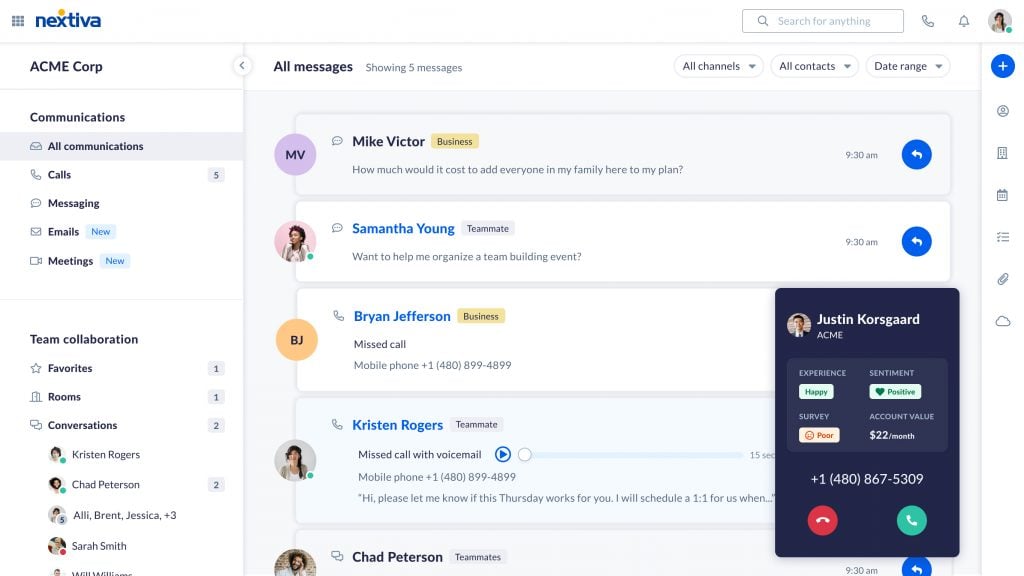
Users can make/receive phone calls from desktop and mobile devices, access competitive toll-free and international calling rates, and leverage advanced call management features like:
- Voice Analytics: Custom and pre-built voice call reporting templates to monitor historical and live KPIs like call direction, call volume, average handle time, missed call ratio, and call logs
- Voicemail: AI voicemail transcriptions with real-time notifications, one-click SMS or callbacks, and voicemail-to-email
- IVR: Single and multi-level IVR/auto attendants with call flow design, custom greetings, business hour rules, ring groups, call forwarding, call transfer, call flip, call notes, Dial by Name and extension, sequential and simultaneous ringing, and smart call routing
- Call Recording: Automatic or on-demand one-click call recording, pause-resume recording, and recording announcements
Social Media Management
Nextiva’s social media management tool, included in all phone service plans, streamlines messages from popular platforms like X, Instagram, Facebook, LinkedIn, and YouTube (among others) in one unified inbox.
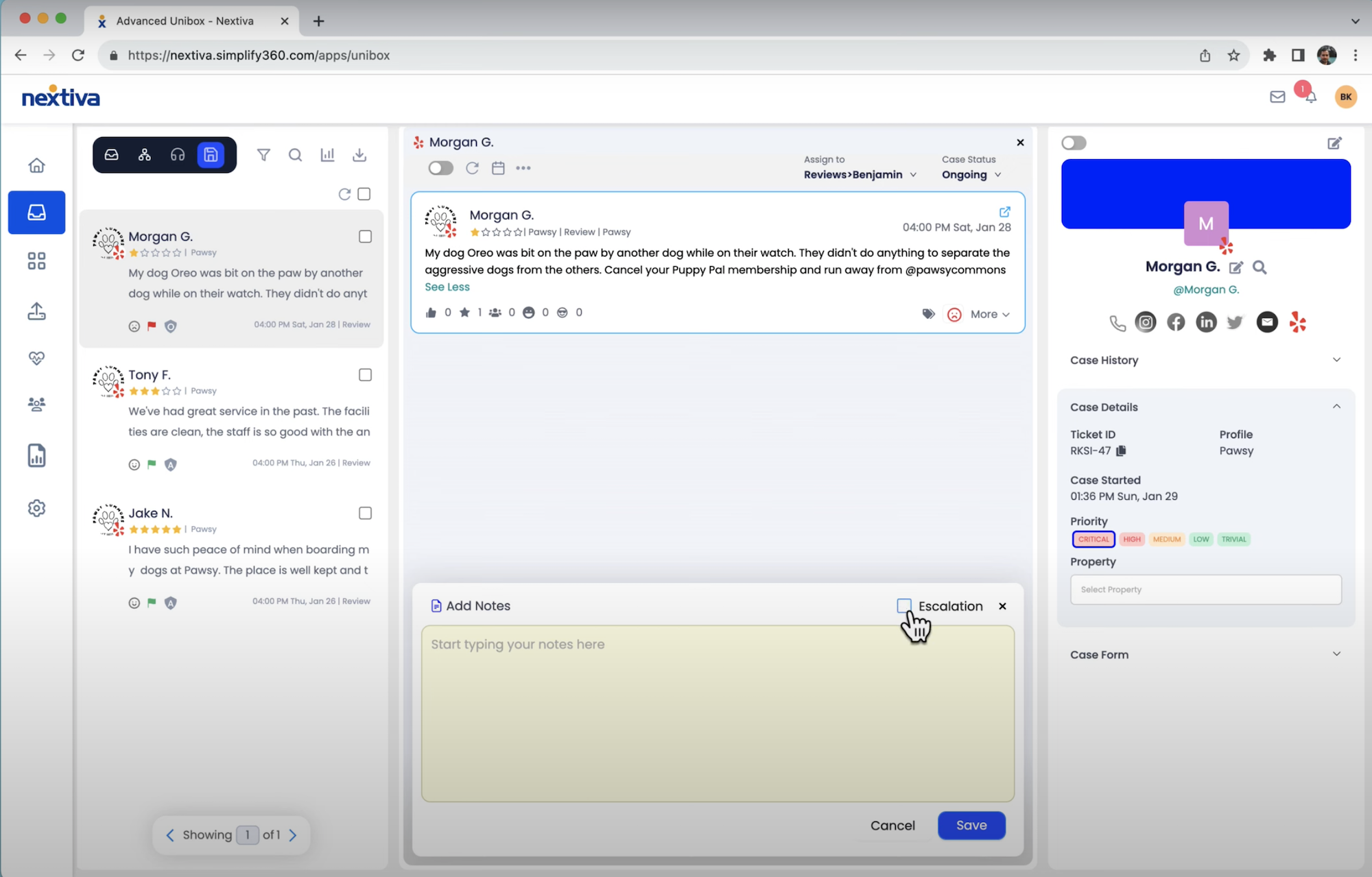
Additional social media management features include:
- Social Listening: Access competitor benchmarking, identify popular social media trends, and review analytics about your followers and engagement rates.
- Social Tagging: Admins can create and monitor specific tags, keywords, and content across multiple social media platforms
- Schedule Posts: Schedule and automatically publish posts across social platforms, set up auto-replies to social messages, and automate bulk outbound social messaging
- Social Media Customer Service: Receive real-time notifications about social media posts and reviews, send out customer surveys via social media, and automatically create/assign support tickets from social media messages. Team members can leverage inbox filtering tools and automated escalation matrixes to provide timely support to VIP customers
Reputation Management
All Nextiva users can access review monitoring and reputation management tools across 50+ online review sites, including Yelp, Google, Android/Apple App Stores, Amazon, and social media. All reviews are streamlined into a single interface for simplified management, and admins can enable real-time notifications for new reviews.
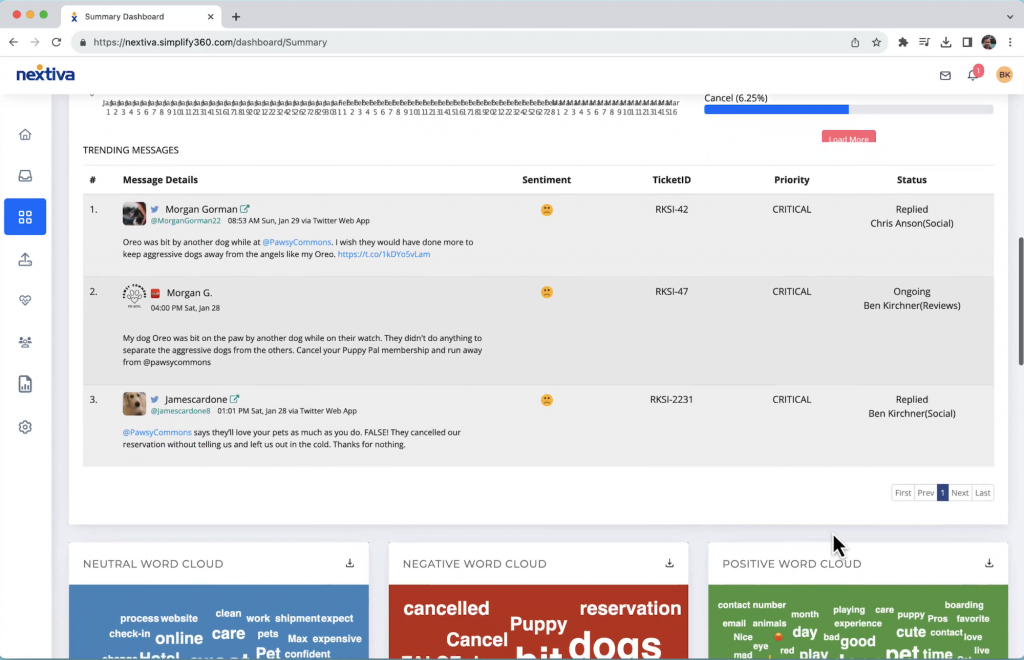
The Instant Response feature lets admins set automated instant responses to online reviews with basic personalization, or assign responses to available agents using intelligent routing.
Team Collaboration and Productivity Tools
Nextiva offers a variety of team collaboration and productivity features to Core users and above.
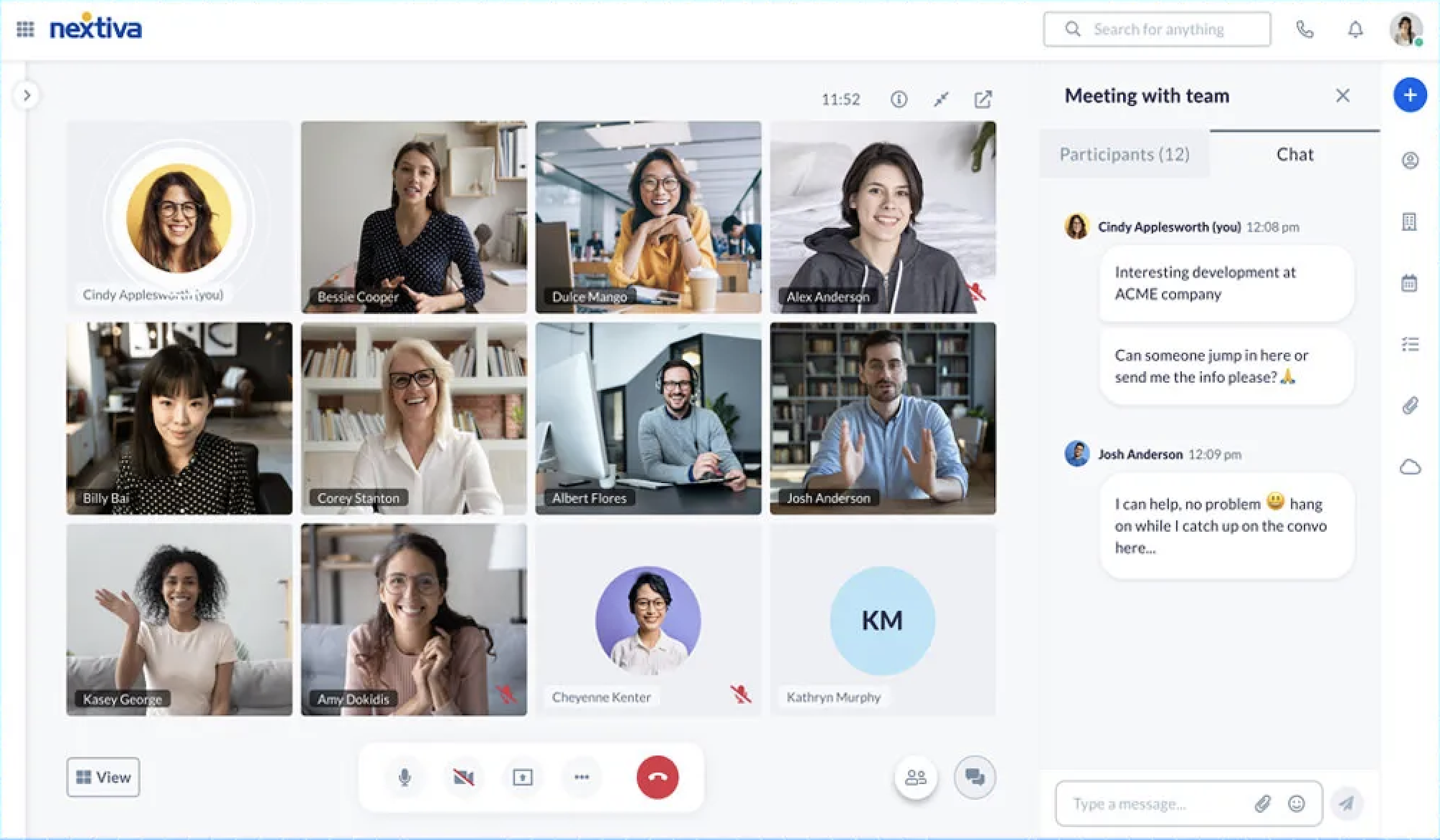
Top team collaboration tools include:
- Video Conferencing: Meet with up to 250 participants (25 on-screen participants) for an unlimited amount of time, record and store meetings for 90 days, schedule meetings, or meet instantly with one click video calling. In-meeting collaboration features include chat messaging, screen sharing, file sharing, remote desktop control, meeting co-hosts, social media live streaming, and integration with Outlook/Google calendar tools.
- Team Chat: Includes persistent 1:1 or group chat messaging for up to 30 users, public/private chat Rooms (channels), file sharing and co-editing, file storage, basic task management, user mentions, and favorite chats
- Audio Conferencing: One-click conference calls for up to 200 participants/unlimited call duration, HD audio, conference call passcodes, conference call recording
- Customer Screen Share: In addition to internal video meetings, agents can meet with customers via video call, share their screens/view a customer’s shared screen, record the call, and chat with customers in the sidebar during an active video call
Nextiva Business Voice Pros and Cons
Nextiva Business Voice Pros
- Unlike most UCaaS and business VoIP providers, Nextiva Engage and Scale include live website chat with basic automated outbound prompts, while Core customers can try it at no additional cost for the first month. All plans include social media messaging and management across multiple accounts and email with a group inbox
- All plans include world-class 24/7 support across phone, website chat, and email. Nextiva has one of the highest-rated customer support teams in the entire business communications space
- All plans include online review monitoring and management tools across Yelp, Facebook, Google, Tripadvisor, and more–another differentiating factor for Nextiva. Users can set up auto-responses for positive and negative reviews, organize reviews with custom tags, and get real-time alerts for new reviews
Nextiva Business Voice Cons
- Some advanced capabilities (video meeting recording, supervisor monitoring, and live transcription) now require upgrading to a higher-tiered plan and are no longer available as paid add-ons. Add-ons remain available for CRM integrations, API access, toll-free numbers, live website chat, call recording, and smart call routing.
- Nextiva business phone service plans offer a focused set of built-in third-party integrations, with advanced CRM integrations (Salesforce, HubSpot, etc.) available as an add-on across all tiers, including Scale. Companies that want to connect an extensive tech stack out of the box should budget for those add-ons.
- Nextiva primarily serves U.S.-based companies, and international calling is turned off by default on new accounts. However, users and employees can be based around the world to access its service.
Nextiva Contact Center Pricing
Nextiva’s omnichannel contact center and CX platform offers 3 plans with flexible pricing options. Users can choose from usage-based pricing, concurrent pricing, or traditional per-user, per-month pricing. Nextiva backs new accounts with a 30-day Money-back Guarantee, and Contact Center plans bundle core capabilities by tier, with selected add-ons such as WFM available on the Professional plan.
Enterprise Essential Plan
Best For: The Contact Center Essential Plan is best for large blended call centers needing advanced campaign management tools, outbound auto dialers, and dynamic scripting to shorten average handle times and increase conversions. It’s a great choice for teams that don’t connect with customers on digital channels, but need AI-powered workflow automation tools that reduce call wait times and enable 24/7 customer self-service via IVR.
Pricing: From $75/agent/month with per-user pricing; concurrent and usage-based pricing is available upon request.
Nextiva Contact Center Essential Plan Features:
- Communication Channels: One channel (voice or digital) for inbound/outbound communication
- Customer Journey Management: Automated customer callback, intelligent and skills-based AI routing, process automation, dial-by-name auto attendant, proactive outbound notifications, simple bots, dynamic scripting, full API access, company directory
- Marketing Tools: Progressive, Predictive, and Quarterback outbound auto dialers, voicemail drop, list and campaign management, contact management
- Analytics and Reporting: QM voice recording, unified contact history with mini-CRM with call pops, real-time dashboards, voice/digital customer surveys, and AI transcription with usage-based fees.
Enterprise Professional Plan
Best For: The Contact Center Professional Plan is best for omnichannel contact centers needing built-in agent performance monitoring and quality management tools to boost CSAT scores while decreasing agent turnover. It’s also a good fit for remote/hybrid contact centers that want to automate sales and support processes while leveraging advanced omnichannel bots for customer journey optimization.
Pricing: Quote-based
Includes all Essential features plus:
- Multiple Communication Channels: Omnichannel communication across voice, SMS, chat, email, social media messaging, and webforms with advanced bots
- Performance Monitoring and QM: Single screen recording, digital supervision with agent screen sharing/monitoring, live agent coaching
- Customer Journey Management: Complete customer journey context and omnichannel conversation history
- Security: Geographic disaster recovery, PCI secure payment agent assist
Enterprise Premium Plan
Best For: The Contact Center Premium Plan is best for global contact centers with a high daily contact volume across voice and digital channels. Premium plan users rely on Conversational analytics to identify trends in agent and customer behavior, gaps in the customer experience, and problems with employee training and performance. These users also need to automate the agent scheduling process, leveraging forecasting and advanced WFM tools to ensure each shift is fully staffed with agents holding a variety of skill sets.
Pricing: Quote-based
Includes all Professional features plus:
- Workforce Management: Nextiva WEM+WFM features like workforce scheduling, call/digital interaction recording and analysis, performance management, quality monitoring, and workflow optimization with interaction detection, multiscreen recording
- Advanced CX Analytics: Nextiva AI speech and text analytics with sentiment analysis, speech-to-text transcription, Natural Language Understanding, language detection and translation, data loss prevention, AI topic classification, keyword monitoring, and predictive analytics
Top Nextiva Contact Center Features
The best features available to Nextiva Enterprise users are:
Nextiva AI
Nextiva AI powers a variety of omnichannel workflow automations, self-service options, and customer journey management tools across all of its contact center plans.
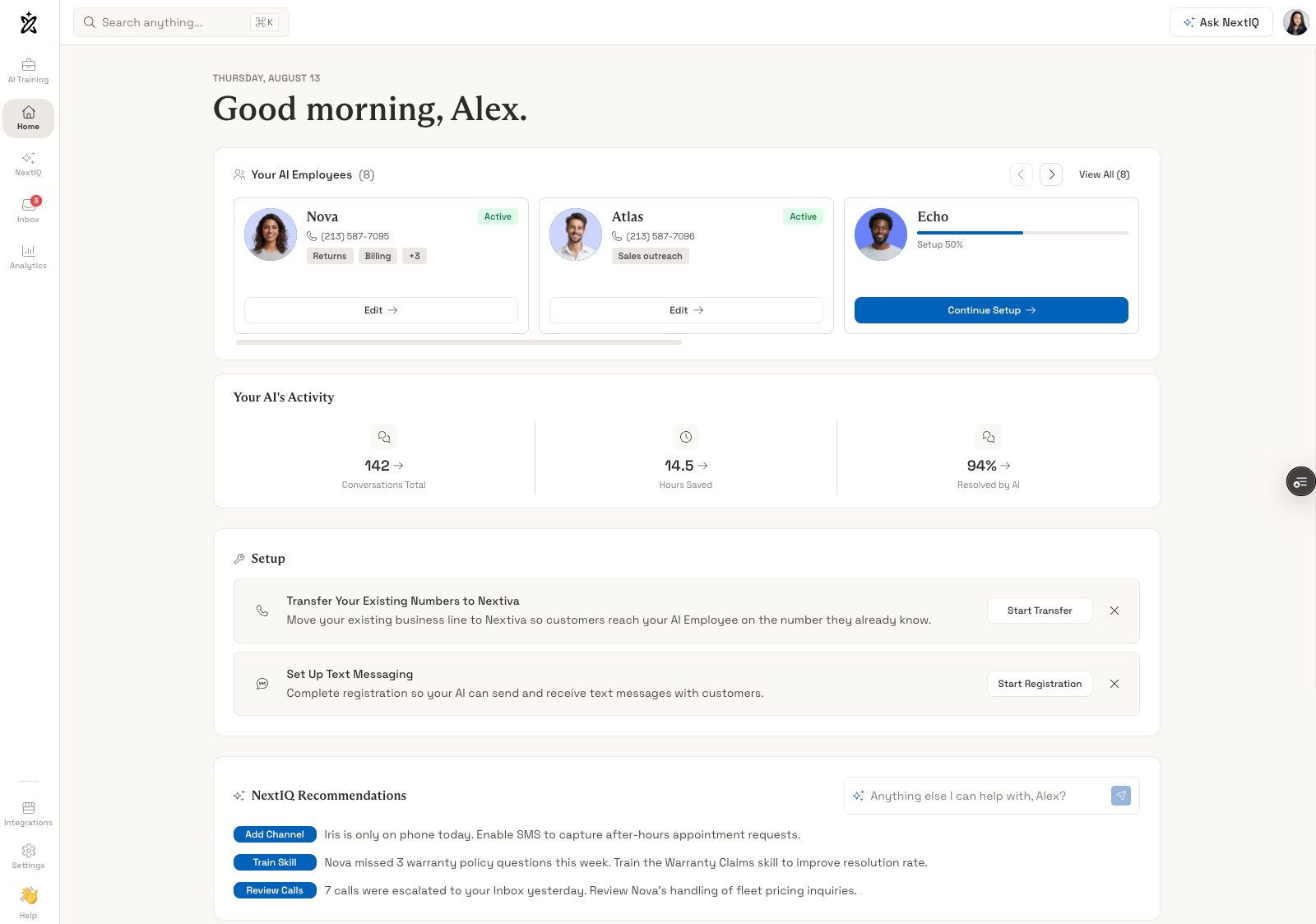
AI-powered functionality includes:
- XBert: A ready-to-use AI answering service that can be set up in minutes as a standalone tool or with Nextiva’s Business voice service. This brings conversational AI capabilities to businesses of all sizes for a competitive starting cost of $99/month, including 100 interactions, then $0.99 per additional conversation.
- Customer Self-Service: Intelligent Virtual Agents (IVAs), IVR, and chatbots powered by Nextiva AI provide 24/7 customer self-service across all voice and digital channels. Self-service tools integrate with your internal knowledge base, evaluate customer sentiment and intent in real-time, and use GenAI to accurately respond to customer requests. IVAs automatically pull data from built-in and integrated CRM tools to provide personalized, context-aware interactions
- Agent Assist: Create your own internal knowledge base content or use GenAI to write, optimize, and organize knowledge base articles. Agent Assist pulls data from your knowledge base to provide in-conversation guidance and next-best-action suggestions to agents, increasing first contact resolution rates and customer service quality
- Automated Workflows: Create and edit omnichannel conversation paths using the drag-and-drop interaction design tool, leverage smart routing to connect customers to the best available agent, use GenAI to automatically create send customer follow-ups or marketing messages
- AI Transcription: Real-time call transcription and automated post-call summaries
Outbound Auto Dialing
Nextiva outbound autodialers, available to its Contact Center accounts, eliminate manual dialing for better customer engagement, increased conversions, shorter sales cycles, and more accurate lead qualification. Teams can integrate third-party lead lists directly into the Nextiva platform, identify and prioritize top leads, and use the voicemail drop feature to leave messages if callers don’t pick up.
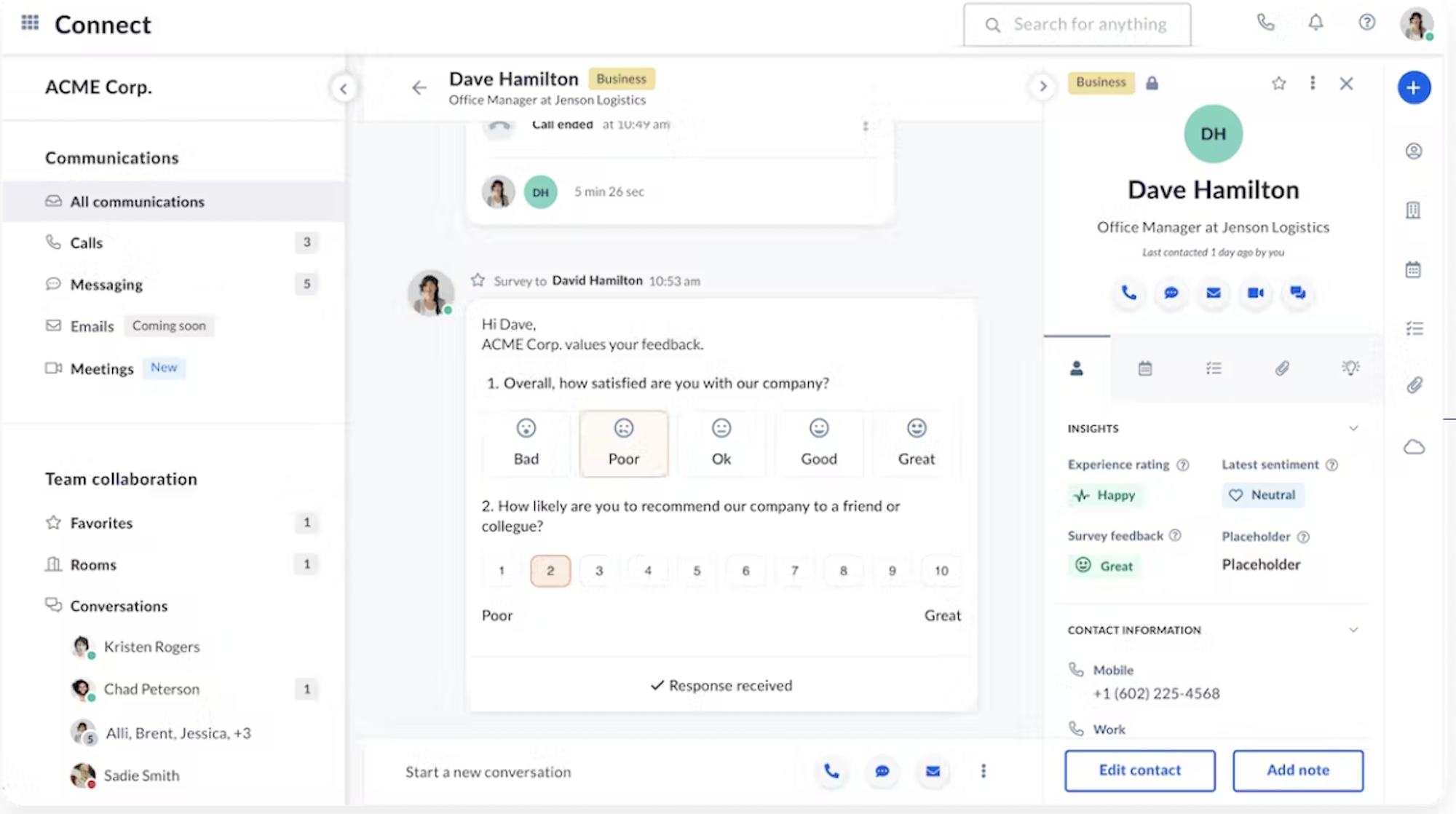
Available dialing modes are:
- Quarterback Dialing: Helpful for maintaining TCPA compliance and a manageable dialing pace, quarterback dialing lets agents manually review and approve phone numbers before they’re placed in the outbound queue
- Predictive Dialing: Perfect for making a high volume of outbound calls without hiring more agents, predictive dialing automatically places the next call while the agent is finishing the current one, and only connects agents to live leads who are ready to talk
- Progressive Dialing: Ideal for personalized sales and service, progressive dialing lets agents review customer conversation histories, agent notes, and other CRM data before dialing
Note that Nextiva has a firm anti-abuse policy against illegal auto-dialing campaigns. If you have aggressive auto dialing needs, be sure to discuss with the Nextiva salesperson and get your specific uses approved in advance. This is in an effort to uphold legal compliance and to preserve the reputation of calls originating from the Nextiva network.
Conversational Analytics
Nextiva Conversational AI Analytics, available to Contact Center Premium Plan holders, uses machine learning and AI to track and analyze 100% of omnichannel customer interactions, call recordings/transcriptions, and online reviews.
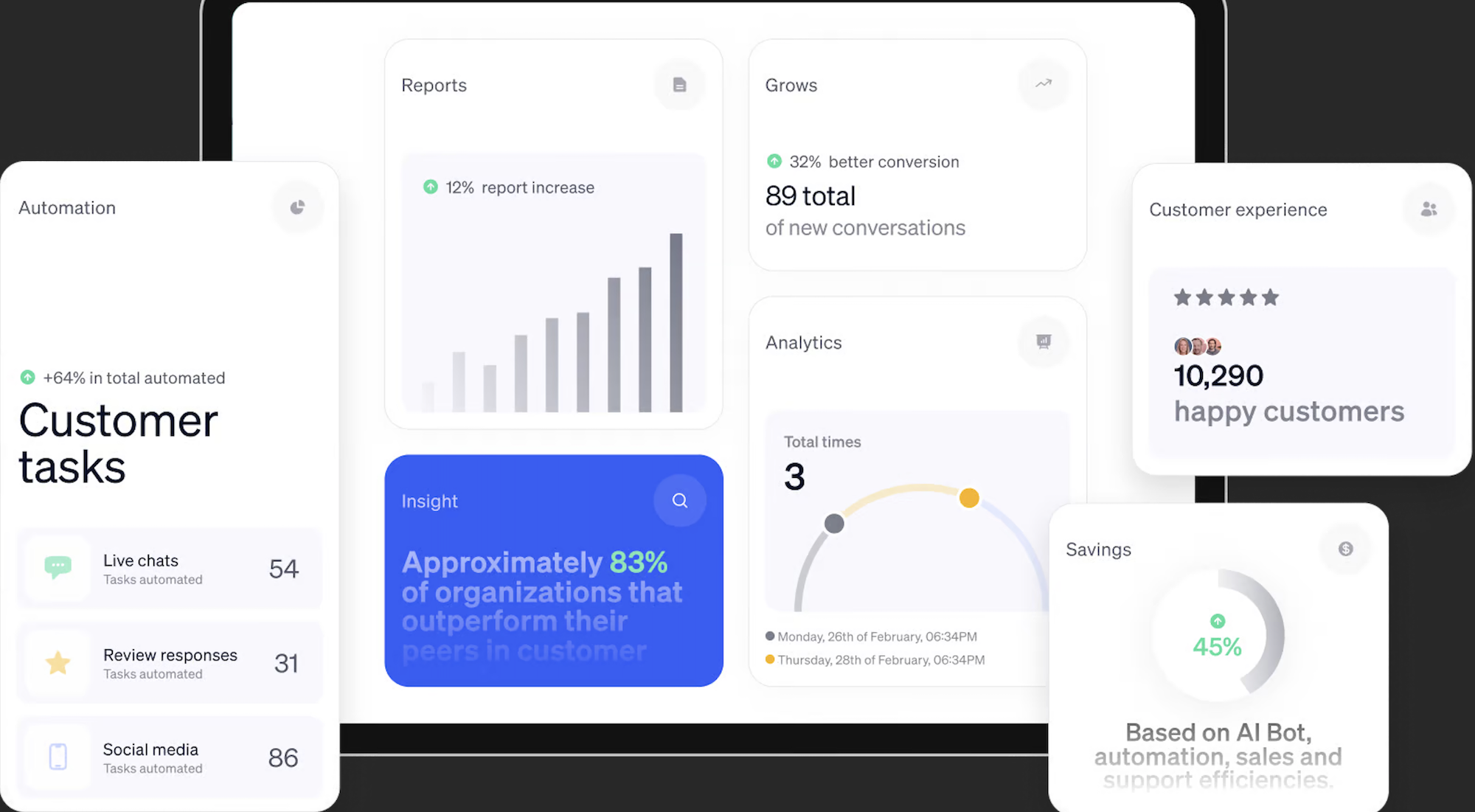
Analytics include:
-
- Sentiment Analysis: Classifies customer interactions as positive or negative, automatically routes customers to the best available agent accordingly, uses emotion detection to monitor changes in CSAT scores
- Trend Analysis: Identifies top customer conversation topics, keywords, and phrases, monitors fluctuations in conversation topic popularity over time
- Marketing Analytics: Leverages customer intent monitoring to identify optimal upselling and cross-selling opportunities, monitors trends in customer spend per transaction, monitors sales conversion rates
- CX Analytics: Identifies top reasons for customer churn/dissatisfaction, alerts admins/agents about at-risk customers
Nextiva WEM
Nextiva WEM and WFM, available to Contact Center Premium users, include extensive performance management features like real-time interaction monitoring, agent coaching, interaction recording, scheduling apps, and team collaboration tools.
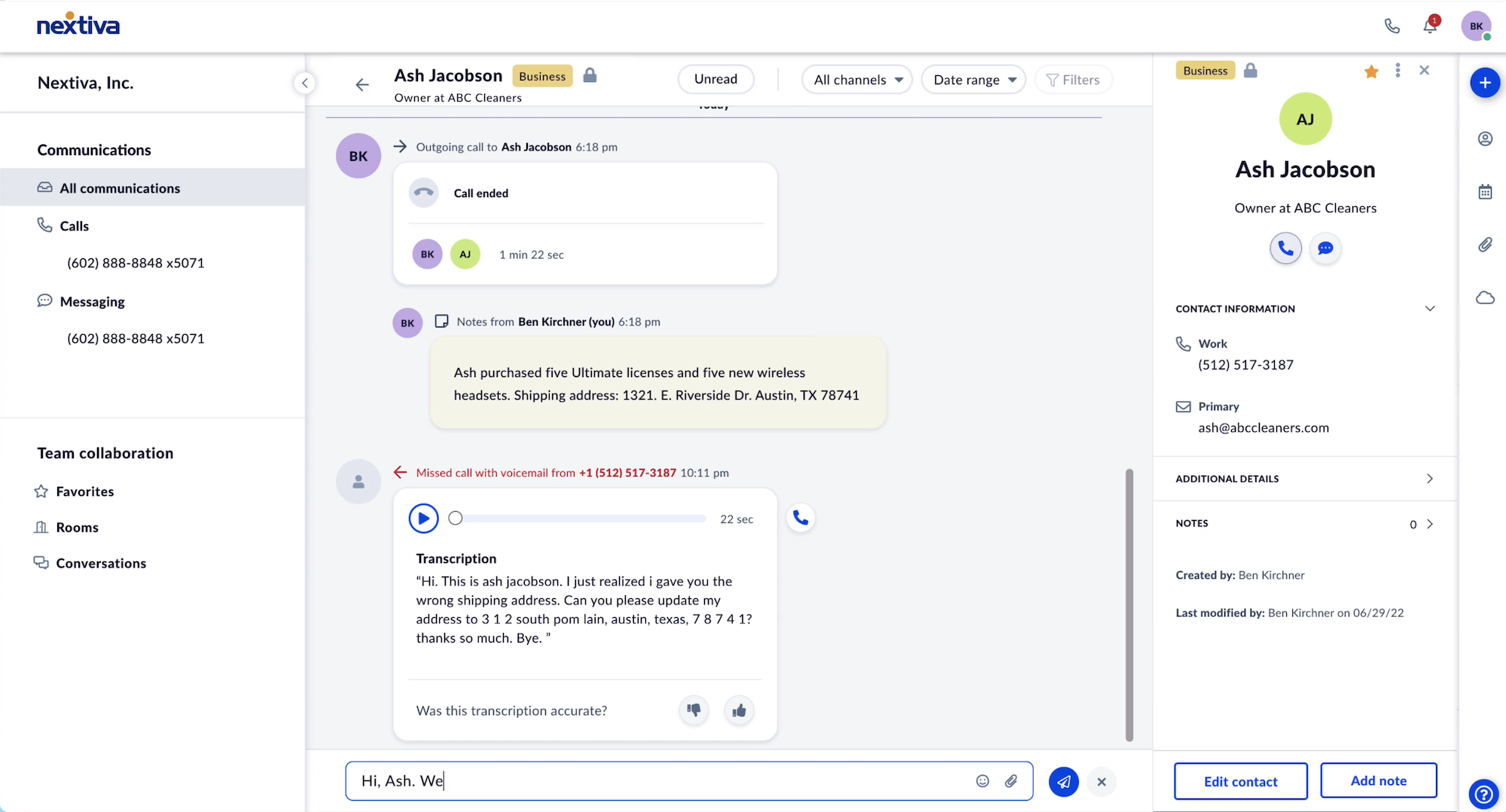
Top WFM capabilities include:
- Team Collaboration: Built-in unified communications features like internal video meetings, file sharing and co-editing, a shared omnichannel inbox, call notes, and team chat messaging
- Performance Management: Admins can monitor live omnichannel interactions, review real-time agent scorecards, coach agents via chat messaging/call whisper, and barge in to take over when agents need help. Admins can customize SLA alerts for real-time KPIs like call queues, customer wait times, agent statuses, contact volumes, and more.
- Interaction Recording: Managers and admins can review omnichannel interaction recordings that record agent screens alongside voice/digital conversations for deeper performance insights
- Agent Engagement: Gamification for individual and team performance increases productivity, while custom performance scorecards with supervisor feedback boost agent performance. Agents can review their call recording transcripts or digital interaction histories to identify areas for improvement. They can also complete
- Workforce Management: Optimize schedules with forecasting algorithms, use intra-day management to adjust schedules in real-time, enable employee shift bidding, and monitor staffing and contact volume changes over time
Nextiva Contact Center Pros and Cons
Nextiva Contact Center Pros
- All Nextiva contact center plans come with automated proactive notifications for customers, including automated appointment reminders/confirmations, suspicious account activity alerts, and targeted marketing messages based on past purchases and social listening
- All Nextiva contact center plans include full API access for advanced platform customization, plus access to 15+ pre-built integrations with tools like Zendesk, Salesforce, Zoho, Microsoft Teams, and ServiceNow
- Nextiva contact center unified agent interface eliminates data and communication silos by streamlining all voice and digital channels into a single interface accessible on the desktop app and mobile devices. The interface is known for its ease of use
Nextiva Contact Center Cons
- Although Nextiva Contact Center offers flexible pricing options, the Essential plan starts at $75/agent/month on a per-user basis and covers voice calling and website chat only. Teams needing true omnichannel from day one must upgrade to the Professional plan, while those looking for social media and online review management services must upgrade to the Premium plan.
- AI transcription is billed on a usage basis at Nextiva rather than bundled into the plan fee, which keeps entry costs down but calls for some volume forecasting
- Workforce Management, Agent Engagement, and Conversational Analytics are included only on the Premium plan (however, Workforce Management is also available as an add-on on the Professional plan).
Nextiva Business VoIP Hardware
Nextiva sells compatible hardware from Yealink, Cisco, Poly, and more. Users can continue to use existing hardware by integrating compatible devices with their Nextiva account.
Users can choose from desk phones, cordless phones, conference phones, adapters, and headsets.
VoIP Desk Phones
Nextiva offers over 15 desk phones from $130-$420 (rentals available for some models) with features like:
- Bluetooth and WiFi connectivity
- Color touch display with programmable keys
- USB and headset inputs
- Up to 24 phone lines with expansion module connectivity
Cordless VoIP Phones
Nextiva offers over 5 cordless VoIP phones from $90-$230 (rentals available for some models) with features like:
- Speakerphone
- Speed dialing
- Drop/moisture resistance
- Pairable repeaters
- NoiseBlock technology
VoIP Conference Phones
Nextiva offers 5 conference phones from $170-$900 (rentals available for some models) with features like:
- WiFi, USB, Bluetooth connectivity
- 14-foot vocal pickup range
- Noise reduction
- Color LED screen
Headsets
Nextiva offers over 15 headsets from $45-$420 (rental options unavailable) with features like:
- Ergonomic design for long-wear comfort
- Acoustic Shield Technology and background noise suppression
- Up to 350-foot ranges
- One-touch answer
Nextiva Business Phone Service vs Contact Center: Which Should You Choose?
Nextiva Business Phone Service is best for organizations of 100 or fewer agents needing an advanced business phone system with built-in unified communications tools. It’s also a good choice for digital-only businesses that want to leverage online reputation and social media management solutions for marketing and customer support. Teams that need true omnichannel communication or an extensive third-party integration catalog can step up to Nextiva Contact Center, which adds both.
Nextiva Contact Center is best for global omnichannel contact centers with a high inbound contact volume across voice and digital channels. Users need to leverage AI and multi-step workflow automation capabilities to lower operating costs, shorten customer wait times, and improve agent performance. Teams that need advanced forecasting and scheduling will find those tools in the Premium plan, while those working to a tighter budget may also want to compare Five9, RingCentral, and NICE CXone.
Nextiva Pricing FAQs
Below, we've answered the top Nextiva pricing FAQs.
Several hard phones from top providers will work with Nextiva, including:
- Yealink
- Cisco
- Panasonic
- VTech
- Poly
Click here for more detailed information on how to connect phones from other providers to your Nextiva system.
Nextiva considers a single user who can make and receive calls to be the equivalent of one phone line. So, within the Nextiva system, you’ll need to purchase a separate phone line for every team member that needs to use Nextiva services.
Nextiva can manage up to 525 simultaneous calls in a single queue.
For standard quality calls, you’ll need a broadband speed of about 90 Kbps. To ensure you have HD calls, you’ll need a broadband speed of 200 Kbps for downloads and uploads. For high-quality calls on mobile devices, you’ll need at least the connection speed of a 3G signal, though 4G LTE is preferable.
Designing your call flow is one of the most complicated parts of setting up your Nextiva account.
Click here to access a detailed guide, along with a video tutorial, on how to design your auto attendant feature.
Nextiva's status page provides real-time updates about the current status of all its software. Users can also subscribe to updates to receive automatic alerts any time the Nextiva system goes down.