A dental practice that misses just 10 new-patient calls a month loses roughly $8,500 in revenue, or more than $100,000 a year, according to Resonate (2025). Every mishandled inbound call is a booking that went to a competitor.
So which system keeps those callers on the line? One sorts them through button menus; the other listens, understands, and finishes the task. The common framing calls IVR legacy and AI the winner, but that skips the cases where a menu still beats a conversation.
What Is an IVR System?
Interactive Voice Response is an automated phone system that routes callers through pre-recorded menus using keypad presses or simple voice input. The mechanic is familiar: “Press 1 for scheduling, press 2 for billing.” Each choice moves the caller down a decision tree the business designed in advance.
IVR earns its keep on predictability and scale. It costs little to run once configured, never improvises, and sorts high call volume to the right extension without a human touching the phone. For a business whose main problem is getting thousands of callers to the correct department, that reliability is the point.
The rigidity is also the limitation. Callers have to translate their need into a menu someone else built, and abandonment climbs every time you stack another layer. VeloCalls measured 6.1% abandonment at one menu, 12.4% at two, 18.7% at three, and 27.3% at four. Each extra prompt forces the caller to hold more in memory and pushes the answer further away. IVR isn’t the villain. It’s a precise tool with a narrow job.
What Is an AI Receptionist?
An AI receptionist answers calls in natural language, works out what the caller wants, and completes the task, with no menu in between. Callers state their need in their own words and get an answer instead of a routing prompt.
The technology is a large language model paired with low-latency voice synthesis, the same class of model behind tools like ChatGPT, tuned for fast spoken back-and-forth. Reliability rests on speech recognition accuracy, and modern systems are strong on clear speech: one 2025 study found Whisper reached a mean Match Error Rate of 0.054 on read speech, meaning it transcribed the large majority of words correctly.
On a live call the agent runs a listen-think-act loop. It transcribes what the caller says, interprets the intent, decides on an action, then either responds or carries out the task. A caller who says “I need to move my Thursday cleaning to next week” gets understood as a reschedule request, not shunted to a menu branch. And because it runs on software rather than staff hours, it holds that front-desk presence around the clock.
How IVR and AI Receptionists Differ in Handling Calls
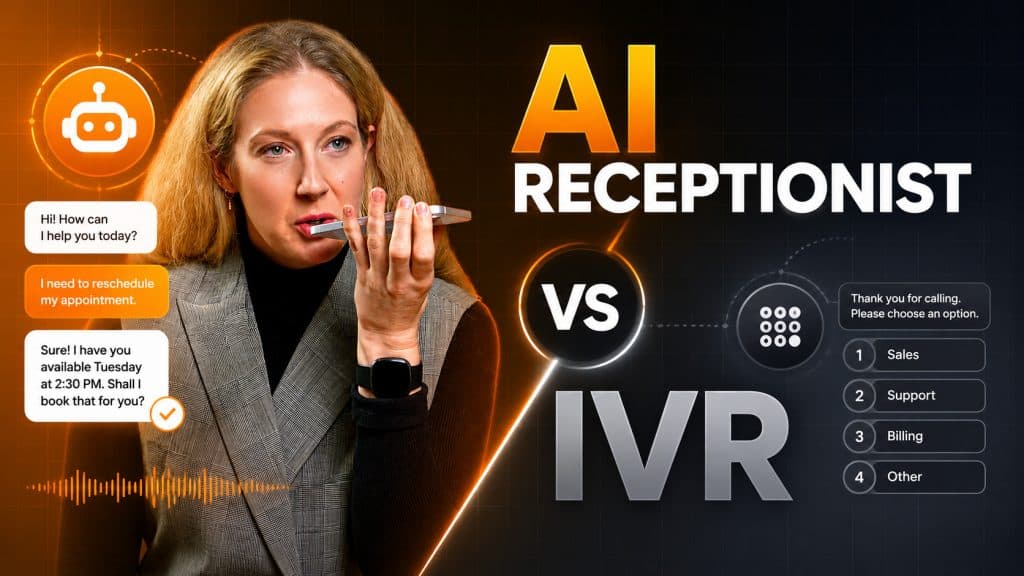
The two systems part ways on one thing: whether the caller adapts to the system or the system adapts to the caller. IVR asks the caller to map their need onto a fixed menu. An AI receptionist takes the request as spoken and acts on it.
| Comparison Point | IVR | AI Receptionist |
| Input method | Keypad or rigid voice menu | Natural conversation |
| Caller effort | Navigate the menu tree | State the need in their own words |
| Task completion | Routes to a person or extension | Completes tasks end to end (booking, FAQs) |
| Unexpected requests | Falls outside the menu | Interprets intent and responds |
| Availability | 24/7 routing | 24/7 conversation and task handling |
That difference shows up in the numbers. Natterbox analyzed 58.2 million calls and found hunting time fell 54% in a year as routing shifted from menu-based IVR to AI-driven systems. Fewer layers mean fewer dead ends and fewer transfer loops, so fewer callers give up along the way.
Cost Comparison: Setup and Recurring Fees
IVR is cheap to run because it does one narrow job. An AI receptionist costs more per month because it replaces work you would otherwise pay a person to do.
| Cost factor | IVR | AI Receptionist |
| Setup work | Script the menu, record the prompts, map keypresses to extensions | Train on practice details, hours, services, and FAQs, then connect to the PMS |
| Setup cost | Low and one-time, often included in a phone system plan | Varies by tier; PMS integration accounts for most of the gap between entry and premium pricing |
| Recurring cost | Minimal, usually bundled into an existing phone or PBX plan | Around $199 per month for a typical AI tier; entry plans sit lower, PMS-integrated platforms and full suites cost more |
| What the fee buys | Call routing only | Answering, conversation, booking, and after-hours coverage |
| Human-coverage equivalent | Still needs staff to complete bookings | Compares against a $300 to $800 per month dental answering service |
Setup: configuration vs training
IVR onboarding is menu building. You write the prompts, generate the audio, and point each keypress at an extension. The work is front-loaded, cheap, and stays put until you change the menu.
An AI receptionist is trained rather than scripted. You feed it your practice details and connect it to the PMS so it can read and write appointments. That integration is the bulk of the setup effort, and it explains the pricing gap between no-integration tiers and PMS-connected ones. It is also work an IVR never does, because an IVR never touches your schedule.
Recurring fees: what you pay monthly
IVR wins on raw monthly cost. Once configured, it runs for close to nothing, typically as part of a phone plan you already pay for. The catch is that routing is all you get, so booking still requires staff hours behind it.
An AI receptionist runs about $99-$199 per month at the typical tier. That undercuts a dental answering service at $300 to $800 per month, and unlike either the IVR or the answering service, it completes the booking itself.
The math that settles it
Weigh the fee against the revenue at risk. Ten missed new-patient calls cost a practice roughly $8,500 a month, which puts a single recovered booking at around $850. An AI receptionist priced in the low hundreds pays for itself the first time it saves one of those calls. An IVR is cheaper on paper, but a menu never books anyone.
Integration With Your Practice Management System
A standard IVR routes the call and stops there. It can send a caller to the front desk, but it can’t see whether Thursday at 2pm is open, and it can’t claim that slot. Booking still needs a human on the other end.
An AI receptionist reads availability and writes appointments directly. Walk through a single after-hours call. A patient rings at 9pm asking for a cleaning next week. The agent queries the PMS for live openings, offers two or three real slots, takes the caller’s choice, writes the appointment into the schedule, and reads back a confirmation. That takes no staff, no callback queue, and no voicemail sitting unheard until morning.
Under IVR, that same call becomes a message on a machine. The slot stays open until someone listens and calls back, by which point the patient may have booked elsewhere.
What makes this practical across different practices is a normalized integration layer. NexHealth’s Synchronizer API connects a single build to 15-plus dental PMS platforms, including Dentrix, OpenDental, and Eaglesoft, so an AI vendor can support your system without a bespoke integration for each one. That’s the difference between “PMS integration” as a marketing bullet and a booking that lands in your calendar while the office is dark.
How Patients Respond and What the Numbers Show
Patients already lean toward self-service, and the demographic objection is weaker than it sounds.
- Most scheduling has already moved off the phone. Eliciting Insights found Americans book about 60% of appointments online and 33% by phone. The calls that remain are often the harder cases, the reschedules and the questions, which is exactly where a conversational agent outperforms a menu.
- “My patients prefer pressing buttons” doesn’t hold up. The same research group found willingness to use self-service scheduling at 99% of Millennials, 97% of Gen X, and 92% of Baby Boomers. The generation gap in openness to automation is a few percentage points, not a wall.
- Healthcare teams see the operational upside. Spok’s 14th Annual Survey (2024) found 64% of respondents recognize enhanced communication tools as a benefit of AI solutions.
Temper that with where adoption actually sits. Gradient Flow’s 2024 survey found only 14% of healthcare respondents had a first generative-AI solution running in production. The willingness is there and the tooling works, but most practices are early, so being deliberate beats rushing. Some callers genuinely prefer a fast, predictable button path, and honest deployment leaves room for them.
Where IVR Still Wins and How to Choose
IVR isn’t obsolete. A few jobs still favor a deterministic button path over a conversation, and pure high-volume transactional sorting is one of them: a menu is faster and cheaper than any conversation. A hybrid resolves the tension. The AI agent answers, holds the conversation, and completes tasks, then hands off to IVR-style routing for the complex enterprise call flows it isn’t built for.
Route yourself with three inputs: daily call volume, industry, and the primary caller goal.
- Sorting huge call volume to the right extension is your only job -- IVR. Fits a high-volume enterprise front desk directing thousands of calls to departments, where predictable routing matters most.
- A missed call means a lost client and you want end-to-end booking -- AI receptionist. Fits a solo private clinic that feels every missed call as lost revenue and has no spare front desk.
- You have both high volume and complex tasks -- hybrid, an AI front door with IVR routing behind it. Fits a multi-location dental group that needs PMS-integrated booking plus internal routing across offices.
For a practice leaving a legacy IVR, phase the switch rather than flipping it:
- Audit the existing IVR tree and your top caller intents.
- Run in parallel, putting the AI agent on overflow and after-hours first, where mistakes cost least.
- Migrate daytime calls once booking accuracy is proven on real traffic.
- Retire redundant menu branches, keeping any routing paths you still need.
FAQs
Standard IVR is not AI. It follows a fixed decision tree and matches keypresses or a short list of spoken commands to preset branches. Newer “conversational IVR” adds speech understanding and blurs the line, but a classic “press 1” menu is rule-based automation, not intelligence.
Mostly augmenting. AI handles the repetitive, after-hours, and overflow load so staff can focus on complex or in-person needs. With only 14% of healthcare practices running a generative-AI tool in production, full replacement is rare today.
An IVR menu can go live in hours. An AI receptionist takes longer because it trains on your practice details and connects to the PMS, though a normalized integration layer across common dental systems shortens that.
It escalates. A well-configured agent recognizes when it’s stuck, then transfers to a live person or routes through IVR-style branches for complex flows. It can also take a detailed message with callback details, so the caller never hits a dead end.
Yes, within limits. Modern speech recognition handles clear speech well, with error rates near 5% on read speech, and many agents support multiple languages. Heavy background noise or very strong accents can lower accuracy, which is one reason clean escalation to a human matters.
Yes. The AI agent answers and handles conversation and booking, then hands complex or high-volume routing to your existing IVR branches.