
AI phone receptionists are virtual agents that handle incoming (and sometimes outgoing calls) for businesses around the clock, interacting with customers in natural language over both voice and text.
For most small businesses, team members must wear multiple hats making it difficult to answer every call. AI receptionists address this issue by answering calls 24/7, responding to common questions, capturing leads, booking appointments, and transferring callers when necessary so opportunities aren’t missed.
Today, there are a number of different AI receptionists on the market with different strengths and drawbacks. This comparison focuses on our top AI receptionists for small businesses, comparing key factors such as call volume, budget, integrations, and whether you need AI-only handling or human backup.
How We Evaluated These AI Receptionists
- Onboarding and setup: We looked at how much work is required before the AI receptionist can start answering calls.
- Call handling: We compared how naturally each AI receptionist handles questions, interruptions, and callers who do not follow a script.
- Human handoff: We tested how calls are transferred to an employee or live receptionist.
- Integrations: We researched connections with calendars, CRMs, phone systems, and other business tools.
- Pricing: We compared starting prices, pricing models, included usage, and pricing transparency to determine overall value.
- Business fit: We looked into whether the product is practical for a small business rather than primarily designed for developers or enterprises.
- Security and reliability: We researched data on outages and reliability of the platforms as well as what security features were included.
AI Phone Receptionists For SMBs At A Glance
| Provider | Cost & Billing Model | Setup effort | Human handoff | CRM & calendar integrations | Best for |
| Nextiva XBert | Subscription model starting at $99/month | Easy: Guided self-setup with pre-built roles | Smart transfer with full context | Google Calendar, Salesforce, HubSpot, Zoho, Calendly, and more | SMBs already using Nextiva for their business communications |
| Quo Sona | Bundled credits ranging from $0-$199/month | Easy: No-code visual call flow builder | Warm transfers to the right teammate | Google Calendar, Hubspot, Salesforce, and 8,000+ other apps via Zapier | Companies that need a full UCaaS solution with AI receptionist included |
| Smith.ai | Subscription model from $0-$500+/month | Moderate: dedicated onboarding support for paid plans, full service set up for upper tiers | AI to human transfers can be AI initiated, business initiated, or caller initiated | Over 7,000 apps such as Clio, Salesforce, and MyCase. Custom integrations only available in upper tier plans | Law firms that already have a phone system but want to integrate AI receptionist functionality |
| RingCentral AI Receptionist | Subscription-based Starts at $39/month with RingEX, or $49/month as a standalone (100 minutes included) | Moderate: Many customizations for analytics, lead capture questions, integrations, etc. | Live handoff with context, automatic language switching | Native and built-in integrations with Salesforce, Hubspot, Zoho, etc. | Medium sized companies that want advanced security, analytics, and lead capture capabilities |
| Rosie | Subscription-based from $41-$249/month when paid annually or $49-$299/month if paid monthly | Easy: Automatically trains itself on your business, set up custom FAQs and answers | Smart call routing with real-time updates | Google Calendar, Appointlet, Calendly, etc. | Small companies that are or plan to be experiencing growth |
| Newo | Subscription-based plans from $0-$299+/month, Additional “units” $1.50-$1.75/unit | Easy: Includes a no-code 1-Click Voice AI builder | Business admins configure when and how AI agents route to human agents during work and off hours | Over 200 integrations such as Pipedrive, Zoho, Cal.com, etc. | Startups and entrepreneurs that need an affordable AI agent that is fast to set up |
| Goodcall | Subscription-based plans from $79-$299/month, additional “unique customers” are $0.15-$0.79 each | Easy: Automatic knowledge sync and no number porting required | Customizable escalation rules, multi-contact retries, and full context passing | Custom integrations via Zapier | Solo operators who are missing calls while on the job |
The Best AI Phone Receptionists for Small Businesses in 2026
The best AI phone receptionists for small businesses should be affordable, fast to set up, and easy to use, but to get the most value, you need to find a solution that works with your specific goals. These are our favorite solutions.
Nextiva: Best Overall AI Phone Receptionist For Small Businesses
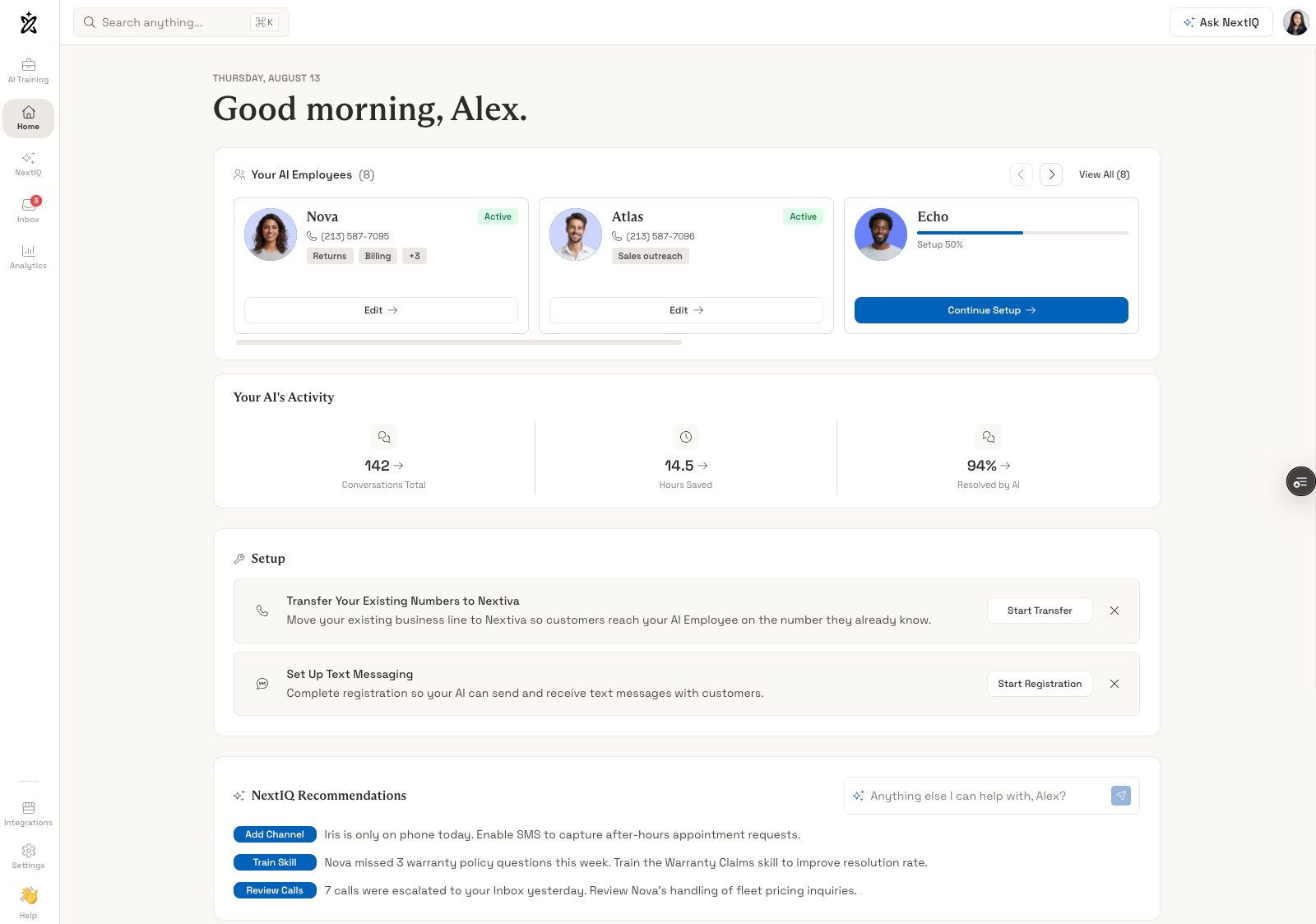
Nextiva XBert is an AI receptionist that works within the Nextiva cloud communications platform. XBert learns your company’s brand, policies and protocols in order to provide automatic call answering, agent assist, forwarding, FAQ answering, and more.
XBert analytics go beyond transcripts and provide sentiment analysis, intent detection, and customizable, pre-built reports.
Nextiva XBert is ideal for small businesses because it is easy to set up and is part of an all-in-one UCaaS solution with the voice and texting capabilities that the AI receptionist uses to interact with customers. Additionally, XBert automatically has access to team member data to help it make smart routing decisions.
Nextiva XBert users have access to 24/7 live customer support, which is helpful for small teams that don’t have a dedicated IT person.
Standout Capabilities
- Agent Assist: Provides real-time coaching to human agents with smart suggestions and knowledge on demand
- Transcription and Summarization: Automatically transcribes every interaction with instant summaries and extracted action items
- Appointment Booking: Connects with Nextiva workflows to schedule appointments, conduct intake, etc.
- Preview and Test: Previewing XBert AI Window allows users to test out voice and chat AI Agents by interacting with them directly
Pricing
Nextiva XBert can be added onto any Nextiva plan. UCaaS plans range from $15-$75 monthly per user and CCaaS plans start at $75 monthly per user.
XBert starts at $99 per month. This includes 100 interactions per month with additional interactions charged at $0.99 per interaction.
Setup Process
XBert has a guided self-service setup process that can be done within about 15 minutes.
First, you will provide the AI receptionist with your company’s knowledge base or you can simply have it scan your Google business listing for contact information, business hours, etc. You will edit and review this information afterward to make any additions or corrections that are needed.
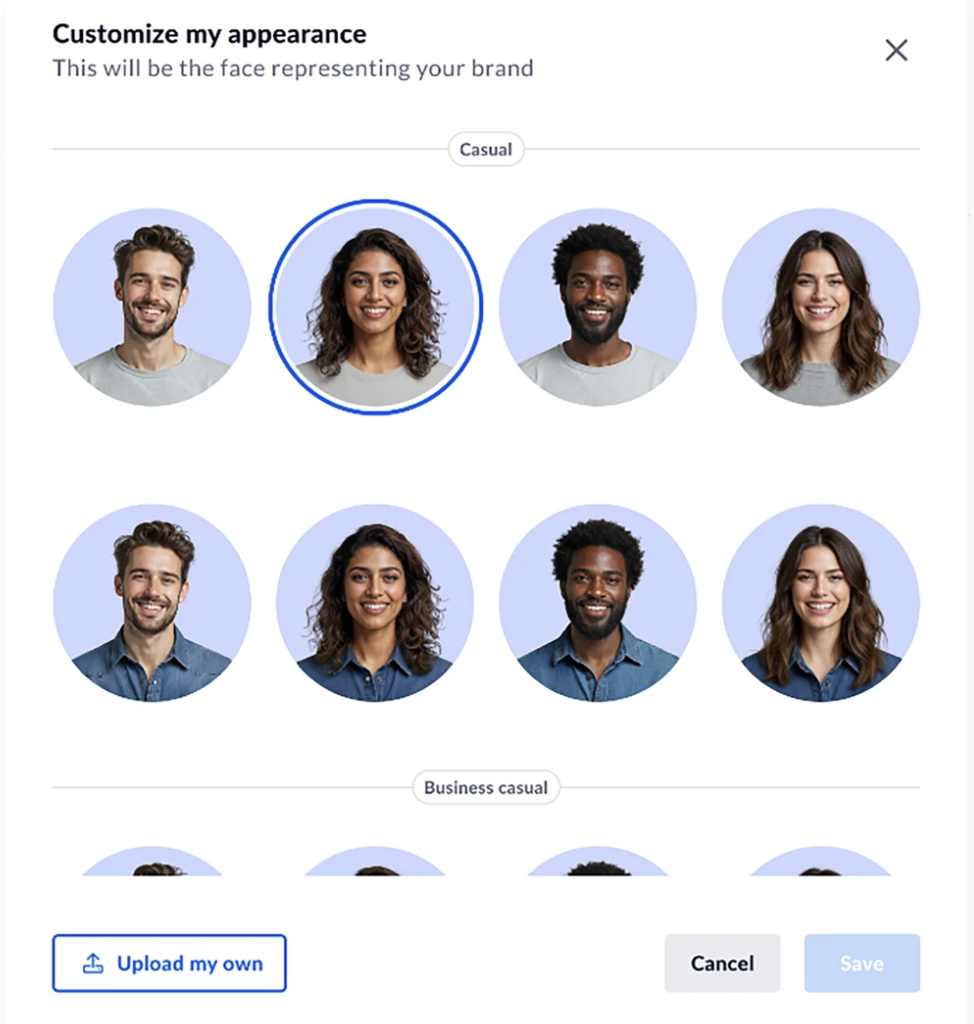
Next, you set up your AI Agent’s voice and personality. Nextiva allows you to choose a name for your AI Agent and customize the greeting, voice, tone, and script. You can also add and customize skill modules for your AI Agent such as reception, support, lead generation, etc.
Then, you will assign a phone number for your AI Agent and customize forwarding and routing priorities. You can also register your number for text messaging compliance and set up live chat on your website. You will also want to integrate any calendar or CRM apps at this time.
Finally, you can text out your AI Agent by interacting with it over voice and text through Nextiva’s preview screen.
Human Handoff
XBert determines escalation by sentiment analysis, caller intent, and predefined rules. Once an escalation or human handoff is triggered, XBert routes the caller to a designated team member or queue and provides the human agent with the complete transcript, caller intent, customer data, and an AI-generated summary. Escalation events and handoffs are synchronized across channels.
Where It Needs Improvement
- Not a Standalone Product: XBert only works within the Nextiva platform so it isn’t the right fit for companies that already have a cloud phone system they are happy with
- No Free version: Unlike some competitors, XBert does not offer a free version so it is not the best choice for startups on a shoestring budget
Best For
XBert is ideal for small businesses that want one provider for all communication services and need automatic call answering and appointment booking while team members are otherwise engaged.
Quo Sona: Best Affordable Phone System with AI Receptionist Included
Quo Sona stands out as an AI receptionist because it is included with all Quo UCaaS plans. There is no additional cost for Sona beyond the purchase of a Quo phone system.
Quo provides calling and messaging service in the US and Canada along with other basic telephony features allowing Sona to quickly integrate customer histories and performance data in order to provide on-brand customer support and smart routing.
AI receptionist interactions are accessed directly from the Quo dashboard and 1,000 Sona credits (or about 10 calls) per month are included in every Quo plan. More credits can be added on in bundles when it's time to scale.
For small businesses that only need an AI receptionist during off hours, Sona is a simple, fast and affordable solution. Sona is able to answer questions, capture leads, send SMS text messages during calls, and make warm transfers.
Standout Capabilities
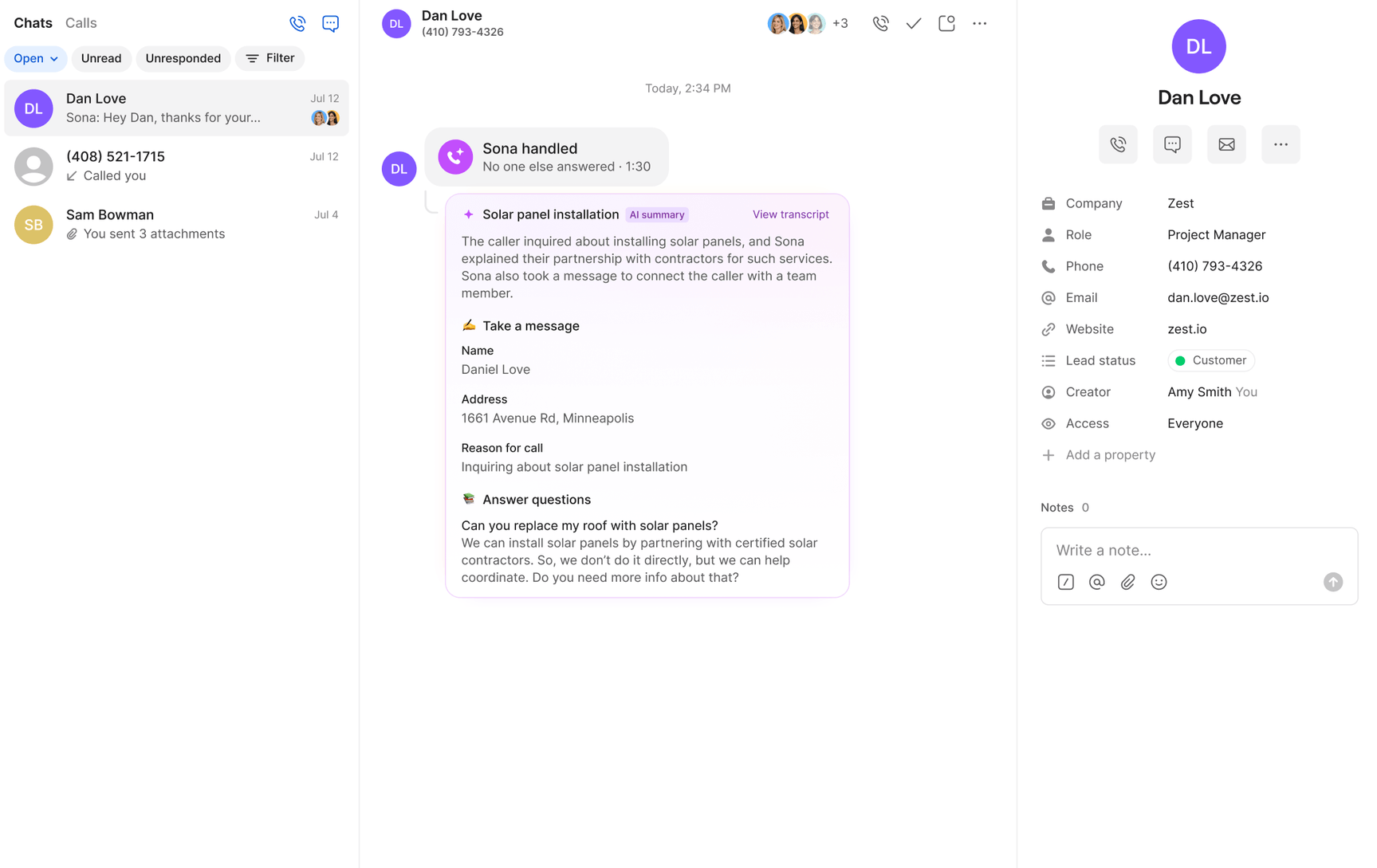
- AI call summaries: Automatic logging and AI summaries are provided for all Sona calls on all plans. Business and Scale plan users get AI summaries for all calls
- AI call tags: Users choose call tags and AI adds tags to every call, only available on the Scale plan
- No-code setup: Use a drag-and-drop builder to control when Sona answers calls, connect knowledge bases, create custom greetings, etc.
- Custom instructions: Write instructions in natural language to control how Sona handles calls such as sending a scheduling link when a caller wants to make an appointment
Pricing
Quo plans range from $15 to $35 monthly, per user when paid annually and from $19 to $47 monthly, per user, when paid on a month-to-month basis. The Starter plan ($15/month/user) includes calling, messaging, and voicemail transcripts. The Business plan ($23/month/user) adds on group calling, integrations, and analytics. The Scale plan ($35/month/user) adds on priority support.
1,000 credits (about 10 calls) for Sona are included in all plans. For additional credits, bundled tier plans range from $25 (for 4,000 credits/40 calls) to $199 (for 60,000 credits/600 calls) per month. The overage rate per call ranges from $0.45 to $1.00.
Setup Process
The Sona setup process is extremely straightforward. Admins start by accessing the call flow builder in the Quo dashboard. From there you drag and drop sona into the call flow to indicate when you want Sona to answer (for example, after ringing the main line when no one answers for 30 seconds). You can add multiple Sona steps in different call positions.
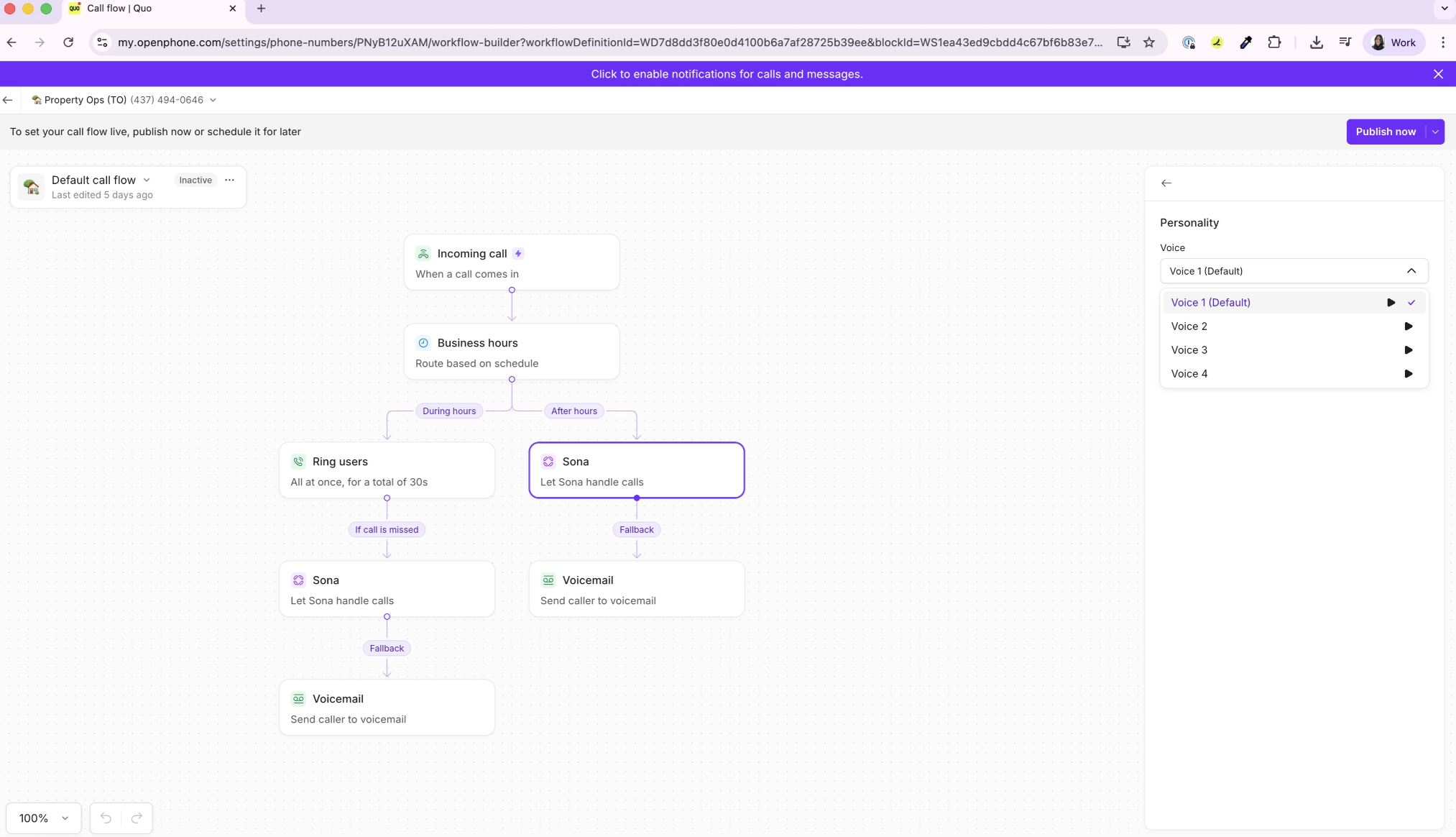
Next, select Sona (in the call flow builder) and set up the AI agent. This includes creating a custom greeting, setting Sona’s tone (formal, neutral, or casual), language (English, Spanish,and/or French), and voice (there are four to choose from).
Then, configure Sona jobs. You can create your own jobs from scratch or use templates such as message taking and lead qualification.
Finally, click on “Test Sona” in the call flow builder to conduct mock calls and verify behavior. Once satisfied, hit “Publish Call Flow”, and you’re done.
Human Handoff
Sona will route interactions to a specific employee, shared inbox, or designated phone number based on what is written in the call flow builder, and what specific actions are triggered. Every Sona call is logged with a transcript and summary in the Quo inbox.
Where It Needs Improvement
- Scheduling appointments: Quo Sona is able to send a calendar link when a caller requests an appointment but it cannot complete the booking itself or handle a reschedule or cancellation requests
- Language limitations: Sona only offers three languages (English, Spanish, and French) and while it can detect any of those languages, it can only speak one language per call and cannot switch mid-call
Best For
Small businesses that want an all-in-one phone system but have a low call volume and only need AI coverage for about 10 calls each month benefit the most from Sona, which is included in all Quo plans.
Smith.ai: Best for Law Firms That Need Round-the-Clock Intake
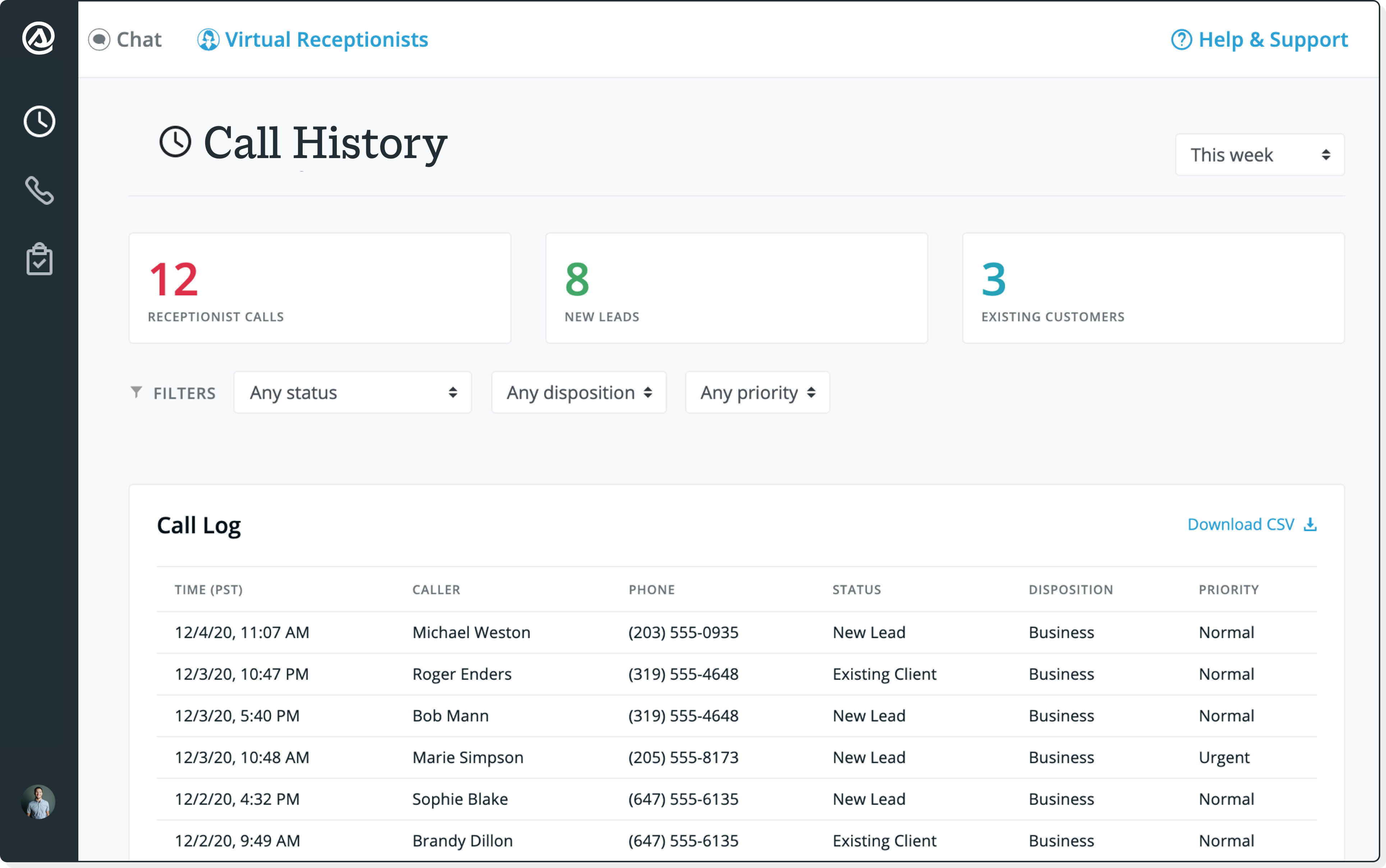
Smith.ai offers both an AI receptionist and North-American based human agents for inbound and outbound calls. Businesses choose an AI-first, human-first, or hybrid model.
Smith.ai is ideal for small businesses because it eliminates the need to find team members that can handle escalations or monitor AI calls. Smith.ai is able to handle both the AI management and human oversight processes.
Smith.ai is also one of the few AI receptionist providers to offer a free forever plan that includes up to 25 calls each month. For low volume startups, the free plan may be enough to provide their customers with round-the-clock service without any extra cost.
Smith.ai’s AI receptionist handles tasks such as booking appointments during the call, accepting payment, lead qualification, and call routing. And Smith.ai human agents can be used to conduct outbound calling campaigns.
Standout Capabilities
- Live Booking: Syncs with the business calendar to schedule appointments during the call with escalation to a human agent when advanced coordination is needed
- Custom Intake: Calls are screened and prioritized based on the company’s predetermined criteria
- Payment Collection: AI receptionist collects payment information and then transfers to a human agent to handle the transaction securely
- Lead Qualification: Create custom scripts specific to your business to screen callers, fi;ter out spam, and gather details before booking
Pricing
Smith.ai offers a free (AI-first) plan that includes 25 calls per month and charges $3.00 per call after that. All plans (including the free plan) come with recording, transcription, lead qualification, and scheduling.
The Pro plan (ranging from $150-$500 per month) includes 75-300 calls per month and adds on onboarding and live phone support. The Enterprise plan (ranging from $500-$800+ per month) includes 300-1,000+ calls per month and adds on a dedicated success manager. Human-first plans range from $300-$2,100+ per month and include 30-300+ calls per month.
Setup Process
To set up a Smith.ai account you will first decide whether you want an AI-first, human-first, or hybrid solution and fill out an onboarding form on their website with your company information.
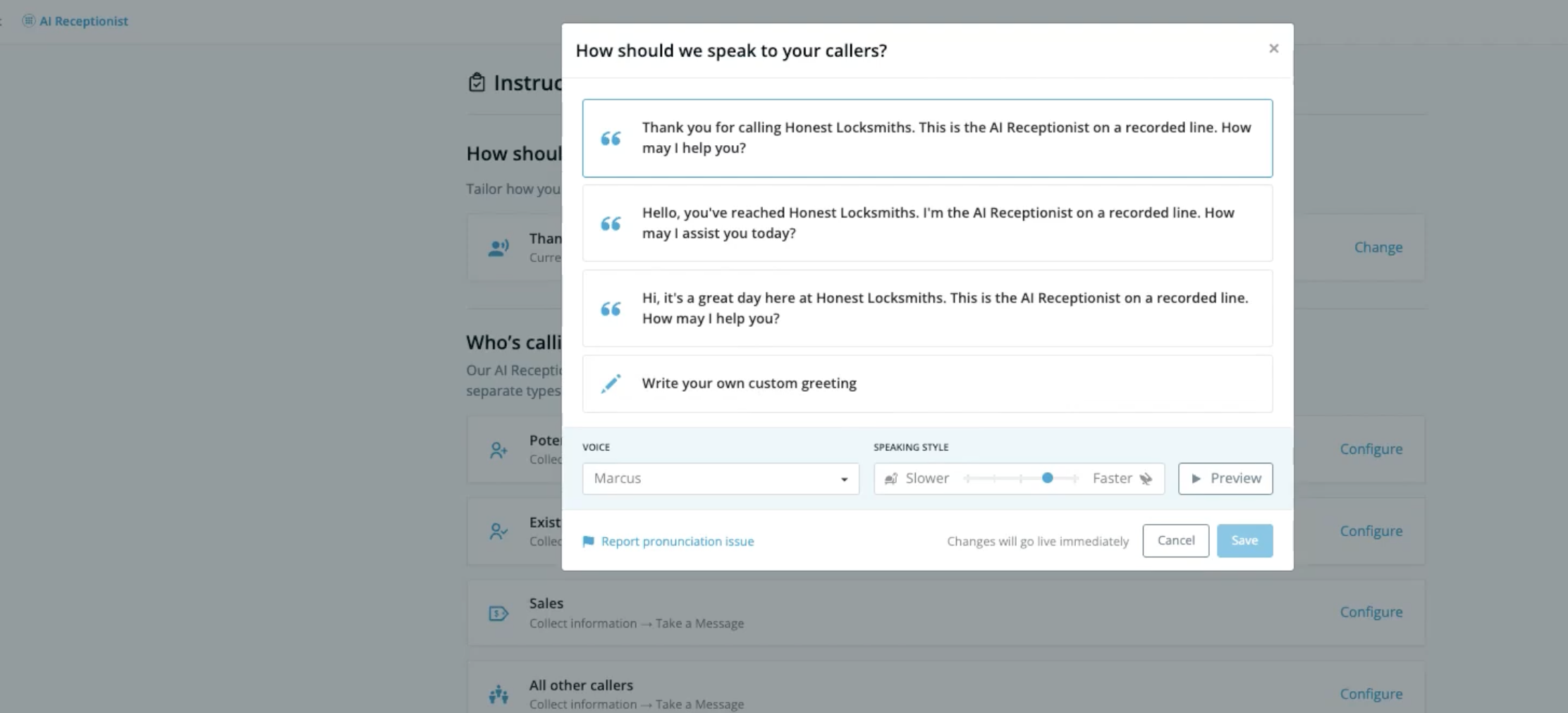
For Smith.ai’s AI receptionist you can get started for free and have coverage for up to 25 calls per month. Admins configure custom scripts, qualifying questions, and company-specific call flows.
Then, customize the AI receptionist by choosing a gender, tone, and speed of speech. Smith.ai offers a wide variety of personalities which you can preview using your custom greeting in the dashboard.
Finally, connect your CRM and calendar app for live booking (such as Acuity or Calendly) and test out your AI receptionist using a simulation tool and launch.
Human Handoff
Smith.ai human handoff works similarly to other AI receptionists, transferring calls when a transfer is triggered and providing the human agent with a summary, transcript, and context. The main difference with Smith.ai is that you can choose to handoff calls to a human agent on your team or a human agent that works for Smith.ai.
Where It Needs Improvement
- Telephony not included: Smith.ai handles calls in the cloud and forwards to your business number which means that you need a separate business phone system
- Limits on simulated calls: Depending on the plan, simulated calls for testing purposes are limited to 50-2,000 per month
Best For
Due to its superior intake and lead qualification capabilities, Smith.ai is a great choice for law firms, especially solo practitioners that can take advantage of the free plan
RingCentral AI Receptionist: Best For Healthcare and Financial Services
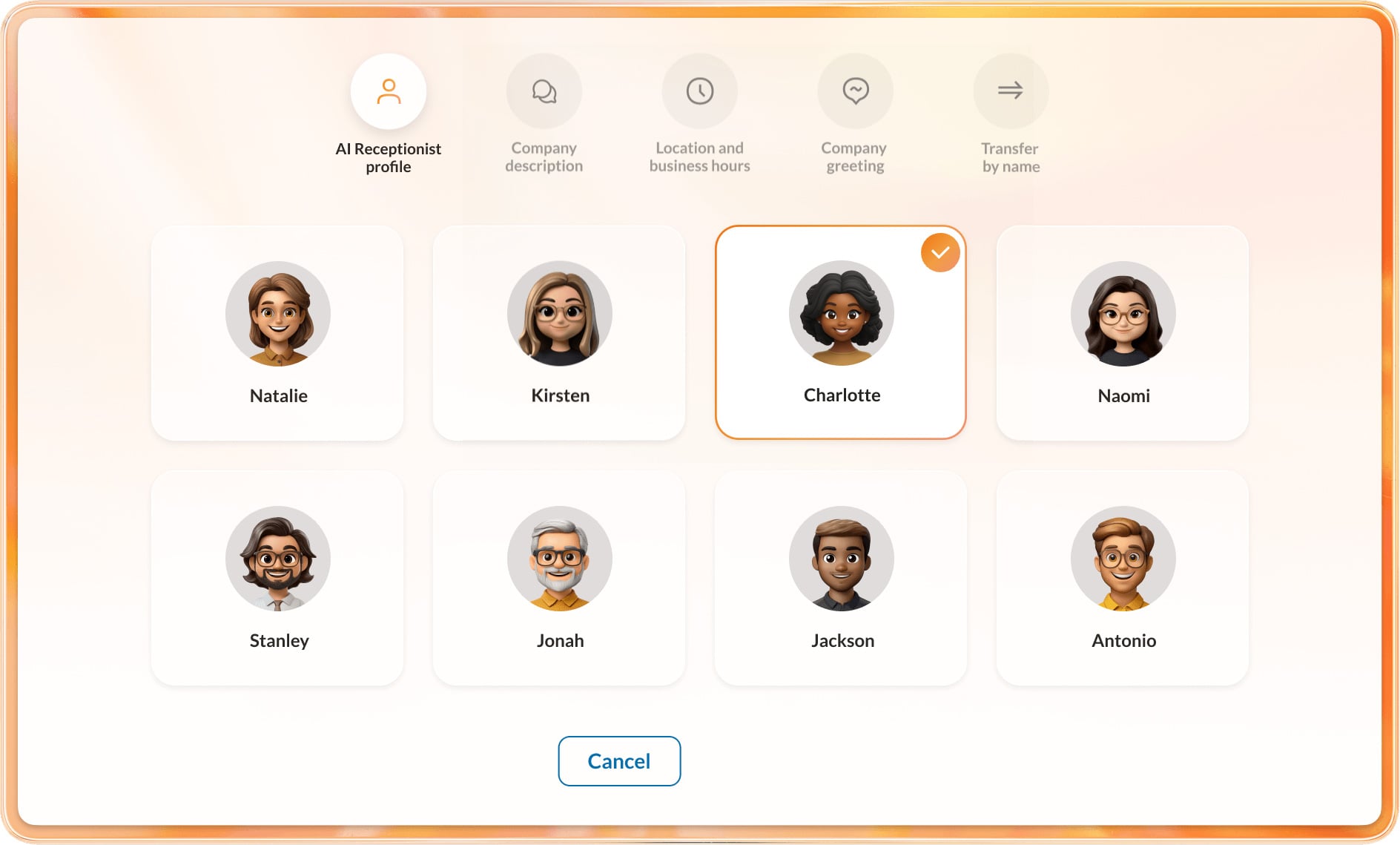
RingCentral AI receptionist (AIR) is a highly customizable AI agent that handles FAQs, texting, appointment scheduling, and lead capture while offering enterprise grade security and data transparency.
AIR stands out because it can be purchased as a standalone or combined with RingCentral’s high quality phone service and communications platform. This makes it a great fit for small businesses that already have a phone system they are happy with as AIR utilizes SIP trunking to work with any on-premise or cloud phone system.
AIR prioritizes security and includes HIPAA/HITRUST compliance, data and model privacy, and customizable AI guardrails in its platform. This means that smaller teams already overwhelmed with tasks can integrate AI agents without having to worry about compliance issues, data breaches, or hurting their brand image.
AIR offers more pre-built integrations than almost any other provider, including industry-specific and niche integrations such as EHRs for healthcare providers.
Standout Capabilities
- Compliance-centered: RingCentral does not use customer data to train its AI models and continuously monitors the legal landscape of AI in order to remain compliant
- Integrations: RingCentral offers hundreds of CRM and productivity integrations allowing the AIR to book appointments and resolve issues during interactions
- Analytics: AIR analytics are presented in a graphical format and include key metrics such as resolution by business knowledge, resolution by transfer, and unresolved question topics
- Multilingual conversational support: RingCentral AIR includes can interact using 12 different languages and accents such as English (UK, US, or Australian), French, Japanese, and Italian
Pricing
RingCentral AIR can be added on to the RingEX Core (starting at $20/month/user) or Advanced (starting at $25/month/user) plan for $39 per month and includes 100 AIR minutes each month.
Two AI Customer Engagement bundles are also available for custom pricing. These bundles include RingEX and AIR, plus coaching and performance analysis, unlimited storage, RingCentral Webinar, etc.
AIR can be purchased as a standalone product starting at $49/month for 100 minutes.
Setup Process
Setting up a RingCentral AI Receptionist happens within the RingCentral Admin Portal. Supervisors click “create new” AI receptionist and begin adding customizations such as company name and website. The AI automatically crawls your business profile and suggest FAQs.
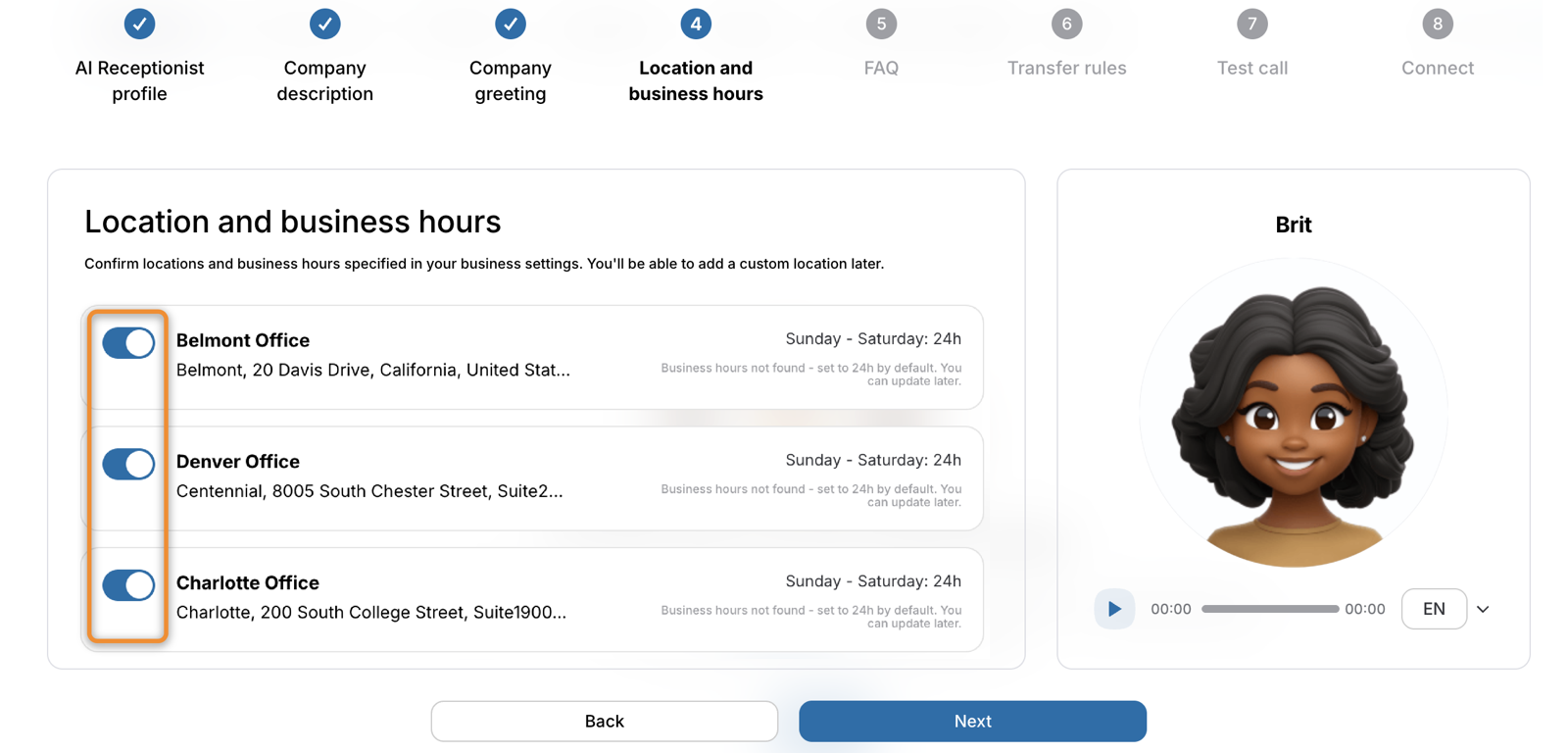
Next, the admin gives the AI receptionist a name and customizes the voice and tone. Responses can also be set to concise, detailed, or balanced. Talking speed and language are also selected at this time.
Then, set up call transfer destinations and routing rules to configure human handoffs. Lastly, users can simulate a live conversation and ask the AIR test questions before launch.
Human Handoff
Admins define human handoff parameters based on phrases, keywords, or caller intent/sentiment. When the AI detects that a handoff is necessary, it will transfer the call to a human based on routing rules along with an AI generated summary and live transcript. It will then automatically log the data in the company’s connected CRM.
Where It Needs Improvement
- Cost: While RingCentral does offer an affordable UCaaS plan at $20/user/month, to add on the AI receptionist is at least raises the monthly cost significantly
- Too many features: The RingCentral platform has many advanced features and customization that may be overkill for small businesses
Best For
Businesses that need a high level of security such as healthcare offices and small financial firms will benefit from RingCentrals end-to-end encryption and many compliance certificates such as HIPAA
Rosie: Best for SMBs with High Call Volume
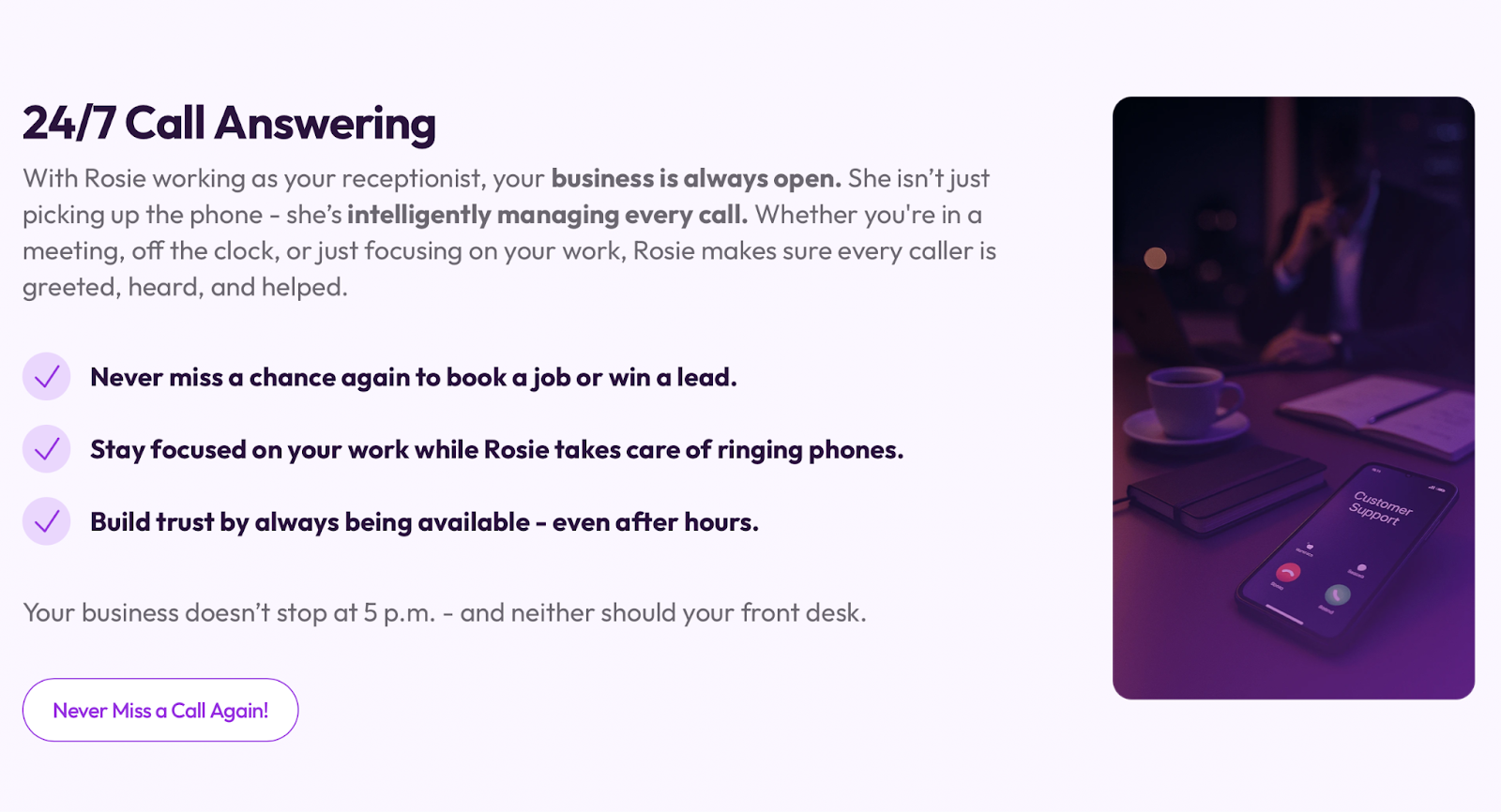
Rosie is a standalone AI receptionist that combines 24/7 call answering with spam detection, chat widgets, and call handling.
Rosie users set up custom message taking scenarios that enable the AI receptionist to dynamically adjust questions depending on the reason for the customer’s call.
What makes Rosie a great solution for small businesses is the low starting price and the ability to scale up quickly. Rosie plans start at $41 per month for 250 minutes and can be scaled up to 2,000 minutes per month.
All Rosie plans include simultaneous call handling, custom FAQs, and email and text notifications for every call.
Standout Capabilities
- Website chat and texting: These add-ons allow Rosie to interact with website visitors via text to answer questions and capture leads
- Waterfall transfers: Rosie will try multiple numbers until it connects and will then brief the human agent for the call
- Appointment booking: All plans allow for Rosie to send booking links and upper ter plans have live booking that syncs with your calendar
- Agent voices: Choose from 10 distinct voices, bilingual in English and Spanish with adjustable tones and background sounds
Pricing
Rosie offers three paid plans ranging from $49 to $299 per month when paid on a month-to-month basis and $41 to $249 per month when paid annually.
The Professional plan ($41-$49/month) includes 250 minutes and 2 custom messaging scenarios. The Scale plan ($124-$149/month) includes 1,000 minutes, 5 scenarios, live transfers, and in-call texts. The Growth plan ($249-$299/month) includes 2,000 minutes, unlimited scenarios, custom agent training and white glove onboarding. Website texting can be added on for $50 per month.
Setup Process
Setting up a Rosie AI receptionist is fast and does not require code. Rosie automatically scans your Google business profile once provided and the onboarding tool walks you through adding key information.
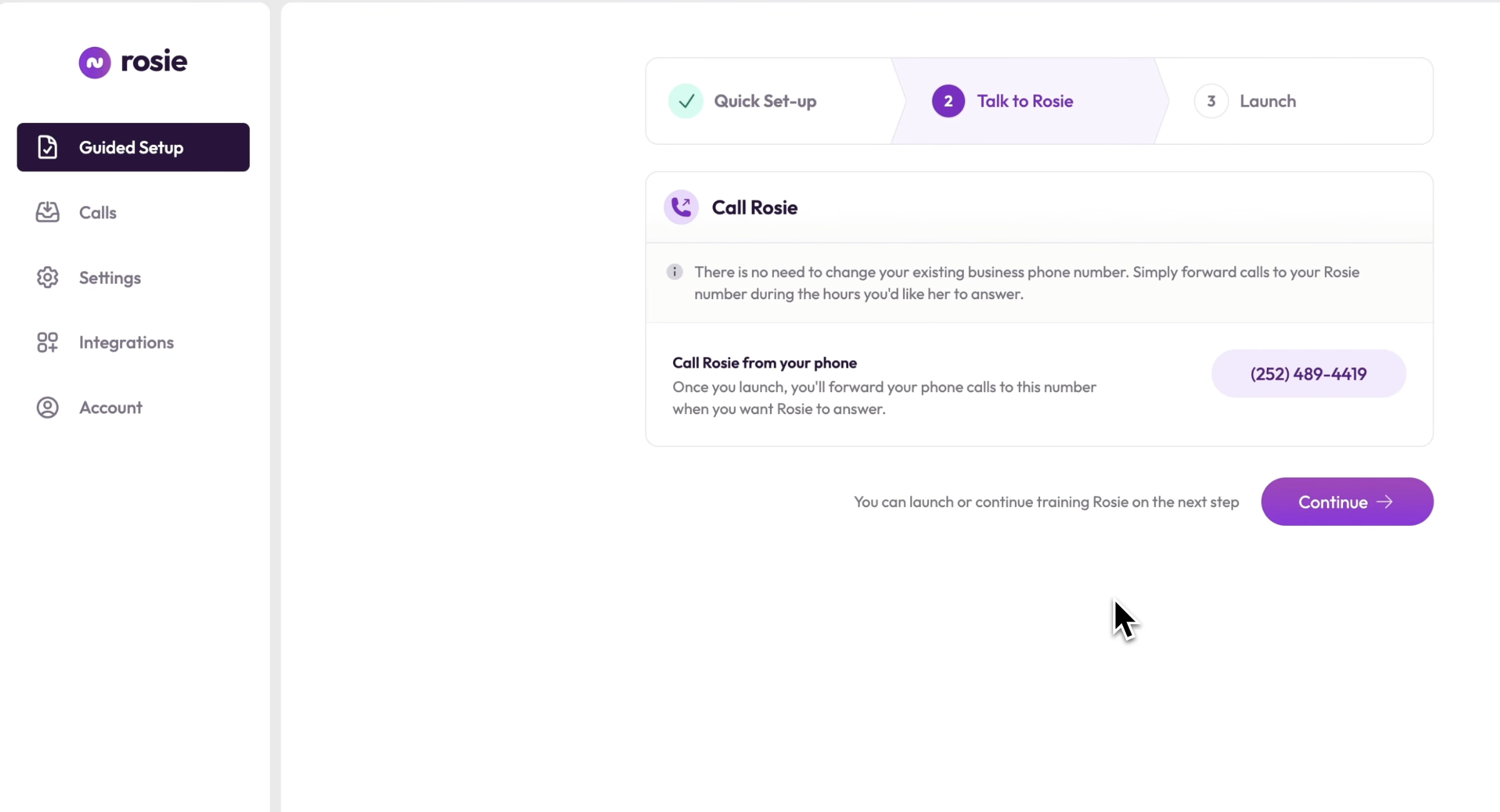
After obtaining basic data, personalize your AI receptionist by naming it and choosing a tone, voice, and speaking speed. You can also add background sounds such as typing.
Then, you set up custom FAQs, call forwarding rules, greeting, notifications, and any CRM or calendar integrations.
Finally, you will test the Rosie AI Agent and see how it responds to specific questions before launching.
Human Handoff
In the Professional plan, Rosie only offers basic human handoffs with a summary and transcript of the call. The Scale plan offers live warm transfers, and the Growth plan includes waterfall transfers which will ring multiple numbers until someone answers.
Where It Needs Improvement
- Does not include telephony: Rosie is an AI receptionist only and requires a separate business phone number and communication system to operate
- Advanced features limited to upper tiers: It is only in the Scale plan and up that includes key features like live call transfer and warm transfer
Best For
Rosie has a higher starting price than some competitors, but it does include a generous number of minutes each month making it a good choice for high volume teams.
Newo: Best for Startups and Online Retailers
Newo is an omnichannel AI receptionist that offers flexible pricing plans. In addition to answering calls, Newo AI agents interact with customers over text, web chat, WhatsApp, providing instant replies, routing interactions, and generating intelligent responses.
Newo AI receptionists stand out on voice calls due to their responsiveness to human callers. The AI agents will wait for a pause before speaking, and stop speaking if the caller keeps talking.
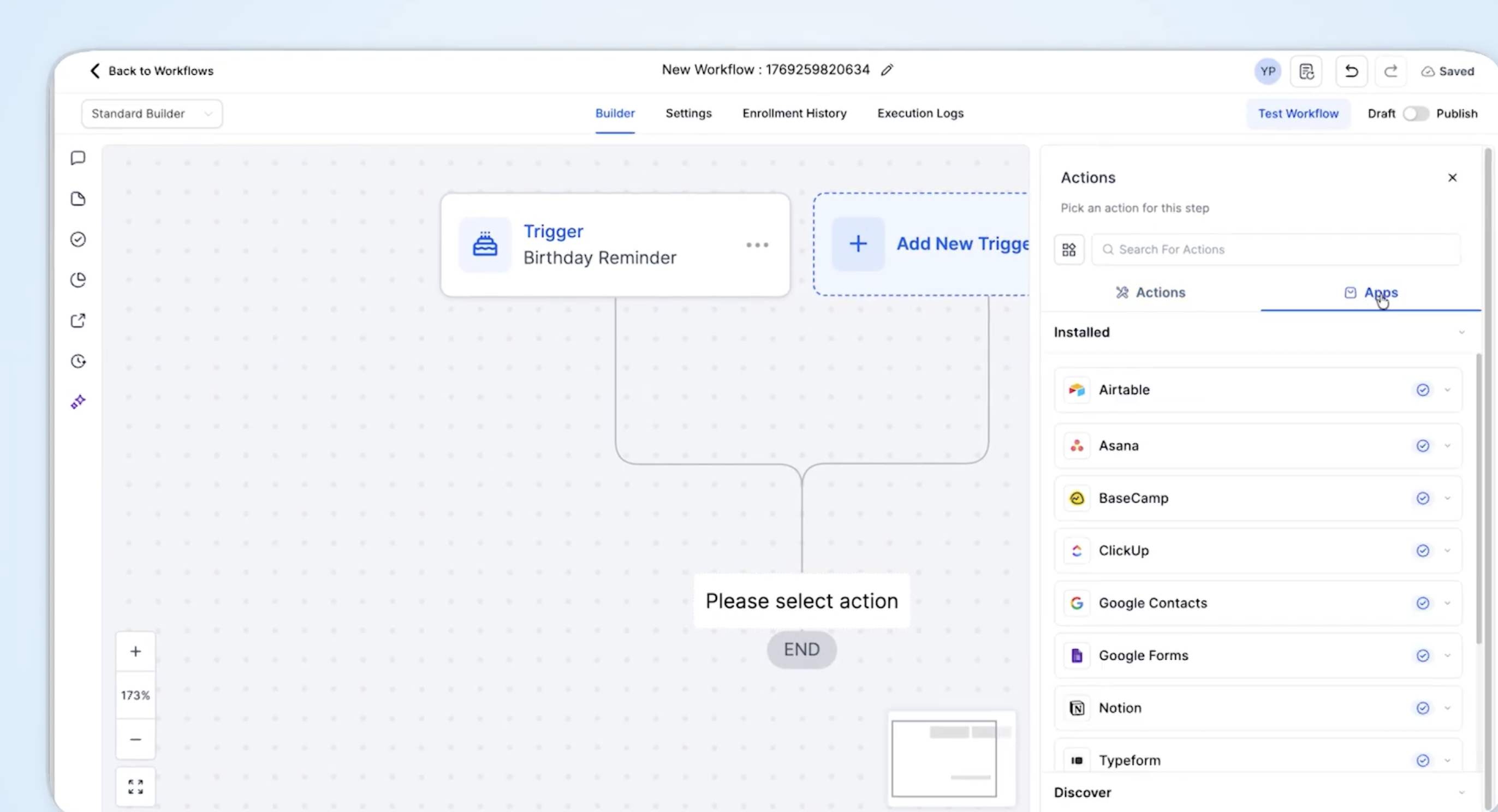
Additionally, Newo is able to handle numerous tasks such as booking appointments, capturing leads, surveying customers, initiating refunds according to rules, sending automating confirmations, and processing returns. Call flows and chat flows are built without code using a drag-and-drop interface.
Newo is well suited to small businesses thanks to its pay-as-you-go pricing plans that allow companies to only pay for what they use and its user-friendly work flow builder.
Standout Capabilities
- Outbound calling: Given a list of phone numbers, Newo will retry no-answers, detect voicemail, and make conversions
- AI call center: Unified dashboard that displays simultaneous calls taken by the AI receptionist with routing, location, and business hours data
- SMS AI agent: Newo AI receptionists interact with customers over SMS/text using the same knowledge base, customer history data, etc.
- AI chat widget: No-code script tag can be used to put Newo’s AI receptionist in your web chat with memory and knowledge
Pricing
Newo offers pay-as-you-go pricing starting at $1.75 per unit, a subscription plan starting at $299 per month that includes 200 units per month, and custom, quote-based enterprise plans. Each “unit” covers a 3 minute call or two text sessions of up to 15 agent messages per session.
Setup Process
Newo setup is simple and straightforward. The AI receptionist builder creates a working receptionist from your business profile which you can further customize by adding FAQs, scripts, and CRM and calendar integrations.
Admins then set routing and escalation rules and launch the omnichannel AI receptionist.
Human Handoff
During every call the AI receptionist will determine who is calling and why, confirming all information back to the caller. Any call outside the rules will go to a human agent with the context attached and the caller is told before the transfer.
Where It Needs Improvement
- Limited features: Human handoffs and transfers are simple and the platform is lacking advanced features such as business insights and automatic call tagging
- Limited support: No traditional live customer support although there are self-service options
Best For
Startups and solopreneurs on a shoestring budget will appreciate Newo’s pay-as-you-go pricing plan that comes with 50 units to start while online retailers can take advantage of Newo’s omnichannel functionality.
Goodcall: Best for Small Phone-Only Local Businesses
Goodcall is an affordable, single channel, user-friendly AI receptionist that is quick to set up. Goodcall only interacts via voice and it works best for small businesses that need phone back up but don’t have a huge budget.
Goodcall can be configured to do more than just answer calls, give out your business information, and take messages. Workflows for CRM logging, calendar booking, and lead qualification can be built, and Goodcall receptionists will determine customer intent to trigger the correct workflow.
While Goodcall doesn’t have smart routing, advanced analytics, or SMS follow-ups it can offer a great ROI for small businesses that operate primarily in person and over the phone such as brick-and-mortar shops.
Another reason Goodcall stands out is that it charges per unique customer, instead of per call, or per minute. This means businesses that receive a lot of repeat callers will obtain even more value from the platform.
Standout Capabilities
- Practice calls: Allows you to call the AI receptionist from your browser to test out questions before publishing
- Live booking: Bookings made by the AI receptionist go straight to Google calendar
- Lead capture: Captured leads can be inputted directly onto Google Sheet or High level
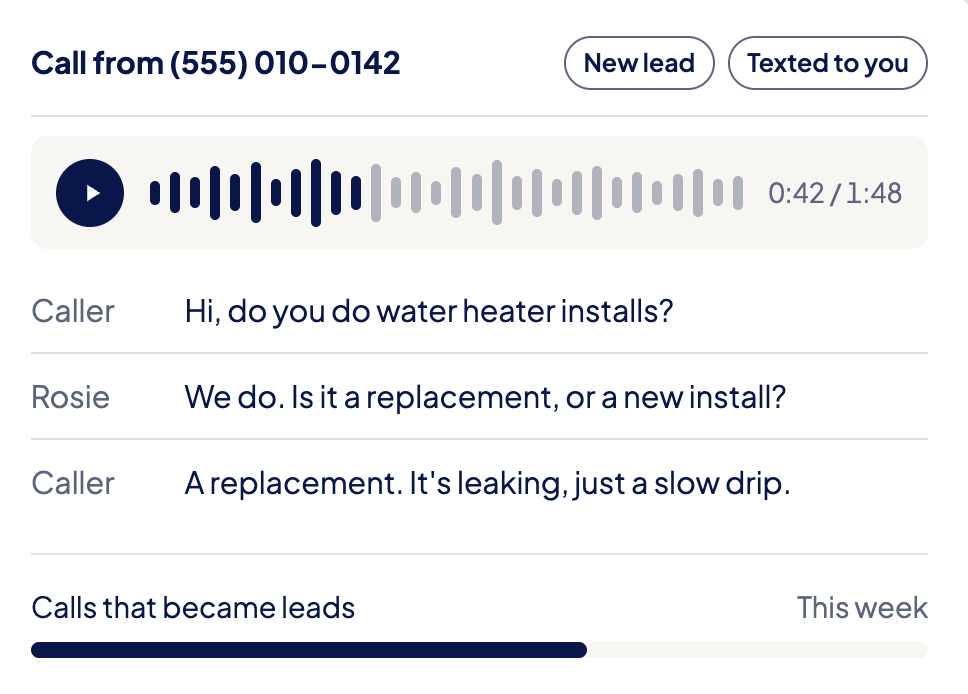
- Call tracking: All calls are recorded and tagged with the recordings texted to you
Pricing
Goodcall offers three bundled plans with an increasing number of unique customers, test runs, and external tools in each tier.
The Starter plan ($79 per month) includes 100 unique customers and 100 test runs per month and charges $0.79 per unique customer after that.
The Growth plan ($129 per month) includes 500 unique customers, and 500 test runs per month and charges $0.26 per unique customer after that. The Scale plan ($299 per month) includes 2,000 unique customers and test runs per month, then charges $0.15 per unique customer after that.
A “unique customer” is one phone number. Meaning that if a person calls from the same number five times within the month, that only counts as one “unique customer”.
Setup Process
To set up a Goodcall AI receptionist you chat with Gabi, Goodcall’s AI setup bot.
Goodcall users tell Gabi in natural language what their business is, how the AI receptionist should talk to callers, what questions to answer, and what tasks to complete.
You then test the AI receptionist and once you are happy with it, turn on forwarding from your existing number (Goodcall does not support number porting).
Human Handoff
Admins set up escalation contacts and the agent will transfer the call to a human when escalation is triggered. It retries busy lines and will move to the next contact if no one answers, up to three different contacts. If no one is available, it will take the caller’s details and notify the team.
Where It Needs Improvement
- No texting: Goodcall is a single channel so it can’t interact with customers via text, social media, or email
- Starting price: The starting price is higher than several others on this list, making it difficult for businesses on a tight budget
Best For
Small businesses that have high incoming call volume will get the most value out of Goodcall, especially if they are longer calls with the same people since Goodcall charges per “unique customer”.
How Much Does an AI Receptionist Cost?
There are several different pricing models that AI phone receptionists employ. Some of the most common are:
- Flat monthly subscriptions: Tiered plans that offer increasing minutes, more advanced features, and increasing prices in each tier
- Monthly plans with a set number of included minutes: Bundled plans that offer the same features in each plan but will increase the number of included minutes in upper tiers, best for high volume teams
- Usage-based or per-minute pricing: A pay-as-you-go pricing model where you only pay for the minutes you use, best for low volume teams
- Per-call pricing: Charges per call instead of per minute which is helpful for businesses that have longer calls
- Hybrid AI and human receptionist pricing: Some platforms such as Smith.ai offer both AI receptionists and a human answering service with escalation and hybrid pricing
Before choosing an AI receptionist and plan and signing a contract, you will want to make sure that it fits in your budget. Here are some things to look for:
- Included minutes or calls: If you have a lot of short calls, it makes more sense to pay by the minute while longer calls get more value from pay-per-call plans
- Overage rates: Make sure you understand the overage rates if you have an unexpected spike in usage
- Monthly versus annual billing: Most providers offer discounts when you pay annually, but if you want to try something out it might make more sense to stick with a month-to-month plan
- Setup or onboarding fees: Many providers have a one-time setup or onboarding fee, make sure to account for this as well as other hidden fees such as porting fees, SMS fees, etc.
- Additional phone numbers: Make sure you know how much additional phone numbers will cost if you need them as well as transfer fees, text fees, etc.
- Human receptionist coverage: If you need human coverage for calls that require it, make sure you add on this cost
FAQs
It depends on whether the business is missing opportunities during off hours or when team members are unable to get to the phone. An AI receptionist is a fraction of the cost of a full-time human receptionist.
It varies by state but it is considered a best practice to tell callers when they are speaking to AI as the laws are quickly changing in many states.
Yes, an AI receptionist will work with your current number, and unified communications platforms will allow you to port your current number.
AI receptionists can handle hundreds or even thousands of calls simultaneously but there are limits that will depend on your usage plan, available human agents, and phone system.
Most only support inbound calls but some AI receptionists will handle outbound campaigns as well.