Business AI voice assistants answer and make phone calls, hold unscripted conversations with customers in real time, connect to existing applications and systems, then take relevant actions to achieve the desired outcome.
AI voice assistants can look up orders, qualify leads against existing business criteria, schedule appointments, update connected business tools, and route callers to the best available human agent when needed. The ability to take autonomous agentic action is the main thing that separates AI voice assistants from standard IVR phone trees and basic auto attendants.
This guide covers phone-based business voice assistants only, so meeting transcription tools and consumer-facing voice assistants like Siri and Alexa are not included.
Today, voice AI assistants mostly help businesses lower the number of answered calls, provide 24/7 service, automate repetitive conversations, place outbound reminder/follow-up calls, and help teams better manage high phone call volumes without forcing businesses to increase headcount.
Not all voice AI assistants are created equal: while some are ready-to-use, plug-and-play business tools that work with your existing phone systems. Others make it easy for non-technical teams to build, test, and deploy their own assistants. Some are developer-facing platforms selling voices, models, and telephony that your engineering teams assemble.
Picking the right AI voice assistant for your business isn’t just about which provider has the longest feature list or the best price. It’s also about how much building and maintenance your team is prepared to own, and the specific outcomes you want to achieve.
How We Evaluated These AI Voice Assistants
The 8 voice AI agents we’ve included here are very different from each other. Instead of evaluating them against a common feature checklist, we tested each one to see how well they achieved outcomes and handled everyday tasks. Pricing and features came from each vendor’s product pages as of October 2026.
Evaluation criteria includes:
- Setup effort: Can teams configure and launch the voice AI agent on their own, or does setup require technical teams and developers to write prompts, flows, webhooks, or code? How extensive is ongoing maintenance/management?
- Call handling: How well does the voice AI assistant handle and respond to natural human speech? Can it cope with interruptions, accents, noisy lines, callers who change their mind mid-sentence, and unscripted edge cases? Turn-taking and latency matter more here than voice polish.
- In-call actions: What can the AI assistant handle, from start-to-finish, during an active call? Can it book appointments, qualify leads, retrieve relevant data, hand off the call to human agents, collect payments, or update records?
- Integrations: Does the voice AI assistant integrate with CRM, contact center calendar, helpdesk, marketing, and other third-party software you’re already using? Does it provide support for webhooks, APIs, and MCP? Are integrations pre-built?
- Human handoff: Can the voice AI agent seamlessly transfer live calls while maintaining conversational context, pass the transcript to the live agent, and explain the steps it’s already taken to resolve the issue? The goal here is to prevent customer repetition.
- Inbound and outbound support: Can the voice AI agent handle both inbound and outbound calls, and to what extent?
- Pricing: We evaluated each voice AI assistant’s billing unit (seat, outcomes, credit, per-minute, interaction, etc.), available pricing plans, and overall value.
- Business fit: Is the voice AI assistant best for a small team with no technical staff, a company already standardized on a phone system, or an organization building custom call workflows at scale?
AI Voice Assistants for Business at a Glance
Use this table to narrow the list of our top AI voice assistants before reading the more detailed reviews below.
| Provider | Cost & Billing Model | Key Features | Best For |
| Nextiva XBert | Conversation-based: $99/mo for 100 AI conversations, then $1.50 each; no contract. Optional NEXT phone plans 15–75/user/mo | Answers calls, SMS, chat, and email; books and reschedules; intent routing with context handoff; CRM and calendar write-back; guided setup in minutes | Small and mid-sized businesses that want a working AI receptionist fast, alongside a phone system, existing Nextiva customers |
| Retell AI | Usage-based components: 0.07–0.31/min plus add-ons; 20 concurrent calls free, then $8/call/mo; custom Enterprise pricing | AI QA scoring, shared knowledge bases, batch outbound calling, choice of LLM and voice, Genesys/Five9/Amazon Connect integrations | Technical teams building custom inbound and outbound agents |
| Synthflow | Annual enterprise contracts from $30,000/year, scoped to volume and integrations | Visual Flow Designer, simulated-call Test Center, Auto-QA, in-house telephony, white-label agents | Enterprise contact centers and BPOs automating at high volume |
| GoTo Connect | Quote-based, per-user subscription model, AI Receptionist includes 100 credits | AI receptionist inside the phone system, 10+ languages, AI Quality Management, free calling to 50+ countries | Multi-location global businesses replacing their existing phone system |
| RingCentral | Subscription plus per-minute pricing: $49/mo standalone, $39/mo RingEX add-on, 100 min included with $0.50/min after | Works in front of any phone system, per-location routing, CRM intake, calendar booking, SMS replies | Businesses adding an AI front desk without switching phone providers, existing RingCentral customers |
| ElevenLabs | Tiered subscriptions 0–990/mo with included minutes; $0.08/min overage; LLM and telephony billed at cost | Eleven v4 Turbo voice (~150 ms), 17,000+ voices in 90+ languages, workflow builder, omnichannel agents | Brands where voice quality, tone, character, and language coverage drive the decision |
| Bland AI | All-in per-minute 0.12–0.14 (LLM, STT, TTS included); $299/mo platform fee on Build; telephony extra; Enterprise contracted | Self-hosted stack, Pathways with authentication zones, Norm builder, staged releases, high-volume outbound | Regulated enterprises running high-volume inbound and outbound calls |
| PolyAI | Quote-based, per-minute platform; Dialog-RSN-1 API from $0.02/minute plus tokens | Audio-native Dialog-RSN-1 model, Wren self-improving agent, Dialog Studio, 75 languages | Enterprise contact centers resolving complex calls end to end |
The 8 Best AI Voice Assistants for Business in 2026
We reviewed the below eight providers in a similar structure to make direct comparisons simple. We explain what each solution is, who it's best for, evaluate standout features, and cover the pricing structure.
Nextiva XBert: Best Overall AI Voice Assistant for Business
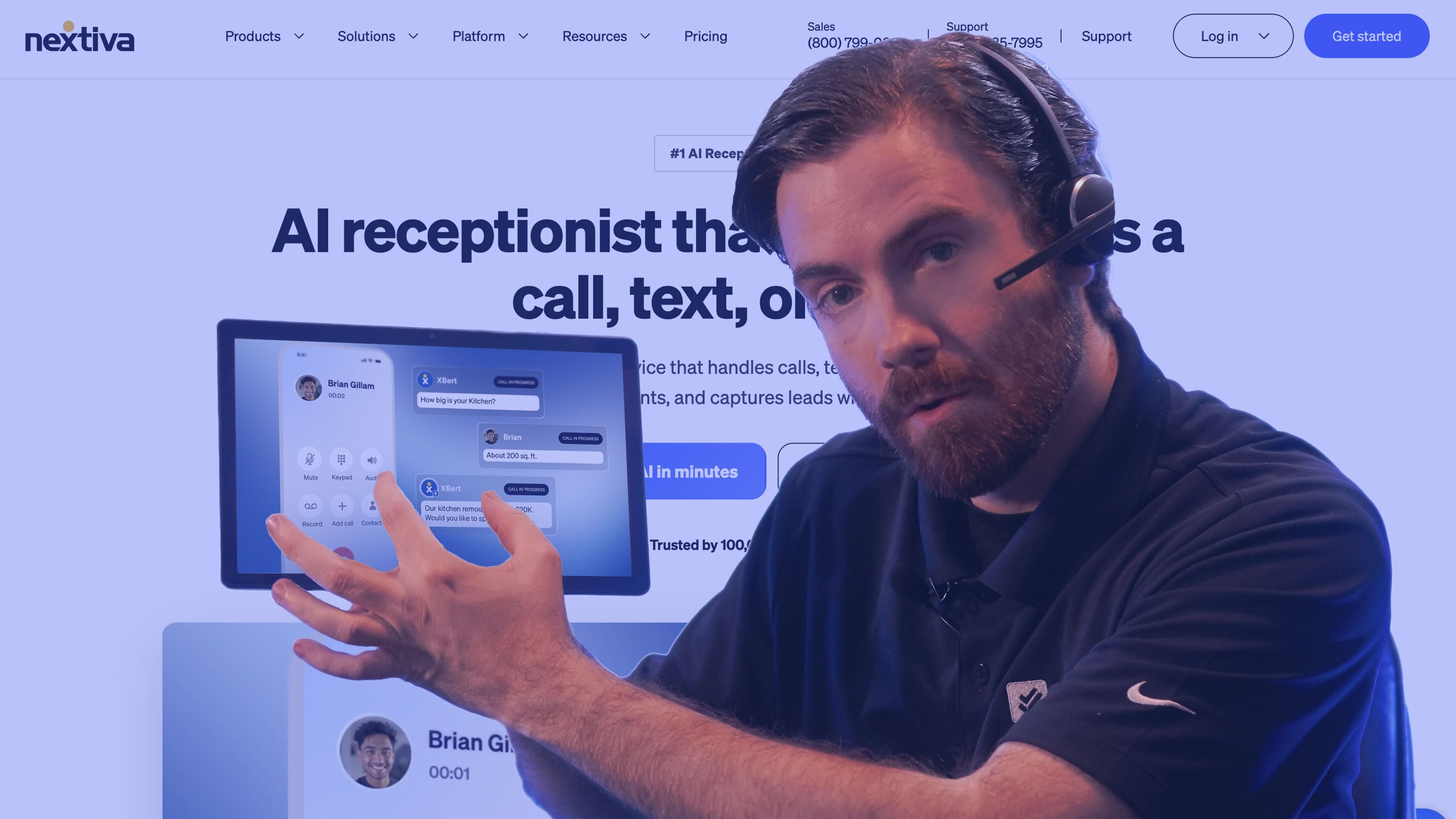
XBert is Nextiva’s AI employee and receptionist for managing customer calls. Setup takes as little as three minutes, and XBert works 24/7 across phone, chat, and SMS. As a voice AI assistant, XBert answers calls, determines customer sentiment and intent, books appointments, records, transcribes and summarizes calls, and highlights action items. If XBert can’t resolve the issue autonomously, it routes callers to the ideal human agent with complete context and conversation history.
Instead of designing dialogue flows or picking LLMs, users choose a pre-built role (Receptionist, Sales, or Support), plug in their website or Google Business Profile, set guardrails on what it may and may not do, and decide when it must hand off a customer to a human.
XBert sells as a standalone product or as an add-on to Nextiva's NEXT platform. Multi-location businesses can run location-specific greetings and routing rules from one deployment, ideal for franchises and practice groups.
Pricing
XBert uses conversation-based pricing, not per-minute or per-seat billing. Pricing starts at $99 per month for 100 AI conversations, then $1.50 per additional conversation, with no long-term contract and a 30-day money-back guarantee. A 14-day free trial of the AI receptionist is also offered.
A call counts only if it lasts longer than 30 seconds; an SMS or web-chat thread counts only once it reaches three or more interactions. Wrong numbers, hang-ups, and one-line chats are free. Call length doesn't change the price either, so a nine-minute scheduling call costs the same $1.50 as a 45-second question.
NEXT phone plans with XBert are per-user subscriptions: NEXT Core at $15/user/month, NEXT Engage at $25, and NEXT Scale at $75 on annual terms. Each plan bills XBert at $1.50 per conversation.
At 400 conversations a month, XBert costs $99 + (300 × $1.50) = $549. At 1,000 it's $1,449. Budget on conversations, not calls.
Top Features
- End-to-end appointment handling: XBert checks real-time availability, books, reschedules, sends confirmation texts, and fires reminders to cut no-shows. Google Calendar, Calendly, and Cal.com connect out of the box, and industry schedulers like ServiceTitan, Housecall Pro, Boulevard, Square Bookings, and dental systems (Opus Dental, Ortho2, tab32, Core Practice) are on the integration list.
- Intent-based routing with context: Instead of a press-1 menu, XBert reads what the caller wants and transfers to the right person or team, passing the conversation summary along.
- Lead capture: XBert collects contact details, qualifies leads against business criteria, triggers CRM workflows, and sends booking links via SMS. Salesforce, HubSpot, Pipedrive, GoHighLevel, Zoho, Thumbtack, and Yelp Leads are supported.
- Built-in oversight: Custom guardrails, full recordings and transcripts, AI summaries with sentiment, and daily reports that tally calls handled, appointments booked, and after-hours revenue captured.
Setup & Configuration
XBert has the lowest-effort voice AI assistant configuration and deployment on this list, with setup taking less than five minutes.
XBert reads your website or Google Business Profile, builds a knowledge base from your services, policies, hours, and FAQs, and assigns a dedicated phone number. Businesses can pick a voice and name, write or edit the greeting, set business hours and routing rules, and preview the agent before going live. Nextiva also offers assisted onboarding at no extra charge.
That said, someone needs to review the auto-built knowledge base, define what XBert can do on its own versus escalate, and decide who receives transfers. No coding is required.
On compliance, the platform is SOC 2 Type II audited, ISO 27001 certified, and PCI DSS compliant, and XBert is HIPAA-eligible once a Business Associate Agreement is signed.
Where It Falls Short
- Not built for high-volume outbound campaigns. XBert sends follow-ups and reminders, but it isn't an outbound dialer. Progressive and predictive dialing, list management, and campaign tooling live in Nextiva's Professional and Premium contact center tiers, which are quote-only. Teams whose main job is calling thousands of leads should look at Bland AI or Retell.
- Less control over the AI itself: You don't choose the model, write function calls, or design a node-by-node flow. That's the point for most buyers, but a business with unusual logic, such as a multi-step eligibility check against an internal API, will hit the edges faster than on a developer platform.
- Per-conversation pricing favors longer calls: If most of your traffic is short, high-volume calls, per-minute platforms can be cheaper on paper. They just make you assemble telephony, voices, and models yourself.
Best for: Nextiva XBert is best for small and mid-sized businesses that want an AI receptionist answering, booking, and routing calls within a week – ideally alongside a phone system and customer record shared by AI and staff.
Retell AI: Best for Teams That Want Developer Control With Built-in Production Monitoring

Retell AI is a voice agent platform for teams that want to choose every layer of the stack and pay for it by the minute. You pick the LLM (GPT, Claude, and Gemini variants, a speech-to-speech model, or your own), the voice provider (Retell's own, ElevenLabs, Cartesia, OpenAI, Minimax, Fish, or Inworld), and the telephony (Retell-provisioned Twilio or Telnyx numbers, or your own SIP trunk at no telephony charge). Agents can be built from prompts, templates, or in Retell Workflows – then tested against simulated callers before they touch a real one.
Where Retell separates itself from other developer platforms is what happens after launch. Most voice platforms give you transcripts and a dashboard. Retell ships a full QA layer that scores calls against your own definition of success and identifies the exact moment a call went wrong. Pair that with a managed knowledge base and native batch calling, and Retell covers build, deploy, and monitor in one product, which is why it shows up in contact centers running alongside Genesys, Five9, Amazon Connect, and Avaya.
On calls, Retell agents handle warm transfers with an automatic summary for the receiving agent, navigate other companies' IVR menus by keypad, book appointments against live availability, and send SMS. Outbound calls can display your business name through Branded Call ID and use verified numbers to avoid spam labels.
Pricing
Retell is pure usage-based, component pricing with no platform fee and no contract on its pay-as-you-go plan. New accounts get $10 in free credits. Voice agents run $0.07 to $0.31 per minute depending on the components you choose, billed to the second.
A typical configuration with GPT 5.1, a standard voice, Retell telephony, a knowledge base, and de-noising lands at about $0.135 per minute, or roughly $0.40 for a three-minute call. A few billing rules matter: silence and hold time are billed because speech recognition keeps listening, failed calls aren't.
Add-ons stack on top: knowledge base +$0.005/min, advanced denoising +$0.005/minute, safety guardrails +$0.005/minute,Branded Call ID +$0.10 per outbound call, PII removal +$0.01/minute, and batch calls +$0.005/minute.
The Enterprise plan is custom-priced, with concurrency starting at 50+ calls, a dedicated server option, SSO, role-based access control, custom MSA/DPA/BAA terms, and 24/7 support with a named account manager.
Top Features
- AI Quality Assurance: Evaluates calls automatically in three layers. Audio checks how human the agent sounded (naturalness, tonality, interruptions, transfer wait time). Language checks whether it said the right thing (hallucinations, knowledge base recall, word error rate, transcription errors, sentiment). Performance checks whether the call did its job (resolution rate, tool-call accuracy, flow-transition accuracy, latency, transfer success). You build cohorts by agent, date, duration, or post-call fields, set a sampling percentage and weekly cap so QA cost doesn't scale linearly with volume, and define "resolved" by mixing AI-judged conditions with hard thresholds under weighted scoring. Every analyzed call gets pass/fail per criterion, and failed calls open to transcript-linked evidence at the exact turn where things broke.
- Knowledge Base: Knowledge bases ingest a single page or an entire website, PDF, DOCX, and TXT files, or pasted text, and retrieve in under 100 milliseconds during the call. One knowledge base can be shared across multiple agents, so a pricing change gets updated once instead of in every prompt.
- Batch Call: Runs outbound campaigns from the dashboard or API. You add dynamic variables (name, product, balance, appointment time) to the agent, upload recipients from a template, and send immediately or schedule. Reporting tracks dialed, picked up, and successful outcomes so prompts can be tuned between waves. Use cases range from lead qualification to payment reminders and collections.
- Model/Voice Choice: Dozens of LLMs with standard and fast tiers, a custom-LLM option, and voice providers ranging from $0.015/min to premium ElevenLabs voices let you trade latency, quality, and cost per agent.
Setup & Configuration
A basic agent can be live in minutes from a template, but production deployments need someone comfortable with prompts, function calling, webhooks, and APIs. You'll write or tune the agent's instructions, attach knowledge bases, define tools for booking or CRM lookups (Cal.com, HubSpot, Salesforce, GoHighLevel, and automation through Zapier, Make, and n8n help here), configure transfer destinations, and provision or port numbers. Retell's simulation testing lets you run scripted conversations before go-live. Teams without in-house skills can hire from Retell's certified solution partner directory.
Compliance is solid: SOC 2 Type II, HIPAA, and ISO 27001, with PII redaction, opt-out recording, and custom data retention available.
Where It Falls Short
- You own the build and the bill: The per-minute model is transparent but layered: LLM, voice, infrastructure, telephony, add-ons, numbers, concurrency, and knowledge bases are all charged separately. Choosing a premium model or voice can more than double the rate.
- Not a phone system: Retell doesn't give your employees extensions, desk phones, or a softphone. Human handoff depends on transferring to a number or contact center you already run.
- A poor fit for owner-operators. A dental office or HVAC company that wants an answering service in a few days will spend more time configuring Retell than using it.
Best For: Retell is best for mid-market and enterprise teams with technical resources that need custom inbound and outbound voice agents, model-level control, and production-grade QA on every call.
Synthflow: Best Visual Builder for Enterprise and BPO Call Automation
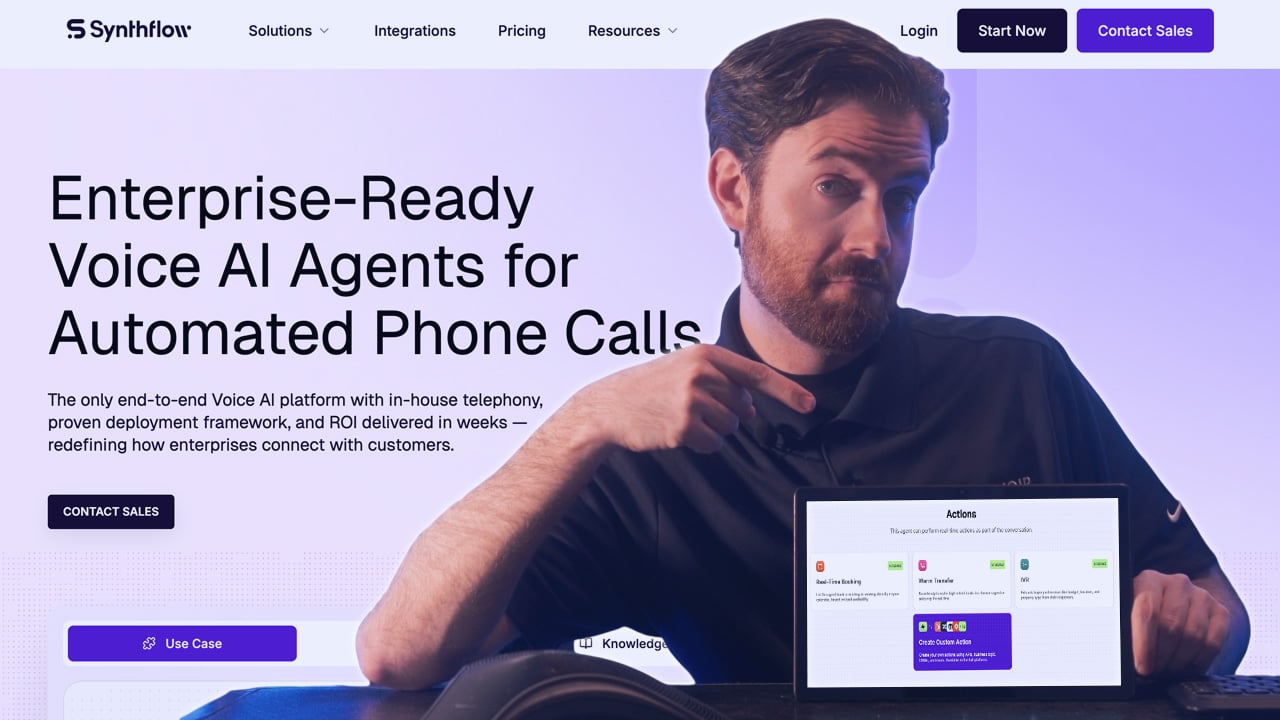
Synthflow is an end-to-end voice AI platform for enterprises, contact centers, and BPOs, with its own telephony network and forward-deployed engineers who help build and launch agents. Its visual, no-code builder is the center of the product, which keeps Synthflow approachable for operations team.
Note that the ideal Synthflow buyer is is a company automating hundreds of thousands of calls a month, not a five-person office.
Agents are designed in a visual Flow Designer, where each step, variable, branch, and API call is laid out explicitly. Complex deployments are split into subflows that act as specialized agents to manage hallucination risks. Synthflow organizes the whole lifecycle around what it calls the BELL framework (Build, Evaluate, Launch, Learn).
Agents are built in the Flow Designer, run through simulated calls in a Test Center against your KPIs, launched on Synthflow's own telephony, and then monitored by Auto-QA on live traffic. Versions are tracked in an AI sandbox, so a team can compare, roll back, and ship updates without downtime.
Pricing
Synthflow offers annual enterprise contract pricing only, starting at $30,000 per year. Exact pricing is scoped by call volume, concurrency, telephony setup, integrations, security requirements, and launch support. Contracts include implementation, onboarding, testing, training, launch support, ongoing optimization, enterprise SLAs, MSA/DPA support, and a security review.
You can still build and test an agent for free from Synthflow's template library, and the homepage FAQ references paying as you go once an agent launches. The pricing page and the answering-service FAQ, however, describe production use as an enterprise contract. Assume a five-figure annual commitment before your first live call, and confirm with sales whether any usage-based path is available for your volume.
Top Features
- AI Appointment Setter: answers inbound lead calls and dials new or dormant leads, triggered by a HubSpot workflow or a Salesforce Flow such as a newly created record. It asks your qualifying questions, books qualified prospects into a rep's calendar on the same call with a summary attached, logs the outcome to the CRM, and schedules follow-up calls for leads who don't book. The same agent handles existing customers who call to book, reschedule, or cancel, sends reminders, and supports multi-location calendars.
- AI Answering and Concierge: The answering service answers 24/7, captures intent, handles out-of-scope questions by transferring to a person, and fires post-call actions like follow-up emails, CRM updates, alerts, and bookings. The concierge variant is aimed at hospitality and premium service: check-ins, booking confirmations, room-service and Wi-Fi questions, and local recommendations – with webhook or Zapier triggers to log guest preferences or update a property management system.
- In-house Telephony: Synthflow runs its own carrier-grade voice network with regional deployment, sub-100 ms network latency, multi-cloud failover, and a 99.99% uptime claim. You can also bring your own carrier or SIP trunk, and connect to Cisco, Avaya, Genesys, and RingCentral environments without rebuilding them.
- Multi-agent flows with governed escalation: Subflows act as specialized agents, and handoff triggers can fire on failed attempts or negative sentiment, not just on a caller asking for a human. Voicemail detection and SMS follow-up are built in.
Setup & Configuration
Synthflow says you don't need to know coding or prompt engineering: templates and a plain-language editor cover the basics, and phone numbers can be connected through a Twilio account in minutes. That's true for a prototype. A production enterprise deployment is a project, and Synthflow staffs it that way, with forward-deployed engineers who build, test, and launch alongside your team and a stated goal of launching in weeks and showing ROI within 60 days.
Plan for your team to own the business logic: mapping flows, defining qualification criteria and escalation rules, approving knowledge sources, and connecting CRMs (HubSpot, Salesforce, GoHighLevel), calendars (Google Calendar, Calendly, Cal.com), and contact-center platforms. Synthflow advertises 200+ integrations plus APIs and webhooks for the rest. Compliance coverage is broad: SOC 2, HIPAA, PCI DSS, GDPR, and ISO 27001, with EU and US hosting options.
Where It Falls Short
- Small business priced out: A $30,000 annual floor makes Synthflow a poor fit for a single-location practice or service business that needs an answering service. Nextiva XBert or a phone-system add-on will cost a fraction of that.
- Opaque pricing: With no published per-minute or per-call rates, you can't model cost before talking to sales, and comparisons against Retell or Bland require a quote.
- Advanced configuration required: The Flow Designer removes code, not design. Someone still has to think through every branch, failure path, and integration. The more deterministic you make the agent, the more paths there are to maintain.
Best For: Synthflow is best for mid-market and enterprise contact centers, BPOs, and software platforms that want tightly governed, visually designed voice agents at high volume, with vendor engineers helping them launch.
GoTo Connect: Best for Multi-Location Businesses Consolidating Phones + AI on One Bill
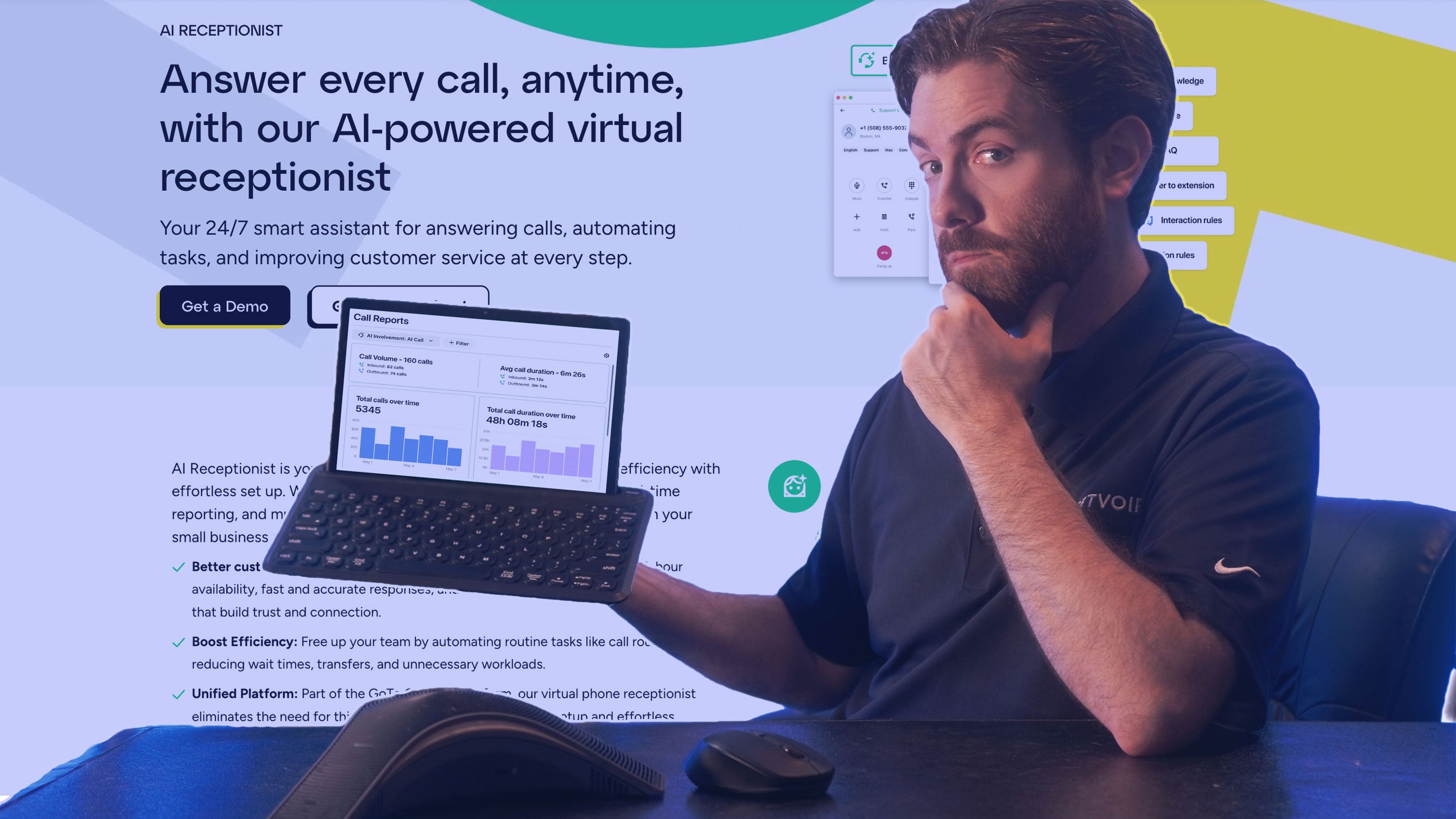
GoTo Connect is a cloud phone system first: its AI Receptionist is a feature of that system rather than a standalone product. If you're already replacing an aging PBX, or running a dozen locations on mismatched carriers, GoTo lets you put extensions, ring groups, call queues, auto attendants, SMS, video, and an AI front desk on one platform with one admin console and one support line.
The AI Receptionist answers every call, works out why the person is calling, answers routine questions from your FAQ and knowledge-base content, and routes the call to the right queue or person, including transfer by name. Because it sits inside the phone system, routing uses the same queues and dial plans your staff already work from, and the handoff carries the details it collected.
Higher tiers add AI call transcripts and summaries, AI chat analysis with sentiment ratings, sentiment and topic detection, and AI Quality Management that automatically evaluates every queue call so supervisors can coach instead of sample. For businesses that operate internationally, the 50+ country free calling bundle and 10+ receptionist languages are practical differentiators.
Pricing
GoTo Connect is per-user subscription pricing with quote-based rates. The pricing page lists no dollar figures, and every plan routes to sales. The AI Receptionist is billed in AIR credits, but GoTo doesn't publish how an AIR credit maps to calls or minutes, or what additional credits cost.
Get that in writing during the quote, alongside the per-user rate and term length, because it determines how far the included 100 credits stretch. International free calling excludes mobiles, satellite phones, and information services.
Top Features
- AI Receptionist with knowledge base answers: Handles routine questions from your FAQ content, captures caller details, routes by intent or by name, and covers after-hours calls with email summaries and SMS follow-ups. Supervisors watch interactions in real-time reporting, so you can see how the AI is handling and routing calls.
- Multilingual, branded voice: 10+ languages, regional accents, selectable voice personas, custom greetings, and a professional or conversational tone setting let each location sound local.
- AI Quality Management: Available for contact center queues, it scores every call automatically rather than a sampled handful, surfaces trends, and flags coaching opportunities. GoTo's AI Optimization add-on layers in interaction summaries, sentiment and topic detection, and topic flags.
- Free international calling to 50+ countries: Qualified plans include free landline calls to markets including the UK, Germany, Mexico, Brazil, India, China, Australia, and Canada, which matters when the AI routes callers to staff in other regions.
Setup & Configuration
GoTo says the AI Receptionist is ready within minutes and needs no technical background. Configuration happens in the Connect admin: pick the queues it can route to, describe when it should transfer, define the tasks it may perform, write the greeting, choose a voice and language, and load the FAQ and knowledge content it should answer from. Because it uses your existing dial plan, most of the routing work is already done if the phone system is set up well.
The heavier lift here is the phone system itself if you're new to GoTo: number porting, device provisioning, and dial plans across locations. GoTo handles porting and offers 24/7 support, but plan the migration as a phone-system project with an AI component, not the other way around.
Where It Falls Short
- Pricing is opaque: No published per-user rates, no published AIR credit definition, and no published top-up price make it impossible to compare cost without a quote.
- Shallower in-call actions than AI-first platforms: The receptionist answers, routes, captures, and follows up well, but GoTo publishes little about writing to CRMs or running multi-step workflows during a call. If the assistant needs to update a ticket, check an order, or take a payment, Retell or PolyAI go further.
- No AI outbound agent: The Contact Center tier includes an auto dialer and call campaigns for human agents, but there's no AI agent that makes outbound calls on its own.
Best For: GoTo Connect is best for multi-location, international SMBs that are replacing their phone system and want a dependable AI front desk built into it.
RingCentral AI Receptionist: Best For Layering Onto An Existing Phone System
RingCentral's AI Receptionist (AIR) does something the other phone-system vendors on this list don't: it works in front of a phone system you don't have to replace. Through call forwarding or a SIP connection, AIR can answer for a cloud, on-premises, or hybrid system from another provider while you keep your numbers. On RingCentral's own RingEX platform, it goes further and syncs your numbers, extensions, contacts, business hours, and routing automatically.
AIR answers in natural language instead of a menu, resolves routine questions from your website, FAQs, and uploaded documents, and routes by name, department, location, keyword, or conversation context, attaching a call summary so the person who picks up knows why the caller is there. It runs customizable intake questions and writes the results to Salesforce, HubSpot, or Zoho. It books and reschedules in-person or virtual appointments against Google or Outlook calendars, generates meeting links when needed, and texts confirmations. It speaks English, Spanish, French, Italian, German, and Portuguese, and switches language mid-call when the caller does.
RingCentral is also building past the receptionist. AIR Pro, its AI Representative product (now in early access), adds fully configurable agents for voice and digital channels, inbound and outbound conversations, multi-system workflows, and a no-code Orchestration Studio where you describe the agent in plain language and it assembles integrations, APIs, and workflows.
Pricing
AIR uses subscription plus per-minute usage pricing. Per RingCentral's pricing page:
- Standalone: from $49/month with 100 minutes included, for businesses on any phone system.
- Add-on to RingEX: from $39/month with 100 minutes included, on top of RingEX per-user phone pricing.
- Overage: $0.50 per minute pay-as-you-go, or prepaid minute bundles.
- Billing increments: call time rounds up in 30-second increments.
- Trial: 14 days free on both plans.
One hundred minutes covers roughly 30 to 50 calls at typical receptionist call lengths of two to three minutes. A business handling 300 minutes a month on the standalone plan pays $49 + (200 × $0.50) = $149; at 1,000 minutes it's $499.
Unlike conversation-based pricing, longer calls cost more, so scheduling-heavy or intake-heavy call types deserve a closer look. Standalone plans are available in the US and Canada; the UK, Australia, and EU get AIR only as an add-on. AIR Pro pricing hasn't been published.
Top Features
- Analytics that show gaps: Dashboards track call volume, resolution rate, transfers, and unanswered questions, and transcripts let you fix a weak answer in one click. RingCentral's case studies cite 60% of member calls fully resolved by AIR at Iron Workers International and a 97% CSAT at Televero Health, where monthly appointments rose from about 6,600 to 7,600.
- Lead intake: Custom intake questions sync to Salesforce, HubSpot, and Zoho; calendar booking supports virtual meetings with auto-generated links; SMS follow-ups can carry forms, instructions, or links the caller asked for.
- Works with any phone system: Call forwarding or SIP integration puts AIR in front of a third-party PBX without porting numbers, which makes it the lowest-commitment way for a company locked into another provider to add an AI front desk.
- Flexible placement in the call flow: Deploy AIR as the primary front desk, after hours only, for overflow, on specific days or numbers, or on dedicated lines for campaigns, intake, or booking.
Setup & Configuration
RingCentral AIR lets you auto-create setup builds a draft receptionist from your website, pre-filling the company description, hours, FAQs, greetings, and service overview. You review and edit it in a self-serve admin portal, adjusting greetings, routing rules, intake questions, scheduling behavior, voice, and personality, then go live.
RingCentral says most businesses are running in minutes without IT help.
If you're not a RingCentral customer, add one step: set up call forwarding or a SIP trunk from your current system and decide which numbers or hours AIR should cover. CRM and calendar connections are point-and-click. RingCentral states it doesn't train models on customer data, and AIR is designed to support HIPAA with encryption, access controls, and audit logging.
Where It Falls Short
- Per-minute overage adds up: At $0.50 a minute beyond the included 100, high-volume or long-call businesses can outspend conversation-based or contract pricing quickly. Model your actual minutes before signing.
- Agentic tier isn't generally available: Complex, multi-system workflows and outbound AI calling sit in AIR Pro, which is early access with unpublished pricing. Today's AIR is a receptionist, not a configurable agent platform.
- Limited languages: AIR’s 6 languages are narrower than GoTo's 10+, PolyAI's 75, or ElevenLabs' 90+, which matters for multilingual service areas.
Best For: RingCentral AIR is best for businesses of any size that want a proven AI receptionist without changing phone providers, or RingCentral customers who want it fully synced with their existing extensions and routing.
ElevenLabs: Best for Voice Quality and Multilingual Agents
Most voice agent platforms rent speech synthesis from someone else, and that someone is often ElevenLabs. Retell, for example, resells ElevenLabs voices at a premium per minute. ElevenAgents is what happens when the voice company builds the whole agent itself: speech recognition, turn-taking, the voice model, and the orchestration run in one co-located pipeline that ElevenLabs owns end to end, instead of being stitched together from separate vendors.
ElevenLabs' turn-detection model uses real-time speech cues to decide when to talk, pause, or wait, so the agent doesn't jump in while a caller is still thinking. Expressive Mode detects frustration, urgency, or relief and adjusts tone mid-call.
Under the voice is a capable agent platform. A visual Workflow Builder lets teams design branching flows and insert deterministic steps that gate access to sensitive data, for instance requiring identity verification before an agent reads out account details. Agents use knowledge bases with retrieval, call tools and APIs, warm-transfer to humans with full context, and run on phone, web widget, WhatsApp, email, and chat as one agent, so a customer can start on a call and finish in chat
Pricing
ElevenAgents uses tiered subscriptions with included minutes, plus flat per-minute overage and pass-through costs.
On every paid plan, additional minutes cost $0.08, text messages $0.003 each, and burst pricing of $0.16 per minute applies when you exceed your concurrency limit. Two costs sit outside the subscription: LLM usage, billed at cost and varying by model, and telephony, billed at cost by your carrier (Twilio, Telnyx, and so on).
Top Features
- Eleven v4 Turbo for live calls: About 100 ms median inference and 150 ms time to first speech, bidirectional streaming so audio starts before the LLM finishes the sentence, and consistent delivery over long calls. Professional Voice Clones work across v4 and v4 Turbo, so a brand voice holds from first turn to last.
- Deterministic workflows and real-time guardrails: Branching flows with gated steps for high-risk actions, and guardrails enforced live on what the agent can and can't say, a requirement for financial services and healthcare teams.
- Voice library and cloning: More than 17,000 voices across 90+ languages, plus instant cloning from seconds of audio, Professional Voice Clones, Voice Design from a text description, and a pronunciation dictionary for product names and jargon.
- Testing and analytics: Run full simulations before launch with pass/fail results, then review conversations and track KPIs in the same platform.
Setup & Configuration
A simple agent can be built in minutes from a template, such as a front desk, support, outbound sales, or HR benefits line, with no engineering. You pick a voice, write the system prompt or workflow nodes, attach a knowledge base, and connect a number from your carrier. Production deployments go further: designing workflows with escalation paths, writing tool definitions so the agent can look up orders or book appointments, connecting the CRM or helpdesk, configuring guardrails, and running simulations.
ElevenLabs provides SDKs, REST and WebSocket APIs, and LLM-agnostic support for teams that want to bring their own model. Enterprise customers get forward-deployed engineers.
The compliance list is unusually deep: SOC 2 Type II, ISO 27001, ISO 42001, HIPAA, PCI DSS Level 1, AIUC-1, zero-retention mode, data residency in the US, EU, and India, plus VPC and on-prem options.
Where It Falls Short
- Total cost is harder to predict than the headline suggests: LLM and telephony bill separately at cost, and burst pricing doubles the minute rate when traffic exceeds your concurrency.
- You still have to own a phone stack: ElevenLabs doesn't give your staff phones, extensions, or queues. Warm transfer needs somewhere to land, which means a carrier account and usually a contact center or PBX you already run.
- More platform than a small business needs: An owner-operator who just wants calls answered will spend more time configuring voices, prompts, and carriers than an XBert or RingCentral customer would.
Best For: ElevenLabs is best for brands where how the agent sounds is part of the product, teams serving customers in many languages, and technical CX organizations that want a premium voice layer with enterprise-grade compliance.
Bland AI: Best for High-Volume and Regulated Calling at Scale
Bland AI has repositioned from a developer-friendly outbound dialer into an enterprise platform for what it calls high-stakes calls: claims intake, identity verification, regulatory disclosures, mortgage servicing, Medicare qualification. Its core argument is architectural. Most voice AI rents telephony, speech recognition, the language model, and the voice from different companies, and every call hops between them over the public internet. Bland runs every layer itself on its own GPUs, which it says removes those network hops, keeps call data away from OpenAI, Anthropic, and Google, and lets enterprise customers run on dedicated, isolated infrastructure with releases pinned to their account.
Conversation design centers on Pathways, Bland's flow system for steps that must run in order, such as verifying identity, reading a disclosure, or confirming an amount, while everything between them stays natural conversation. Authentication zones gate every flow nested beneath them, and Flex Mode lets the agent skip ahead or backtrack when a caller does.
The voice is Bland Speech, a proprietary engine trained on phone calls that replies in about 200 ms, with roughly forty performance tags (warmly, laughs, sighs), five interruption sensitivity levels so a quick "uh-huh" doesn't derail the agent, and live speech-to-speech translation across 23 languages, including during transfers.
Pricing
Bland uses all-inclusive per-minute pricing with a platform fee on higher tiers.
Its pricing page bundles the LLM, speech-to-text, and text-to-speech into one rate with no token charges or model pass-throughs; telephony is billed separately, either on your own carrier or Bland's Twilio at pass-through cost.
The Start plan includes two free credits and an inbound number, and bring-your-own-telephony customers pay no transfer fees. On rate alone, Build's $299 fee only pays for itself above roughly 15,000 minutes a month, but most teams will buy it for the caps: Start's 100 calls a day rules out any real production volume.
More important, a long list of features is Enterprise-only, including warm and live transfers, SMS and web chat, the appointment scheduling node, in-call SMS, iMessage, custom guardrails, outcomes, BAAs, SSO, and data residency. Price an Enterprise contract if you need any of them.
Top Features
- Norm: An AI builder that acts as a forward-deployed engineer, Norm builds production-ready voice agents from plain-English instructions. It generates the structured prompt, persona, agent, Pathways, validation conditions, and extraction rules. Add an API call mid-conversation and test the request before it goes live, and attach files or existing knowledge bases for Norm to build from.
- Fluent multilingual transcription: Fluent is Bland's newest speech-to-text model, built for real-time two-way calls. On Bland's internal benchmark of 250+ hours of real call-center, sales, noisy, and accented audio, it posts about a 5.9% English word error rate. Voice activity detection tuned for phone audio understands when a caller is pausing to find an account number and when they’re finished talking.
- Self-hosted, dedicated infrastructure: Reserved GPUs, version-pinned releases with zero-downtime rollouts starting at 1% of traffic, static IPs, and on-prem or VPC deployment for Enterprise customers. Required checks block any release that fails its evaluations, and development, staging, and production environments support rollback.
- Outbound and omnichannel at scale: Batch calls from lists or triggered by Salesforce and HubSpot events, voicemail drops with text follow-up, phone-menu navigation, four TCPA guardrail checks on every plan, and on Enterprise the same agent and memory across SMS, RCS, iMessage, and web chat, with handoff to Zendesk, Intercom, or Freshdesk. Contact center integrations include Genesys, NICE CXone, Five9, Amazon Connect, and Talkdesk.
Setup & Configuration
Self-serve teams typically ship a first agent within a day, usually by describing it to Norm and then refining the Pathways it generates where the call needs more structure. Agents can also live as YAML in your repository and be managed by API, CLI, or MCP, which suits engineering teams that want version control and CI around their call logic. Knowledge comes from files, synced websites, Notion, and Google Docs, with logs of the questions the agent couldn't answer.
Enterprise rollouts follow Bland's 28-day deployment framework of scoping, building, gray/red/green-team testing, and going live, with forward-deployed engineers working alongside your team. Compliance covers SOC 2 Type I and II, HIPAA with a BAA, GDPR, PCI DSS (self-attested), ISO 27001, and FedRAMP 20x Class A.
Where It Falls Short
- Self-serve tiers are a sandbox: Daily caps and the Enterprise-only gating of warm transfers, SMS, and scheduling mean a small business can't get a complete receptionist from Start or Build.
- Telephony is still extra: The bundled rate is cleaner than component pricing, but carrier minutes and numbers sit on top, so the true per-minute cost runs higher than $0.12 to $0.14.
- Built for engineers and enterprise ops: Pathways, environments, evaluations, and YAML agents are powerful, but they assume a team that thinks in releases and test suites. Owner-operated businesses are better served by XBert or RingCentral.
Best For: Bland AI is best for enterprises in insurance, financial services, healthcare, and logistics running high-volume inbound and outbound calls that need deterministic compliance steps, dedicated infrastructure, and data that never leaves the vendor's own stack.
PolyAI: Best for Enterprise Contact Centers That Want Resolution, Not Deflection
PolyAI builds voice agents for large enterprise contact centers, and its pitch is resolution: the agent finishes the job instead of collecting details for a human. On its largest deployments, PolyAI reports 90% of calls resolved end to end with no human agent, across more than 100 million calls a year at 99.994% trailing uptime and up to 10,000 concurrent calls.
Customers include PG&E, which saved 35,000 labor hours; Carter's, which cut seasonal hiring 60%; UniCredit, up 14 NPS points; and SafeRide Health, which handles a million calls a month.
PolyAI now runs on its own models. Dialog-RSN-1 is audio-native: instead of transcribing speech to text and reasoning over the transcript, it reasons directly over raw call audio, handling turn-taking, recognition, and response in a single model. PolyAI reports a sub-300 ms voice-to-voice response in production, 89.8 turn-taking accuracy, and a 3.7% word error rate. A companion model, Dialog-Raven-3.5, carries the same agent across web chat, SMS, and messaging.
PolyAI’s Wren is an agent that maintains your existing voice AI agents. Wren reviews every production conversation on a daily loop, sends a report on what changed and what broke with the calls attached, drafts fixes, tests them, and waits for a person to approve before anything reaches a live agent.
Pricing
PolyAI offers two models on its pricing page:
- Agentic Dialog Platform with quote-based, per-minute pricing: Ongoing use is priced per minute and includes proactive performance improvements, maintenance, and 24/7 support. Billing is per second on connected time with no minimums. Security, model upgrades, integrations, telephony (bring your own carrier over SIP at no charge), all channels, testing including A/B tests on live traffic, and real-time latency and cost monitoring are included at no extra charge. Rates come from sales.
- Dialog-RSN-1 API, with published usage pricing: For teams building their own voice stack: $0.02 per connected minute billed per second, plus text tokens. Ten concurrent calls are included, with more through sales. Voice output is free until November 19, and new sign-ups before then get $100 in credit. Telephony and orchestration aren't included.
PolyAI’s platform price is effectively a managed service: you're paying for the model, the runtime, and PolyAI's ongoing optimization at one rate.
Top Features
- Dialog-RSN-1: An audio-native model that hears, reasons, and responds over raw audio, which PolyAI says makes it first to respond and last to interrupt. It's also available on its own as an API endpoint that speaks the Realtime standard.
- Wren: Daily reports, root-cause analysis with calls attached, drafted and tested fixes, outage and bad-update detection, and human approval on every change. Wren can also build a first agent from documents you upload and answer questions like “what's causing callers to drop off?” over the last 14 days.
- Complex, regulated, and outbound calls: Banking identity verification, payments, healthcare intake, outage lines at peak volume, and warranty intake that ends with a service request created. On outbound and back-office work, agents navigate other companies' phone menus and hold queues, detect human versus machine, and reactivate cold leads with CRM read and write
- Dialog Studio: Builds a working agent from a plain-language description in under 10 minutes, then supports everything from no-code editing to full code through the Agent Development Kit, a CLI and Python package with a GitHub workflow, plus MCP and REST APIs
Setup & Configuration
The self-serve path is genuinely fast for a prototype: describe the use case and get a draft agent in minutes. A production deployment, though, is a co-build. PolyAI's engineers work with your team on the first deployment, connecting the agent to your CCaaS, CRM, and back-end systems through pre-built connectors or APIs, defining guardrails and escalation rules, and testing on simulated and then live traffic. PolyAI describes the timeline as weeks, not quarters. After launch, Wren's daily loop and your team's approvals become the operating rhythm.
Budget for internal owners on the business side as well as IT. Someone has to decide which call types to automate first, what “resolved” means for each, and who approves Wren's proposed changes.
Where It Falls Short
- No published platform rates: Unless you're building on the raw API, you can't model cost before a sales conversation, and the per-minute rate bundles services that are hard to compare against component pricing.
- Overbuilt for small teams: PolyAI's value shows up at contact-center scale with complex, high-stakes calls. A single-location business that needs an AI receptionist will get more for less from XBert or RingCentral.
- The API path is a different product: Dialog-RSN-1 at $0.02 per minute is cheap, but it's a model endpoint. You supply telephony, orchestration, and tooling yourself, which puts you back in developer-platform territory.
Best For: PolyAI is best for enterprise contact centers in banking, utilities, healthcare, hospitality, and retail that want to resolve complex calls end to end in many languages, with a vendor that co-builds the deployment and keeps optimizing it.
Which Type of AI Voice Assistant Is Right for Your Business?
One of the clearest lessons from comparing these eight products is that they look alike in a roundup and behave nothing alike in production. Two products can both claim to answer calls, book appointments, and update your CRM. However, one gets there with a five-minute setup wizard; the other gets there after your engineers write tool definitions, wire up a carrier, and build a QA process.
Before you compare features, decide how much technical and operational ownership you're willing to take on.
AI Built Into a Business Phone System
Nextiva XBert, GoTo Connect, RingCentral AI Receptionist
Best for businesses that want AI call handling alongside the phone numbers, extensions, routing, and employee calling tools they already depend on.
- Easier handoffs between AI and people: The assistant transfers into the same queues, ring groups, and extensions your staff use, with the conversation summary attached, rather than to a forwarding number in another system
- One system for telephony and AI: One vendor, one bill, one admin console, and one support line. On Nextiva's NEXT platform, the AI and your team also share a single customer history.
- Less flexibility: You don't choose the model, write custom tools, or design every branch. Complex logic like multi-step eligibility checks against internal systems will hit limits sooner than on a developer platform.
No-Code or Low-Code Voice Assistant
Synthflow, ElevenLabs Agents, PolyAI Dialog Studio
Best for businesses that want more control over the assistant's behavior than a packaged receptionist allows, without turning the project into a software build.
- Visual workflow and conversation builders: Synthflow's Flow Designer, ElevenLabs' Workflow Builder, and PolyAI's Dialog Studio let operations teams map steps, branches, and escalation rules visually or in plain language.
- Faster experimentation: Simulated test calls, versioning, and rollback make it practical to change a script on Tuesday and see the effect by Friday.
- Real connections to calendars, CRMs, and helpdesks: Native connectors cover the common systems, with webhooks and APIs for the rest.
Developer-Focused Voice Platform
Retell AI, Bland AI, plus the ElevenLabs and PolyAI APIs
Best for businesses with engineering resources and calling requirements a packaged assistant can't meet.
- Control over every layer: Choose models, voices, telephony carriers, latency tiers, and conversation logic; version agents in a repository; deploy through APIs, CLIs, and MCP.
- Unique workflows: Custom function calls into internal systems, deterministic compliance steps, high-volume outbound campaigns, and IVR navigation on other companies' phone trees are all within reach.
- More implementation, testing, and upkeep: Expect to build evaluation suites, monitor production calls, manage concurrency and carrier costs, and own regressions when a model or prompt changes. Retell's AI QA and Bland's required checks exist precisely because this work is ongoing.
Choose the category first: once you know whether you're buying a finished assistant, a builder, or a set of components, the feature comparison gets much shorter and much more accurate.
How Much Does an AI Voice Assistant Really Cost?
The advertised price of a voice assistant is rarely its operating cost. Vendors bill in different units, bundle different components, and leave different pieces for you to buy elsewhere, so two quotes that look comparable can describe very different monthly bills.
Main Voice AI Pricing Models
- Monthly subscriptions: A flat fee buys a tier of usage, features, seats, and concurrency, as with ElevenAgents' Free through Business plans.
- Per-minute usage: You pay for connected talk time. Retell, Bland, and PolyAI's API all bill this way, though what a "minute" includes varies widely.
- Included-minute or included-conversation plans: A base fee covers a usage allowance, with overage beyond it: RingCentral's 100 minutes, ElevenLabs' tiered minutes, GoTo's 100 AIR credits, and XBert's 100 conversations.
- Seat or phone-system subscriptions: The AI rides on per-user phone pricing, as with Nextiva NEXT, GoTo Connect, and RingCentral RingEX.
- Platform fees plus usage: A monthly fee unlocks lower rates and higher limits, as with Bland's $299 Build plan.
- Quote-based enterprise pricing: Annual contracts scoped to volume, integrations, and support, as with Synthflow (from $30,000 a year), PolyAI's platform, and every vendor's enterprise tier.
What The Published Rates Leave Out
- Telephony: Carrier minutes are extra on ElevenLabs and Bland, and part of Retell's component bill ($0.015/min) unless you bring a SIP trunk.
- Voice or text-to-speech: Retell charges $0.015/min for standard voices and up to $0.10/min for premium ElevenLabs voices.
- AI model usage: ElevenLabs passes LLM costs through at cost; Retell's LLM line ranges from fractions of a cent to $0.16 a minute, and fast tiers roughly double it.
- Phone numbers: Retell charges $2/month per number and $10/month for verified numbers.
- Premium tools and integrations: Knowledge bases, denoising, PII redaction, guardrails, branded caller ID, and batch dialing are separate line items on some platforms; others gate them to enterprise tiers.
- Call recording, QA, and storage: Retell's AI QA costs $0.10 per analyzed minute after the first 100.
- Concurrency and burst charges: Retell charges $8 per concurrent call beyond 20; ElevenLabs doubles the minute rate to $0.16 when you exceed your plan's concurrency.
- Billing granularity: RingCentral rounds up in 30-second increments; Retell bills to the second and keeps billing during silence and hold; PolyAI bills per second on connected time.
FAQs
AI voice assistants answer or place phone calls, understand what the caller wants in natural language, and complete or route the task. Typical use cases include answering policy and pricing questions, qualifying leads, booking and rescheduling appointments, collecting intake details, checking order or account status, sending follow-up texts, and transferring to a person with the conversation summarized. More advanced platforms also run outbound campaigns, read regulatory disclosures, verify identity, and accept payments.
An AI receptionist is an AI voice assistant focused on the front desk: answering inbound calls, handling common questions, booking appointments, capturing leads, routing callers, etc.
AI voice assistant is the broader category, also covering outbound calling, collections, claims intake, technical support, and multi-step workflows inside back-end systems.
Nextiva XBert and RingCentral AI Receptionist are packaged receptionists that extend into broader work.
Retell, Bland, and PolyAI are general-purpose platforms that can be configured as receptionists or as something far more specialized.
An AI voice assistant updates a CRM or books appointments via third-party integrations and APIs that the AI assistant is connected to. When a caller asks for Thursday afternoon, the assistant queries a connected calendar for open slots, offers them, and makes the booking once the caller confirms. CRM updates work the same way: the assistant collects the details, then creates or updates the record in the connected CRM system.
Most do, but coverage varies widely. For example, RingCentral AI Receptionist supports six languages and switches languages mid-call. GoTo Connect's AI Receptionist supports 10+, while Bland's Babel supports close to 100 with mid-sentence language switching. PolyAI cites 75 languages, and ElevenLabs supports 90+ with more than 17,000 voices. Always test the specific languages and accents callers use, since quality isn't uniform across a vendor's list.