

3CX AI Receptionist gives businesses a way to answer questions and route calls through the phone system they already use. Callers can explain what they need in their own words, while the AI works out which employee or department should take the call.
For existing 3CX customers, the cost of adding the AI Receptionist is modest. The entry-level AI Edition license is $180 more per year than the equivalent PRO license at published list prices. AI usage costs extra, though, and someone still has to configure the service and maintain its rules.
For a new customer, the calculation is different. Adopting 3CX means evaluating the phone platform as well as the receptionist. Its routing options and administrative control will appeal to some businesses; others will prefer an answering service that takes less work to manage.
What Is 3CX AI Receptionist?
3CX AI Receptionist is a conversational call-handling feature within the 3CX business phone system. It can answer incoming calls, understand requests, provide business information, and route callers without requiring them to work through a numbered phone menu.
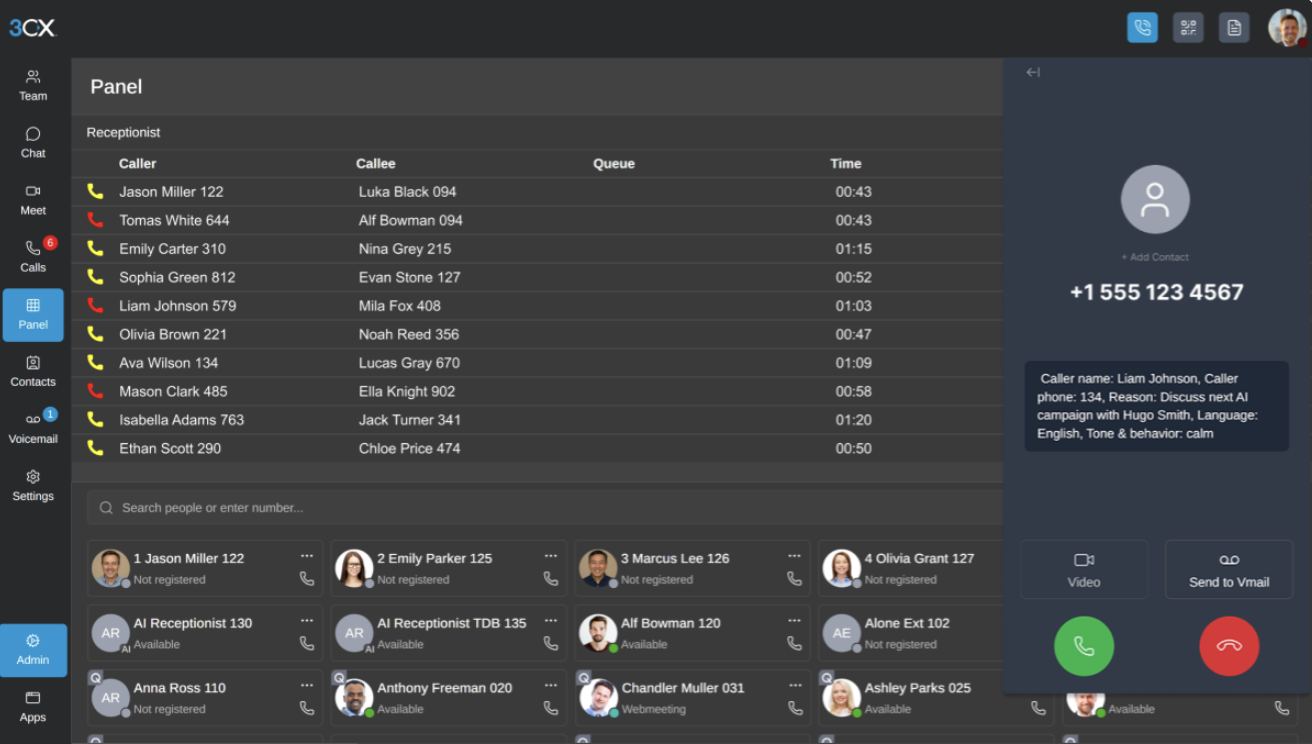
The product page describes multilingual, round-the-clock call handling. To use it, you need 3CX AI Edition and a separately configured AI provider.
The receptionist runs within a phone system that has its own licensing, numbers, carrier connections, and administration. That gives it access to the company's call-routing structure, which is useful when inquiries need to reach different teams. It also makes deployment more involved than subscribing to a standalone answering service.
Receptionist, Personal Assistant, and Customer Service Agent are Different Roles
3CX uses "AI Agents" to describe several products with different responsibilities:
| Agent | Main purpose | Where it fits |
| AI Receptionist | Handle general incoming calls and direct callers | Main business number |
| AI Personal Assistant | Screen calls for an individual and respect their availability | Protecting a manager's or executive's time |
| AI Customer Service Agent | Investigate questions using knowledge sources and escalate unresolved issues | First-line support, introduced in Update 10 alpha |
The Personal Assistant uses trusted contacts and availability rules to manage calls for one person. The receptionist handles general inquiries, while the Customer Service Agent is intended to work through support questions. Connecting someone to accounts and resolving their invoice dispute require different capabilities, even if both begin with the same call.
What Is Available Now, and What Is Still in Alpha?
The core receptionist features are already available in the production version of 3CX. That includes intent-based call routing, multilingual conversations, personal assistants, knowledge sources, name-based routing, spam filtering, and AI-generated emails during calls.
Some of the more ambitious features are still tied to Update 10, which remains in alpha. These include the newer Customer Service Agent, programmable voice applications, and realtime conversations powered by xAI Grok.
For most businesses, that creates a fairly clear dividing line. The existing receptionist is something you can deploy and test today. The Update 10 features are better viewed as a preview of where the platform is heading rather than capabilities to build an important call flow around yet.
Grok is a good example of the difference. It can already be used for transcription, but using Grok to power the live conversation itself requires Update 10 Alpha 2. Since 3CX advises against using that release in production, businesses that want Grok as the realtime provider would need to wait for a stable release.
3CX AI Receptionist Pricing
3CX charges an annual phone-system license based on simultaneous calls rather than a monthly fee for each employee. Its pricing explanation says this includes internal and external calls occurring at the same time.
The live USD price list showed these standard annual prices for AI Edition:
| Simultaneous calls | Maximum users/extensions shown | AI Edition per year | Monthly equivalent, license only |
| 8 | 40 | $575 | $47.92 |
| 16 | 80 | $1,095 | $91.25 |
| 24 | 120 | $1,495 | $124.58 |
| 32 | 192 | $1,795 | $149.58 |
Monthly equivalents are annual prices divided by 12, not monthly billing offers. Prices exclude tax/VAT. Currency, portal pricing, and promotions can differ.
These figures cover the software license. AI usage, phone service, hosting, and implementation can add to the bill.
What else do you pay for?
| Cost | What to include in your evaluation |
| 3CX license | AI Edition at the capacity your system needs |
| AI-provider usage | Live conversation and other enabled AI workloads |
| Phone service | Numbers, SIP trunk service, and carrier call charges |
| Hosting | 3CX hosting or the infrastructure you operate elsewhere |
| Implementation and support | Initial configuration, testing, maintenance, and any partner fees |
3CX's OpenAI setup requires a paid API account with credit, model access, and appropriate limits. The license does not include a bundle of AI minutes. Published transcription rates are not a suitable estimate for live conversations, which also require the model to reason and respond throughout the call.
Existing PRO customers should look at the additional license cost. At eight simultaneous calls, PRO costs $395 a year and AI costs $575, a $180 difference at list price. That does not establish the price of a midterm upgrade, but it provides a useful starting point for a quote. Businesses moving to 3CX also need to account for migration and administration.
How Much Call Capacity Do You Need?
A forty-person business may need relatively few simultaneous calls, while a smaller team with a busy inbound line could need more. Peak demand is the useful starting point. If the receptionist answers calls that previously went unanswered, those conversations will also consume capacity.
The AI account has separate limits. 3CX's rate-limit guidance warns that exceeding provider limits can interrupt responses and transfers. Both the phone-system license and the API account need to support the expected load.
A pilot should establish actual usage costs alongside the proportion of calls handled correctly. Include the staff time spent following up or correcting mistakes when assessing savings.
Setting Up 3CX AI Receptionist
The configuration process involves connecting an AI provider, creating an agent, assigning its identity and phone-number routing, and configuring greetings, language behavior, call destinations, and instructions.
An experienced 3CX administrator should recognize much of this process. A business owner who has never configured a phone system or managed an API account will probably want help from an IT colleague or partner.
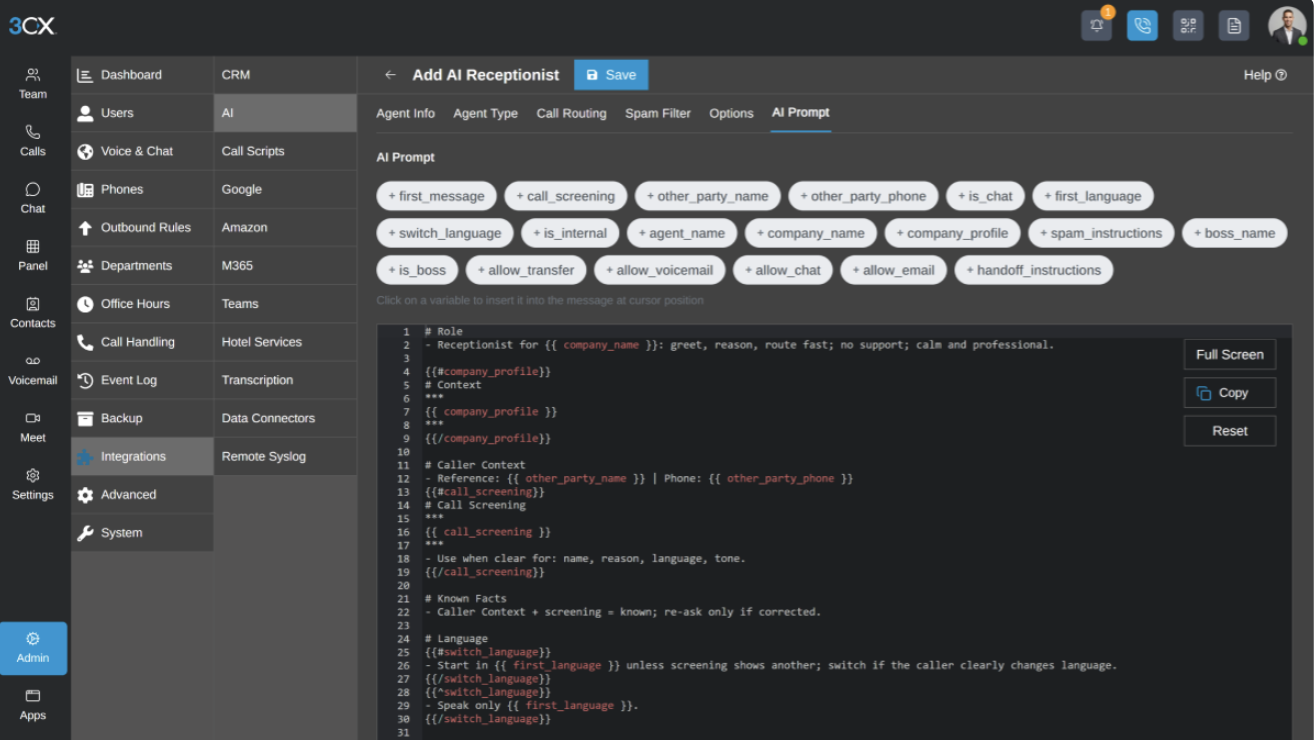
Much of the preparation involves documenting decisions a human receptionist makes instinctively. The agent needs rules for ambiguous inquiries, after-hours calls, information it may disclose, and situations that require a person. An up-to-date directory and clear departmental responsibilities will make this easier.
A limited rollout gives the business room to refine those rules. Start with a particular number or overflow scenario, then review where callers get stuck before expanding the agent's responsibilities.
Can You Try It Free?
3CX's trial page describes a one-month PRO trial for self-managed deployment. The receptionist requires AI Edition, so its inclusion in a generic trial needs confirmation.
Ask 3CX or your partner which edition and version you can evaluate, for how long, and whether you will pay AI-provider charges during that period.
Call Handling and Receptionist Features
The following are some unique call handing features of 3CX AI Receptionist:
Routing by Name and Reason for Calling
A caller can describe a billing problem without knowing whether the company calls that department "accounts," "finance," or "customer service." The receptionist translates the request into a call destination, asking for clarification where necessary.
3CX supports routing to extensions and queues, with department-aware handling and directory-based identification. This connection to the existing directory and routing structure is one of the product's strongest selling points.
It is particularly useful for ambiguous requests such as "I need help with my account," which could mean a payment query or a login problem. A short clarification could prevent a transfer to the wrong team. For simpler calls, however, a clear two-option menu may be quicker than an agent that asks unnecessary questions.
Business Knowledge Can Reduce Routine Interruptions
Knowledge sources let agents answer questions using company information. Opening hours, service coverage, required paperwork, and standard returns procedures are all plausible uses because the answers rarely require access to a live customer record.
3CX's knowledge-source guidance recommends clearly separated topics and clean, structured files. It also cautions that uploaded knowledge is not a live inventory lookup system.
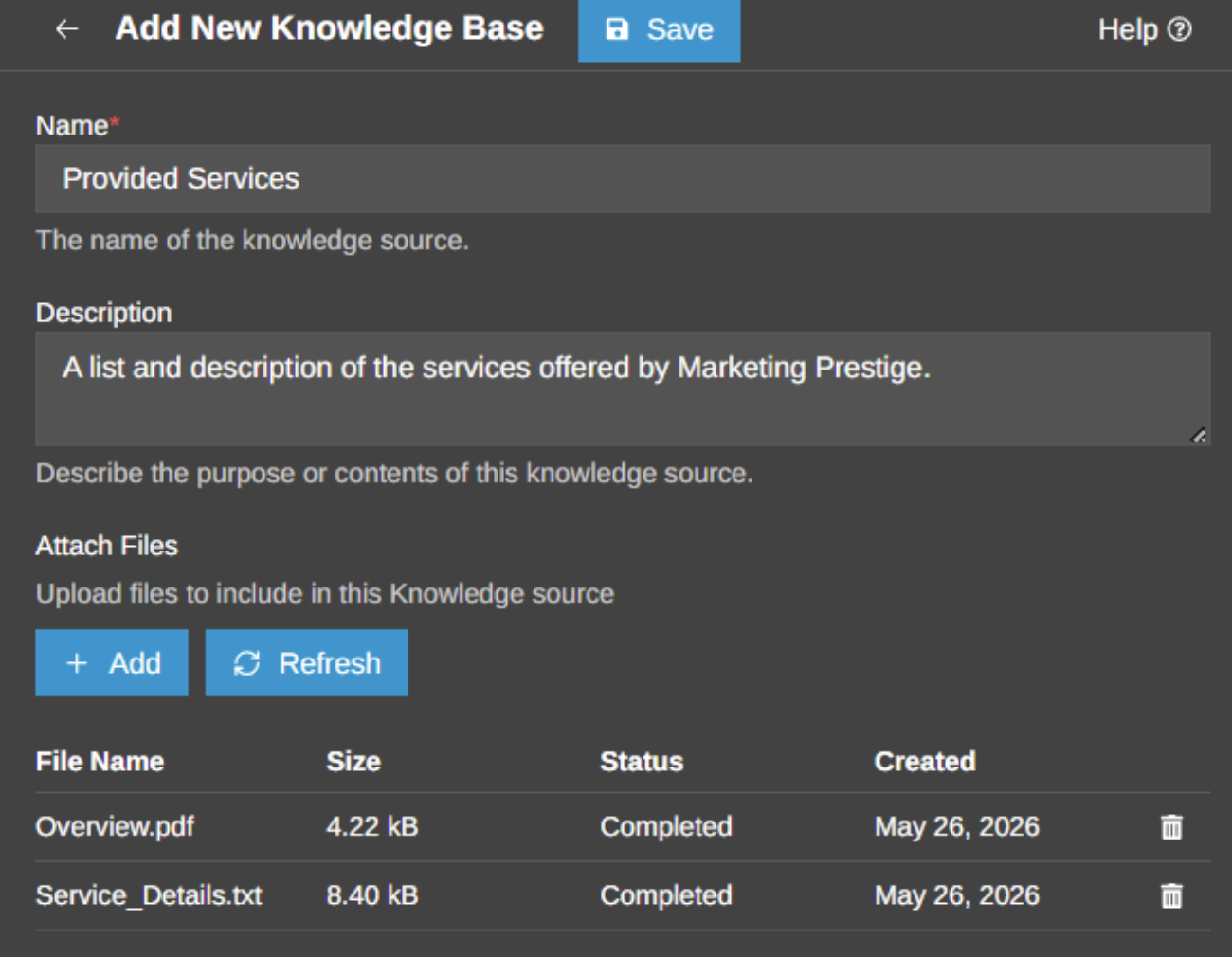
For example, the agent could explain a return policy from an uploaded document. Confirming whether a particular refund has been approved requires current account information and permission to access it.
Maintaining the knowledge base takes some work. A focused set of current answers should be easier to manage than a large collection of documents containing old policies or conflicting instructions. Someone needs responsibility for updating it when the business changes.
Multilingual Conversations
3CX supports multilingual conversations and configurable language behavior. Businesses serving several language communities could use one number to handle more of those callers without requiring a multilingual employee to answer every call.
The AI agent is trained by the business to understand names, addresses, and industry terminology accurately in each language. Appropriate routing also needs to match, for example, a Spanish-speaking caller is transferred to a Spanish-speaking employee if necessary.
Spam Filtering
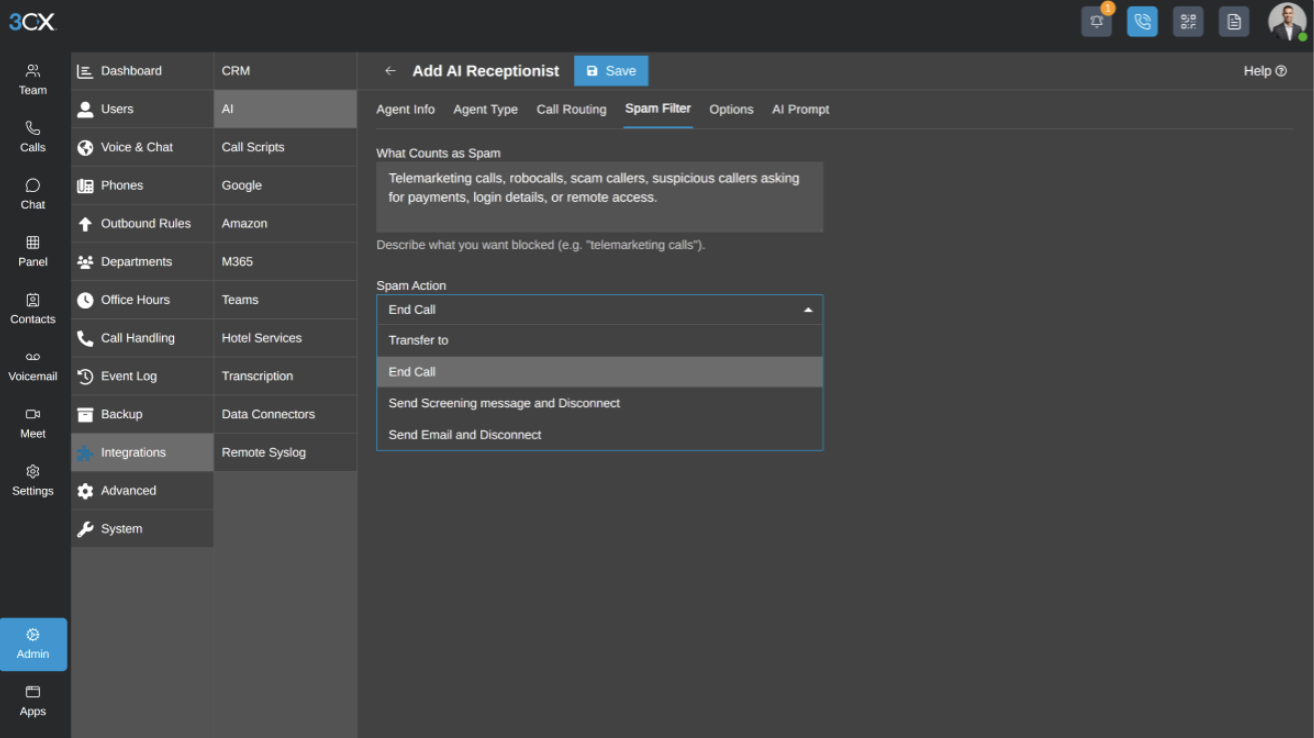
3CX can screen suspected spam calls before they reach employees, which is useful for businesses that receive a high volume of unsolicited calls on public-facing numbers.
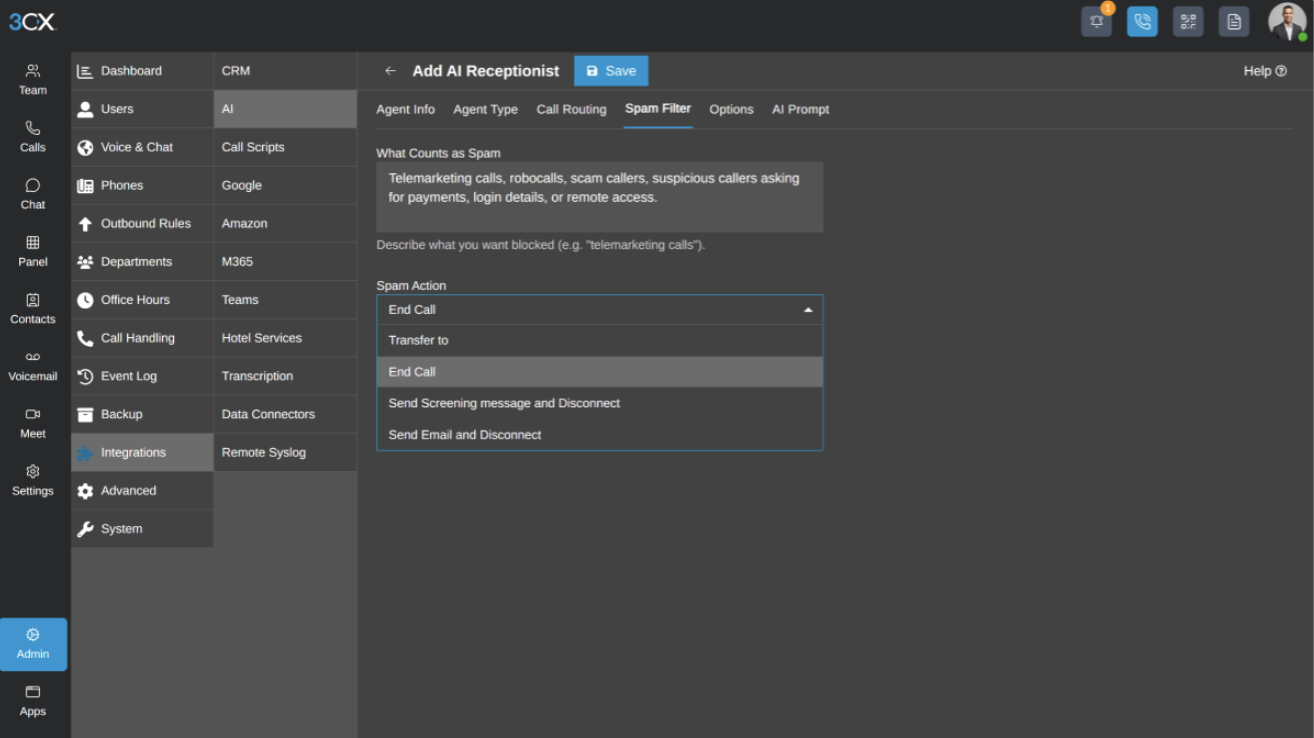
The tradeoff is the risk of false positives. A genuine prospect may sound like a cold caller, and unusual wording can be easy to misread. Spam filtering is therefore something to tune rather than simply switch on and forget. Reviewing blocked calls during the early stages should help catch legitimate callers before the rules become too aggressive.
Email Follow-up
Update 9 also adds email drafting and sending during calls, using your own SMTP provider. This reduces the manual work involved in sending follow-up information and call summaries.
The setup needs rules for recipients and permitted content. Booking confirmations deserve particular care: the email should reflect a completed booking in the relevant system, rather than simply repeat what the caller requested.
Transferring Unresolved Calls
Not every call should stay with the AI until it reaches an answer. If the receptionist misunderstands the caller repeatedly, encounters a complaint, or is simply asked for a person, it needs a clear point at which to hand the call off.
The harder part is deciding where that call should go. A business with several teams may need different escalation paths for sales, billing, support, and general inquiries. Sending every unresolved call to the same queue can defeat some of the benefit, especially if staff then have to work out the caller’s intent from scratch after the AI has already tried and failed.
CRM Integrations and Appointment Booking
3CX's CRM directory distinguishes integrations maintained by 3CX from those supported by vendors. The distinction affects who you rely on to maintain a connector or resolve a problem.
Its CRM integration documentation describes contact lookup, contact creation, and journaling configuration. These are useful phone-system functions, but they do not establish which CRM actions the built-in receptionist can perform autonomously.
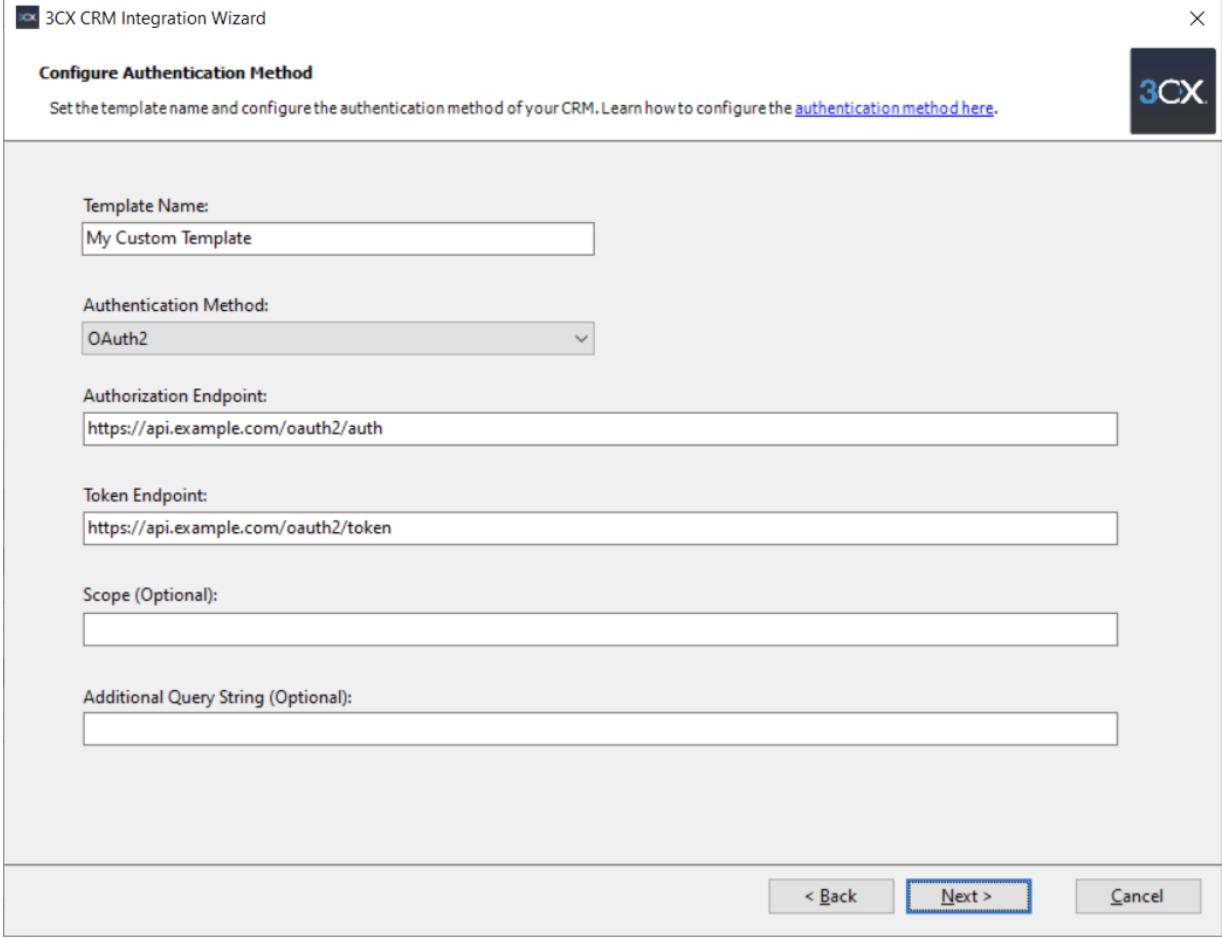
A buyer interested in qualification, account updates, or ticket creation needs to check the specific workflow. Identify what information the agent can retrieve, what it can change, and what still requires an employee. A supported CRM connection alone does not answer those questions.
Appointment Booking Needs Closer Scrutiny
Scheduling is mentioned as a capability, but in practice the standard receptionist setup does not appear to offer a complete, plug-and-play booking workflow across different calendar systems.
3CX does document a development option. Programmable Extensions connect externally hosted voice applications to the phone system, with examples that can be extended for appointments and other business tools. This requires Update 10 and application development beyond configuring the standard receptionist.
If booking is central to the purchase, request a demonstration using your calendar or practice-management system. It should cover creating, rescheduling, and canceling appointments, including a slot that becomes unavailable during the conversation. Without that evidence, budget for appointment-request capture and staff follow-up rather than assume full booking automation.
Where Is Caller Data Processed?
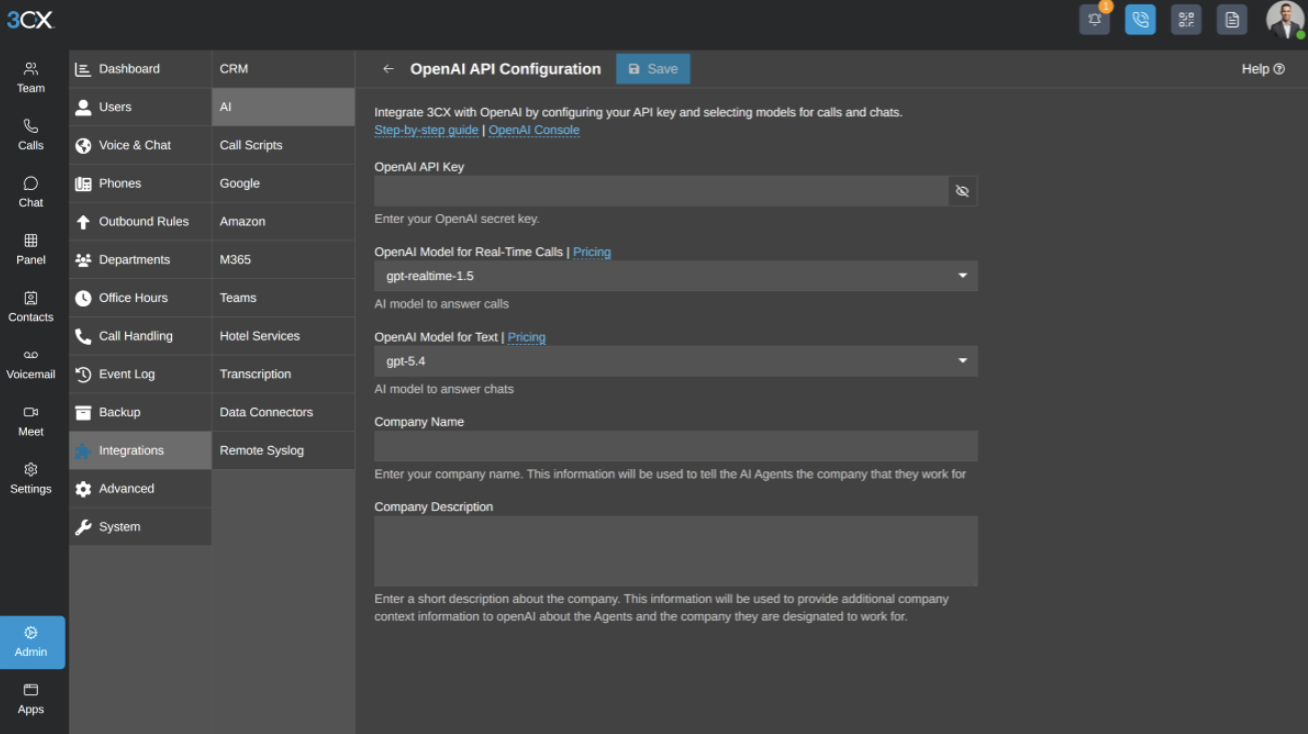
The OpenAI integration's technical notes describe connections to OpenAI and realtime audio over WebRTC. The voice processing therefore involves an external provider even when the PBX runs on your own server.
3CX also offers local transcription, as described in its Update 8 announcement. That option concerns transcription; it does not make the cloud-connected receptionist a fully local service.
Businesses handling sensitive calls need to account for audio, uploaded knowledge, recordings, transcripts, and generated emails when reviewing data access and retention. The relevant questions are which provider processes each item, where it is stored, and who can retrieve or delete it.
The receptionist's instructions can also limit unnecessary collection. A name, callback number, and general reason for calling may be enough to route an inquiry without asking the caller for confidential details.
Administration and Reliability
Here are some things you should know about the administration and reliability of 3CX AI Receptionist:
Troubleshooting Can Involve Several Providers
When a call fails, the cause could be the phone system, carrier, network, AI account, or configuration. This creates a support responsibility for the business or its partner, particularly when it is unclear which service caused the problem.
3CX provides fallback options for situations where the AI provider is unavailable or the intended destination cannot take the call. In practice, those safeguards still need to be tested as part of the wider call flow, with a reliable non-AI destination available if the receptionist stops responding.
Only One Realtime Provider Can Be Active
3CX lets you choose which realtime AI provider powers the receptionist, but only one can be active across the PBX at a time.
In practice, that means different departments cannot run different built-in realtime providers simultaneously, and there does not appear to be automatic failover between OpenAI and Grok if the active provider goes down.
Provider and model changes add ongoing maintenance work. Administrators need to follow the recommendations for their installed version and retest the call flow when changing the service behind it.
Who Is 3CX AI Receptionist Best For?
Existing 3CX customers have the clearest reason to consider it. A business with several departments, recurring inquiries, and an administrator or partner can add AI reception without learning an entirely new phone platform.
Companies already replacing their phone system should also include it in the evaluation. They can weigh the receptionist alongside 3CX's routing, administration, carrier options, and overall cost.
For a sole operator seeking a managed answering service, the administrative work may outweigh the license savings. Businesses buying primarily for booking or account transactions should resolve the integration questions before committing; those requirements could turn a standard deployment into a development project.
What to Test During an Evaluation
This review does not establish response speed, accent recognition, interruption handling, or transfer accuracy. Those need live-call testing, ideally with the same background noise, corrections, and unfamiliar names that staff encounter every day.
An evaluation should include the following:
| Test | What a successful outcome looks like |
| Ask for an employee with a difficult or ambiguous name | Correct clarification and transfer |
| Describe a problem without naming a department | Minimal questions before the correct destination |
| Call when the destination is unavailable | A usable fallback, without a transfer loop |
| Ask a question outside the knowledge base | An honest limitation and appropriate handoff |
| Interrupt, correct yourself, or call from a noisy location | Recovery without losing the request |
| Ask for a human immediately | A clear, practical escape route |
| Place several calls at once in a planned load test | Acceptable behavior under expected peak load |
| Simulate a provider failure in a test environment | Conventional call handling remains usable |
| Request an email or booking-related action | Delivery or booking confirmed in the relevant system |
Track correct-routing rate, time to a human, caller abandonment, staff rework, and total cost. Compare those results with the current menu or receptionist process to see whether the AI actually reduces delays and workload.
Final Verdict
3CX AI Receptionist is worth evaluating for an existing customer whose staff spend too much time answering routine questions and transferring calls. The connection to the company's directory and routing structure gives it a useful role, and the additional license cost may be relatively small.
The strongest case is for reception work with clear answers and destinations. Appointment management, live account queries, and other transactions need closer investigation, particularly where the solution depends on Update 10 or custom development.
For buyers new to 3CX, the receptionist alone is not enough reason to switch. The wider phone system should also suit the business, and the quote should include the services and support needed to run it. If both conditions are met, 3CX offers a credible way to bring AI into everyday call handling.