
Missed calls create extra work and can cost a business its next customer. Reception.ai, an AI receptionist from ElevenLabs, aims to close that gap by answering questions, booking appointments, taking messages, and routing calls around the clock. Marketed as Reception by ElevenAgents, it combines voice conversations with scheduling and business management tools.
Its appeal extends beyond automated answering: the receptionist can act on the caller’s request using your services, staff schedules, and availability. This review examines the product’s capabilities, pricing, and limitations to explain where it offers value and what businesses should check before subscribing.
What Is Reception.ai?
Reception.ai is an AI receptionist platform designed for small and medium-sized businesses. It brings together inbound call handling, appointment scheduling, customer records, a business knowledge base, and reporting. A public booking page also lets customers schedule appointments online.
The receptionist uses information about your business to answer questions and handle requests. During a conversation, it can check appointment availability, gather contact details, create a booking, take a message, or transfer the caller. Questions it cannot answer can be recorded for your team to review.
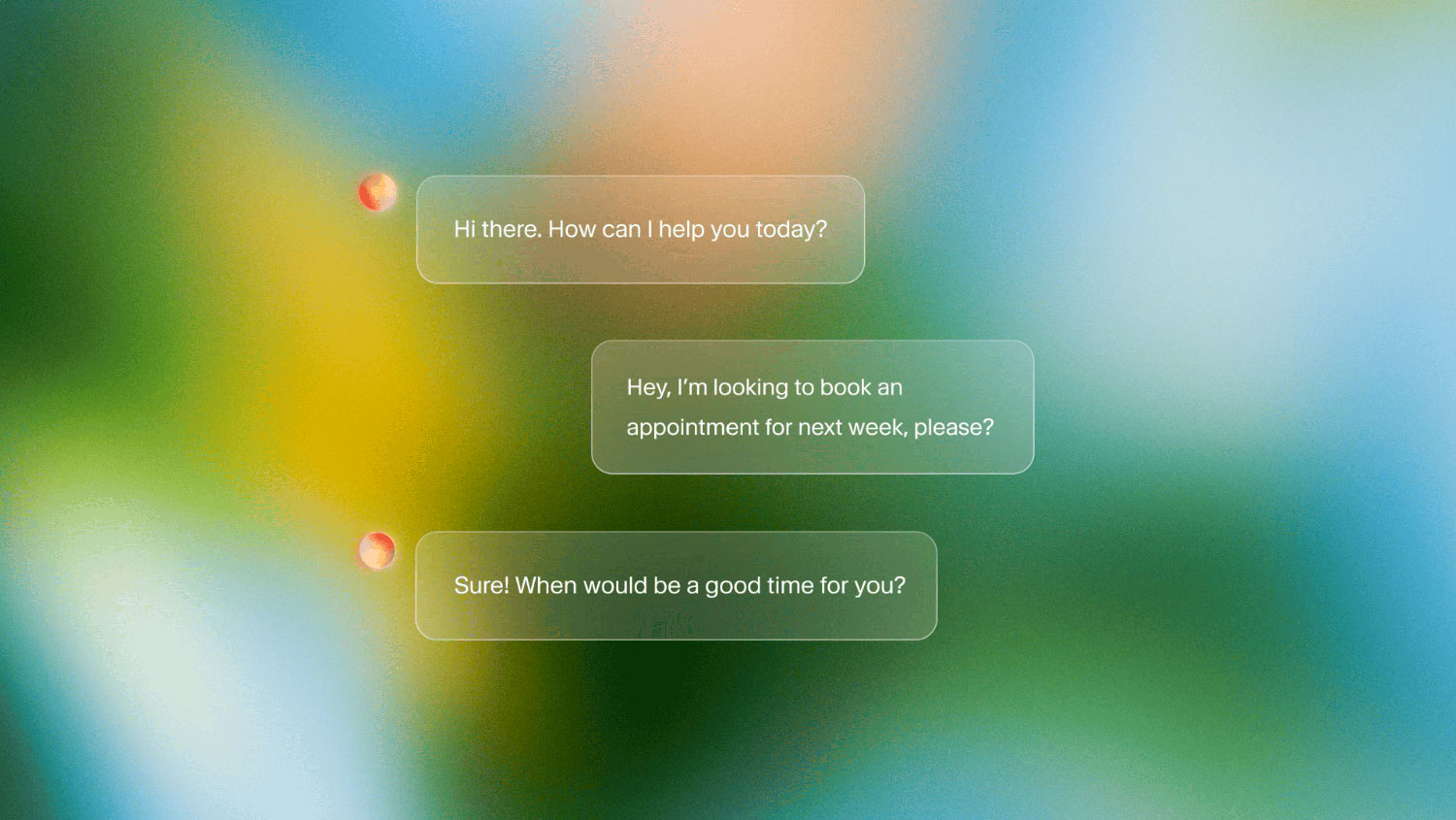
For a wellness studio, that could mean explaining treatment options, finding an available practitioner, and booking a session during the same call. A home services business could use it to collect inquiry details and route specific requests to the appropriate person.
The product is most relevant when incoming calls follow recognizable patterns and have clear outcomes. Businesses with repeatable booking, intake, and customer-service processes have more opportunities to benefit from its automation.
Pricing and Plans
Reception.ai offers a 14-day free trial, three standard subscriptions, and a custom Enterprise plan. The main differences are usage allowances, simultaneous-call capacity, and the number of receptionists, phone numbers, and locations supported.
| Plan | Monthly price before tax | Included phone minutes* | Phone numbers | Simultaneous calls |
| Free trial | $0 for 14 days | 30 | 1 | 20 |
| Basic | $29 | 75 | 1 | 1 |
| Plus | $79 | 275 | 3 | 3 |
| Premium | $199 | 1,000 | 5 | 10 |
| Enterprise | Custom | Custom | Custom | Elevated limits |
The phone-minute allowance comes from a shared credit pool. Other chargeable activities reduce the balance available for calls.
Overage costs are $0.45 per phone minute on Basic, $0.38 on Plus, and $0.30 on Premium. Enterprise offers additional options such as custom SSO, negotiated service terms, priority support, and larger resource allocations.
Annual billing and the free trial
The billing documentation lists annual prices of $288 for Basic, $792 for Plus, and $1,992 for Premium. These correspond to monthly equivalents of $24, $66, and $166, paid annually.
The free trial requires no credit card and includes a dedicated number and access to advanced features. Its simultaneous-call allowance is higher than that of the standard paid plans, so businesses should evaluate the capacity of their intended subscription separately.
How the shared credit system works
Reception.ai charges different activities against the same monthly balance:
- AI receptionist calls: one credit per minute.
- Web chat sessions: half a credit per minute.
- Staff-first calls answered by a person: one credit per minute.
- Business assistant messages: 0.1 credit per message.
The advertised phone and web-chat allowances are therefore alternative ways to use the same credits, rather than separate allowances. Unused credits do not roll over, and the business assistant has an additional daily message cap.
For an illustrative month containing only 300 phone minutes, the published rates produce the following costs:
| Plan | Subscription and overage | Total before tax |
| Basic | $29 + 225 minutes × $0.45 | $130.25 |
| Plus | $79 + 25 minutes × $0.38 | $88.50 |
| Premium | All minutes included | $199 |
Basic suits light traffic, while Plus can become more economical as usage increases. Premium adds capacity for busier teams and multiple locations. The right choice depends on both total usage and how often calls arrive together.
Setup and Ease of Use
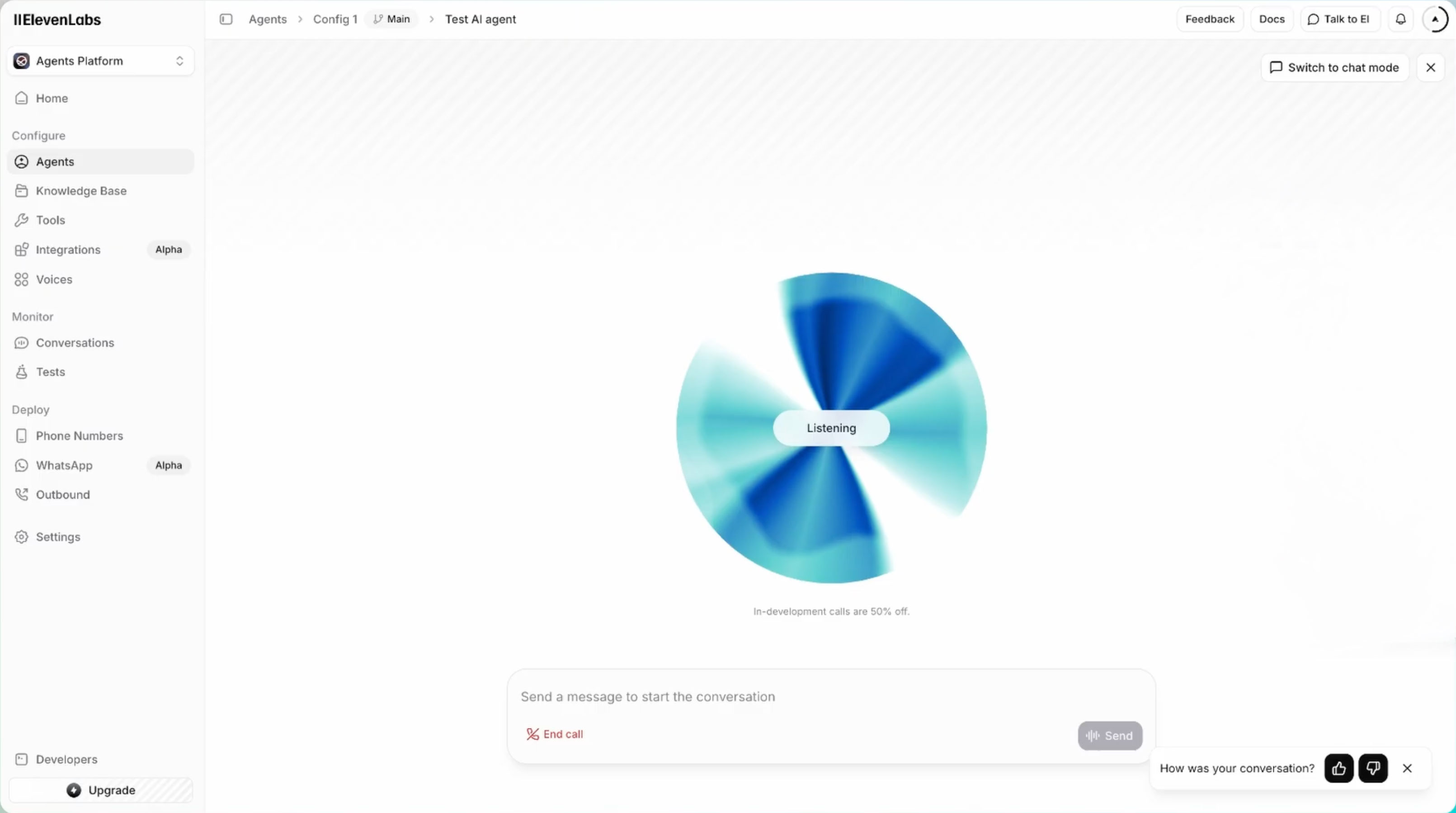
Reception.ai scans your website to collect services, prices, appointment durations, staff details, opening hours, and contact information. Users can choose different scan depths or enter information manually, then configure the receptionist and test it through a browser conversation.
This reduces the amount of initial data entry, especially for businesses with a detailed, current website. However, the advertised setup time of under five minutes describes initial onboarding; preparing the system for customers may take longer.
Before going live, check imported information, connect calendars, confirm staff assignments, and define how exceptions should be handled. A website may describe a service accurately without specifying which employees provide it or how much preparation time it requires.
The setup process appears accessible, but a reliable receptionist depends on complete business information and someone taking responsibility for maintaining it.
Top Features and Standout Capabilities
Reception.ai’s strongest features connect customer conversations with everyday business tasks. The following seven capabilities explain how it handles calls, manages bookings, and gives staff visibility into the results.
1. Flexible Call Coverage and Routing
Reception.ai can answer calls immediately or let a staff phone ring first. In staff-first mode, the AI takes over when nobody answers within a configurable five-to-60-second window. Businesses can schedule when this mode applies, allowing employees to handle daytime calls while the AI answers directly after hours.
The platform also supports natural-language behavior instructions and up to ten transfer rules per receptionist. These controls help businesses define what the receptionist should say, which information it should collect, and when a caller should reach a particular person or department.
This makes the product useful for overflow coverage as well as full-time automated answering. Businesses can introduce it gradually, review the conversations it handles, and expand its responsibilities once the results meet their expectations.
2. Multilingual Conversations and Customizable Voices
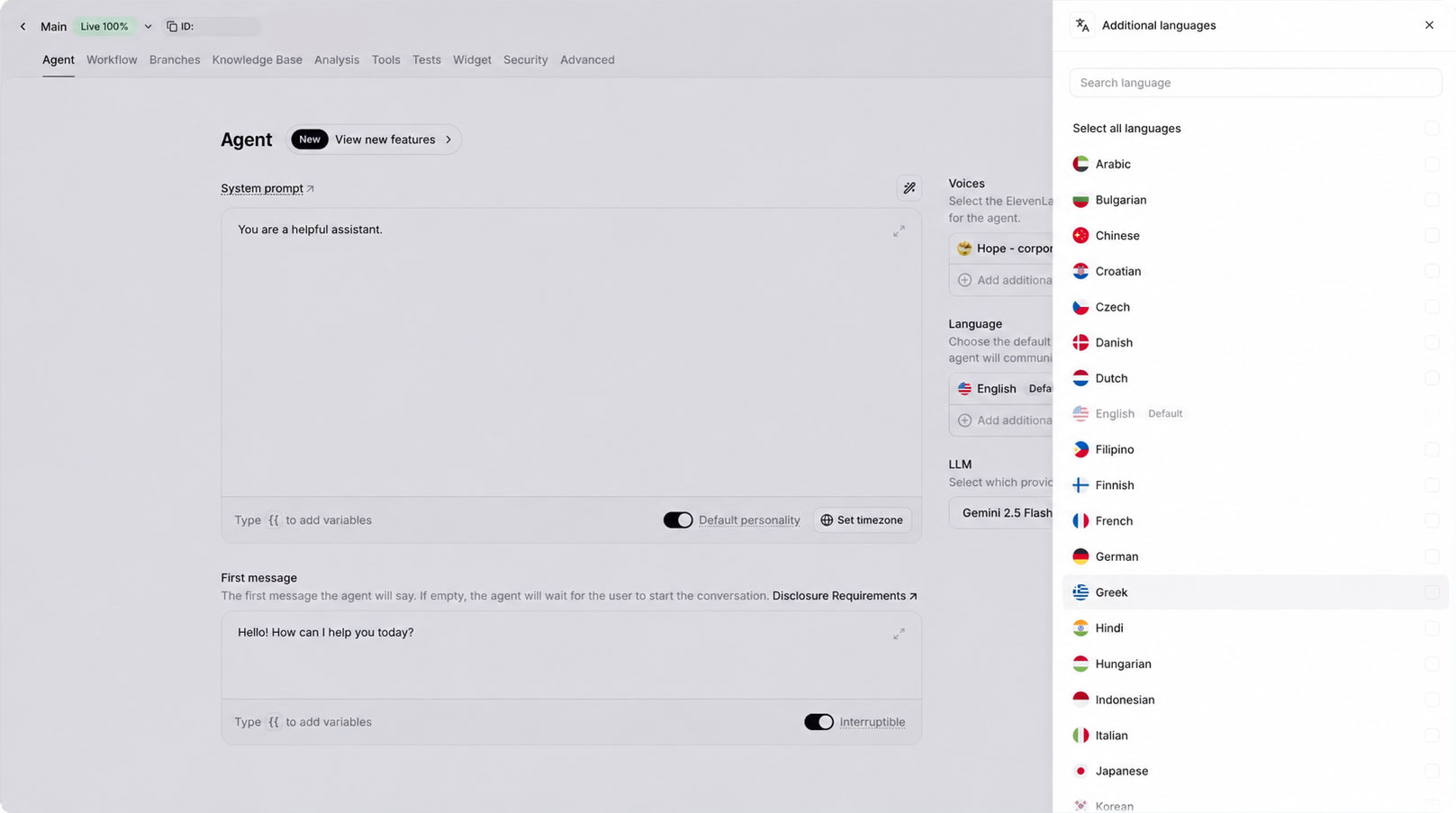
Reception.ai supports more than 70 languages, with configurable default languages and automatic switching during conversations. Businesses can select a voice, customize the opening greeting, and provide instructions about tone and conversational style.
For companies serving several language communities, this could make telephone support more accessible without requiring separate staffing for every language. Voice selection also gives businesses some control over how their brand sounds to callers.
Language coverage does not guarantee equally strong results in every language. Voices can perform differently across languages, making tests with local names, service terminology, and representative callers worthwhile.
3. Scheduling That Considers Staff, Services, and Resources
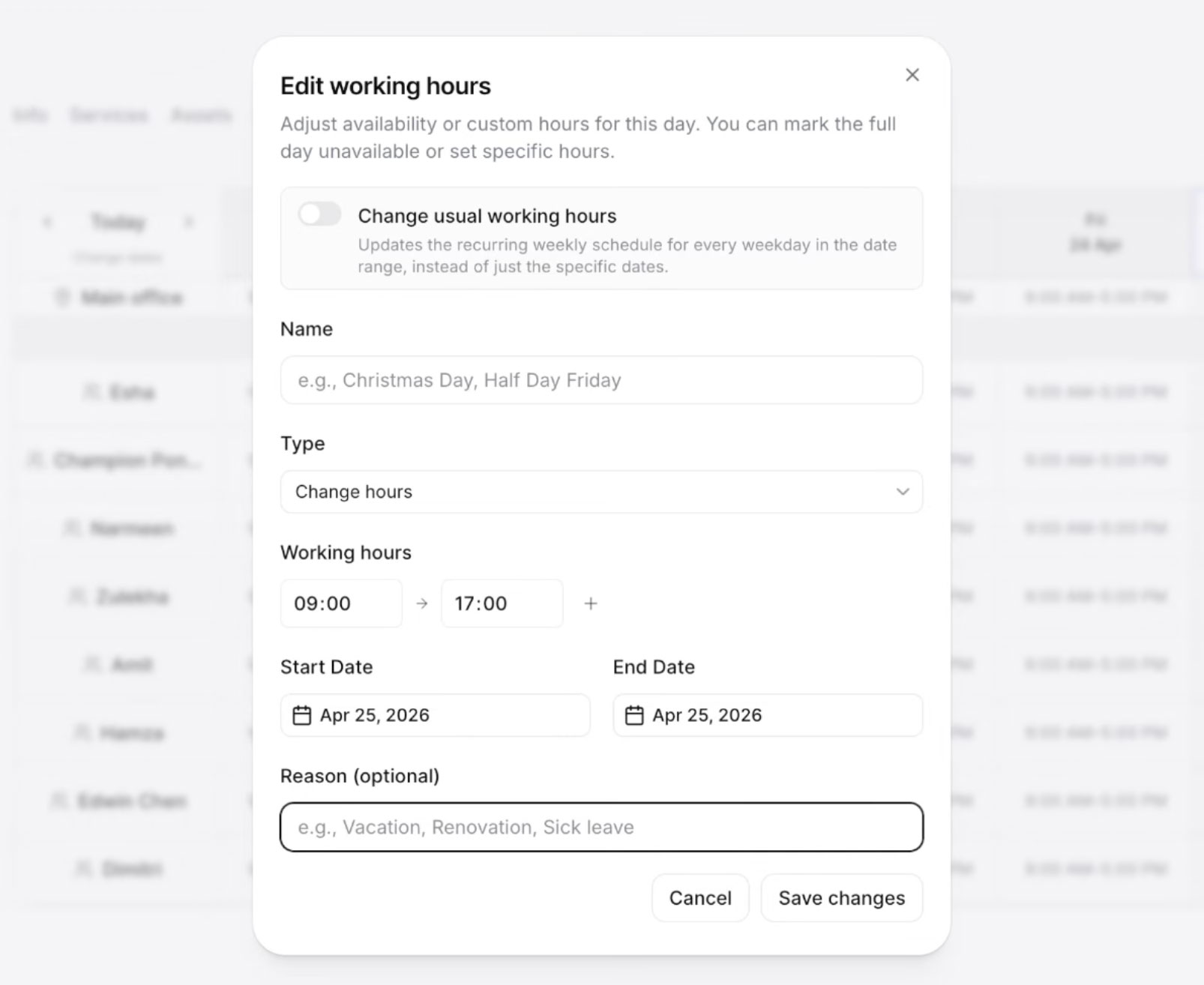
Reception.ai checks more than an empty calendar slot before offering an appointment. Its scheduling system connects services, qualified staff, physical resources, and operating hours. Phone bookings, online bookings, and appointments entered by employees use the same underlying calendar.
This is useful for businesses where availability depends on several conditions. A practitioner may be free while a treatment room is occupied, or an appointment may require equipment shared across the team. The system can account for those constraints when they are configured correctly.
Supported service types include standard appointments, home or mobile visits, group sessions, and rentals. Businesses can also configure duration-and-price variants, preparation buffers, travel padding, and add-ons. Travel padding helps reserve time between visits, although the reviewed documentation does not establish automatic route optimization.
4. Online Booking and Customer Self-Service
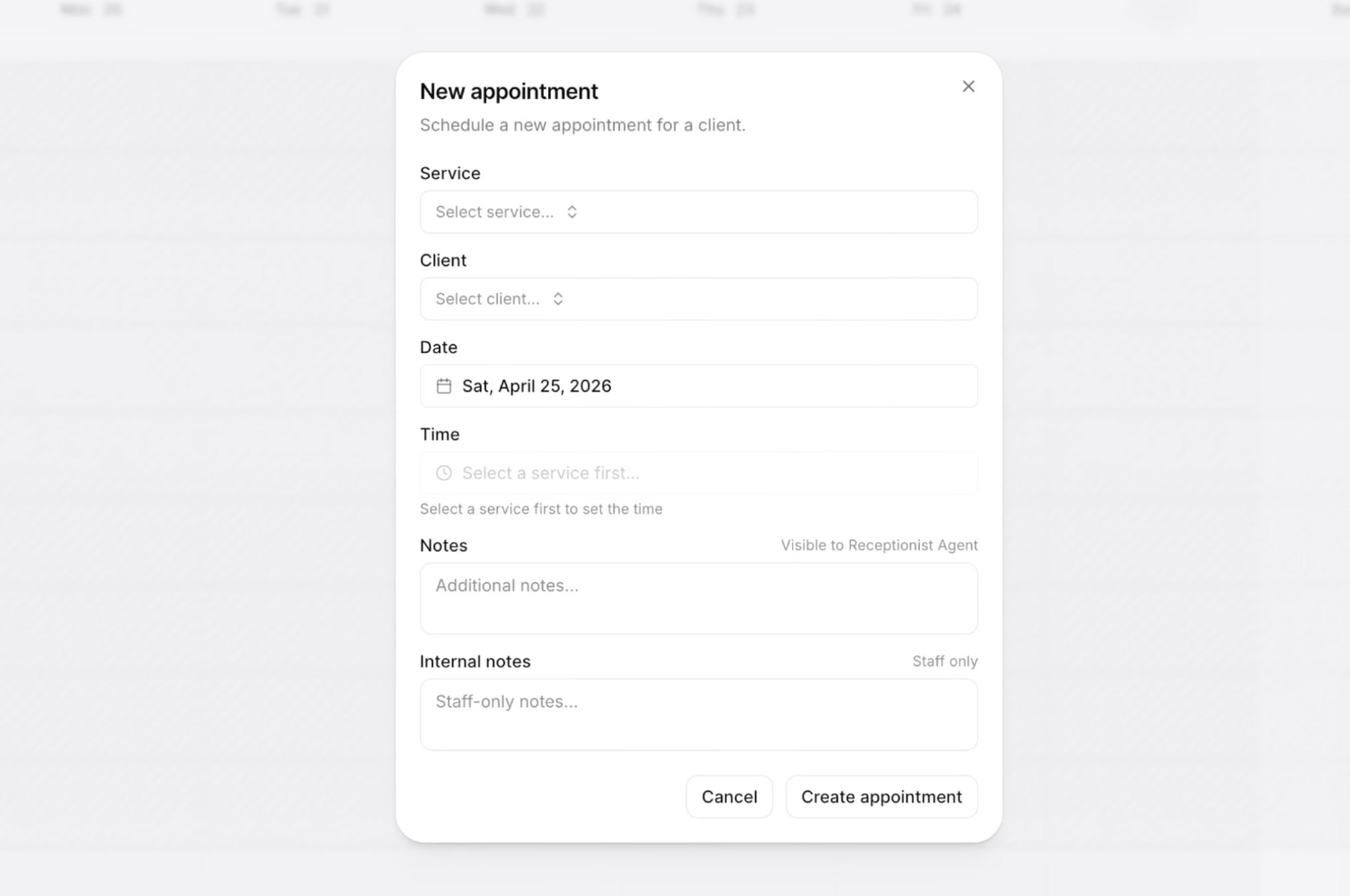
The hosted booking page lets customers browse services, optionally choose a staff member, and select an available time. Confirmation emails include a management link that customers can use to view, reschedule, or cancel appointments without creating an account.
Using the same availability rules for telephone and online bookings helps keep scheduling consistent. It also accommodates customers who prefer to book independently, giving businesses a straightforward destination for a website button, social profile, or email signature.
Self-service changes can reduce routine administrative calls. Customers can handle simple adjustments themselves while employees focus on requests that need personal attention.
5. Conversation Records and Knowledge-Gap Tracking
The inbox collects transcripts, call details, outcome summaries, and messages. Messages receive emergency, urgent, or normal priority labels, helping staff prioritize follow-up. When the receptionist cannot answer a question, it notes the knowledge gap with relevant context.
Staff will then provide an answer to the receptionist, creating a practical process for improving the system over time. The receptionist’s knowledge base can also use website content, uploaded files, and structured business information.
Reception.ai reporting features reveal unclear website information, missing policies, or service descriptions that need improvement.
6. Booking and Business Analytics
Reception.ai tracks bookings, new clients, call volume, average call length, call-to-booking rate, and bookings by channel. The dashboard also displays revenue trends and supports different reporting periods.
Its revenue figure represents the scheduled value of booked services, rather than collected payments. Cancellations, discounts, and missed appointments can therefore create a difference between the dashboard figure and actual income.
The reports are most useful for identifying operational patterns. A falling booking rate might justify reviewing transcripts, expanding availability, or clarifying services. Businesses should also recognize successful calls that do not require a new appointment, such as providing directions or changing an existing booking.
7. An Internal Business Assistant
Reception.ai includes a chat assistant for staff to find clients, review schedules, manage services, update hours, and request other administrative changes. This provides another way to work with the business information stored in the platform.
Proposed changes are shown for confirmation before execution, including a full list for batch operations. That gives users an opportunity to check what will happen before approving modifications.
For owners who use administrative tools only occasionally, describing a task in plain language could be more convenient than navigating several settings pages. Its value will depend on how much of the business’s daily work is managed inside Reception.ai.
Key Reception.ai Integrations
Reception.ai combines direct calendar connectivity with tools for connecting external applications and custom systems. These are the main options to consider when assessing how it would fit into an existing workflow.
- Google Calendar: Checks connected staff calendars for conflicts and can optionally create events from Reception.ai bookings. Users choose which calendars to monitor, making correct account connections and sync settings essential.
- Zapier: Connects through Zapier’s MCP service so configured actions can run during conversations. Documented examples include creating CRM contacts, opening support tickets, notifying staff, and creating callback tasks.
- Webhooks: Let the receptionist call an external system, collect required information, and use the response during a conversation. Potential uses include checking inventory, looking up a customer, or calculating a quote, although custom setup may require technical help.
- Custom MCP servers: Connect compatible tool servers that expose business data and actions. Tools can be assigned to the customer-facing receptionist, internal assistant, or both, allowing different access for each.
- Calendly: Appears among the integrations advertised on the pricing page. The reviewed documentation provides less implementation detail than it does for Google Calendar, so businesses should verify their required booking workflow.
- Twilio and SIP trunking: The pricing page advertises bring-your-own support for these telephony options. Businesses using existing phone infrastructure should confirm number compatibility, routing requirements, and any separate charges before proceeding.
The integration documentation contains conflicting plan requirements, discussed below. Availability through an intermediary such as Zapier should also be distinguished from a dedicated native connection.
Benefits of Reception.ai
The practical benefits come from reducing delays between a customer’s request and a beneficial resolution. The platform’s overall value will depend on call volume, booking complexity, and how well Reception.ai fits the business’s processes.
1. More Opportunities to Capture Bookings
A caller who can get an answer and book immediately has fewer reasons to postpone the decision or contact another business. Reception.ai can make that possible when employees are occupied or the business is closed.
This is especially relevant when customers call with a clear intention to schedule. The potential gain should be measured through completed, suitable bookings and eventual attendance, rather than assuming every answered call creates additional revenue.
2. Fewer Interruptions for Employees
Routine calls about opening hours, availability, and appointment changes can interrupt work that requires sustained attention. Giving those requests a reliable first point of contact can reduce the number that reach employees.
Staff-first answering provides flexibility for businesses that still prefer personal interaction whenever possible. Employees can remain involved while the AI covers unanswered calls and periods when the team is unavailable.
3. More Consistent Scheduling Across Channels
Keeping phone, website, and manually entered bookings in the same scheduling system can reduce duplicate entry and conflicting records. Staff and resource availability can also inform which appointments customers are offered.
The benefit is strongest when the calendar becomes a dependable shared reference for the team. Clear ownership of staff schedules, closures, and resource availability helps preserve that consistency.
4. Better Access for Multilingual Customers
Automatic language switching can make it easier for customers to explain their needs in a language they are comfortable using. This can be particularly valuable when the existing team cannot cover every language spoken by its customers.
Businesses should prioritize the languages most relevant to their audience and test complete conversations in them. Accurate handling of names, appointment times, and service details matters more than the size of the language list alone.
5. Clearer Visibility Into Customer Needs
Transcripts, outcome summaries, and unanswered questions give owners a record of what customers ask and where conversations encounter difficulty. That information can support better receptionist instructions, clearer policies, and improved service descriptions.
The reporting also provides a basis for reviewing performance over time. Combining conversation quality with booking outcomes and actual business results makes it easier to judge whether the subscription is earning its place.
Disadvantages and Important Limitations
Reception.ai offers substantial functionality, but several details deserve attention before a business relies on it for customer calls. The main concerns involve published plan information, operating limits, and the work needed to keep the system accurate.
Conflicting Plan Details
The number of knowledge-source allowances has been inconsistent with some sources stating there are three, five, and seven available for Basic, Plus, and Premium, respectively, while other documentation lists five, ten, and 20. Advanced integration eligibility also differs between sources: some advertise access across paid plans, while the integration overview restricts Basic to Google Calendar and the Zapier guide separately states that Plus or higher is required.
Businesses should confirm these entitlements in their account or with sales, especially when a specific integration is central to the purchase.
Modest Entry-Level Capacity
Basic’s 75-minute allowance can be used quickly by a business receiving regular calls. At an illustrative three minutes per conversation, it covers about 25 calls before accounting for other credit-consuming activity.
Its one-call-at-a-time limit is another consideration. Monthly usage may appear low enough for Basic while short periods of overlapping calls create a need for a higher tier.
Ongoing Maintenance Is Necessary
Business information changes, customers raise unexpected questions, and calendar connections can become unhealthy. Reception.ai provides review and maintenance tools, but someone still needs to check them and correct problems.
The Google Calendar documentation specifically warns that an unhealthy connection can exclude external calendar data from availability checks, potentially allowing double bookings. This makes connection monitoring part of operating the service.
International Phone Requirements Need Verification
The phone-number documentation describes dedicated US numbers and selection by US area code. Multilingual conversation support does not establish that local numbers are available in every country.
Businesses with international numbering requirements or an existing number they need to retain should verify the intended setup before changing their customer-facing phone arrangements.
Real-World Performance Still Needs Testing
The reviewed materials describe capabilities but do not independently establish call accuracy, response speed, or performance against competing products. They also leave some specialist integration and industry-specific requirements unanswered.
A useful evaluation should test the business’s own scenarios, including difficult names, unavailable appointments, unclear requests, and unsuccessful transfers. Those results are more relevant to a buying decision than a polished demonstration.
Who Is Reception.ai Best For?
Reception.ai is best suited to businesses with repeatable customer conversations and a clear connection between inquiries and appointments.
- Appointment-led businesses: Salons, wellness studios, consultants, and similar providers can benefit from combining service questions with direct booking.
- Home and mobile service teams: Intake, routing, and travel buffers may help employees who cannot answer calls while working.
- Businesses needing overflow coverage: Staff-first answering offers a way to extend coverage while preserving the team’s usual customer contact process.
- Multilingual businesses: Automatic language switching may improve access when customers speak several languages.
- Smaller multi-location operators: Location-specific scheduling and multiple receptionists may suit teams whose requirements fit the relevant plan limits.
The fit is less straightforward when most conversations involve negotiation, sensitive judgment, complex exceptions, or specialist software workflows. Those businesses may need more human involvement or a tailored implementation.
What to Test During the Free Trial
The trial should demonstrate that Reception.ai can complete the tasks your customers actually call about. Browser testing is useful for initial adjustments, while live telephone tests check the full experience.
Prioritize the following scenarios:
- Complete a booking: Request a service and staff preference, then inspect the calendar entry.
- Create a scheduling conflict: Ask for a time blocked by an appointment, absence, or unavailable resource.
- Change an appointment: Reschedule and cancel, checking the resulting records.
- Ask an unknown question: Review how the receptionist responds and records the issue.
- Trigger a transfer: Confirm the correct destination rings and assess the handoff.
- Use another language: Test names, prices, dates, and service terminology.
- Check credit consumption: Compare activity with the usage recorded in billing.
Judge each test by accuracy, clarity, completion, and the amount of human correction required.
Final Verdict
Reception.ai offers a useful combination of call answering, scheduling, customer self-service, and business administration. Its strongest fit is an appointment-led business that wants customers to get answers and take the next step without waiting for an employee to become available.
The starting price is accessible, but the right subscription depends on shared credit usage and simultaneous-call requirements. Businesses should also resolve conflicting plan details and assign responsibility for keeping information and calendars current.
A successful trial should show accurate bookings, appropriate transfers, and a manageable workload for staff. If Reception.ai delivers those results at a sensible monthly cost, it can become a valuable part of the business’s customer service process.
FAQs
Reception.ai answers incoming calls, responds to business questions, books appointments, takes messages, and transfers callers. It uses your business information, scheduling availability, and instructions to handle requests around the clock.
Reception.ai can book, reschedule, and cancel appointments during phone conversations. Its scheduling system considers business hours, staff availability, and required resources such as rooms or equipment. Customers can also manage appointments through the hosted booking page and their confirmation links.
Reception.ai supports more than 70 languages and can automatically switch languages during a conversation when language detection is enabled. Businesses can choose a default language and configure additional options. Voice quality can vary by language, so testing the languages your customers use is worthwhile.
Reception.ai offers a staff-first mode that rings your team before passing an unanswered call to the AI. Businesses can also configure transfers for requests that need human attention. This makes it suitable for overflow and after-hours coverage while employees continue handling conversations that require personal judgment.