Provider Overview
RingCentral is a cloud communications provider best known for its UCaaS platform RingCentral RingEX, which streamlines and syncs Messaging, Video, and Phone functionalities into one unified interface.
In addition to RingEX, RingCentral offers a video conferencing platform and a cloud contact center solution.
RingCentral was one of the first providers to offer cloud-based IP PBX and phone service, giving it a competitive edge. The RingCentral platform is robust, redundant, and reliable. All RingCentral products have numerous advanced features such as AI-powered insights, call and meeting transcriptions, whiteboarding, and IVR.
While RingCentral now has plenty of competition in the UCaaS space, it remains an industry leader.
Read more about RingCentral products, plans, pricing, and features below.
Jump to ↓
RingCentral Key Features
RingCentral Integrations
RingCentral Plans and Pricing
RingCentral and the Hybrid Workplace
RingCentral Pros and Cons
RingCentral Customer Support
Is RingCentral Right For You?
RingCentral Key Features
Below, we’ll outline RingCentral’s best features, including:
- Omnichannel Business Communications
- Intelligent Routing
- Automations
- Video Conferencing
- Team Messaging
Omnichannel Capabilities
RingCentral’s contact center platform facilitates communication between agents and customers across several channels, including email, voice calling, live chat, and social media messaging.
This versatility lets customers connect with businesses on their preferred communication channel, providing more personalized and convenient customer service.
Even better, RingCentral’s omnichannel capabilities seamlessly sync all channels in real-time within the unified RingCentral App for desktop and mobile devices. This lets customers switch between communication channels – and even agents – without missing a beat.
For example, a customer first sends a text message to customer support, but the issue would be best solved via phone call. The agent now managing the voice call has access to that same customer’s SMS text history, account data, notes from prior agents, and transcripts of past conversations.
This means customers avoid repeating themselves to multiple agents, and agents can provide the highest-quality support possible – even if they’ve never spoken to the customer before.
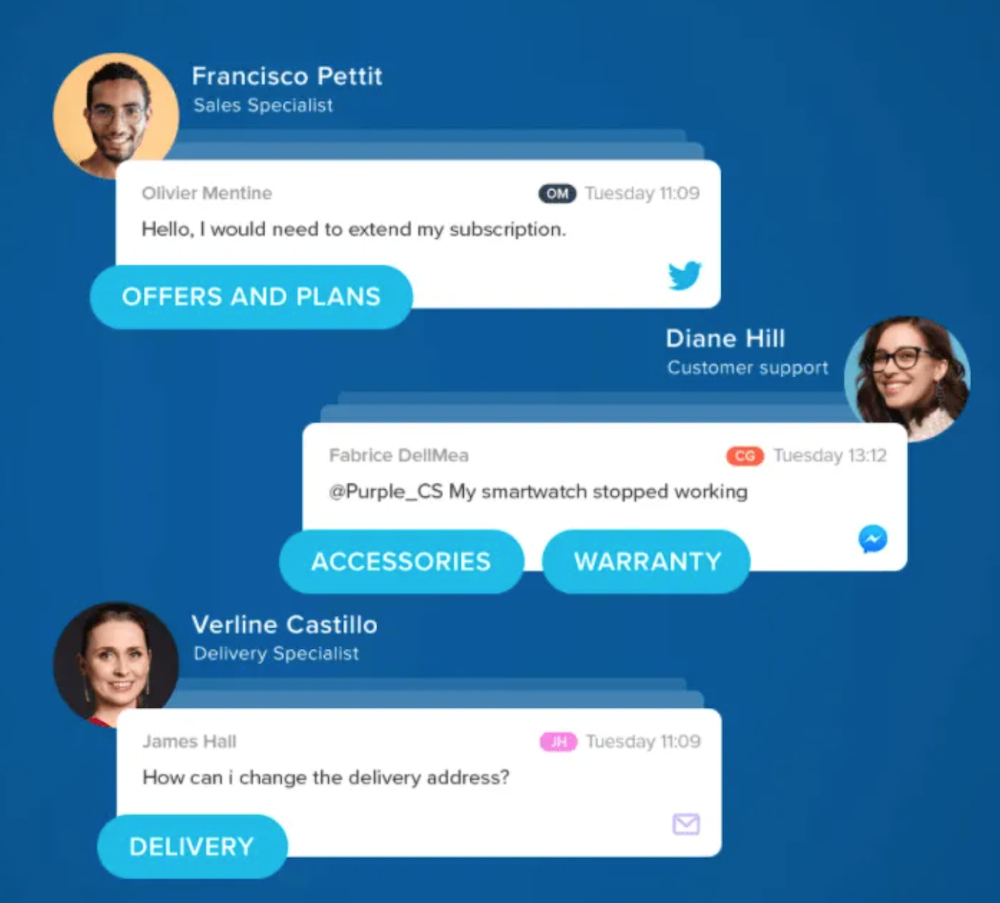
RingCentral supports the following communication channels:
- Inbound Voice
- Outbound Voice
- Messaging (including Facebook Messenger, Whatsapp, SMS, MMS, Apple, Google and Engage)
- Social Media (including Facebook, Twitter, Instagram and YouTube)
- Live Chat
- Email
- In-App Messaging
- Reviews
Intelligent Routing
RingCentral’s Intelligent Routing is a call management system that queues and distributes incoming calls to appropriate agents according to preset rules, priorities, schedules, or other customizable criteria.
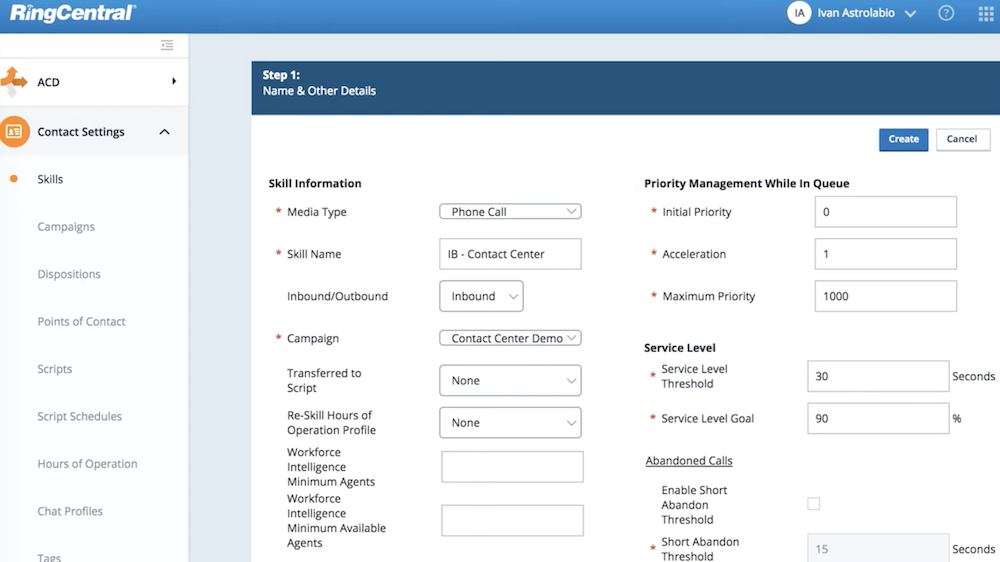
Intelligent routing is key to providing excellent customer service, and RingCentral offers a robust system that focuses on usability and flexibility.
Some call routing methods that can be implemented with RingCentral are:
- Fixed Order: Calls are assigned to the agent who is first in a line up unless they are currently handling a call
- Rotary: Calls are assigned to agents on a rotating basis
- Talk Time: Calls are assigned to the agent with the lowest daily talk time.
- Skills-Based Routing: Calls are assigned to an agent with the correct skillset to handle the call
- Percentage Routing: A set percentage of all calls are routed to specific teams
- Time-Based: Calls are assigned to agents during specified business hours/work schedules/agent time zone
Automation
RingCentral lets admins automate countless repetitive tasks using either integrations and APIs (such as the RingCentral Salesforce integration) or third-party tools (such as Zapier or MailChimp). RingCentral's AI Assistant can be used to automate call transcription, summaries, call notes, and 24/7 call answering.
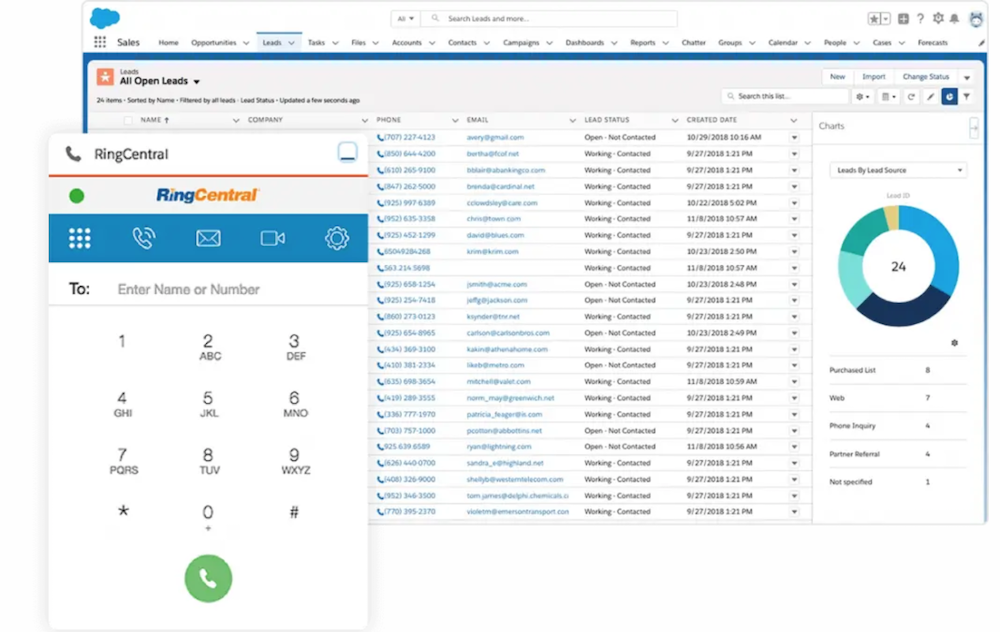
Auto Dialing
Even in modern omnichannel contact centers, voice remains one of the main channels of communication between customers and agents.
Outbound auto dialers automate the dialing process, making it easier to penetrate lead lists and optimizing agent performance.
RingCentral offers a variety of auto dialers to fit the specific needs of every business and call center, including progressive, predictive, preview, and TCPA Safe dialers.
RingCentral auto dialers have simple and intuitive interfaces and seamlessly sync agent desktops with customer information as well as any external applications. Customer engagement flows are automatically adapted to each interaction.
Overall, RingCentral auto dialing is extremely flexible and customizable, allowing businesses to set rules determining who will be called, at what time and how often.
Video Conferencing
RingCentral offers HD video conferencing with enterprise grade VoIP security (including end-to-end encryption), powerful AI capabilities, and a flexible platform.
Video meetings can be hosted on any device, and users can even switch back and forth between messaging and video conferencing with a click within the RingCentral app.
Video meetings have no time limitations and can include up to 200 participants.
Advanced insights provide users with meeting summaries, highlight reels, topics and, of course, video recordings and transcriptions.
RingCentral's AI Assistant for video transcribes meetings, provides closed captioning, summarizes video recordings, and creates video highlight reels.
More RingCentral video conferencing features:
- Presentation Modes
- Auto Follow
- Whiteboard
- Breakout Rooms
- Team Huddle
- Screen Sharing
- Annotations
- In-Meeting Chat with File Sharing
RingCentral also offers a webinar platform and a hybrid workplace solution called RingCentral Rooms as add-ons. Rooms allows users to have a designated physical space that keeps remote, hybrid and in-person workers connected using the business’ preferred hardware.
RingCentral Webinar allows users to invite up to 10,000 participants and 100 panelists. Like its video conferencing solution, the webinar platform is highly secure, easy to use and comes with advanced features such as analytics with pre-made reporting templates, backstage prep and recording.
Team Messaging
The RingCentral platform comes with its own powerful team messaging space.
Users can stay organized by categorizing chat threads, creating dedicated folders and building teams by department, project, etc.
External guests can also join chat channels, allowing for greater team collaboration between clients and employees.
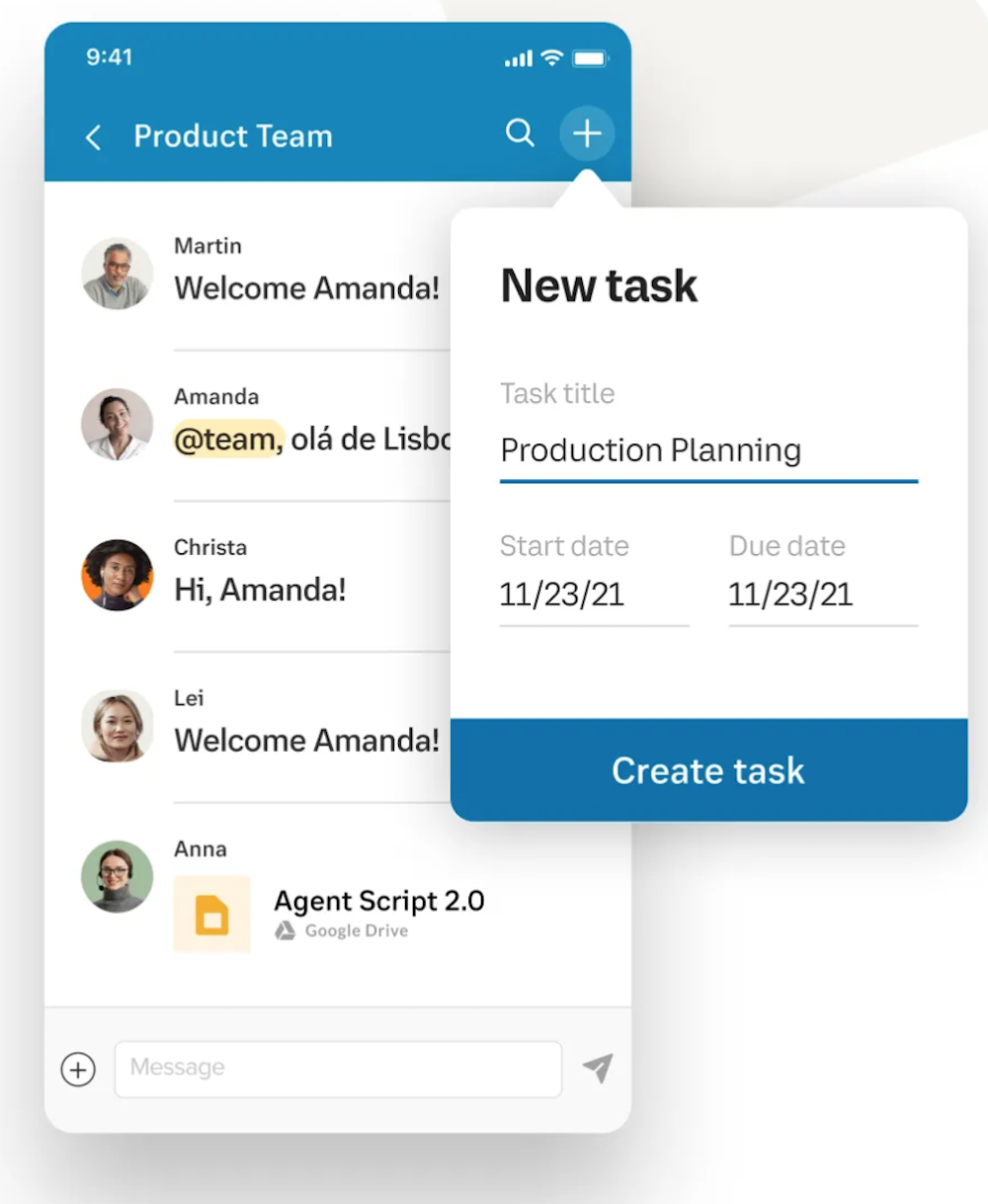
RingCentral’s team messaging integrates seamlessly with RingCentral all-in-one phone and video conferencing systems to make switching between messaging, phone, and video easy. The messaging tool also syncs with any third party apps and integrations, allowing users to send files or reference documents regardless of where they are stored.
RingCentral Team Messaging Features:
- Video Calls
- Bookmarking
- Task Management
- Internet Fax
- Integrations
RingCentral Integrations
With over 200 integration options, RingCentral has one of the largest integration networks in the communication space.
Whatever software and apps your business is most comfortable using, they will almost certainly be compatible with the RingCentral platform.
Though a complete list is available in the RingCentral App Gallery, here are some of the popular integrations RingCentral offers.
Analytics Integrations
Analytics integrations gather customer data from your RingCentral platform and provide you with powerful insights. Some of the leading analytics software providers that integrate with RingCentral are:
- Salesforce
- Theta Lake
- Gong
Automation Integrations
Whether you want to build stronger customer relationships using the Zoho CRM video integration, customize your team messaging with Zapier or automate workflows with the workato integration, automation integrations are nearly limitless. Some other Ringcentral automation integrations are:
Calendaring Integrations
RingCentral works well with the most popular calendaring apps such as Google, Microsoft 365 and Teams to keep everyone organized. Some additional RingCentral calendar integrations are:
Customer Support Integrations
You can use the RingCentral platform to power your customer service software, improve the customer experience and bridge communication gaps. Some popular customer support integrations are:
Marketing Integrations
RingCentral works with many third party marketing apps so that you can get marketing updates instantaneously on the RingCentral platform, customize messaging, and more. Some popular marketing integrations are:
Productivity Integrations
Whatever app your business uses to keep employees productive can be integrated into the RingCentral platform so that no one misses a beat. Some popular RingCentral productivity integrations include:
RingCentral Plans and Pricing
RingCentral offers three tiers of pricing plans for its RingEX unified communications solution. The lowest tier is only $20 per month/user, and offers essential features including video calling for up to 100 participants. The next level up is still affordable at $25 per month/user, and includes advanced call monitoring as well as essential business analytics. The most expensive tier (Ultra) includes customizable business insights, unlimited storage for messaging, recordings, and files as well as end-to-end encryption for video and messaging.
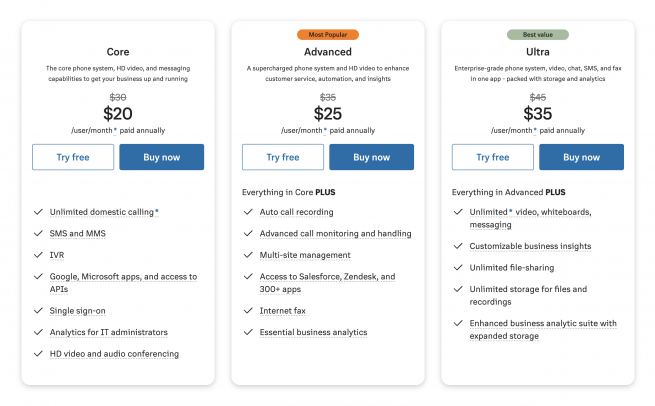
You can see the feature breakdown by plan below:
|
Core Plan |
Advanced Plan |
Ultra Plan |
| Pricing |
Annually: $20/user/mo
Monthly: $30/user/mo |
Annually: $25/user/mo
Monthly: $35/user/mo |
Annually: $35/user/mo
Monthly: $45/user/mo |
| Business phone or toll-free phone numbers |
✓ |
✓ |
✓ |
| Toll-free minutes |
100 |
1,000 |
10,000 |
| Unlimited calls within the US/Canada |
✓ |
✓ |
✓ |
| Enhanced Business SMS |
✓ |
✓ |
✓ |
| Voicemail-to-text |
✓ |
✓ |
✓ |
| Visual Voicemail-to-email |
✓ |
✓ |
✓ |
| Team Messaging |
✓ |
✓ |
✓ |
| Document Sharing |
✓ |
✓ |
✓ |
| Call management and phone system administration |
✓ |
✓ |
✓ |
| Mobile apps for iOS and Android |
✓ |
✓ |
✓ |
| High Definition (HD) Voice |
✓ |
✓ |
✓ |
| Desk phone and conference phone rentals |
✓ |
✓ |
✓ |
| E911 and E2EE for calls |
✓ |
✓ |
✓ |
| HD Video conferencing |
Up to 100 participants |
Up to 100 participants |
Up to 200 participants |
| Unlimited audio conferencing |
✓ |
✓ |
✓ |
| Unlimited internet fax |
X |
✓ |
✓ |
| 24/7 Support |
X |
✓ |
✓ |
| Multi-level auto attendant |
X |
✓ |
✓ |
| Professional implementation |
X |
✓ |
✓ |
| Call recording |
On demand |
Automatic/on demand |
Automatic/on demand |
| Compatible with RingCentral Rooms (Add-on) |
✓ |
✓ |
✓ |
| Compatible with RingCentral Connector (Add-on) |
✓ |
✓ |
✓ |
| Single Sign-on |
✓ |
✓ |
✓ |
| Multi-site admin and management |
X |
✓ |
✓ |
| Up to 8 digit extensions with site codes |
X |
✓ |
✓ |
| Hot desking |
X |
✓ |
✓ |
| Advanced call handling including whisper, barge, and more |
X |
✓ |
✓ |
| Analytics |
Call log reports and real-time QoS reports and alerts |
Adoption and business analytics essentials |
Business analytics pro, device analytics and alerts |
| Integrations |
Microsoft, Google and APIs |
Salesforce, Zendesk, and 300+ others |
Salesforce, Zendesk, and 300+ others |
RingCentral and the Hybrid Workplace
RingCentral has developed two new communication solutions designed to serve the needs of today’s remote, blended, and geographically diverse workforce.
One solution, RingCentral Rooms, is available now as an add-on. The second product, RingCentral Webinar, is in Beta as of this writing.
RingCentral Rooms
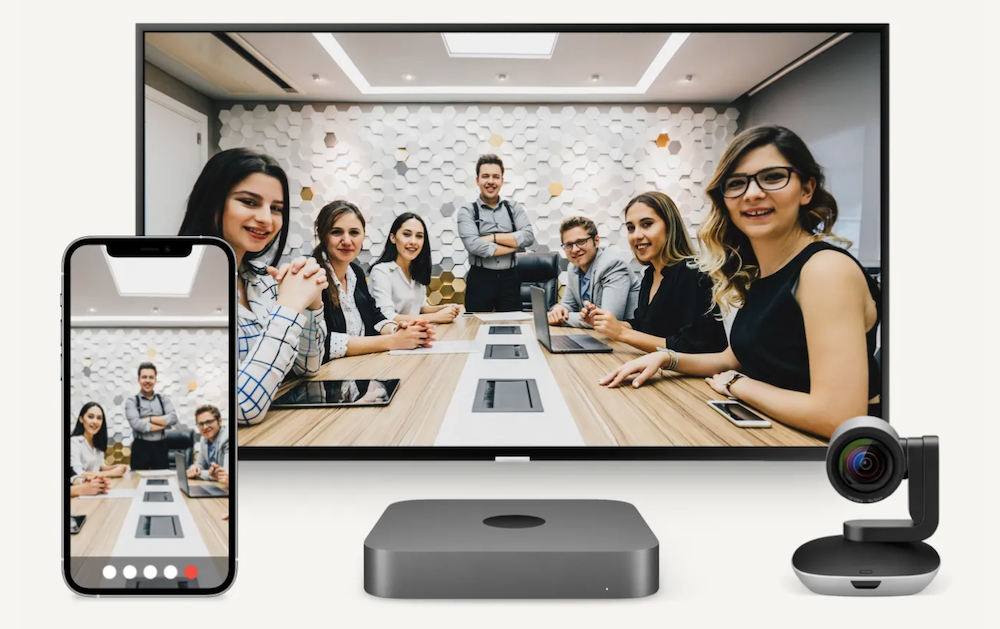
RingCentral Rooms allow users to set up a perfectly customized hybrid meeting room.
To create the room, a dedicated conference room is first outfitted with cameras, desk phones, microphones and speakers. Then, in-person employees can gather physically in the space while RingCentral software allows remote workers to join the meeting from a control pad with one click.
RingCentral Rooms are highly secure with data encryption backed by HITRUST, HIPAA, and GDPR.
RingCentral Webinar
In today’s connected world, webinars have numerous uses and applications for businesses. Webinars can help to create brand recognition, generate leads, enrich employees, onboard new hires, and more.
RingCentral Webinar allows users to easily and quickly set up secure and dynamic webinars with top notch features. Registrants can attend in the RingCentral app or with a no-download browser link. Companies can invite up to 10,000 attendees and up to 100 panelists.
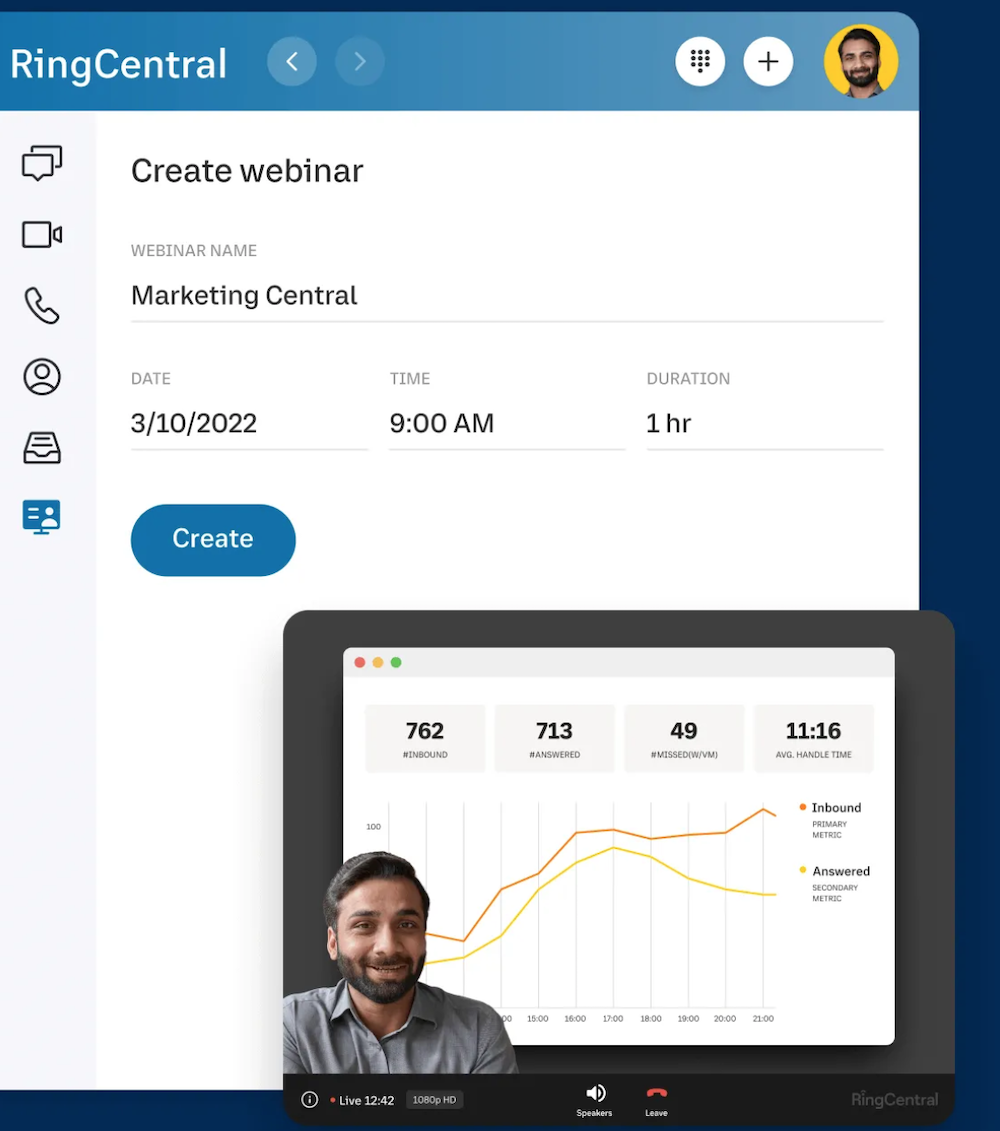
Webinar features include:
- Advanced Analytics and Insights
- Record and Share Capabilities
- Integrations with Third Party Apps
- Q&A Polling
- Backstage Host Prep
- Follow-the-Host Video Layout
- Customizable Registration
- IT Admin Quality of Service Analytics
- Virtual Background
- Branding
- Presenter Overlay
- Speaker Spotlight
- Host and Panelist Support
- No Downloads for Attendees
RingCentral Pros & Cons
RingCentral generally excels in flexibility, security, features and reliability, while some reviewers claim RingCentral is lacking when it comes to customer service.
Here’s a closer look at some of the pros and cons of the RingCentral platform.
RingCentral Pros
|
RingCentral Cons
|
| More integrations than any other provider in the communications space |
IVR includes many options, but is complicated to set up |
| Full stack of advanced features |
Customer support agents can be difficult to reach |
| Excellent audio quality |
Incompatible with most competing hardware, so many customers may have to purchase RingCentral phones |
| High quality video conferences with advanced video features for mid-range and higher priced plans |
Video conferencing is not included in the lowest priced plan (Essentials) |
| Many advanced analytics tools offered in mid-range and higher priced tiers |
|
| Highly secure with end-to-end encryption |
|
| High level of flexibility and customizability |
|
RingCentral Customer Support
RingCentral customer support provides several options for users to connect with representatives, outlined below.
RingCentral Knowledge Base
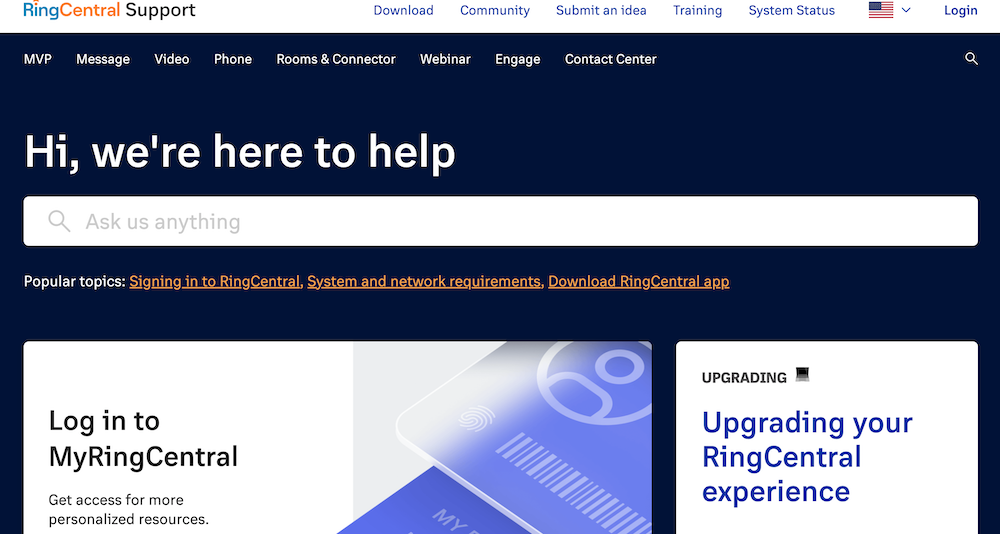
The RingCentral knowledge base (accessible via this link) is easy to navigate and search. It includes video tutorials, how-to articles, and lengthy PDF product guides.
RingCentral Community
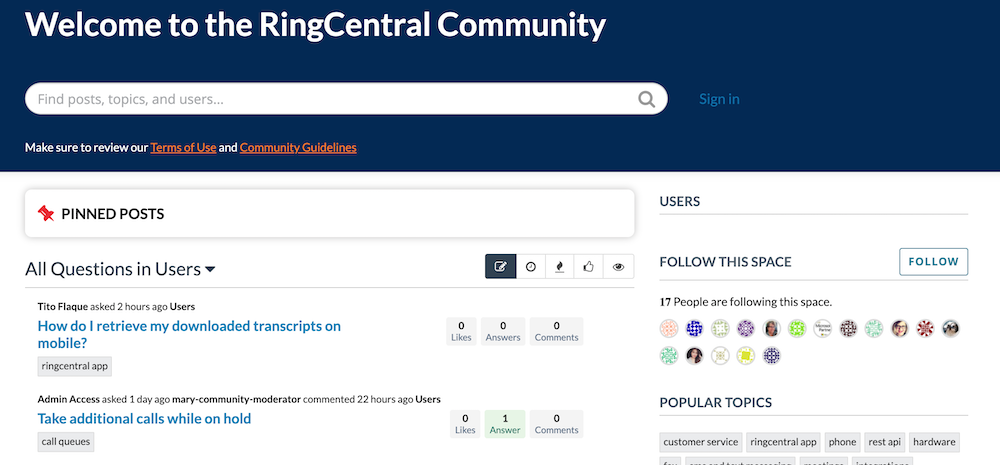
The RingCentral Community is a forum for RingCentral users to connect with each other, sharing advice or troubleshooting tips about a variety of topics, or “Spaces.” Threads are organized by topic, users can vote other responses up, tag topics, and follow Spaces that interest them.
Other Ways to Get Customer Support From RingCentral
If customers can’t find answers in the knowledge base or community forums, they can contact RingCentral directly using live chat on their website, connecting on social media, or calling a RingCentral representative.
Live phone support for RingEX (2+ users) plans is available 24/7. Live phone support for RingCentral RingEX (1 user) is available 5:00 a.m.–6:00 p.m. PT, Monday–Friday (excluding holidays).
Non-English support is available Monday-Friday 9am-6pm Central European Time (CET).
Is RingCentral Right For You?
As one of the most experienced providers in the cloud communications space, RingCentral offers a plethora of advanced features with limitless possibilities for customization and integration. RingCentral gives its users complete control of nearly every aspect of their all-in-one communication platform.
With this high level of control, however, comes complexity.
Although RingCentral has expanded its customer support resources, it is not known for holding its customers' hands through setup. To that end, RingCentral may not be the best choice for startups or small businesses without a dedicated IT department.
For larger companies and enterprises that want high-level customizations–and that have the infrastructure to implement it–RingCentral is an excellent choice. For businesses that need reliable service and a high level of security as priorities, RingCentral certainly delivers.
For additional RingCentral information, check out our hands-on RingCentral Pricing Review.
Want to look at other business phone systems before making your final decision?
This Enterprise VoIP comparison table shows how RingCentral measures up against other top business communication software providers such as 8x8, Dialpad and Zoom.